

Build a PT Intake Form That Puts Pain and Goals on the Record
Build a PT intake form that asks where it hurts and what the patient wants back, saved to a database you own.
Build a pt intake form that saves every response to a database I own.
Trusted by Builders Worldwide
Active Builders Worldwide
Apps Successfully Created
Countries Globally Reached



What the Therapist Reads Before the Evaluation
A PT intake form built around movement: where it hurts, what brings the pain on, and what the patient wants to do again.
Pain tied to the movement behind it
Ask the patient to pick a body region, rate the pain from 0 to 10, and name what brings it on. The therapist reads left shoulder, 5 when reaching overhead, not a blank line.
Goals in the patient's own words
Add a question for the one activity the patient wants back, such as lifting a grandchild or running again. That answer gives the plan of care a target they chose themselves.
Follow-up questions behind a yes
A yes to a past surgery or a current medication opens one more question asking which one and when. A patient with nothing to report skips past it and sees a shorter form.
Every answer on the patient's record
Each submission saves to a database you own, filed under the patient's name, and the therapist opens that one record at the visit. Connect it to any clinic system with an API.
Policies signed inside the form
Close the intake with the clinic's consent and cancellation policy, then a box where the patient signs on screen. The signature is kept with the rest of their answers.
Source code your developer can extend
Export the full code to your GitHub repository on paid plans, then host the form on the clinic's own site. A developer can add the screens the front desk asks for next.
How PT Clinics Use the Intake Answers
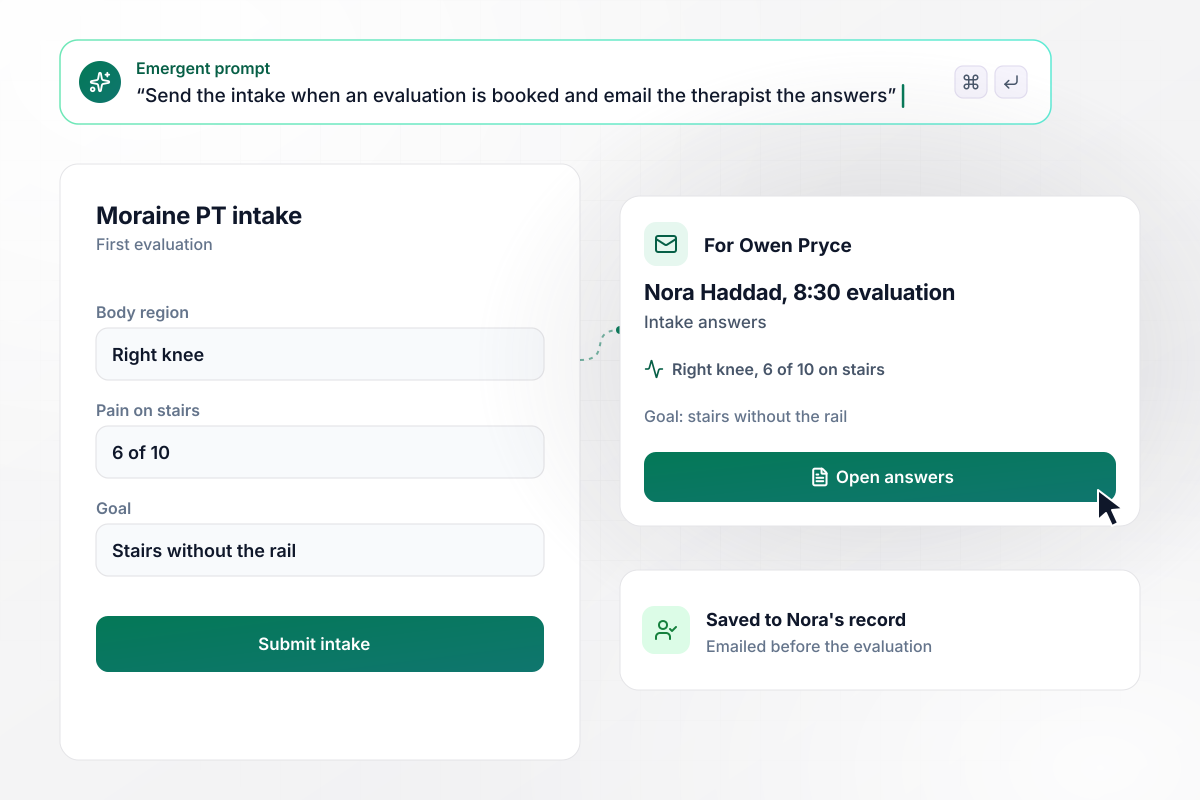
Nora's answers are in Owen's inbox before 8:30
Moraine Physical Therapy sends the intake link when a first evaluation is booked. Nora Haddad answers on her phone: right knee, pain at 6 of 10 on stairs, and a goal of climbing to her apartment without the rail. Before her 8:30 evaluation, physical therapist Owen Pryce gets an email card with those answers.
window.awbMockup = { newEvaluations: "I run Moraine Physical Therapy. Build a PT intake form that goes out when a first evaluation is booked. Ask for the body region, a 0 to 10 pain rating, what makes the pain worse, and the one activity they want back. Before the evaluation, email the treating physical therapist a card with those answers, and save everything to the patient's record.", insuranceCards: "Build a new-patient form for Calder Physical Therapy that asks for a photo of the front of the insurance card. Read the member ID, group number, and plan name into fields. Any field read below 80% confidence goes to Ingrid Solberg at the front desk to confirm before the visit.", workInjuries: "My clinic is Osterman Rehab. Add a question to our intake asking where the injury happened. If they pick at work, ask for the employer, the claim number, and the adjuster's email, then send that intake to our billing coordinator, Wynn Mercado, instead of the insurance queue. Show today's intakes with where each one went.", postOpReferrals: "Build an intake for post-surgery patients at Pellwood Sports PT. Ask for the procedure, the surgery date, and uploads of the surgeon's referral and protocol. When both files are in, email our post-op lead, Tess Okonkwo, a card with the answers and the protocol attached, so she can book the first visit." };
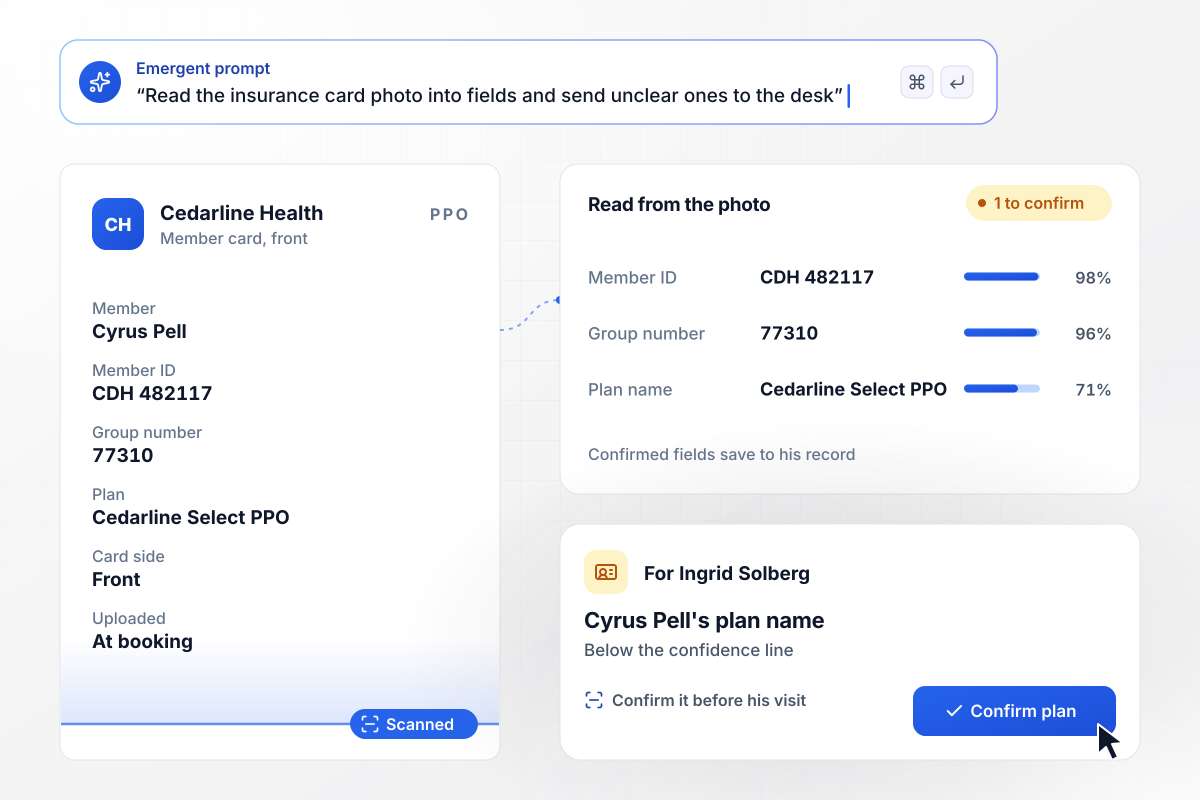
One unclear field waits for Ingrid
Calder Physical Therapy asks every new patient for a photo of the front of their insurance card. The app reads the member ID, group number, and plan name into fields. On Cyrus Pell's card the plan name comes back below the clinic's confidence line. Ingrid Solberg at the front desk confirms it before his visit.
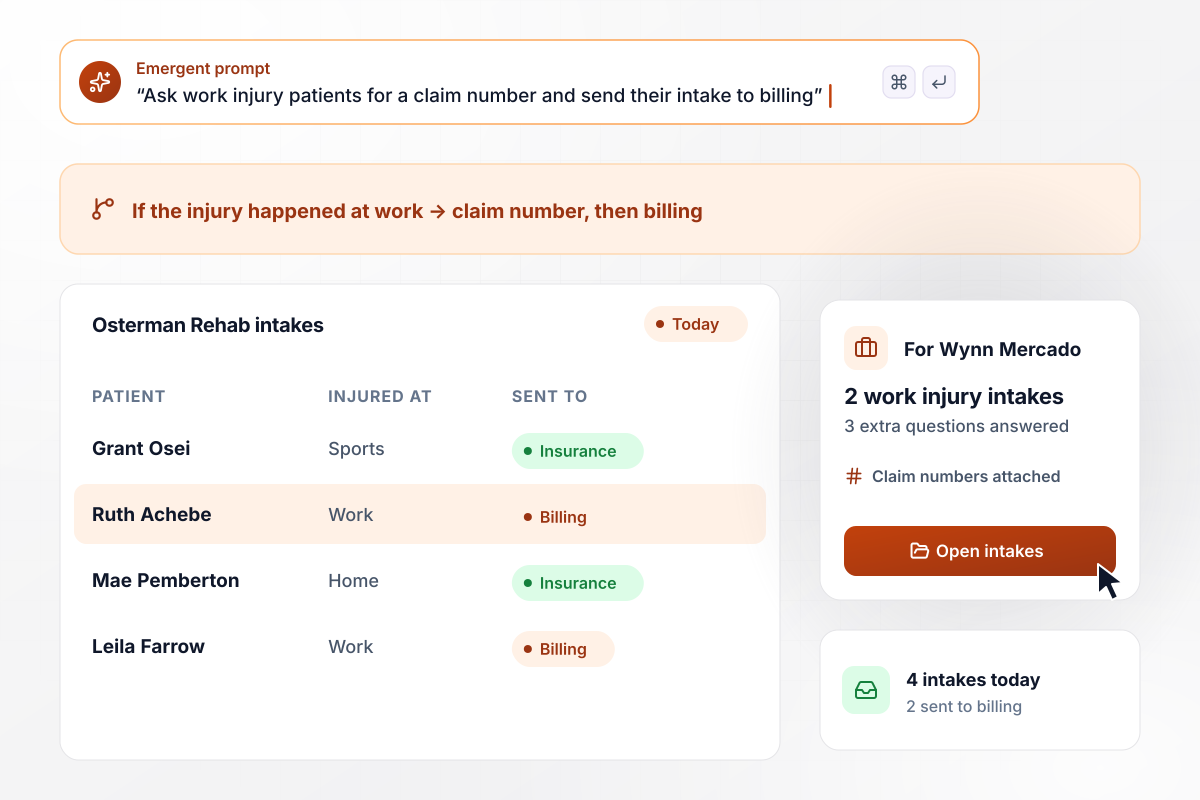
Each work injury reaches billing with a claim number
A patient at Osterman Rehab who says the injury happened at work gets three more questions: employer, claim number, and adjuster email. That intake goes to billing coordinator Wynn Mercado, not the insurance queue. Of today's 4 intakes, 2 are work injuries, and both reach Wynn with their claim numbers.
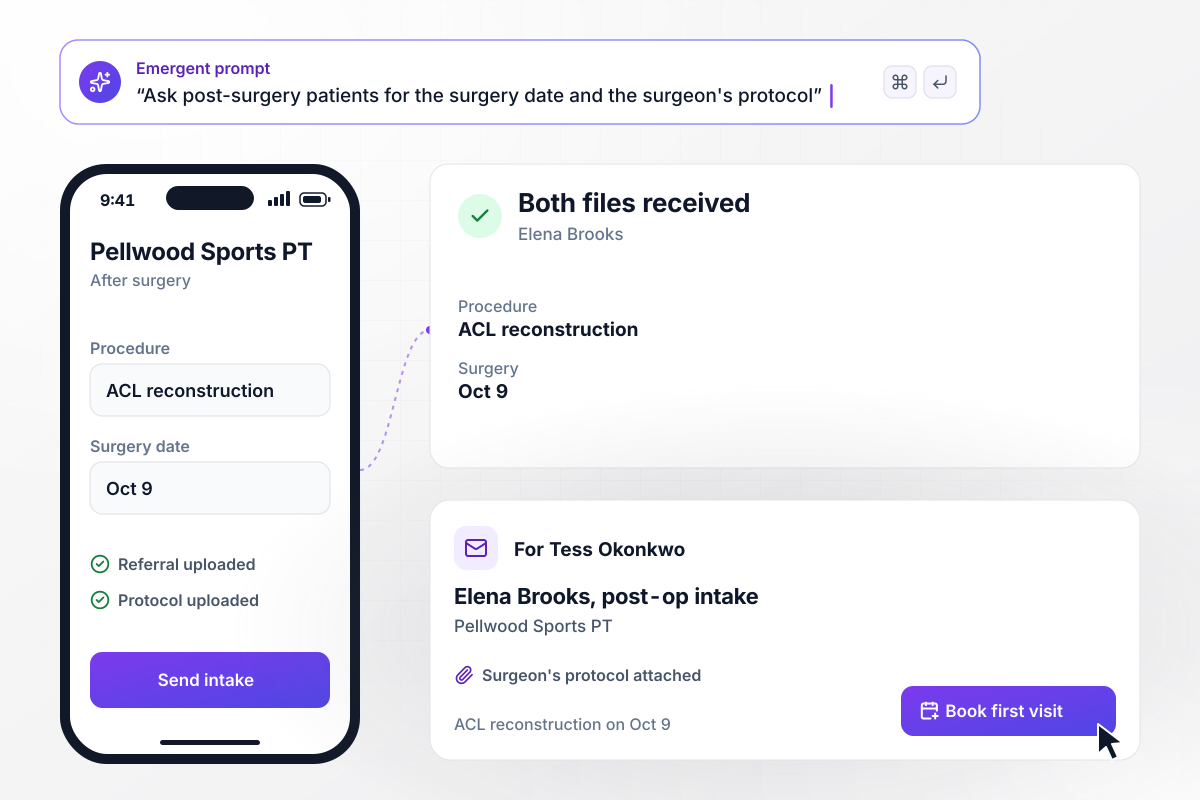
The surgeon's protocol arrives with the referral
Pellwood Sports PT asks post-surgery patients for the surgery date and an upload of the surgeon's referral and protocol. Elena Brooks reports an ACL reconstruction on Oct 9 and attaches both files. Post-op lead Tess Okonkwo gets an email card with the protocol before she books the first visit.






How to Create a PT Intake Form
Plan the questions the first evaluation needs, then build a PT intake form with Emergent in seven steps.
Write down what the treating therapist wants to know before the patient walks in, starting with the body region and the movement that brings the pain on. Each question on the form should trace back to a line on that list. Anything that traces to nothing comes out.
Open with one question about why the patient is coming in: a new injury, recovery after surgery, or an injury at work. Each answer opens only its own section. A post-surgery patient never scrolls past the work injury questions.
Ask which movements hurt and when, not for aggravating factors, and offer a short list for the body region instead of a blank box. Read each question aloud to someone outside the clinic before it goes in the form.
Map every answer to the person who acts on it. Pain and goals go to the treating therapist. The insurance card goes to the front desk, and a claim number goes to billing. Nobody has to read the whole packet to find their part.
Paste your question list and routing into a prompt. Emergent builds the form with its patient database and email alerts. Change anything by prompting again, such as moving the goal question to the first screen or adding a section for pediatric visits.
Fill it out yourself once for each visit type, using made-up patients and real-looking answers. Check that each path shows only its own section and that every alert reaches the person it names. Then open the records and confirm each answer landed where it should.
Put the link in the booking confirmation and ask for the form back a day before the visit. A patient who has not finished by then gets a reminder, and the therapist starts the evaluation with the answers already read.
Why Build Your PT Intake Form With Emergent?
A paper packet waits on a clipboard until someone types it in. With Emergent, each answer is on the patient's record before the visit.

|
Jotform | Google Forms | Typeform | |
|---|---|---|---|---|
| How you build | Describe it in plain English | Templates, editor, AI generator | Editor, with Gemini drafting on some Workspace plans | Templates, editor, AI assist |
| Where responses live | A database table you own, plus any integration | Jotform account | Google Sheets | Typeform account |
| Response limits | No response caps | Monthly submission caps by plan; the form stops at the cap | No limit | Monthly response caps by plan; the form closes at the cap |
| Code ownership | Full code export to GitHub on paid plans | None | None | None |




Pick the Pricing Plan That Works for You
Choose the plan that fits your building ambitions. From weekend projects to enterprise applications, we've got you covered.




Find the right form
for whatever you're collecting















Frequently Asked Questions
Your Questions, Answered
Don't change this element unless you know what you are doing
More things you can build
with Emergent









on Emergent today


