

Build an Employee Referral Form That Tracks Every Bonus
Create an employee referral form that confirms each candidate, flags duplicate referrals and dates every bonus payout.
Build an employee referral form that saves every referral and its outcome.
Trusted by Builders Worldwide
Active Builders Worldwide
Apps Successfully Created
Countries Globally Reached



What Happens After a Referral Comes In
A PDF records the referral and stops there. Emergent's version checks it against your policy and keeps the bonus on a schedule.
Every referral tied to a posted role
Lets the referrer pick from your list of open jobs instead of typing a title. Each referral carries the requisition ID, and the recruiter sees which pipeline it belongs to.
The candidate confirms first
Emails the person being referred a link to say yes and upload a current resume. Nobody lands in your hiring pipeline without knowing, and the resume comes from its owner.
Duplicates caught on submit
Matches the email and phone number against earlier referrals and current applicants. Credit stays with the earliest submission, and any later referrer gets a short, polite note.
Your eligibility rules, applied
Reads the policy you describe: who cannot earn a bonus, which roles pay and how much. A referral from the hiring manager for their own team is marked not eligible on the record.
Payout dates from the start date
Works out each bonus date once the hire starts, whether you pay once or in halves. Payroll sees the list ahead of time, and a payment drops if the hire leaves early.
Code that moves with you
Exports the full codebase to your GitHub on paid plans. Your team can host the referral app on its own servers or connect it to the applicant tracking system you run today.
Four Teams That Hire Through Referrals
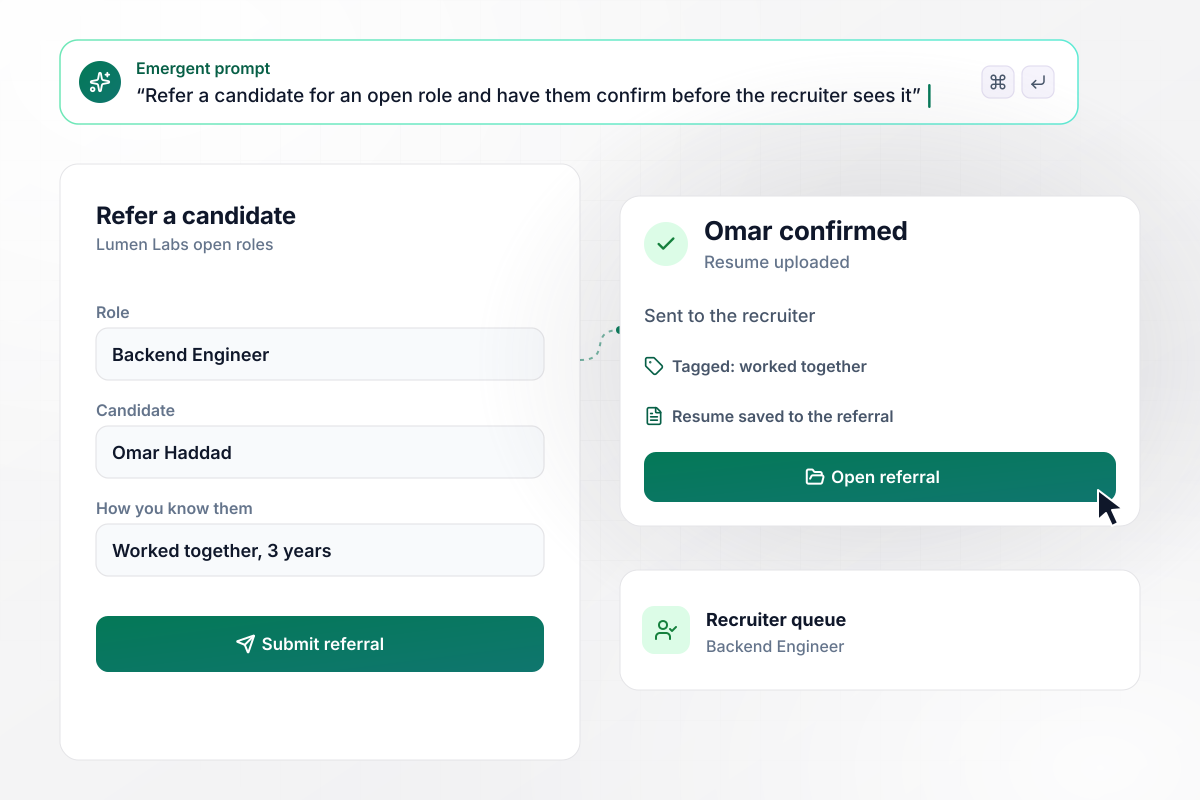
The candidate says yes before a recruiter calls
Engineers refer the people they shipped with. At Lumen Labs, a backend engineer picks the open role and notes she worked with the candidate for 3 years. He gets an email to confirm interest and upload a resume. Only then is the referral sent to the recruiter.
window.awbMockup = { engineeringHires: "Build an employee referral form for my software company. The referrer picks an open role from our job list, says how they know the candidate and for how long, and adds the candidate's email. Email the candidate a link to confirm interest and upload a resume. Once they confirm, send the referral to the recruiter for that role, tagged with the relationship.", nurseBonuses: "Our hospital pays $3,000 for a referred ICU nurse, $1,500 after 6 months and $1,500 after 12 months. When HR enters the new nurse's start date, put both payout dates on the referral record and show payroll the upcoming payouts. If the nurse leaves before a date, cancel that payment and note why on the record.", retailStores: "My store associates refer friends for open shifts. When a referral comes in, check the candidate's email and phone number against earlier referrals and current applicants. Keep credit with whoever submitted first, with the time stamp. If a second associate refers the same person, tell them the candidate is already referred without saying who referred them.", programReporting: "Give our talent lead one screen for the referral program this quarter: referrals received, hires, and hires that are not eligible because the hiring manager referred them. For eligible hires, multiply by our $1,500 bonus and show the total scheduled for payroll, with each payout date and the referrer's name." };
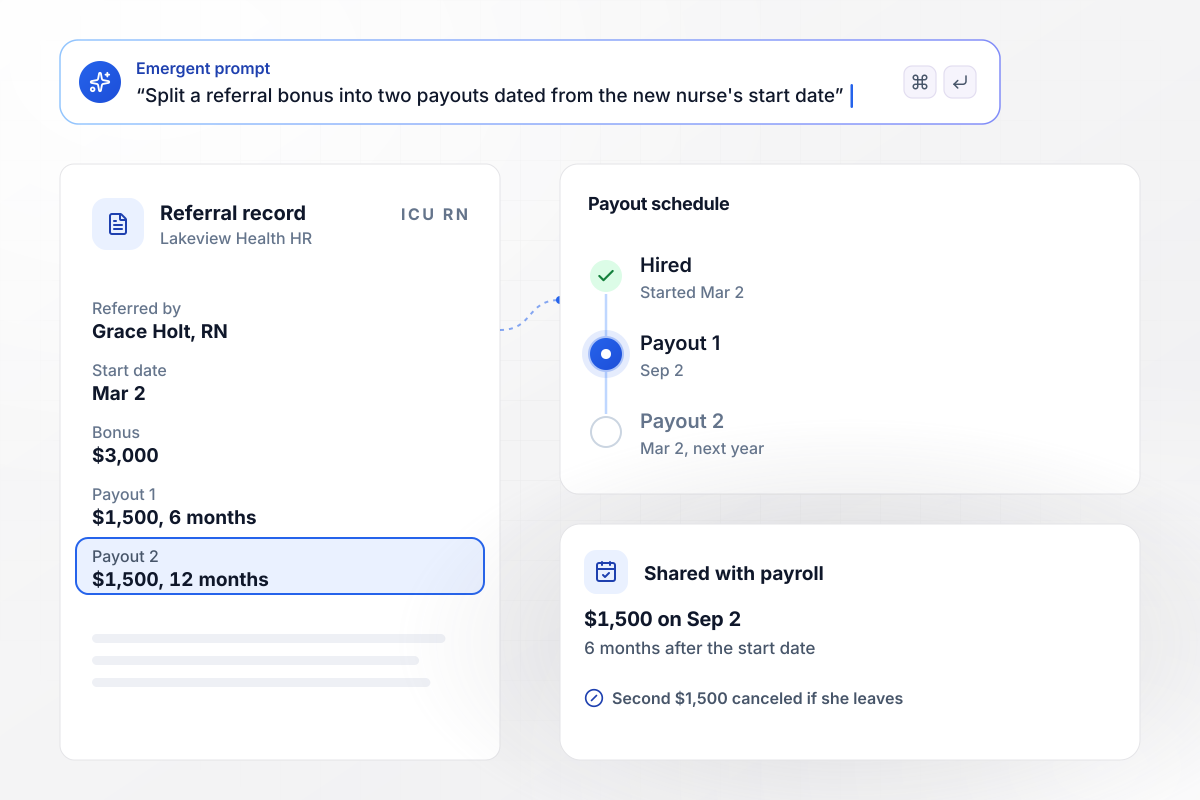
Payroll sees each $1,500 date from day one
Nursing referrals cost real money. Lakeview Health pays $3,000 for a referred ICU nurse, $1,500 after 6 months and $1,500 after 12. When the start date goes in, the referral record shows both payout dates for payroll. The second $1,500 is canceled if the nurse leaves before then.
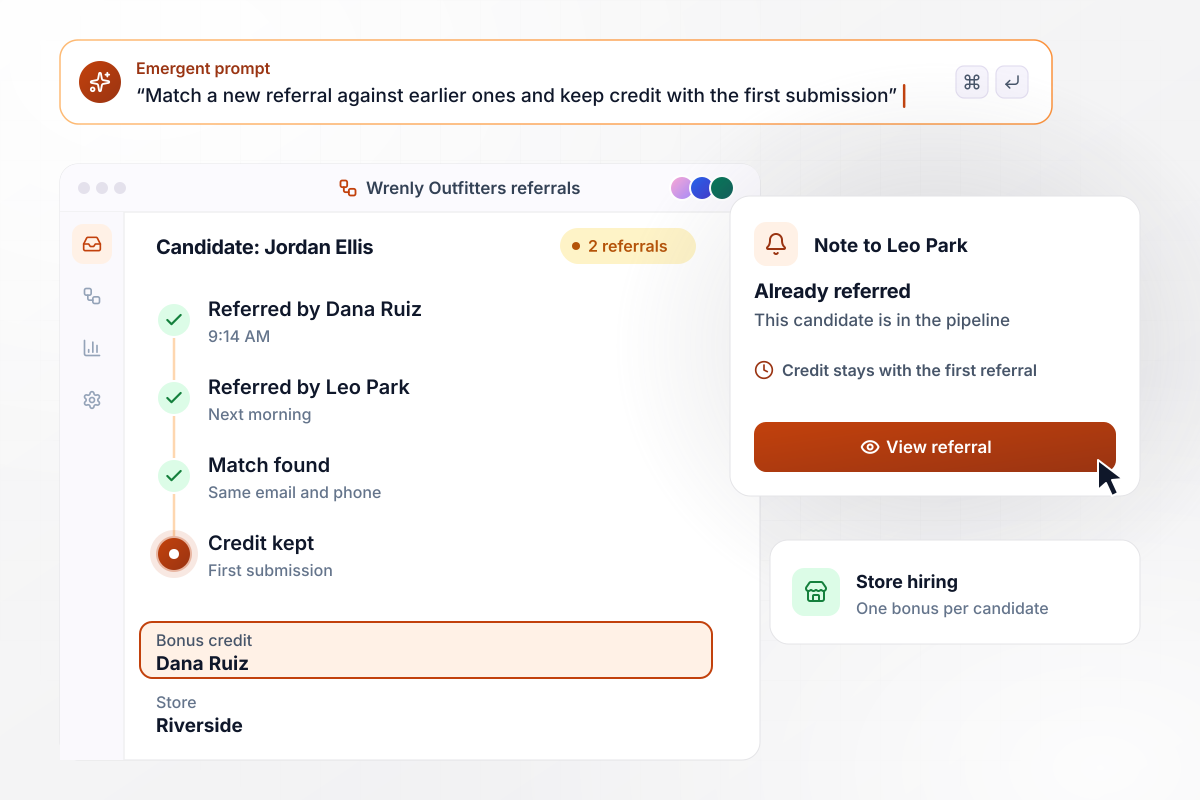
Two associates, one candidate, one bonus
Store associates know the same people. Two Wrenly Outfitters associates refer the same candidate, the first at 9:14 AM and the second the next morning. The app spots the shared email and phone number and keeps credit with the first submission. The second associate gets a note that the candidate is already referred.
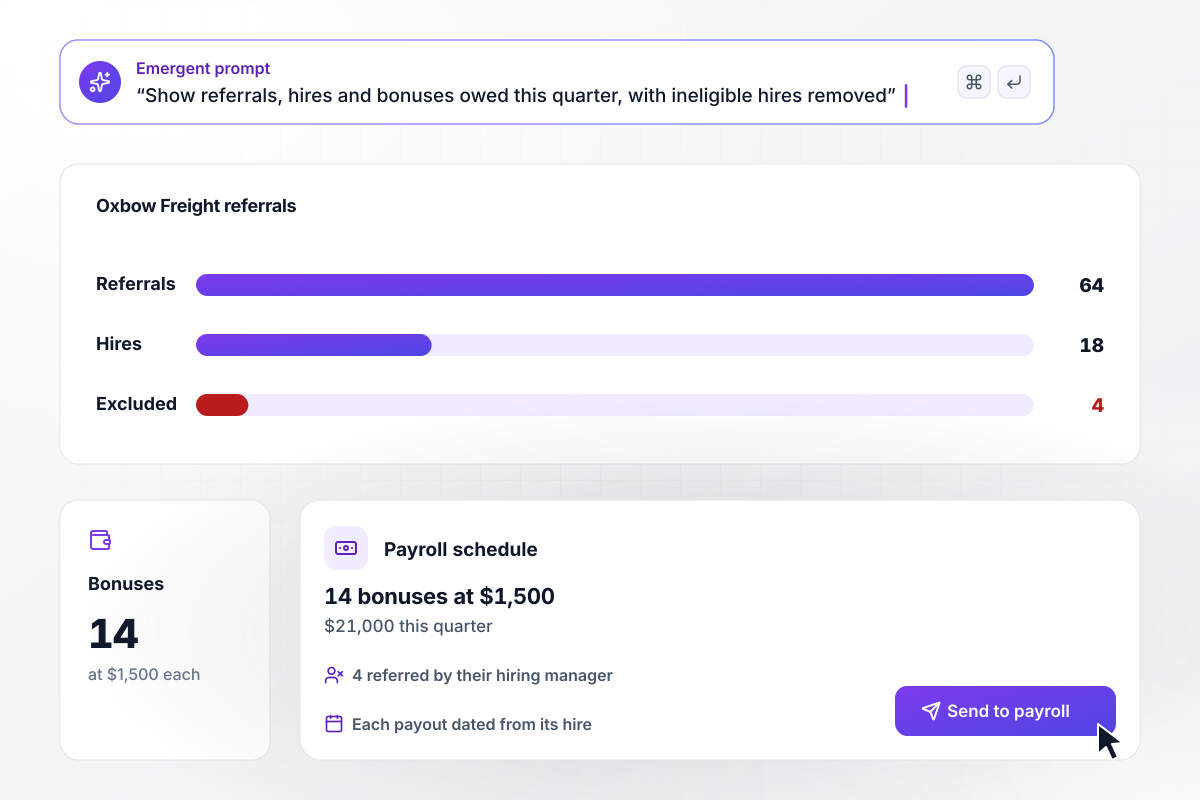
Which of 64 referrals earn a bonus this quarter
Referral bonuses are a budget line. Oxbow Freight' talent lead sees 64 referrals and 18 hires on one screen. Four of those hires were referred by their own hiring manager, which the policy excludes. The other 14 earn $1,500 each, and $21,000 is scheduled for payroll.






How to Create an Employee Referral Form
Seven steps to create an employee referral form that applies your bonus policy and pays each referrer on time.
Decide who can refer, which roles pay a bonus, how much, and when. SHRM's sample policy leaves out HR staff and managers with hiring authority over the candidate. Settle your own exclusions before launch, because the form will apply them to every referral.
Let the referrer choose from a list of open jobs. A requisition ID on each referral tells the recruiter where it belongs. It also lets you turn away referrals dated before the posting, a rule SHRM's sample policy uses.
Offer fixed choices: worked together, studied together, friend or family, met professionally. Add how long, plus one line on why the person would do the job well. A recruiter reads three years on the same team differently from a single meeting.
Send the candidate a short link to confirm interest and add a resume. People are never referred without knowing about it, and the resume arrives from the person it describes. Referrals that nobody confirms within a week can close on their own.
Compare each new candidate with past referrals and with anyone who has already applied. Keep credit with the earliest submission. Tell any later referrer the person is already in the pipeline without naming who got there first.
Once the hire starts, work out each payout date from your policy, whether that is one payment after 90 days or two halves over a year. Payroll gets the list ahead of each date, and payments stop if the hire leaves first.
Give each referrer a status for every person they put forward: received, interviewing, hired, payout scheduled. Employees can check progress without emailing HR, and interview feedback stays with the hiring team.
Why Build It With Emergent?
Every referral, resume, and payout date is a row in a database you own.

|
Jotform | Typeform | Google Forms | |
|---|---|---|---|---|
| How you build | Prompt for the application form and the hiring pipeline around it | Templates, editor, AI generator | Templates, editor, AI assist | Editor, with Gemini drafting on some Workspace plans |
| Resume uploads | Resumes and portfolios saved to storage you own, no sign-in | Included; files count toward plan storage | Paid plans only | Respondents must sign in to Google; files fill your Drive |
| Where responses live | A database table you own, plus any integration | Jotform account | Typeform account | Google Sheets |
| Code ownership | Full code export to GitHub on paid plans | None | None | None |
| Response limits | No response caps | Monthly submission caps by plan; the form stops at the cap | Monthly response caps by plan; the form closes at the cap | No limit |




Pick the Pricing Plan That Works for You
Choose the plan that fits your building ambitions. From weekend projects to enterprise applications, we've got you covered.




Find the right form
for whatever you're collecting















Frequently Asked Questions
Your Questions, Answered
Don't change this element unless you know what you are doing
More things you can build
with Emergent









on Emergent today


