

Build an Equipment Request Form That Knows Who Holds What
Build an equipment request form that checks stock, keeps each order inside its allowance, and records who holds every item.
Build an equipment request form that saves every response to a database I own.
Trusted by Builders Worldwide
Active Builders Worldwide
Apps Successfully Created
Countries Globally Reached



What a Blank Request Sheet Never Checks
A blank sheet asks for an item and a signature. These six pieces check the shelf and the budget before anyone approves.
Items picked from your own catalog
Employees choose from a list you set, with the model and price shown on every item. A request for "a laptop" arrives as the exact machine IT stocks. Nobody writes back to ask which.
Stock shown before anyone submits
The form reads the count for each item from the stock table. A crew lead sees what is on the shelf before asking, and an approved request takes its items out of the count.
Allowances that total as people pick
Give each role a spending allowance. The form adds up every item as it is picked and shows what is left, and an order over the line is marked before it reaches the approver.
Each item type goes to its owner
Send tool requests to the yard manager and laptops to IT. Each one gets an email or Slack alert showing the item and the reason, along with the date the employee needs it by.
A record of what each person holds
Every approved request saves to a database you own, under the employee's name and the asset tag. When someone changes roles or leaves, the list of what they hold is ready.
The codebase, exported to GitHub
On paid plans, export the full code to your GitHub repository, then connect the form to the asset system your IT team already runs. Host it next to the rest of your tools.
Equipment Requests at Four Workplaces
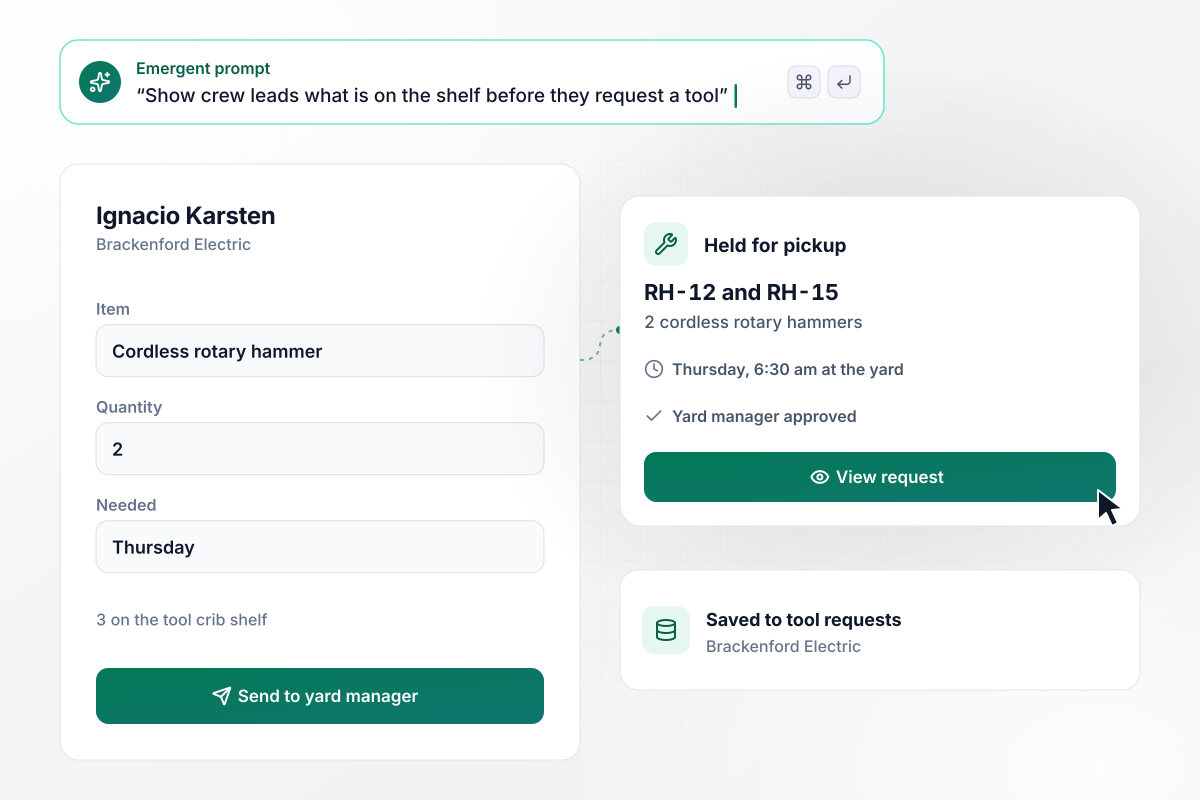
Rotary hammers held for Thursday, 2 of the crib's 3
Ignacio Karsten runs a wiring crew at Brackenford Electric and needs 2 cordless rotary hammers for a job that starts Thursday. Before he sends the request, the form shows 3 on the tool crib shelf. The yard manager approves it, and tags RH-12 and RH-15 are held for a 6:30 am pickup at the yard.
window.awbMockup = { fieldTools: "I run the tool crib at an electrical contractor. Build an equipment request form where a crew lead picks a tool, the quantity, and the start date, and sees how many are on the shelf before sending it. When the yard manager approves, hold the tools by asset tag and give the crew lead a pickup time at the yard.", remoteSetup: "Our analytics company gives each remote hire a $500 home office allowance. Build a request form where the employee picks a monitor, a chair, and other items from our list, sees the running total and what is left, and adds a shipping address. Send each order to the office manager to approve and ship.", laptopReplacement: "I manage IT at an accounting firm. Build a form where an employee enters a laptop's asset tag and describes the problem. Look up the purchase date, and if the laptop is more than 3 years old, send IT a replacement request. If it is younger, open a repair ticket instead.", equipmentReturns: "My warehouse issues scanners, headsets, safety vests, and locker keys to every picker. Keep a record of each item issued under the employee's name. When someone's last day is set, list what they hold, let the supervisor check each item back in, and email the supervisor about anything still out." };
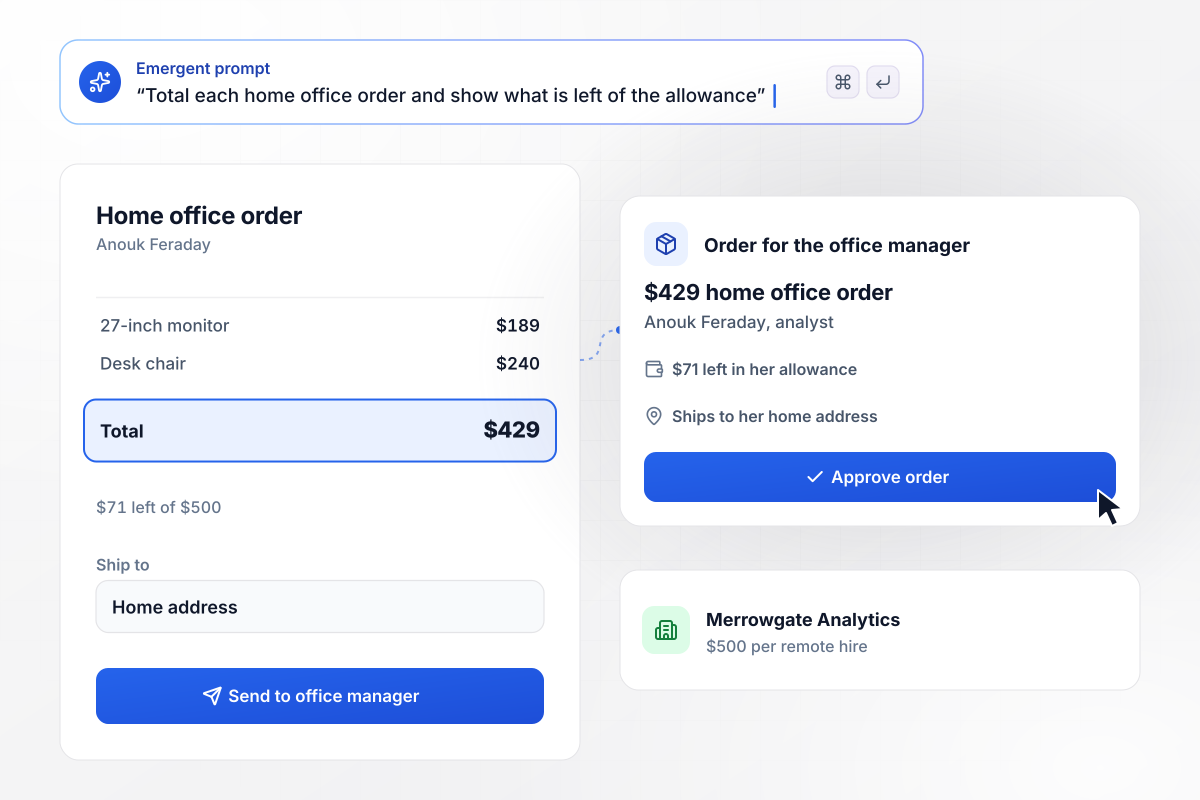
A monitor and chair for $429, inside a $500 allowance
Every remote hire at Merrowgate Analytics gets a $500 home office allowance. Analyst Anouk Feraday picks a 27-inch monitor at $189 and a desk chair at $240. The form totals her order at $429 and shows $71 left. It then goes to the office manager with her home address for shipping.
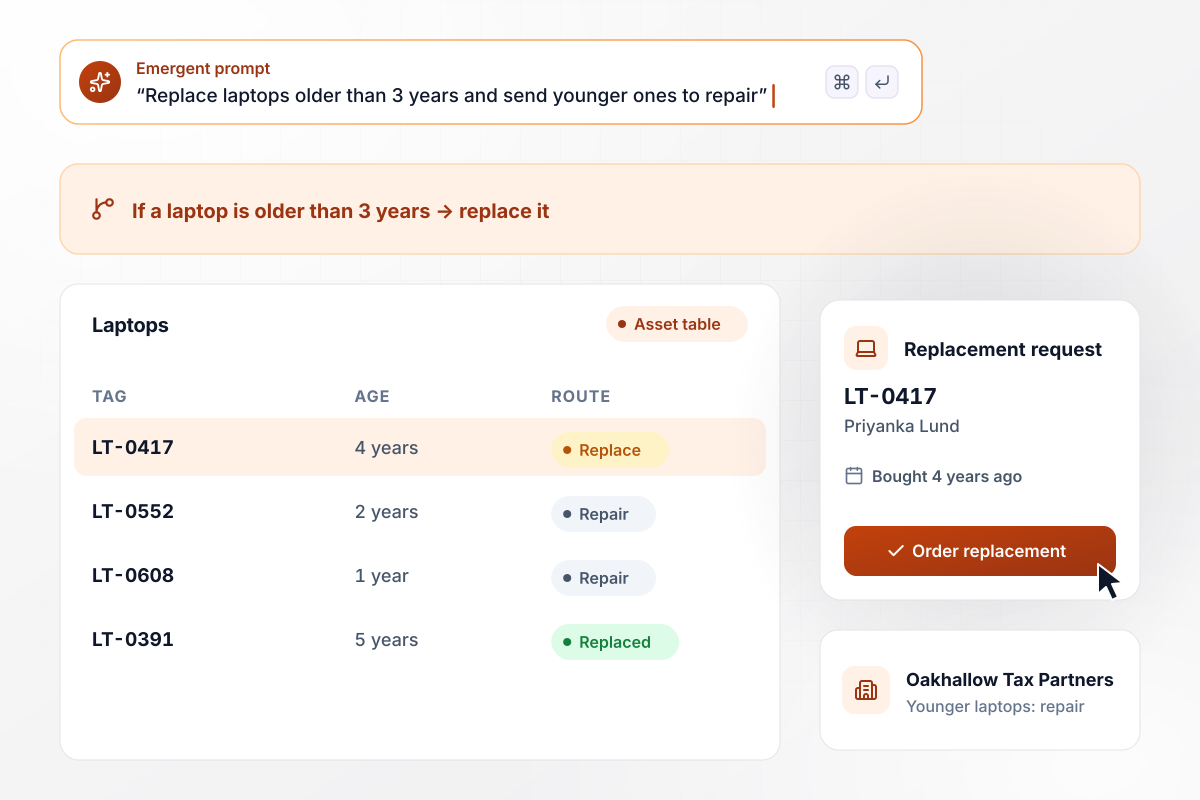
No repair for a laptop past 3 years old
Oakhallow Tax Partners replaces any laptop older than 3 years and sends younger ones to repair. Priyanka Lund reports that her battery no longer lasts through a client meeting. She enters tag LT-0417, and the form finds a laptop bought 4 years ago. IT receives a replacement request instead of a repair ticket.
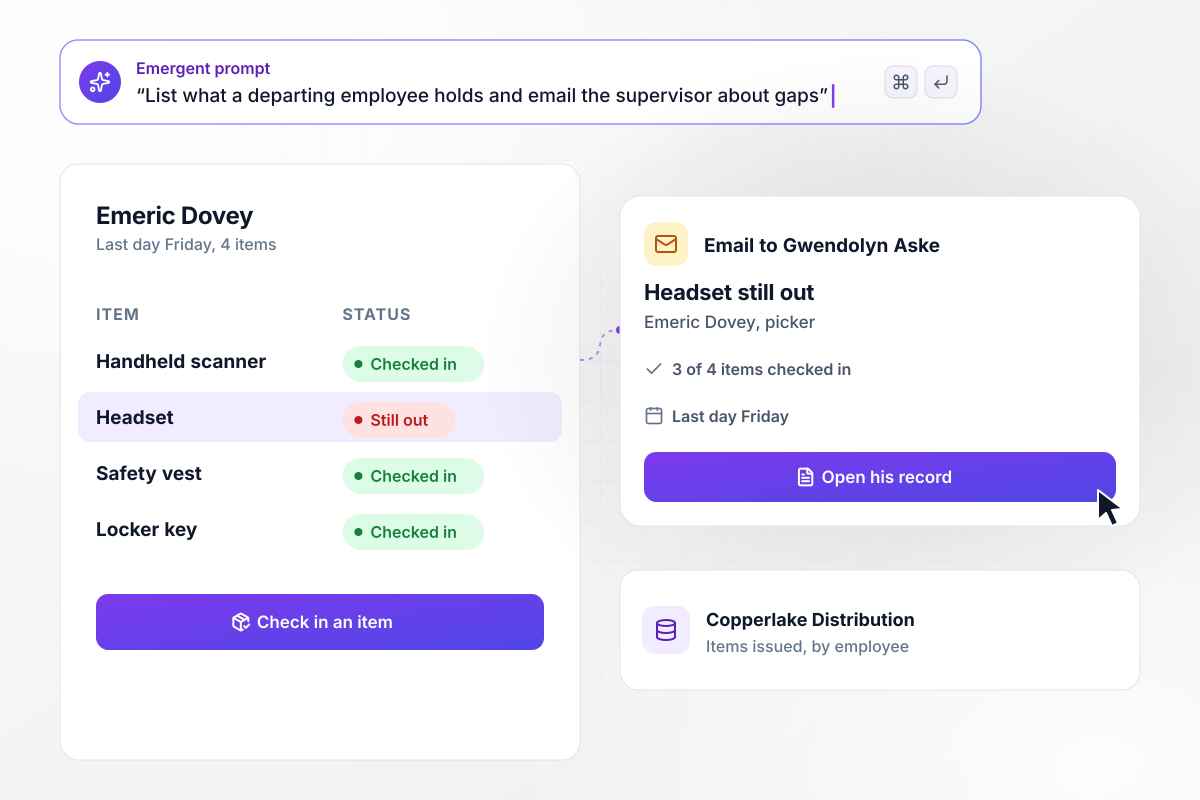
When Emeric leaves, the one item still out is named
Copperlake Distribution records each item it issues by name. Picker Emeric Dovey's last day is Friday, and his record lists 4 items: a handheld scanner, a headset, a safety vest, and a locker key. Three of the 4 are checked back in. His supervisor, Gwendolyn Aske, gets an email naming the headset that is still out.






How to Create an Equipment Request Form
Seven steps to create an equipment request form that checks stock, gets the right approval, and tracks every item issued.
Start with the items people ask for in a normal quarter, such as laptops and drills. Give each one a model and price, plus the person who approves it. That list becomes the catalog employees pick from, and anything off the list needs a reason.
Ask what the item is for and the date it is needed by. Keep the reason to one line. A crew lead who needs a drill for a Monday job should not have to explain it again when the request reaches the yard.
Keep a stock table with the count for each item, and let the form read it before a request goes out. An employee who sees an empty shelf can pick another model instead of waiting days for a no.
Name the approver for each item type, and set an allowance or a dollar line above which a second person signs off. Add a backup approver for the weeks when the first one is away.
Decide when a device is replaced instead of repaired, such as laptops past a set age. Record each asset purchase date next to its tag. The form then applies the rule as soon as an employee enters the tag.
Put the catalog and the approval rules into one prompt. Emergent builds the equipment request form, the database behind it, and a screen for whoever approves. To change a question later, say what should change in a new prompt.
Request a real item from your catalog and approve it, then check it back in. Confirm the stock count drops and comes back, and that the item shows up under the right person's name while it is out.
Why Use Emergent for Equipment Request Forms?
An equipment request form PDF says what someone wants. A built form also knows what is on the shelf and who already has one.

|
Jotform | Google Forms | Typeform | |
|---|---|---|---|---|
| How you build | Describe it in plain English | Templates, editor, AI generator | Editor, with Gemini drafting on some Workspace plans | Templates, editor, AI assist |
| Where responses live | A database table you own, plus any integration | Jotform account | Google Sheets | Typeform account |
| Response limits | No response caps | Monthly submission caps by plan; the form stops at the cap | No limit | Monthly response caps by plan; the form closes at the cap |
| Code ownership | Full code export to GitHub on paid plans | None | None | None |


Pick the Pricing Plan That Works for You
Choose the plan that fits your building ambitions. From weekend projects to enterprise applications, we've got you covered.




Find the right form
for whatever you're collecting



Frequently Asked Questions
Your Questions, Answered
Don't change this element unless you know what you are doing
More things you can build
with Emergent









on Emergent today


