

Build a Project Request Form That Routes and Ranks New Work
Build a project request form that sends each request to the right approver and saves it to a database you own.
Build a project request form that sends any request touching student records to the registrar for sign-off before IT reviews it.
Trusted by Builders Worldwide
Active Builders Worldwide
Apps Successfully Created
Countries Globally Reached



What a Blank Request Form Leaves Undecided
A PDF collects the idea. Who reviews it, which budget pays for it, and when the work could start are still settled in someone's inbox.
Questions that fit the request type
Show each request type its own fields. An IT request asks which systems the project touches, while a facilities request asks for the building and for photos of the leak or damage.
Sign-off before the intake meeting
Send a request to its sponsor or data owner before it reaches the intake meeting. The sign-off is recorded with a name and a time, and the request then moves on to the next step.
Routing by estimated cost
Route each request by its estimate. Work under your line becomes a work order, larger jobs go to the budget committee, and the requester can see which path the request has taken.
Rush flags on short deadlines
Compare the requested due date with the lead time the work needs. A deadline that is too short is marked rush and waits for a manager to approve it, instead of jumping the queue.
Ranking against team hours
Score each request on the criteria your board picked, then rank it against this quarter's team hours. The board sees which requests fit now and which ones wait for the next round.
Your intake app, in your repo
Export the full code to your GitHub repository on paid plans. The routing rules and every past request then live in a codebase you control, ready to extend or host elsewhere.
Four Intake Desks and the Rules They Run
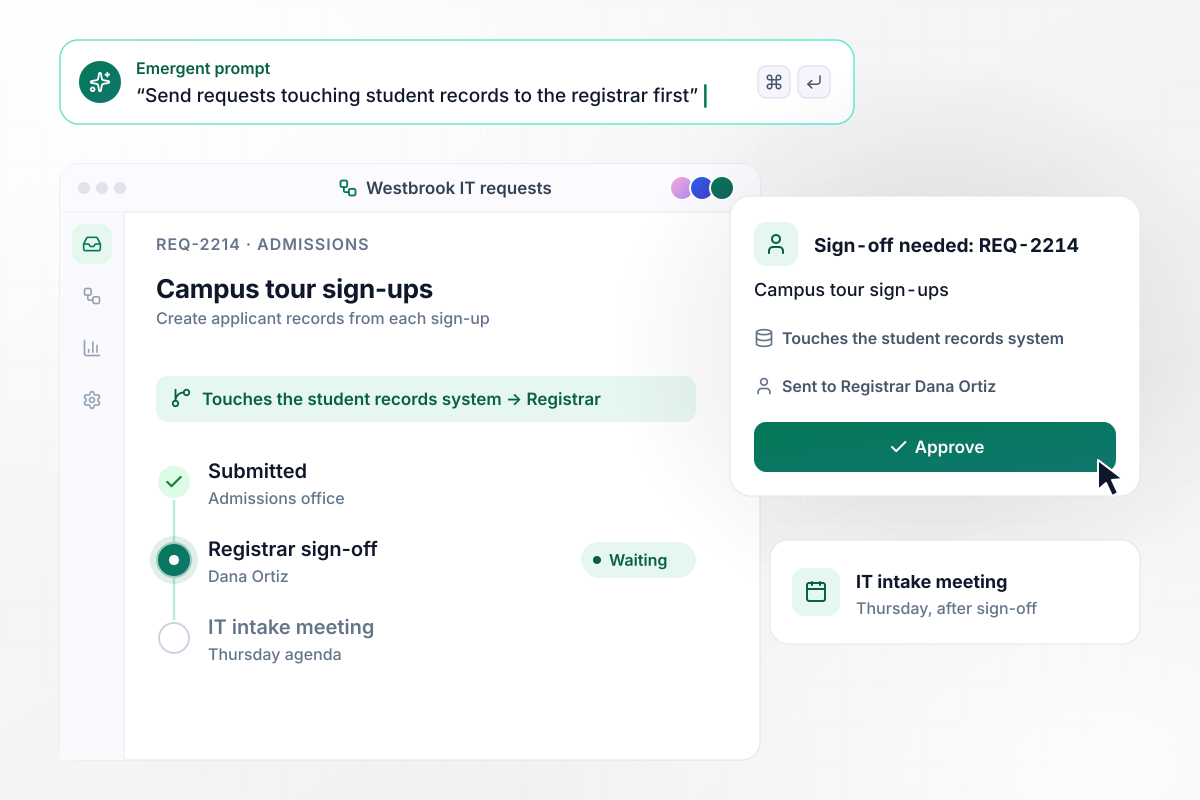
Registrar sign-off comes before IT's intake meeting
Westbrook College's IT office runs every new project through one form. Admissions wants campus tour sign-ups to create applicant records. The form asks which systems the work touches, and the answer includes the student records system. Registrar Dana Ortiz signs off first, before IT's Thursday intake meeting.
window.awbMockup = { itProjects: "I run IT intake at a college. Build a project request form where departments describe the project, the deadline, and which systems it would touch. If the answer includes the student records system, send the request to the registrar for sign-off first. Approved requests go on the agenda for our Thursday intake meeting, and every requester gets an email at each step.", constructionProjects: "I manage facilities for a county. Build a project request form where departments enter the building, the room, photos of the problem, and a contractor estimate. Anything estimated under $50,000 becomes a work order for my team. Anything over $50,000 goes to the capital planning committee with the photos attached, and the requester sees which path it took.", creativeRequests: "I run an in-house brand studio that needs 15 business days for in-store signage. Build a creative request form where teams describe the piece, the size, and the date they need it. Count the business days as they pick the date. If it is under 15, mark the request rush and send it to the creative director to approve or offer a later date.", projectPortfolio: "I run the project office at a health system. Build a project request form and a review board view. Score each request out of 25 for value, urgency, and effort, plus an hours estimate. Rank requests by score and fund them in order until the quarter's 1,200 team hours are used, then move the rest to next quarter's list with their scores kept." };
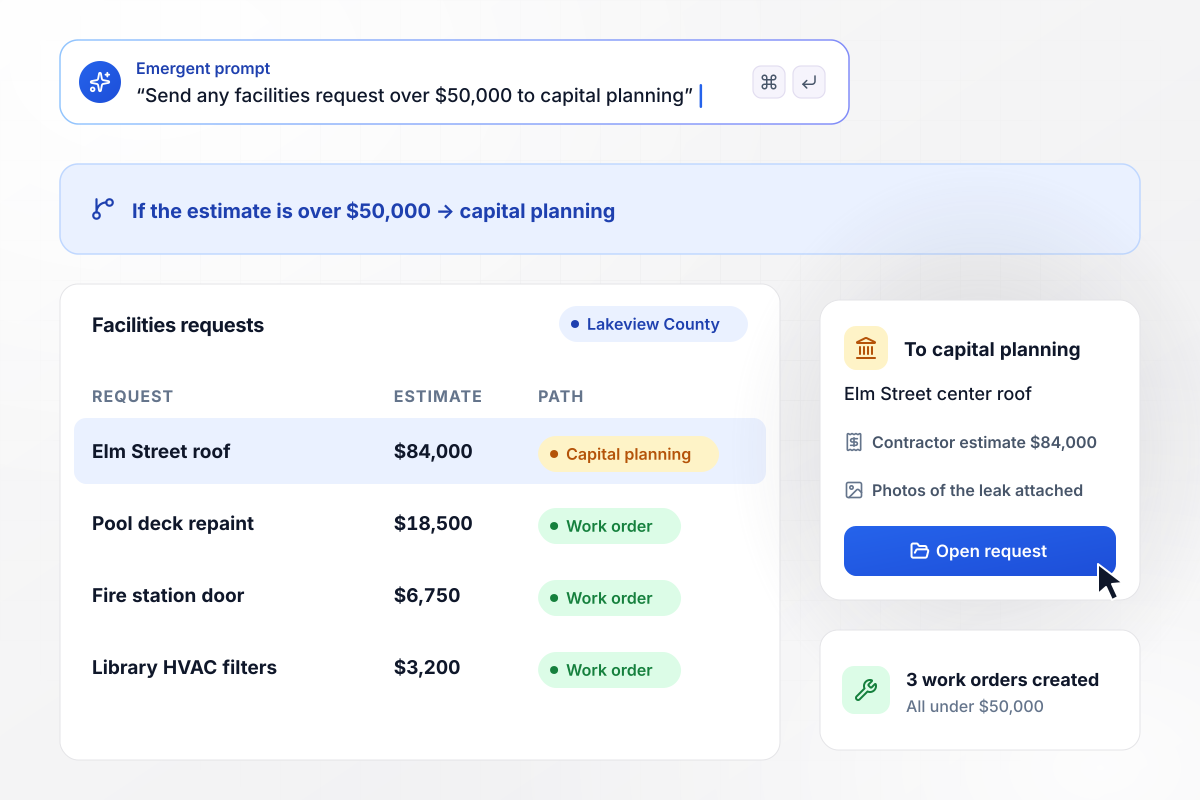
Capital planning gets any estimate over $50,000
Lakeview County's parks department needs a new roof on the Elm Street community center. The request carries photos of the leak and an $84,000 contractor estimate. Facilities turns anything under $50,000 into a work order. This one is over the line and goes to the capital planning committee.
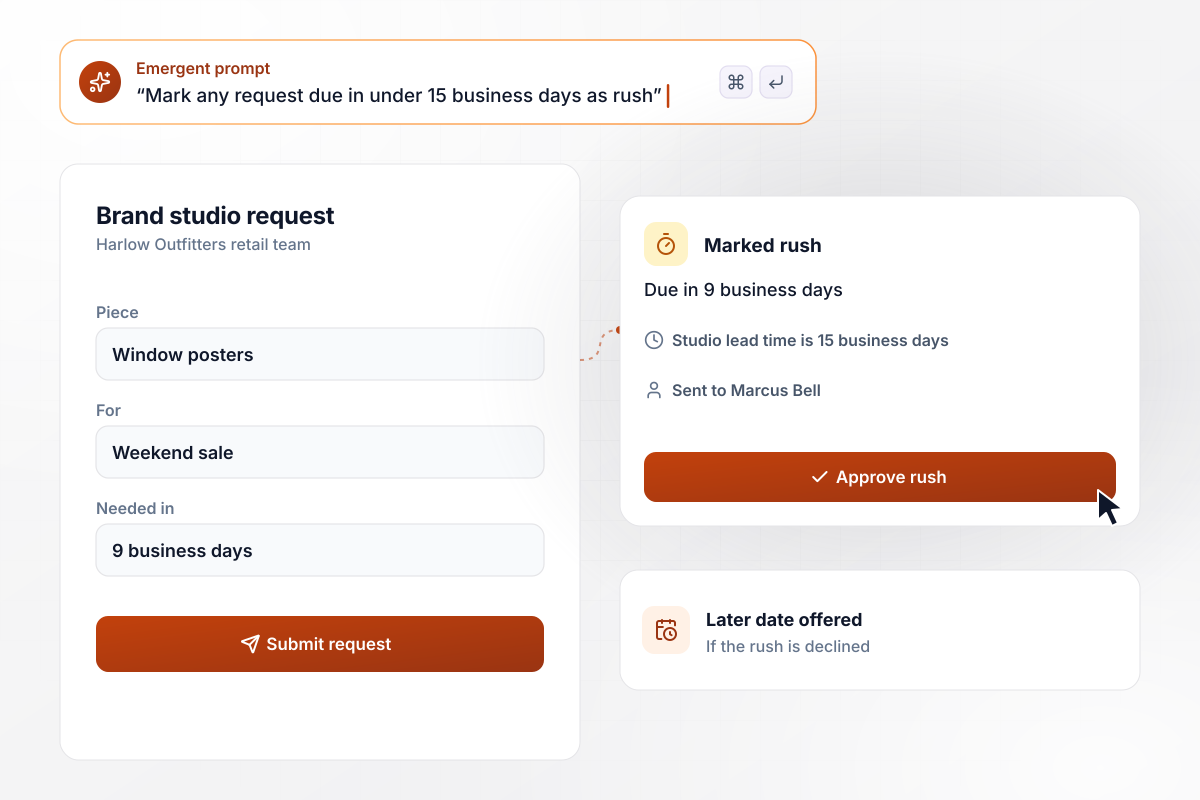
Rush review for signage due in 9 business days
Harlow Outfitters' brand studio needs 15 business days to produce in-store signage. The retail team asks for window posters for a weekend sale that opens in 9 business days. The form counts the days as the date is picked and marks the request rush. Creative director Marcus Bell approves it or offers a later date.
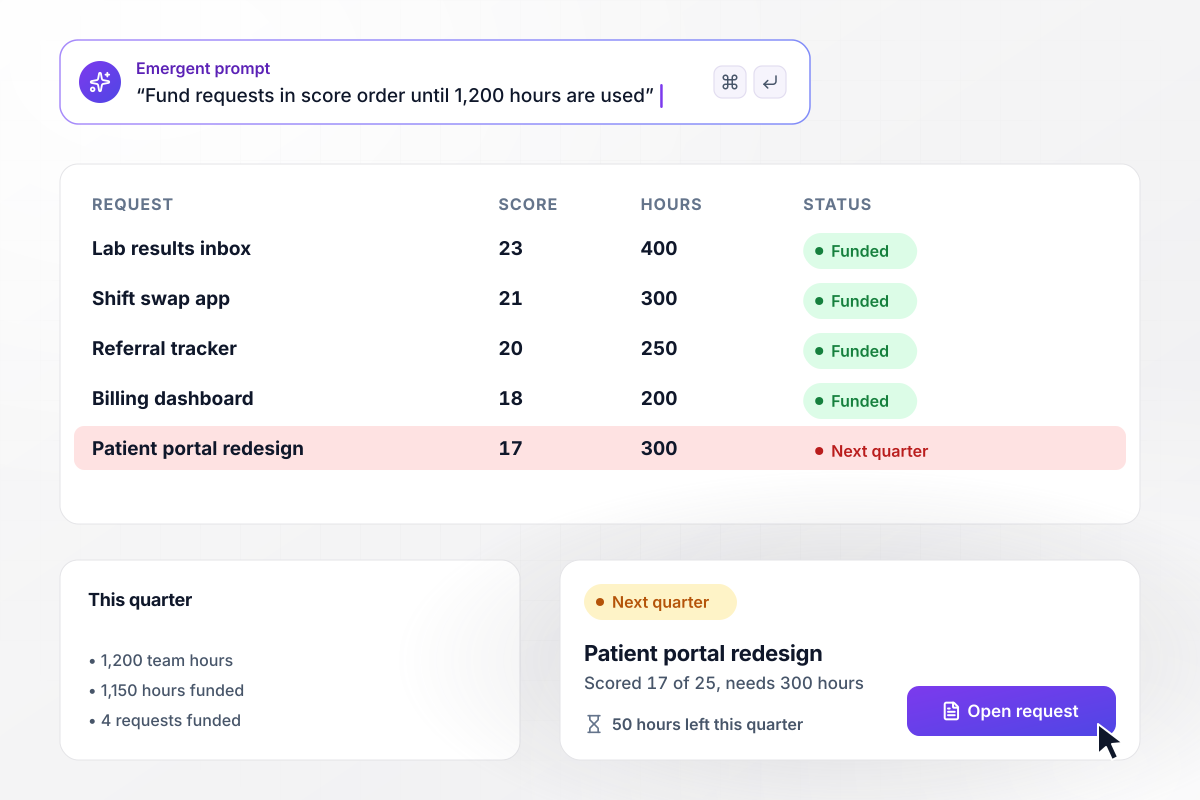
The quarter's 1,200 hours go to the top four requests
Maple Ridge Health's project office scores every request out of 25 for value, urgency, and effort. Requests are funded in score order until the quarter's 1,200 team hours run out. Four requests fit in 1,150 hours. The patient portal redesign scored 17 of 25 and needs 300 hours. It waits for next quarter.






How to Make a Project Request Form
Seven steps to make a project request form that puts every request before the person who approves it and ranks the rest by score.
Gather the last 20 requests that came in, wherever they arrived, by email or in a hallway conversation. Note what you had to ask each requester afterward. Those follow-up questions are the fields your current form is missing.
For each kind of request, write down who approves it, such as a data owner or a budget holder. When a request needs two approvals, put them in order, and let the second approver read the first one's note before deciding.
Turn habits into thresholds the form can apply. Estimates over $50,000 go to capital planning, and deadlines under 15 business days are rush. Words like large or urgent get argued over in every meeting, while a number settles it.
If more requests arrive than the people doing the work can take on, agree on a score before the form goes live. Weigh the value of each request against the effort it needs, and the review board gets a ranked list it can defend.
Paste your fields and rules into one prompt. Emergent builds the request form, with a database that holds every request and the routing between approvers. When a rule changes later, describe the new rule in a sentence.
Give each requester a status page, plus an email whenever the request changes step or someone leaves a note. Requesters who can check the status for themselves stop writing to the intake inbox to ask where things stand.
Re-enter five of the requests from step 1 and check where each one lands. Every request should reach the approver you would have picked by hand. Fix any rule that sends one elsewhere before you share the form.
Why Build Project Request Forms With Emergent?
A PDF request form records what someone wants. It cannot tell them who approves it or when the work could start.

|
Adobe Acrobat | Jotform | Google Forms | |
|---|---|---|---|---|
| How you build | Describe it in plain English | Upload a PDF and place fields, web forms on Pro | Templates, editor, AI generator | Editor, with Gemini drafting on some Workspace plans |
| Where responses live | A database table you own, plus any integration | Adobe cloud storage, downloadable as PDF | Jotform account | Google Sheets |
| Response limits | No response caps | No yearly send cap, usage limits apply | Monthly submission caps by plan; the form stops at the cap | No limit |
| Code ownership | Full code export to GitHub on paid plans | None | None | None |



Pick the Pricing Plan That Works for You
Choose the plan that fits your building ambitions. From weekend projects to enterprise applications, we've got you covered.




Find the right form
for whatever you're collecting















Frequently Asked Questions
Your Questions, Answered
Don't change this element unless you know what you are doing
More things you can build
with Emergent









on Emergent today


