

Build a Fitness Assessment Form That Tracks Every Retest
Create a fitness assessment form with PAR-Q+ screening, a saved baseline for each client, and every retest scored against it.
Build a fitness assessment form for my personal training clients.
Trusted by Builders Worldwide
Active Builders Worldwide
Apps Successfully Created
Countries Globally Reached



What a Fitness Assessment Form Records
Each section answers something a trainer needs on test day, or twelve weeks later at the retest.
PAR-Q+ answers that gate the first test
Open with the seven PAR-Q+ questions. A yes on any of them brings up the matching follow-up pages, and the trainer sees that testing is on hold before the client arrives.
Vitals and measurements in fixed units
Record resting heart rate and blood pressure, then body measurements, as numbers with set units. Readings never land as loose text, which keeps every later retest comparable.
A field for each test and its protocol
Store each test with a line on how it was run, such as a 1-minute plank or a 3-minute step test. Trainers repeat the identical protocol later and the scores line up.
Retests that open with the baseline
Start a retest from the client's record and the earlier scores load first. Each new score saves next to the old one, the change is worked out, and a progress report goes out.
Movement videos kept with the client
Accept squat or gait videos recorded on a phone. Every clip is saved in storage you own under that client's record, where the coach writes notes before planning any training.
Your gym's code, exported whole
Export the form and every client record to your GitHub on paid plans. Host the app on your own servers, or have a developer link it to the booking software your gym uses now.
Fitness Assessments by Setting
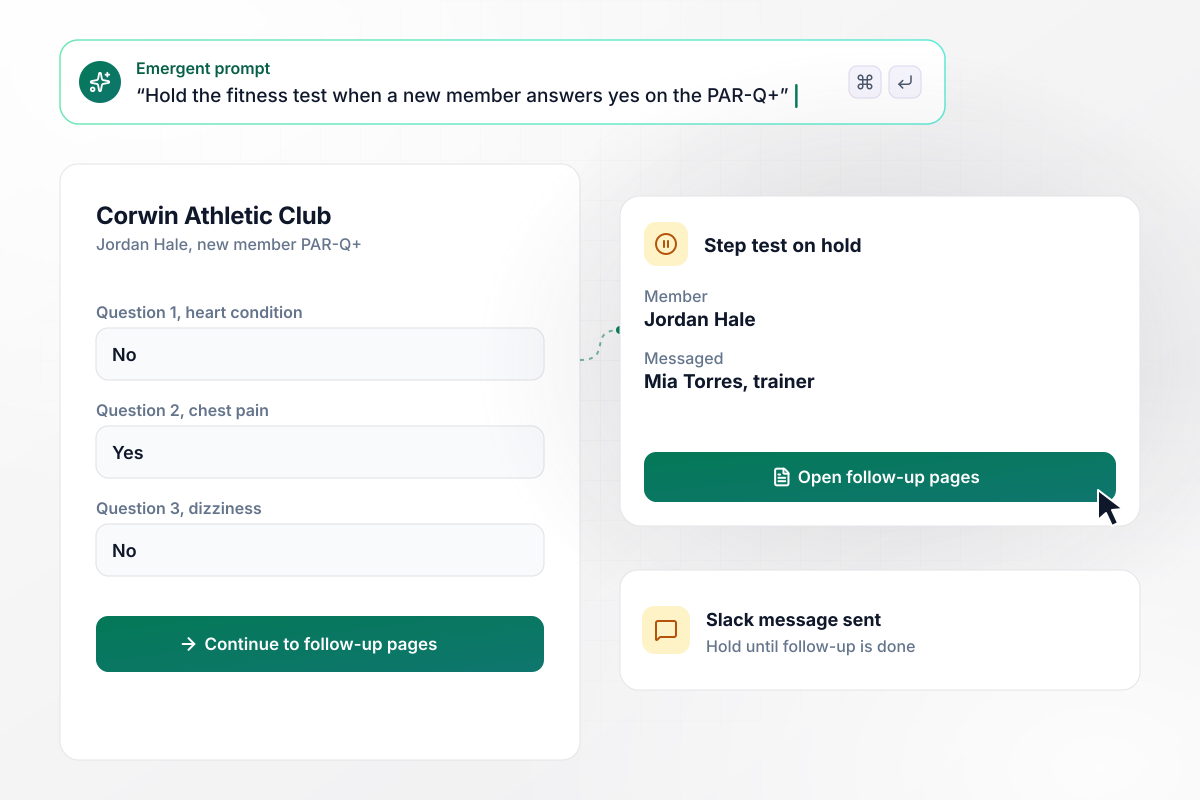
Any yes on the PAR-Q+ holds today's step test
Corwin Athletic Club sends the PAR-Q+ to every new member before the first session. Jordan Hale answers yes to question 2, about chest pain. The form opens the follow-up pages for that answer. Trainer Mia Torres gets a Slack message that the step test is on hold until Jordan completes those pages.
window.awbMockup = { newGymMembers: "My gym needs every new member to complete the PAR-Q+ on their phone before the first session. If they answer yes to any of the seven questions, open the follow-up pages for that answer and put the fitness test on hold. Message the assigned trainer in Slack about the hold, and save the answers to the member's record.", trainingRetests: "I'm a personal trainer and I retest clients every 12 weeks. Build an assessment form with push-ups, a plank hold and a sit-and-reach, each with its unit. When I open a retest, load the client's week 0 scores, save the new ones beside them with the change, and email the client a one-page progress report.", onlineCoaching: "I coach clients online and they test at home. Build an assessment where a new client uploads an overhead squat video from the front and from the side, and enters waist and weight. Put the videos in my review queue with a notes field, and only release the first week of training after I mark the videos reviewed.", recCenters: "Our campus rec center runs free fitness assessments for students in 45-minute slots, 12 per day. Build a booking page that hides full days and offers the next open slot. Staff enter the scores on a tablet during the session, and each student receives their own results by email. Staff see bookings only." };
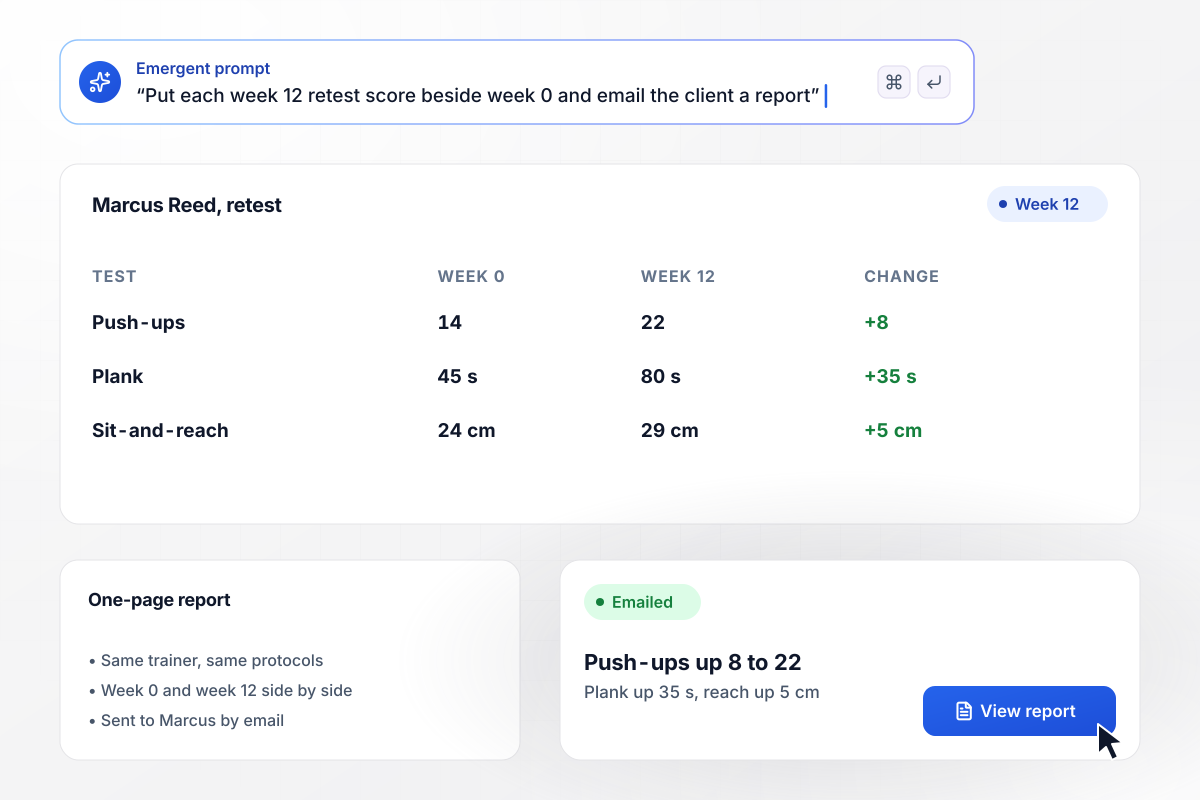
Week 0 next to week 12 on one report
Twelve weeks after his first test, Marcus Reed repeats the same tests with the same trainer. The form sets each week 12 score beside week 0. His push-ups rose by 8 to 22 and his plank by 35 seconds to 80. The sit-and-reach gained 5 cm and now reads 29. Marcus gets the one-page report by email.
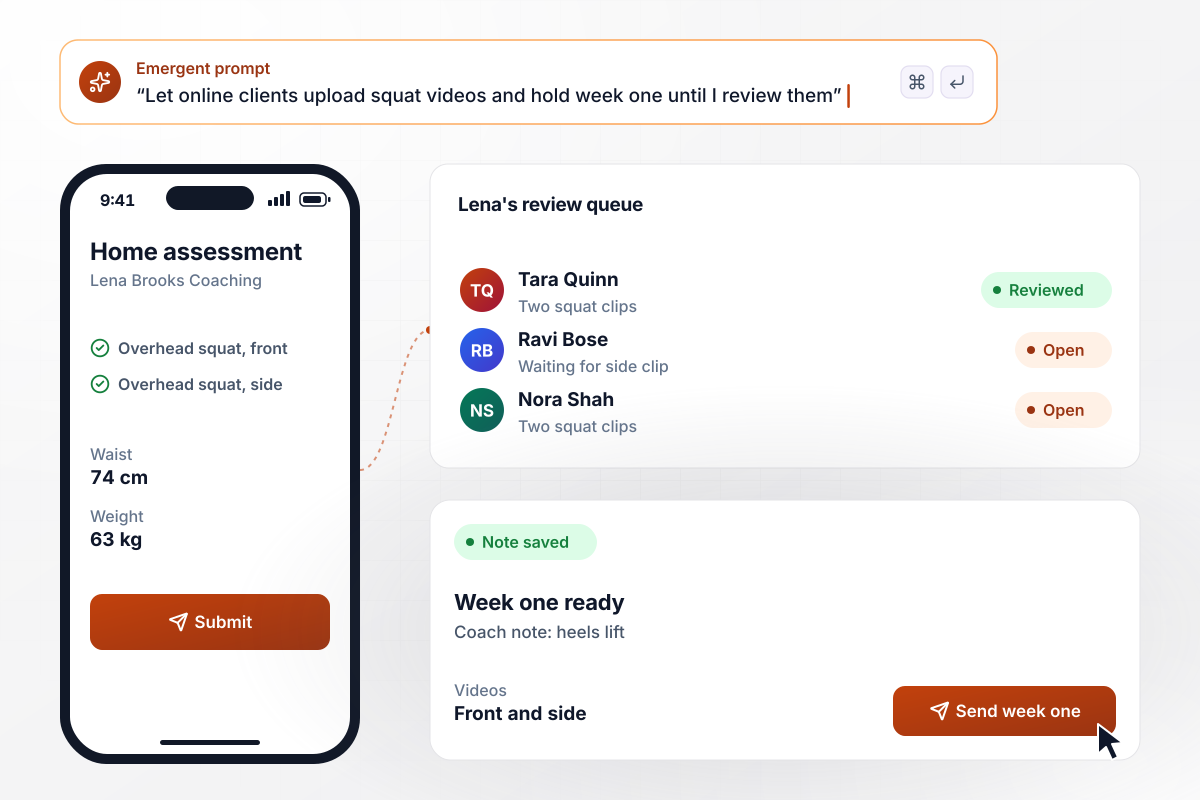
Squat video reviewed before week one is written
Lena Brooks coaches online, and her new clients test at home. Tara Quinn films an overhead squat from the front and the side, then logs her waist and weight. The clips land in Lena's review queue. She notes that Tara's heels lift, and only then does week one of the program go out.
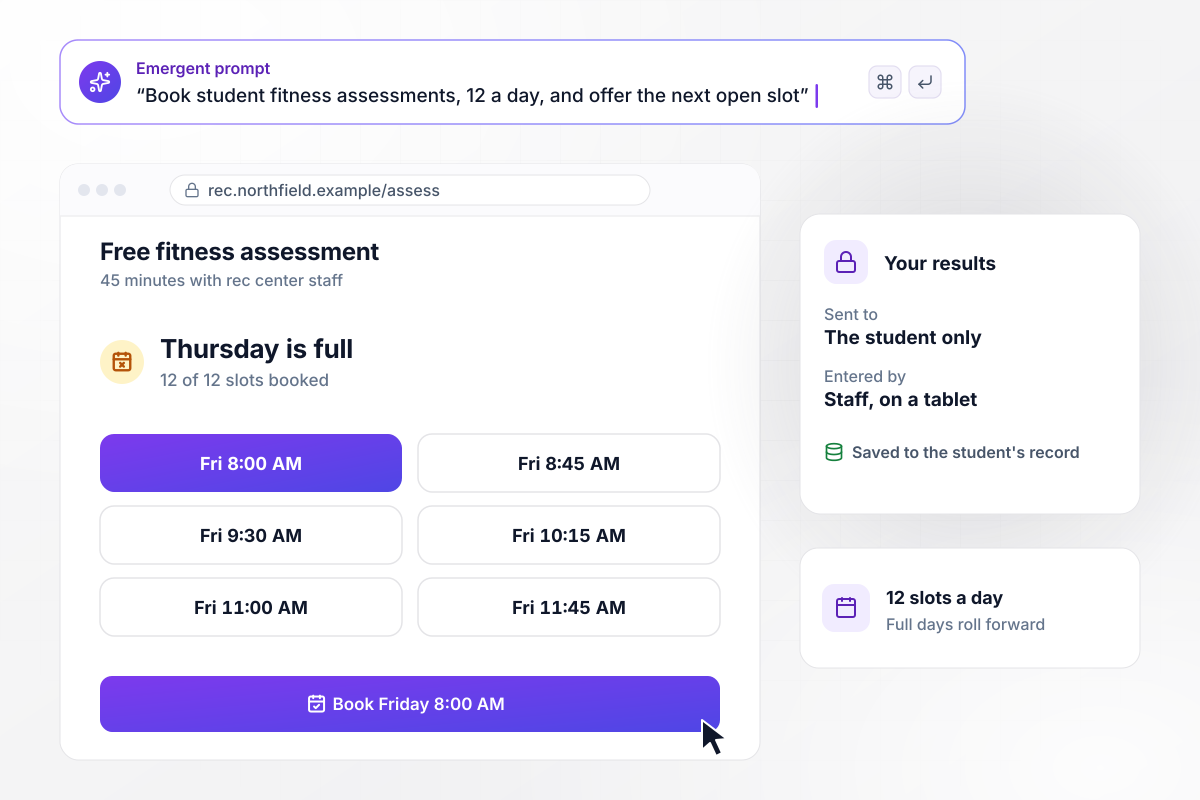
Each full day points students at the next opening
The rec center at Northfield State runs free assessments for students in 45-minute slots, 12 a day. When Thursday fills, the booking page offers Friday at 8:00 AM instead. Staff enter scores on a tablet during the session. Each student's results go to that student alone.






How to Create a Fitness Assessment Form
Seven steps to plan and build a fitness assessment form that screens first and lines up each retest with the baseline.
List every test you run today on one page, along with the protocol for each, like push-ups to failure. Cut any test nobody repeated at a retest last year. A score that is never measured twice tells the trainer nothing about progress.
Put the PAR-Q+ ahead of every test field, using the current published version with its wording unchanged. Then decide which staff member hears about a yes answer and what the client sees on screen while the follow-up pages are still open.
Every reading gets a field with a fixed unit: beats per minute, centimeters, seconds, or repetitions. Add a short note field for what the trainer saw, such as a client who stopped early. Free text typed into a score field cannot be compared later.
Ask for one or two goals in the client's own words and pick a retest interval, for example every 8 or 12 weeks. The form dates the retest from the first session and reminds the trainer a week ahead, with the earlier scores attached.
Paste into the prompt your question list, each test with its unit and how often clients come back. Emergent builds the form with a client database and a progress report behind it. Add a test later, such as a 1.5-mile run, by prompting again.
A retest is only fair when the client arrives in the same state as at the first visit. Send a note on booking with your prep rules, such as no hard exercise in the 24 hours before testing.
Before the form goes live, submit a sample member who answers yes on the PAR-Q+, then one with a full set of scores and one back for a retest. Check that each one lands where the trainer expects it.
Why Build Fitness Assessments With Emergent?
On paper, a trainer works out each retest's change by hand. Emergent builds a form that calculates it in a client record you own.

|
Jotform | Typeform | Google Forms | |
|---|---|---|---|---|
| How you build | Describe it in plain English | Templates, editor, AI generator | Templates, editor, AI assist | Editor, with Gemini drafting on some Workspace plans |
| File uploads | Files saved to storage you own, no sign-in | Included; files count toward plan storage | Paid plans only | Respondents must sign in to Google; files fill your Drive |
| Where responses live | A database table you own, plus any integration | Jotform account | Typeform account | Google Sheets |
| Code ownership | Full code export to GitHub on paid plans | None | None | None |
| Response limits | No response caps | Monthly submission caps by plan; the form stops at the cap | Monthly response caps by plan; the form closes at the cap | No limit |




Pick the Pricing Plan That Works for You
Choose the plan that fits your building ambitions. From weekend projects to enterprise applications, we've got you covered.




Find the right form
for whatever you're collecting















Frequently Asked Questions
Your Questions, Answered
Don't change this element unless you know what you are doing
More things you can build
with Emergent









on Emergent today


