

Build an Expense Report Form That Checks Its Own Math
Create an expense report form that fills each line from a receipt photo and routes the report to an approver.
Build an expense report form that reads receipt photos and sends each report to my manager.
Trusted by Builders Worldwide
Active Builders Worldwide
Apps Successfully Created
Countries Globally Reached



Six Jobs a Spreadsheet Leaves to the Employee
A template still needs someone to type every receipt and re-add the column. These pieces move that work into the form.
Receipts read into line items
Photograph a receipt, and its merchant and amount fill the next line. Any field the app reads with low confidence goes back to the employee to confirm before the report sends.
Categories that match your ledger
Offer the categories your bookkeeper already posts to, such as meals or software. Each line carries one, and the report subtotals every category before anyone signs off on it.
Spending caps checked per line
Set a cap for any category, like a meal limit per guest. A line over its cap asks for a written reason before the report submits, and the approver reads it beside the amount.
Cash advances netted against spend
Record the advance an employee drew before the job began. The report subtracts it from the spend and shows whether the company owes money or the employee owes some back.
An approver for every report
Route each submitted report to the right manager for a decision. Approve it or send it back with a comment, and the decision is saved on the row with its time and approver.
The whole app in your GitHub
Export the codebase to your GitHub on paid plans when finance wants the expense app on its own servers or tied to an internal tool. The reports table comes along with the form.
How Four Teams Report What They Spend
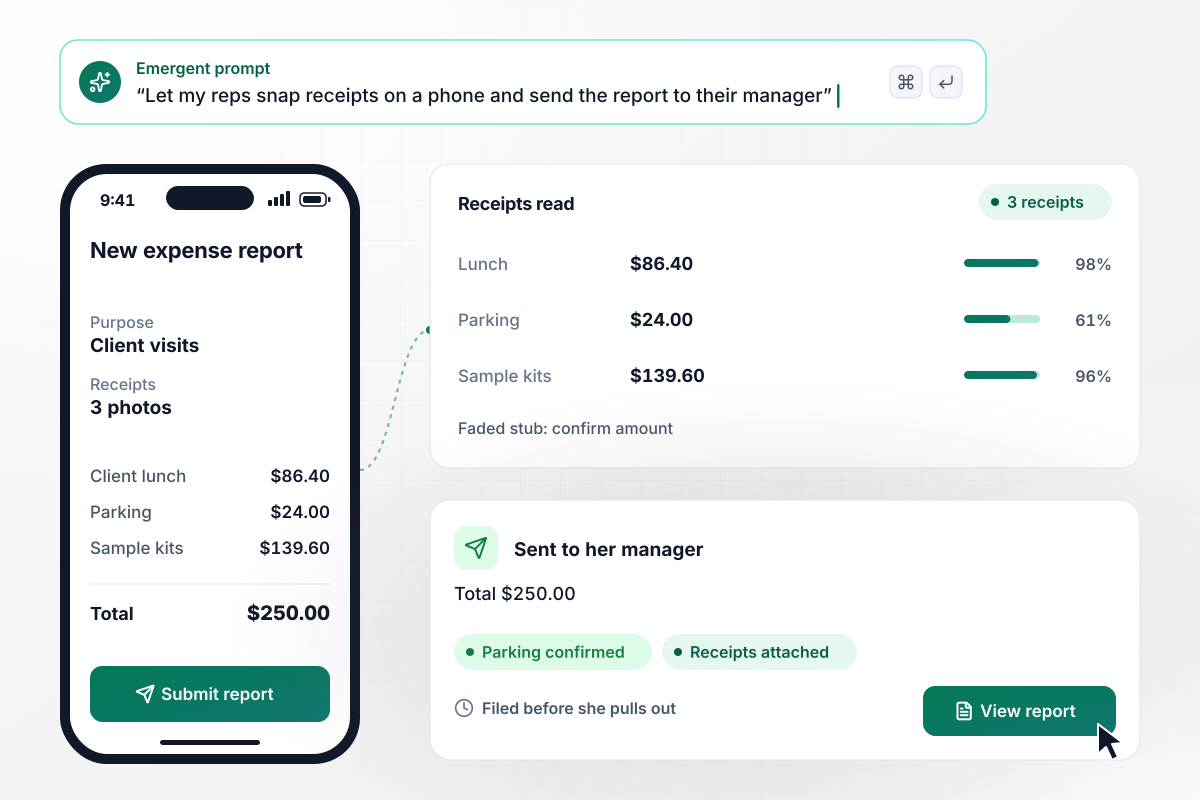
A day of receipts filed from the parking lot
After a day of client visits, a Sorrel Dental rep photographs three receipts in her car. The form reads each into a line: an $86.40 client lunch, $24.00 for parking and $139.60 in sample kits. The parking stub is faded, and the app asks her to confirm it. Her $250.00 report reaches her manager before she pulls out.
window.awbMockup = { fieldSalesReps: "My sales reps at Sorrel Dental visit clients all day. Build an expense report form they can fill on a phone: snap a receipt and fill the date, merchant and amount into a new line. If a receipt is hard to read, ask the rep to confirm that field. Total the report and send it to the rep's manager.", grantFundedNonprofits: "Lakeview Youth Arts is funded by two grants, the Arts Grant and the Youth Fund. Build an expense report form for program staff where every line needs a grant code from a dropdown. Block submission if any line has no code, and show the finance lead how much of each report lands on each grant.", creativeAgencies: "I run finance at Brightline Agency. Build a monthly expense report form with categories for client meals, stock assets and shoot props. Client meals are capped at $75 per person, so ask for a reason on any meal above that. Post each submitted report to our #expense-approvals Slack channel for the manager to approve.", constructionCrews: "Our foremen at Wexford Builders take a cash advance for small site purchases. Build an expense report form where they log hardware and fuel with receipt photos against the advance. Subtract the advance from the spend and show what they owe back or what we owe them. Sync approved reports to QuickBooks." };
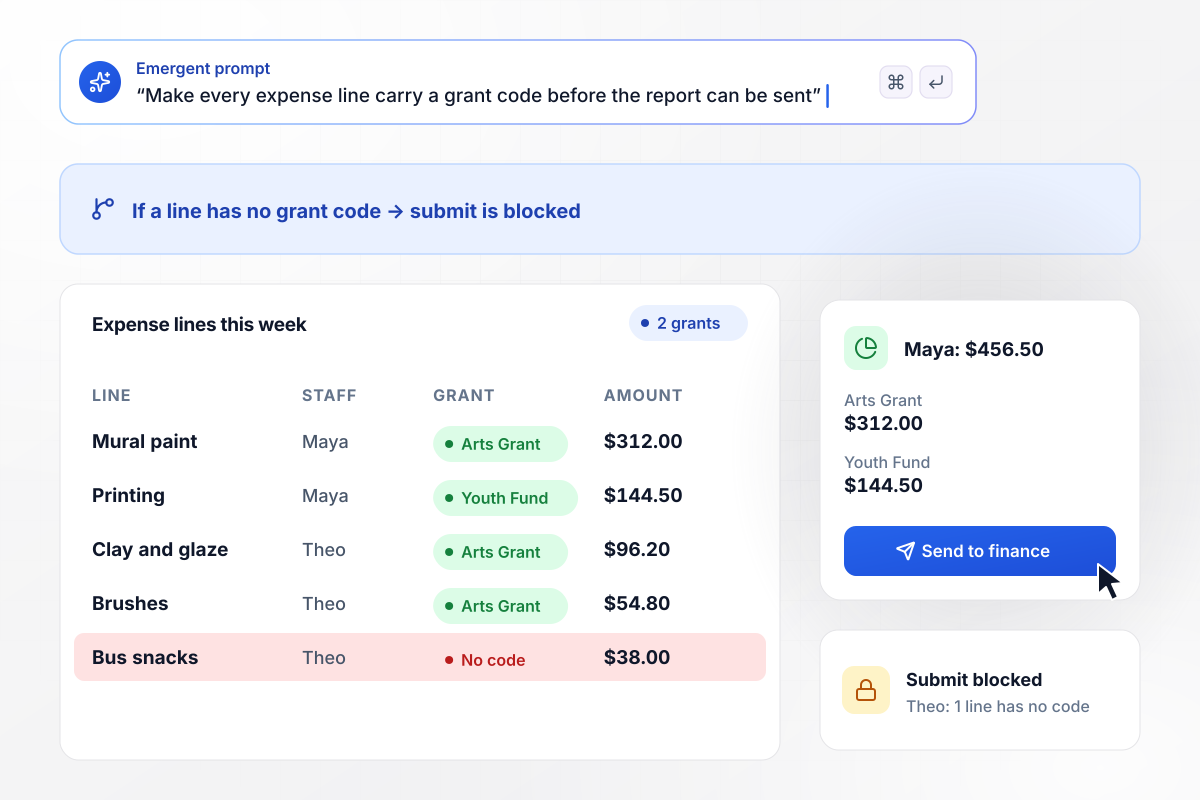
Grant codes checked on each line
Lakeview Youth Arts runs its programs on two grants. Program staff pick a grant code on each line of the expense report form, and a line without one blocks the submit button. Maya's $456.50 report splits across both: $312.00 of mural paint to the Arts Grant and $144.50 of printing to the Youth Fund.
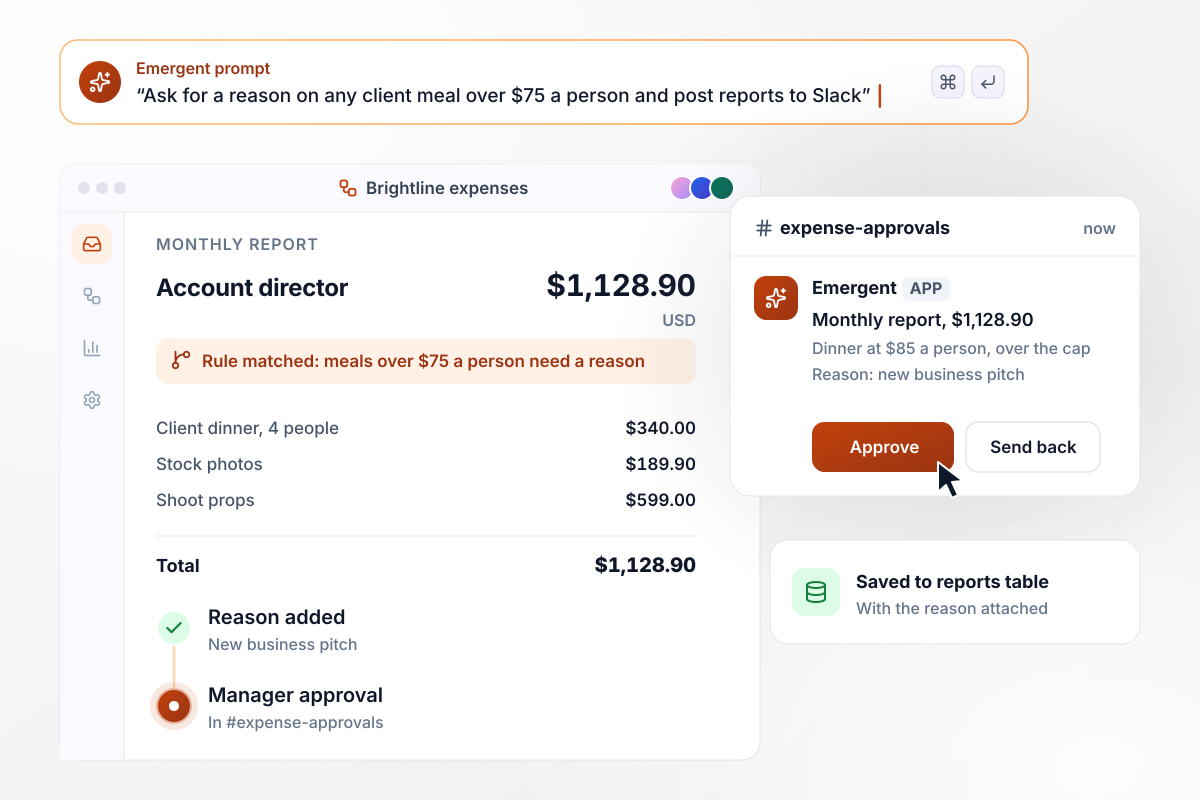
Meals over $75 a person need a reason
Brightline Agency caps client meals at $75 a person. An account director logs a $340 client dinner for four on her monthly report, and the line asks why. She types the pitch it was for. The report posts to #expense-approvals in Slack, where her manager approves the $1,128.90 total.
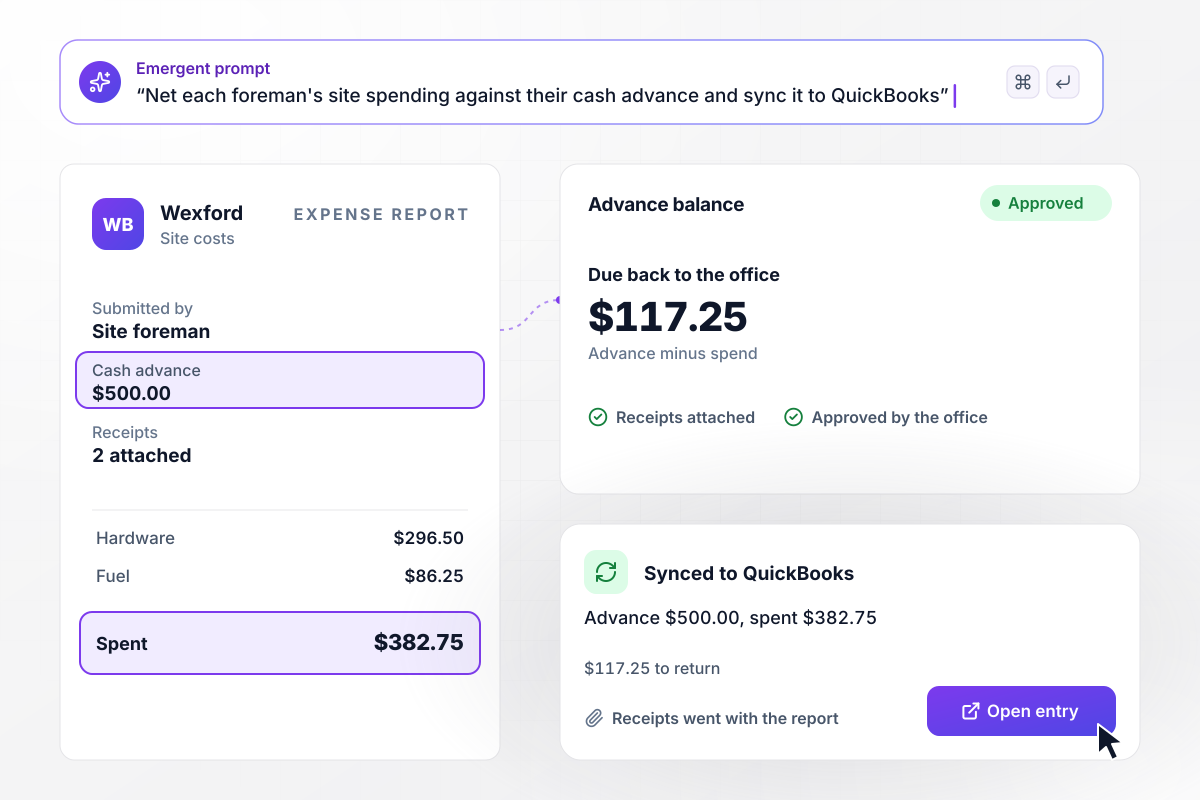
Advances settled when the job wraps
Foremen at Wexford Builders draw a $500 cash advance for small purchases on site. At the end of the job, the foreman logs $382.75 in hardware and fuel against it. The report subtracts the advance and shows $117.25 to return to the office. The approved report syncs to QuickBooks with its receipts attached.






How to Create an Expense Report Form
Seven steps to turn your expense policy into an expense report form that checks caps and receipts, then build it with Emergent.
Pull up the expense policy your team follows, or the email where finance last explained it. Note the categories, the cap on each and who signs off. Every rule in that document becomes a field or a check on the form.
Copy the expense accounts from your chart of accounts into a short dropdown list. Use the names your bookkeeper sees in the ledger, and each line lands in the right account without anyone recoding it at month end.
Pick the amount above which a receipt photo is required, and whether lodging always needs one. A lower threshold means more uploads, while a higher one means more lines finance takes on trust. Write the number down first.
Write one prompt in plain English that covers each rule from your notes, plus the approver. Emergent builds the expense report form, the reports table behind it, and the approval step. Change any rule later by asking for it.
If employees draw cash advances, ask for an advance field that nets against spend. Teams that bill clients or report to funders can add a client or grant code to every line, picked from a dropdown instead of typed freehand.
Post each submitted report where the approver already works, such as a Slack channel or an inbox. Once a report is approved, push it to your accounting tool, such as QuickBooks or Xero, through its API.
Run last month's receipts through the form yourself, including one crumpled receipt and one line over a cap. Check the total against your own math, then open the new row in the reports table and confirm each field.
Why Build Expense Report Forms With Emergent?
Every line keeps its receipt attached, and the form does the math before a manager opens the report.

|
Jotform | Google Forms | Typeform | |
|---|---|---|---|---|
| How you build | Describe it in plain English | Templates, editor, AI generator | Editor, with Gemini drafting on some Workspace plans | Templates, editor, AI assist |
| Where responses live | A database table you own, plus any integration | Jotform account | Google Sheets | Typeform account |
| Response limits | No response caps | Monthly submission caps by plan; the form stops at the cap | No limit | Monthly response caps by plan; the form closes at the cap |
| Code ownership | Full code export to GitHub on paid plans | None | None | None |




Pick the Pricing Plan That Works for You
Choose the plan that fits your building ambitions. From weekend projects to enterprise applications, we've got you covered.




Find the right form
for whatever you're collecting















Frequently Asked Questions
Your Questions, Answered
Don't change this element unless you know what you are doing
More things you can build
with Emergent









on Emergent today


