

Build a Family Law Intake Form That Asks What Each Case Needs
Build a family law intake form that opens divorce, custody, or support questions by case, saved to a database you own.
Build a family law intake form for my firm that asks the case type, the other party's name, and each child's age before the first consultation.
Trusted by Builders Worldwide
Active Builders Worldwide
Apps Successfully Created
Countries Globally Reached



What the Attorney Reads Before the Consult
Each section opens from one answer, the case type. A custody client never scrolls past questions about the house.
Questions that follow the case type
Pick divorce and the form asks for the marriage date, the separation date, and any house the couple owns. Pick custody and it asks for each child's age and the current schedule.
A safe way to reach the client
The client picks how the firm may reach them: email only, calls, or texts. That choice sits at the top of the intake, and no one leaves a voicemail on a phone someone else checks.
The other party's name, checked first
Before an attorney reads a word, the app compares the other party's name with the firm's client list. Any match waits for the person who runs conflict checks at the firm.
Pay stubs read into fields
Clients upload pay stubs, and the app reads the employer and gross pay into fields. A value it cannot read with confidence goes to a paralegal to confirm before the consult.
Each case type sent to its owner
A divorce that lists a house can email a partner while custody intakes post to the family team's Slack channel. Every intake also lands as a row in a database the firm owns.
The code, in your GitHub repository
On paid plans, export the full code to your GitHub repository and host the intake wherever the firm keeps client systems. Keep building on it there, or keep prompting Emergent.
Four Cases, Four Sets of Questions
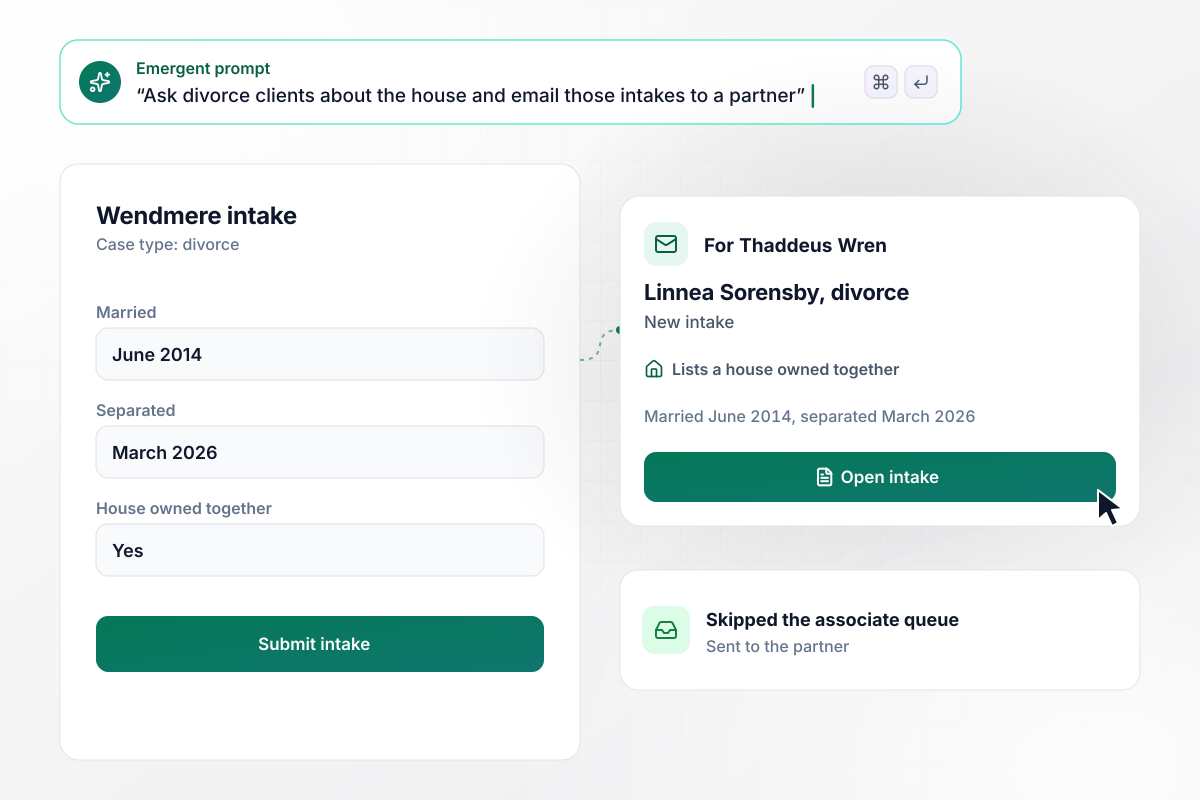
Thaddeus gets every divorce that lists a house
Linnea Sorensby picks divorce on the Wendmere Family Law intake. She enters a June 2014 marriage and a March 2026 separation, then lists a house she and her spouse own together. Any divorce that lists a house goes to partner Thaddeus Wren by email. Divorces without one wait in the associate queue.
window.awbMockup = { divorce: "I run Wendmere Family Law. Build a family law intake form that asks for the case type first. When a client picks divorce, ask for the marriage date, the separation date, and whether they own a house with their spouse. Email any divorce that lists a house to partner Thaddeus Wren, and put the rest in the associate queue.", custody: "Build a custody section for the Hartwick Kane Law intake with one row per child for the child's age, a question about the current parenting schedule, and an upload for any existing court order. Show my paralegal, Esperanza Tull, one record per client that holds every child plus the order.", childSupport: "My firm is Corrigan Pell Law. Add a child support section to my intake where clients upload their 2 most recent pay stubs. Read the employer and gross pay from each stub into fields, and send any value the app cannot read clearly to my paralegal, Corwin Ashe, to confirm before the consult.", safeContact: "Build a family law intake for Ambrey Lane Family Law that asks how the client wants to be contacted: email only, calls, or texts. Ask whether there is a protective order. When the answer is yes, email managing attorney Hollis Grant on submit, with the contact choice shown above every other answer." };
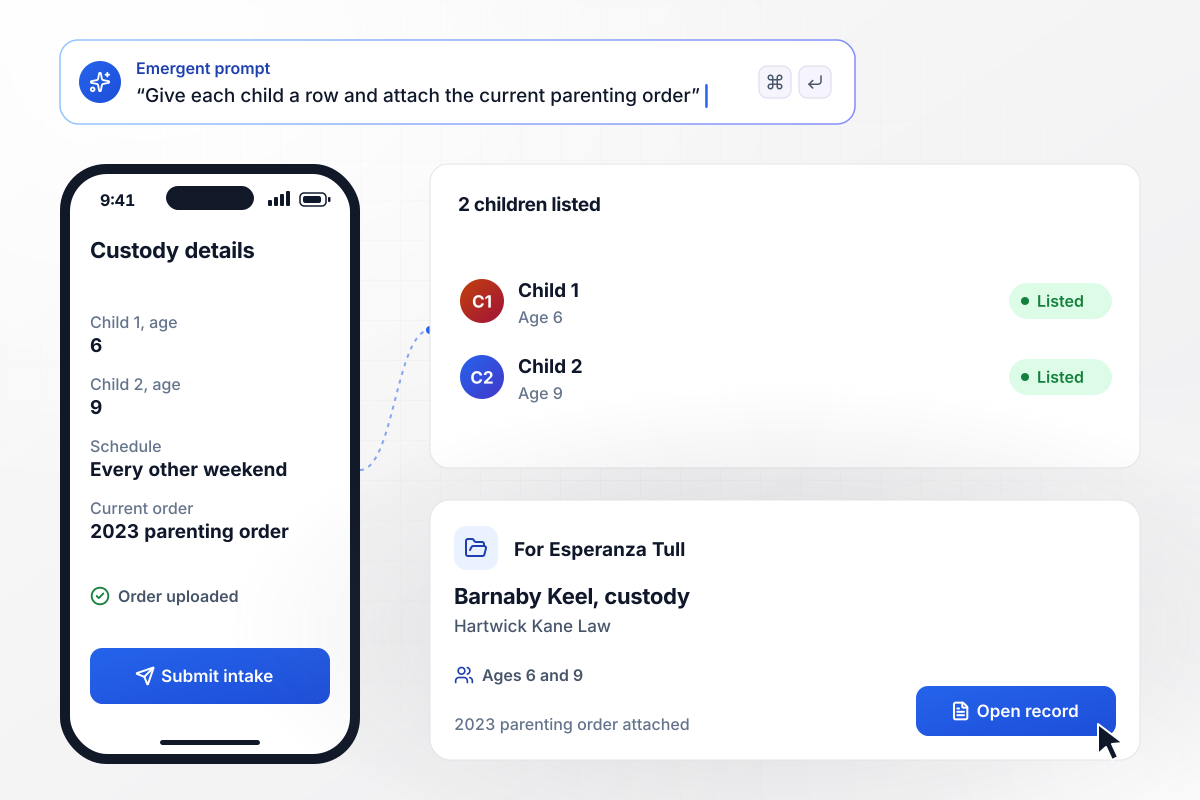
One row for each child, ages 6 and 9
Barnaby Keel has 2 children, and the Hartwick Kane Law intake gives each one a row with an age: 6 and 9. He describes the current schedule, every other weekend with him, and uploads the 2023 parenting order. Paralegal Esperanza Tull opens one record with both children and the order attached.
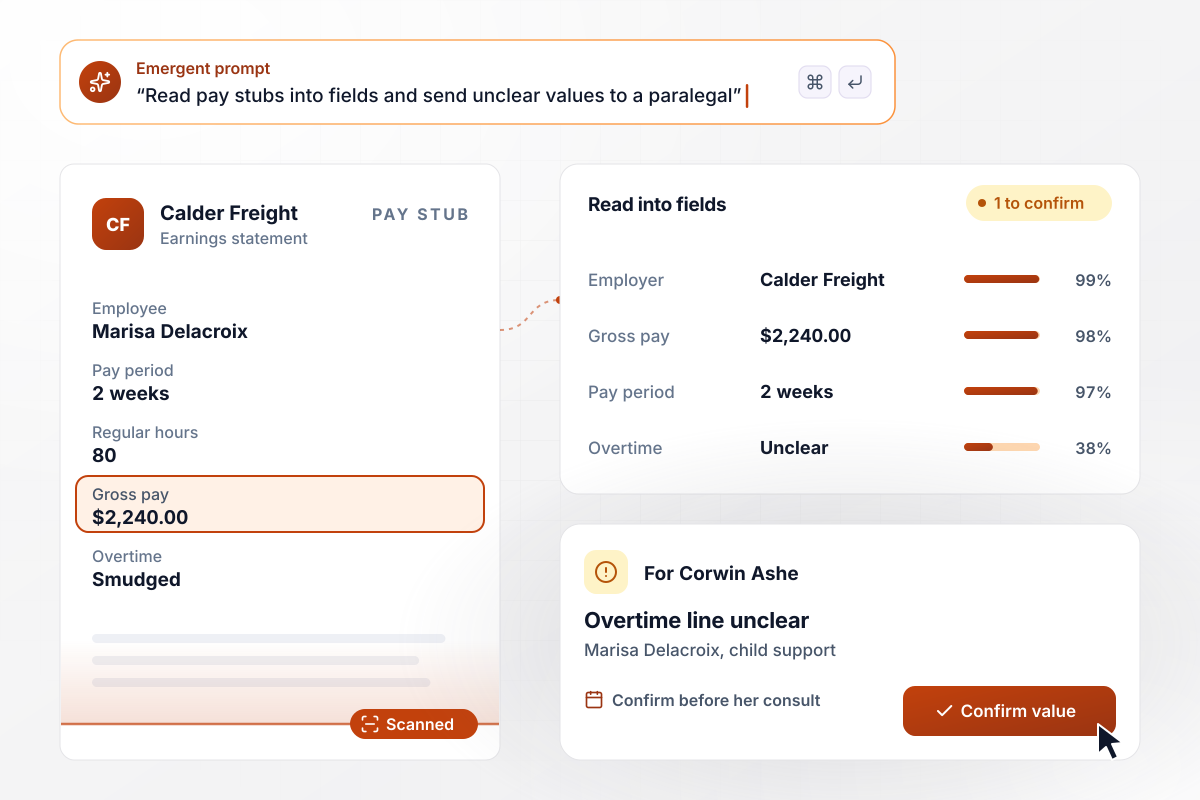
Two pay stubs read into fields, one line left for Corwin
Two pay stubs arrive with Marisa Delacroix's child support intake at Corrigan Pell Law. The app reads her employer, Calder Freight, and her gross pay of $2,240 for each 2-week period into fields. The overtime line came through unreadable. Paralegal Corwin Ashe confirms that value before her consult.
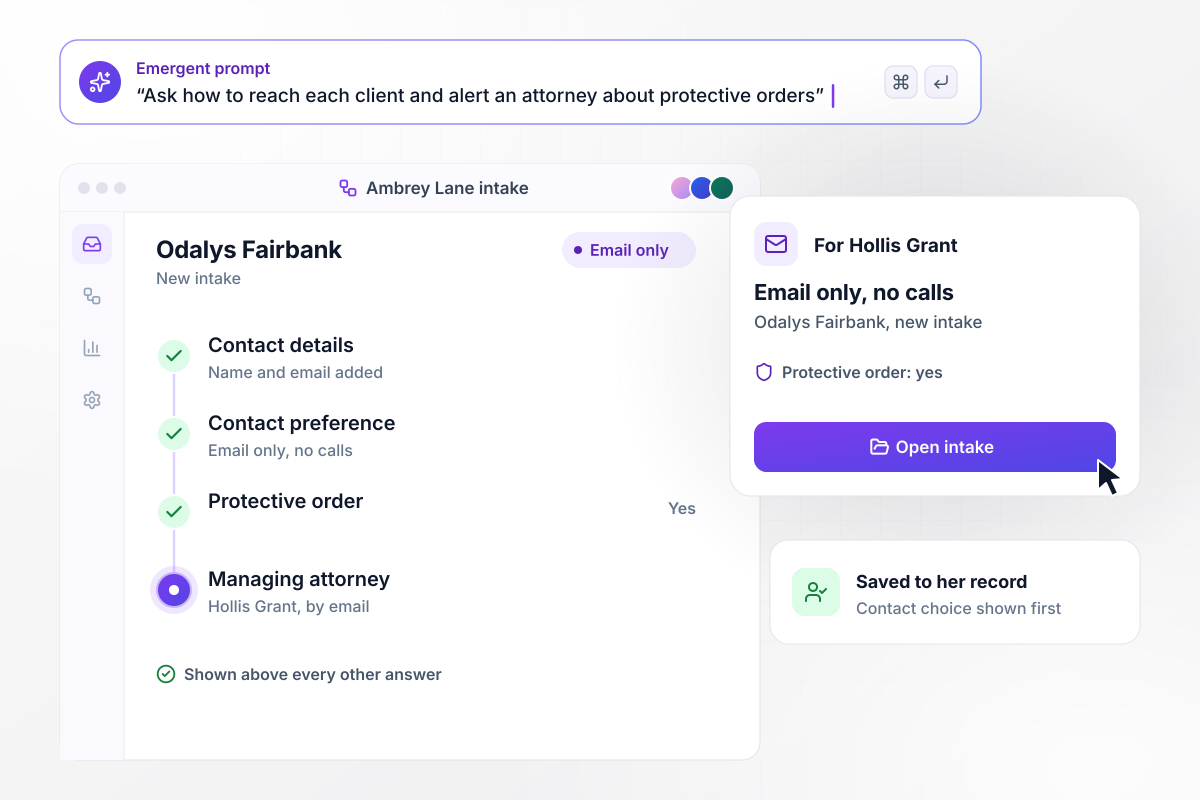
On her record, email only and never a call
Odalys Fairbank checks one box on the Ambrey Lane Family Law intake: contact by email only, no calls. She also answers yes to the question about a protective order. Any yes to that question emails managing attorney Hollis Grant on submit, with Email only, no calls printed above every other answer.






How to Create a Family Law Intake Form
Plan a family law intake form case type by case type in seven steps, then build it with Emergent and send a test intake.
Write down the matters the firm accepts, such as divorce, custody, child support, and protective orders. Each one becomes a case type the client picks on the first screen. A matter the firm does not take can show a referral page instead.
Under each case type, list what an attorney asks in a first consult and nothing more. A divorce section might carry dates and property, while a custody section covers the children and how their time is split now. Cut any question no attorney reads.
Add a contact preference near the top of the form: email only, calls, or texts, and whether a voicemail is safe. Show that answer first on the record. Staff then follow it before they read anything else in the intake.
Ask for the papers an attorney wants before the consult, such as a current court order or the 2 most recent pay stubs. Give each upload a plain label, like Current court order, and clients put each document in the right place.
Pick an owner for each case type and how they hear about it: email for one partner, a Slack channel for the family team. Add a rule for anything urgent, such as a yes to the protective order question. Name a backup for days off.
Put the case types, questions, uploads, and routing into one prompt. Emergent builds the family law intake form, the database behind it, and a screen where staff review each intake. Change any question later by describing the change.
Fill in a test intake as a made-up custody client with 2 children and a fake court order. Check that the right person gets the email, that the contact preference shows first, and that each child lands in a row of its own.
Why Build Family Law Intakes With Emergent?
A paper intake asks a custody client about the house anyway. This one asks what the case needs, before the consult.

|
Jotform | Google Forms | Typeform | |
|---|---|---|---|---|
| How you build | Describe it in plain English | Templates, editor, AI generator | Editor, with Gemini drafting on some Workspace plans | Templates, editor, AI assist |
| Where responses live | A database table you own, plus any integration | Jotform account | Google Sheets | Typeform account |
| Response limits | No response caps | Monthly submission caps by plan; the form stops at the cap | No limit | Monthly response caps by plan; the form closes at the cap |
| Code ownership | Full code export to GitHub on paid plans | None | None | None |




Pick the Pricing Plan That Works for You
Choose the plan that fits your building ambitions. From weekend projects to enterprise applications, we've got you covered.




Find the right form
for whatever you're collecting















Frequently Asked Questions
Your Questions, Answered
Don't change this element unless you know what you are doing
More things you can build
with Emergent









on Emergent today


