

Build a Personal Injury Intake Form That Flags Conflicts Early
Build a personal injury intake form that screens names against your client list and saves every intake to your own database.
Build a personal injury intake form that asks for the accident date, where it happened, and the other party's name.
Trusted by Builders Worldwide
Active Builders Worldwide
Apps Successfully Created
Countries Globally Reached



What Staff Get From Each Intake
Every answer below lands in a field of its own on submit, ready for the conflict check and the attorney's first read.
Different questions for a crash or a bite
Ask what kind of accident it was before anything else. A car crash opens questions about the vehicles and the police report, and a dog bite asks for the owner's name and the address.
Every named party run against the client list
The app compares the other driver, the property owner, and each insurer with the firm's client list. A match holds the intake for whoever clears conflicts before an attorney sees it.
Both insurers, each in separate fields
Ask for the person's own insurer and policy number, then the other side's insurer and any claim number already opened. Staff read each one from its own field, not from a paragraph.
Injuries listed by body area
Let the person tick each injured area, such as neck, lower back, or right wrist, and describe the pain in their own words. The list sits at the top of the record the attorney opens.
A witness section that repeats
Each witness gets a separate row with a name and a phone number. No one has to squeeze three names into one box, and staff can call each witness from the intake record itself.
Code the firm can read and change
Every screen of the intake and its database schema go to your GitHub repository on paid plans. A developer the firm hires can read each line and change it like any other codebase.
Car, Fall, Dog Bite, and Bicycle Cases
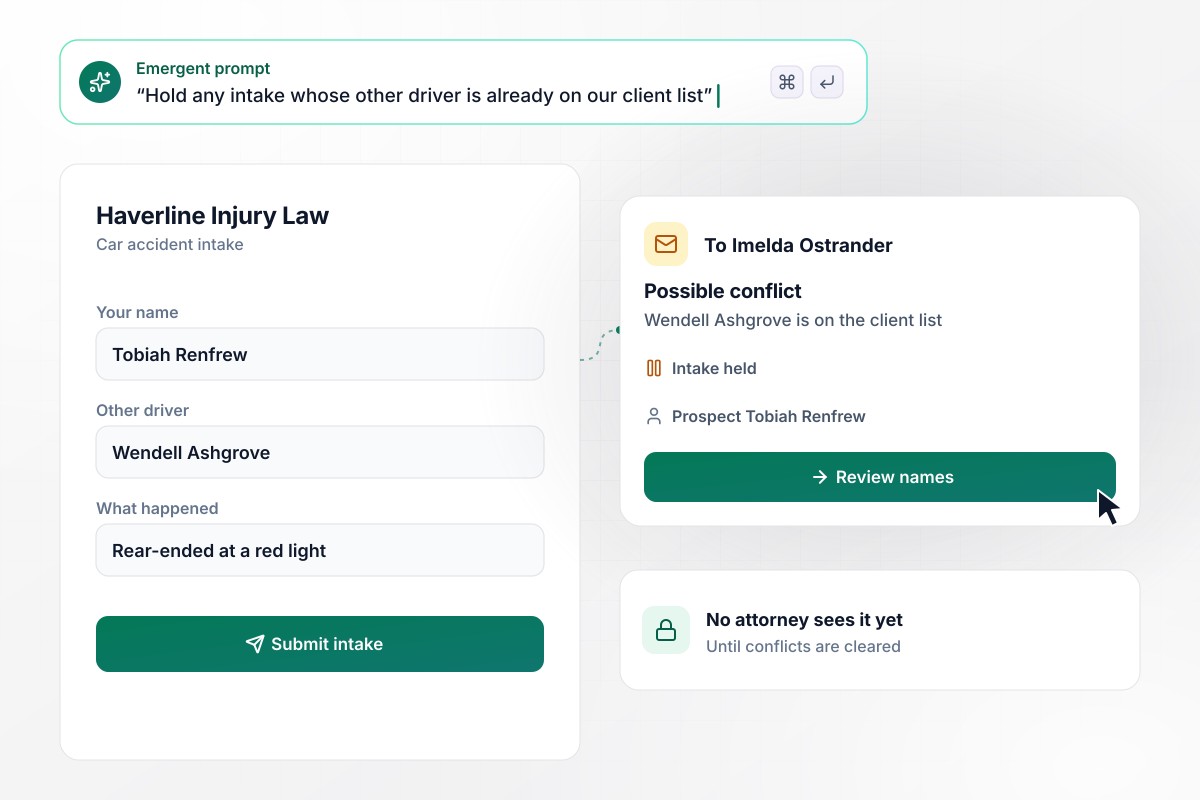
Held for conflicts when the other driver is a client
Tobiah Renfrew tells Haverline Injury Law that Wendell Ashgrove rear-ended him at a red light. The app finds Wendell Ashgrove on the firm's client list and holds the intake. Conflicts coordinator Imelda Ostrander gets an email with both names before any attorney opens it.
window.awbMockup = { carAccidents: "Build a personal injury intake form for my firm's car accident cases. Ask for the other driver's name, their insurer, and the police report number. Compare the other driver's name with our client list. If it matches, hold the intake and email our conflicts coordinator, Imelda Ostrander, before any attorney sees it.", slipAndFall: "Build an intake form for slip and fall cases. Ask for the store's name, the aisle, what was on the floor, and the incident report number the store gave. Let the person upload photos from their phone, and keep every photo with the intake record so our attorney opens them there.", dogBites: "Build an intake form for dog bite cases. Ask for the dog owner's name and address, where the bite happened, and every doctor, clinic, or therapist the person has seen since. Give each provider its own row with a first visit date and a phone number, then alert our paralegal, Ysolde Partridge, in the app that the list is ready.", bicycleCrashes: "Build a phone-friendly intake form for bicycle crash cases that shows one question per screen. Ask what hit the rider, where, and when. On the last screen, have the person sign a statement that their answers are true, then alert our intake coordinator in the app that a signed intake is in, with the signature and its time saved on the record." };
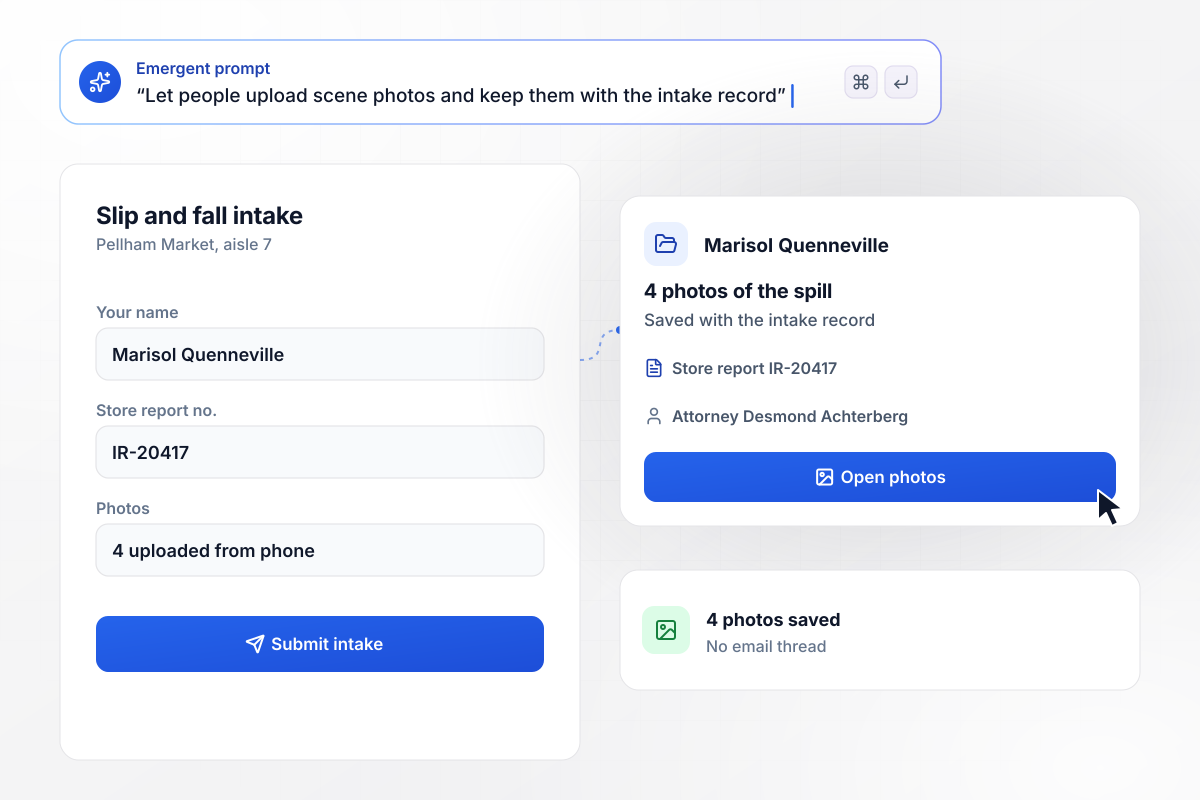
Four photos from aisle 7 and the store's report number
Marisol Quenneville falls on a wet floor in aisle 7 of Pellham Market. She uploads 4 photos of the spill from her phone and types the incident report number the store gave her, IR-20417. Attorney Desmond Achterberg opens the photos and the report number from her intake record, not from an email thread.
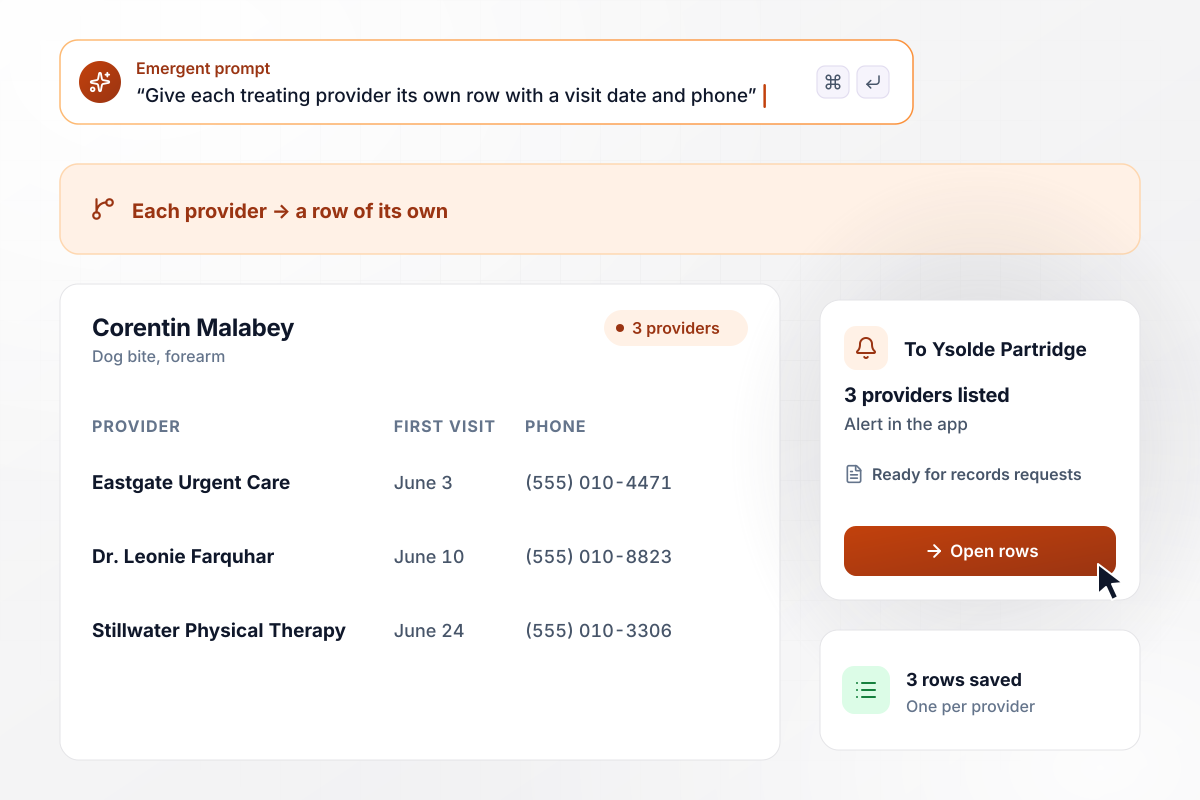
Three providers, each in a row of its own
A neighbor's dog bites Corentin Malabey on the forearm. He lists 3 providers: Eastgate Urgent Care, plastic surgeon Dr. Leonie Farquhar, and Stillwater Physical Therapy, each with a first visit date and a phone number. Paralegal Ysolde Partridge gets an in-app alert, opens all 3 rows, and starts the records requests.
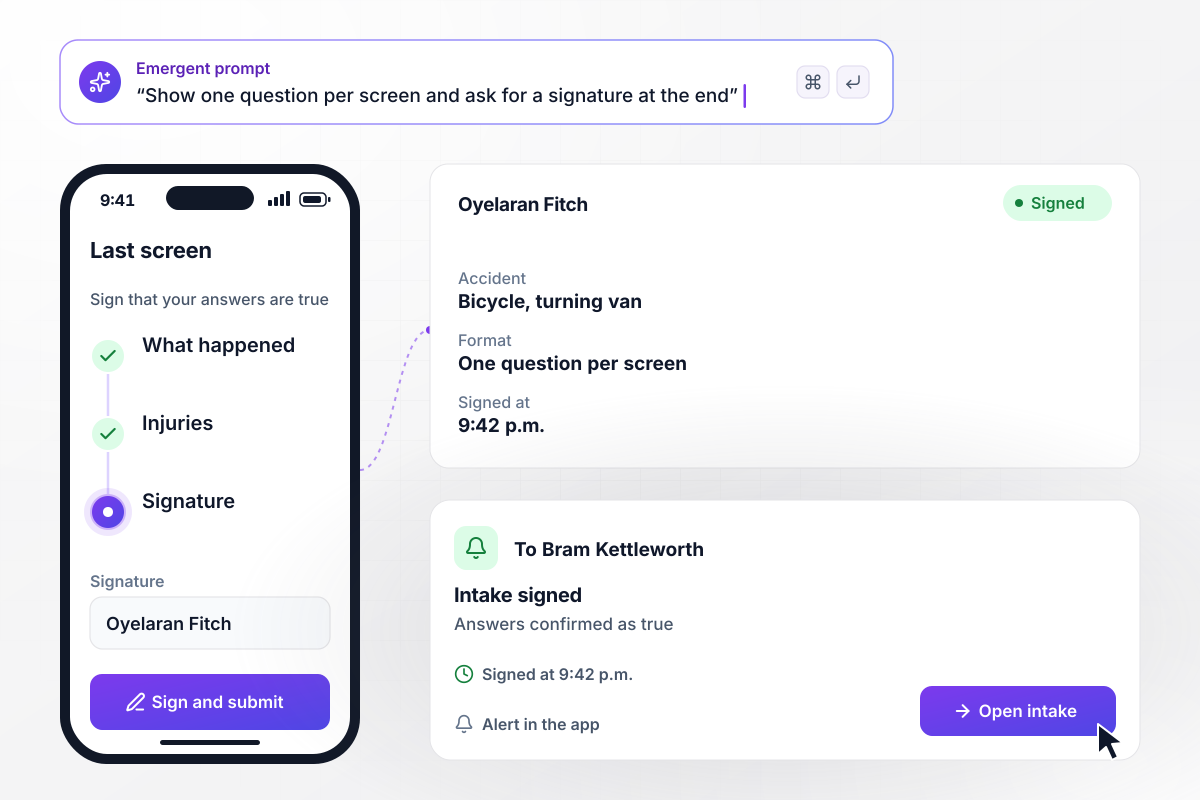
After the last answer, a signature at 9:42 p.m.
A turning van knocks Oyelaran Fitch off her bike, and she fills in the intake on her phone that night, one question per screen. On the last screen she signs a statement that her answers are true. Intake coordinator Bram Kettleworth gets an in-app alert, and the record shows her signature saved at 9:42 p.m.






How to Create a Personal Injury Intake Form
Seven steps to a personal injury intake form that checks names for conflicts and gives staff one clean record per intake.
List the case types your attorneys accept, such as car crashes and dog bites. Send every other choice to a short referral page. That first answer decides which set of questions opens next. Nobody fills in sections that do not apply to them.
Pull current and past clients, plus the companies and insurers the firm has dealt with, into one file of names. The app checks each named party against it. Spell the names the way staff already type them in the case file.
Put the date and the place first, then what happened. Ask about the vehicles or the property next, and any police or store report number. Give each fact its own field, and save one open box for the person's account in their own words.
Let the person tick injured body areas, then add one row per doctor or clinic with the date of the first visit and the office phone. Ask for names and dates only; the records themselves come later through the firm's own requests.
Ask for the person's own policy and the other side's insurer, with any claim number already opened. An upload for a photo of the insurance card brings in the policy number without anyone typing it.
Decide which intakes reach whom: a name match goes to the person who clears conflicts, a provider list to the paralegal, and everything else to the intake queue. Send each as an in-app alert, and let any email or Slack message say only that a new intake is waiting.
Send one that matches a current client, one with photos, and one from a phone. Check that each lands in its own record and that the right person hears about it, then change anything that is off by describing the fix in a prompt.
Why Emergent for Personal Injury Intake?
Emergent builds the intake and its conflict hold from one prompt, and the firm owns the database behind it.

|
Jotform | Google Forms | Typeform | |
|---|---|---|---|---|
| How you build | Describe it in plain English | Templates, editor, AI generator | Editor, with Gemini drafting on some Workspace plans | Templates, editor, AI assist |
| Where responses live | A database table you own, plus any integration | Jotform account | Google Sheets | Typeform account |
| Response limits | No response caps | Monthly submission caps by plan; the form stops at the cap | No limit | Monthly response caps by plan; the form closes at the cap |
| Code ownership | Full code export to GitHub on paid plans | None | None | None |




Pick the Pricing Plan That Works for You
Choose the plan that fits your building ambitions. From weekend projects to enterprise applications, we've got you covered.




Find the right form
for whatever you're collecting















Frequently Asked Questions
Your Questions, Answered
Don't change this element unless you know what you are doing
More things you can build
with Emergent









on Emergent today


