

Build a File Upload Form That Sorts Every File on Arrival
Build a file upload form that names every file by its submission and saves each response to a database you own.
Build a file upload form for a print shop that takes front and back banner artwork with the order number and banner size.
Trusted by Builders Worldwide
Active Builders Worldwide
Apps Successfully Created
Countries Globally Reached



What Happens to a File After Submit
A file upload form collects documents and photos along with the answers. These six parts decide where each file ends up.
Accepted types, checked on both ends
The form lists the file types it takes, and the browser steers people toward them. Browsers treat that list as a hint only, so the app checks each file's type again on arrival.
Files renamed with the submission number
A phone photo called IMG_4471.jpg arrives as 3108-Moreno-receipt.jpg. You set the naming pattern in the prompt, and every file from one submission sorts next to the others.
Each upload kept with its submission
Every submission saves as a row in a database you own, with its files listed beside the answers. There are no response caps, so a busy intake week never closes the form.
Uploaded documents read into fields
The app can read an uploaded invoice, receipt, or form into fields such as the vendor, date, and total. Any field it reads with low confidence goes to a person to confirm.
The right person hears about each file
Route each upload by an answer on the form: a resume to hiring, a signed lease to the office manager. The app sends an email, Slack, or in-app alert with the files listed.
Code you can take with you
On paid plans, export the form's full code to your GitHub repository. A developer can then host it on your own servers and wire it into the other systems the business already runs.
Four Places the Files Go After Submit
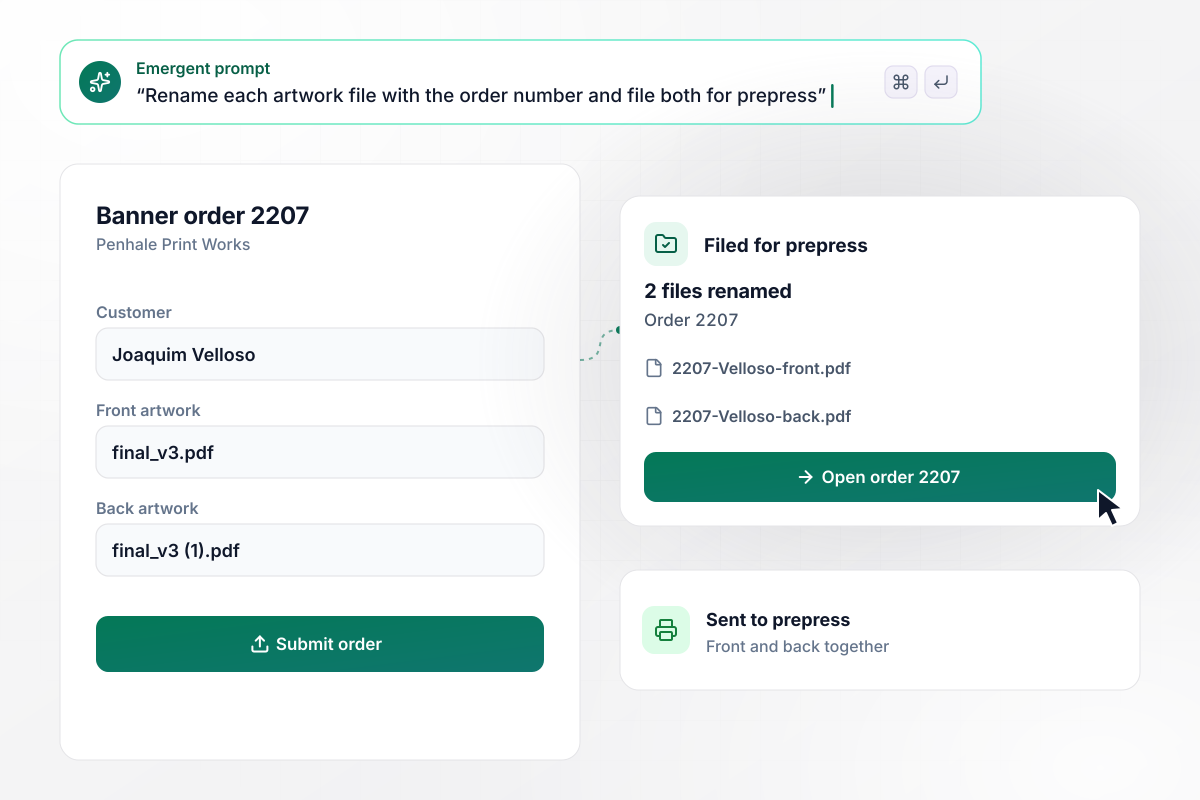
Each file in order 2207 arrives renamed
Penhale Print Works prints banners and asks for front and back artwork with every order. Joaquim Velloso uploads two files named final_v3.pdf and final_v3 (1).pdf. Prepress receives them as 2207-Velloso-front.pdf and 2207-Velloso-back.pdf, filed under order 2207.
window.awbMockup = { printOrders: "Build a file upload form for banner orders at my print shop. Ask for the order number and the customer's name, plus two artwork files for the front and back. Rename each file as the order number, the customer's last name, and the side, then file both under the order so prepress opens them together.", rentalRepairs: "Build a repair request form for tenants in my apartment buildings. Ask for the unit number, a category, a description, and photos of the problem. When the category is Leak, email the on-call technician right away with the photos and the unit number instead of adding the request to the weekday queue.", subcontractorInsurance: "Build a file upload form where subcontractors send me their certificate of insurance. Read the insured company and the policy end date from each certificate. If the policy ends within 30 days, flag the certificate and send the project coordinator a card asking for the renewal.", photoContests: "Build an entry form for my camera club's photo contest. Each member can upload up to 3 photos. Give every photo an entry number when it arrives and show judges only that number and the photo on the judging page. Keep the member's name hidden until scoring closes." };
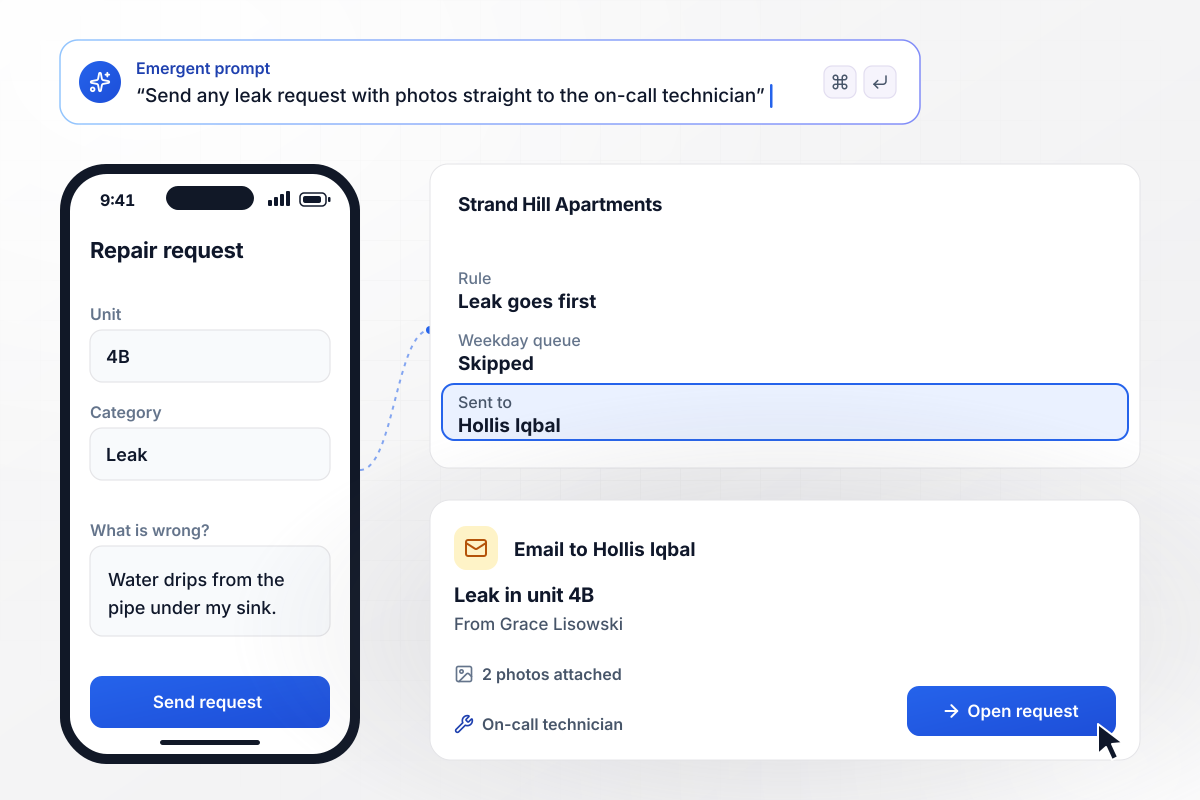
A leak photo goes to the on-call technician
Grace Lisowski rents unit 4B at Strand Hill Apartments. She picks Leak as the category and uploads 2 photos of the pipe under her sink. A request marked Leak skips the weekday queue: the app emails Hollis Iqbal, the on-call technician, with both photos and her unit number.
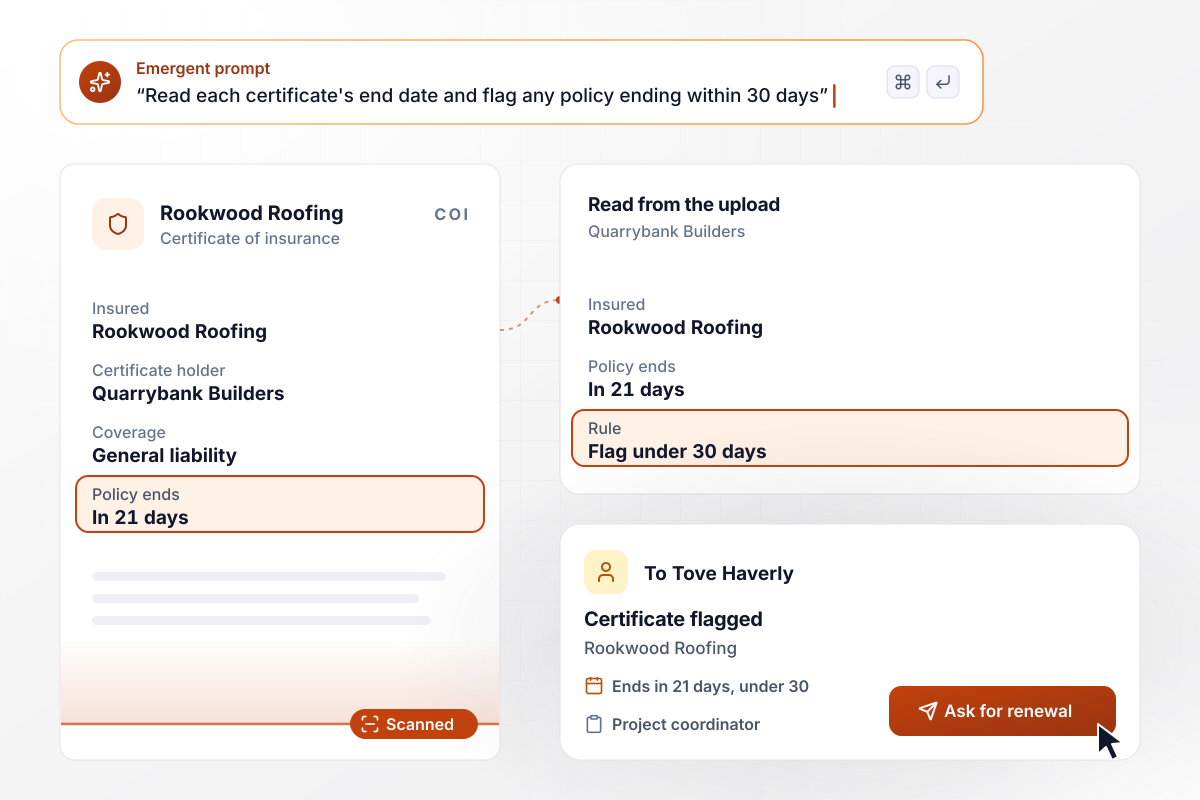
Insurance that lapses in 21 days gets flagged
Quarrybank Builders keeps a current certificate of insurance for every subcontractor. When Rookwood Roofing uploads one, the app reads the policy end date. A policy that ends in 21 days breaks the 30-day rule: the certificate is flagged, and Tove Haverly, the project coordinator, gets a card asking for the renewal.
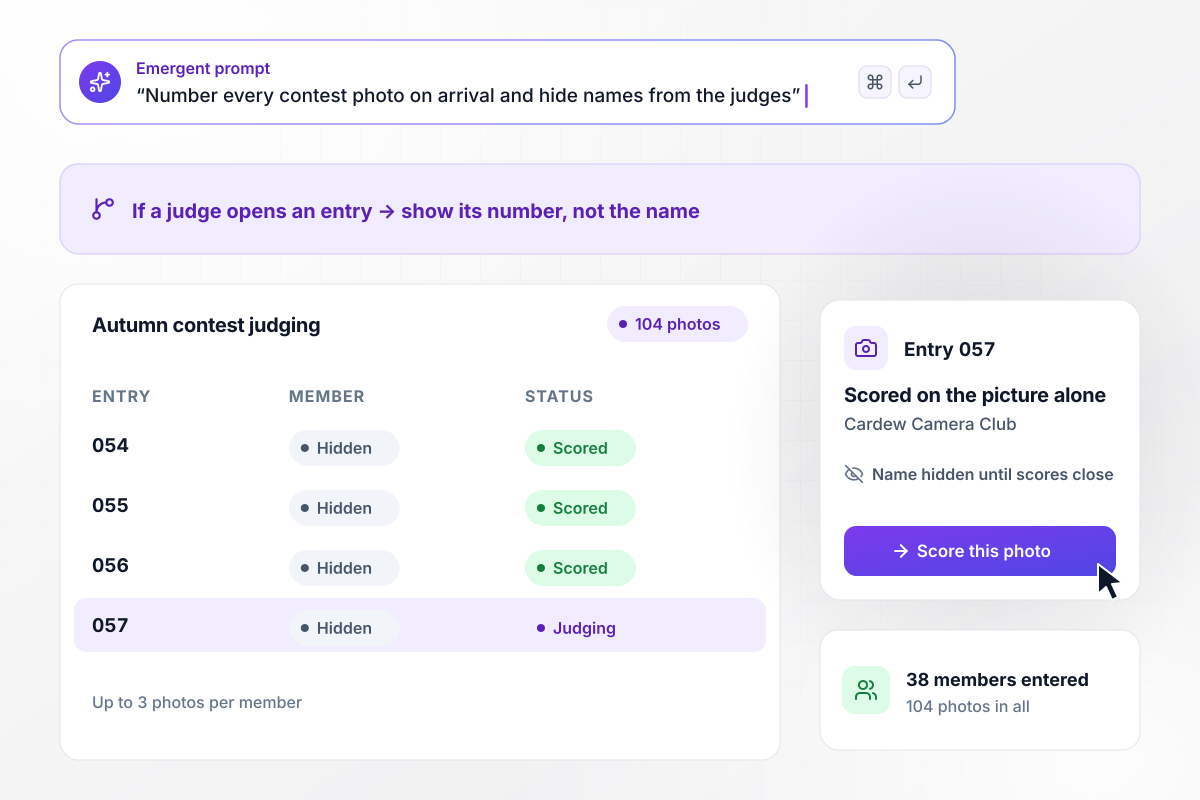
Judges see entry 057, not who shot it
Cardew Camera Club's autumn contest takes up to 3 photos per member, and this year 38 members sent 104 photos. Each photo gets an entry number on arrival. The judging page shows only that number, and entry 057 is scored on the picture alone. Names return once scoring closes.






How to Create a File Upload Form
Seven steps to plan a file upload form that names and routes every file, then build it with Emergent.
Write down each file you need, the person who opens it first, and what they do with it. A print shop's list reads: front artwork, back artwork, both to prepress. A file nobody acts on is a field to leave off.
Give each upload field its own accepted types: photos as JPG or PNG, signed papers as PDF. Decide on a size limit per file too, and show both under the field label, where people read them before picking a file.
Choose a pattern built from the submission number, the sender's last name, and what the file is, such as 1045-Ito-lease.pdf. The number keeps two senders with the same last name apart in a long list.
Let one answer decide who hears about each upload. A deadline within 2 days might go to the account manager and anything later to the shared queue. Write each rule as one line before you write the prompt.
Put the file list, the accepted types, the naming pattern, and the routing rules into one prompt. Emergent builds the form, its database, and the alerts from it, and you change any part later by prompting again.
Before sharing the link, try a wrong file type and a file over your size limit. Each one should be refused with a message that says what to send instead. Then submit a correct set and check the names and the alert.
Expect photos of a leak or a receipt to come from a phone. Send the link by text, or print a QR code where the problem shows up. Open the form on a small screen first and finish one upload there yourself.
Why Build Your File Upload Form With Emergent?
Emailed files arrive as scan_0042.pdf with no request attached. Emergent builds a form that keeps each file with the answers it came with.

|
Jotform | Google Forms | Typeform | |
|---|---|---|---|---|
| How you build | Describe it in plain English | Templates, editor, AI generator | Editor, with Gemini drafting on some Workspace plans | Templates, editor, AI assist |
| Where responses live | A database table you own, plus any integration | Jotform account | Google Sheets | Typeform account |
| Response limits | No response caps | Monthly submission caps by plan; the form stops at the cap | No limit | Monthly response caps by plan; the form closes at the cap |
| Code ownership | Full code export to GitHub on paid plans | None | None | None |


Pick the Pricing Plan That Works for You
Choose the plan that fits your building ambitions. From weekend projects to enterprise applications, we've got you covered.




Find the right form
for whatever you're collecting















Frequently Asked Questions
Your Questions, Answered
Don't change this element unless you know what you are doing
More things you can build
with Emergent









on Emergent today


