

Build a Proposal Form That Ends in a Clear Yes or No
Create a proposal form that takes signatures, routes each proposal to its approvers in order, and saves it to your own database.
Build a proposal form for my business.
Trusted by Builders Worldwide
Active Builders Worldwide
Apps Successfully Created
Countries Globally Reached



Proposal Forms That Reach a Decision
A carbonless proposal book records what someone asked for. These six parts carry the request to the person who answers it.
Follow-up questions only when they apply
Ask the short version first and open the detail on a yes. A past claim, a second approver or a cost over budget each brings its own questions, and nobody scrolls past blank ones.
Signatures and initials on any clause
Capture a signature at the end and initials beside the clauses that matter. Each signed proposal is stored with its date and the exact wording of the terms the proposer agreed to.
Approvals in the order you set
Send each proposal to the people who decide, one after another or by amount. Every approver sees the earlier decisions, and the proposer gets an email once the last one rules.
Figures worked out on the form
Calculate totals, payback periods, or credit hours from the answers as they are typed. Each reviewer opens a proposal with that figure at the top instead of a calculator beside it.
Attachments kept with the proposal
Accept drawings and photos as uploads on the same form, along with budget sheets. Every file stays attached to its proposal record instead of sitting in one person's inbox.
Every proposal in your own repository
Export the full code to your GitHub on paid plans whenever you choose. Each proposal and its approvals sit in a database you own, and developers build on it like any codebase.
Four Proposals, Four Different Deciders
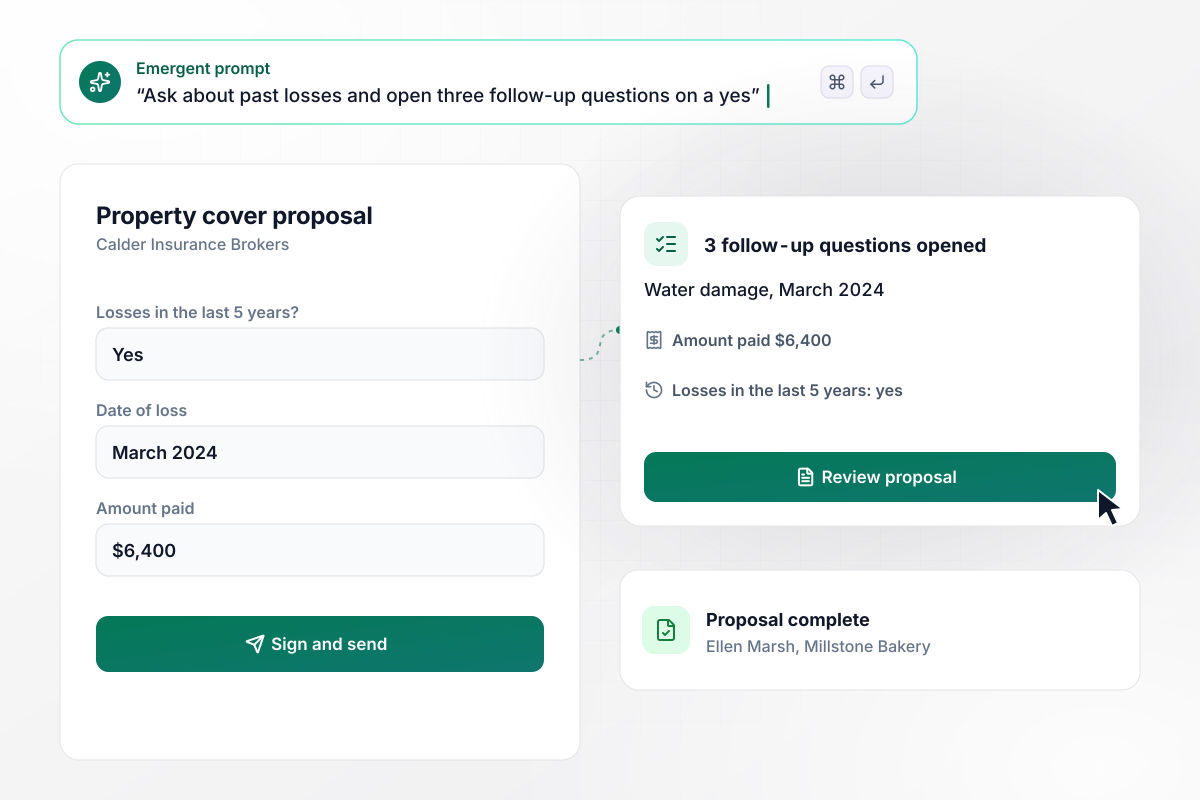
Every past loss declared with its cost
Calder Insurance Brokers asks each shop owner about losses in the last 5 years. A yes opens three more questions: date, cause, and amount paid. Ellen Marsh of Millstone Bakery declared a $6,400 water damage claim from March 2024. Her account executive saw the full answer before the insurer did.
window.awbMockup = { insuranceBrokers: "I run a commercial insurance brokerage. Build a property proposal form for small business owners covering the business, the building, and its contents. Ask about losses in the last 5 years, and on a yes ask for the date, the cause, and the amount paid. End with a declaration the owner signs, and email the account executive each completed proposal.", roofingContractors: "I own a roofing company. Build a job proposal my customers open on their phone, showing the scope, the shingle type, the square count, and the installed price. Add a rotted decking clause at $95 a sheet that the homeowner must initial, then a signature line. When a proposal is signed, add the job to my crew schedule.", universities: "I coordinate independent studies for a university biology department. Build a proposal form where a student enters the topic, the credits, learning objectives, weekly hours, and a faculty sponsor. Send it to the sponsor first, then to the department head, and show each approver the earlier decision. Email the student when the department head decides.", internalProjects: "I run operations at a packaging plant. Build a project proposal form where staff enter the project, its cost, and the yearly savings they expect. Work out the payback in months on the form. Send proposals up to $25,000 to the plant manager and anything above that to our CFO, with the payback shown at the top." };
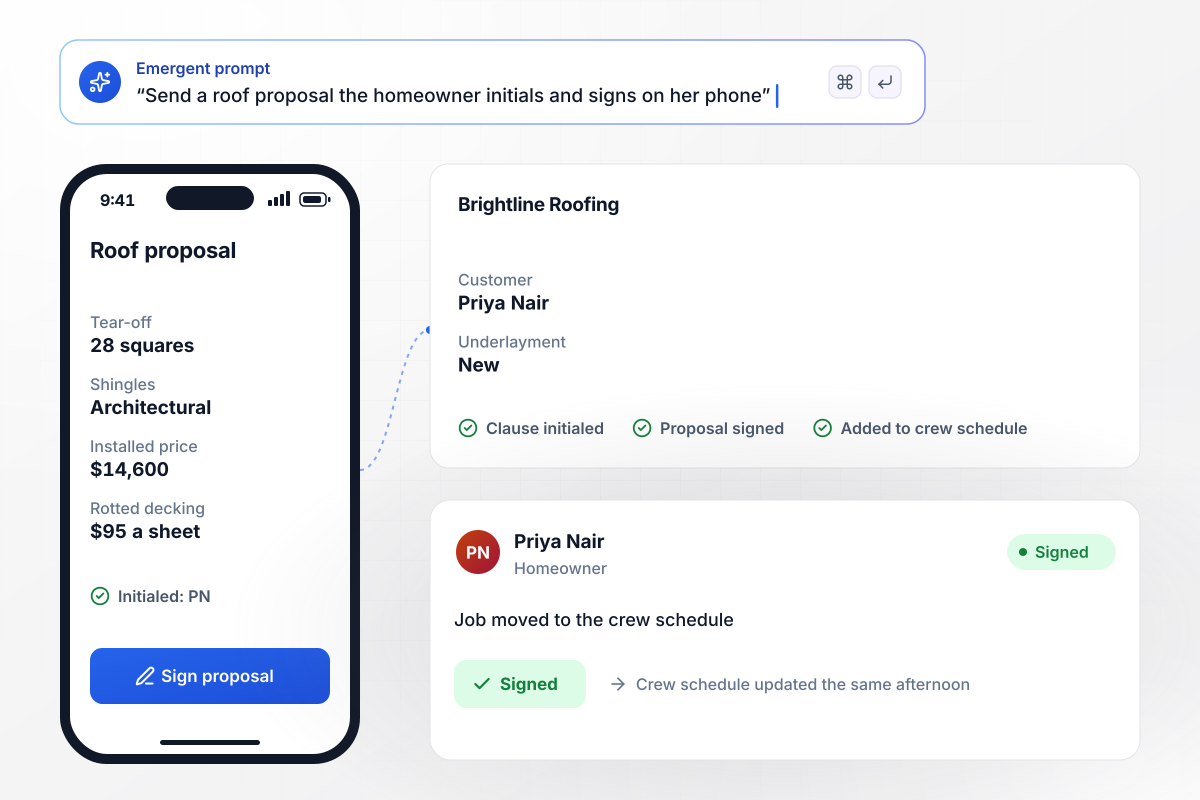
Initialed, signed, and scheduled from her phone
Brightline Roofing sends each homeowner a proposal to read on a phone: a 28-square tear-off with new underlayment for $14,600. A clause pricing rotted decking at $95 a sheet needs her initials. Priya Nair initialed it and signed. The job moved to the crew schedule that afternoon.
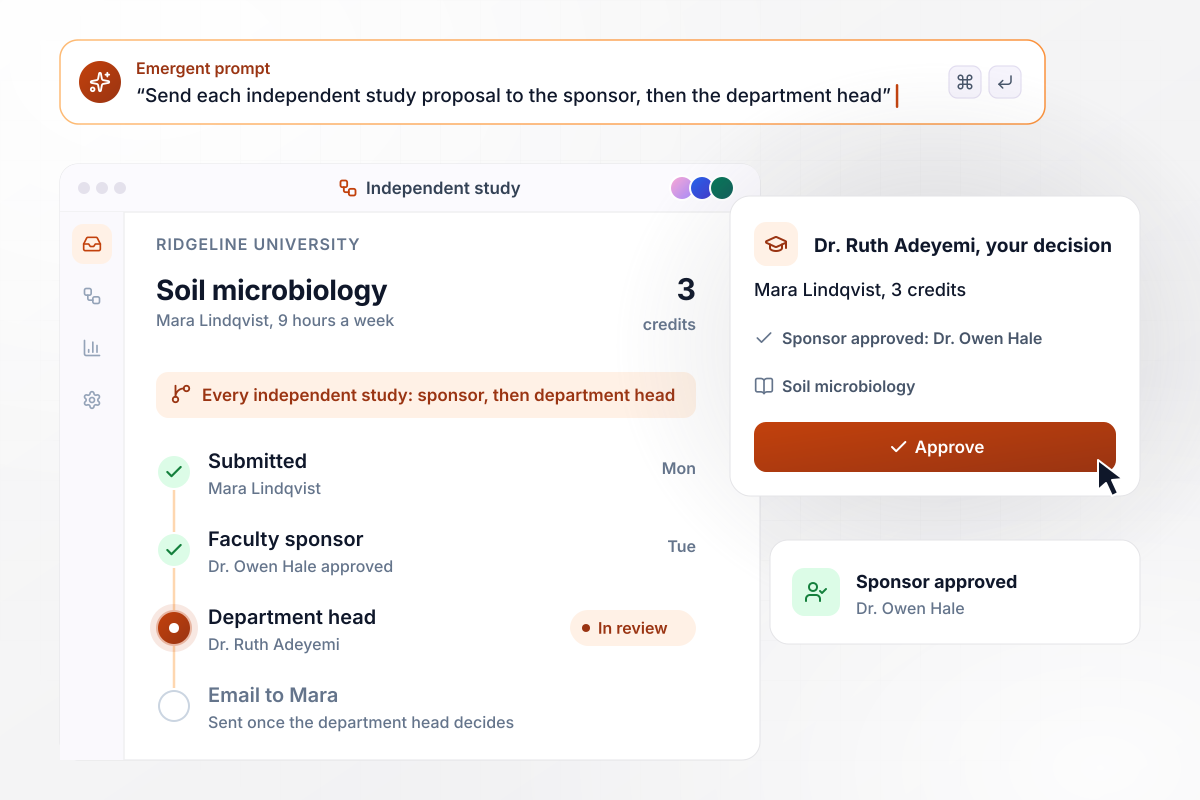
Approved by the sponsor, now with the department head
Mara Lindqvist is proposing a three-credit independent study in soil microbiology at Ridgeline University, at 9 hours a week. Dr. Owen Hale approved it as her sponsor. Every independent study also needs the department head. The form passed it to Dr. Ruth Adeyemi with the sponsor's approval shown first.
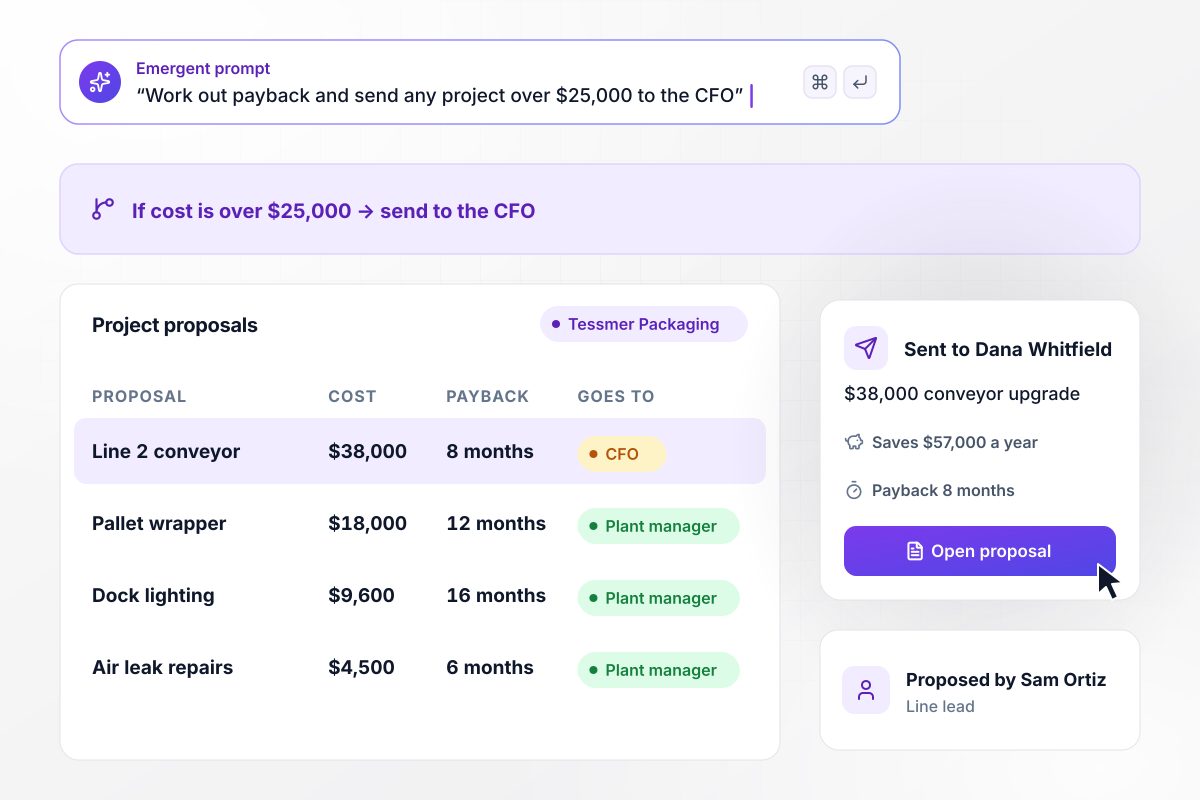
Paid back in 8 months, sent to the CFO
Line lead Sam Ortiz at Tessmer Packaging proposed a $38,000 conveyor upgrade expected to save $57,000 a year. The form put the payback at 8 months. Plant managers approve up to $25,000, and anything above goes to the CFO. CFO Dana Whitfield opened it with the payback figure on top.






How to Make a Proposal Form
Seven steps to plan a proposal form around the person who approves it, then test it before the first one goes out.
Name the people who approve a proposal and the order they go in. An insurer looks for risk details, a homeowner for price and scope, and a budget holder for cost against the savings.
List every question the approver asks before agreeing, and turn each into a field. Drop anything nobody reads. Where a yes needs detail, mark it as a follow-up instead of a field every proposer has to skip.
Write down any number the approver works out by hand today: a total, a payback period, a credit load. Give the formula in plain words. The proposer sees the result before sending and can correct a wrong input there.
Copy the questions from your current proposal form PDF or Word file into the prompt, then add the approval order and the formulas. Emergent builds the form with its approval steps, plus a database row for every proposal.
Mark which clauses need initials and where the signature goes. Keep the terms on the same screen as the signature line, and store the wording with each signed proposal in case the terms change next season.
Decide what the proposer hears at each step: a receipt on submit, an email when an approver decides and a reminder if a proposal sits unanswered for two days. Approvers get a Slack or email alert with the proposal attached.
Fill the form on a phone with real answers, including a yes that opens follow-ups and an amount over the approval limit. Check that each approver receives it in order. Delete the test proposal before you share the link.
Why Build Proposal Forms With Emergent?
A Word or PDF template records the proposal. It cannot ask a follow-up, add up the cost or tell an approver one is waiting.

|
Jotform | Typeform | Google Forms | |
|---|---|---|---|---|
| How you build | Describe it in plain English | Templates, editor, AI generator | Templates, editor, AI assist | Editor, with Gemini drafting on some Workspace plans |
| File uploads | Files saved to storage you own, no sign-in | Included; files count toward plan storage | Paid plans only | Respondents must sign in to Google; files fill your Drive |
| Where responses live | A database table you own, plus any integration | Jotform account | Typeform account | Google Sheets |
| Response limits | No response caps | Monthly submission caps by plan; the form stops at the cap | Monthly response caps by plan; the form closes at the cap | No limit |
| Code ownership | Full code export to GitHub on paid plans | None | None | None |



Pick the Pricing Plan That Works for You
Choose the plan that fits your building ambitions. From weekend projects to enterprise applications, we've got you covered.




Find the right form
for whatever you're collecting















Frequently Asked Questions
Your Questions, Answered
Don't change this element unless you know what you are doing
More things you can build
with Emergent









on Emergent today


