

Build a Wedding Photography Contract Couples Sign Online
Build a wedding photography contract that fills in each couple's package, sets payment due dates, and collects every signature.
Build a wedding photography contract form for my studio that fills in each couple's names, wedding date, and venue.
Trusted by Builders Worldwide
Active Builders Worldwide
Apps Successfully Created
Countries Globally Reached



Every Booking Term in One Signed Contract
The couple makes one choice and signs. Everything between those two steps is built from your packages and your terms.
Packages that fill in the coverage terms
The couple picks one of your packages, and its hours, price, and inclusions fill the coverage section of the contract. Change a price once and every new contract quotes it.
Payment dates set by the wedding date
Set the retainer as a share of the package and the balance as a number of days before the wedding. The contract states both amounts in dollars, each with the date it is due.
Clauses that show up only when they apply
A travel clause joins the contract when the venue is past your mileage limit, and an overtime rate joins when the couple adds hours. Couples read only the terms that fit them.
Signatures from both partners, then yours
The last screen captures an e-signature from each partner, then from you. The contract is marked signed only when every signature is in, and each one is saved with its date.
A reminder before the balance comes due
The couple gets an email 14 days before the balance date. If the date passes and nobody has marked the balance paid, you get a Slack alert that links to the contract.
The full code, exported to GitHub
Export the full code to your GitHub repository on paid plans. Your contract form can then sit beside your studio website's code, where a developer can review any change first.
Four Bookings and the Contract Each Needs
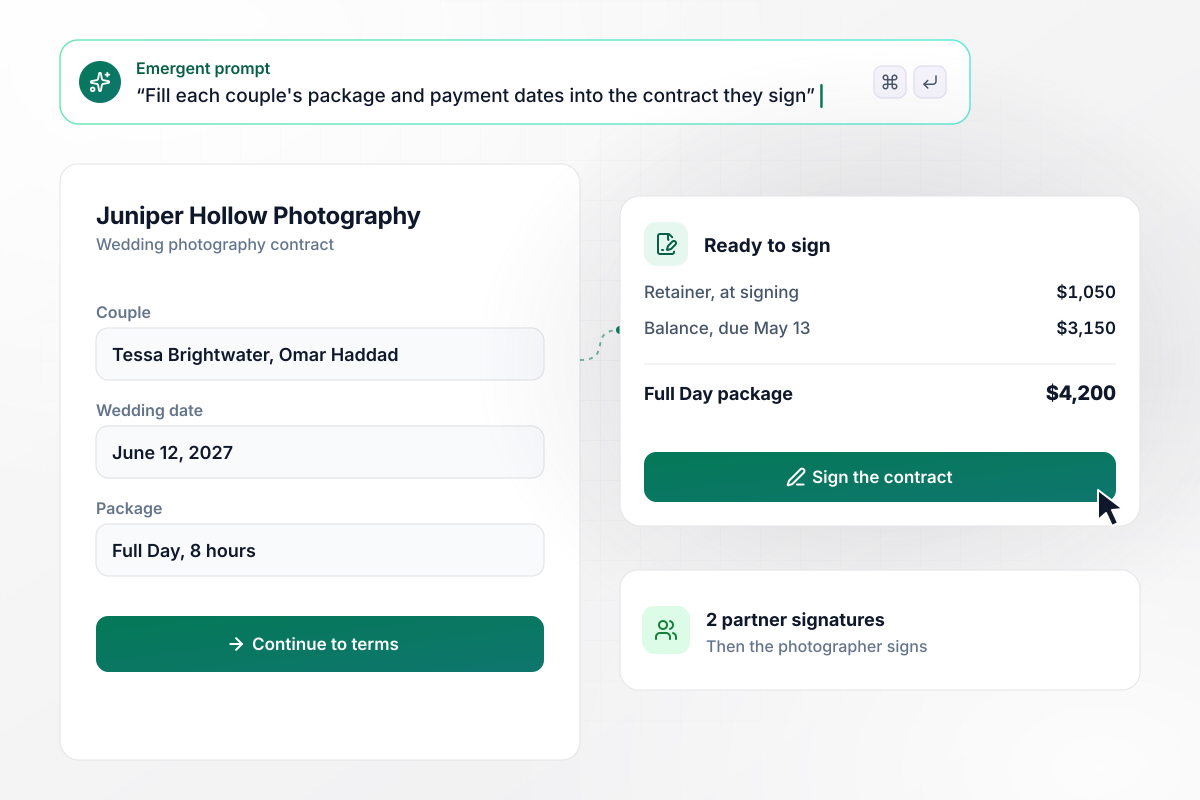
Full Day, with $1,050 now and $3,150 by May 13
Tessa Brightwater and Omar Haddad pick the 8-hour Full Day package from Juniper Hollow Photography, priced at $4,200. The contract fills in a $1,050 retainer due at signing and a $3,150 balance due May 13, ahead of their wedding on June 12, 2027. Both of them sign on the last screen, then the photographer signs.
window.awbMockup = { fullDayPackages: "Build a wedding photography contract for my studio. Couples pick a package, and its hours and price fill in the coverage terms. Work out a retainer due at signing and a balance due 30 days before the wedding, and show both in dollars with their due dates. Both partners sign on the last screen, then I sign.", destinationWeddings: "My studio covers venues within 100 miles at the package price. Ask couples for the venue address, and when the venue is over 100 miles away, add a travel clause to their contract with a $600 travel fee and one hotel night the couple books. Show me a table of this month's bookings with the distance to each venue.", postponedWeddings: "When a couple moves their wedding date, draft an amendment to their photography contract that sets the new date and carries their retainer over to it. Both partners sign the amendment. Show me which signatures are still missing, and send me a Slack message once the second partner signs.", secondShooters: "I hire second shooters for some weddings. Build a contract they sign on their phone with the day rate, a clause that transfers copyright in their images to my studio, and a line letting them post up to 20 images once the couple's gallery is delivered. Save every signed contract to my contracts table." };
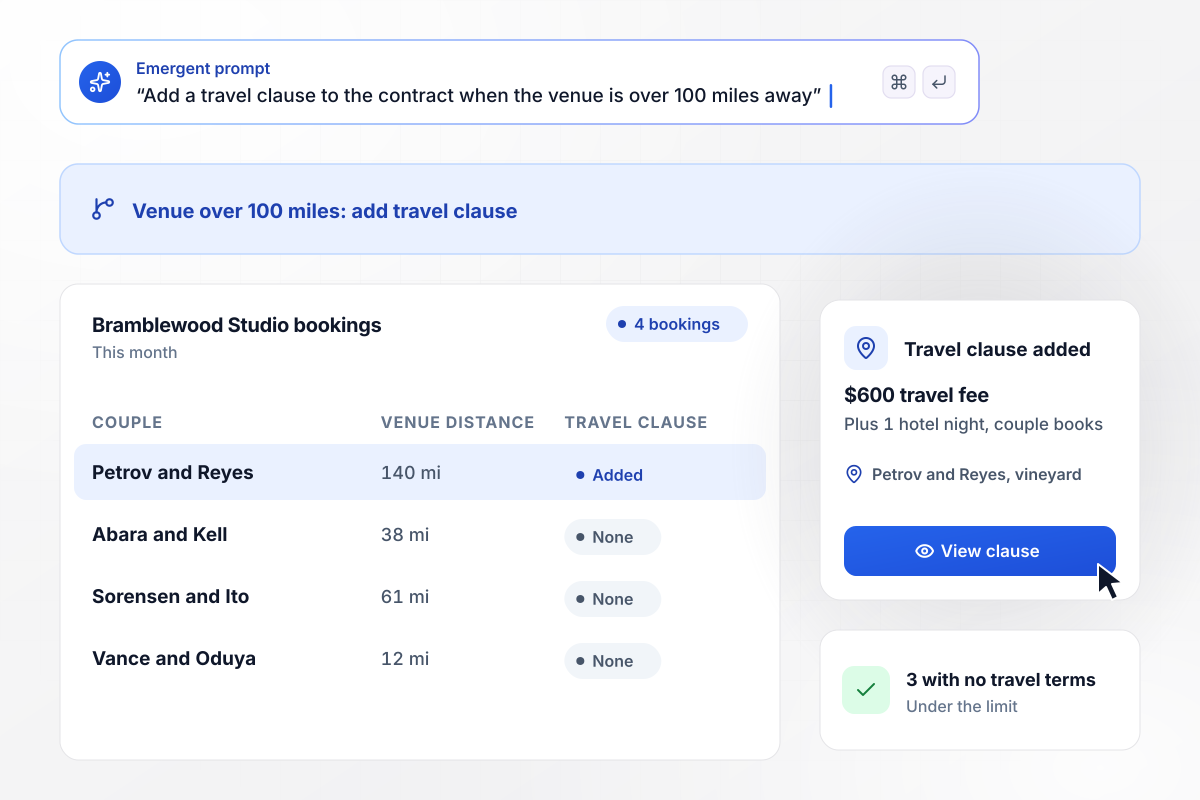
Past 100 miles, your contract adds a $600 travel fee
Bramblewood Studio covers venues within 100 miles at the package price. Nadia Petrov and Callum Reyes book a vineyard 140 miles away, and their contract adds a travel clause: a $600 travel fee plus 1 hotel night that the couple books. This month's other 3 bookings sit under the limit and carry no travel terms.
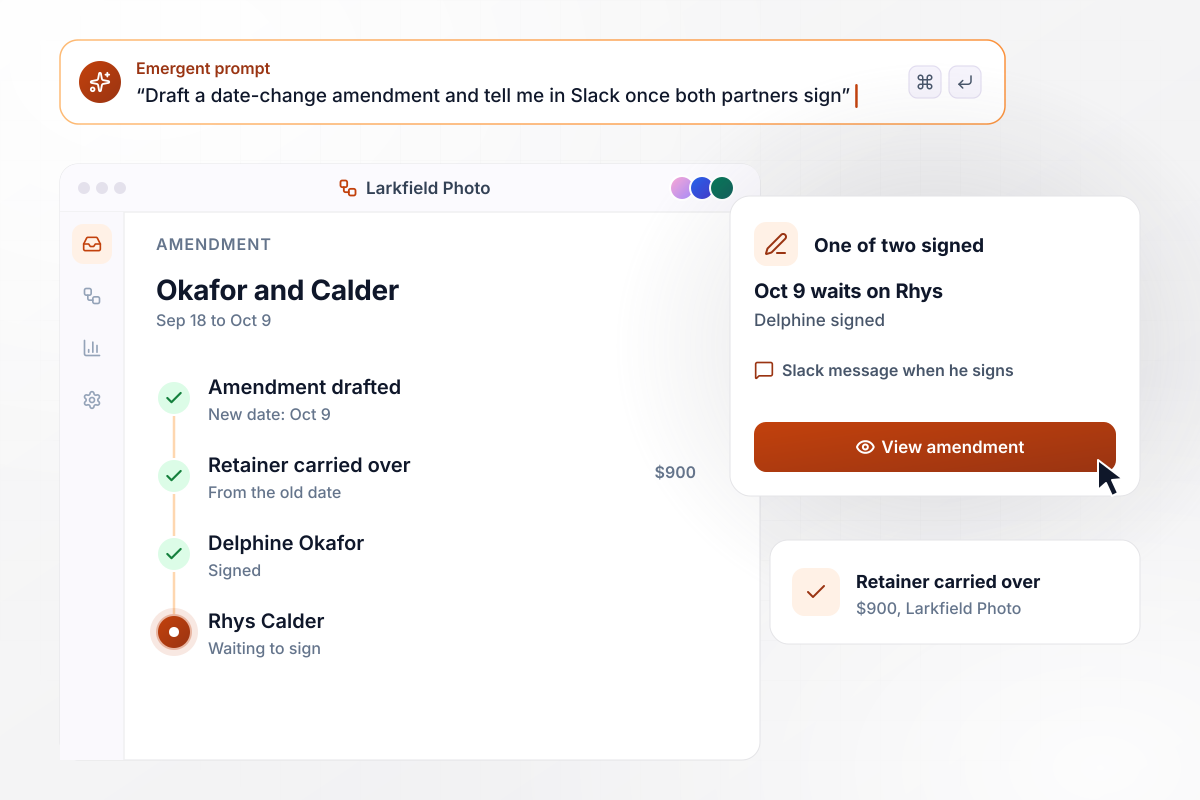
With one of two signatures in, October 9 waits
Delphine Okafor and Rhys Calder move their wedding with Larkfield Photo from September 18 to October 9. The app drafts an amendment that sets the new date and carries their $900 retainer over to it. Delphine has signed, and one of two signatures is in. The photographer gets a Slack message the moment Rhys signs.
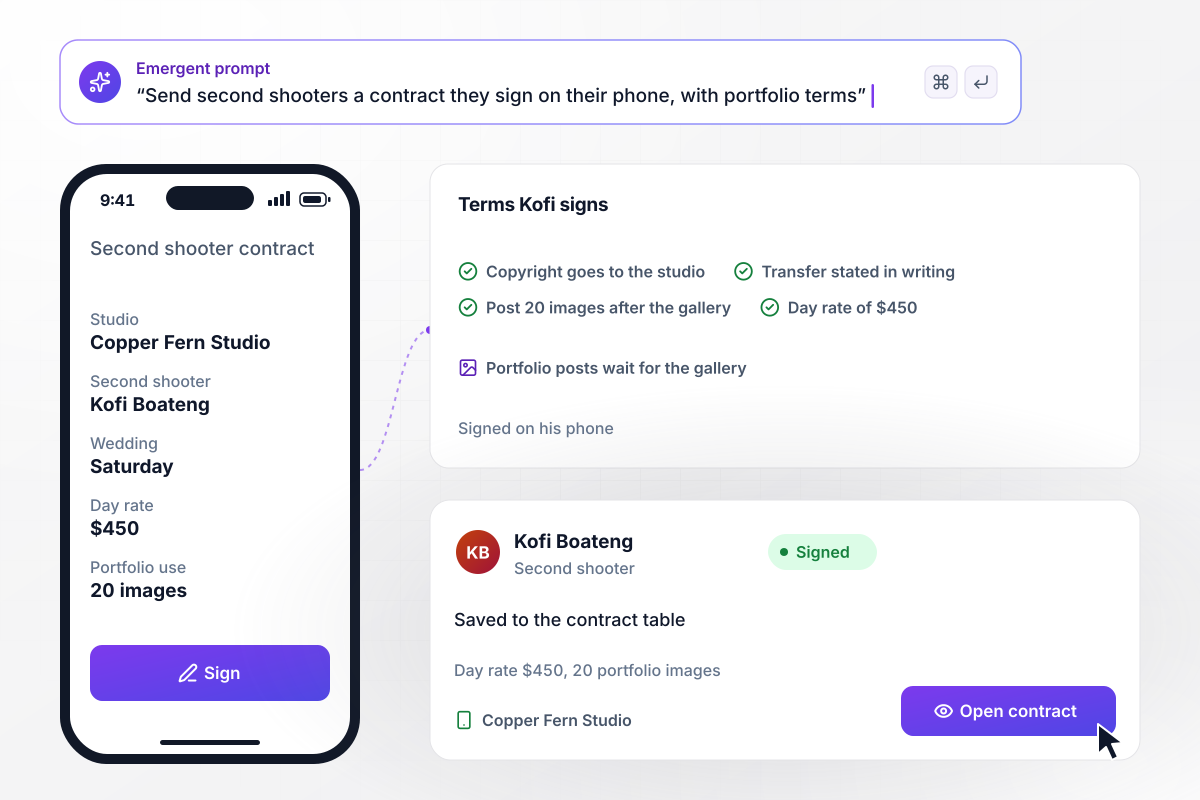
For $450, Kofi signs over copyright and posts 20 images
Mireille Santos of Copper Fern Studio hires Kofi Boateng to second-shoot a Saturday wedding at a $450 day rate. His contract transfers copyright in his images to the studio in writing and lets him post 20 of them once the couple has their gallery. He signs on his phone, and the signed copy joins the studio's contract table.






How to Create Your Wedding Contract
Seven steps to create a wedding photography contract that fills in each booking's terms, then build it with Emergent.
Write down each package you sell and what it costs, plus the add-ons a couple can choose, such as an extra hour or an engagement session. These become the choices on the form and the prices the contract quotes back to the couple.
Collect the clause wording you stand behind, starting with cancellation and image delivery. If a lawyer drafted your current contract, keep that wording exactly as written and paste it into your prompt clause by clause, each under a plain heading.
Tell Emergent which fields the couple fills in, how the retainer and balance are worked out, and when each optional clause appears. Emergent builds the form, the contract page couples read, and a database table with one row per booking.
Open a sample contract for your largest package and do the sums by hand. The retainer and the balance should add up to the package price, and the balance date should fall as many days before the wedding as your terms set.
Choose what happens once the last signature is in: a copy emailed to the couple, a Slack message to you with the wedding date in it, and the booking marked signed in your table. Keep that message short enough to read on a phone.
Book a fake wedding past your mileage limit with an extra hour added, and sign as both partners. The travel clause and the overtime rate should both appear, and the balance date should match your terms. Fix anything that is off by prompting.
Publish the form on a custom domain; Emergent includes custom domains, and they use credits. Send the link when a couple says yes, and retire your old PDF contract so nobody signs two versions of the same terms.
Why Build Your Contract on Emergent?
Signed contracts land in a database you own. The form has no response cap, and a 40-wedding season never closes it.

|
Jotform | Google Forms | Typeform | |
|---|---|---|---|---|
| How you build | Describe it in plain English | Templates, editor, AI generator | Editor, with Gemini drafting on some Workspace plans | Templates, editor, AI assist |
| Where responses live | A database table you own, plus any integration | Jotform account | Google Sheets | Typeform account |
| Response limits | No response caps | Monthly submission caps by plan; the form stops at the cap | No limit | Monthly response caps by plan; the form closes at the cap |
| Code ownership | Full code export to GitHub on paid plans | None | None | None |




Pick the Pricing Plan That Works for You
Choose the plan that fits your building ambitions. From weekend projects to enterprise applications, we've got you covered.




Find the right form
for whatever you're collecting















Frequently Asked Questions
Your Questions, Answered
Don't change this element unless you know what you are doing
More things you can build
with Emergent









on Emergent today


