

Build a Client Onboarding Questionnaire That Starts the Work
Describe your clients and the answers you need before kickoff. Emergent builds the questionnaire, chases what is missing and keeps every response in a database you own.
Build a client onboarding questionnaire that tracks account access and holds the kickoff call until it is complete.
Trusted by Builders Worldwide
Active Builders Worldwide
Apps Successfully Created
Countries Globally Reached



What Happens After the Client Hits Submit
A client onboarding questionnaire earns its place once the answers turn into work. These six pieces handle that part.
Sections that follow the service bought
Show each client only the sections for the services on their contract. A retainer client answers brand voice questions, while a one-off project skips ahead to scope and deadlines.
Account access tracked row by row
List every account the work depends on and let the client tick each one once access is shared. You see what is still missing at a glance, without a single password changing hands.
Reminders for whatever is still open
Email the client contact when an answer or file is still outstanding after the delay you set. Each reminder names the items left, and reminders stop once the last one arrives.
Answers that become the first tasks
Turn specific answers into work that can start on day one: a shot list, a hardware audit, a first content calendar. Each task links back to the client response that created it.
Routing by account size or service
Send each finished questionnaire to the teammate who owns that kind of client. Large accounts can reach a senior lead by Slack message, and the rest join the standard queue.
Your onboarding app, as code you keep
On paid plans, export the codebase to your GitHub repo when the questionnaire grows into a client portal. A developer can extend it later, and every client record stays where it is.
Four Businesses, Four First Weeks
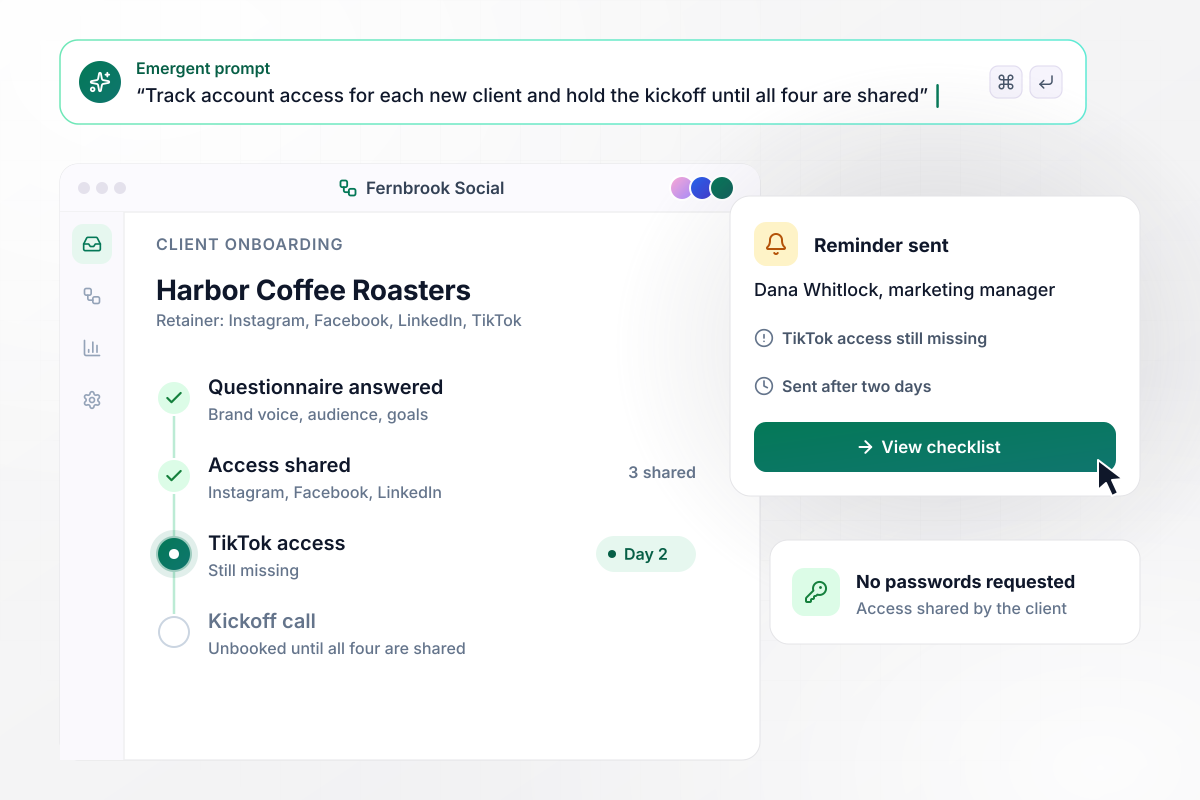
No kickoff call until all four accounts are shared
Fernbrook Social asks each new client to share access on all four social accounts, never a password. Harbor Coffee Roasters has shared three. With TikTok missing, the kickoff call stays unbooked, and Dana Whitlock, Harbor's marketing manager, gets a reminder after two days.
window.awbMockup = { marketingAgencies: "I run a social media agency that manages Instagram, Facebook, LinkedIn and TikTok for small food brands. Build an onboarding questionnaire where each new client gives us access on every account and ticks it off, with no passwords. Keep the kickoff call unbooked until all four are shared, and email the client's contact a reminder when one is still missing after two days.", brandPhotography: "I shoot half-day brand sessions for small businesses. Build a client questionnaire that asks which shots they want in each location, like the studio, their shop floor and the street outside, with a notes box per shot. Turn the answers into one shot list grouped by location that I can open on my phone the morning of the shoot.", itSupportFirms: "My IT support firm onboards small offices like dental practices. Build a questionnaire for the office manager that lists every laptop with its age and its user, plus staff count and office locations. Flag any laptop over five years old for replacement and put those on a replacement list in the kickoff report before our technician's first visit.", softwareCustomers: "We sell scheduling software to clinics and salons. Build an onboarding questionnaire that asks each new customer how many seats they bought and which calendar they use today. Send accounts with 200 seats or more to our implementation lead as a Slack message. Put smaller accounts on a three-week self-serve plan that starts with a welcome email on day one." };
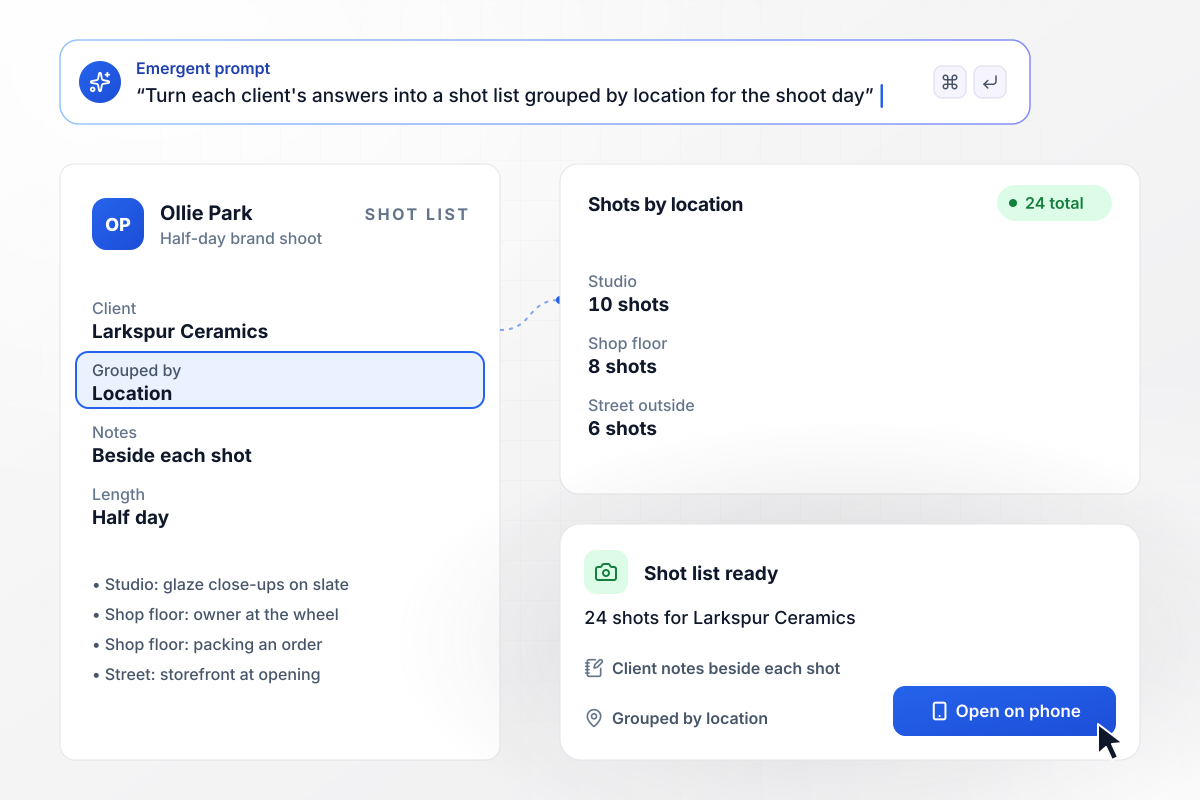
A 24-shot list built from one questionnaire
Ollie Park shoots half-day brand sessions. For Larkspur Ceramics, the questionnaire asked which shots the owner wanted in each spot: 10 in the studio, eight on the shop floor and six on the street outside. The answers became a 24-shot list grouped by location, with the client's notes beside each shot.
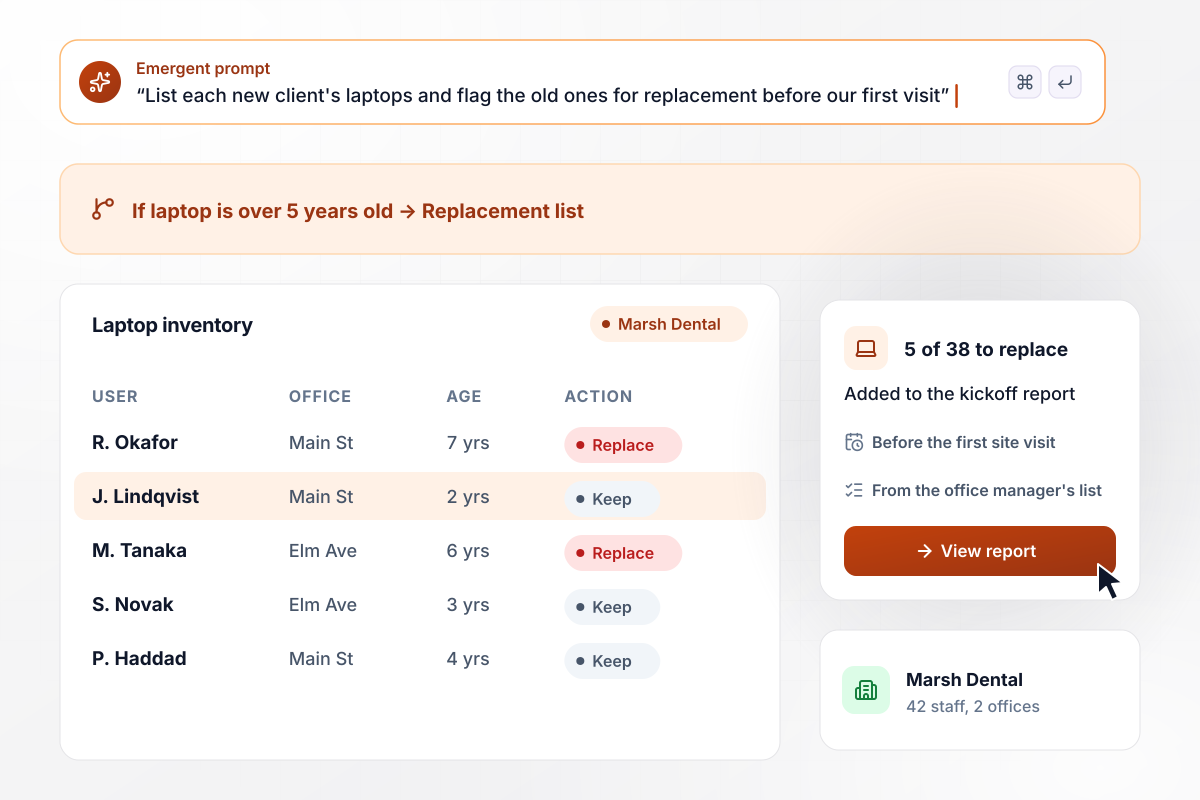
Laptops over five years old flagged before day one
Cobalt IT took on Marsh Dental, a practice with 42 staff across two offices. Its questionnaire asks the office manager to list every laptop with its user and age. Cobalt marks any laptop over five years old for replacement. Of 38 laptops, five land on the replacement list in the kickoff report before the technician's first visit.
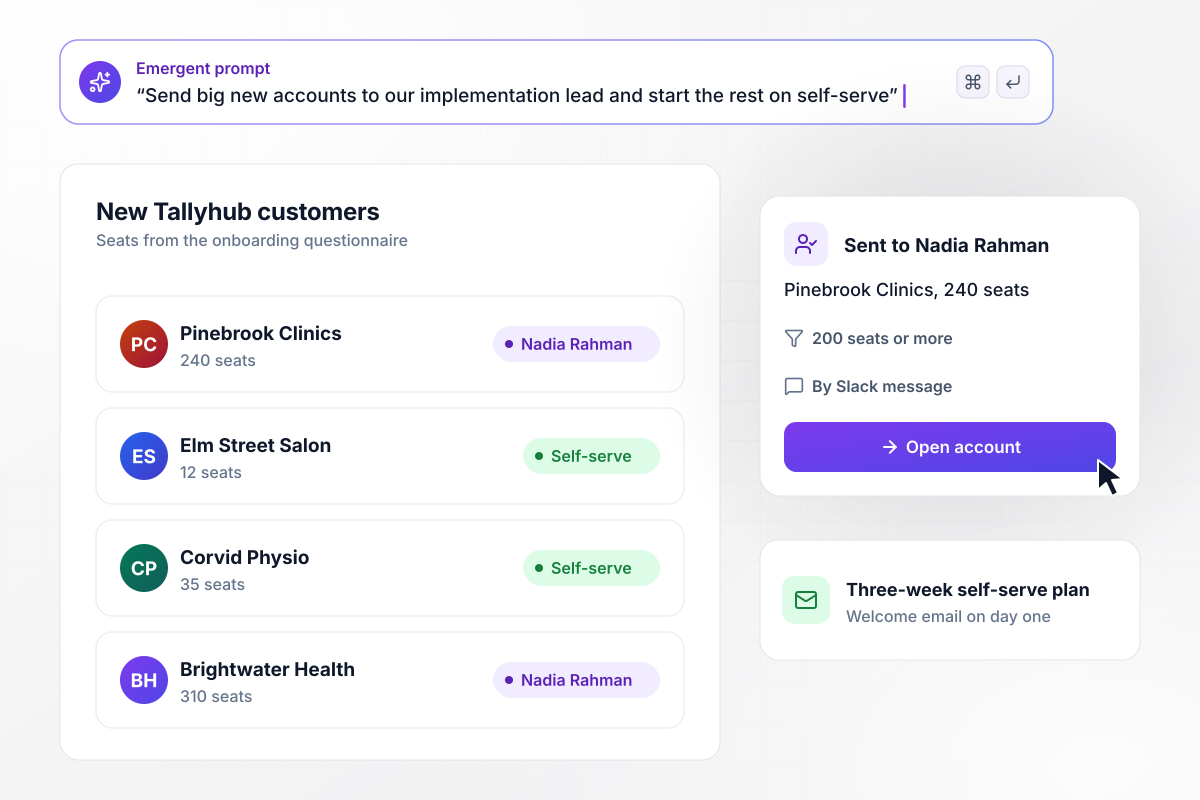
Who leads onboarding depends on seat count
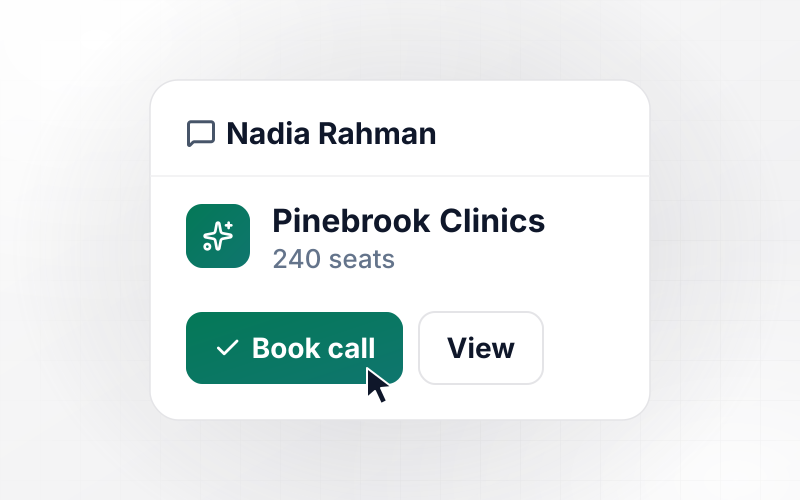
Tallyhub sells scheduling software to clinics and salons. Its questionnaire asks each new customer how many seats it bought. Accounts with 200 seats or more go to Nadia Rahman, the implementation lead, as a Slack message. Smaller accounts start a three-week self-serve plan, with a welcome email on day one.






How to Write an Onboarding Questionnaire
Know what the work needs from a client before you write a single question.
Decide what the first week of work needs from the client: approvals, files, account access, a budget. Anything outside that list belongs in a later check-in. A questionnaire that asks only what the team will use gets finished, and finished answers are what you need.
Group questions under the service the client is paying for. A monthly retainer needs brand and audience sections, while a one-time project needs scope, a deadline and the person who signs off. Each client sees only their own sections, which keeps the form short.
Put the account access requests on their own page, one row per account, with a two-line how-to for each. Ask the client to give you a role on the account instead of sending a password. A checkbox per row shows what is still missing.
Mark a question required only when the team cannot start without the answer, and leave the rest optional. Required answers and pending access decide when the kickoff call can be booked. The client sees a short list of what is left, not the whole form again.
Pick a due date that leaves time to read the answers before kickoff. When an item is still open after two days, email the client contact the exact items left. A second reminder can go to the account owner on your side.
Every answer is stored against the client, in a searchable table. Then pick the answers that start work: a seat count that picks the onboarding track, shot choices for the photographer, a hardware list for the technician who visits first.
Open the link on a phone, answer as a new client would and skip one access row on purpose. Check that the reminder arrives and the kickoff stays unbooked. Then finish the row and confirm the completed answers reach the right person.
Why Use Emergent for Client Onboarding?
A template collects answers and leaves the follow-up to you. Emergent builds the reminders, routing and records around them.

|
Jotform | Typeform | Google Forms | |
|---|---|---|---|---|
| How you build | Describe it in plain English | Templates, editor, AI generator | Templates, editor, AI assist | Manual, field by field |
| Response limits | No response caps | Monthly submission caps by plan; the form stops at the cap | Monthly response caps by plan; the form closes at the cap | No limit |
| Where responses live | A database table you own, plus any integration | Jotform account | Typeform account | Google Sheets |
| File uploads | Files saved to storage you own, no sign-in | Included; files count toward plan storage | Paid plans only | Respondents must sign in to Google; files fill your Drive |
| Code ownership | Full code export to GitHub on paid plans | None | None | None |

Pick the Pricing Plan That Works for You
Choose the plan that fits your building ambitions. From weekend projects to enterprise applications, we've got you covered.




Find the right form
for whatever you're collecting
Frequently Asked Questions
Your Questions, Answered
Don't change this element unless you know what you are doing
More things you can build
with Emergent









on Emergent today




