

Build a Wedding RSVP Form for Every Household
Build a wedding RSVP site that finds each guest's invitation and takes meal choices, with every reply in a database you own.
Build a wedding rsvp that saves every response to a database I own.
Trusted by Builders Worldwide
Active Builders Worldwide
Apps Successfully Created
Countries Globally Reached



Everything Between the Invite and the Headcount
Describe how your invitations work. Emergent builds the site guests reply on, the rules behind it, and the guest list it fills.
Plus-ones only where you offer them
Mark which invitations include a guest. Those households see a field for the extra name, and the rest see only the people you invited. A plus-one saves to the list like any guest.
Questions past yes or no
Ask for a song request, a hotel booking, or a shuttle seat. Each answer saves as its own column beside the guest's name, ready to filter when the planner asks who rides the bus.
A headcount that moves with each reply
Open the dashboard to see who is attending, who declined, and who is still waiting. Totals change the moment a guest submits, and the venue gets the number on the screen.
Replies guests can change until the date
Let guests reopen their RSVP from the same link until the reply date. A change replaces the old answer and logs when it happened. After the date, the page shows your contact details.
The site at a domain you choose
Publish the RSVP page at your own wedding domain instead of a platform address. Custom domains are included with Emergent and use credits. Guests type the address on the card.
The code, in your own GitHub repository
Export the full RSVP site to your GitHub repository on paid plans. The guest list and every saved reply move with it, and a friend who writes code can host it after the wedding.
Four Weddings, Four Ways Guests Reply
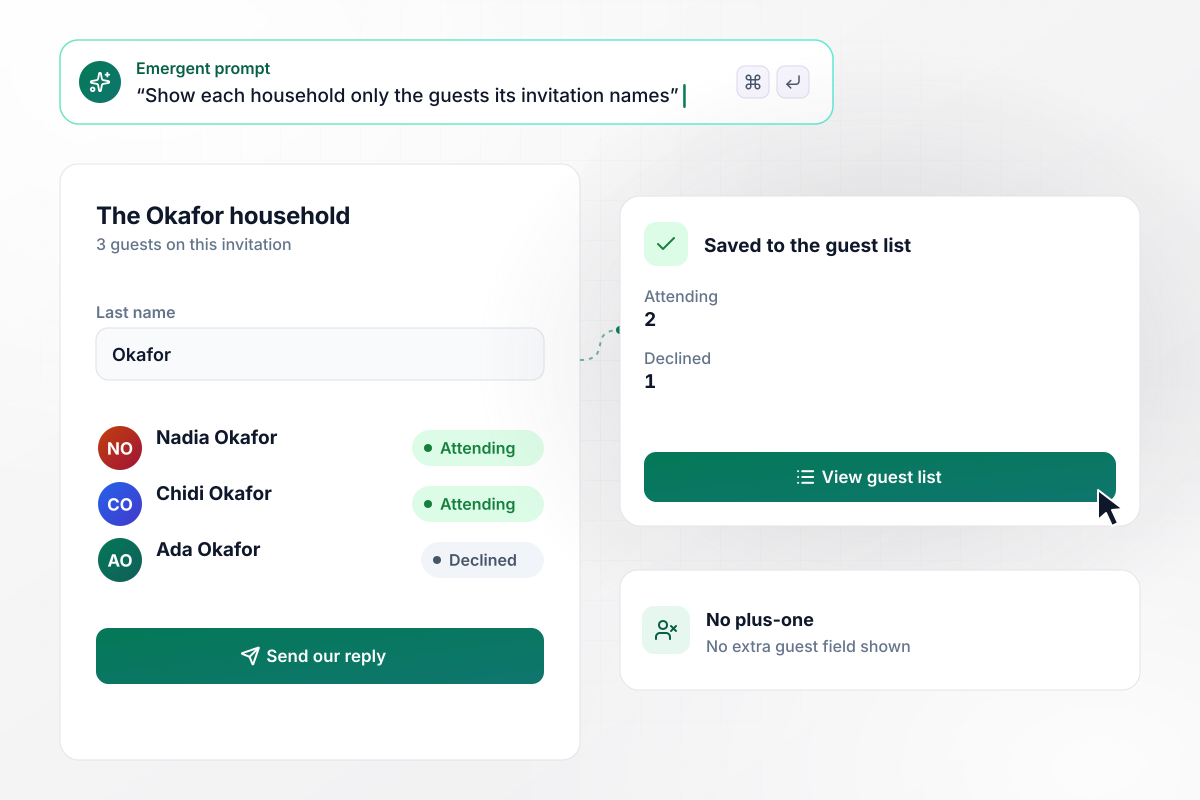
Two yes and one no from the Okafor household
Leila and Owen print one link on every invitation. Nadia Okafor types her last name and sees the 3 guests her invitation names. She marks herself and Chidi attending and Ada declined. Her household has no plus-one, and the page offers no extra-guest field. The couple's guest list saves 2 attending and 1 declined.
window.awbMockup = { householdInvitations: "Build an RSVP site for our wedding. Guests type their last name and see only the people their invitation names. Each person gets an attending or declined choice. Show a field for an extra guest only on invitations where we offered a plus-one. Save every reply to our guest list with the household it belongs to.", mealCounts: "Add a meal question to our wedding RSVP. Each attending guest picks short rib, salmon, or risotto under their own name, with a box for allergies. When replies close 3 weeks before the wedding, send our caterer the count per entree and the allergy notes, each next to the guest who wrote it.", replyReminders: "Our wedding RSVP has a reply date. Ten days before it, email every household that has not answered a reminder with its own RSVP link. Three days after that, send me the households that are still silent as a call list with a phone number for each.", weddingWeekends: "Our wedding weekend has a welcome dinner, the ceremony, and a Sunday brunch. Only some guests are invited to the dinner. Show each guest only the events on their invitation, save replies per event, and give me a list of dinner guests I can send to the restaurant." };
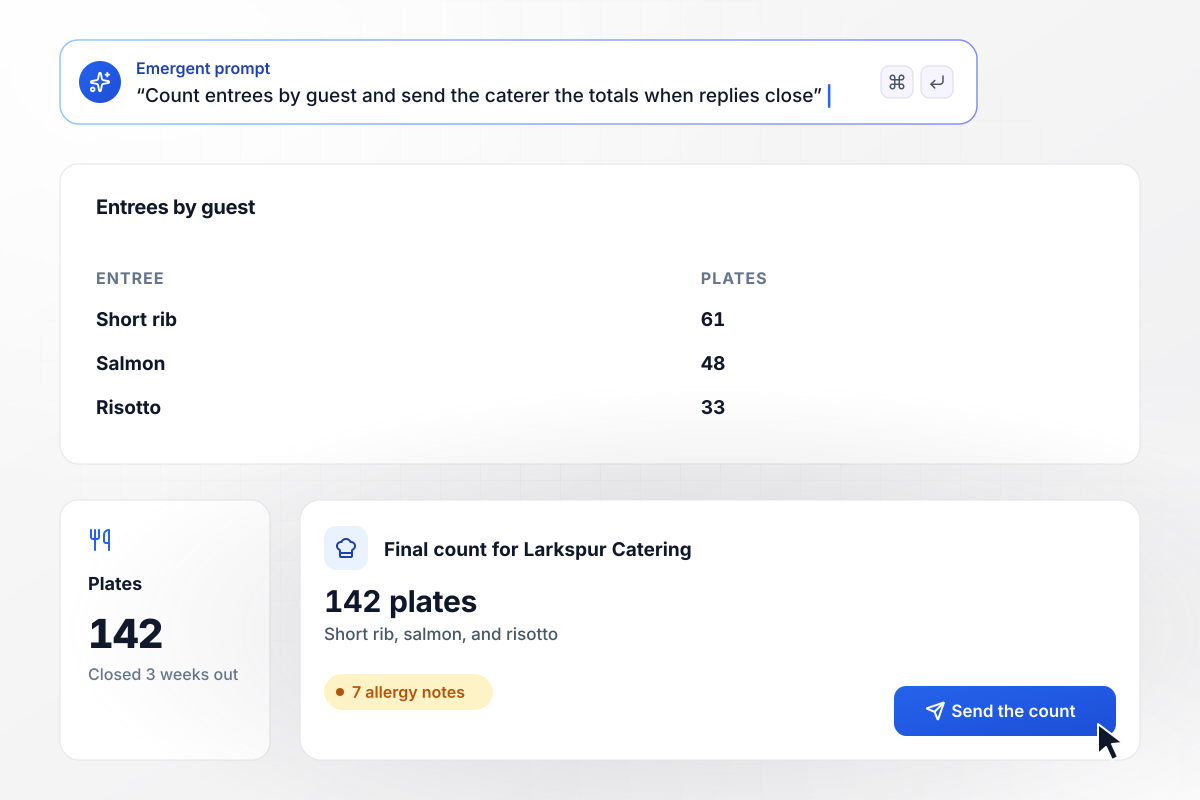
The caterer gets 142 plates counted by guest name
Every attending guest picks an entree under their own name, with a box for allergies. When replies close 3 weeks before the wedding, Larkspur Catering gets the count: 61 short rib, 48 salmon, and 33 risotto, which makes 142 plates. The 7 allergy notes travel with it, each one beside the guest who wrote it.
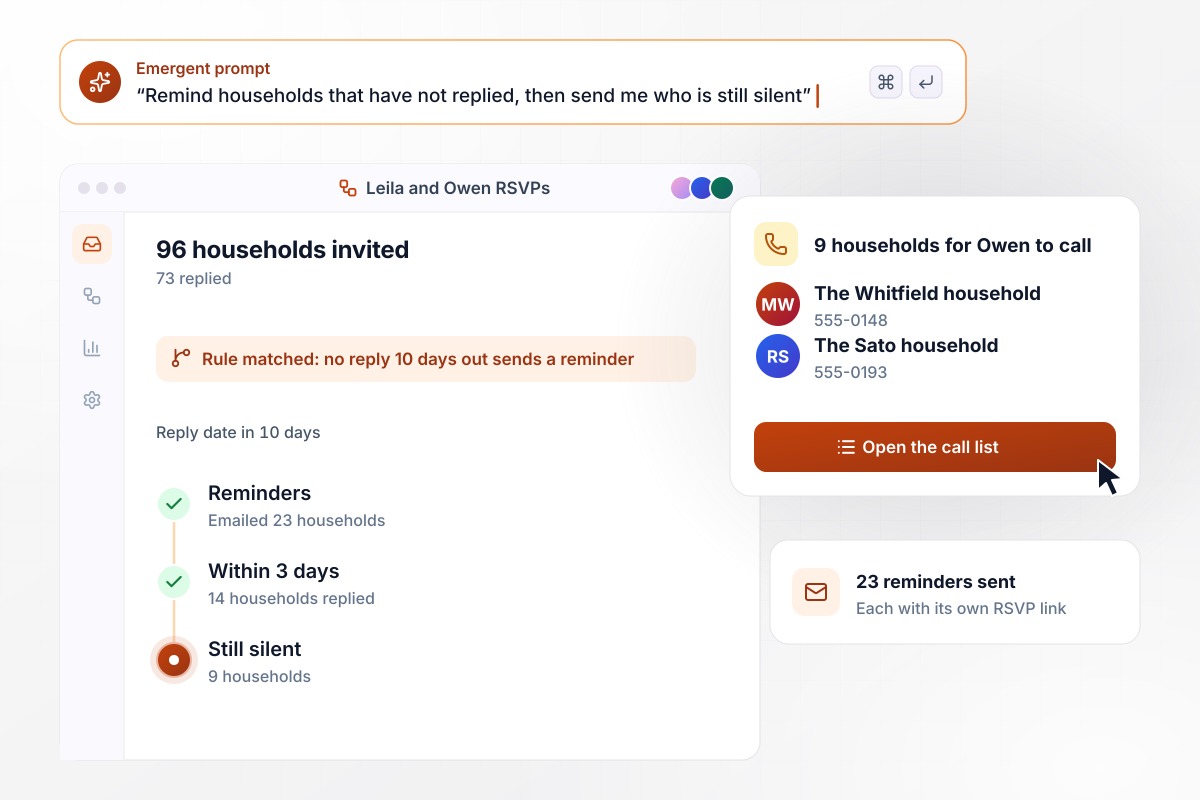
With 10 days to go, 23 households get a reminder
Leila and Owen invited 96 households, and 73 have replied with 10 days left before the reply date. Each of the other 23 gets an email reminder with its own RSVP link. Within 3 days, 14 of them answer. Owen gets the last 9 as a call list with a phone number for each.
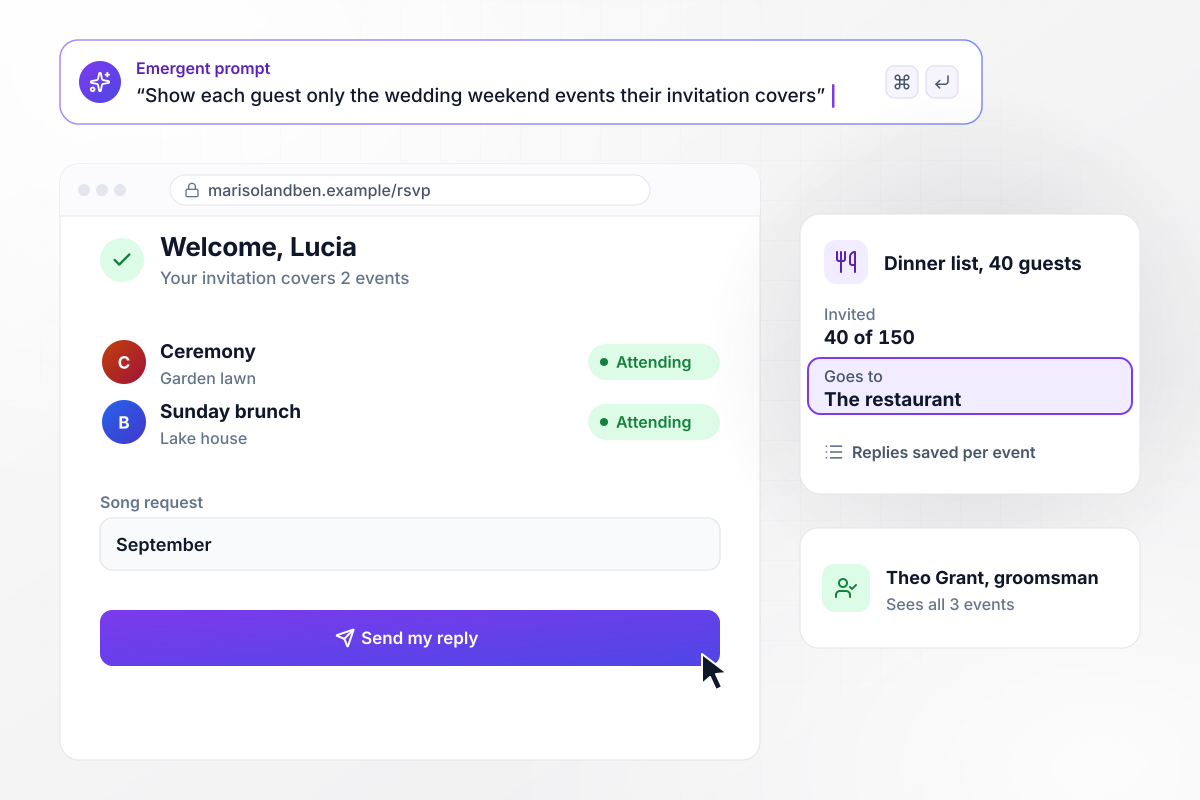
For cousin Lucia, two events; for Theo, all three
Marisol and Ben invite 150 guests to the ceremony and the Sunday brunch, and 40 of them to the welcome dinner. Each guest's page lists only their events. Lucia Ferro, a cousin, sees two. Theo Grant, a groomsman, sees all three. Replies save per event, and the restaurant gets a list of 40 names.






How to Put Your Wedding RSVP Online
Seven steps to put your wedding RSVP online with meal choices and reminders, then build it with Emergent.
Put every invited household in one sheet, with the names exactly as the envelope carries them and whether the invitation includes a plus-one. Add an email address or phone number for each household. The RSVP page looks guests up in this table.
Pick a last-name search or a short code printed on the card. A search suits older relatives; a code keeps two households named Garcia apart. Either way, show the matched names before anyone answers, and let guests try again if the match is wrong.
Ask every attending guest to pick a dish, one choice per person, plus a box for allergies. Use the caterer's dish names, and the count you send will match the menu card. Give children's meals their own option if the caterer prices them differently.
Pick the date replies close and when a household that has not answered gets a reminder, such as 10 days before. Decide who hears about the households still silent after that, and whether the note arrives by email or in Slack.
Write the lookup, the plus-one rule, the meal question, and the reminder schedule into one prompt. Emergent builds the site and the guest table from it. Change anything later by asking for it in the same chat.
Print the site address or a QR code that opens it on the invitation, with the reply date beside it. Guests who prefer paper can still mail a card back. Enter those replies on the same list, and the headcount stays whole.
Before the invitations go out, reply as a household with a plus-one, one without, and one that declines. Check that the meal count and the dashboard show what you expect, then delete the test replies.
Why Build Your Wedding RSVP on Emergent?
An RSVP should know who was invited and what each guest eats. Emergent builds those rules, and the replies stay in tables you own.

|
Jotform | Google Forms | Typeform | |
|---|---|---|---|---|
| How you build | Describe it in plain English | Templates, editor, AI generator | Editor, with Gemini drafting on some Workspace plans | Templates, editor, AI assist |
| Where responses live | A database table you own, plus any integration | Jotform account | Google Sheets | Typeform account |
| Response limits | No response caps | Monthly submission caps by plan; the form stops at the cap | No limit | Monthly response caps by plan; the form closes at the cap |
| Code ownership | Full code export to GitHub on paid plans | None | None | None |


Pick the Pricing Plan That Works for You
Choose the plan that fits your building ambitions. From weekend projects to enterprise applications, we've got you covered.




Find the right form
for whatever you're collecting















Frequently Asked Questions
Your Questions, Answered
Don't change this element unless you know what you are doing
More things you can build
with Emergent









on Emergent today


