

Build an Advance Directive Form in Plain Language
Build an advance directive form that covers one treatment per screen, flags an agent listed as a witness, and saves each copy.
Build an advance directive form my patients can fill in on a phone.
Trusted by Builders Worldwide
Active Builders Worldwide
Apps Successfully Created
Countries Globally Reached



Where a Printed Directive Falls Short
A healthcare directive form on paper sits in a drawer. Emergent's version asks plainly and files the signed copy.
Each treatment as its own choice
Lists CPR, breathing machines, tube feeding and dialysis as separate questions, each answered yes, no or "my agent decides". Nobody is pushed into a choice they never weighed.
An agent plus two alternates
Asks for the health care agent first, then two alternates in order, each with a phone number and a relationship. When the agent cannot be reached, the record shows who to call next.
A signature page for your state
Prints the signature page with the witness lines or notary block named in your prompt. The person's choices fill the earlier pages, leaving a packet ready to sign in ink.
Old directives read into fields
Reads an uploaded photo or PDF of a directive signed years ago and pulls out the agent's name and the date it was signed. Any field it cannot read clearly goes to a person.
Every directive in a table you own
Saves each directive and every revision as a row in a database you own. Staff search by name and open the newest version, while earlier versions stay attached to the same record.
The whole app exported as code
Exports the full code to your GitHub repo on paid plans. An engineer can connect it to your records system through its API, or you can describe a change in a prompt for Emergent.
Where Advance Directives Get Filled In
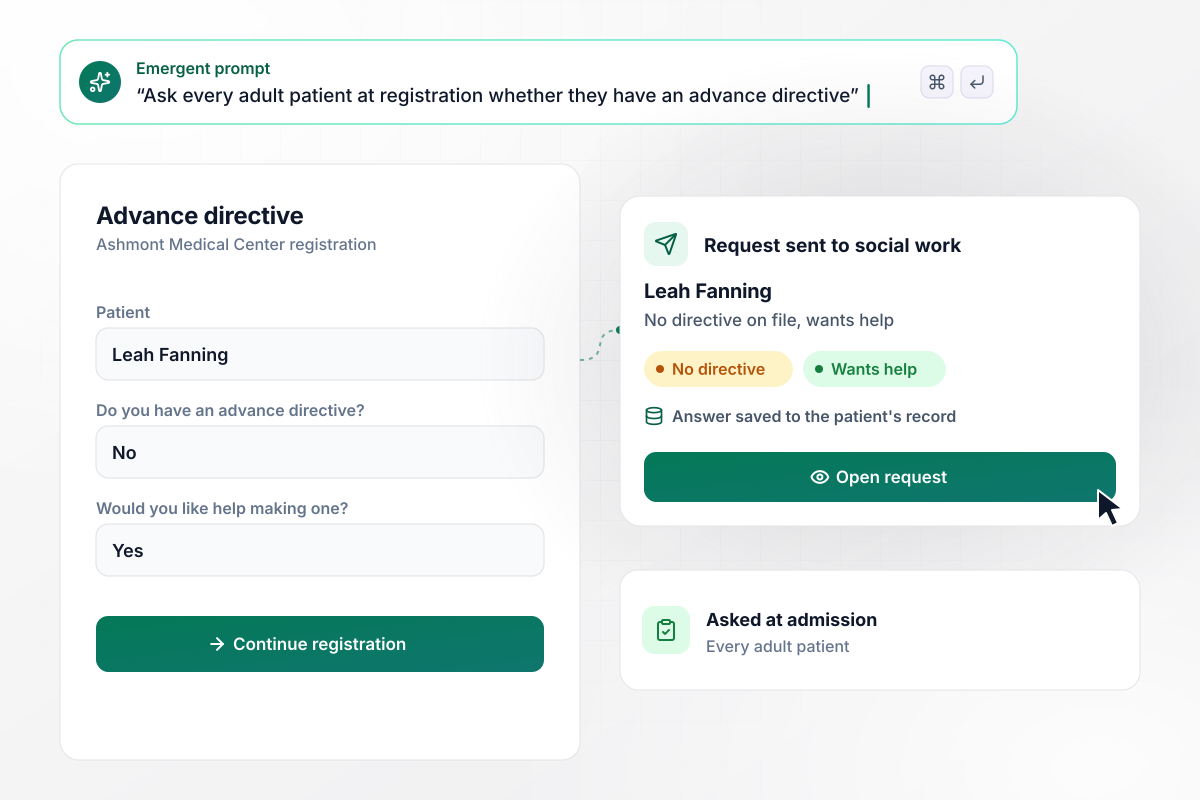
Every adult patient asked at admission
Federal rules make Medicare hospitals inform adult patients about advance directives at admission and note in the chart whether one exists. Registration asks the question on a tablet. A yes asks for a photo or PDF of the document. A no sends a request to social work, and the answer is saved to the patient's record.
window.awbMockup = { hospitalAdmissions: "Build an admission question for my hospital's registration tablets. Ask every adult patient whether they have an advance directive. If yes, ask them to upload a photo or PDF of it. If no, ask whether they want help making one and send a request to our social work team. Save the answer to the patient's record so nurses can see it on the unit.", estatePlanningFirms: "Make a client intake questionnaire for my estate planning firm's advance directive work. Collect the health care agent, two alternates in order, and the names of the witnesses the client plans to bring to the signing. If a witness name matches the agent, hold the draft and email the attorney on the matter before anyone books the signing.", seniorLiving: "Build a directive tracker for my senior living community. Keep one row per resident with their agent, the agent's phone number, and the months since the directive was last reviewed. When a directive goes more than 12 months without review, send our director of nursing, Carla Estrada, a Slack direct message listing the resident, and the agent to call.", planningAtHome: "Build an advance directive form people can fill in on their phone at home. Ask about CPR, breathing machines and tube feeding on separate screens, each with yes, no, or my agent decides. Show a summary of every choice in plain words before they finish, then print the packet with the signature page for their state." };
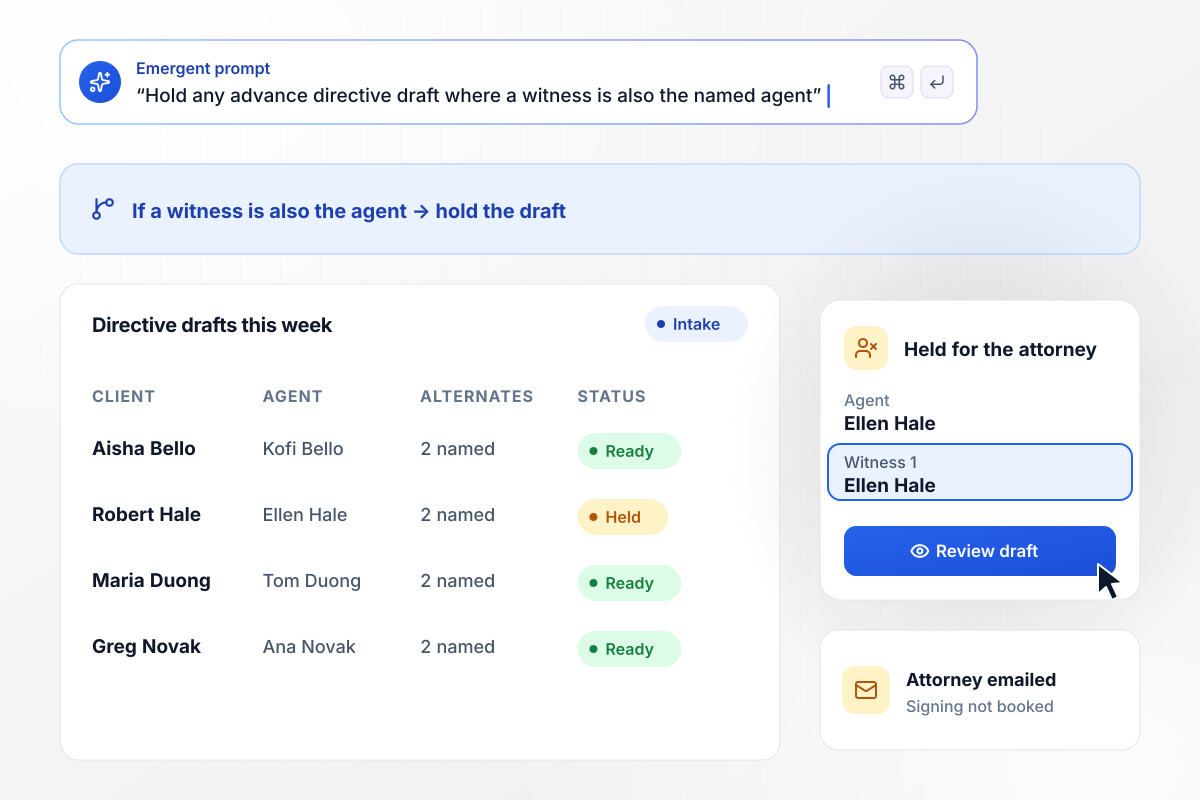
When a witness turns out to be the agent
Clients rarely know that California bars the health care agent from signing as a witness. The intake questionnaire collects the agent and two alternates, then the witnesses the client plans to bring. If a witness name matches the agent, the draft is held and the attorney gets an email before anyone books the signing.
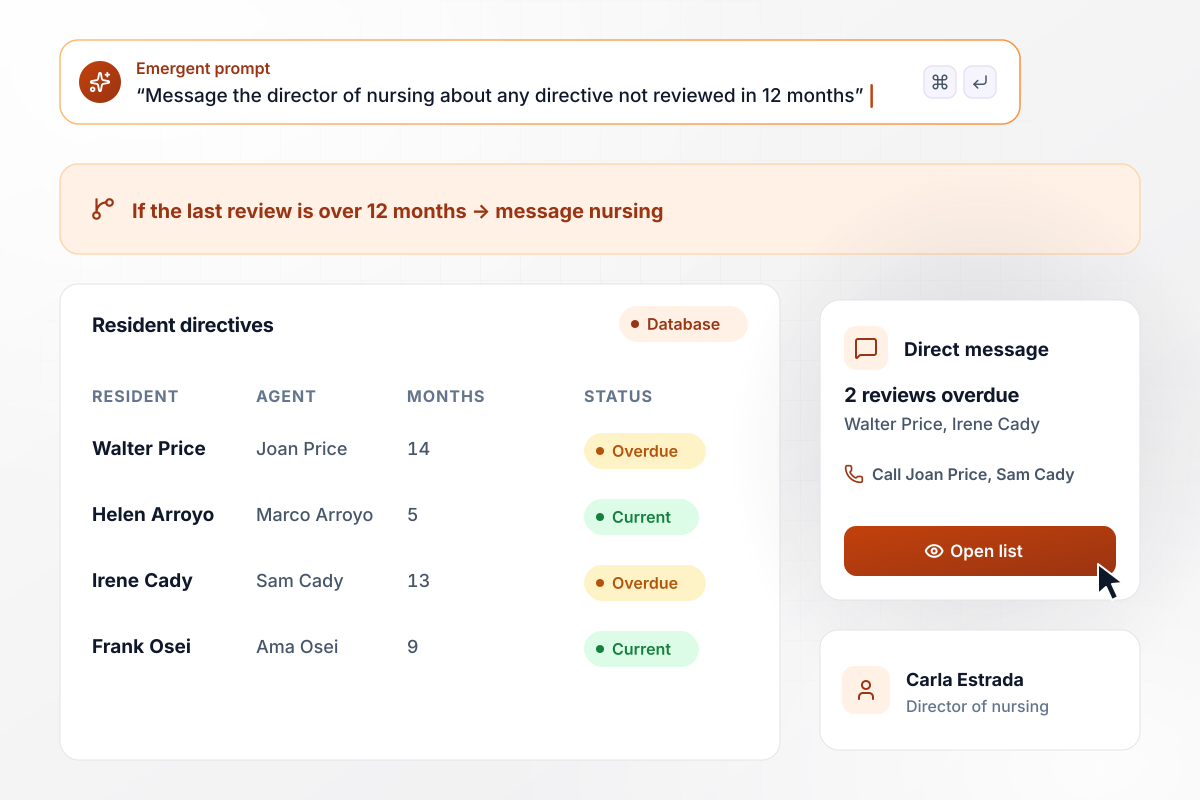
Overdue reviews sent to one nurse
Wishes change after a new diagnosis or a move to memory care. Each resident's directive sits in one table with the number of months since its last review. Anything older than 12 months reaches the director of nursing as a Slack direct message, with the resident's name and the agent to call.
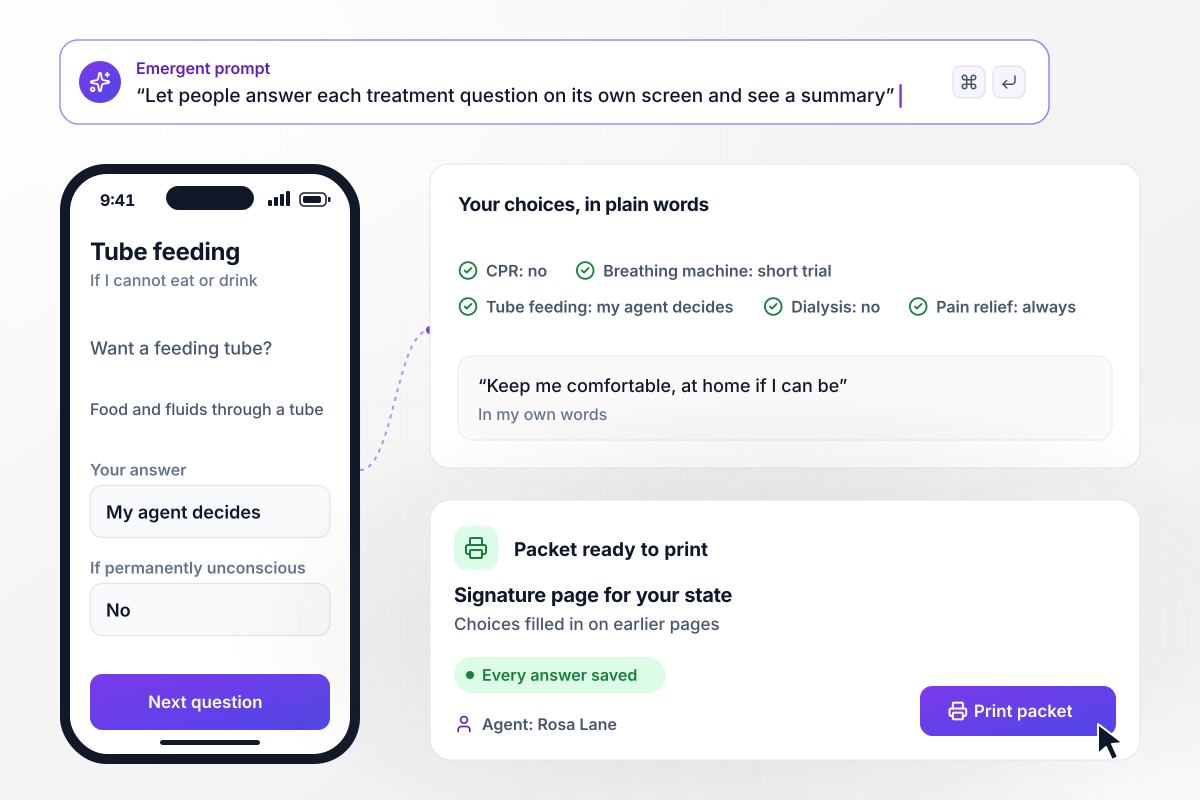
A treatment decision on each screen
Most people stall partway through a printed packet. On a phone, the form asks about CPR, then breathing machines, then tube feeding, with "my agent decides" offered every time. A summary reads every choice back in plain words, and the packet prints with the signature page for their state.






How to Create an Advance Directive Form
Seven steps to turn a state's advance directive form into plain questions, a correct signing page, and copies that reach the right people.
Find the official form for the state where the person lives and paste its sections into your prompt. Keep the statutory wording on the signature page, and rewrite only the instructions around each question into plain English.
Put the health care agent at the top, then up to two alternates in order. Collect a phone number and relationship for each. Add a line asking the person to talk with their agent before naming them.
Ask about CPR, mechanical ventilation, tube feeding, and dialysis one at a time. Describe each treatment in a sentence before the choice. Offer "my agent decides" alongside yes and no, and allow a different answer for permanent unconsciousness.
Add a free-text box for what the checkboxes miss: religious wishes, where they want to be cared for, how they weigh comfort against time. Agents lean on this section when a situation arises that the form never named.
Print the witness or notary requirements on the last page. In California, two adult witnesses or a notary will do, but the agent cannot witness, and at least one must be unrelated and inherit nothing from the person.
Send a signed copy to the agent, each alternate and the person's doctor. Ask the hospital they use to add it to their chart. Record who received each copy and when. After any change, that list shows which copies to replace.
Set a reminder for every 12 months, and another after a new diagnosis or the death of the named agent. A review that changes an answer creates a new version and marks the old copies as replaced.
Why Build Advance Directives With Emergent?
Treatment choices and signed copies sit in one app with their review dates, backed by a database you own.

|
Jotform | Google Forms | Typeform | |
|---|---|---|---|---|
| How you build | Describe it in plain English | Templates, editor, AI generator | Editor, with Gemini drafting on some Workspace plans | Templates, editor, AI assist |
| File uploads | Files saved to storage you own, no sign-in | Included; files count toward plan storage | Respondents must sign in to Google; files fill your Drive | Paid plans only |
| Where responses live | A database table you own, plus any integration | Jotform account | Google Sheets | Typeform account |
| Code ownership | Full code export to GitHub on paid plans | None | None | None |
| Response limits | No response caps | Monthly submission caps by plan; the form stops at the cap | No limit | Monthly response caps by plan; the form closes at the cap |




Pick the Pricing Plan That Works for You
Choose the plan that fits your building ambitions. From weekend projects to enterprise applications, we've got you covered.




Find the right form
for whatever you're collecting















Frequently Asked Questions
Your Questions, Answered
Don't change this element unless you know what you are doing
More things you can build
with Emergent









on Emergent today


