

Build an App Landing Page That Gets People Into the App
Create an app landing page that shows each phone the right store badge and saves every tap with the campaign behind it.
Build an app landing page that explains what my app does and where to download it.
Trusted by Builders Worldwide
Active Builders Worldwide
Apps Successfully Created
Countries Globally Reached



What a Mobile App Landing Page Needs
What visitors see on the screen, and the routing behind it that gets them to the store.
One store badge, matched to the phone
The page reads the visitor's device and shows the one store badge that phone can use, Apple's or Google's. Each badge opens your own listing, never a search results page.
Screenshots set in phone frames
Upload screenshots from the current build and Emergent places them in phone frames, in the order a new user meets each screen. Captions sit under each frame in your own words.
Every tap saved with its campaign
Each tap on a badge lands as a timestamped row with the device and the utm_campaign value. Sort the table by channel, or send new rows to HubSpot or any other tool with an API.
A copy of the page per campaign
Ask for a version of the page for each ad set, with its own headline and hero image. All of them write to one click table, which lets you compare channels without merging exports.
Release notes added by message
Send Emergent a message to change the headline, add notes for version 2.4 or replace a screenshot. The page updates at the same address, and saved click rows stay as they were.
Code and click data you keep
The page and its click table export to your GitHub on paid plans, routing included. Host the app landing page website yourself, or on Emergent with a custom domain that uses credits.
Landing Pages for Apps, by the Job They Do
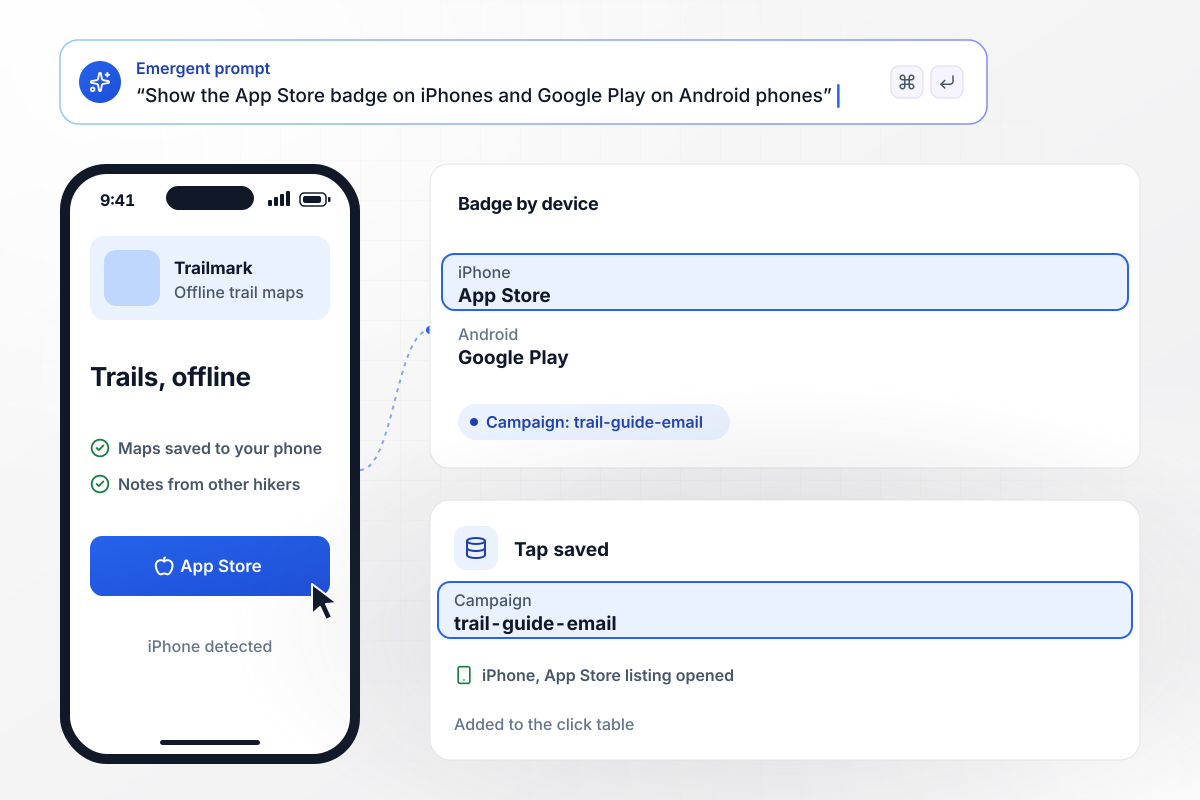
The App Store on an iPhone, Google Play on Android
On an iPhone, Trailmark's hiking app page shows one badge, Download on the App Store. An Android phone sees Get it on Google Play in the same spot. Each tap opens Trailmark's own listing and records the device and the campaign named in the link, such as the trail-guide email.
window.awbMockup = { appDownloadPage: "Build a landing page for my hiking app, Trailmark. Show one store badge based on the visitor's phone: Download on the App Store on an iPhone, Get it on Google Play on Android. Link each badge to our own listing. Save every tap as a row with the device, the time and the utm_campaign from the link, for example our trail-guide email.", webAppSignUp: "Build a landing page for my invoicing web app, Quillbook, aimed at freelancers who bill by the hour. The sign-up form asks only for a work email and a password. On submit, create the workspace, send a welcome email and open the dashboard with a sample invoice, number 0001, ready to edit.", campaignPages: "My running app, Stride Run Club, sends four campaigns to one landing page: Instagram, TikTok, our newsletter, and a podcast ad. Log visits and store clicks per campaign. Every Monday at 9 AM, post last week's visits, clicks and click rate for each campaign to our growth channel in Slack, with the weakest campaign flagged.", laptopVisitors: "Most visitors to my meal planning app's landing page come from recipe blogs on laptops. When the page opens on a laptop, replace the store badges with a QR code that opens the right store on the phone that scans it. Add an email field that sends the store link, and save each request with the referring blog." };
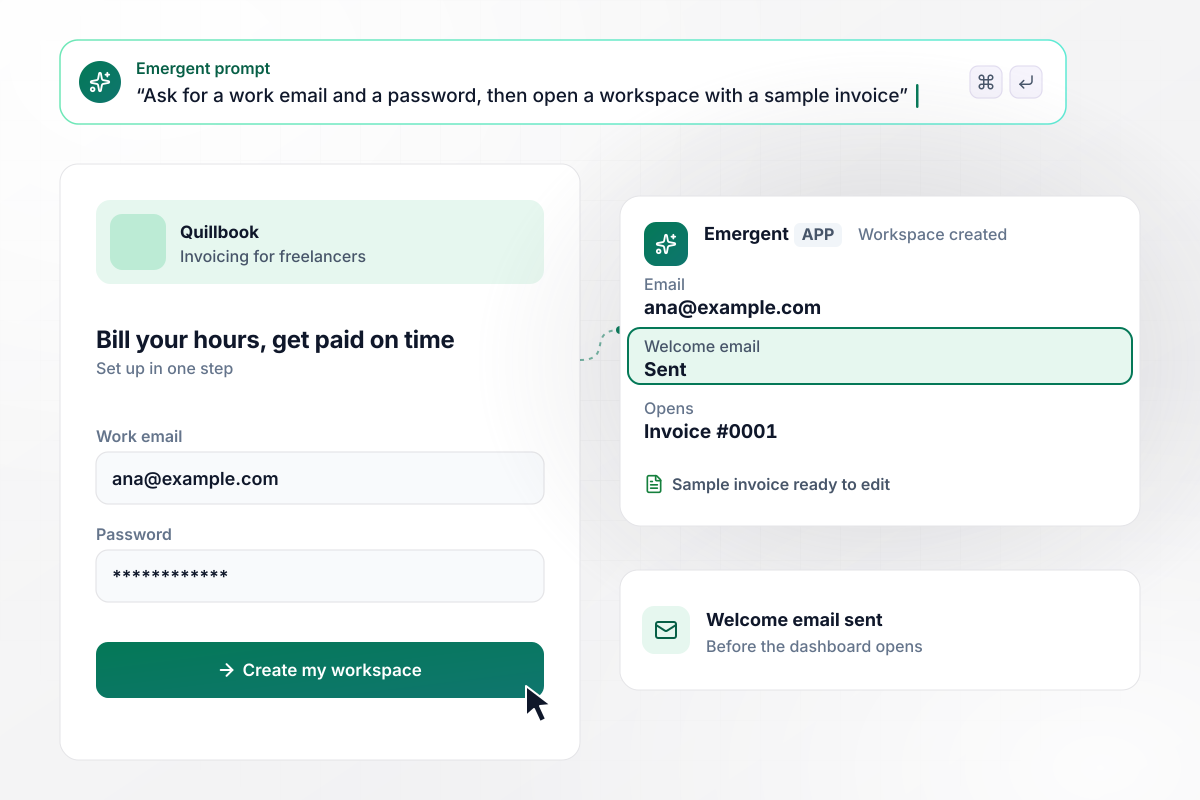
Sign up on the page, start work in the app
Quillbook's buyers are freelancers who bill by the hour, and its web app landing page asks only for a work email and a password. Submitting creates the workspace and sends a welcome email. The visitor lands on a dashboard where sample invoice #0001 is waiting to be edited.
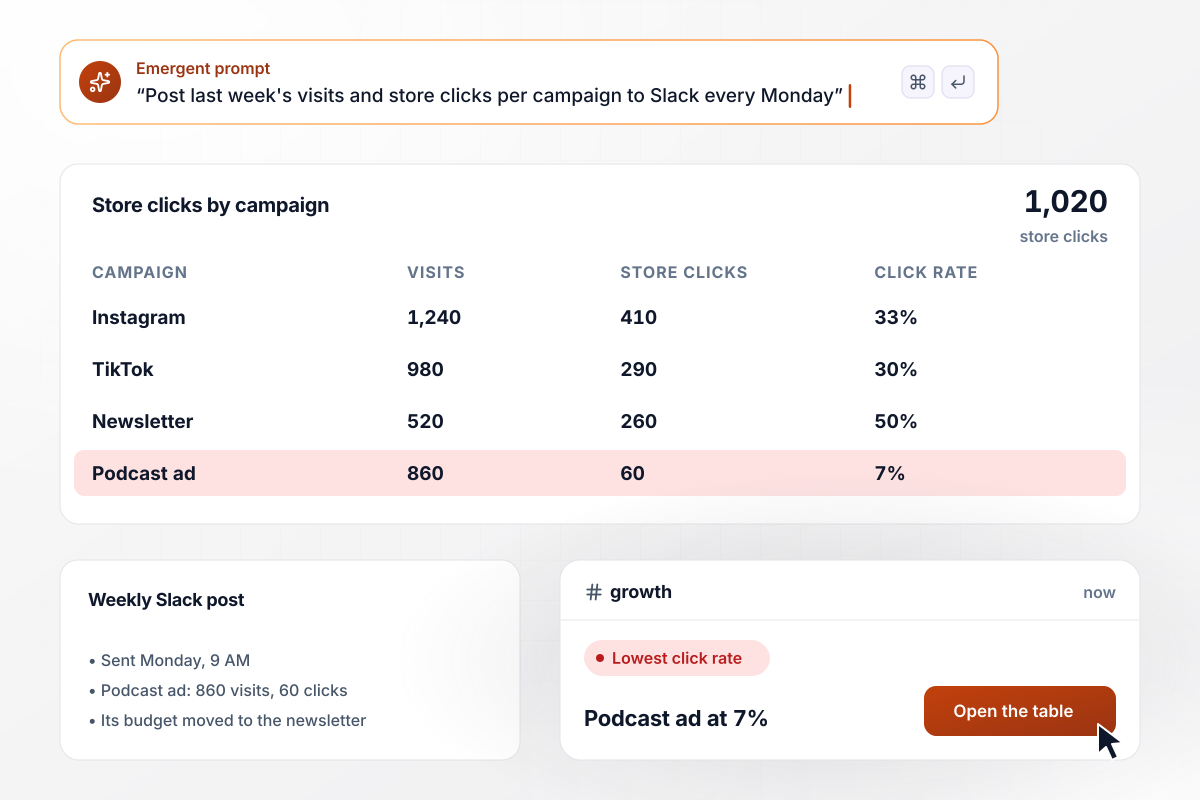
Which ads sent last week's 1,020 store clicks
Every Monday at 9 AM, Stride Run Club's click table posts last week's campaigns to the growth channel in Slack. The newsletter turned half of its 520 visitors into store clicks. The podcast ad sent 860 visitors and only 60 clicks, and its budget went to the newsletter.
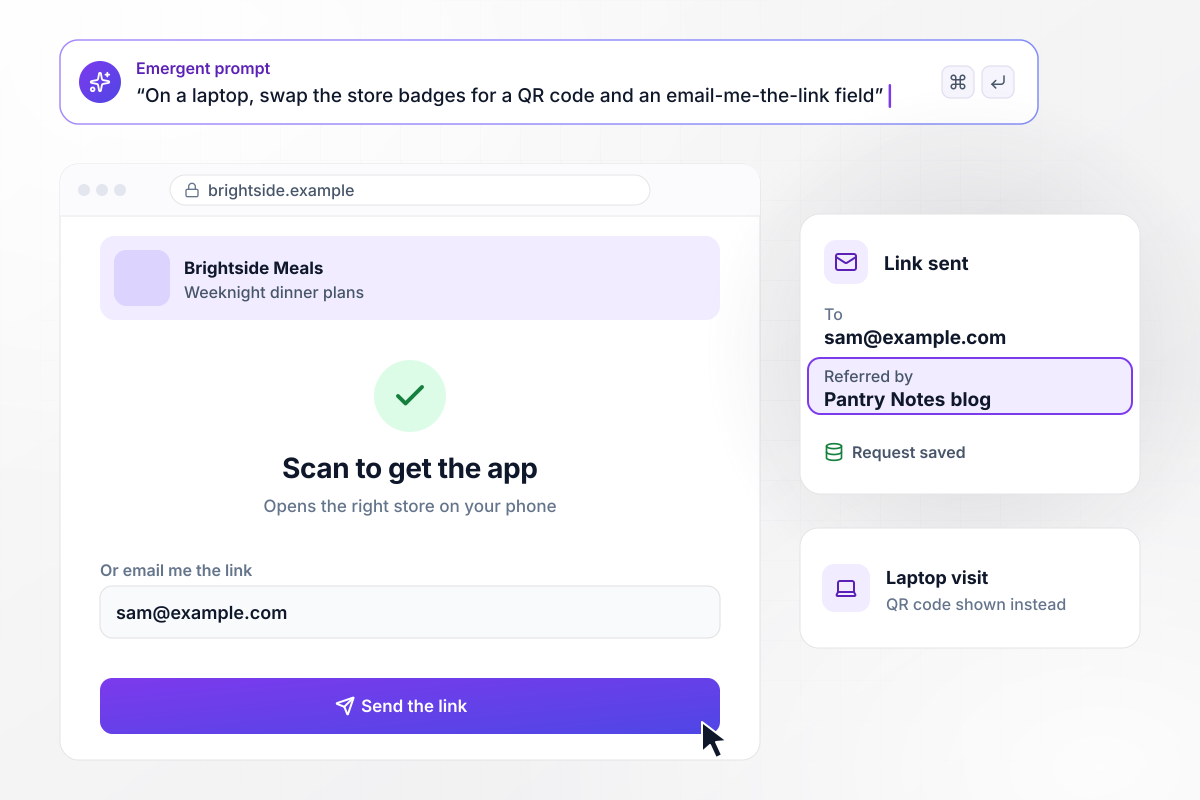
When the visit starts on a laptop
Recipe blogs send Brightside Meals much of its traffic, read on laptops where a store badge leads nowhere. There the page shows a QR code that opens the right store on whichever phone scans it. An email field beside it sends the same link, and each request is saved with the blog that referred the visitor.






How to Build an App Landing Page
Seven steps to write an app landing page, send each phone to its own store, and see which campaigns send the clicks.
Write the headline as the job the app does for one kind of person: offline trail maps for hikers, meal plans for parents who cook after work. Put the app icon and name beside it, and keep the store badges inside the first screen.
Choose three or four screens a new user meets first, captured from the version that ships today. Caption each with what it lets someone do. Features planned for next quarter belong in a roadmap post, where nobody mistakes them for the current app.
Apple and Google publish badge artwork and ask that it stay unaltered: no recoloring, no redrawn logos, no translated App Store name. Link each badge to your listing in that store, and keep the Google Play badge at least as large as Apple's.
An iPhone visitor should see the App Store badge, and an Android visitor Google Play. On a laptop, neither badge helps. Show a QR code there instead, which the iPhone Camera app opens without any extra download, and print the same code on posters.
Google's guidance on intrusive interstitials warns that overlays hiding the content may hurt a page in search. For app installs it points to a small banner instead, such as Safari's Smart App Banner. Keep the page readable on the first load.
Add utm_source and utm_campaign values to every link that points at the page, including the QR code on a poster. Saving the campaign with each badge click shows which channels send visitors who tap through, and which send visitors who leave.
The page counts taps on a badge, while the install itself happens in the store. Put weekly click counts beside the downloads App Store Connect reports for the same week. Plenty of clicks and few downloads points to a weak store listing.
Why Build Your App Landing Page With Emergent?
Templates hand you a look to copy. Emergent builds the page from a prompt and puts device routing and a click table behind it.

|
Unbounce | Wix | Landingi | |
|---|---|---|---|---|
| How you build | Prompt for a campaign page | Templates and drag-and-drop, AI copy assist | Prompt for a full site | Templates and drag-and-drop, AI assist |
| Where submissions go | A database table you own, plus integrations | Unbounce lead storage and integrations | Wix dashboard submissions and Contacts | Vendor lead storage and integrations |
| A/B testing | Generate variants by prompt | A/B testing on higher-tier plans only | Limited or add-on | Higher plans |
| Code ownership | Full code export to GitHub on paid plans | Hosted only | Hosted only | Hosted only |
| Visitor limits | No per-visitor pricing | Monthly visitor caps by plan | Site plan bandwidth | Tiered by traffic on most plans |




Pick the Pricing Plan That Works for You
Choose the plan that fits your building ambitions. From weekend projects to enterprise applications, we've got you covered.




Find the right landing page for you















Frequently Asked Questions
Your Questions, Answered
Don't change this element unless you know what you are doing
More things you can build
with Emergent









on Emergent today


