

Build a Maintenance Page for Planned Downtime
Get a maintenance page that takes emails and requests while you work, and saves each one to a database you own.
Build a maintenance page for my bistro's two-day booking system switch that gives the return date and takes emails.
Trusted by Builders Worldwide
Active Builders Worldwide
Apps Successfully Created
Countries Globally Reached



Six Parts of a Maintenance Page That Works
Visitors see one screen and a return time. Behind it, Emergent keeps the people who are waiting and the requests they leave.
One prompt for the page and its form
Describe the work, the window, and what visitors can do while they wait. Emergent builds the page with its form and the table behind it, and changes any line when you prompt again.
A notify list in a database you own
Every email left on the page becomes a row in a database you own, with the time it arrived. When the site is back, the whole list gets one message, sent by email from the app.
Status lines that appear as you post them
Post a new line from the dashboard and it shows on the page without anyone reloading. Earlier lines stay in view for the visitor who arrives late and wants to know what changed.
Alerts for requests that need a person
Set the rule for what cannot wait, such as a large booking or a message marked urgent. That request goes to Slack or to the person on call by email. The rest wait in the table.
A subdomain apart from the main server
Publish the page on a custom domain, which is included and uses credits. Give it a subdomain such as status.yourstore.com that does not run on the server you are taking down.
Free to start, with the code yours later
The free tier covers building and publishing the page. On paid plans, the full code exports to your GitHub repository, ready to serve from your own stack the next time.
Four Maintenance Page Examples
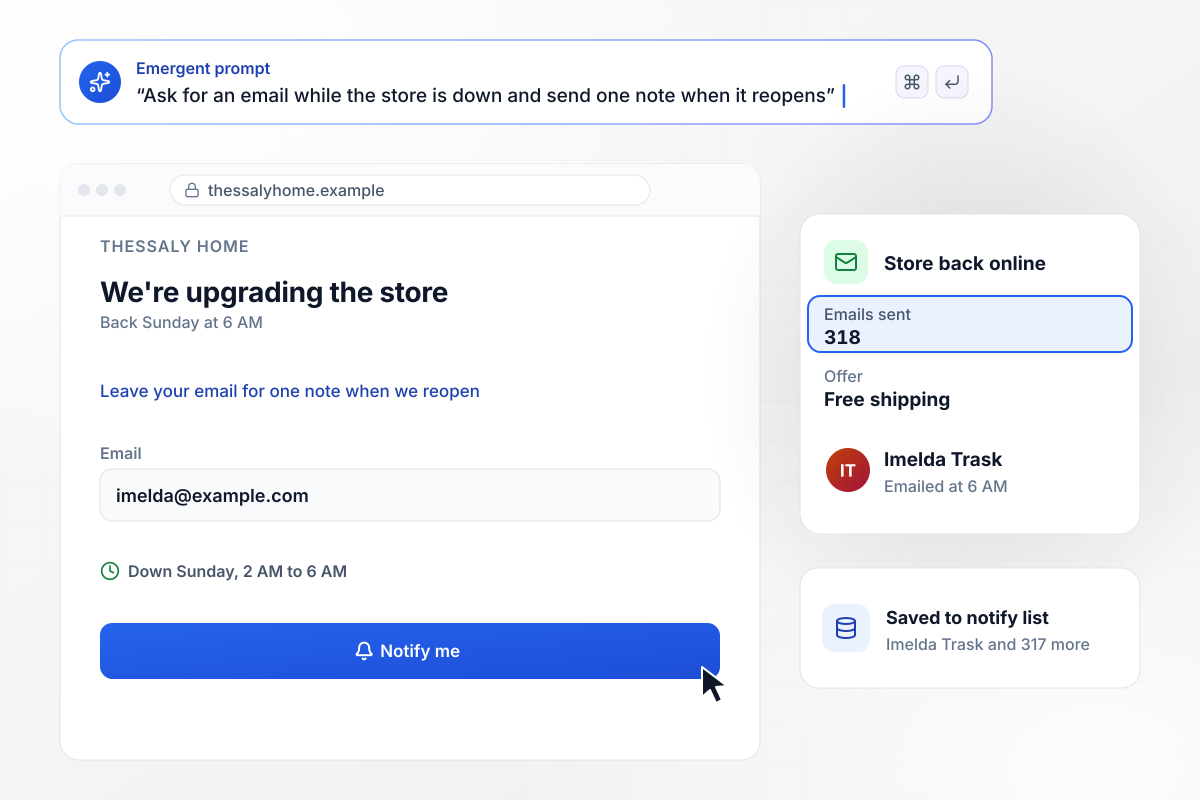
318 shoppers got one email when the store came back
Thessaly Home, a home goods shop, took its store offline on Sunday from 2 AM to 6 AM for a platform upgrade. Its maintenance page gave the return time and asked for an email. By 6 AM, 318 shoppers had left one, Imelda Trask among them. When the store reopened, each got one email with a free shipping code.
window.awbMockup = { storeUpgrade: "Build a maintenance page for Thessaly Home, my home goods store, while it is offline on Sunday from 2 AM to 6 AM for a platform upgrade. Show the return time and ask for an email. Save each email to a notify list, and at 6 AM send everyone on it one email with a free shipping code.", databaseMove: "Make a maintenance page for Quarrytask, my project tracking app, while we move the database from 11 PM to 1 AM. Show the planned window and a list of status updates that appear as our engineer posts them, newest at the top, so nobody has to reload.", bookingSwitch: "I need a maintenance page for Pennywort Bistro while our booking system is down for 2 days. Take table requests with a name, the number of guests, and the day and time. Save every request. Any request for 6 or more guests should reach me on Slack; I'm Delphine Ashby, the manager.", catalogMove: "Build a maintenance page for Brightmoor Public Library while our online catalog moves to a new system over 3 days. Ask each visitor what they came to do, with one button each for renewing a book, placing a hold, and events. Give me a dashboard that counts the clicks for each answer as they come in." };
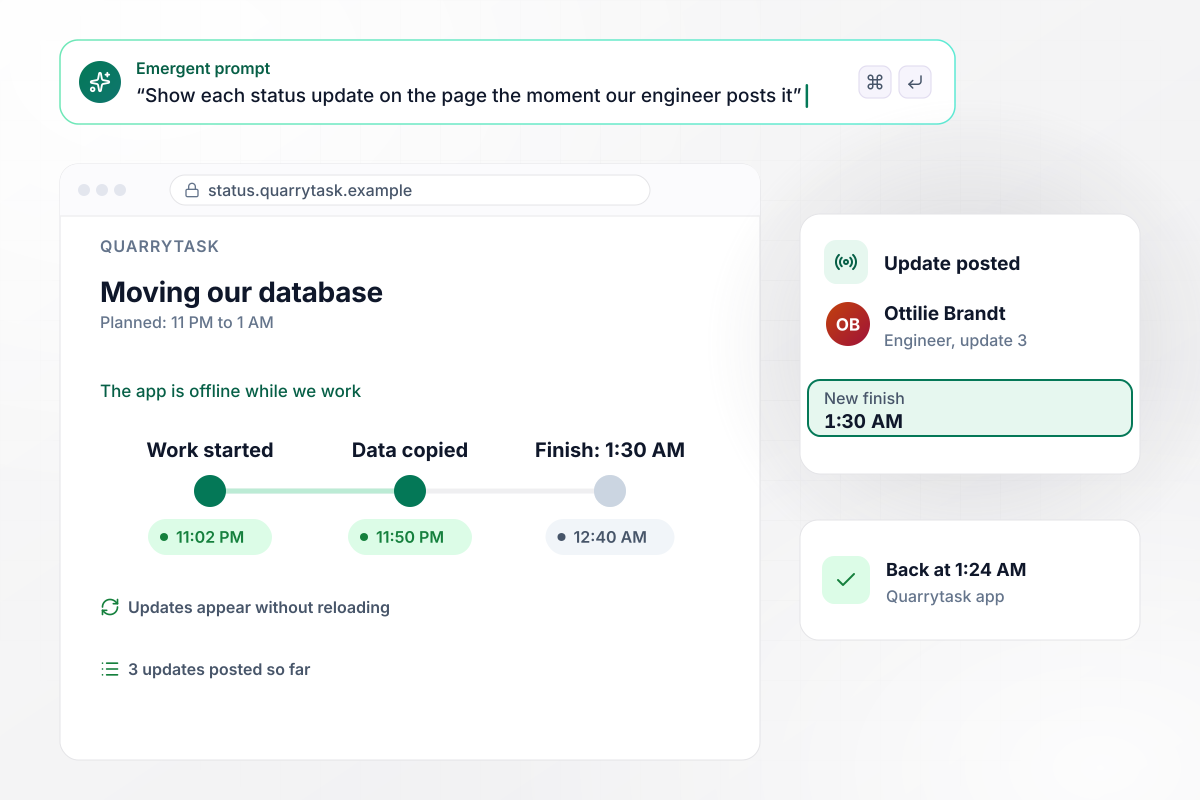
The finish time moved to 1:30 AM, and the page said so
Quarrytask, a project tracking app, moved its database to a new server, with the work set for 11 PM to 1 AM. Engineer Ottilie Brandt posted each update to the maintenance page, and visitors saw it appear without reloading. At 12:40 AM, her third update moved the finish time to 1:30 AM. The app was back at 1:24 AM.
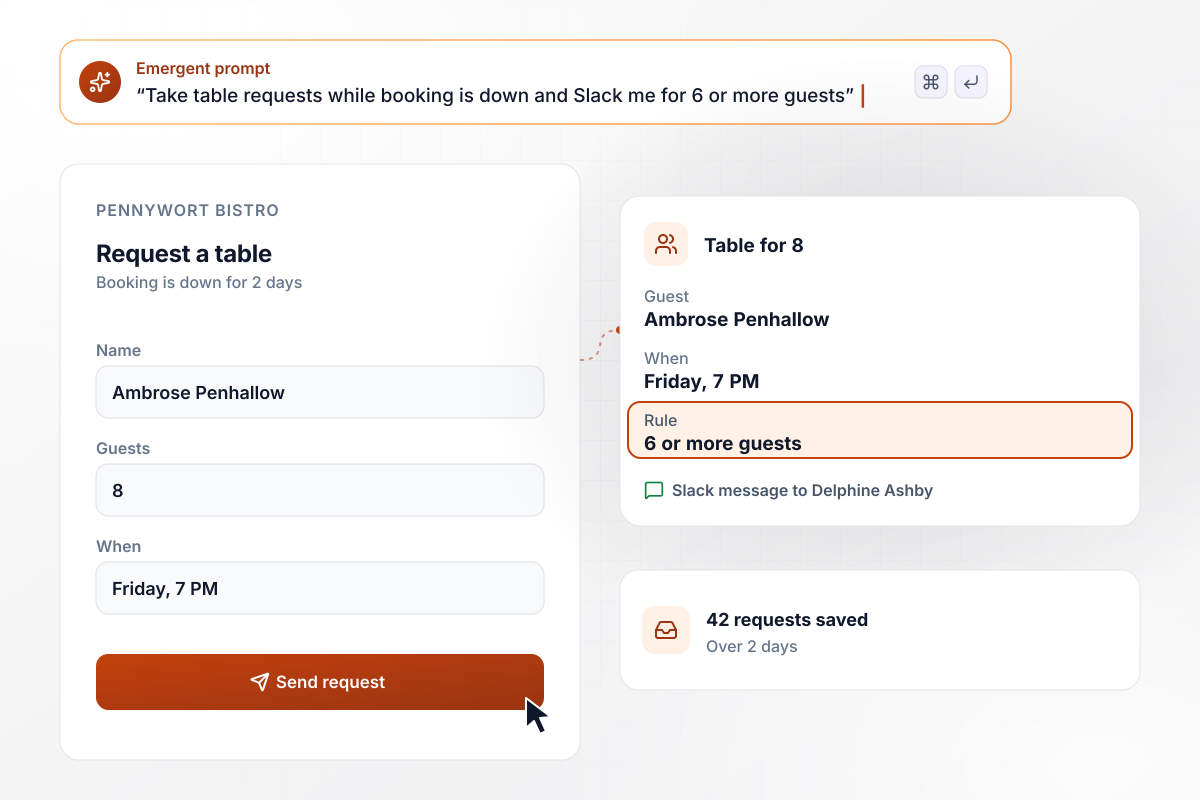
Tables for 6 or more go to the manager on Slack
For 2 days, Pennywort Bistro switched booking systems, and its maintenance page took table requests. It saved 42 requests. Any request for 6 or more guests sent manager Delphine Ashby a Slack message. Ambrose Penhallow asked for a table for 8 on Friday at 7 PM.
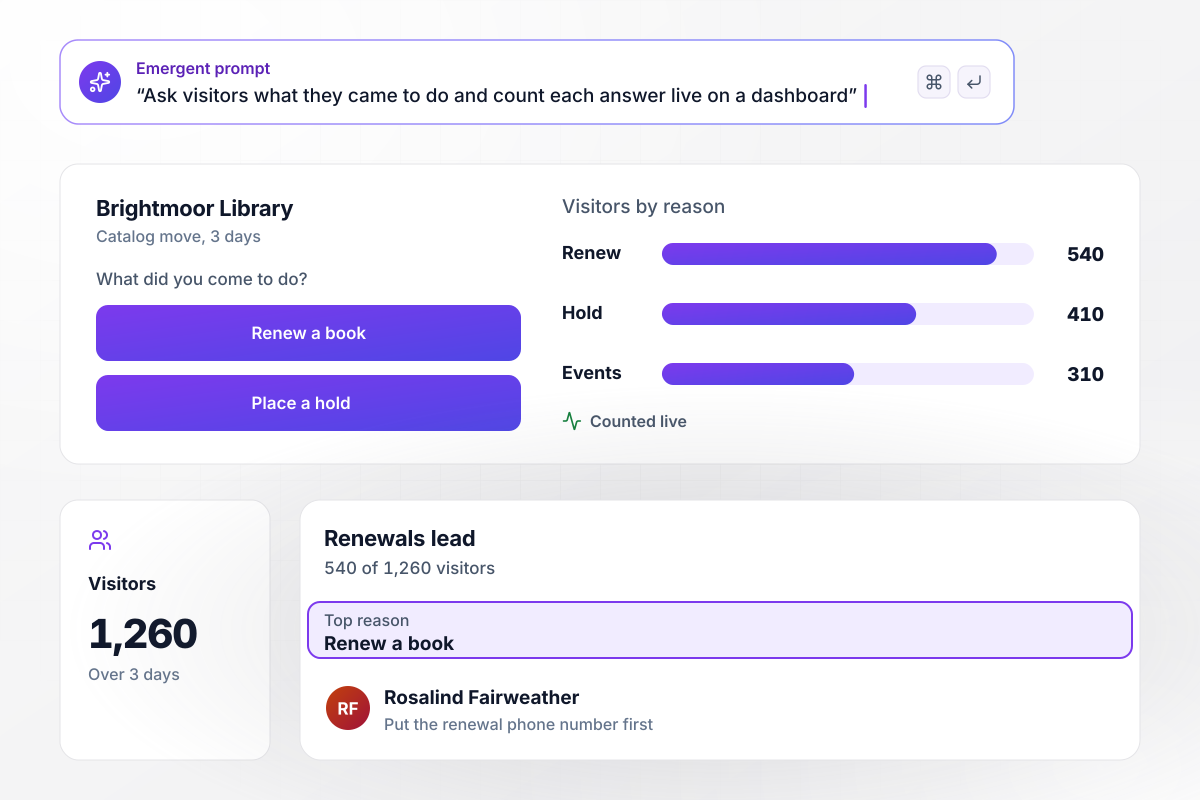
A live count showed 540 of 1,260 visitors came to renew
Brightmoor Public Library moved its online catalog over 3 days. Its maintenance page asked visitors what they came for, and a live dashboard counted the answers. Of 1,260 visitors, 540 came to renew, 410 to place a hold, and 310 for events. Branch manager Rosalind Fairweather put the renewal phone number first.






How to Create a Maintenance Page
Follow these seven steps to publish a maintenance page that tells visitors when you are back and takes their emails meanwhile.
Open your analytics and find the hour with the fewest visits in a normal week. Plan the work for that hour, and tell everyone who answers customers before you set the date.
Write one line on what is changing and one with the return time, such as 6 AM Eastern. Put the time in the headline, where visitors look first, and keep the reason to a sentence.
Pick one action: leave an email, send a request, or say what they came for. Keep it to that one form, and the page fits on a single phone screen without scrolling.
Paste the window, the message, and the form into one prompt. Emergent returns a working draft you can open and use. Prompt again for the screen a visitor sees after they submit.
Connect the email account that sends the back-online note, then Slack for the requests that need a person. Name the person who gets each alert, not a channel nobody reads at 2 AM.
Open the page on a phone, leave a test email, and send one request that should trigger an alert. Check that both rows sit in the table and that the alert reached the right person.
Publish the page on its own subdomain, then send visitors from the main site to it when the work starts. When the site is back, email the list and switch traffic back.
Why Build Your Maintenance Page on Emergent?
Visitors leave an email instead of a closed tab, and each one lands in a database you own. A new return time is one prompt.

|
AI site builders (Wix, Framer) | Unbounce | Landingi | |
|---|---|---|---|---|
| How you build | Prompt for a campaign page | Prompt for a full site | Templates and drag-and-drop, AI copy assist | Templates and drag-and-drop, AI assist |
| Where submissions go | A database table you own, plus integrations | Basic contact form to email | Unbounce lead storage and integrations | Vendor lead storage and integrations |
| Visitor limits | No per-visitor pricing | Site plan bandwidth | Monthly visitor caps by plan | Tiered by traffic on most plans |
| A/B testing | Generate variants by prompt | Limited or add-on | A/B testing on higher-tier plans only | Higher plans |
| Code ownership | Full code export to GitHub on paid plans | Hosted only | Hosted only | Hosted only |


Pick the Pricing Plan That Works for You
Choose the plan that fits your building ambitions. From weekend projects to enterprise applications, we've got you covered.




Find the right landing page for you















Frequently Asked Questions
Your Questions, Answered
Don't change this element unless you know what you are doing
More things you can build
with Emergent









on Emergent today


