

Build a Microsite Landing Page With Its Own Address
Build a microsite landing page for one campaign, on its own address, with every signup saved to a database you own.
Build a microsite landing page that saves every signup to a database I own.
Trusted by Builders Worldwide
Active Builders Worldwide
Apps Successfully Created
Countries Globally Reached



What a Microsite Needs to Do Its One Job
A microsite landing page sits apart from your main site and serves one campaign. Emergent builds these six parts from one prompt.
An address of its own
Publish the microsite on a subdomain of your brand's domain, or on a domain bought for this one campaign. Emergent includes custom domains, and each one you connect uses credits.
Signups in a table you own
Each signup lands as a row in a database you own, with the form's answers and the time it came in. When the campaign closes, the list stays with you, not with the page.
An end date set on day one
Give the app the campaign's last day, and the morning after, it swaps the form for a short ended note and a link to your main site. Nobody signs up for an offer that is over.
A count for every link you hand out
Put the utm_source tag on each link you share, and the app saves that tag with the signup. Each partner and newsletter then gets its own number instead of one blended total.
Alerts while the campaign runs
Choose who hears what: a Slack message to the organizers when a workshop fills, or a Monday email to each partner with its count. The app sends each alert by Slack or email.
A free start and an exportable codebase
The free tier covers building and publishing the microsite. On paid plans, export the full code to your GitHub repository and keep the finished campaign on file after it closes.
Microsite Examples From Four Campaigns
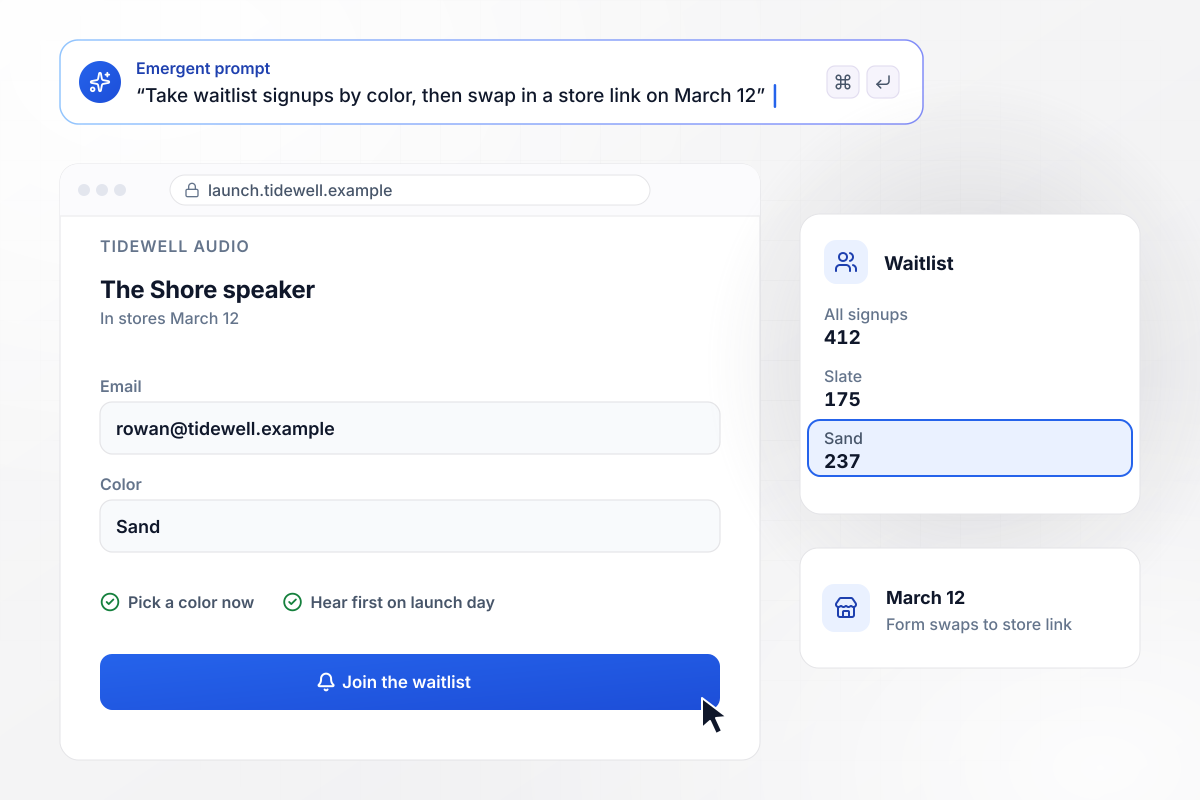
March 12 swapped the waitlist for a store link
Tidewell Audio built a launch microsite at launch.tidewell.example for one new speaker. Until launch day, the page held a single waitlist form that asked for an email and a color. Of the 412 people who joined, 175 picked Slate and 237 picked Sand. On March 12 the page swapped the form for a link to the store.
window.awbMockup = { speakerLaunch: "Build a launch microsite for Tidewell Audio's new speaker at launch.tidewell.example. Until March 12, show only a waitlist form that asks for an email and a color, Slate or Sand, and save each signup with the color picked. On March 12, replace the form with a link to our store.", designSummit: "Make a microsite for the Quarry Hill Design Summit with 3 workshops: Type on Screen, Color Systems, and Grid Basics. Each workshop has 40 seats. Show the seats left next to each one, mark a workshop full and stop its signups when its 40th seat is taken, and send a Slack message to the organizers when that happens.", giftGuide: "Build a holiday gift guide for Fernhollow Candle Co. that runs November 20 to December 24. List our 6 bundles, each linked to the main shop, and count the clicks on each bundle. After December 24, take the bundles down and show a short note that the guide has ended, with a link to the main shop.", partnerWeek: "Create a bike-to-work week microsite shared by Larkspur Coffee and Oakline Bikes. Give each partner its own link with its own utm_source tag, and record on every signup row which link it came through. Every Monday, email each partner the number of signups from its link." };
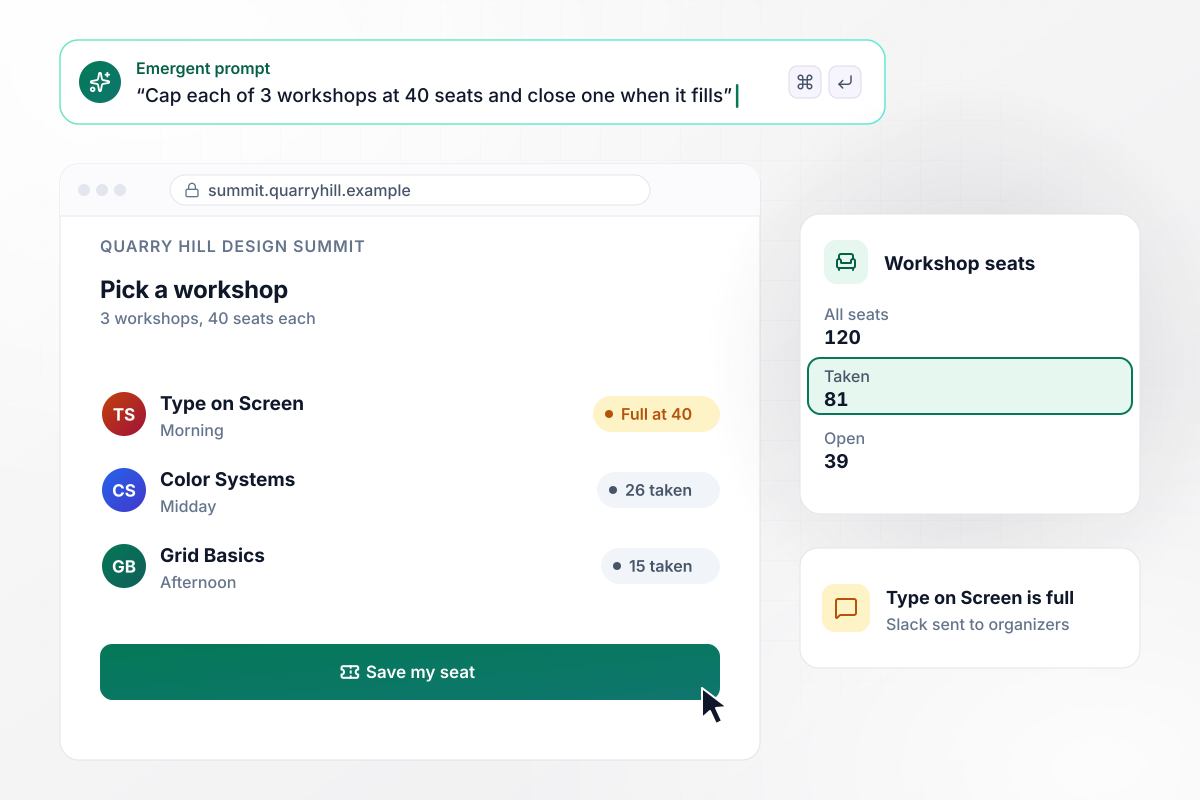
Type on Screen filled all 40 of its seats
The Quarry Hill Design Summit runs 3 workshops of 40 seats each, and its microsite takes the signups. So far, 81 of the 120 seats are taken and 39 are open. Type on Screen is full at 40, Color Systems has 26 and Grid Basics 15. Once it filled, the app closed its signups and alerted the organizers in Slack.
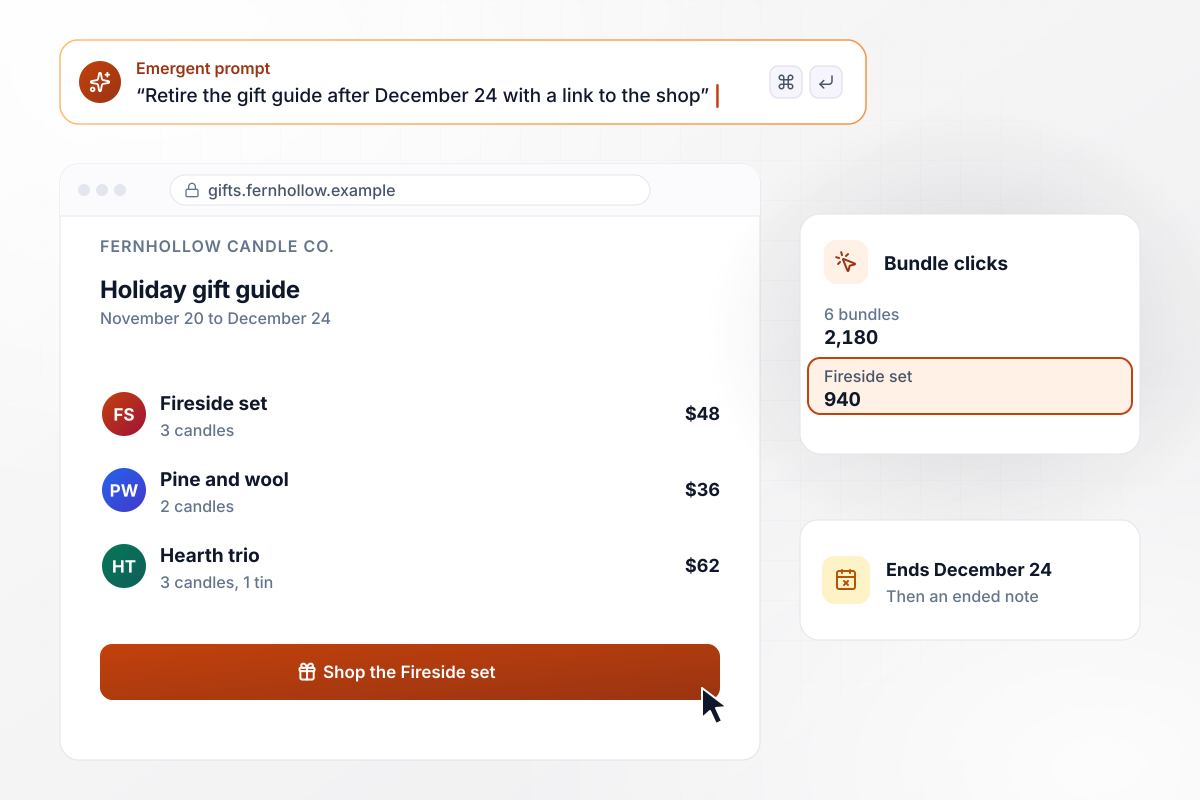
The gift guide retires after December 24
A gift guide has a last day. Fernhollow Candle Co.'s guide runs November 20 to December 24 and lists 6 bundles, each linked to the main shop. Of 2,180 bundle clicks so far, 940 went to the $48 Fireside set. After December 24, the bundles come down and an ended note points visitors to the shop.
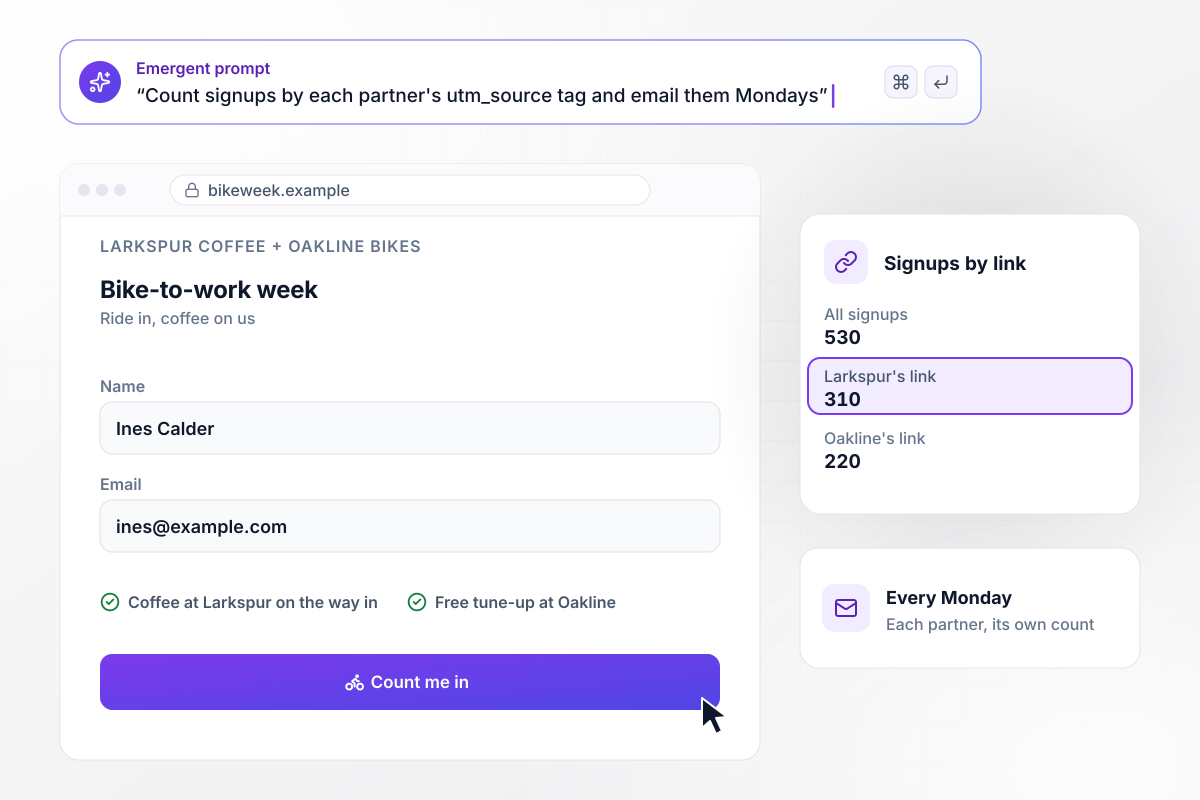
310 signups from Larkspur, 220 from Oakline
Larkspur Coffee and Oakline Bikes share one bike-to-work week microsite. Each partner hands out a link with its own utm_source tag, and each signup row records the link that brought it in. Of 530 signups, 310 came through Larkspur's and 220 through Oakline's. Every Monday, each partner gets an email with its count.






How to Create a Microsite Landing Page
Seven steps to a microsite landing page that runs one campaign at its own address and closes cleanly on its last day.
Pick the single thing this microsite exists for, and the date it stops taking signups. Put that date in your prompt from the start, because it decides what the page shows the morning after.
Choose between a subdomain such as launch.yourbrand.com and a separate domain. A subdomain keeps your brand in the address bar; a separate domain suits a co-branded page that belongs to neither partner.
Lead with what the visitor gets, then give them one form or one button. Leave out the main site's navigation, since every link back to it is a way off the page before the signup.
Write the page and its rules in plain English: the seat cap, the end date, who gets alerted. Emergent builds the page and the table behind it, and a follow-up prompt changes either.
Give each partner and newsletter its own utm_source value, such as larkspur or newsletter4. Then a signup from the Thursday newsletter is counted under newsletter4, not lumped in with everyone else.
Open the microsite on a phone, sign up with a test email through a tagged link, and check that the row lands in the table with its tag. Delete the test row before the campaign goes out.
Draft the note the page shows after its last day: one line on what ran, and a link to the main site. A campaign page left up past its date keeps collecting signups nobody plans to answer.
Why Build Your Microsite With Emergent?
Describe the campaign and the day it ends. Emergent builds the page and its signup table, and you change either one by prompting.

|
Unbounce | Landingi | Wix | |
|---|---|---|---|---|
| How you build | Prompt for a campaign page | Templates and drag-and-drop, AI copy assist | Templates and drag-and-drop, AI assist | Prompt for a full site |
| Where submissions go | A database table you own, plus integrations | Unbounce lead storage and integrations | Vendor lead storage and integrations | Wix dashboard submissions and Contacts |
| Visitor limits | No per-visitor pricing | Monthly visitor caps by plan | Tiered by traffic on most plans | Site plan bandwidth |
| A/B testing | Generate variants by prompt | A/B testing on higher-tier plans only | Higher plans | Limited or add-on |
| Code ownership | Full code export to GitHub on paid plans | Hosted only | Hosted only | Hosted only |


Pick the Pricing Plan That Works for You
Choose the plan that fits your building ambitions. From weekend projects to enterprise applications, we've got you covered.




Find the right landing page for you















Frequently Asked Questions
Your Questions, Answered
Don't change this element unless you know what you are doing
More things you can build
with Emergent









on Emergent today


