

Build a News Landing Page That Leads With What Just Happened
Build a news landing page that puts breaking stories on top and saves every story and reader tip to a database you own.
Build a news landing page for my county paper that leads with the top story, then Local, Sports, and Schools.
Trusted by Builders Worldwide
Active Builders Worldwide
Apps Successfully Created
Countries Globally Reached



What a Newsroom Gets From One Prompt
Emergent builds the news landing page readers see and the tools editors use to run it through a busy news day.
Sections laid out from your prompt
Name the sections you publish, such as Local, Schools and Sports, and Emergent builds a row for each with the newest story first. Adding a section later takes one more prompt.
A breaking banner editors control
An editor flags a story as breaking and the app shows it in a banner above every section. Clearing the flag removes the banner, and the story stays in its own section.
Every story is a row you own
Each story is saved with its byline and publish time to a database you own. The archive page, the search page and any export you run all read from that one shared table.
Email when a beat gets a story
The app can email each reader who follows a beat as soon as a story is filed under it, and alert the news desk by email or in Slack the moment a reader sends in a tip.
Connected to the tools you use
Connect the page to any tool with an API, such as Slack for the desk or the CMS where your reporters file, and stories and tips sync in and out without copy and paste.
Your domain, and the code too
Publish the page on your own domain: custom domains are included and use credits. On paid plans, export the full code to your GitHub repository and build on it there.
News Landing Page Examples
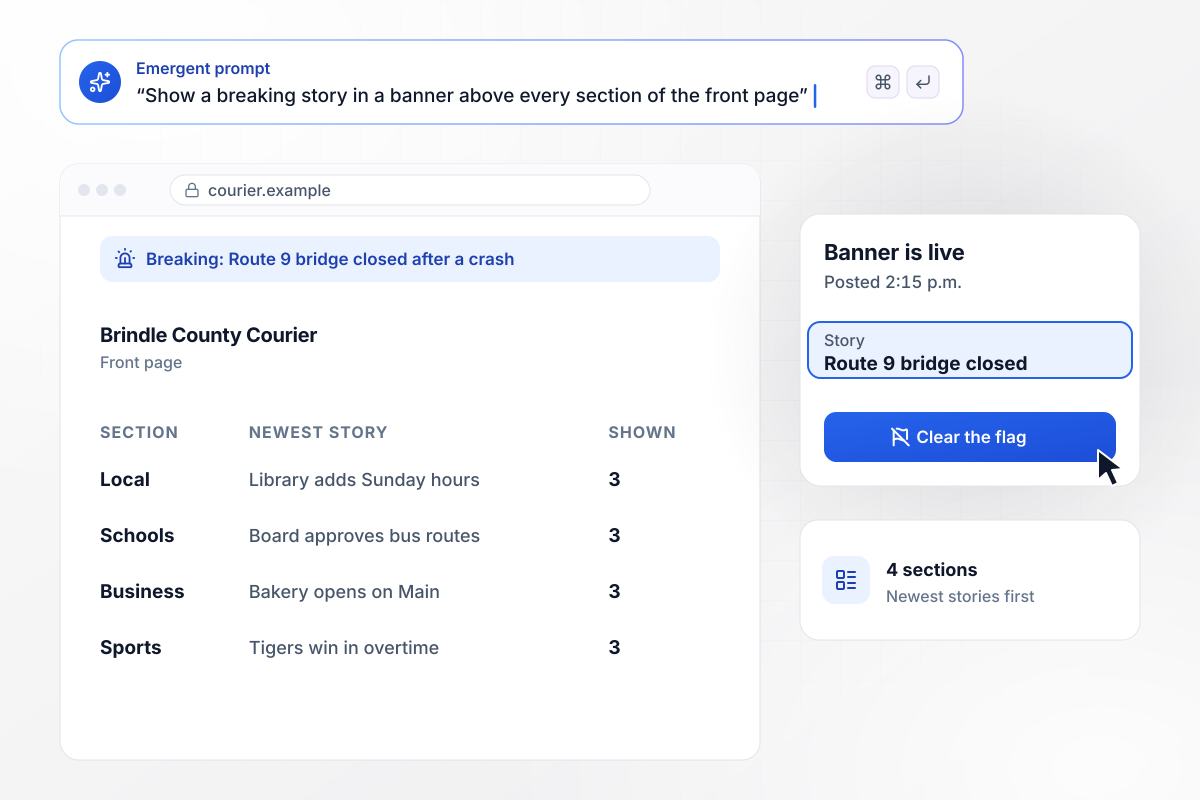
A breaking banner sits above every section
When an editor at the Brindle County Courier flags a story as breaking, the front page opens on a banner. At 2:15 p.m. it read Route 9 bridge closed after a crash. Below it, the Local, Schools, Business, and Sports rows each show their 3 newest stories. Clearing the flag takes the banner down.
window.awbMockup = { localNewsroom: "Build a front page for the Brindle County Courier with rows for Local, Schools, Business, and Sports, each showing its 3 newest stories. When an editor flags a story as breaking, show it in a banner above every section with the time it was posted. Take the banner down when the editor clears the flag.", tradePublication: "Build a Food Safety beat page for Cold Chain Weekly, my trade publication on refrigerated freight. Add a Follow button that saves each reader's email. When an editor tags a new story Food Safety, put it at the top of the beat page and email every follower a link to it. Show me the follower count.", studentNewspaper: "Build a news tip page for the Oakridge Lantern, our student newspaper. Readers pick a section, Campus or Sports, and describe the tip. Email Sports tips to Tomasz Wielgosz and Campus tips to Junia Halvorsen. Save every tip with its section and the time it arrived so the editors can sort them later.", stormCoverage: "Build a live updates page for the Marlow Bay Gazette to use during storms. Editors post short updates, and each one appears at the top with its time stamp, newest first. Readers who already have the page open should see a new update without reloading. Show the number of updates posted since the page went up." };
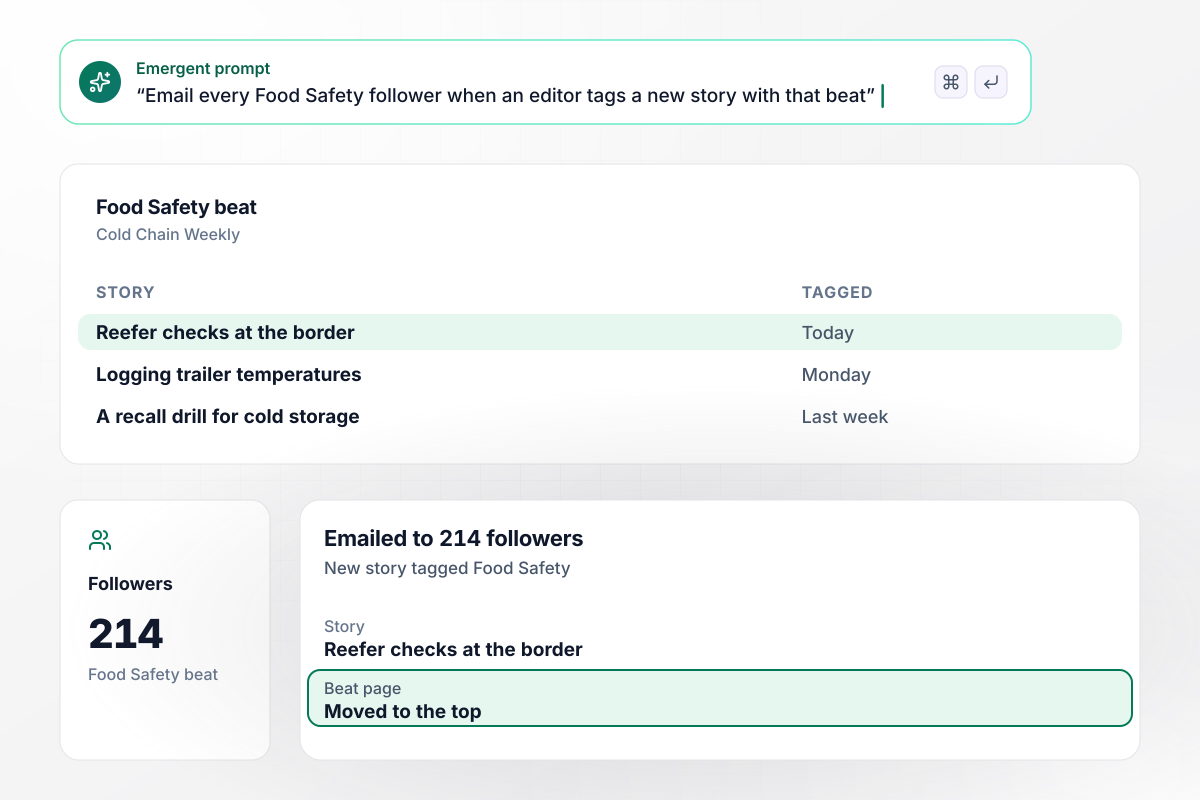
Readers who follow a beat get each new story by email
Cold Chain Weekly covers refrigerated freight, and its Food Safety beat page has 214 followers, each signed up with the Follow button on that page. When an editor tags a new story Food Safety, the app emails all 214 a link to it and moves the story to the top of the beat page.
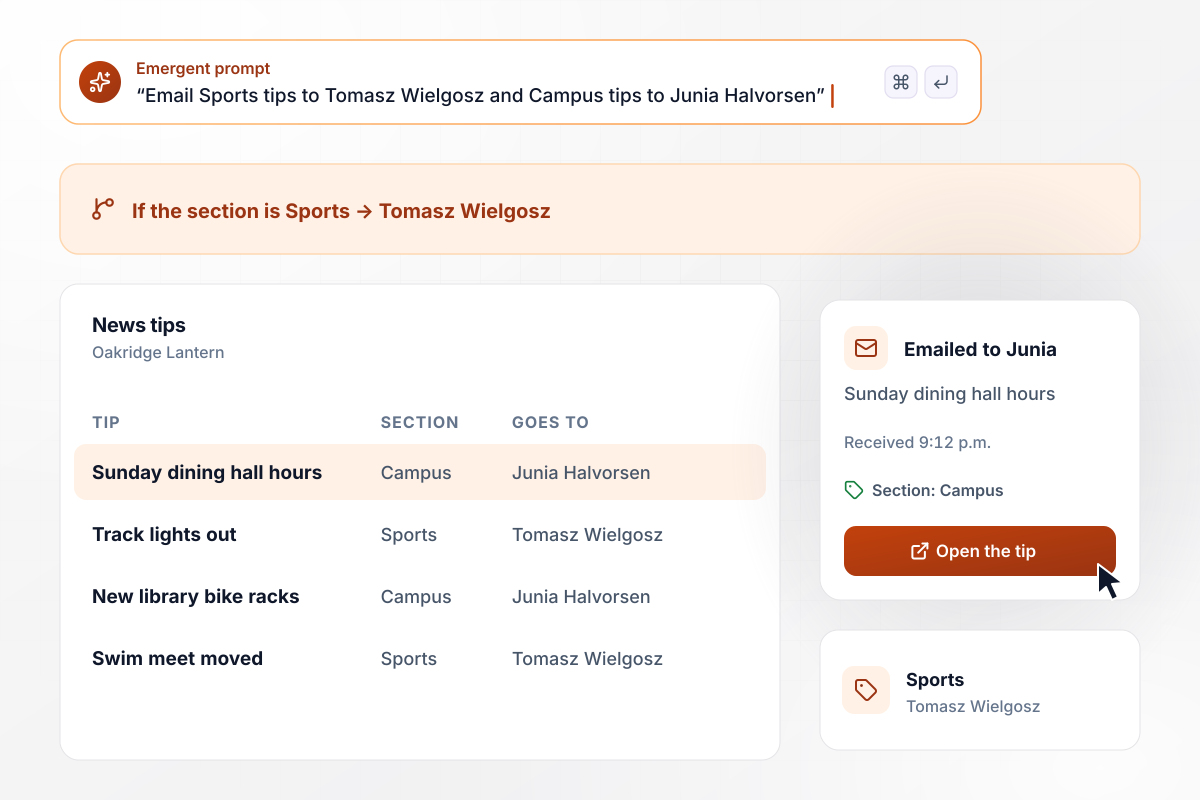
Each tip goes to the editor who owns that section
Readers of the Oakridge Lantern pick a section before they send a news tip. Sports tips go to Tomasz Wielgosz and Campus tips go to Junia Halvorsen, by email. A tip about shorter Sunday dining hall hours reached Junia at 9:12 p.m., saved with its section and the time it came in.
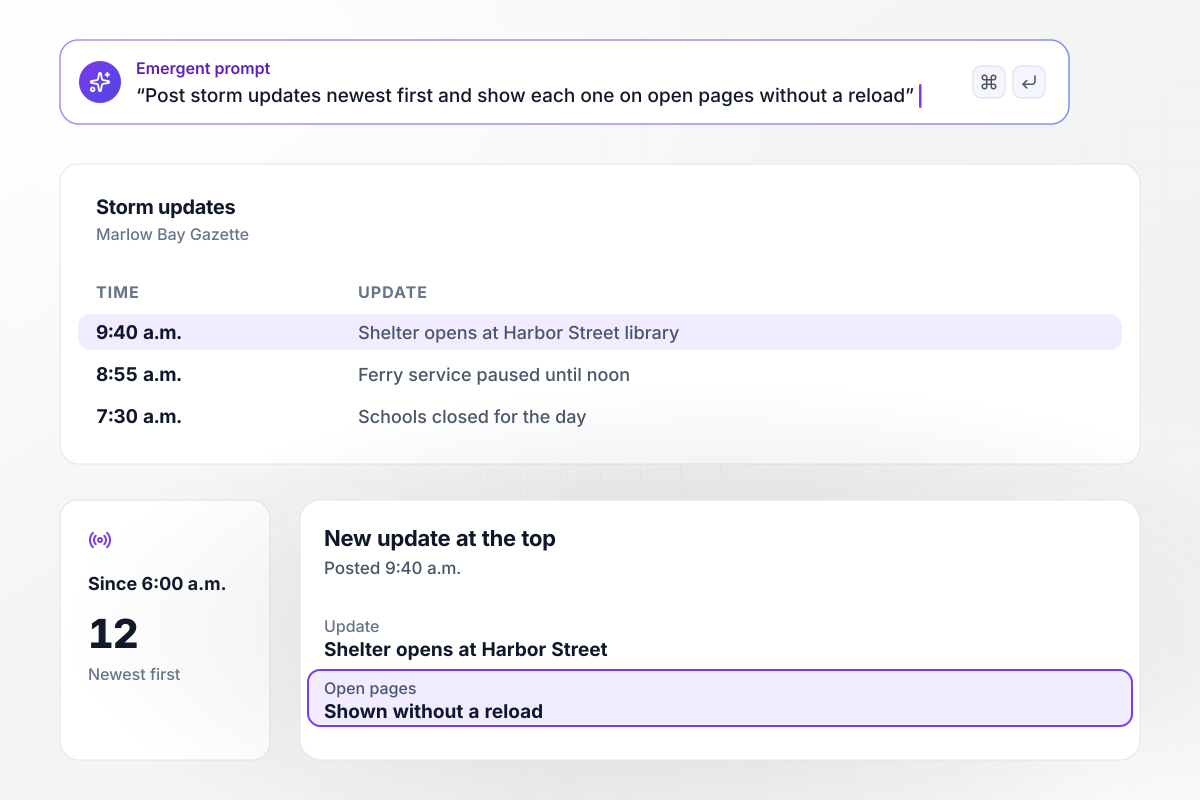
The newest update appears first, with its time
During a storm, the Marlow Bay Gazette runs one live updates page instead of filing a new story every hour. Since 6:00 a.m. it has posted 12 updates, newest first, each with a time stamp. The 9:40 a.m. post, Shelter opens at the Harbor Street library, appeared at the top of every open copy of the page without a reload.






How to Create a News Landing Page
Seven steps to plan a news landing page around your sections and breaking stories, then build it with Emergent.
Pick the one thing a reader should see first on a normal day: the top story, the latest headlines, or today's edition. Then decide what replaces it on a big news day. The top slot needs a clear owner before anything breaks.
Write down every section you publish and put them in the order readers scan them. A county paper might lead with Local and Schools; a trade title might lead with its two busiest beats. Cut any section you update less than once a week.
Decide who can flag a story as breaking, what the banner says, and when it comes down. Write it as one sentence that names who flags and who clears. A morning banner still up at 9 p.m. reads as news that never ended.
Describe the page to Emergent using this week's actual headlines and bylines instead of made-up ones. Real headlines show you how long titles wrap on the grid and whether each section row holds the stories you expect it to.
Choose what readers can do besides read: follow a beat, send a tip, or open a live updates page during a storm. Name who gets each tip or alert by email, and say which fields every tip has to include before it can be sent.
Load the page on a phone and read the top story and one full section with your thumb. Check that headlines stay readable, the banner does not push the first story off the screen, and the tip form fits without zooming.
Publish the page, then send a test tip and flag a test story as breaking to confirm both work. Clear the test flag, delete the test tip from the database, and share the link with the newsroom before the next edition goes up.
Why Build Your News Page With Emergent?
Describe the front page your readers should see, and Emergent builds it along with the story database and the alerts behind it.

|
Unbounce | Landingi | Wix | |
|---|---|---|---|---|
| How you build | Prompt for a campaign page | Templates and drag-and-drop, AI copy assist | Templates and drag-and-drop, AI assist | Prompt for a full site |
| Where submissions go | A database table you own, plus integrations | Unbounce lead storage and integrations | Vendor lead storage and integrations | Wix dashboard submissions and Contacts |
| Visitor limits | No per-visitor pricing | Monthly visitor caps by plan | Tiered by traffic on most plans | Site plan bandwidth |
| A/B testing | Generate variants by prompt | A/B testing on higher-tier plans only | Higher plans | Limited or add-on |
| Code ownership | Full code export to GitHub on paid plans | Hosted only | Hosted only | Hosted only |




Pick the Pricing Plan That Works for You
Choose the plan that fits your building ambitions. From weekend projects to enterprise applications, we've got you covered.




Find the right landing page for you















Frequently Asked Questions
Your Questions, Answered
Don't change this element unless you know what you are doing
More things you can build
with Emergent









on Emergent today


