

Build a Travel Landing Page for Tours, Retreats, and Group Trips
Get a travel landing page that takes trip requests, sends each to the right advisor and saves it to a database you own.
Build a travel landing page that saves every signup to a database I own.
Trusted by Builders Worldwide
Active Builders Worldwide
Apps Successfully Created
Countries Globally Reached



What Happens After a Traveler Hits Send
Emergent builds the page a traveler reads and the logic that handles each request once it arrives.
Describe the trip, get the page
Write the itinerary and the form you need in plain English, and Emergent builds the page along with the table that stores each request. A new departure date is one more prompt.
Requests in a table you own
Each request is saved to a database you own, with the trip, the travel month, and the party size in their own columns. Sort by month to see which season visitors ask about.
Seat limits per date
Give each departure its seat limit in the prompt. The app subtracts every reservation from that date, shows travelers what remains, and offers a waitlist once it is full.
The right advisor hears first
Name who answers which trips, such as one advisor for each country you sell. The app sends that person an email or a Slack alert with the traveler's details and the dates requested.
Requests that reach your booking tools
The app connects to any tool with an API, so a new request can sync to your CRM or your email platform. Data moves in and out, and your own table keeps the original entry.
Your domain, and the code if you want it
Publish on your own domain: custom domains are included and use credits. On paid plans, export the full code to your GitHub repository and keep building on it from there.
Travel Landing Page Examples
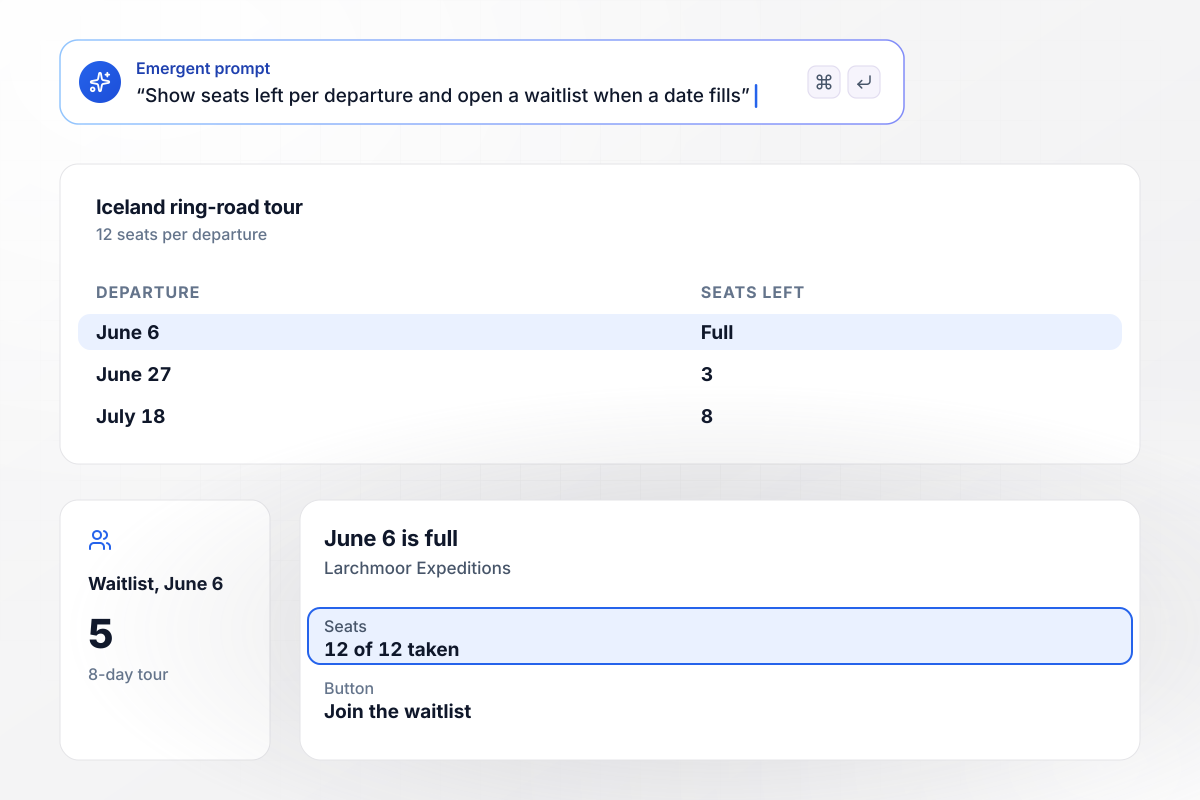
Seats left show next to each departure
Larchmoor Expeditions sells its 8-day Iceland ring-road tour in groups of 12. The page lists three departures with the seats left beside each one: June 27 has 3 and July 18 has 8. June 6 is full: its button now reads Join the waitlist, and 5 travelers have joined it.
window.awbMockup = { smallGroupTour: "Build a landing page for Larchmoor Expeditions' 8-day Iceland ring-road tour. Each departure has 12 seats: June 6, June 27, and July 18. Show the seats left next to each date. When a date is full, change its button to Join the waitlist. Save waitlist signups in the order they arrive.", customTripRequests: "Build a custom trip request page for my agency, Marisco Travel. The form asks for the country, the travel month, and the number of travelers. Email every request for Japan to Keiko Arakawa and every request for Italy to Matteo Bellandi, and save all requests to a table I own.", retreatInterest: "Build an interest page for next year's Amberwood Retreats yoga retreat in Costa Rica. Ask visitors which month suits them: November, January, or March. Show me the count for each month, and when I open reservations for a month, email everyone who chose it.", weddingRoomBlock: "Build a room block page for the Sorensen-Ruiz wedding. We hold 30 rooms at the resort until March 15. Let guests claim a room, show how many are left, email our planner Yolanda Ferreira the claimed and remaining counts every Monday, and close the form at midnight on March 15." };
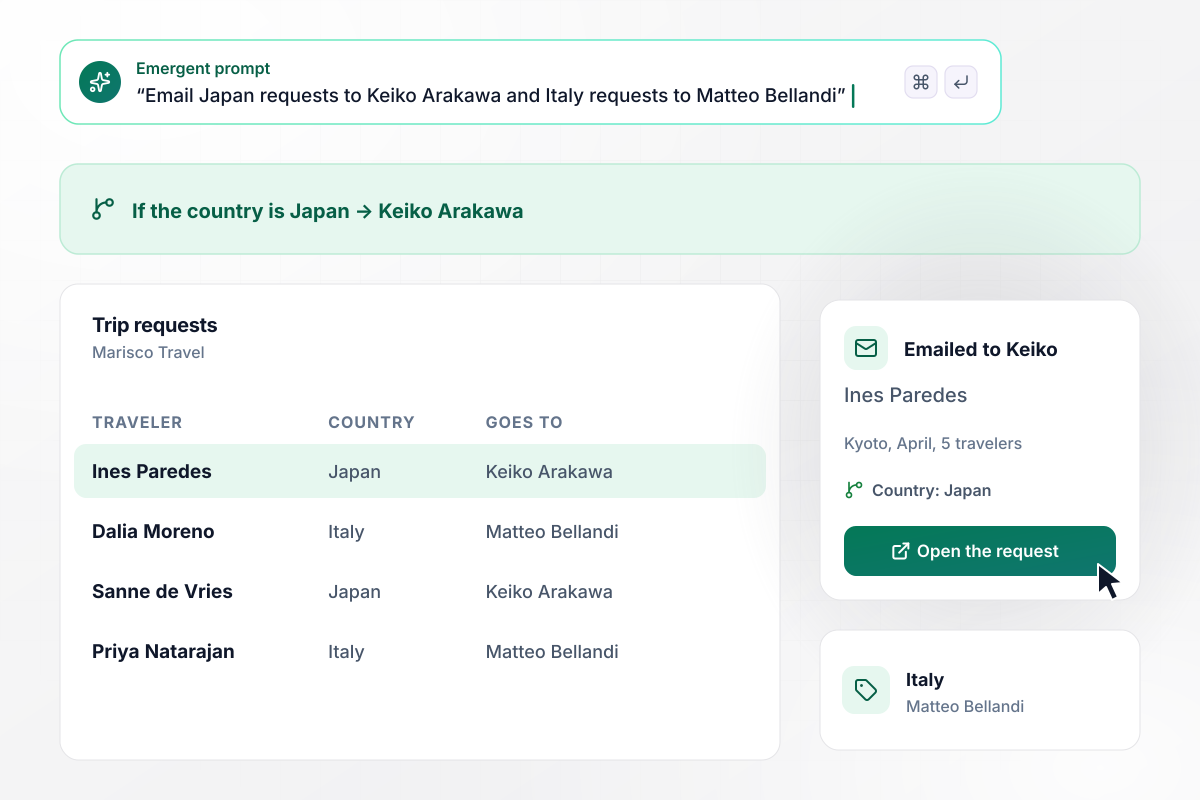
Any request for Japan goes to Keiko Arakawa
Marisco Travel's trip request form asks for the country, the month, and the number of travelers. The app emails each request to the advisor for that country: Japan to Keiko Arakawa, Italy to Matteo Bellandi. Ines Paredes asked for Kyoto in April for 5 travelers, and the email went to Keiko.
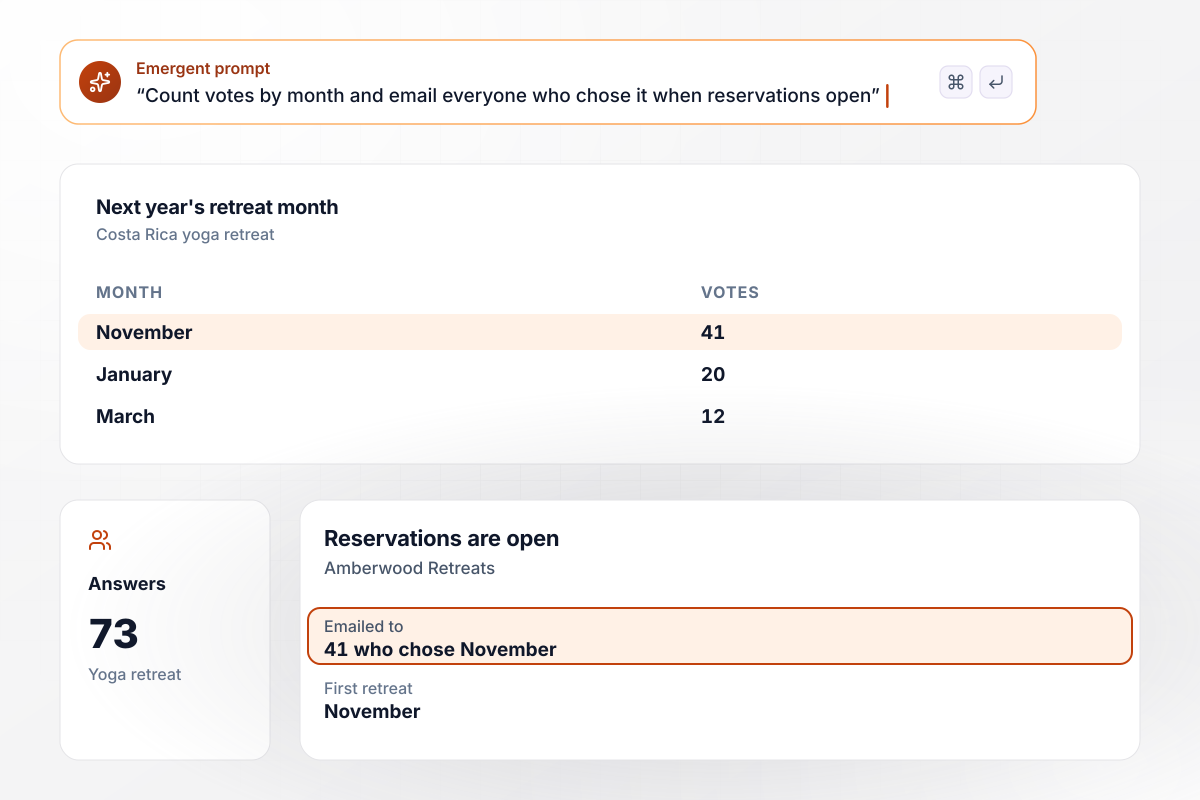
November drew the most votes, so it opens first
Before Amberwood Retreats fixes next year's dates for its Costa Rica yoga retreat, its page asks visitors which month suits them. Of 73 answers, 41 chose November, 20 chose January, and 12 chose March. November opens first, and on the day reservations open, the app emails all 41 people who picked it.
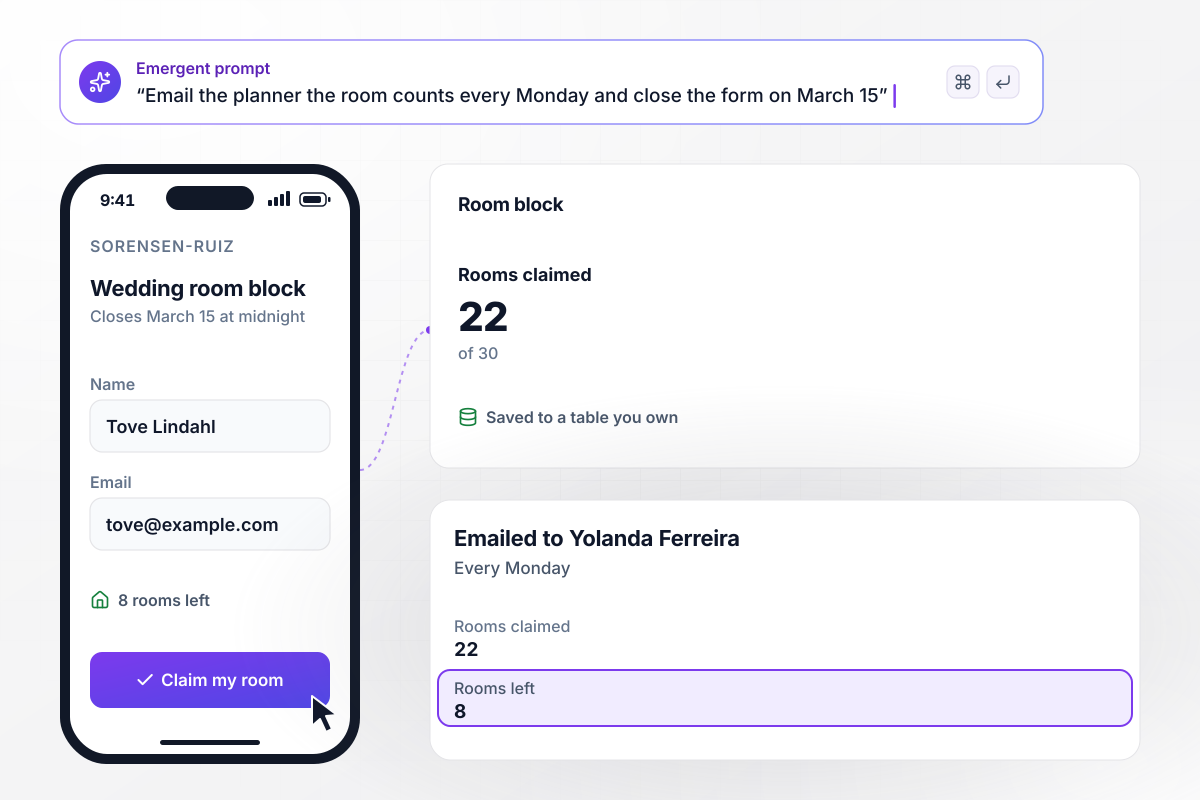
At midnight on March 15 the room block closes
Coralline Group Travel holds 30 rooms at a beach resort for the Sorensen-Ruiz wedding, and guests claim theirs on a room block page. So far 22 are claimed and 8 are left. Every Monday, planner Yolanda Ferreira gets an email with both counts. The form closes at midnight on March 15, the resort's release date.






How to Create a Travel Landing Page
Follow these seven steps to publish a travel landing page that takes requests for one trip and sends each to the right person.
Build one page per trip. A traveler who clicked an ad for an Iceland tour should land on that tour's dates and price, not on a list of every departure you run this year.
Put the next departure dates and the price per person at the top, with the group size beside them. Those are the details a traveler compares before typing an email address.
Tell Emergent the form fields you need and what should happen after a request arrives. Emergent builds the page and its table, and a later prompt changes either one.
Write the seat count for each departure, or the room count and cutoff date for a block, into the prompt. Then decide what a visitor sees at the limit: a waitlist, or a note naming the next date.
Decide who answers which requests and name them in the prompt. A request someone should read the same day gets an instant email; a weekly count suits a planner who tracks a room block.
Open the published page on a phone and send a request with your own email. Check that the row reached the table and the email reached the right advisor, then fill a test departure and watch the waitlist open.
Share the page in your newsletter and in the emails past travelers already open. Each week, check which pages drew requests and rework the ones that drew none.
Why Build Your Travel Page With Emergent?
One prompt builds the page for a trip, and every request it takes stays in a database you own, ready to sort by advisor.

|
Instapage | Unbounce | Landingi | |
|---|---|---|---|---|
| How you build | Prompt for a campaign page | Templates and drag-and-drop, AI copy assist | Templates and drag-and-drop, AI copy assist | Templates and drag-and-drop, AI assist |
| Where submissions go | A database table you own, plus integrations | Instapage contacts and integrations | Unbounce lead storage and integrations | Vendor lead storage and integrations |
| Visitor limits | No per-visitor pricing | Monthly visitor caps by plan | Monthly visitor caps by plan | Tiered by traffic on most plans |
| A/B testing | Generate variants by prompt | A/B testing on higher-tier plans only | A/B testing on higher-tier plans only | Higher plans |
| Code ownership | Full code export to GitHub on paid plans | Hosted only, no HTML export | Hosted only | Hosted only |




Pick the Pricing Plan That Works for You
Choose the plan that fits your building ambitions. From weekend projects to enterprise applications, we've got you covered.




Find the right landing page for you

Frequently Asked Questions
Your Questions, Answered
Don't change this element unless you know what you are doing
More things you can build
with Emergent









on Emergent today


