

Build a DEI Survey People Trust Enough to Answer
Build a DEI survey with skippable self-ID questions, small groups hidden in reports, and answers in a database you own.
Build a confidential DEI survey for my company with optional self-ID questions and scores by department.
Trusted by Builders Worldwide
Active Builders Worldwide
Apps Successfully Created
Countries Globally Reached



What Makes a DEI Survey Worth Answering
A DEI survey, also called a diversity survey, asks how fairly people are treated and whether they belong, then compares teams.
Statements sorted into themes
Sorts each statement under belonging, fairness, voice, or growth, then scores every theme on its own. Ask Emergent for a starting set of DEI survey questions, or paste in yours.
Self-ID that never blocks a response
Makes every demographic question optional, with Prefer not to say and a box to self-describe. Someone who skips the whole section still submits the survey and counts in the totals.
Identity kept apart from opinions
Saves self-ID answers in their own table, tied to each response through a random ID. Reports can split scores by demographic group, and nobody browsing the raw data sees a name.
A minimum size on every cut
Hides any group with fewer answers than the minimum you set, such as 10, in every chart and export. Those responses stay in the company score but never show for that group.
Gaps against the company score
Places each department's theme scores beside the company figure and flags any gap you choose, such as half a point. The department head then gets an email listing the lowest items.
The survey app, in your GitHub
Exports the finished app to your GitHub repository on paid plans, with its question logic, reports, and response database. Run it on your own servers or keep editing in Emergent.
Four DEI Surveys, Built and Running
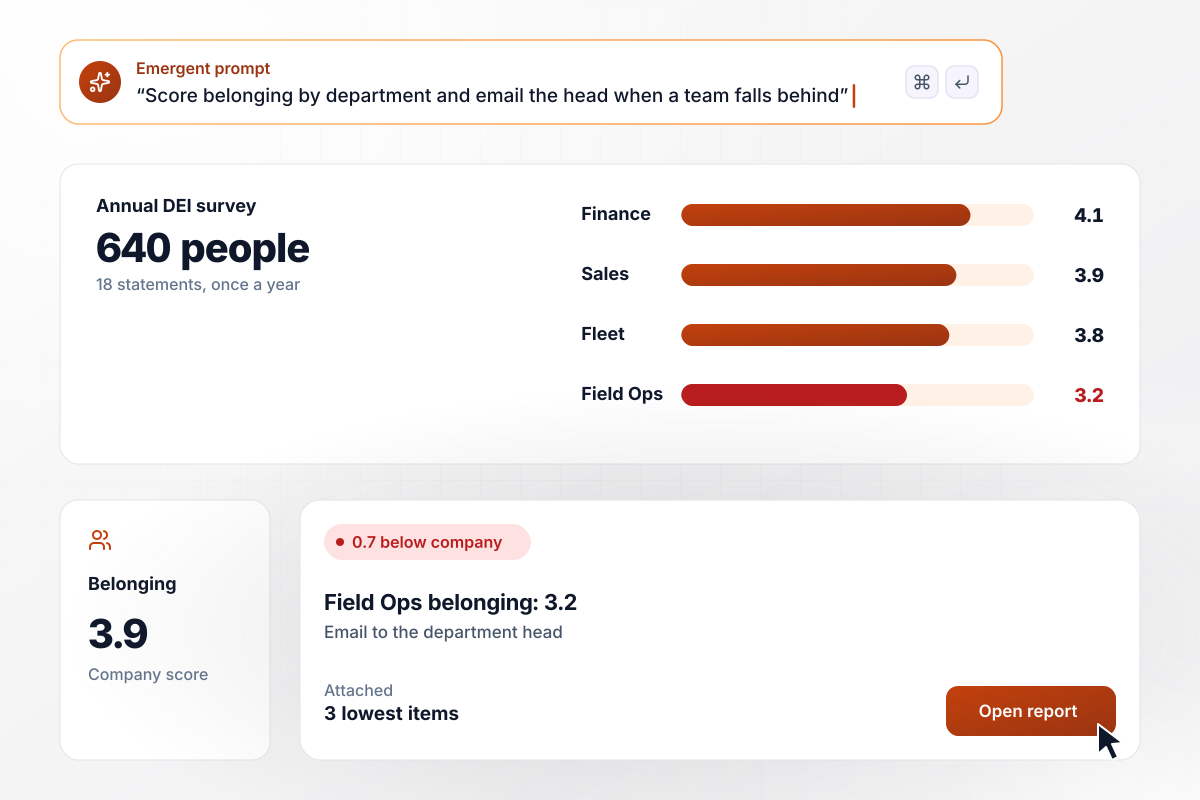
Field Ops trails the company on belonging
Once a year, all 640 people at a logistics company rate 18 statements on belonging, fairness, voice, and growth. Each department's theme scores sit beside the company's. Field Ops scored 3.2 on belonging against 3.9 overall, and its department head got an email with the three lowest items.
window.awbMockup = { annualInclusionSurvey: "Build an annual DEI survey for our 640 employees. Ask 18 statements rated 1 to 5, grouped into belonging, fairness, voice, and growth. Show each department's theme scores next to the company score. When a department scores half a point or more below the company on any theme, email its department head the three lowest-scoring statements.", voluntarySelfId: "Add a self-ID section to the end of my DEI survey. Make every demographic question optional, with Prefer not to say on each and a box to self-describe. Let people submit the survey even if they skip the whole section. Save the self-ID answers in their own table, linked to the survey answers by a random ID, never by name.", resultsByLocation: "Build a results view for my DEI survey that splits the inclusion score by location and shift. Show the answer count beside each group. Hide any group with fewer than 10 answers and mark it Hidden, but keep its answers in the company total. Apply the same rule to every export.", ninetyDayFollowUp: "Ninety days after our DEI survey, resend the four fairness statements to every team. Show each team's new score next to its score from the first round, with the change in a separate column. Highlight the team with the biggest gain and list any team whose score fell." };
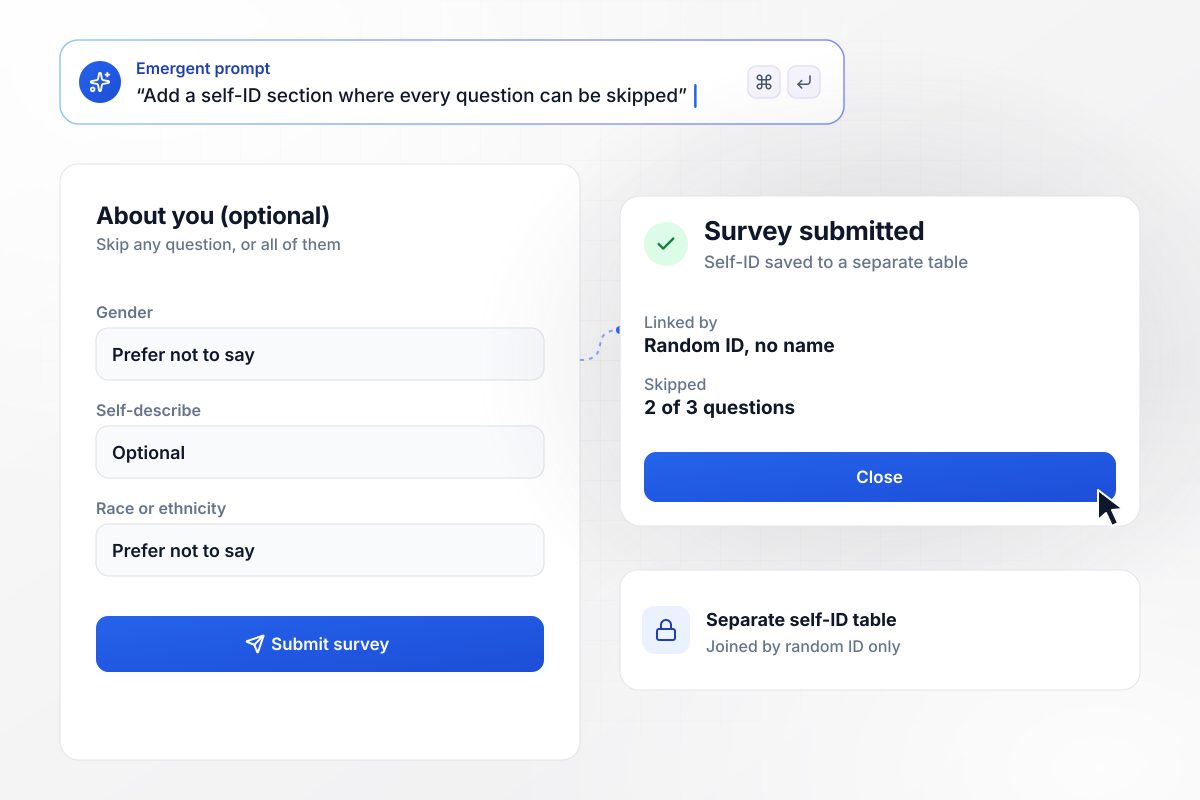
A skip option on every self-ID question
Every demographic question in the self-ID section is optional and offers Prefer not to say, plus a box to self-describe. Someone who skips all of it still submits the survey. Self-ID answers land in a separate table, linked to the survey answers by a random ID instead of a name.
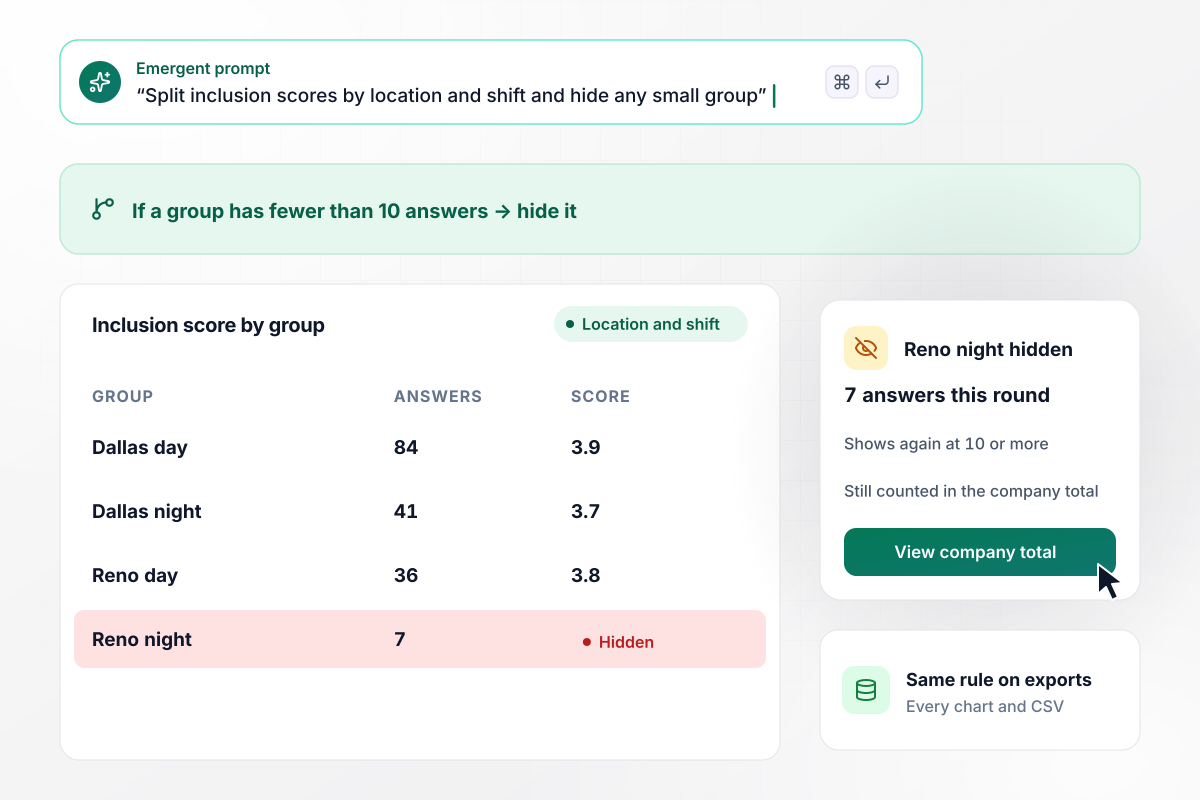
Groups under 10 answers stay off the report
Cut the results by location and shift, and each group's inclusion score appears with its answer count. Any group with fewer than 10 answers shows as hidden. Its answers still count toward the company total, but that slice never appears alone. The Reno night shift had 7 answers this round.
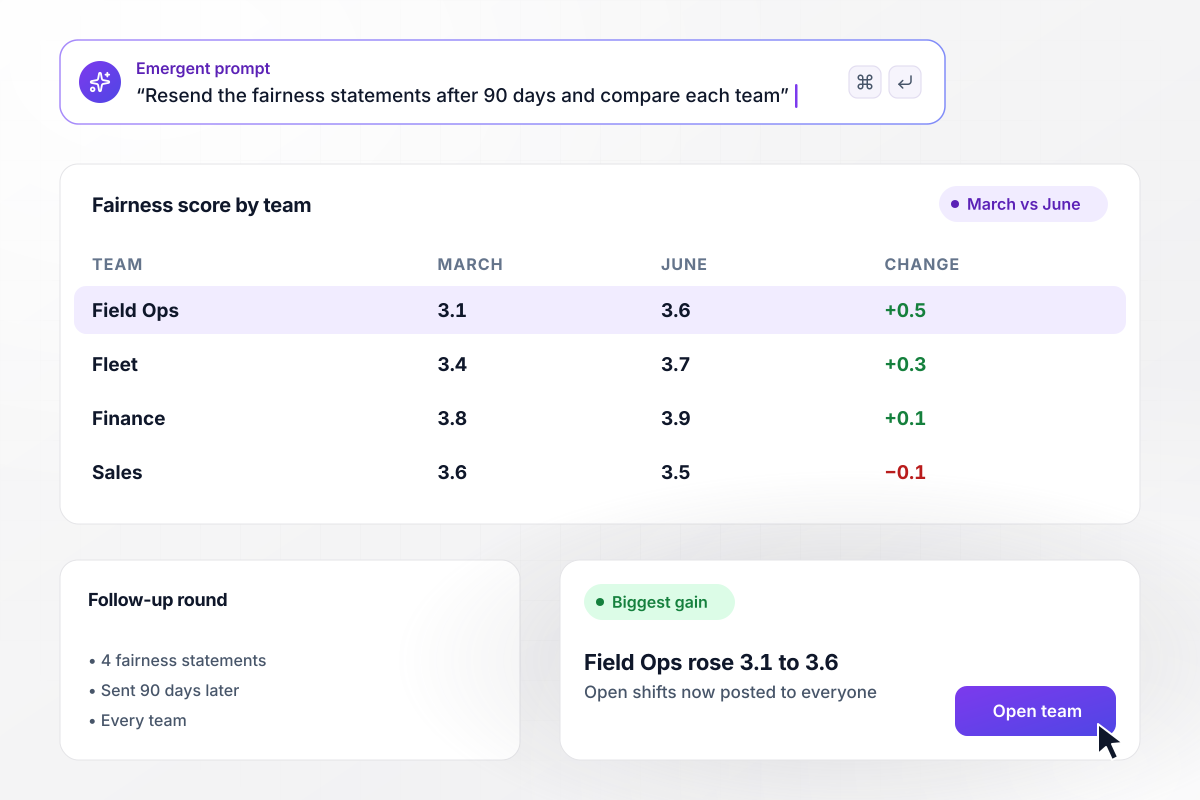
Fairness scores, 90 days after the plan
The four fairness statements go back to every team 90 days after the action plans. Each team's June score sits beside its March score. Field Ops rose from 3.1 to 3.6, the biggest gain of any team, after its managers began posting open shifts to everyone at once.






How to Run a DEI Survey
Seven steps to plan a DEI survey people answer honestly and leaders act on, then build it with Emergent.
Start with the decisions the results should feed, such as how promotions are reviewed or how managers run team meetings. Write them down before drafting a single statement. People notice when a survey leads nowhere, and they answer the next one with less care.
Phrase each item as a statement on a 1-5 agreement scale, such as "I can disagree with my manager without worrying about it." Group the statements under four or five themes. Hold it to about 18 items, so the survey takes under 10 minutes.
Put the demographic questions at the end, mark each one optional, and offer Prefer not to say. Ask only about the groups you plan to report on. Every extra question shrinks the slices you can show and makes a small group easier to identify.
Pick a minimum answer count, such as 5 or 10, below which a group's results stay hidden. Apply it to every cut, including combinations like location and shift. Combined cuts shrink fast, and the minimum is what keeps a two-person group off the report.
Write out who takes it, the statements and themes, the self-ID questions, the group minimum, and who sees which report. Emergent builds the survey with its own response database and reports. A later change, such as a fifth theme, takes one more message.
Open the survey with a short note on what is collected, who can read the results, and how small a group can be before it hides. Say plainly whether the survey is anonymous or confidential. Repeat the group minimum in every reminder email.
Once results are out, each leader picks one action for their lowest theme. Ninety days later, send only those statements to the same groups again. The two rounds side by side show whether the action moved anything people can feel.
Why Build Your DEI Survey With Emergent?
SurveyMonkey sells per-user team plans. Emergent builds your DEI survey as an app whose responses live in a database you own.

|
SurveyMonkey | Microsoft Forms | SurveyHero | |
|---|---|---|---|---|
| What you get | Survey, logic, and response database, as code you own | Survey builder with templates, including employee engagement | Surveys, quizzes, and polls with response summaries | Survey builder with templates, including employee satisfaction |
| Pricing model | Credits, no response caps or per-response fees | Per-user team plans with a seat minimum, billed annually | Free with a Microsoft account; included in Microsoft work and school subscriptions | Free plan, then per-account plans with unlimited responses |
| Where responses live | A database table you own, plus any integration | SurveyMonkey account | Microsoft Forms, with export to Excel | SurveyHero account, EU data centers |
| Code ownership | Full code export to GitHub on paid plans | None | None | None |

Pick the Pricing Plan That Works for You
Choose the plan that fits your building ambitions. From weekend projects to enterprise applications, we've got you covered.




Find the right survey, quiz, or poll
for your team















Frequently Asked Questions
Your Questions, Answered
Don't change this element unless you know what you are doing
More things you can build
with Emergent









on Emergent today


