

Build a Safety Survey That Sends Each Manager Their Own Results
Build a safety survey that saves every answer by shift or site in a database you own and alerts the manager in charge.
Build a safety survey that collects every answer in a database I own.
Trusted by Builders Worldwide
Active Builders Worldwide
Apps Successfully Created
Countries Globally Reached



What Happens to Each Answer
Six parts of the survey, covering how the questions get written, where answers are stored, and who hears about a problem.
Questions drafted from your worksite
Describe the work and who will answer it. Emergent drafts the questions, pairing agree scales with open boxes, and you reword any question with a follow-up prompt in plain English.
Answers saved by shift, never by name
Each answer is saved with the site and shift it came from, in a database you own. The survey asks for no name, and a group score stays hidden until 5 people in it have answered.
Walkthroughs answered on a phone
Supervisors walk the floor with the checklist open on a phone and answer yes or no for every item on it. Any No opens a corrective task with an owner and a due date attached.
A floor for every question
Set the lowest score each question may reach. When a shift or unit drops under it, the safety manager gets a Slack or email alert with the score and every comment behind it.
Every employee, no response cap
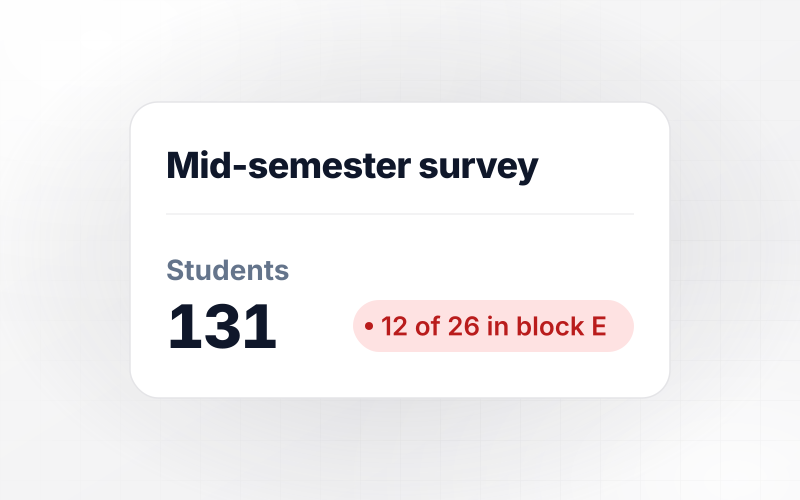
Emergent puts no cap on survey responses. Survey all 900 people across four sites every quarter on one plan, and send reminders only to the shifts where few people have answered.
Your domain and your code
Put the survey on a custom domain, which Emergent includes and charges in credits. On paid plans, export the full code to your GitHub repository and keep it after the survey closes.
Four Workplaces, Four Safety Surveys
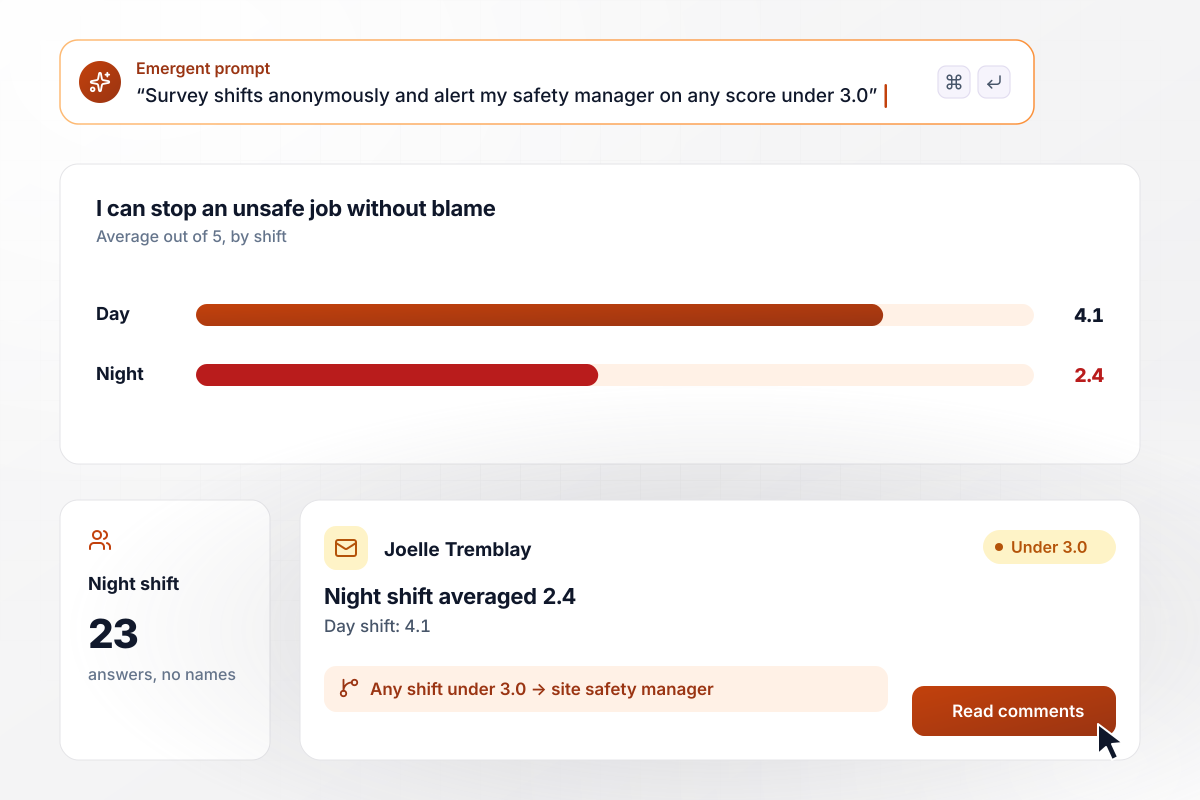
On stopping an unsafe job, night shift scores 2.4
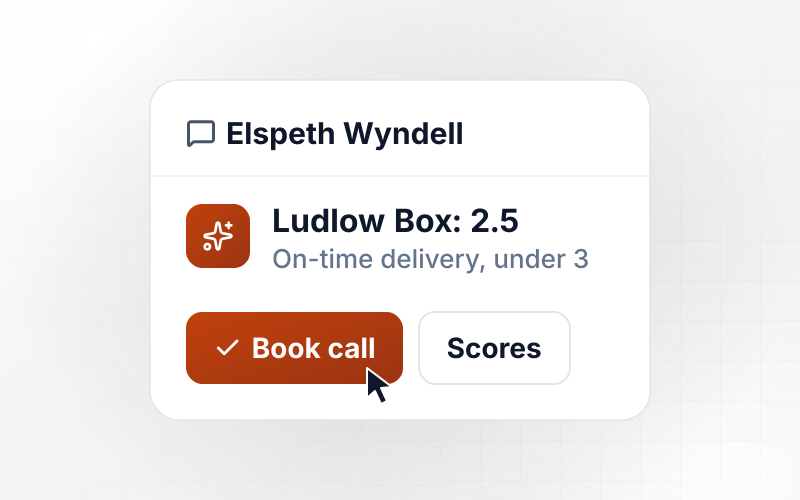
Every quarter, pickers and loaders at the Merced distribution center rate statements out of 5, with no name field. One reads: I can stop an unsafe job without getting blamed. Night shift averaged 2.4 across 23 answers, against 4.1 on days. Any shift under 3.0 goes to the site safety manager, Joelle Tremblay.
window.awbMockup = { warehouseShifts: "Build a quarterly safety survey for my distribution center. Workers rate statements out of 5, such as whether they can stop an unsafe job without being blamed. Ask for shift and role, never a name. Show a shift average only after 5 people in it answer. When any shift averages under 3.0 on a statement, email my site safety manager the score and the comments.", hospitalUnit: "Build a safety culture survey for the staff on my hospital units, sent twice a year. Each person picks their unit and answers agree or disagree statements, such as whether staff speak up when something could harm a patient. Give each unit manager a report on their own unit only, with percent agree for every statement and the three lowest at the top.", constructionSiteWalk: "Build a weekly site walk checklist my foremen answer on their phones. List 15 items, each answered yes, no, or not applicable, such as guardrails in place on open edges, grouped by floor. When an item is answered No, create a task for the site superintendent naming the floor and the item, due in 24 hours. Close the task when the item is rechecked and answered Yes.", deliveryDrivers: "Build a quarterly survey for my delivery drivers with one fixed question: I have enough time to make my stops without rushing, rated out of 5. Keep the wording identical every round. Save each answer with the driver depot and route length. Chart the average by quarter, so my fleet manager can see whether capping routes at 120 stops changed the score." };
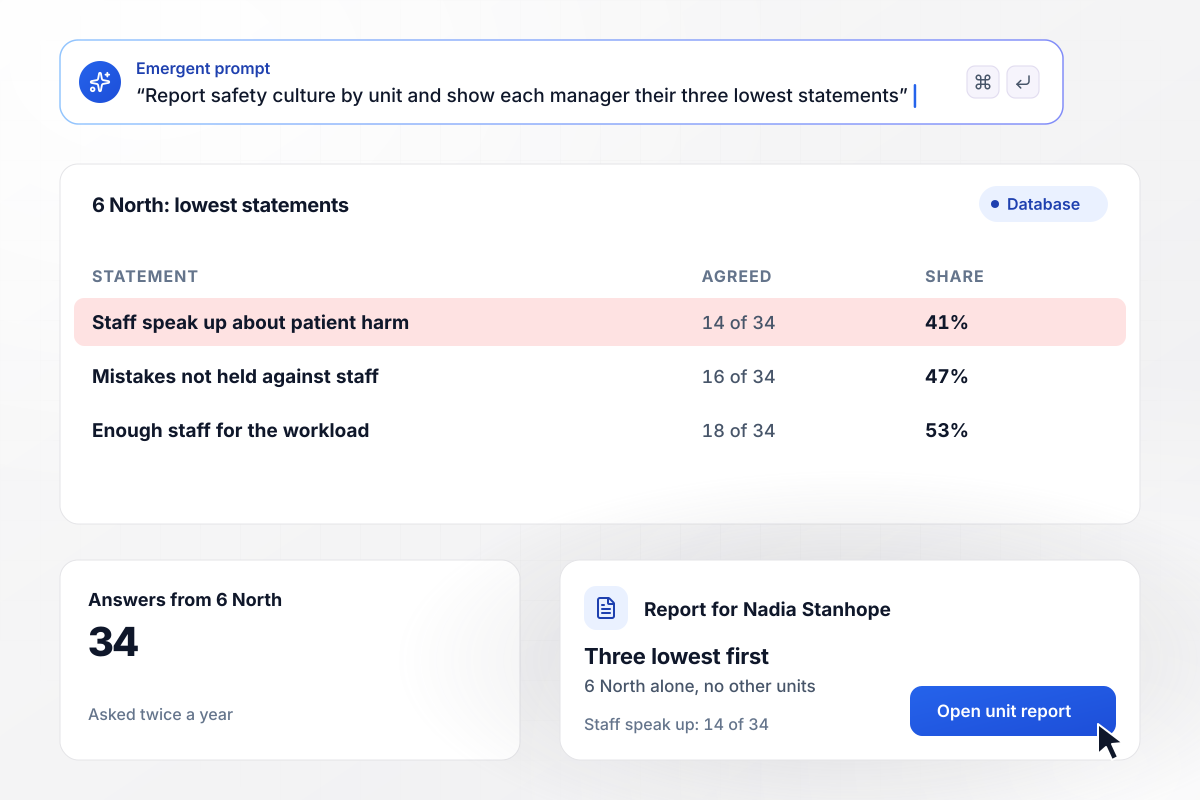
One unit report, its three lowest statements first
Twice a year, nurses and aides on each hospital unit rate the same safety culture statements. On 6 North, 14 of 34 agreed that staff speak up when they see something that could harm a patient. Nadia Stanhope, the unit manager, gets a report on 6 North alone, with its three lowest statements first.
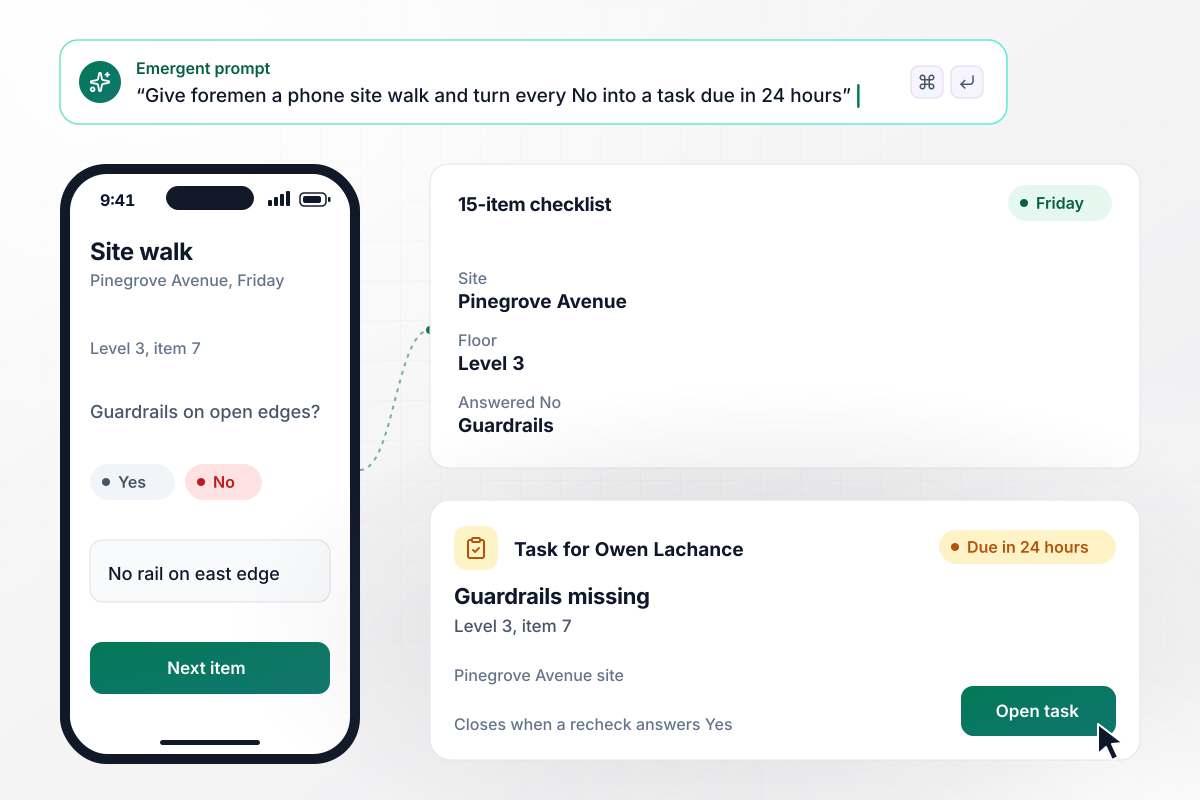
A missing guardrail becomes a task due in 24 hours
On Fridays, the foreman at the Pinegrove Avenue site walks each floor with a 15-item checklist on his phone. On level 3, item 7 asks if guardrails are in place on open edges. He answered No, which opened a task for the superintendent, Owen Lachance, due in 24 hours. It closes when a recheck answers Yes.
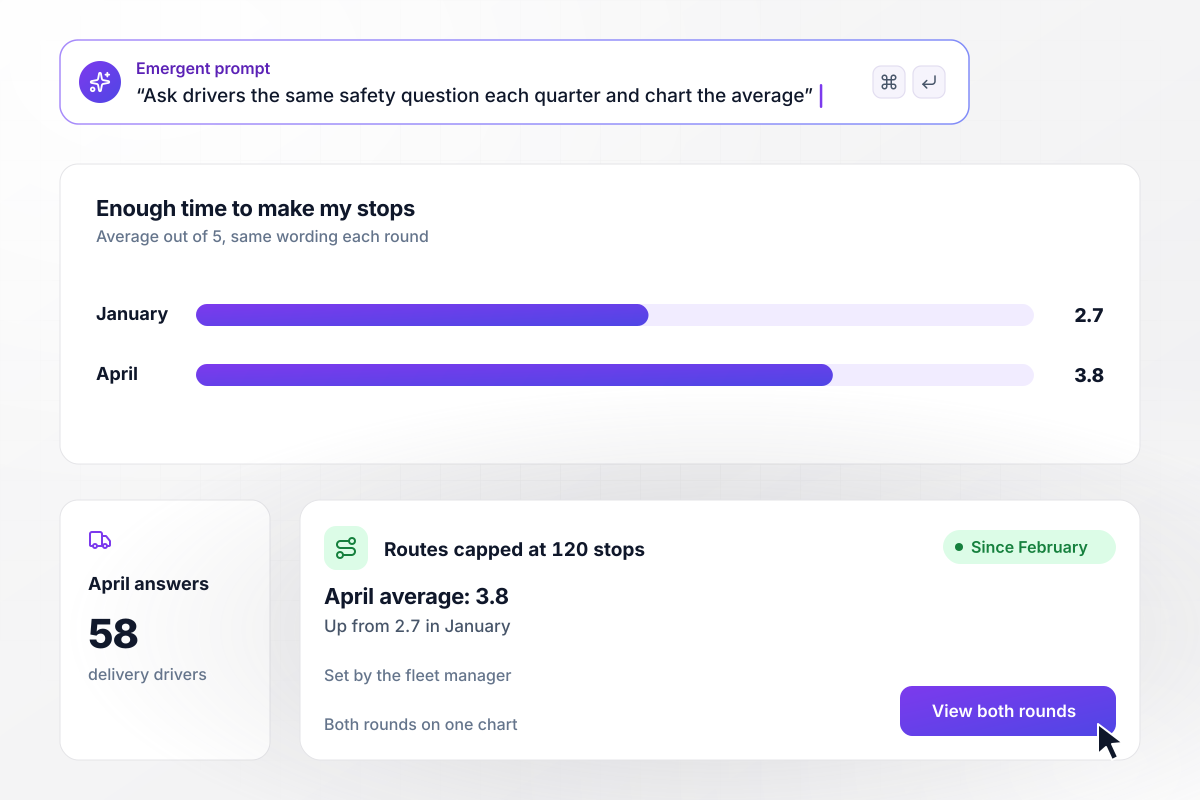
The same question, asked before and after a route cap
Each quarter, delivery drivers answer one question in the same words: I have enough time to make my stops without rushing. January averaged 2.7 out of 5. In February, the fleet manager capped routes at 120 stops. In April, 58 drivers answered and the average reached 3.8. He sees both rounds on one chart.






How to Plan and Run a Safety Survey
Seven steps to plan a safety survey that people answer honestly and that gives each result a manager who acts on it.
A perception survey asks workers how safe they feel and whether they can raise a concern. A walkthrough checklist records what a supervisor sees on the floor. Pick one per survey, because opinion statements mixed with yes-or-no inspection items muddy both sets of results.
Before writing questions, list the decisions the results could change, such as which site gets new lighting or whether night shift needs a second lead. Cut any question that feeds none of them. A shorter survey is easier to finish on a 15-minute break.
A statement like my supervisor and my crew both take safety seriously asks about two groups at once. Pew Research Center says such double-barreled questions are difficult for respondents to answer and often lead to responses that are difficult to interpret. Split it in two.
Leave out names and employee IDs, and show a group score only once 5 or more of its members answer. On a night crew of 6, a smaller cutoff would let a supervisor work out who said what.
Decide who acts on each kind of result: the site safety manager for shift scores, the superintendent for walkthrough items, a unit manager for their own unit. Then set the score that triggers an alert, such as any average under 3.0, and name who receives it.
Before launch, submit 5 test answers as a made-up night shift, with one score under the alert line. Check that the group score appears only after the fifth answer and that the alert reaches the safety manager with the comments. Then delete the test rows.
Within a month of closing, tell crews what changed because of their answers, such as a forklift aisle moved away from a blind corner. Keep the core statements word for word each round, since Pew notes that even small wording differences can substantially affect the answers people provide.
Why Build Your Safety Survey With Emergent?
Each result reaches the manager responsible, and answers stay in a database you own. Edit any question or rule with a prompt.

|
SurveyMonkey | Microsoft Forms | SurveyHero | |
|---|---|---|---|---|
| What you get | Survey, logic, and response database, as code you own | Survey builder with templates, including employee engagement | Surveys, quizzes, and polls with response summaries | Survey builder with templates, including employee satisfaction |
| Pricing model | Credits, no response caps or per-response fees | Per-user team plans with a seat minimum, billed annually | Free with a Microsoft account; included in Microsoft work and school subscriptions | Free plan, then per-account plans with unlimited responses |
| Where responses live | A database table you own, plus any integration | SurveyMonkey account | Microsoft Forms, with export to Excel | SurveyHero account, EU data centers |
| Code ownership | Full code export to GitHub on paid plans | None | None | None |

Pick the Pricing Plan That Works for You
Choose the plan that fits your building ambitions. From weekend projects to enterprise applications, we've got you covered.




Find the right survey, quiz, or poll
for your team
Frequently Asked Questions
Your Questions, Answered
Don't change this element unless you know what you are doing
More things you can build
with Emergent









on Emergent today


