

Build a 5K Registration Form With Age Groups and Bibs
Build a 5K registration form that places runners in age groups by race day and saves every entry to a database you own.
Build a 5K registration form that saves every runner's entry to a database I own.
Trusted by Builders Worldwide
Active Builders Worldwide
Apps Successfully Created
Countries Globally Reached



What Race Morning Needs From Every Entry
A sheet of names still leaves someone sorting age groups and shirt sizes by hand. These six pieces sort them as runners register.
Age groups set by the race date
Runners enter a birth date, and the app works out their age on race day, not on the day they register. Each runner lands in a 5-year band, such as Women 40-44, for the results.
The 5K and the kids' mile on one form
Offer a 5K run, a 5K walk, and a 1-mile kids' dash on the same form. Each distance asks only its own questions, so walkers skip the expected finish time that runners give.
Waivers signed before the entry saves
Show the race waiver as a required step and capture the runner's signature. When the birth date puts a runner under 18, a guardian section opens and asks a parent to sign too.
Shirt sizes counted for the printer
Every entry adds to a running count of S, M, L, and XL. On the shirt order date, the race director gets the totals by email, and any later entry is flagged for leftover stock.
Bib numbers in registration order
Each runner gets the next bib number the moment the entry saves, starting from any number you pick. At packet pickup, volunteers search by last name and mark each packet collected.
Code that leaves with you
On paid plans, export the full codebase to your GitHub repository and host the race site where your club already runs things. Every runner record sits in a database you own.
Four Races and What Each One Needs
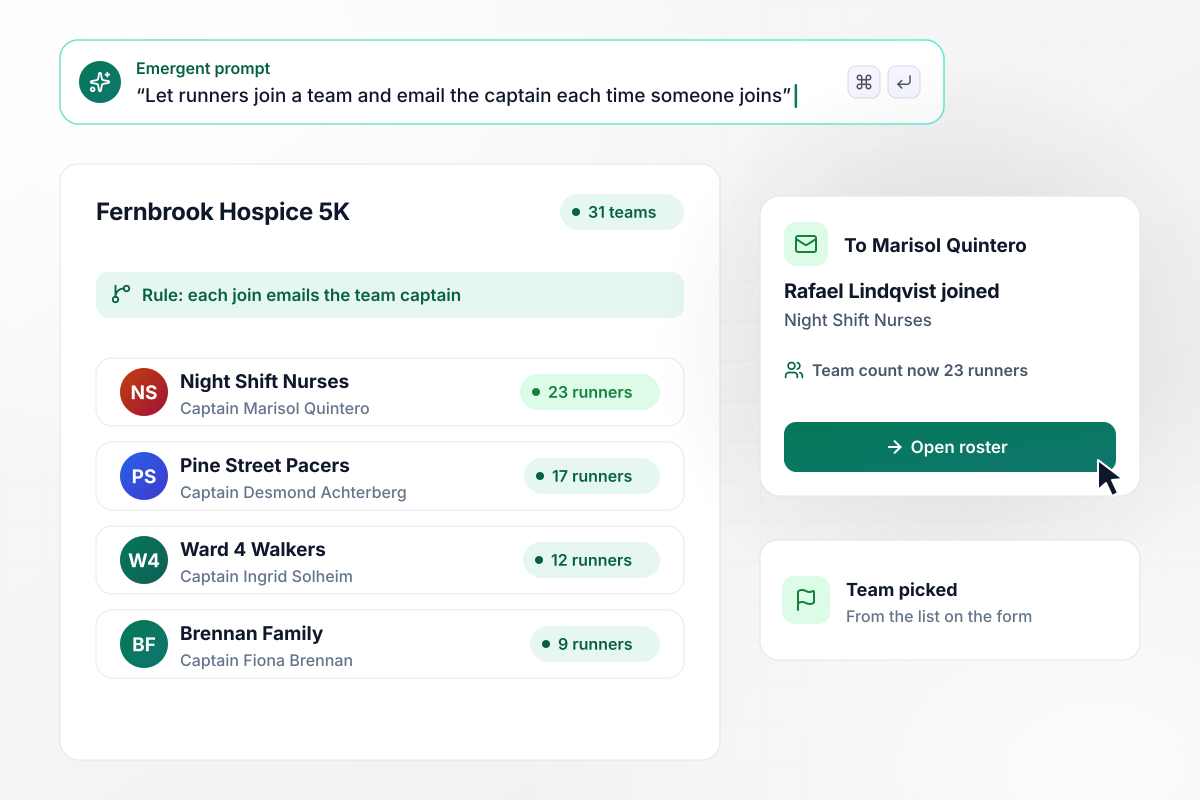
23 runners on Night Shift Nurses, each emailed to Marisol
Fernbrook Hospice runs its 5K with 31 teams, and every runner picks one from a list on the form or starts a new one. Night Shift Nurses now has 23 runners. Team captain Marisol Quintero gets an email each time someone joins, with the runner's name and the team's new count.
window.awbMockup = { charityFiveKs: "Build a registration form for our hospice 5K. Every runner joins one of our teams from a list or starts a new team with a name. Show how many runners each team has. When someone joins a team, email the team captain the runner's name and the new team count. Save every runner and team in a database I own.", schoolFunRuns: "Build a registration form for our elementary school fun run on April 18. Ask for the runner's name, birth date, grade, and shirt size. Work out each runner's age on race day. Show the waiver and capture a signature. If the runner is under 18, open a guardian section and require the parent's name and signature before the entry saves.", turkeyTrots: "Build a registration form for my Thanksgiving turkey trot. Every runner picks a shirt size: S, M, L, or XL. Keep a running count of each size. On November 3, email me the totals so I can place the shirt order. Flag any entry that comes in after November 3 for leftover stock.", packetPickup: "Build a packet pickup screen for our 5K that volunteers use on a tablet. Assign bib numbers in the order runners register. A volunteer searches by last name and sees the runner's bib, age group, and shirt size. One tap marks the packet picked up, and the screen shows how many of all registered packets are out." };
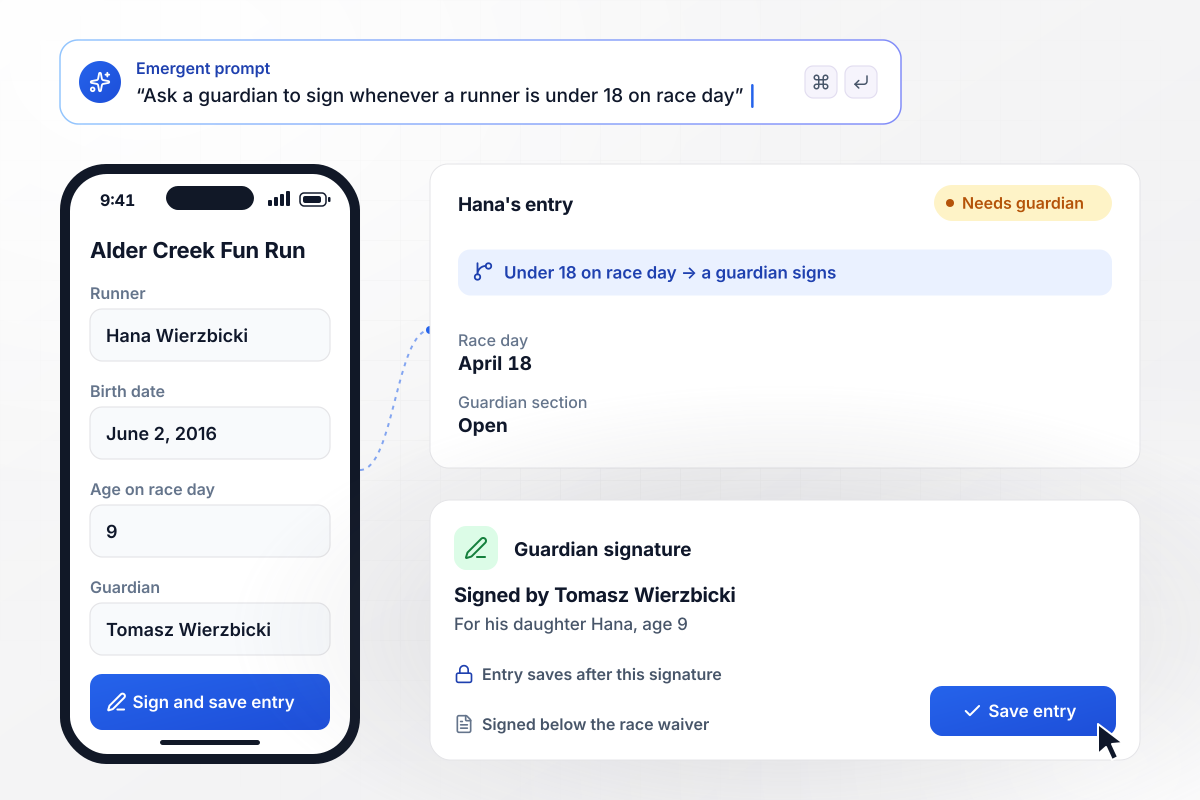
Guardians sign for any runner under 18
Birth dates decide who signs at the Alder Creek Elementary fun run on April 18. A parent enters a birth date of June 2, 2016. The app works out that the runner will be 9 on race day, and a guardian section opens below the waiver. Tomasz Wierzbicki signs for his daughter Hana, and only then does the entry save.
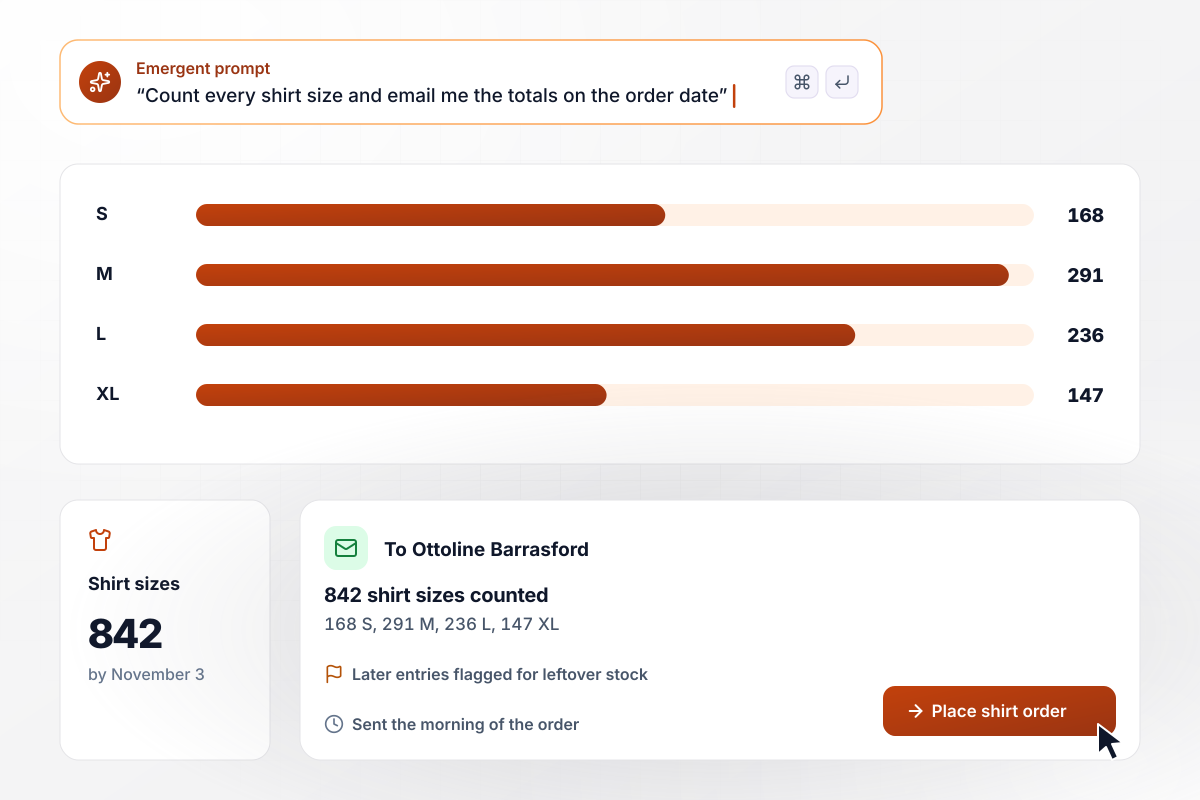
All 842 shirt sizes counted before the order goes in
Shirts for the Quarry Lake Turkey Trot go to the printer on November 3. That morning, race director Ottoline Barrasford gets an email with the count from 842 entries: 168 S, 291 M, 236 L, and 147 XL. Anyone who registers after the order goes in is flagged for leftover stock.
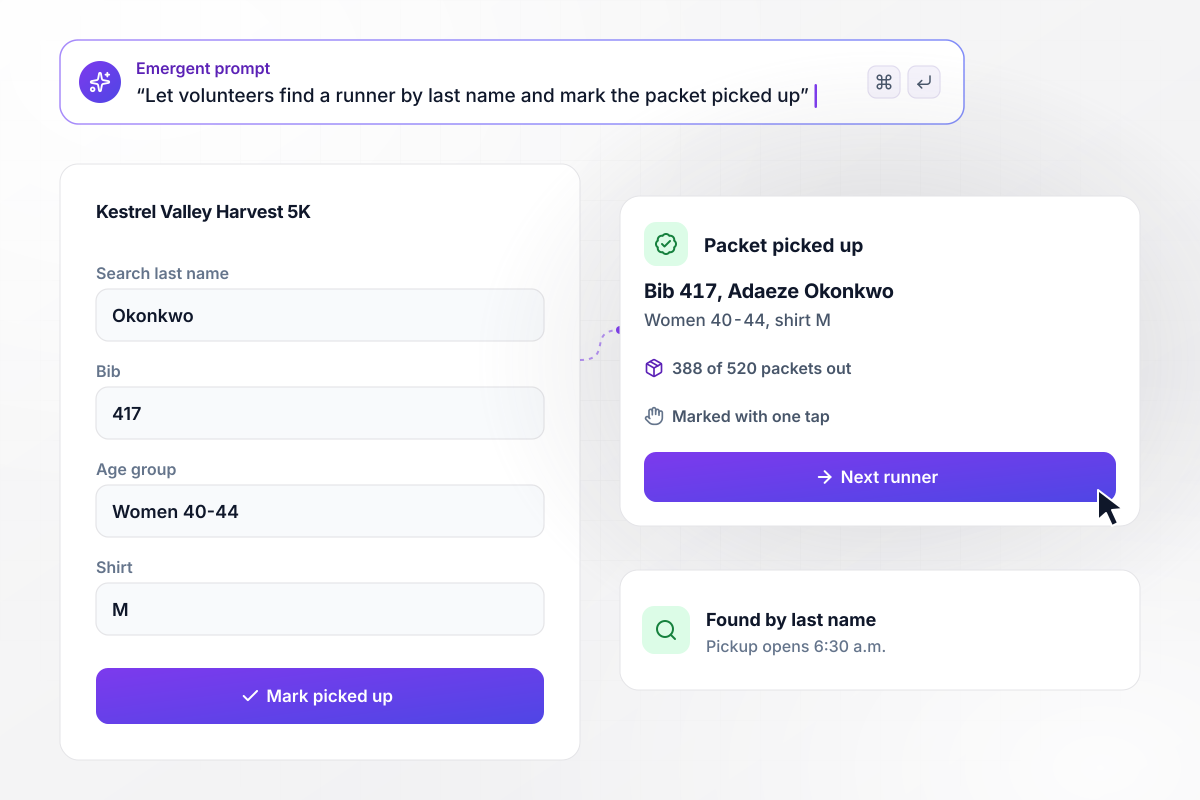
Bib 417 goes out after one last-name search
Packet pickup opens at 6:30 a.m. at the Kestrel Valley Harvest 5K. A volunteer types Okonkwo on the tablet and finds Adaeze Okonkwo with bib 417 in Women 40-44. Her shirt is a size M. One tap marks her packet picked up, and the count reads 388 of 520 packets.






How to Create a 5K Registration Form
Seven steps to create a 5K registration form that sorts runners by age group and has every bib ready for packet pickup.
Write down the race date, the start time, each distance, and the field limit before you open the form builder. The race date matters most, because every runner's age group is worked out from that one day.
Pick the bands your results will use, such as 5-year groups from 14 and under up to 70 and over, split by gender. Count each runner's age on race day. A runner whose birthday falls that week then lands in the right group.
Keep the questions to what someone will act on: name, birth date, gender, email, an emergency contact, and shirt size. Add an expected finish time only if you seed runners into corrals at the start line.
Paste in the waiver text your race uses and make the signature a required step. Add a guardian section for runners under 18 that a parent signs before the entry saves, and keep each signed waiver on the runner's record.
Put the distances and age groups into one prompt, along with the waiver text and the shirt order date. Emergent builds the form with a database of runners behind it and a pickup screen for volunteers. Change any question later by asking in plain English.
Pick the date the shirt order goes to the printer and who gets the size totals that morning. Then choose the first bib number, and decide whether walkers get a range of their own that starts at 1000.
Enter a test runner born 12 years before race day and check that the guardian section opens. Then search that last name on the pickup screen and confirm the bib number and age group match what the test entry says.
Why Build 5K Registration Forms With Emergent?
A list of names is where race-week work starts. Emergent builds the age groups and the bib list into the form itself.

|
Jotform | Google Forms | Typeform | |
|---|---|---|---|---|
| How you build | Describe it in plain English | Templates, editor, AI generator | Editor, with Gemini drafting on some Workspace plans | Templates, editor, AI assist |
| Where responses live | A database table you own, plus any integration | Jotform account | Google Sheets | Typeform account |
| Response limits | No response caps | Monthly submission caps by plan; the form stops at the cap | No limit | Monthly response caps by plan; the form closes at the cap |
| Code ownership | Full code export to GitHub on paid plans | None | None | None |



Pick the Pricing Plan That Works for You
Choose the plan that fits your building ambitions. From weekend projects to enterprise applications, we've got you covered.




Find the right form
for whatever you're collecting















Frequently Asked Questions
Your Questions, Answered
Don't change this element unless you know what you are doing
More things you can build
with Emergent









on Emergent today


