

Build a Botox Consent Form Patients Sign Before the Visit
Build a botox consent form with your medical director's wording, an e-signature, and every signed copy in a database you own.
Build a botox consent form that saves every response to a database I own.
Trusted by Builders Worldwide
Active Builders Worldwide
Apps Successfully Created
Countries Globally Reached



What Each Signed Botox Consent Form Holds
Your medical director owns the clinical wording. The form collects the answers and the signature on one patient record.
Your medical director's health questions
Turn each health question your medical director writes into a yes or no field with a box for details. Any yes moves to the top of the record, where the injector reads it first.
Consent statements initialed one at a time
Break the consent wording into short statements, and the patient initials each one. The wording carries a version number, which shows the exact text each patient agreed to and when.
An e-signature on the patient's phone
A patient can sign on their own phone the night before or on the tablet at your front desk. The app captures each e-signature and keeps it with the answers and wording it confirms.
Photo consent asked as its own question
Ask about before and after photos separately: chart only, or chart and marketing. The answer is saved with every photo on the record, and marketing pulls only photos marked for it.
The treatment details on the same row
After the visit, the injector adds the areas treated, the product, and the lot number to the row that already holds the signed consent. That row sits in a database you own.
Source code your developer can take over
On paid plans, export the full source to your GitHub repository when the form needs to live inside your practice website. Your developer can then host it on your own servers.
How Med Spas Use a Botox Consent Form
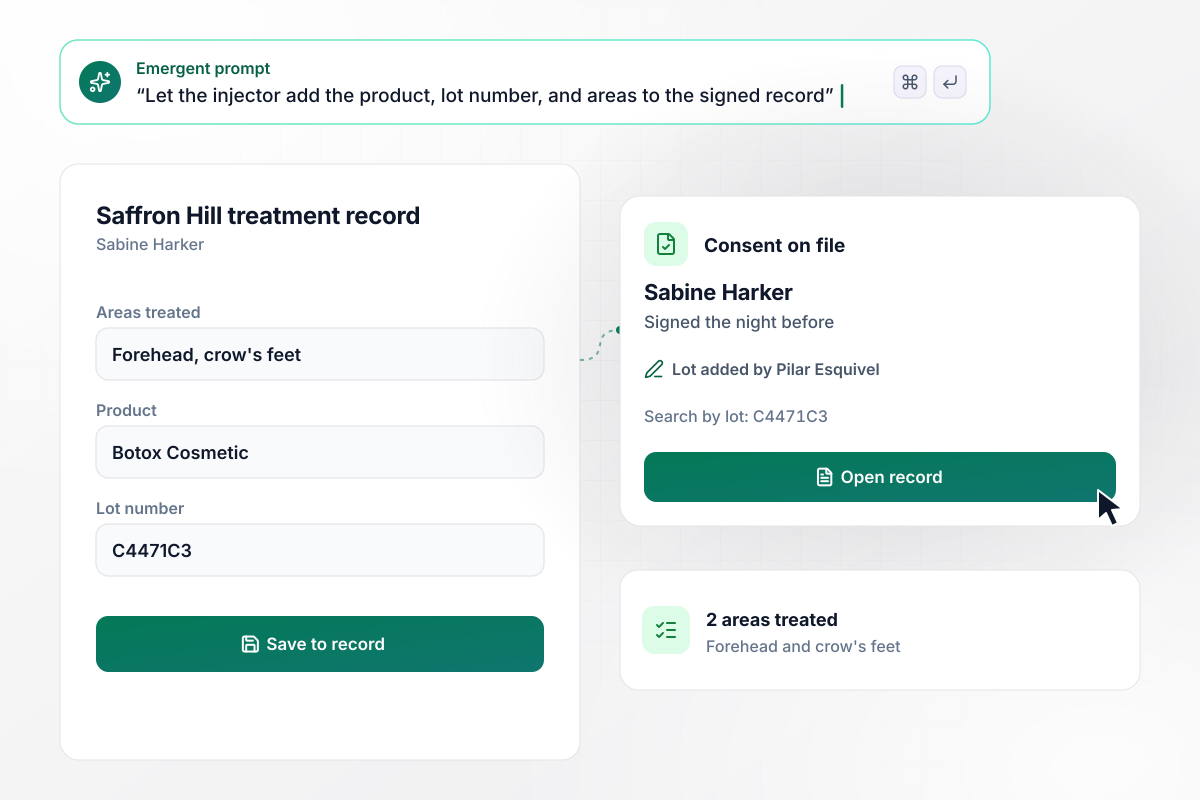
One record for the consent and the lot number
Sabine Harker books forehead lines and crow's feet at Saffron Hill Aesthetics and e-signs her consent the night before. After the treatment, injector Pilar Esquivel adds the product, lot C4471C3, and the 2 areas treated to the same record. A later search for that lot lists every patient treated from it.
window.awbMockup = { injectorTreatmentNotes: "I run Saffron Hill Aesthetics. Build a botox consent form patients e-sign before the visit. After the treatment, let the injector open the same record and add the product, the lot number, and the areas treated, such as forehead lines and crow's feet. Give me a search by lot number that lists every patient treated from that lot.", beforeAndAfterPhotos: "My skin studio takes before and after photos at every visit. Build a photo consent question with two choices: chart only, or chart and marketing. Tag every photo saved to the patient record with that choice, and give my marketing team a gallery that shows only photos tagged for marketing.", medicalDirectorReview: "Our medical director writes the health questions on our botox consent form. Make each one a yes or no field with a box for details. When a patient answers yes to any of them, email the medical director with that answer at the top, 2 days before the appointment.", updatedConsentWording: "We just changed our consent wording to version 4. Build a consent form that records which version each patient signed. Returning patients who signed version 3 should get the new wording with their next booking reminder. Keep the old signature on the record, and show me how many have signed version 4 so far." };
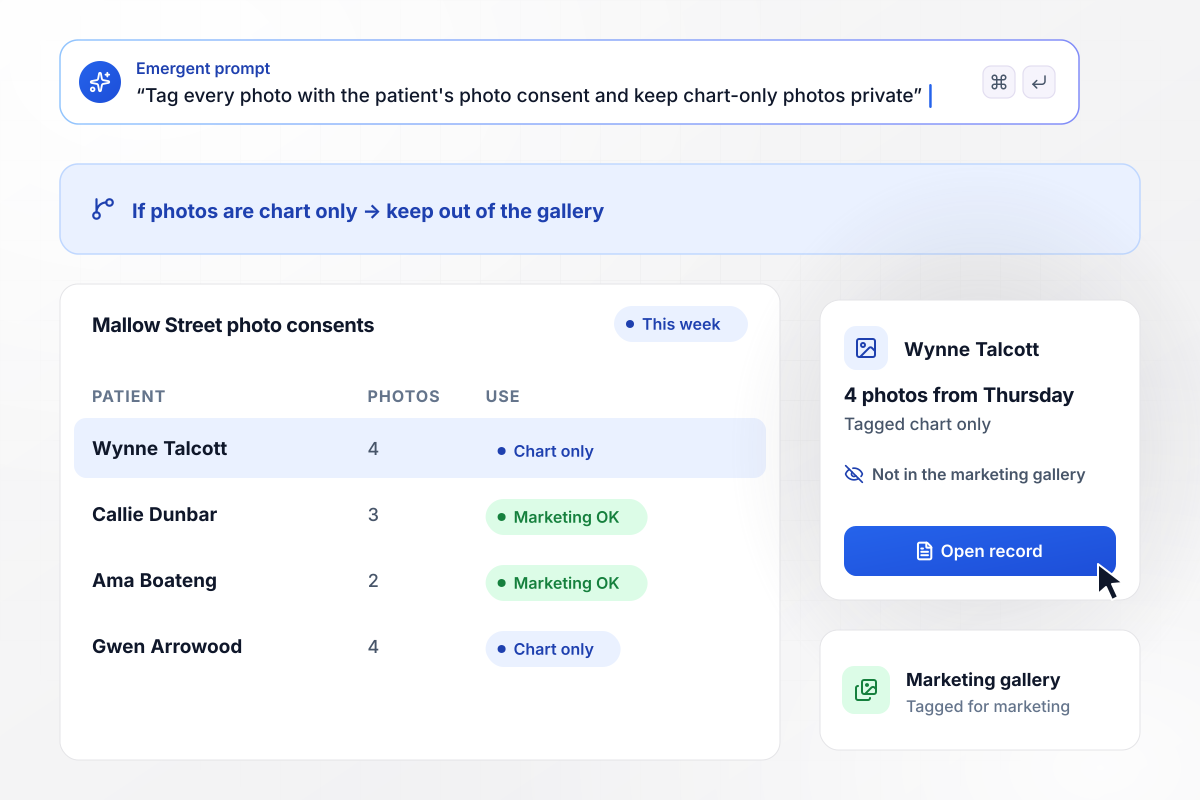
For chart-only photos, no place in the gallery
Mallow Street Skin Studio asks every patient how their photos may be used. Wynne Talcott picks chart only. Her 4 photos from Thursday are saved to her record and tagged chart only. The studio's marketing team works from a gallery that lists only photos tagged for marketing, and Wynne's are not in it.
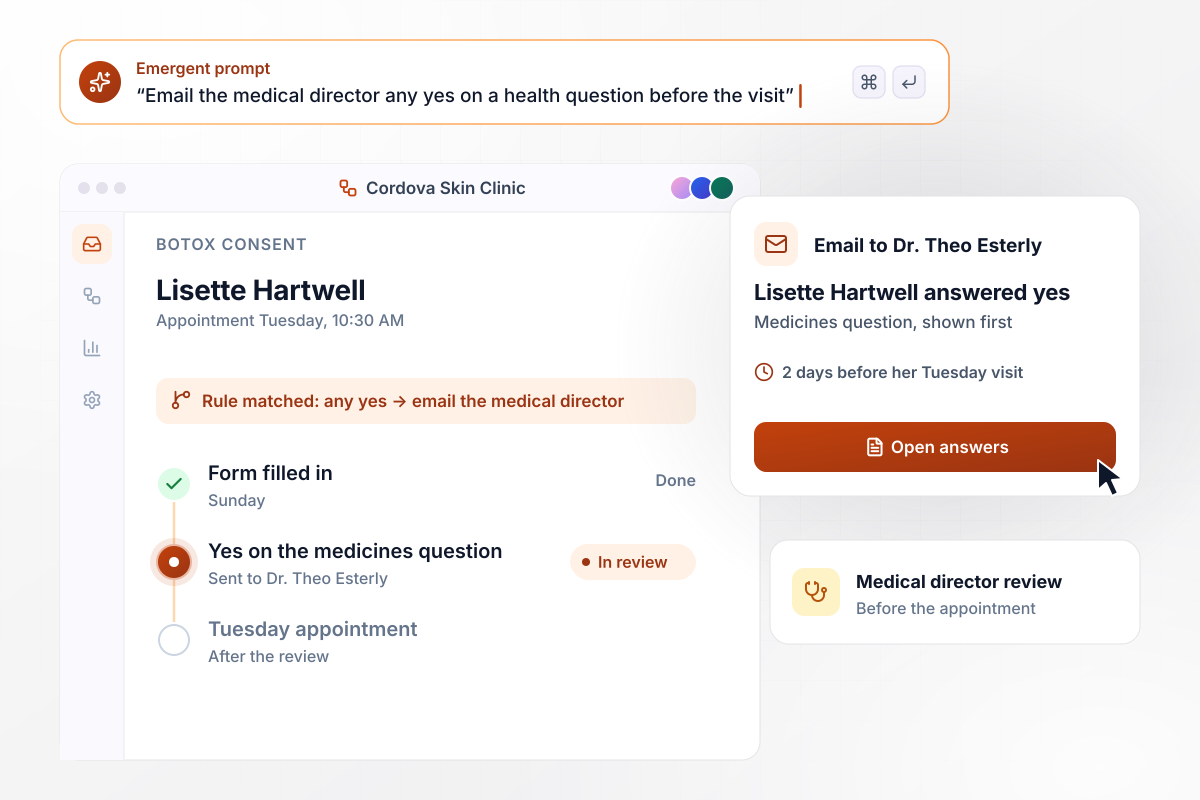
Each yes goes to Dr. Esterly before the visit
Every patient at Cordova Skin Clinic answers the health questions written by its medical director, Dr. Theo Esterly. Lisette Hartwell fills in her form on Sunday and answers yes to the medicines question. Dr. Esterly gets an email with her answer at the top, 2 days before her Tuesday appointment.
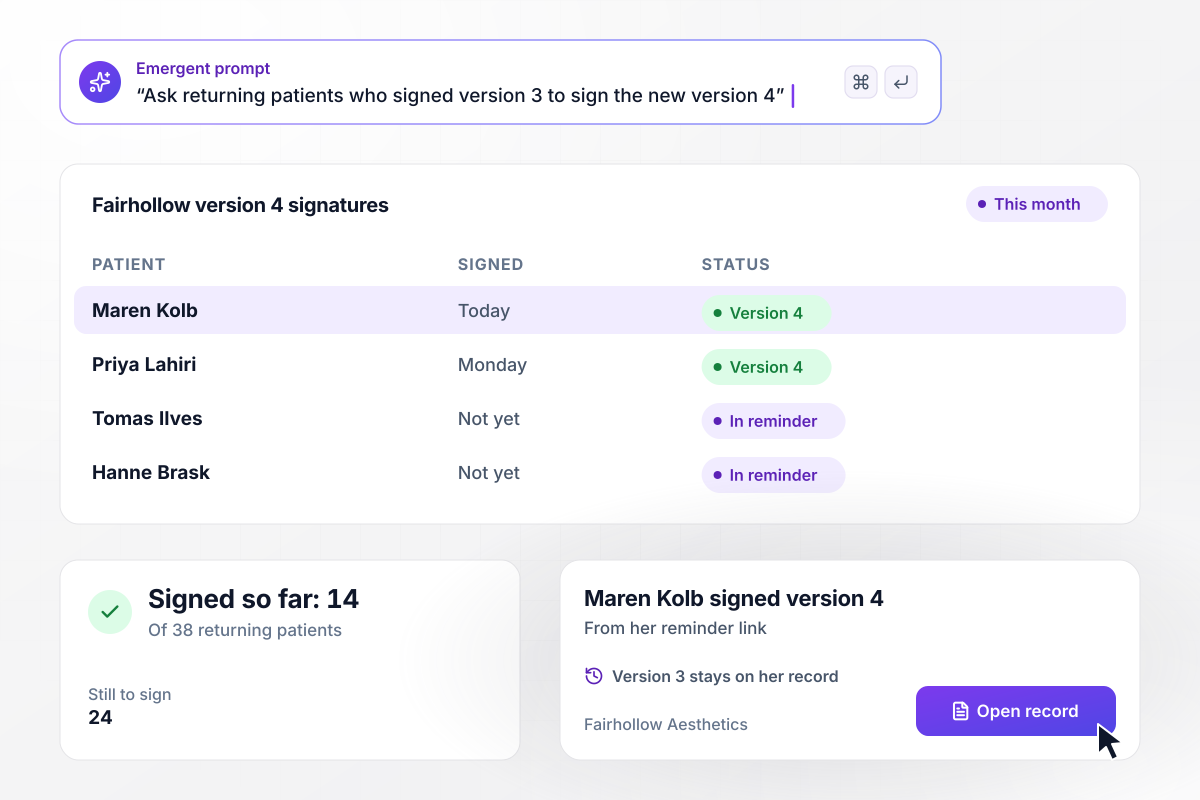
After version 4, every returning patient signs again
Fairhollow Aesthetics changed its consent wording this month, and version 4 replaced version 3. The 38 returning patients who signed version 3 get the new wording with their next booking reminder. So far 14 have signed and 24 have not. Maren Kolb signs from her reminder link, and version 3 stays on her record.






How to Create a Botox Consent Form
Seven steps to create a botox consent form your medical director approves and patients e-sign before the visit.
Write down each treatment area you book, such as frown lines, forehead lines, and crow's feet, plus any filler done at the same visit. Each becomes a choice at the top of the form, and the sections a patient sees follow from it.
Ask your medical director to write or approve every health question, starting from the ones on your current paper form. Give each question a yes or no answer and a box for details, and put any question the director adds at the end.
Have your medical director and a healthcare attorney review the consent statements before the form goes live. Number that wording as version 1 and note the date. Each later change gets the next number, and returning patients sign it.
Decide what patients can choose for before and after photos, such as keeping them in the chart or also allowing marketing use. Ask it as its own question, apart from the treatment consent, and agree with your marketing team which tag lets them use a photo.
Paste your health questions, consent statements, and photo choices into one prompt. Emergent builds a form and a patient table to match. To change a question or add a filler section later, describe the change in a new prompt.
Link each signed record to its appointment in the booking software you already use, since the app can connect to any tool with an API. Send the form link with every booking confirmation, and keep a tablet at the front desk for walk-ins.
Fill in the form twice yourself, once as a new patient who answers yes to a health question and once as a returning patient on the old wording. Check that the medical director gets the email and the new version appears, then open both records.
Why Build Botox Consent Forms With Emergent?
Paste in your approved wording and name the treatments you offer. Emergent builds the form and the patient database from that prompt.

|
Jotform | Google Forms | Typeform | |
|---|---|---|---|---|
| How you build | Describe it in plain English | Templates, editor, AI generator | Editor, with Gemini drafting on some Workspace plans | Templates, editor, AI assist |
| Where responses live | A database table you own, plus any integration | Jotform account | Google Sheets | Typeform account |
| Response limits | No response caps | Monthly submission caps by plan; the form stops at the cap | No limit | Monthly response caps by plan; the form closes at the cap |
| Code ownership | Full code export to GitHub on paid plans | None | None | None |




Pick the Pricing Plan That Works for You
Choose the plan that fits your building ambitions. From weekend projects to enterprise applications, we've got you covered.




Find the right form
for whatever you're collecting












Frequently Asked Questions
Your Questions, Answered
Don't change this element unless you know what you are doing
More things you can build
with Emergent









on Emergent today


