

Build a Conditional Logic Form That Asks Only What Applies
Build a conditional logic form that shows each person only the questions their earlier answers call for.
Build a conditional logic form that saves every response to a database I own.
Trusted by Builders Worldwide
Active Builders Worldwide
Apps Successfully Created
Countries Globally Reached



What a Form Can Do With One Answer
Every rule starts from an answer. These six pieces decide what that answer changes on the form and where the response goes next.
Rules typed as plain sentences
Write each rule the way you would explain it to a colleague: if the event is outdoors, ask for a rain date. Emergent builds each condition into the form, along with its database.
Follow-ups that wait for their answer
A question about guests stays hidden until someone says they are bringing one. Respondents get a shorter form, and each response still carries every detail its answers called for.
Whole sections skipped on one answer
One answer can move a respondent past an entire page. A first-time customer never sees the questions about a past order and goes straight to the next section that applies.
Responses sent to whoever handles them
Point each answer at the person or channel that acts on it. A billing question can email the finance inbox while a sales question posts to a Slack channel, both from one form.
A conversation that branches as it goes
Run the form as a conversation that shows one question at a time. The next screen depends on the last answer. Nobody scrolls past a block of questions meant for someone else.
Code you can move to your own repository
On paid plans, export the full code of the form and its rules to your GitHub repository. A developer can read every condition in it and host the form wherever you like.
Four Forms, Four Kinds of Rule
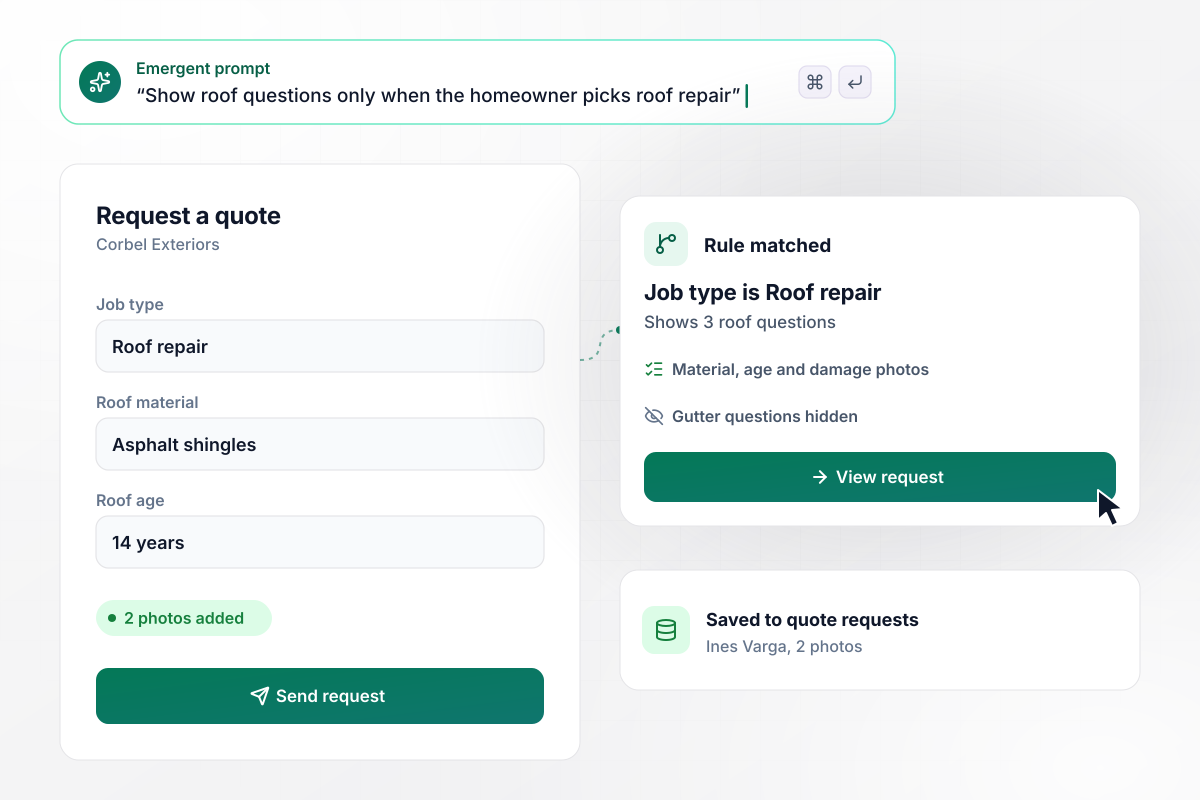
Pick roof repair, and in come three roof questions
Corbel Exteriors quotes roofs and gutters from one form. Choose roof repair and three questions appear: the roof material, its age, and photos of the damage. The gutter questions stay hidden. Ines Varga sends asphalt shingles, 14 years old, with 2 photos, and the estimator reads a request with nothing left to chase.
window.awbMockup = { quoteRequests: "Make a quote request form for my roofing and gutter company. Ask every homeowner for the job type first. If they pick roof repair, show three questions: roof material, roof age, and photos of the damage. If they pick gutter cleaning, show the gutter questions instead. Save each request with its photos for my estimator.", jobApplications: "I need a job application form for my freight company. Start by asking whether the applicant holds a commercial driver's license. If the answer is No, skip the two driving history pages and go to the warehouse shift page, where they pick days or nights. Save each application under driver roles or warehouse roles.", facilityRequests: "Set up a facility request form for my coworking space. Members give their suite number and pick a category, and they can add a photo. Post every Leak request to the #building-urgent channel in Slack with the suite number. Email Wi-Fi requests to the IT inbox. Keep every request in one list I can sort by category.", projectInquiries: "Create a project inquiry form for my web design studio. Ask for the budget range near the end. If the budget is under $8,000, end the form on a page showing my two fixed-price starter packages. If it is $8,000 or more, end on a page to book a 30-minute call with me. Save every inquiry in one database." };
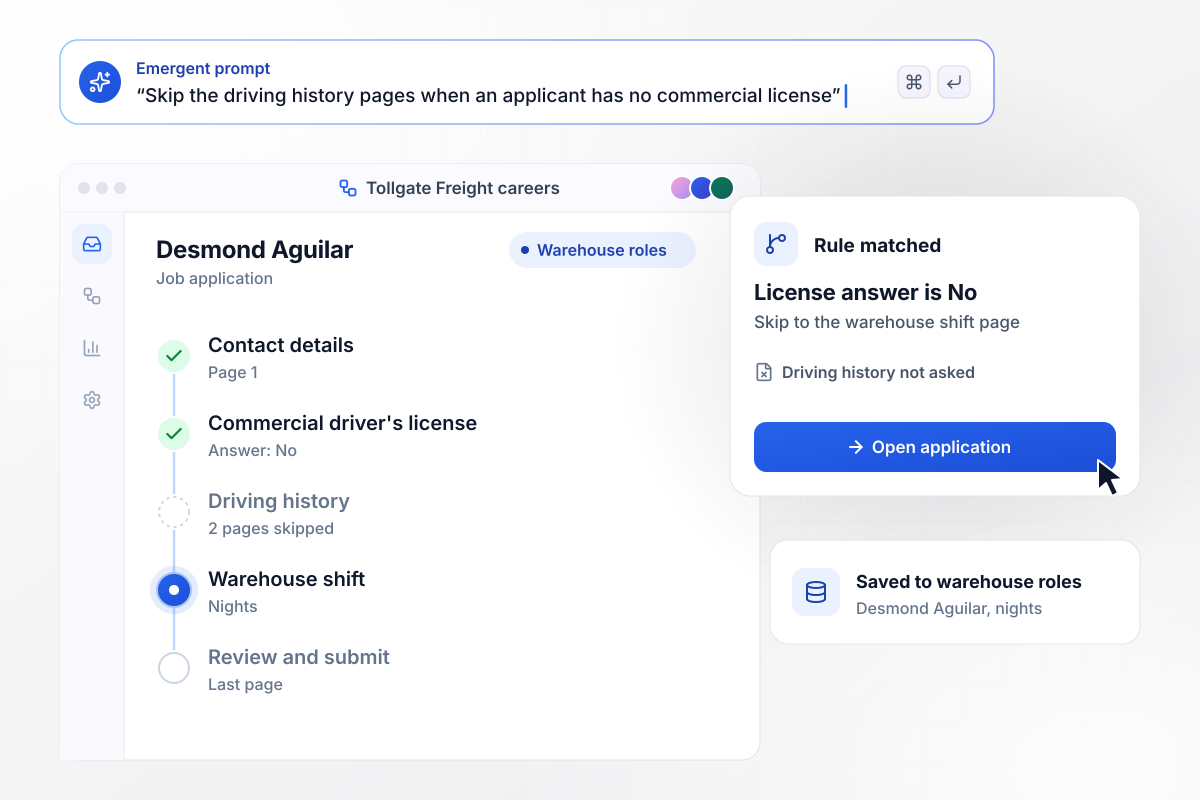
A No on the license question skips two pages
Truck driving jobs at Tollgate Freight start with one question: do you hold a commercial driver's license? Desmond Aguilar answers No. The form skips the two driving history pages and opens the warehouse shift page, where he picks nights. His application saves with the warehouse roles instead of the driver applications.
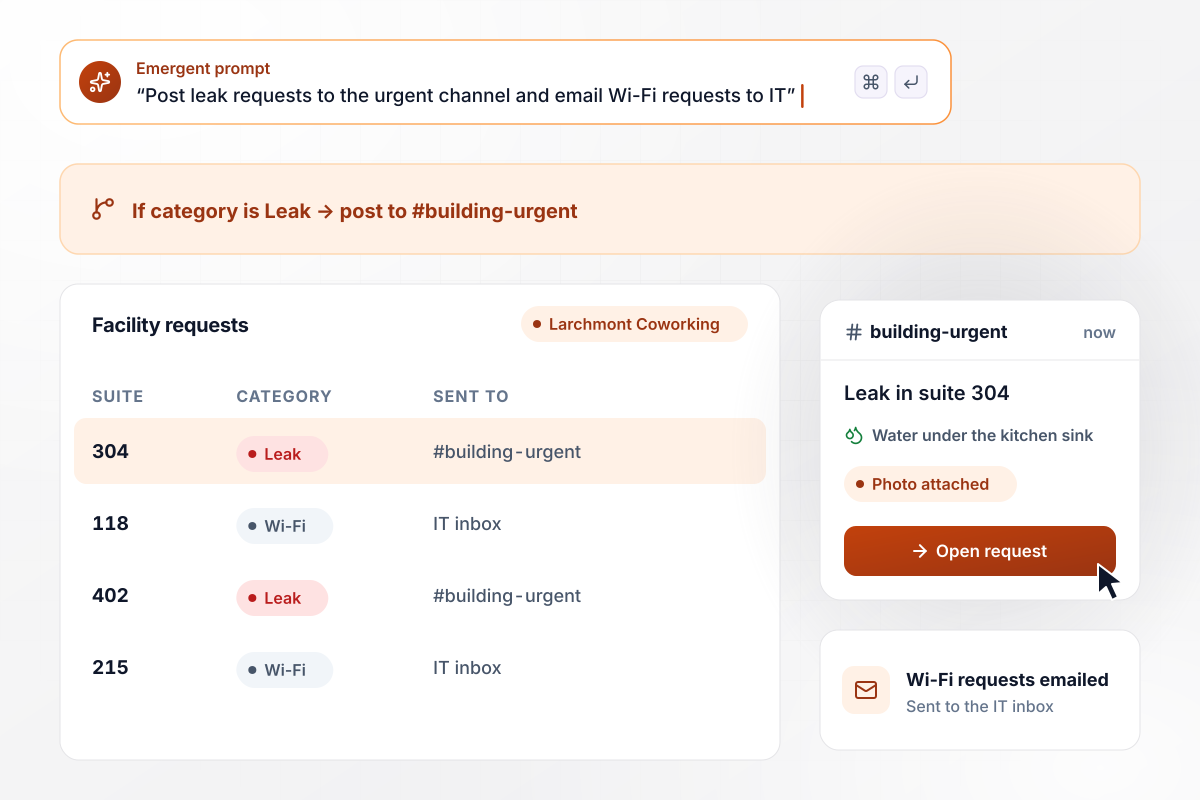
Leaks from any suite post to #building-urgent
Members at Larchmont Coworking report problems on one form, and the category they pick decides who hears about it. A member in suite 304 picks Leak and adds a photo of water under the kitchen sink. The request posts to #building-urgent in Slack. A Wi-Fi problem goes to the IT inbox by email.
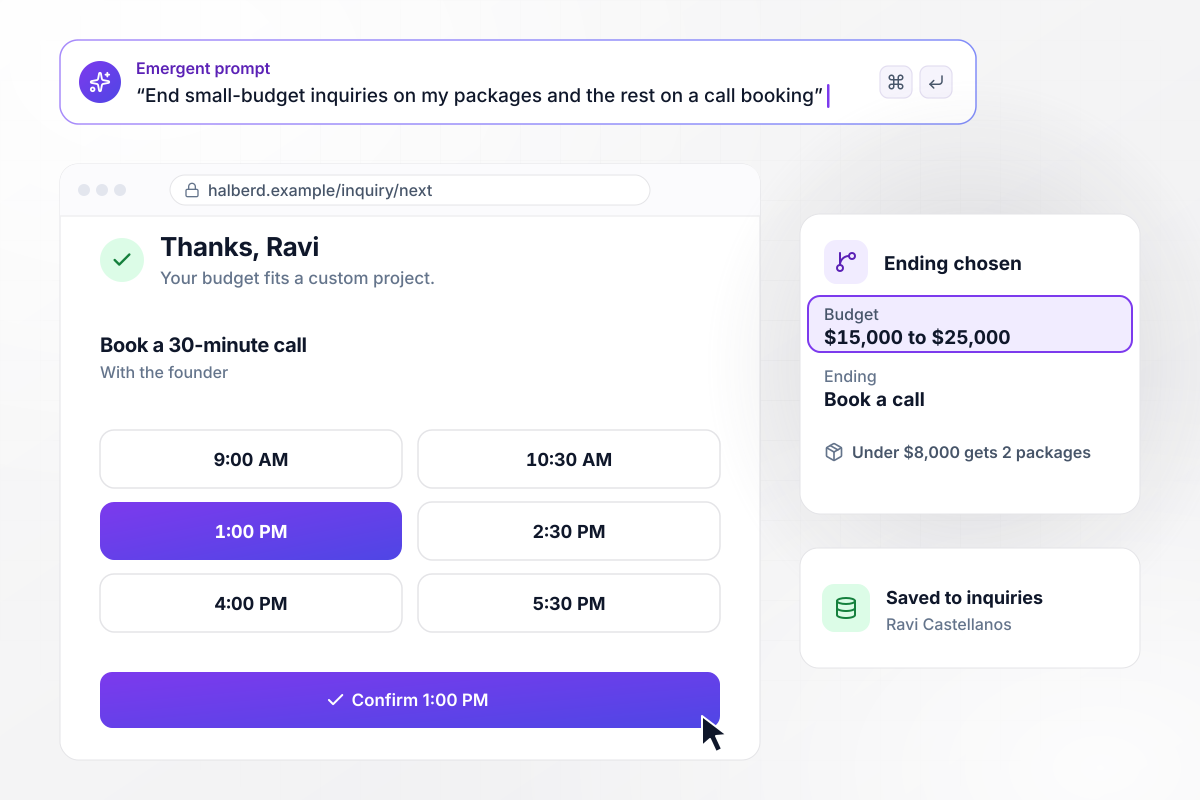
Under $8,000, it ends with two packages
Halberd Studio takes website inquiries on one form, and the budget answer picks the last page. Under $8,000, the form ends on two fixed-price starter packages. Ravi Castellanos picks $15,000 to $25,000, and his form ends on a page to book a 30-minute call with the founder.






How to Create a Conditional Logic Form
Seven steps to map the rules of a conditional logic form and test every path before anyone fills it in.
Start with the questions every respondent sees, whatever they choose: name, contact details, and the reason they came. Keep that core short. Every other question on the form should earn its place by appearing only for the people it applies to.
Go through the core and mark each answer that changes what comes next. A job type, a yes or no answer, a budget range, or a request category are good candidates. Each marked answer becomes the trigger for at least one rule.
Write each rule with a trigger and a result: if the order is for delivery, ask for the address. Keeping one rule to a sentence makes two rules that fight over the same question easy to spot before they reach the form.
Decide which last page each group of respondents sees and who hears about their response. That might be an email to one person for one answer and a post in a team channel for another. Write those down as rules too.
Someone may answer a follow-up, then change the answer that showed it. Decide whether the hidden answer stays in the response or is cleared. Clearing it keeps a response from carrying details that no longer apply to that person.
Paste the core questions and your rule sentences into one prompt. Emergent builds the form with every condition in place, plus the database that stores each response. Read what it built, and add a missing rule with another prompt instead of starting over.
Before you share the link, fill the form once for every path, choosing answers that trigger each rule. Confirm that every follow-up appears when it should and that each test response reaches the person or channel you picked.
Why Write Your Form Rules With Emergent?
Describe the rules in plain English. Emergent builds the form around them, with a database you own. A new rule is one more prompt.

|
Jotform | Google Forms | Typeform | |
|---|---|---|---|---|
| How you build | Describe it in plain English | Templates, editor, AI generator | Editor, with Gemini drafting on some Workspace plans | Templates, editor, AI assist |
| Where responses live | A database table you own, plus any integration | Jotform account | Google Sheets | Typeform account |
| Response limits | No response caps | Monthly submission caps by plan; the form stops at the cap | No limit | Monthly response caps by plan; the form closes at the cap |
| Code ownership | Full code export to GitHub on paid plans | None | None | None |



Pick the Pricing Plan That Works for You
Choose the plan that fits your building ambitions. From weekend projects to enterprise applications, we've got you covered.




Find the right form
for whatever you're collecting















Frequently Asked Questions
Your Questions, Answered
Don't change this element unless you know what you are doing
More things you can build
with Emergent









on Emergent today


