

Build a Contact Form That Reaches the Right Person
Build a contact form that asks for a topic first, sends each message to the person who answers it, and logs the reply.
Build a contact form for my website.
Trusted by Builders Worldwide
Active Builders Worldwide
Apps Successfully Created
Countries Globally Reached



What a Contact Form Should Do After Send
Each one keeps a message from sitting unread in an inbox nobody owns.
Routing by topic
Pick an owner for every kind of question a visitor might ask. The topic they choose decides who gets the message, and whether that person hears about it by email or in Slack.
Fields that fit the topic
Show an order number field only to someone asking about an order, and a guest count only for catering. A visitor with a general question sees the short form and nothing more.
Every message saved as a row
Keep each message in a database you own, with its topic and reply status on the same row as the sender. Search past conversations by email address, or export the table at any time.
Reminders when nobody replies
Give each topic a reply window. A message still unanswered when the window closes sends a reminder to its owner, then escalates to a manager you named when you built the form.
A confirmation the sender can keep
Email every sender a copy of their message with a reference number. When they quote it in a follow-up, support finds the original row in one search instead of asking again.
Code you can take anywhere
Export the contact form and its database to GitHub on paid plans, routing rules included. A developer can host it on your own servers or drop it into the website you already run.
Contact Forms by Business Type
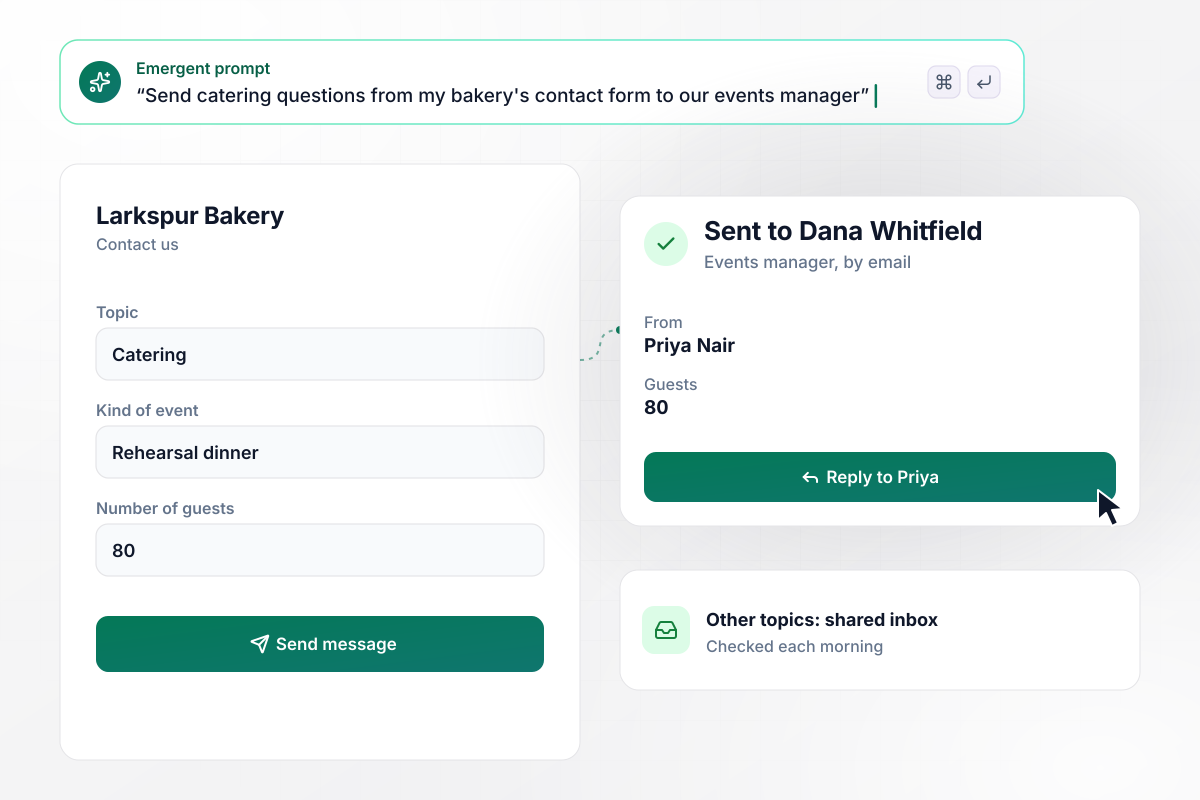
Catering questions land with one person
Larkspur Bakery's contact page asks every visitor to pick a topic first. Catering opens two more fields: the kind of event and the number of guests. Those messages go to Dana Whitfield, the events manager, by email. Everything else lands in the shared inbox the counter staff check each morning.
window.awbMockup = { localBusinesses: "I run a bakery and need a contact form for our website. Ask every visitor to pick a topic first. If they choose catering, ask for the kind of event and the number of guests, and email those messages to Dana Whitfield, our events manager. Send wholesale and general questions to our shared inbox.", onlineStores: "My online store needs a contact form that works well on a phone. Ask for the order number with the message and look it up in our Shopify orders. Open a support ticket that shows the items and when they shipped. Let customers add a photo when something arrived damaged.", multiLocationClinics: "We run three physical therapy clinics and want one contact form for all of them. Patients pick a location and the message goes to that clinic's front desk. If nobody replies within 4 business hours, send it to Lena Park, our practice manager, in Slack, with the clinic and how long it has waited.", pressInquiries: "Build a get in touch form for our press page. Ask reporters for their outlet, the story, and their deadline. If the deadline is within 48 hours, send a direct Slack message to Jonah Reyes, our communications lead. Put every other inquiry in a press queue he reviews each Monday." };
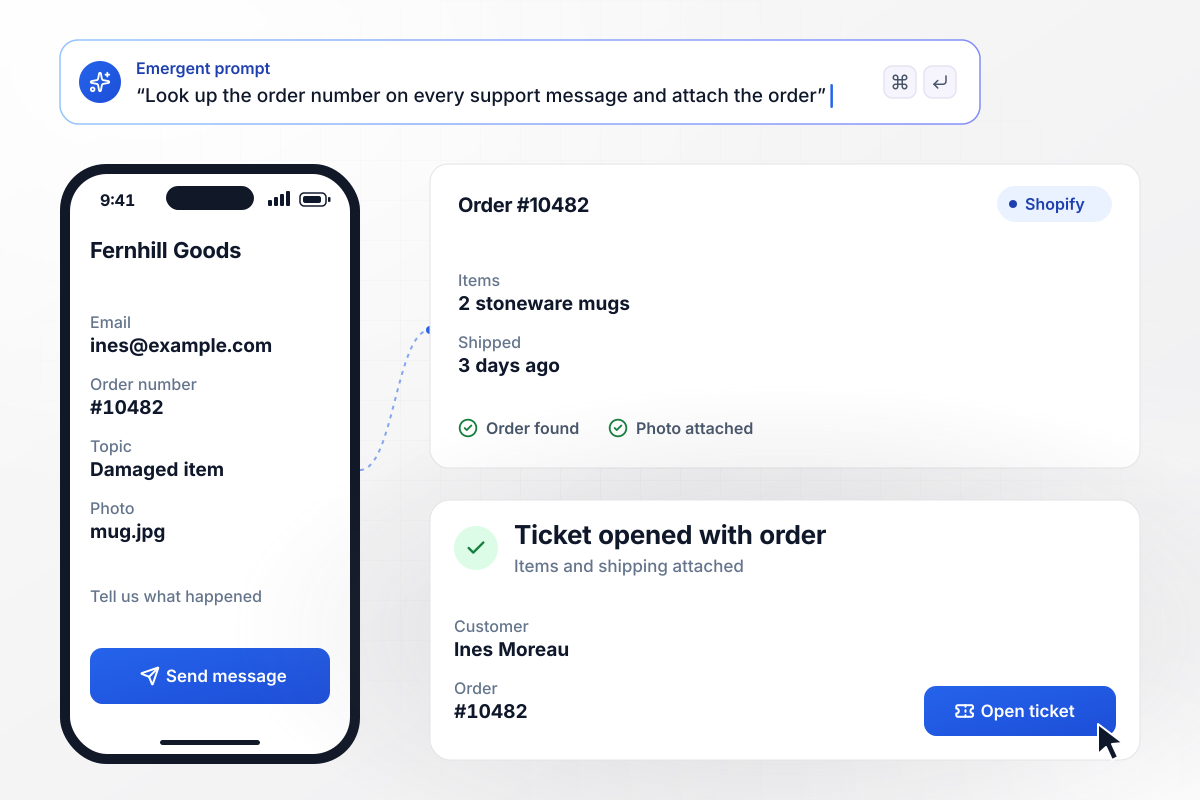
Support opens each ticket with the order attached
Customers of Fernhill Goods write in from a phone and enter their order number with the message. The form looks it up in the store's Shopify orders and opens a ticket that shows the items and when they shipped. A customer reporting a damaged mug can add a photo before sending.
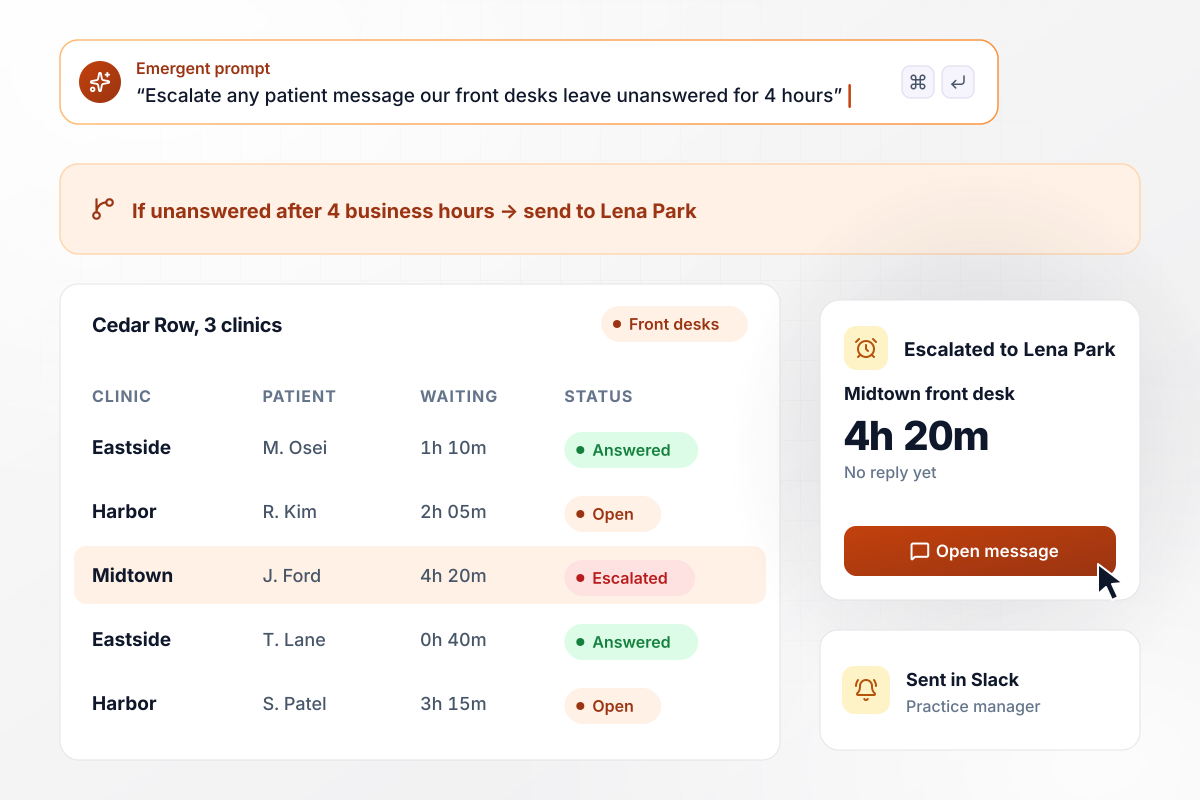
Any message unanswered for 4 hours moves up a level
Three clinics share one form at Cedar Row Physical Therapy. Patients pick a location, and the message goes to that clinic's front desk. If nobody replies within 4 business hours, Lena Park, the practice manager, gets it in Slack. She sees which desk let it sit and for how long.
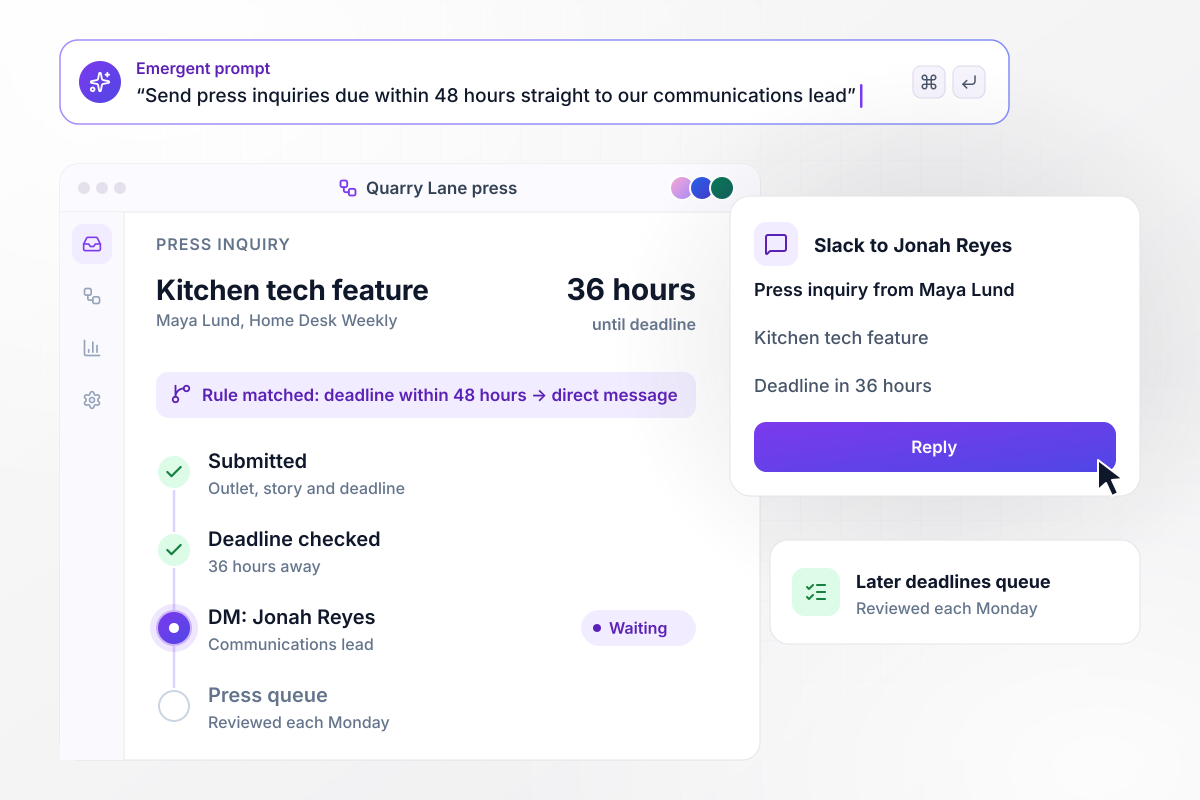
A reporter on a 48-hour deadline gets a direct line
Reporters writing about Quarry Lane Cycles use the get in touch form on its press page. It asks for the outlet, the story, and the deadline. A deadline within 48 hours sends a direct Slack message to Jonah Reyes, the communications lead. Later deadlines join a press queue he reviews each Monday.






How to Make a Contact Form
Seven steps to make a contact form that puts every message in front of a named person, then build it with Emergent.
List the topics people write in about, such as orders, catering or press, and put one named person beside each. Add a fallback owner for anything that fits none of them. That list becomes the routing behind the form.
Ask everyone for a name, an email address, and the message. Add a phone field only when a person will call back. Every required field you add is one more thing a visitor has to fill in before they can send.
Make the topic the first question, with one choice per owner on your list plus Something else. Each choice can open its own fields: an order number for orders, a guest count for catering, a deadline for press.
Decide how long each kind of message may wait before its owner is reminded. A broken order might get one business day, while a partnership pitch can wait a week. Name the manager who hears about anything past its window.
Write your topics and their owners into one prompt in plain English, with the fields and reply windows. Emergent builds the form, the rules that route each message, and a table where every message is stored. Change any owner later by prompting again.
Draft the email each sender receives: a thank-you line, a copy of what they wrote and a reference number. If you state a reply time, pick one you can meet on your busiest week, not your quietest.
Place the form on your contact page, or share the hosted link on a custom domain (built into Emergent, uses credits). Send one test message per topic from a phone. Check that each one reaches its owner and that the confirmation lands in the sender's inbox.
Why Build Your Contact Form With Emergent?
A template hands you the fields. Emergent builds the form with the rules that decide who answers, and you change either one by prompting.

|
Jotform | Typeform | Google Forms | |
|---|---|---|---|---|
| How you build | Describe it in plain English | Templates, editor, AI generator | Templates, editor, AI assist | Editor, with Gemini drafting on some Workspace plans |
| Response limits | No response caps | Monthly submission caps by plan; the form stops at the cap | Monthly response caps by plan; the form closes at the cap | No limit |
| Where responses live | A database table you own, plus any integration | Jotform account | Typeform account | Google Sheets |
| Code ownership | Full code export to GitHub on paid plans | None | None | None |


Pick the Pricing Plan That Works for You
Choose the plan that fits your building ambitions. From weekend projects to enterprise applications, we've got you covered.




Find the right form
for whatever you're collecting















Frequently Asked Questions
Your Questions, Answered
Don't change this element unless you know what you are doing
More things you can build
with Emergent









on Emergent today


