

Build a Drug Test Consent Form That Names Who Sees Results
Build a drug test consent form that records the test and its reason, captures an e-signature, and names who gets the result.
Build a drug test consent form that saves every response to a database I own.
Trusted by Builders Worldwide
Active Builders Worldwide
Apps Successfully Created
Countries Globally Reached



What Each Signed Consent Should Record
A signature line proves someone agreed. The app Emergent builds also keeps which test it was, why it ran, and who sees the result.
The test and its reason, picked from a list
The signer sees which test it is before signing: urine or oral fluid, and pre-employment, random, post-accident, or reasonable suspicion. Both picks are saved with the signature.
An e-signature from the signer's phone
Applicants open the consent from an emailed link and sign with a finger on the screen. The app saves the typed name, the date, and the signature in one record you can search.
A release naming who receives the result
List the people or roles allowed to receive the result inside the consent itself, such as one HR manager. The signer reads that list before signing, and it stays on the record.
Signed counts for a random testing pool
See how many employees in the pool have signed and which have not. The app emails a reminder on the schedule you set, and each new signature takes a name off the unsigned list.
A second signature for applicants under 18
When the birth date shows an applicant is under 18, the form asks a parent or guardian to sign too. The record stays open until both signatures are in, and HR sees which is missing.
Consent records you can take with you
On paid plans, export the full codebase to your GitHub repository and host the consent app alongside your other HR systems. Every signed consent stays in a database you own.
When the Consent Gets Signed
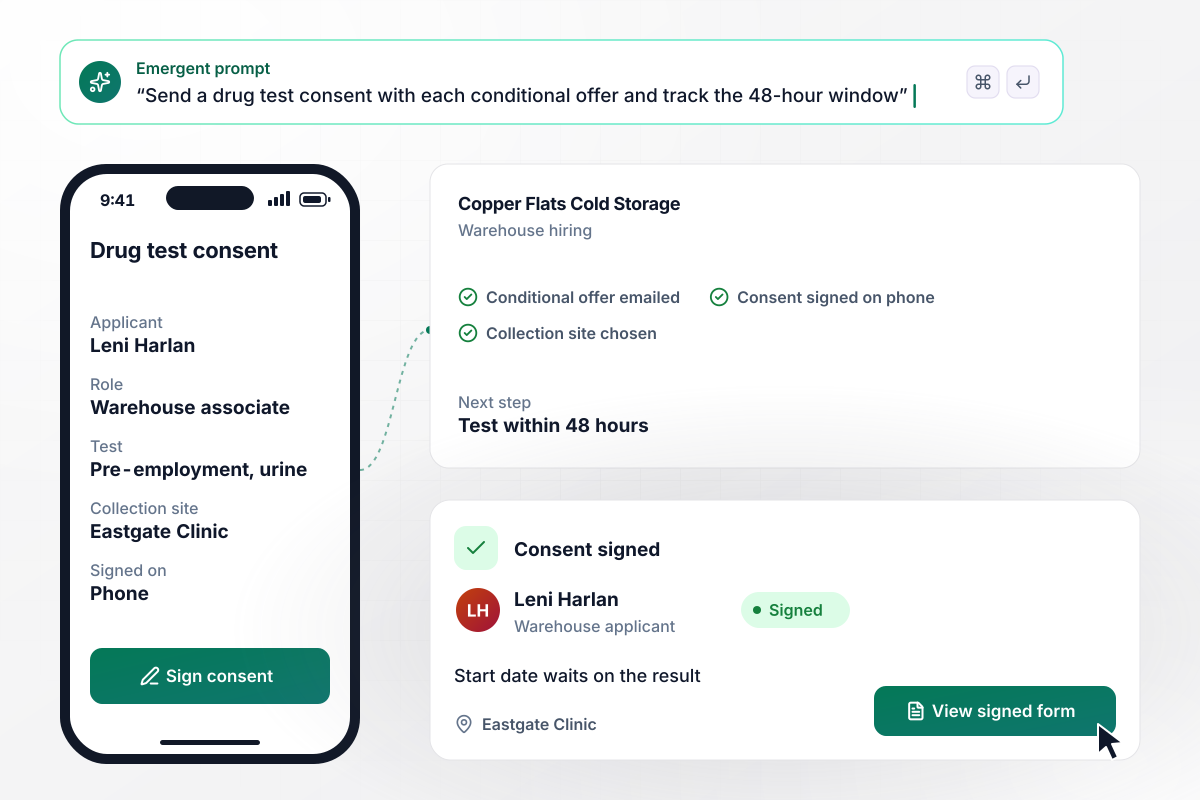
Leni signs from her phone and tests within 48 hours
Copper Flats Cold Storage emails a conditional offer to warehouse applicant Leni Harlan with a link to the consent. She signs on her phone and picks a collection site near her. HR sees the signed form and a 48-hour window to test, and her start date waits on the result.
window.awbMockup = { preHireTests: "I run hiring for a cold storage warehouse. When we email a conditional offer, include a link to a drug test consent the applicant signs on a phone. Let them pick a collection site, then show HR the signed form with a 48-hour window to test.", randomPools: "My plant has 186 employees in a random drug testing pool. Each one signs the consent and our policy acknowledgment once. Show me how many have signed, list the names of those who have not, and email each of them a reminder every 3 days until they sign.", postAccidentTests: "After an accident at my lumber yard, a shift supervisor should open a post-accident drug test form on a tablet, pick the test reason, and hand it to the operator to sign. The release on the form names our HR manager as the only person who receives the result.", dotAndNonDot: "My freight company hires drivers in DOT-covered roles and dock workers who are not. Build one hiring form that skips the drug test consent page for driver roles and shows it to dock hires, who sign it there. Show me how many of each signed or skipped this week." };
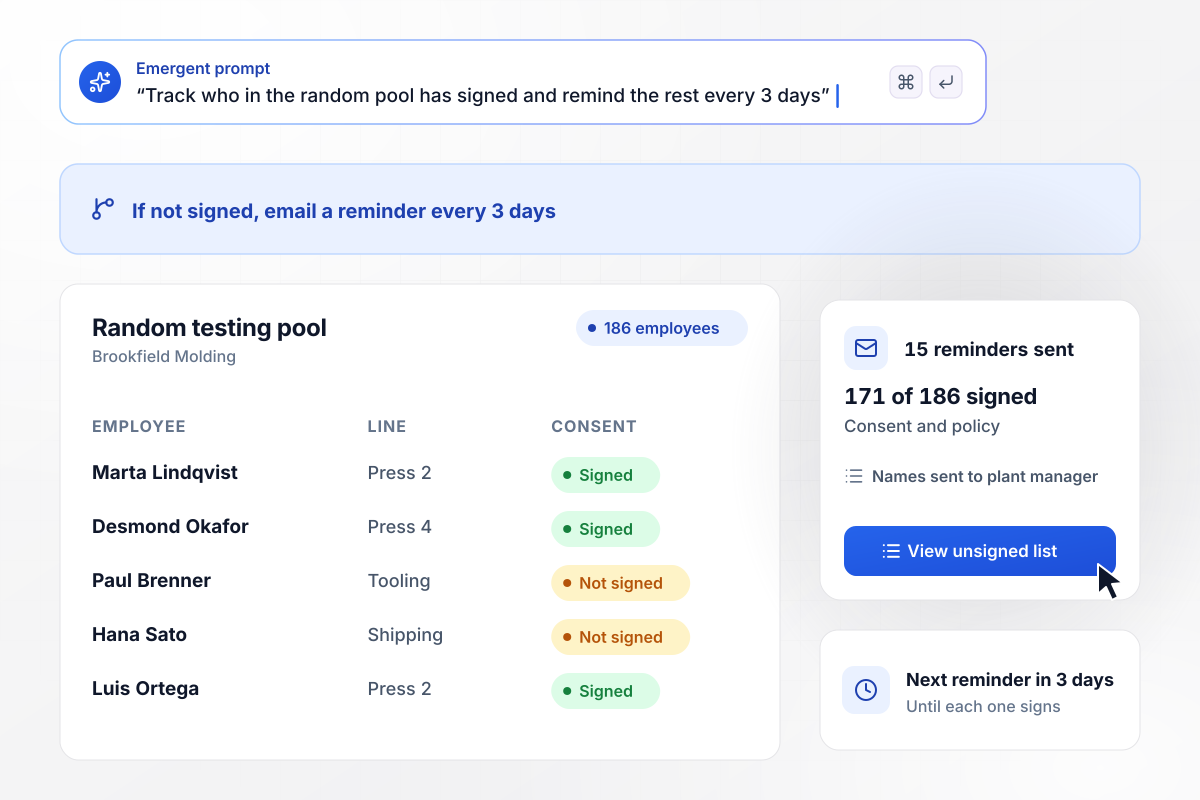
Reminders every 3 days until all 186 have signed
Brookfield Molding keeps 186 plant employees in its random testing pool, and each one signs the consent and the policy acknowledgment once. Right now 171 of the 186 have signed. The 15 who have not get an email reminder every 3 days, and the plant manager sees their names on one list.
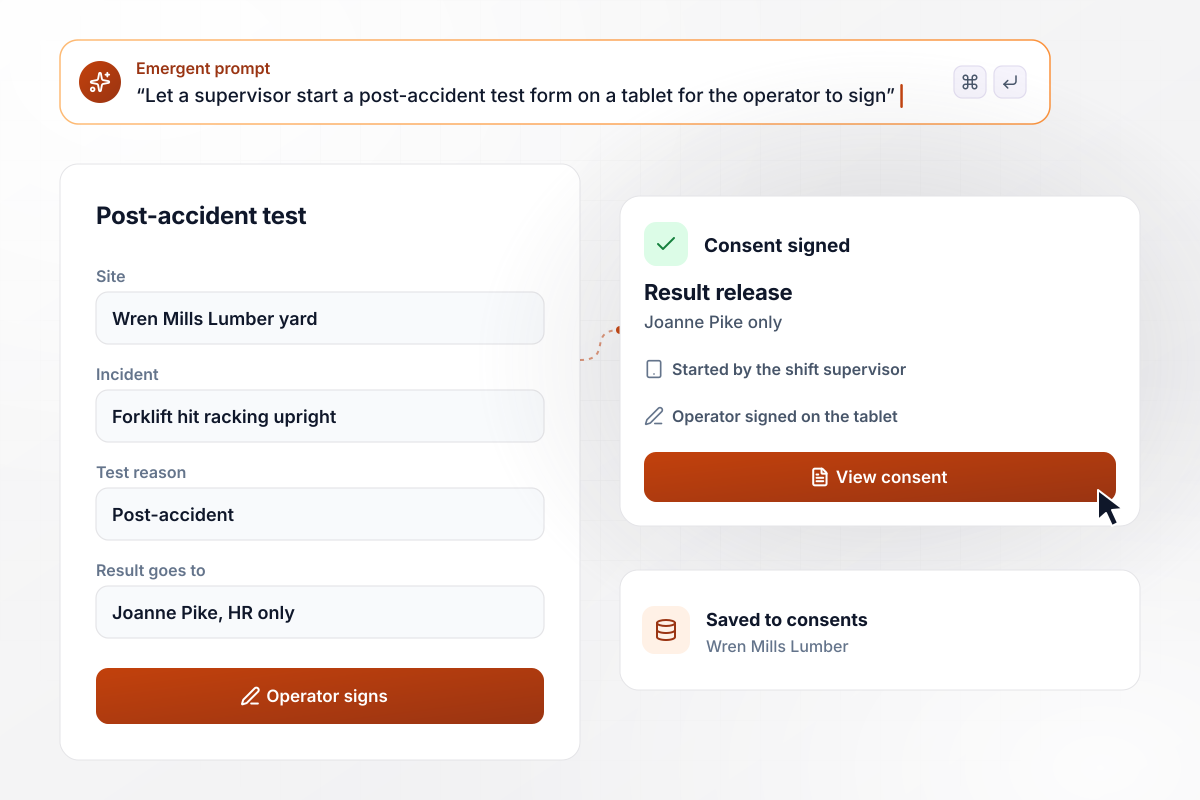
For the post-accident result, one named reader
A forklift backs into a racking upright at Wren Mills Lumber. The shift supervisor opens the post-accident form on a tablet, picks the test reason, and hands it to the operator to sign. The release on that form names Joanne Pike in HR as the only person who receives the result.
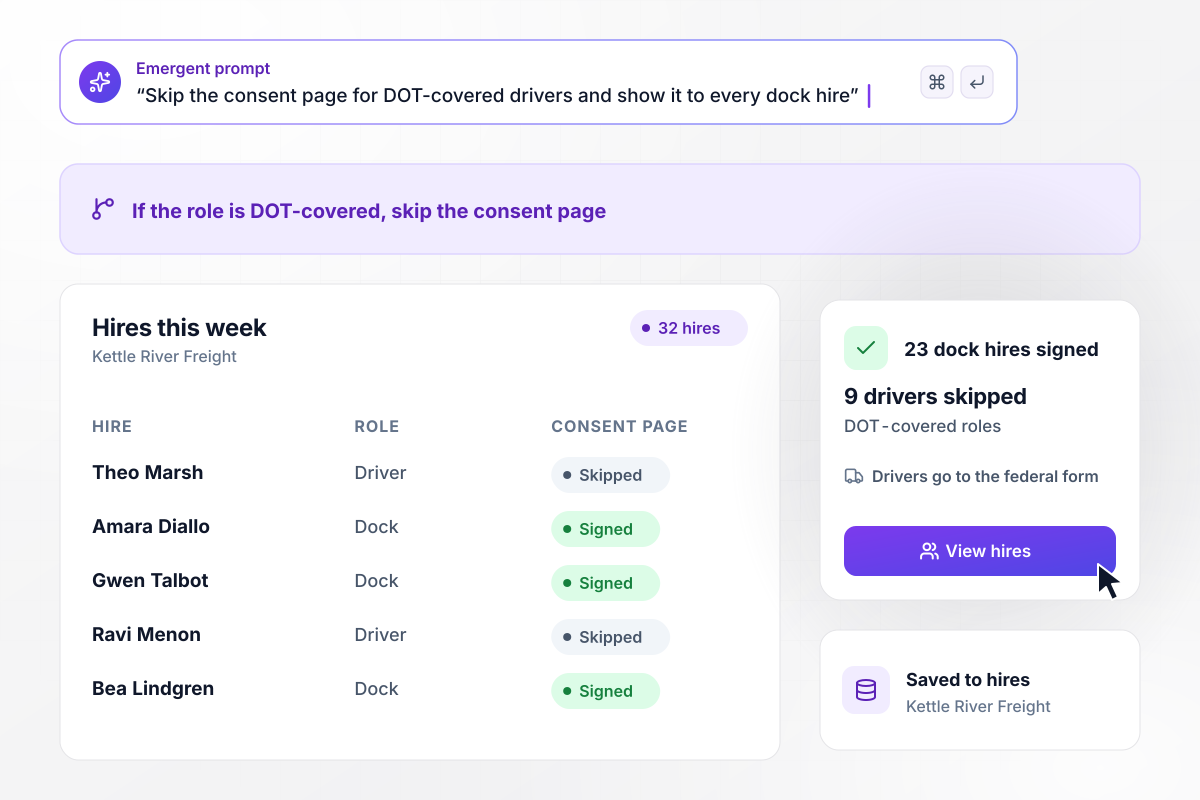
Consent for 23 dock hires, none for 9 drivers
Kettle River Freight hired 9 drivers and 23 dock workers in one week. DOT rules bar an employer from requiring a signed consent for the testing they cover. The form skips the consent page for the DOT-covered driver roles. The 23 dock hires see the page and sign it.






How to Create a Drug Test Consent Form
Seven steps to create a drug test consent form that skips DOT-covered roles, names who sees results, and gets signed on a phone.
DOT rules say DOT tests must be completely separate from non-DOT tests in all respects, and every DOT collection is documented on the federal custody and control form. List which roles fall under DOT rules; the consent form goes only to the other roles.
Ask your employment counsel to set the consent wording before the form goes live. Paste the approved text into your prompt word for word, and keep each version to show which one an employee signed.
Write down each specimen you collect, such as urine or oral fluid, and every reason your written policy gives for testing someone. These become the two lists the signer picks from before the signature line appears.
Decide which people or roles receive a result for each test reason, and keep the list short. A post-accident result might go to one HR manager and nobody else. The form shows that list above the signature line.
Tie each form to the moment it is needed: a conditional offer for applicants, enrollment for a random pool, an incident for post-accident tests. The app emails the link at that point and reminds anyone who has not signed.
Write a prompt that names the roles that sign and the reasons you test. Emergent builds the form with an e-signature step and a database behind it, and you change any part later by asking in plain English.
Before the first applicant sees it, sign a test consent on your own phone for each test reason. Check that the approved wording appears, the recipient list is right, and the signed record lands where HR will look for it.
Why Build Drug Test Consents With Emergent?
Each signed consent becomes a row with its test reason and the person who sees the result, in a database you own.

|
Jotform | Google Forms | Typeform | |
|---|---|---|---|---|
| How you build | Describe it in plain English | Templates, editor, AI generator | Editor, with Gemini drafting on some Workspace plans | Templates, editor, AI assist |
| Where responses live | A database table you own, plus any integration | Jotform account | Google Sheets | Typeform account |
| Response limits | No response caps | Monthly submission caps by plan; the form stops at the cap | No limit | Monthly response caps by plan; the form closes at the cap |
| Code ownership | Full code export to GitHub on paid plans | None | None | None |



Pick the Pricing Plan That Works for You
Choose the plan that fits your building ambitions. From weekend projects to enterprise applications, we've got you covered.




Find the right form
for whatever you're collecting















Frequently Asked Questions
Your Questions, Answered
Don't change this element unless you know what you are doing
More things you can build
with Emergent









on Emergent today


