

Build an Employee Availability Form for Every Shift
Build an employee availability form that collects the shifts each person can work and saves them to a database you own.
Build an employee availability form that saves every response to a database I own.
Trusted by Builders Worldwide
Active Builders Worldwide
Apps Successfully Created
Countries Globally Reached



What the Form Asks, and Where the Answers Go
A manager builds next week's schedule from the availability on file. These six pieces keep that file current and sortable by shift.
A grid built around your real shifts
Describe the shifts you run, such as open, mid, and close. Emergent builds a day-by-shift grid, staff tick the ones they can work, and each answer is saved as a row you can filter.
Hours wanted, with a floor and a ceiling
Ask how many hours each person wants a week, from a minimum to a maximum. A manager can see that a part-timer capped the week at 20 hours before offering a sixth shift.
Notes for what a checkbox cannot hold
A short text field holds what a grid misses, such as a class that ends at 4:30 or a bus that only runs on weekdays. Each note stays in the same row as that person's grid answers.
One question per screen on a phone
Staff answer on a phone between shifts, one question per screen, instead of looking for the clipboard in the back office. Each submission lands in the table once they tap Send.
Availability your scheduling tool can read
Connect the availability table to any scheduling or payroll tool with an API, so the hours staff enter are the hours the scheduler sees, with nothing retyped from paper.
The form's code in your GitHub repository
On paid plans, export the full code to your GitHub repository. A developer can add a location or a shift type in code, then host the form on your own servers and keep building.
Four Forms Behind a Full Schedule
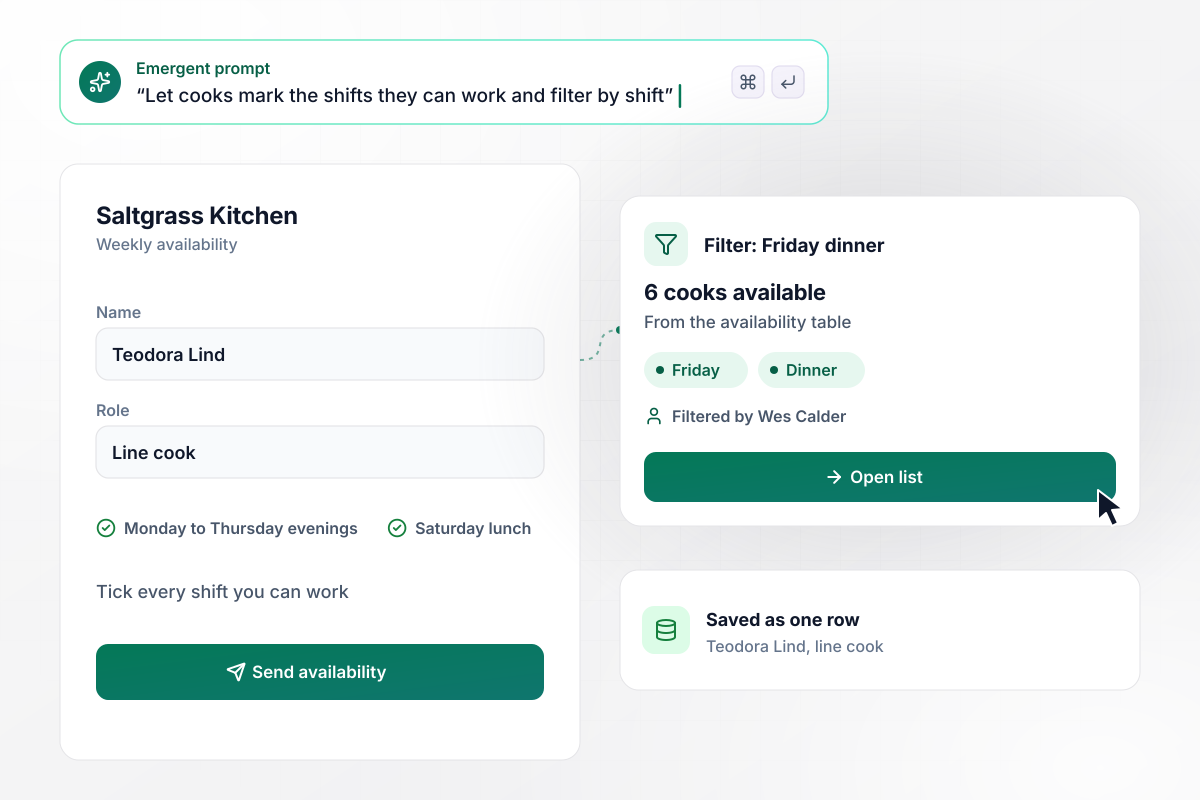
Friday dinner: 6 cooks free, all in one view
Saltgrass Kitchen builds its schedule from one table. Line cook Teodora Lind marks Monday to Thursday evenings and Saturday lunch on the weekly grid, and her answers save as one row. Kitchen manager Wes Calder filters the table for Friday dinner, and 6 cooks come up. He fills the line from that list.
window.awbMockup = { restaurantShifts: "Build a weekly availability form for my restaurant's kitchen staff. Show a grid of days by shift, lunch and dinner, and let each cook tick the shifts they can work. Save each person's answers as one row in an availability table, and let me filter the table by shift so I can see which cooks are free for Friday dinner.", scheduleChanges: "Build an availability change request for my pharmacy staff. Ask for the new availability, the date it starts, and a note on the reason, like a class schedule. Send each request to the store manager in Slack with Approve and Decline buttons. Keep the employee's current hours on the table until the manager approves, then switch them on the start date.", holidayCoverage: "Build a holiday availability sign-up for my outdoor store. List every date in December and let staff tick the days they can work. Count the people available for each date. If any date has fewer than 4 people, email me, the store manager, with the date and how many more people I need.", missingReplies: "Build an availability confirmation form for the baristas at my coffee shops. We post the schedule every other Thursday. On the Tuesday before, email a reminder to anyone who has not confirmed their availability for the next schedule, with a link back to the form. Mark their rows Pending until they answer." };
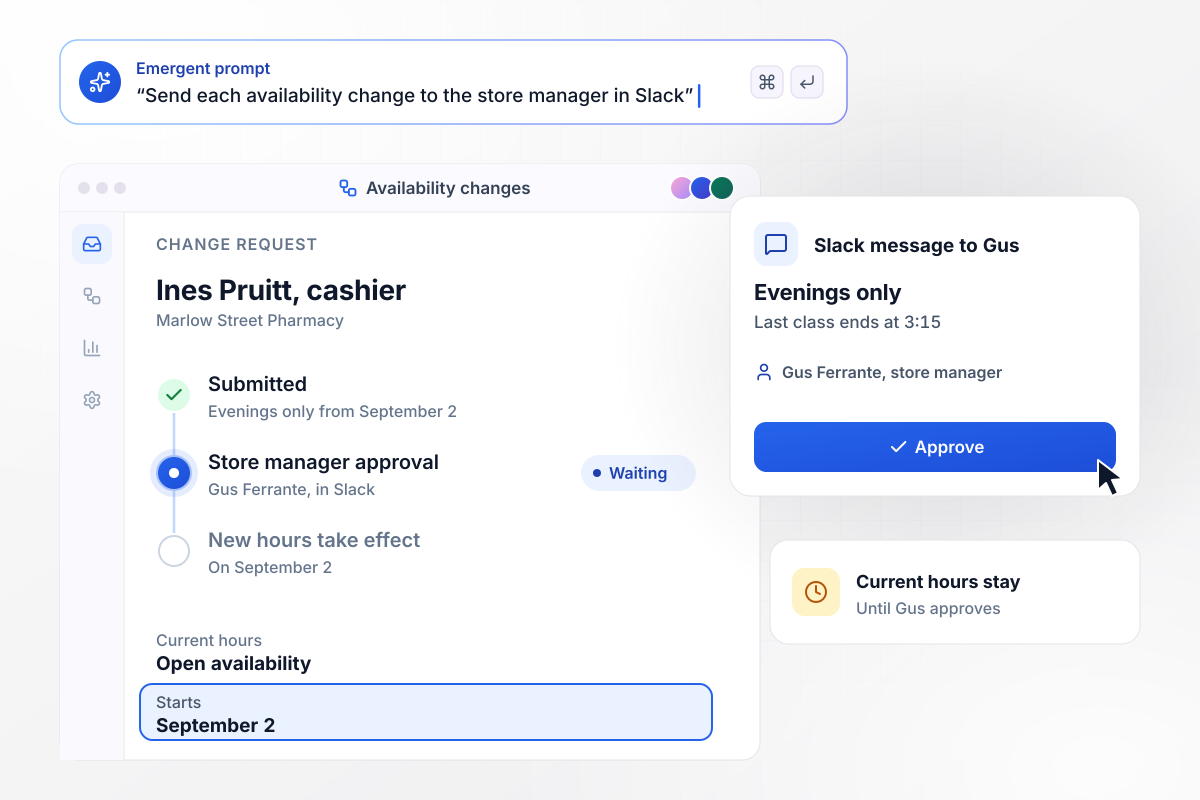
From September 2, evenings only, once Gus approves
Ines Pruitt starts fall classes in September. She asks Marlow Street Pharmacy to move her to evenings only from September 2 and notes that her last class ends at 3:15. The request reaches store manager Gus Ferrante in Slack. Until he approves, her current hours stay on the table and the schedule follows them.
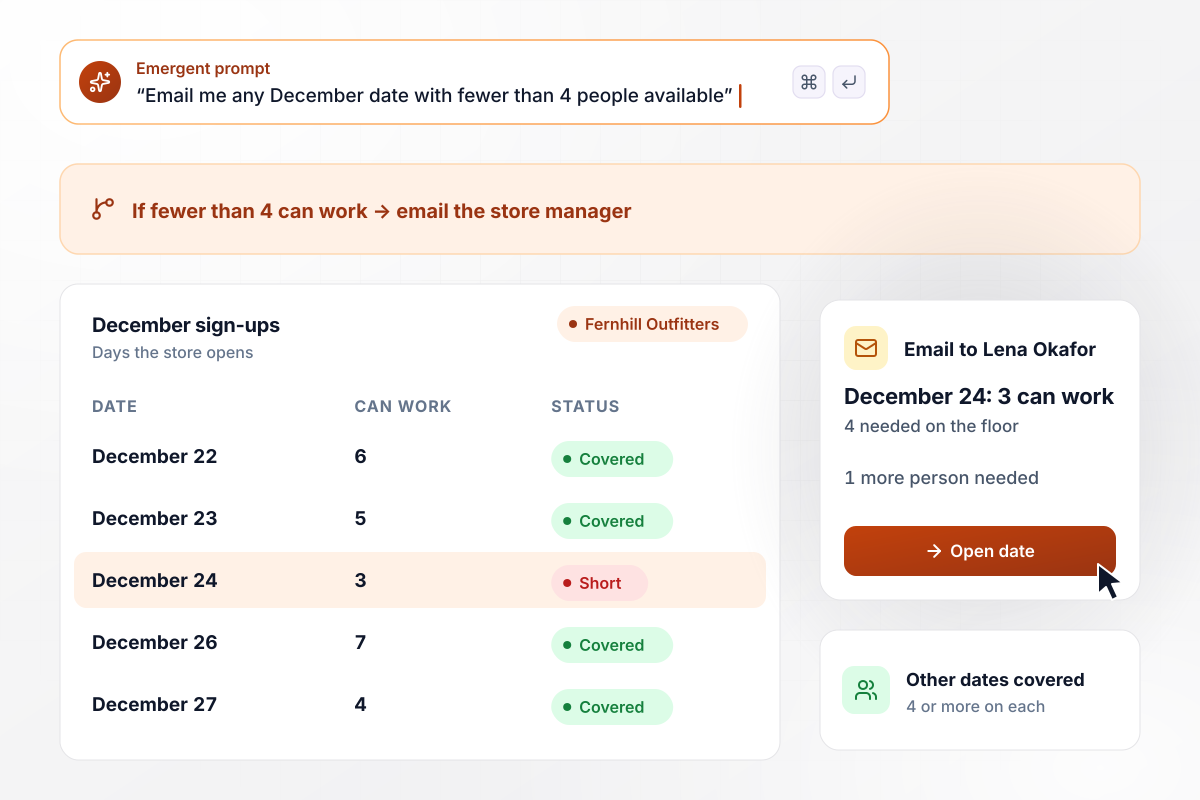
On December 24, 3 people can work and 4 are needed
Fernhill Outfitters needs 4 people on the floor every day the store opens in December. The holiday sign-up lists each date for staff to check off. Any date with fewer than 4 people sends store manager Lena Okafor an email. Only 3 can work December 24, and that date is the one waiting in her inbox.
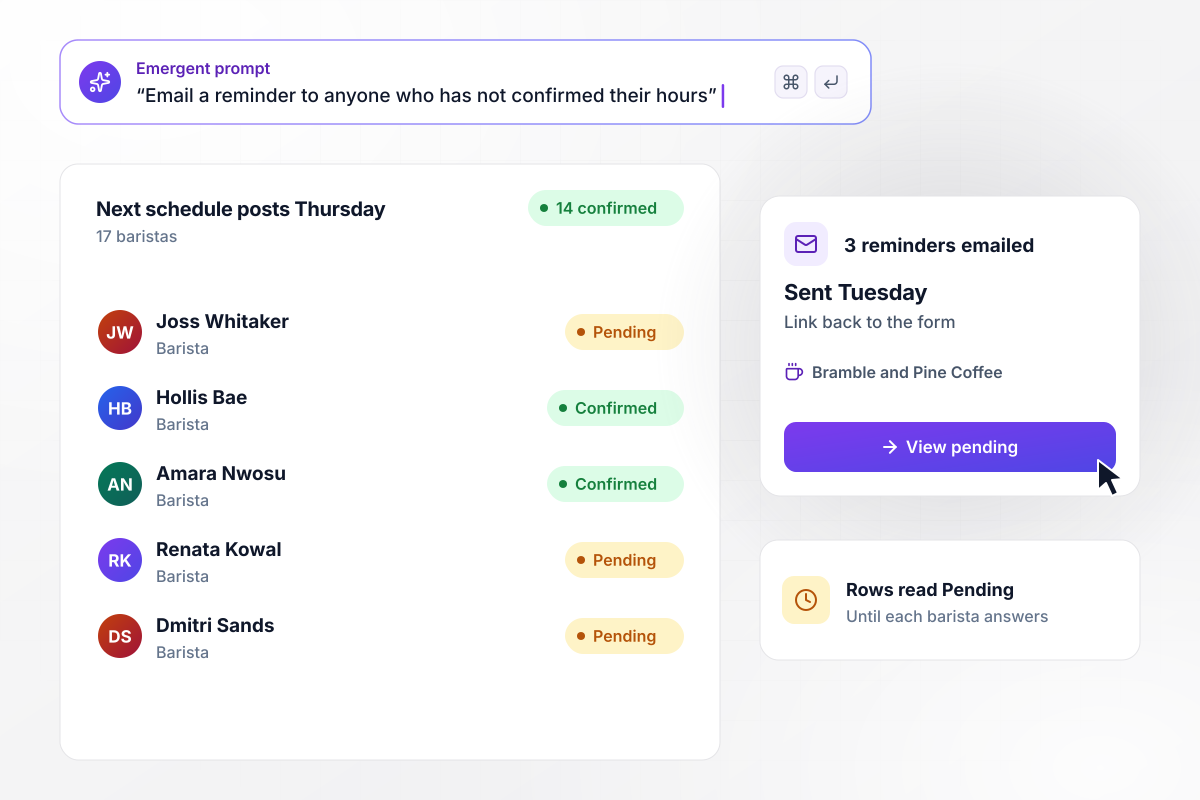
By Tuesday, 3 of 17 baristas still owe their hours
Bramble and Pine Coffee posts its schedule every other Thursday for its 17 baristas. On the Tuesday before, the app checks who has confirmed their availability for the next schedule, and 14 have. The other 3 get an email reminder with a link back to the form, and their rows read Pending until they answer.






How to Create an Employee Availability Form
Seven steps to create an employee availability form that matches your real shifts and sends each change to a manager.
Write down every shift you staff in a normal week, with its start time, such as an 11:00 AM lunch and a 4:00 PM dinner. The grid on the form uses those same blocks, so the answers you collect line up with the schedule you build.
Pick how much notice a change needs, such as 2 weeks, and print it on the form beside the start date. A request that starts sooner can still go through, but the manager sees right away that it is short notice.
Leave pay, performance, and home address off this form, since other records already hold them. Ask who is answering, which shifts they can work, the hours they want, and any note, and staff finish it in a couple of minutes.
Send change requests to the manager of that location and short-staffed dates to whoever writes the schedule. Choose between a Slack message and an email for each, and name a backup for the days that manager is off.
Put the shifts, the notice period, and the routing into one prompt. Emergent builds the employee availability form, the table behind it, and the alerts. When a shift or a rule changes later, ask for the change in plain English.
When someone changes their availability, end the old row on the day the new one starts instead of overwriting it. A manager asking why a March shift went unfilled can then see what that person had offered at the time.
Ask two staff members to fill it out on their phones, one of them with a change request. Check that both rows land in the table, then filter for one shift and confirm the right names come back.
Why Build Availability Forms With Emergent?
A sheet in the break room shows who was free the day it went up. A table you own shows who is free today.

|
Typeform | Jotform | Google Forms | |
|---|---|---|---|---|
| How you build | Describe it in plain English | Templates, editor, AI assist | Templates, editor, AI generator | Editor, with Gemini drafting on some Workspace plans |
| Where responses live | A database table you own, plus any integration | Typeform account | Jotform account | Google Sheets |
| Response limits | No response caps | Monthly response caps by plan; the form closes at the cap | Monthly submission caps by plan; the form stops at the cap | No limit |
| Code ownership | Full code export to GitHub on paid plans | None | None | None |



Pick the Pricing Plan That Works for You
Choose the plan that fits your building ambitions. From weekend projects to enterprise applications, we've got you covered.




Find the right form
for whatever you're collecting















Frequently Asked Questions
Your Questions, Answered
Don't change this element unless you know what you are doing
More things you can build
with Emergent









on Emergent today


