

Build an Employment Verification Letter Generator for HR
Build an employment verification letter app that takes each request, drafts the letter from HR records, and logs who signed it.
Build an employment verification letter generator for my HR team.
Trusted by Builders Worldwide
Active Builders Worldwide
Apps Successfully Created
Countries Globally Reached



What Goes Into a Verification Letter
An employment verification letter template covers the wording. Emergent adds the request form and the HR sign-off.
One request form for every requester
Asks who wants the letter and why, then changes the questions to suit them. A landlord gets a short set, while a lender gets the longer one its own underwriter needs.
Letters drafted from the HR record
Pulls the job title and start date straight from your employee table into the letter. Nobody retypes a hire date from memory or edits the copy someone saved two years ago.
Salary only when the employee agrees
Adds base pay to a letter only when the employee has said yes on the request form. Every other letter confirms the job and its dates and leaves compensation out entirely.
A signature on every letter
Sends each letter draft to the reviewer you name, such as payroll or HR staff, to read and sign on screen. A draft left sitting for a full day sends that reviewer a reminder.
A record of every letter you sent
Logs each request beside the letter it produced, with the signer and send date, in a database you own. When a lender calls back next spring, the exact letter is one search away.
Room for the next request type
Adds Spanish letters or a nightly payroll sync when you prompt for them. On paid plans, the code exports to your GitHub repository, where an HR engineer can extend it.
Verification Letters for Every Requester
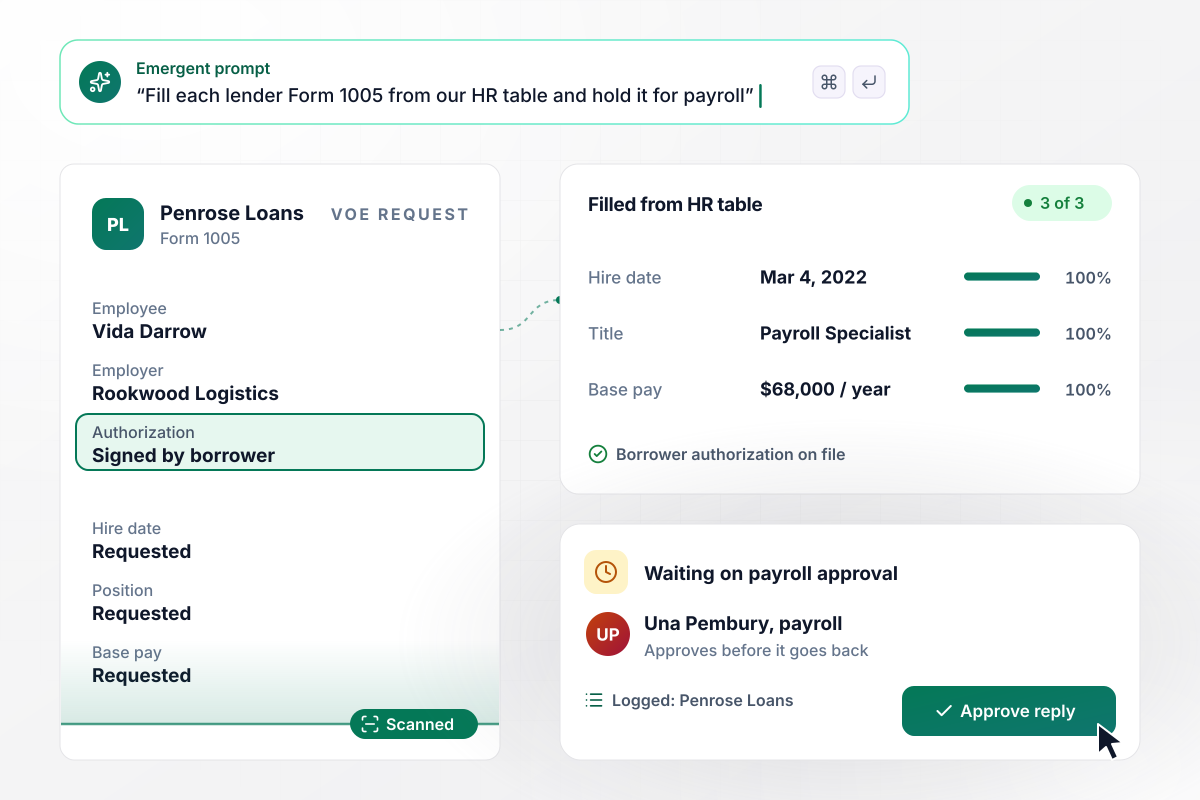
Lender forms answered from the payroll record
A lender's Form 1005 arrives as a PDF with the borrower's signed authorization. The app reads the fields it asks for and fills hire date, title and base pay from your HR table. A payroll approver signs off on each reply before it goes back, and the log records which lender received it.
window.awbMockup = { mortgageLenders: "Build a verification page for mortgage lenders who send my company Form 1005. Read each uploaded PDF and check that the borrower signed the authorization. Fill hire date, job title and base pay from our HR table. Hold every reply until someone in payroll approves it, then send it back to the lender and log the lender's name and the date.", rentalApplications: "Make an employment verification letter request form for my employees. Ask who the letter is addressed to, the email it should go to and whether to include salary. Only add salary when they tick that box. Draft the letter on our letterhead with title, start date and full-time status, send it to our HR manager to sign, then email the PDF to the landlord.", formerEmployees: "Set up verification letters for people who no longer work at my company. If the HR table shows an end date, the letter states only first day, last day and final job title. An HR generalist reviews each one before release. For Missouri service letter requests from eligible leavers, add a field for the reason they left and show the 45-day due date.", screeningFirms: "Build a verification page for background screening firms so they stop calling HR. The firm enters the candidate's name and uploads the signed release. Check dates of employment and job title against our employee table. If no release is attached, send the request back to the firm with a note asking for it." };
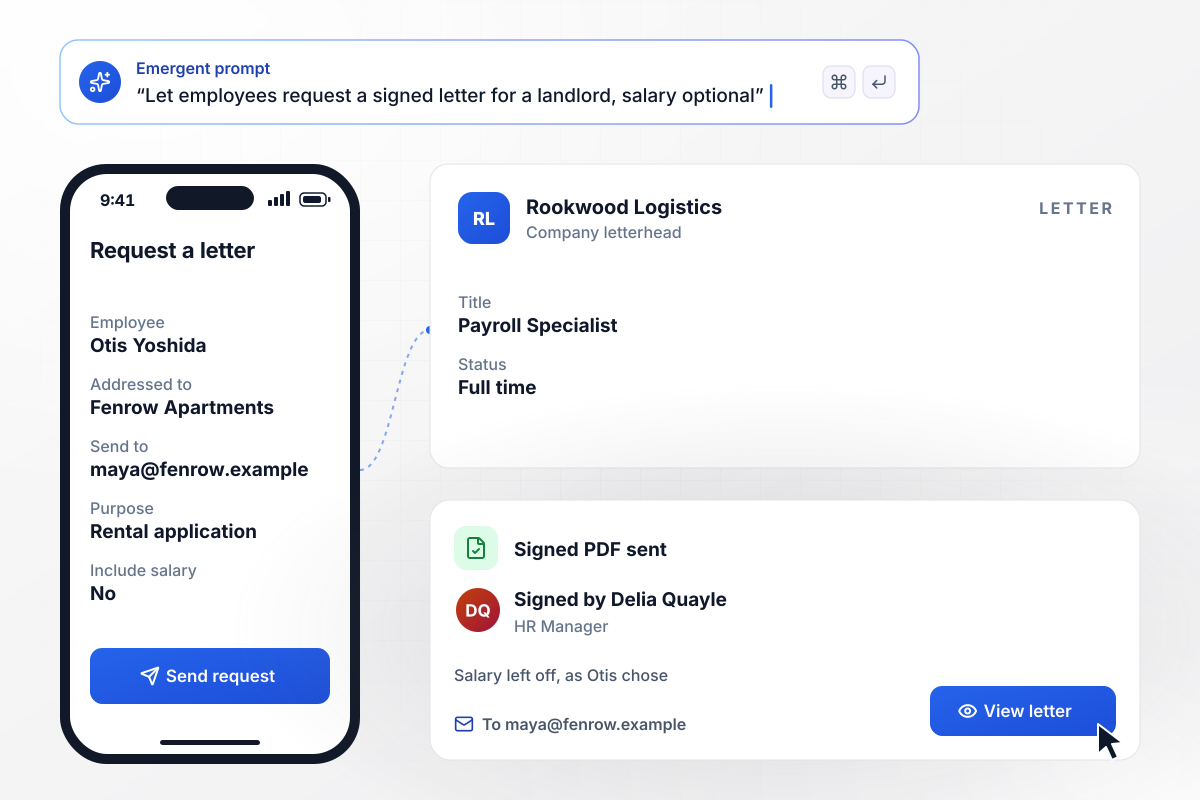
A signed letter for the landlord, salary optional
Employees request a letter from a short form that asks who it is addressed to and whether salary should appear. The HR manager signs, and the landlord receives a PDF on company letterhead stating the job title and full-time status.
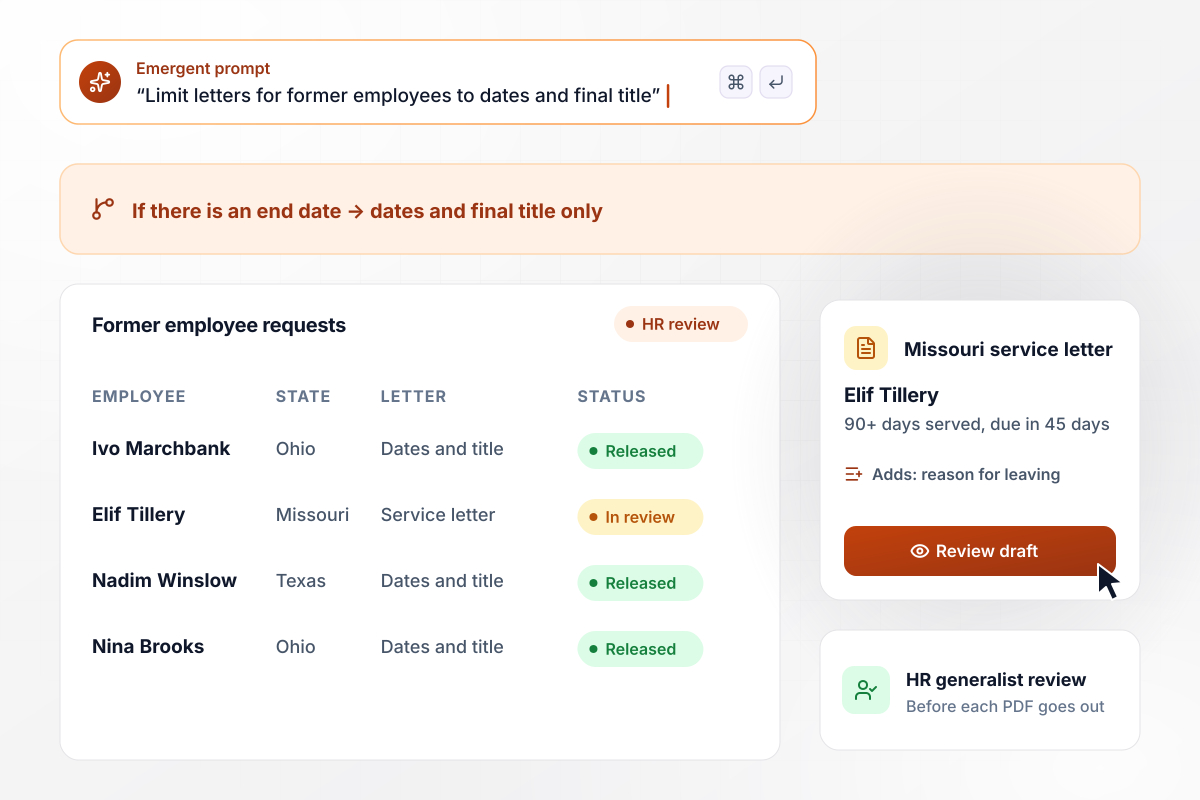
Dates and the final title, with one Missouri exception
Anyone with an end date gets a narrower letter: first day, last day and final title, reviewed by an HR generalist. In Missouri, leavers with 90 days of service at a corporation of seven or more employees can write by certified mail within a year. They get a service letter within 45 days stating why they left.
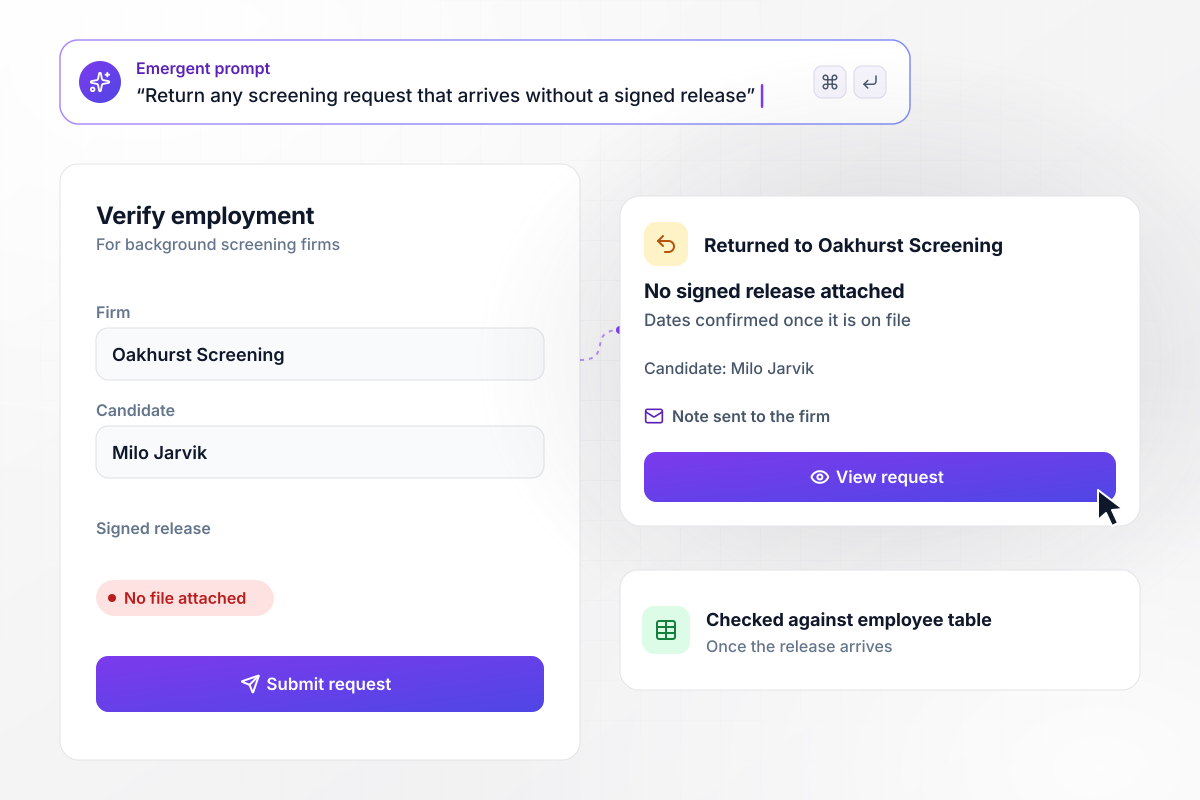
No signed release, no answer
Screening firms use a verification page instead of calling HR. The firm names the candidate and uploads the signed release, and the app checks dates and title against the employee table. A request without a release goes back to the firm with a note, and the app confirms dates once the release is on file.






How to Create a Verification Letter
Seven steps that settle what an employment verification letter confirms and who signs it before it goes to the requester.
Confirm the request names the employee and says what the letter is for, such as a lease or a mortgage. Ask for the employee's written consent before you confirm anything, even a start date, and keep that consent with the request.
Most letters confirm full name, job title, start date and whether the person works full or part time. If someone changed roles, give the current title and the date they took it. Reasons for leaving stay out unless a state law requires them.
Print the verification of employment letter on company letterhead and address it to the requester by name. Close with an HR signature above a printed name, plus a direct phone number a landlord or lender can call to check it.
If the request and the HR system disagree on a title or start date, ask the employee which one is wrong. A promotion payroll never recorded, or a rehire with two start dates, is the usual cause. Correct the record, then draft.
Route odd requests to a second reader before they go out, such as one asking you to state weekly hours or a letter addressed to a court. Routine letters for current staff can go straight to the signer for a quick read and signature.
Email the signed PDF to the address on the request, or upload it to the lender's portal. A letter that reaches the landlord from your HR inbox is harder to question than one the employee forwards from a personal account.
Agree on a retention period with counsel and apply it as you would to personnel files. If a former employee later says a letter got their dates wrong, the signed copy is what settles it.
Why Build Verification Letters With Emergent?
Requests and signed letters run in one app, and every one of them sits in a database you own.

|
Docusign | Adobe Acrobat | BambooHR | |
|---|---|---|---|---|
| How you build | Describe it in plain English | Upload a document, place fields, reuse templates | Upload a PDF and place fields, web forms on Pro | Upload a document as an e-signature template |
| Response limits | No response caps | Envelope allowance per plan, then pay per envelope or upgrade | No yearly send cap, usage limits apply | Priced per employee per month |
| Where responses live | A database table you own, plus any integration | Docusign account, downloadable as PDF | Adobe cloud storage, downloadable as PDF | Employee Documents tab in BambooHR |
| Code ownership | Full code export to GitHub on paid plans | None | None | None |




Pick the Pricing Plan That Works for You
Choose the plan that fits your building ambitions. From weekend projects to enterprise applications, we've got you covered.




Find the right form
for whatever you're collecting















Frequently Asked Questions
Your Questions, Answered
Don't change this element unless you know what you are doing
More things you can build
with Emergent









on Emergent today


