

Build a Reference Check Form That Scores Every Reference
Get a reference check form that rates every reference from 1 to 5 and averages the scores for each finalist.
Build a reference check form that saves every response to a database I own.
Trusted by Builders Worldwide
Active Builders Worldwide
Apps Successfully Created
Countries Globally Reached



What a Blank Question List Leaves to the Caller
The forms that rank give you questions and blank lines. These six pieces make every call comparable and act on the answers.
A 1-5 rating under every question
Each work area, such as reliability or judgment, gets a 1-5 rating beside a notes box. The numbers let you compare references at a glance, and the notes keep the reasons.
A reference list the candidate fills in
The candidate enters each reference's name, relationship, email, and years worked together, then types a signature agreeing to the calls. No one copies details off a resume.
One question per screen
A former manager opens the emailed link and sees one question at a time. Answering takes a few taps between meetings, with no account to create and no file to send back.
Alerts on answers that need a person
Pick the answers that should reach someone at once, such as a no on rehire or any rating of 1. The app sends that reference's answers to the hiring manager by email or Slack.
One summary page per finalist
Every reference's ratings for a finalist line up in columns, with an average for each work area. A committee reads one page before it votes, instead of passing notes around.
Answers in a database you own
Each rating and note saves to a database you own, filed under the candidate's name. If that person applies for another opening next year, the earlier references are on file.
How Four Employers Check References
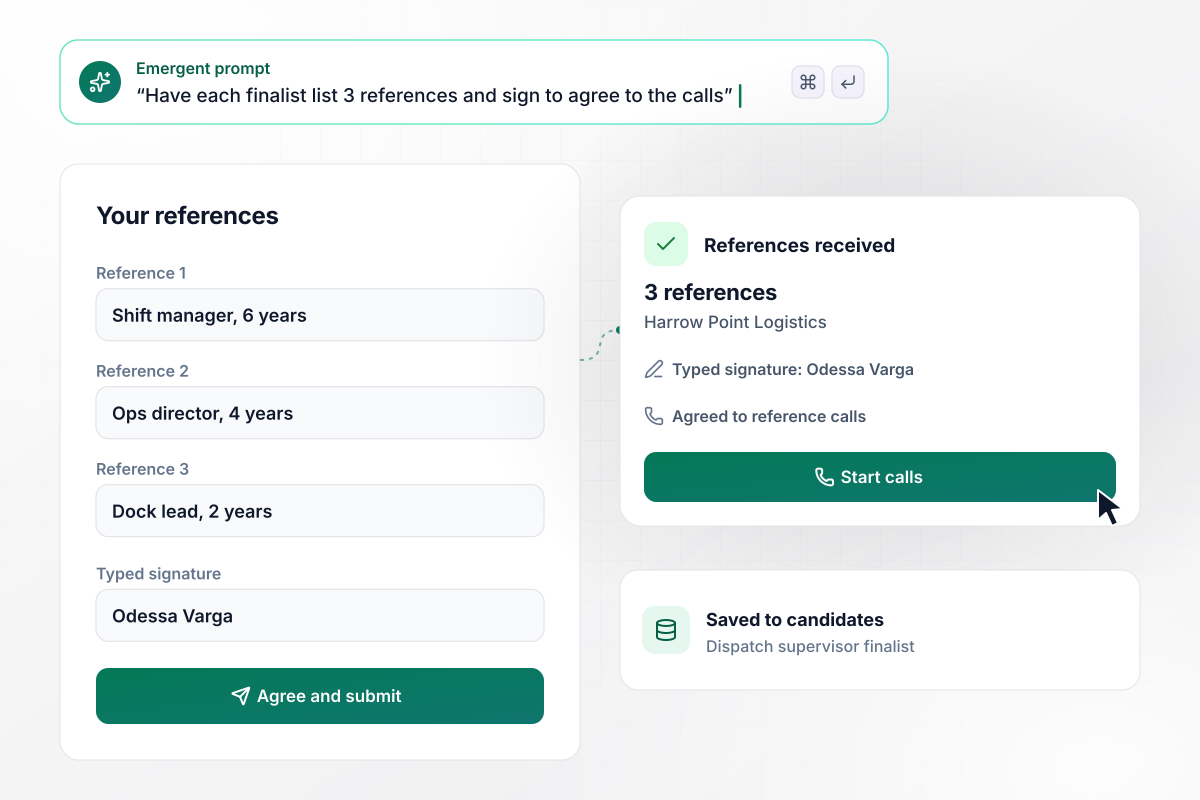
Each finalist signs off on three names before any call
Harrow Point Logistics sends the form to each dispatch supervisor finalist after the last interview. A finalist enters 3 references with the relationship and how long each has known them. Odessa Varga's list came in with her typed signature agreeing to the calls, and the recruiter can start dialing.
window.awbMockup = { logistics: "We hire dispatch supervisors at a logistics company. After the last interview, send each finalist a form to list 3 references with each one's relationship, email, phone, and years known. End the form with a typed signature agreeing to the reference calls, and save the list to the candidate's record.", homeCare: "Our home care agency checks 3 references for every caregiver. Email each reference a link that works on a phone, where they rate 5 work areas from 1 to 5 and say whether they would rehire the candidate. If a reference has not answered after 2 days, send one reminder.", dentalOffices: "I make the reference calls for our dental practice. Build a call script with the same 8 questions in a fixed order and a notes box under each. When a reference answers no to the rehire question, email the hiring manager the notes from that call.", nonprofits: "Our nonprofit's search committee is hiring a finance director. For each finalist, put the 3 references' ratings side by side across 5 work areas, show the average for each area, and mark the lowest one for the chair to raise in the final interview." };
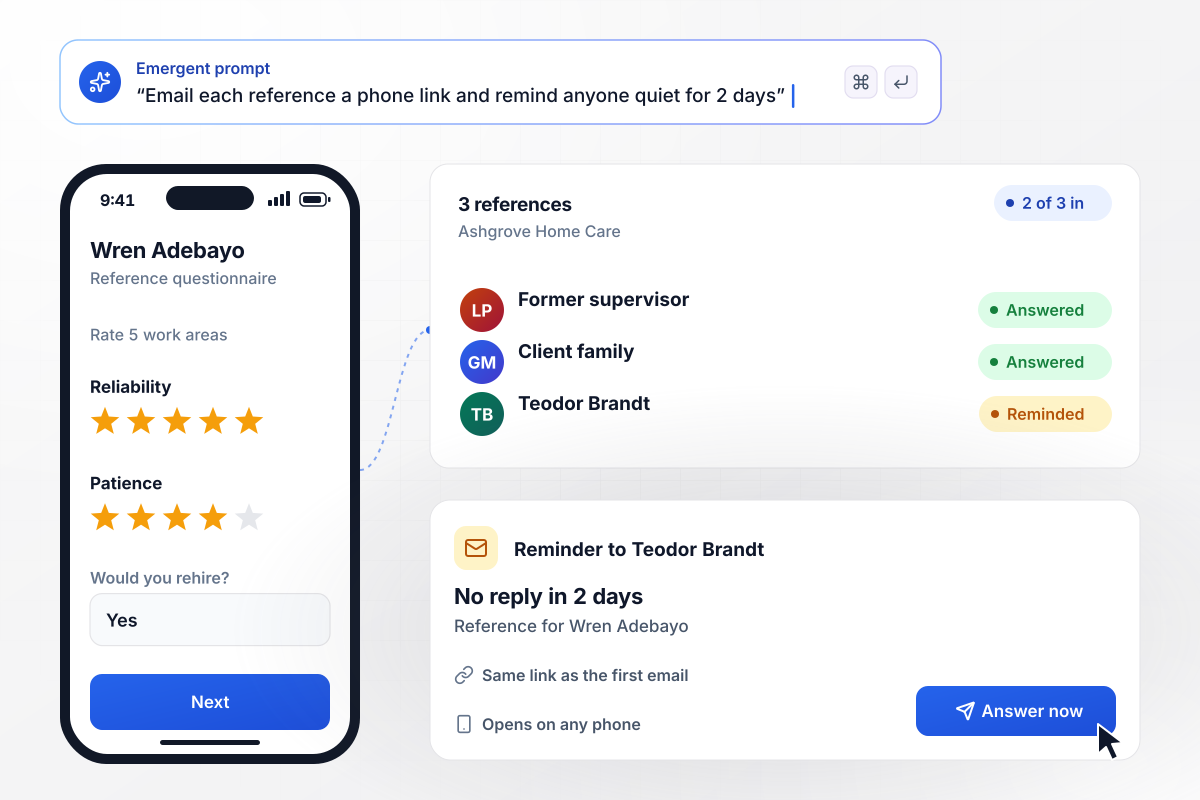
Silence for two days sends the reference a reminder
Caregivers at Ashgrove Home Care list 3 references each, and every reference gets an emailed link. On a phone, the reference rates 5 work areas and answers the rehire question. For candidate Wren Adebayo, 2 of 3 references have answered. Teodor Brandt has not replied in 2 days and got a reminder this morning.
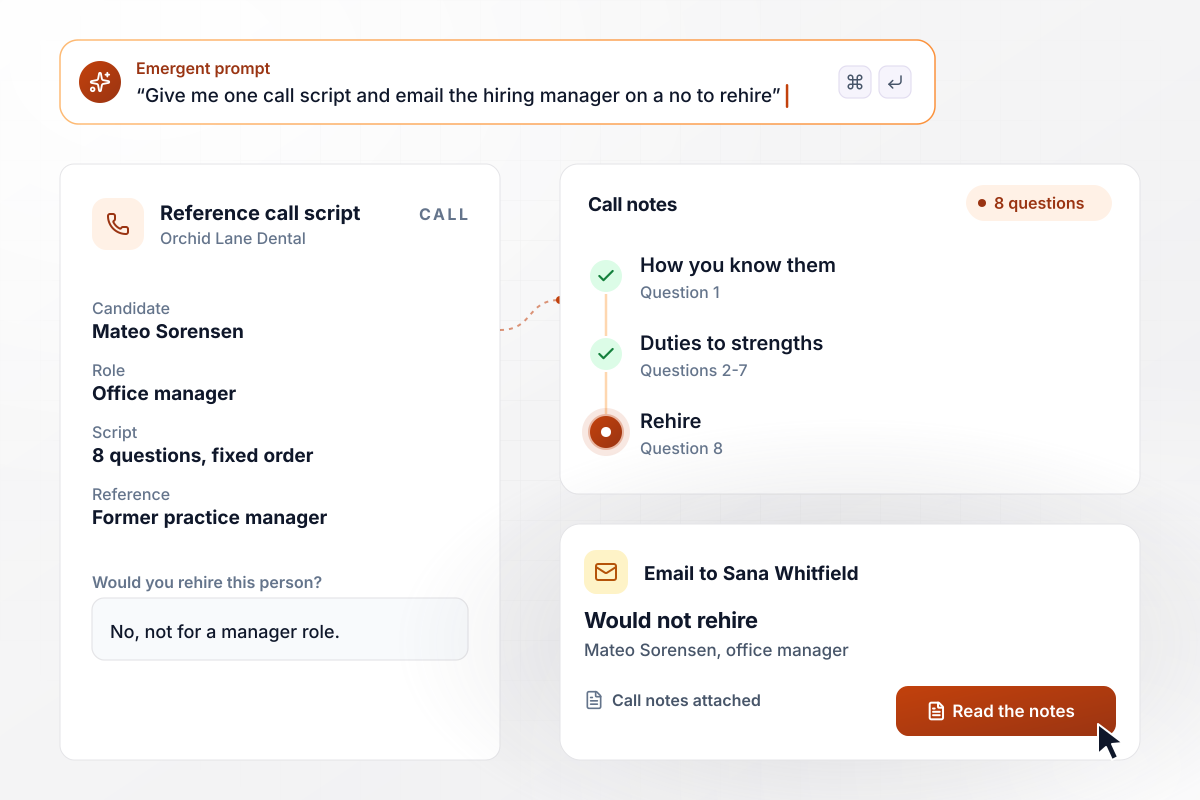
A no on rehire lands in the hiring manager's inbox
Every call at Orchid Lane Dental runs on the same 8 questions in the same order, with a notes box under each. The recruiter types while the reference talks. When a reference for office manager candidate Mateo Sorensen answers no to the rehire question, hiring manager Sana Whitfield gets an email with that call's notes.
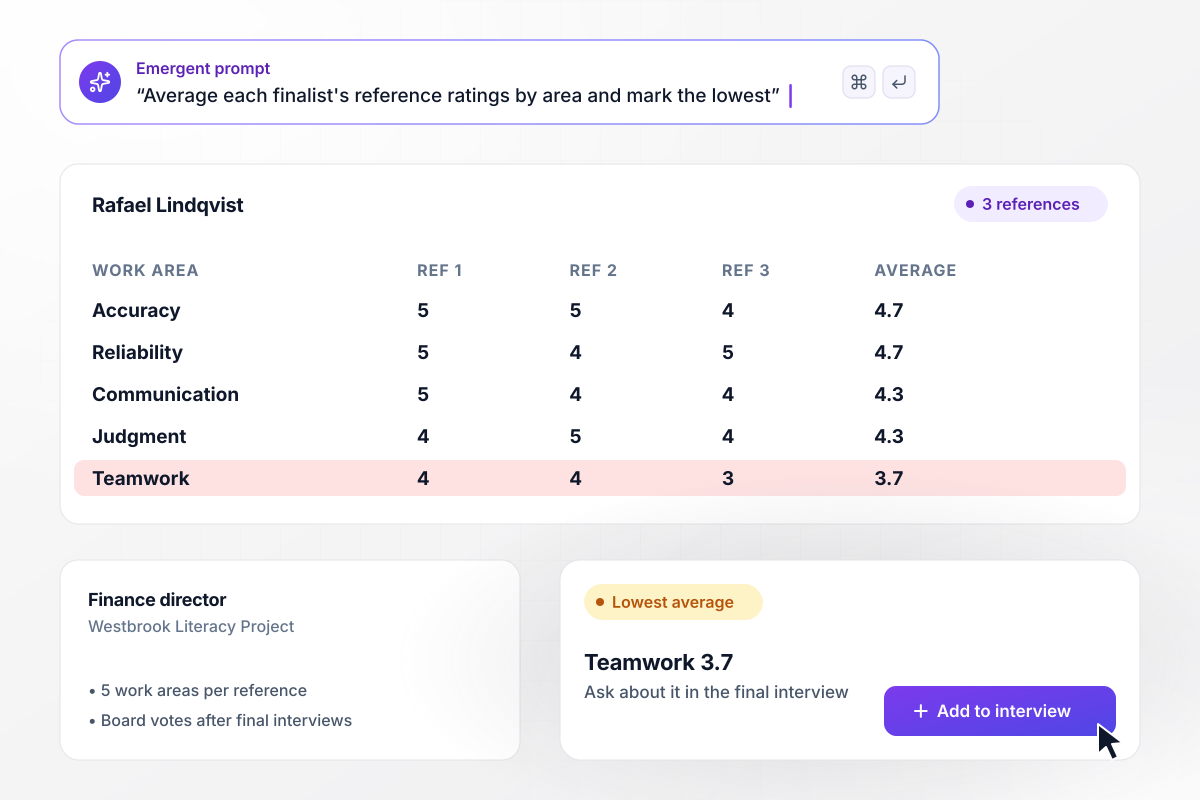
With three references in, teamwork averages 3.7
A volunteer search committee at the Westbrook Literacy Project is hiring a finance director. For finalist Rafael Lindqvist, the app lines up 3 references' ratings across 5 work areas and averages each area. Teamwork comes in lowest at 3.7, and the chair raises it in the final interview before the board votes.






How to Build a Reference Check Form
Follow these 7 steps to build a reference check form that scores every reference on the same scale.
Let each finalist know you will contact their references, and collect the list at the same time. One university's HR guide reminds managers to give candidates advance notice that references will be checked.
Draft the questions once and use them for every finalist. The same guide says to ask the same questions about all final candidates and weigh the answers equally. Have your HR or legal team review the list before the first call.
Ask how the reference knows the candidate and for how long. Record whether they managed the candidate or worked beside them, because a peer's 4 and a manager's 4 rest on different views of the work.
Pick 4 to 6 work areas that matter for the role, such as accuracy or teamwork. Write one line on what a 1 and a 5 look like in each, and two callers will score the same answer the same way.
Close with whether the reference would rehire the candidate. Then ask one open question for anything your list missed, and give it a notes box of its own.
Send the emailed link to references who prefer to answer in writing, and call the rest. Answers from both routes land in the same table, and the summary page counts every reference.
Ask a colleague to answer as a reference, then read the summary page the form produces. Rewrite any question that drew a one-word answer before a real reference sees it.
Why Use Emergent for Reference Check Forms?
A reference check form PDF waits to be typed up. A built form saves each rating to one table and flags a no on rehire.

|
Jotform | Google Forms | Typeform | |
|---|---|---|---|---|
| How you build | Describe it in plain English | Templates, editor, AI generator | Editor, with Gemini drafting on some Workspace plans | Templates, editor, AI assist |
| Where responses live | A database table you own, plus any integration | Jotform account | Google Sheets | Typeform account |
| Response limits | No response caps | Monthly submission caps by plan; the form stops at the cap | No limit | Monthly response caps by plan; the form closes at the cap |
| Code ownership | Full code export to GitHub on paid plans | None | None | None |



Pick the Pricing Plan That Works for You
Choose the plan that fits your building ambitions. From weekend projects to enterprise applications, we've got you covered.




Find the right form
for whatever you're collecting














Frequently Asked Questions
Your Questions, Answered
Don't change this element unless you know what you are doing
More things you can build
with Emergent









on Emergent today


