

Build an Equipment Rental Agreement Form That Tracks Each Item
Create an equipment rental agreement form that lists each item by serial number and saves every rental to a database you own.
Build an equipment rental agreement form for a tool rental shop with daily rates, a return date, and a late fee rule.
Trusted by Builders Worldwide
Active Builders Worldwide
Apps Successfully Created
Countries Globally Reached



What the Agreement Captures for Each Rental
An equipment rental agreement form names what is rented and on what terms. Six parts keep each rental on file once it returns.
Every item listed by serial number
Each line on the agreement names the item by serial number and lists its replacement cost. A renter who takes two generators signs for two serial numbers, never one vague line.
Day and week rates on each line
Give every item a daily rate and a weekly rate. The form prices the dates the renter picks, then adds delivery or a fuel refill as separate lines, each at a fixed price.
Condition photos out and back
Staff photograph each item as it leaves and again when it returns, and both sets stay on the rental record. A new dent shows up side by side before anyone settles the deposit.
Insurance held for staff review
Ask for a certificate of insurance and the name of the operator. The agreement then waits on hold until a staff member opens the certificate, checks the dates, and approves it.
A signature captured on the agreement
The renter signs on a phone or at the counter, and the app captures the e-signature on the agreement. Each signed rental becomes a row in your database, sorted by return date.
The full codebase, yours on GitHub
Export the code to your own GitHub repository on paid plans when the agreement moves into a booking site you run, or when a developer connects it to your inventory system.
How Four Rental Businesses Use the Form
No excavator leaves until its insurance clears
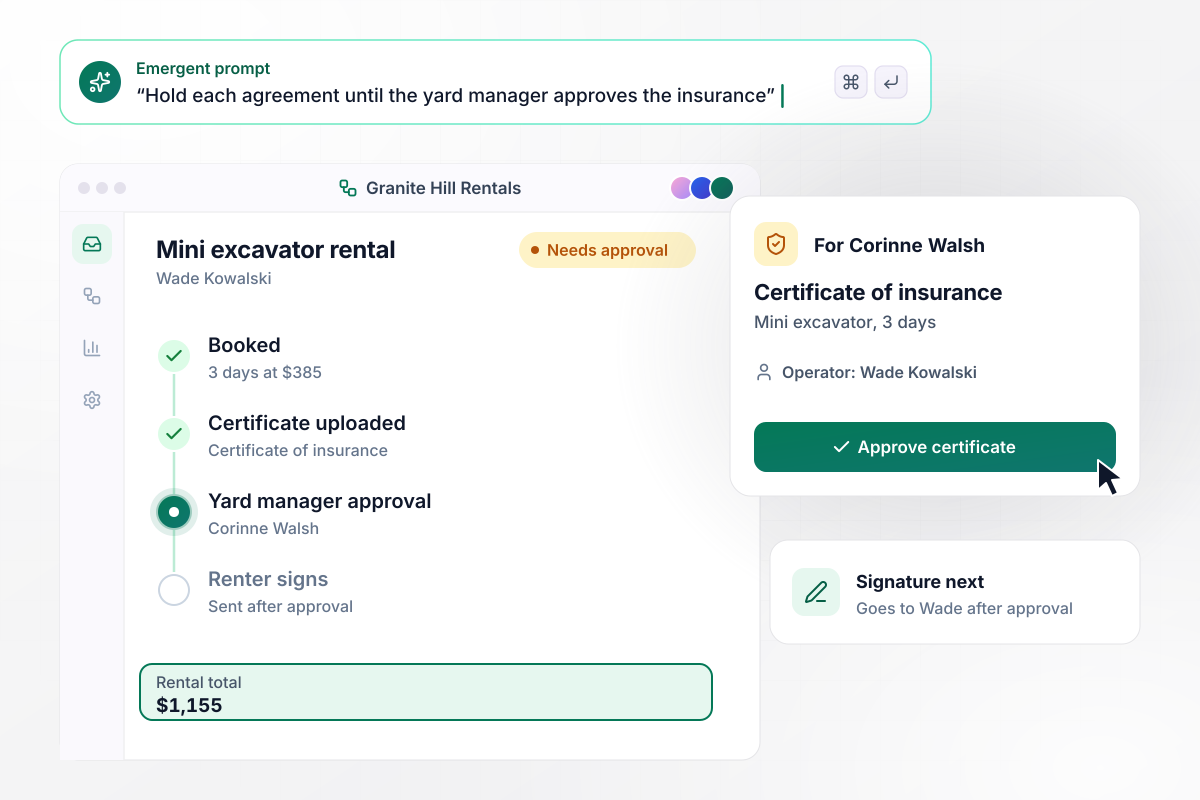
Granite Hill Rentals releases no machine without an approved certificate of insurance. Wade Kowalski books a mini excavator for 3 days at $385 a day, $1,155 in all, uploads his certificate, and names himself as operator. Corinne Walsh, the yard manager, approves the certificate before the agreement goes to Wade to sign.
window.awbMockup = { heavyEquipment: "I run an equipment rental yard. Build an agreement form for machines like our mini excavator at $385 a day. The renter uploads a certificate of insurance and names the operator. Hold every agreement until my yard manager approves the certificate, then send it to the renter to sign. Keep each rental in one table with its return date.", partyRentals: "My event rental company quotes weddings. Build an order form where couples pick a tent, chairs, and tables, with each line priced from its own rate, like chairs at $3 each and tables at $12. Show the rental total, list the $200 damage deposit on its own line below it, and have the couple sign before delivery.", cameraGear: "We rent camera lenses. Build a checkout and return form where staff photograph each lens beside its serial number at checkout and again at return, with both sets shown side by side. Let staff log damage with a cost, such as $120 for a scratched front element, and show what is left of the $500 deposit to refund.", toolRentals: "Our hardware store rents tools by the day, due back by 5 pm. Build a rental agreement form for the tool counter that emails each renter at 3 pm on the due date with the tool and the return time. When a tool comes back after 5 pm, add one more day at its daily rate, like $68 for the floor sander." };
A $990 wedding order, priced line by line
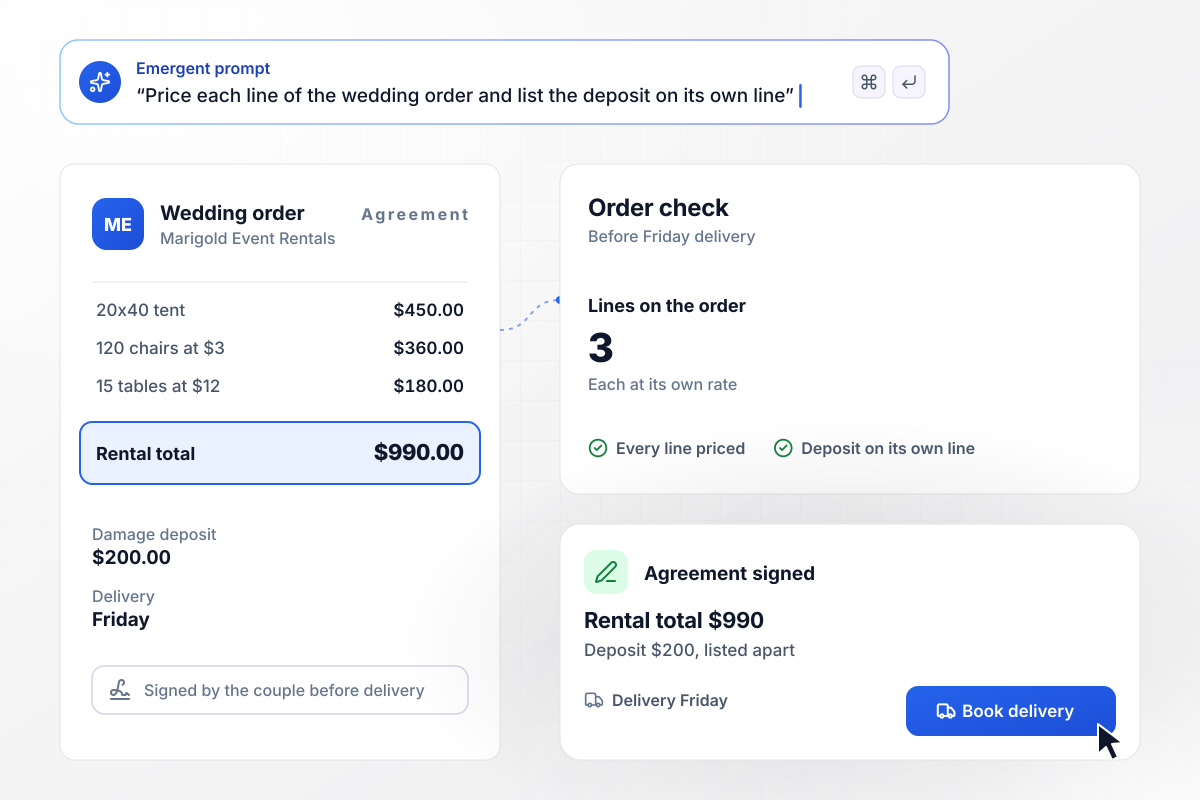
Marigold Event Rentals quotes every wedding on one form. A couple picks a 20x40 tent at $450, 120 chairs at $3 each, and 15 tables at $12 each, and the agreement prices every line for a $990 rental total. The $200 damage deposit sits on its own line, apart from that total, and the couple signs before the Friday delivery.
The lens came back with a $120 scratch
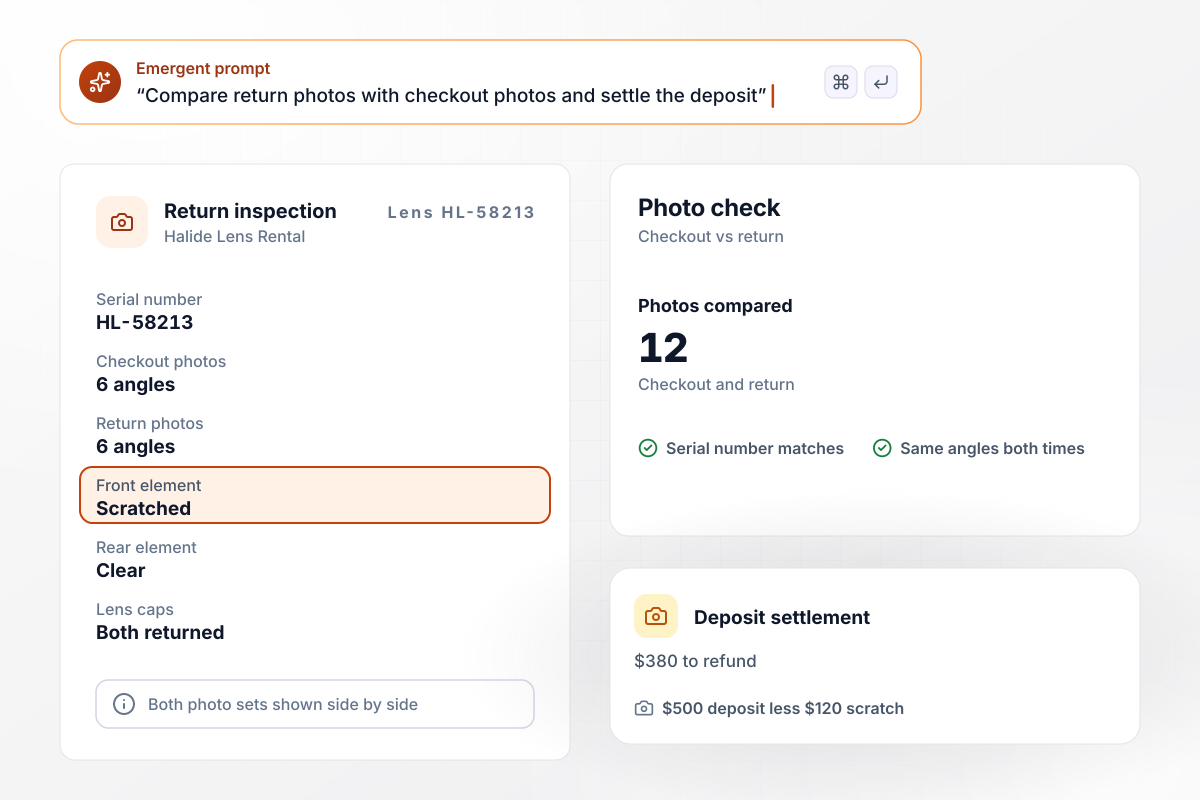
Each lens that leaves Halide Lens Rental is photographed beside its serial number at checkout. At return, staff shoot the same 6 angles, and the record puts both sets side by side. A scratched front element on lens HL-58213 is logged at $120 against the $500 deposit, which leaves $380 to refund.
Late by 75 minutes, charged an extra $68 day
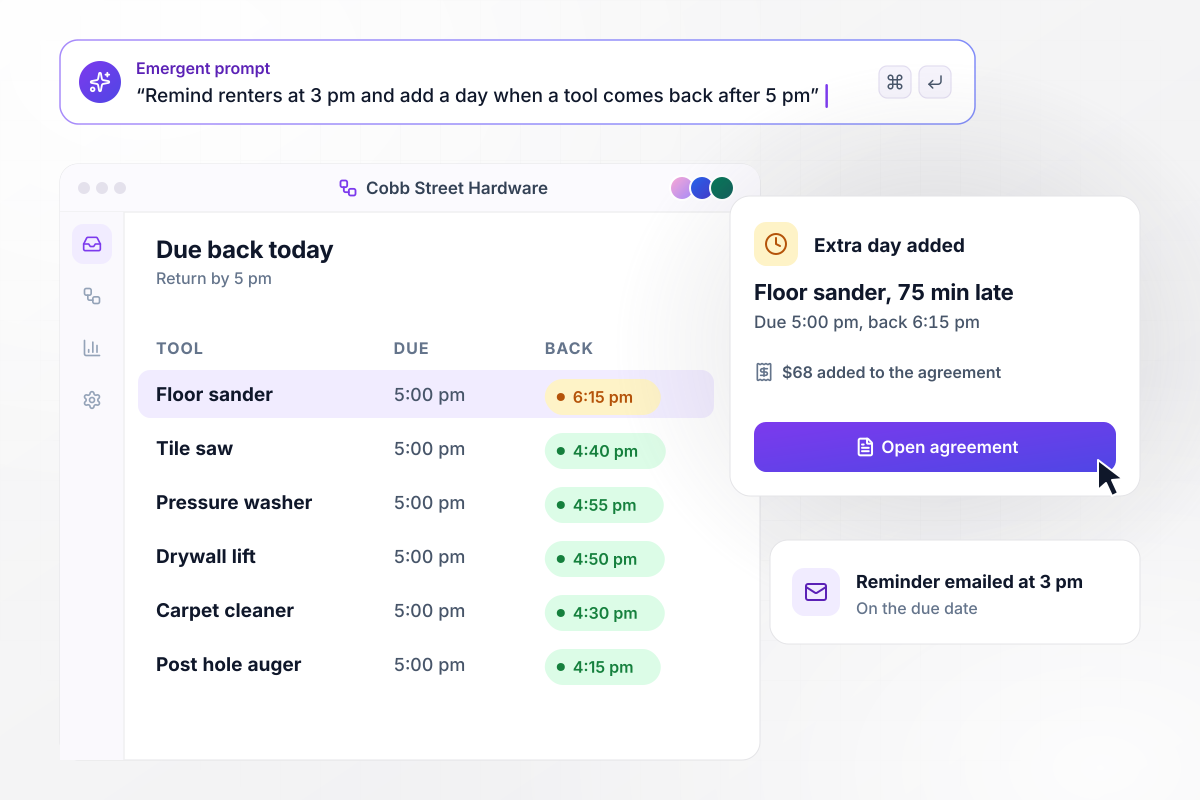
Tools at Cobb Street Hardware are due back by 5 pm. Each renter gets an email at 3 pm on the due date naming the tool and the return time. A floor sander that comes back at 6:15 pm gets one extra day at $68, added to that renter's agreement.






How to Build an Equipment Rental Form
Follow 7 steps to plan an equipment rental agreement form, build it with Emergent, and test it on one real rental.
List every item under the name on its tag, next to its serial number and replacement cost. The agreement pulls each item from this list, and renters never type a serial number themselves.
Settle the extras before anyone asks. Set a day price and a week price for each item, then put a fixed price on delivery and on a fuel refill. A charge written down in advance is easier to explain at check-in.
Pick what each machine needs before it leaves the lot: a driver's license, a certificate of insurance, or a named operator. Mark which ones need which. A pressure washer needs far less paperwork than a skid steer. Match the checks to the machine.
State the deposit for each rental and what can come out of it, such as damage beyond normal wear or a missing part. Have a lawyer in your area review the wording before the first renter signs it.
Put your item list and your rental terms into one plain-English prompt. Emergent builds the agreement form and the rentals table behind it. When you add a machine or change a rate, ask for the change in the same chat.
Connect email for return reminders and your accounting tool for closed rentals. Built apps connect to any tool with an API. Each signed agreement can sync to QuickBooks or Xero once the equipment is back in the yard.
Book a real item through the form on your phone. Upload a test certificate, sign, then check it back in with photos. Confirm the deposit math and the return date are right before the first customer sees the form.
Why Use Emergent for Equipment Rentals?
A printed template is filled in by hand and filed. The form saves each signed agreement as a row you can search by serial number.

|
Jotform | Google Forms | Typeform | |
|---|---|---|---|---|
| How you build | Describe it in plain English | Templates, editor, AI generator | Editor, with Gemini drafting on some Workspace plans | Templates, editor, AI assist |
| Where responses live | A database table you own, plus any integration | Jotform account | Google Sheets | Typeform account |
| Response limits | No response caps | Monthly submission caps by plan; the form stops at the cap | No limit | Monthly response caps by plan; the form closes at the cap |
| Code ownership | Full code export to GitHub on paid plans | None | None | None |



Pick the Pricing Plan That Works for You
Choose the plan that fits your building ambitions. From weekend projects to enterprise applications, we've got you covered.




Find the right form
for whatever you're collecting















Frequently Asked Questions
Your Questions, Answered
Don't change this element unless you know what you are doing
More things you can build
with Emergent









on Emergent today


