

Build a Feature Request Form Your Product Team Can Triage
Build a feature request form that files each request under a product area and tells the requester when it ships.
Build a feature request form that saves every response to a database I own.
Trusted by Builders Worldwide
Active Builders Worldwide
Apps Successfully Created
Countries Globally Reached



What Product Teams Need From Each Request
"Add dark mode" alone leaves a product manager guessing. These six pieces collect the reason and report back to the requester.
Questions set by the product area
The requester picks the part of the product the idea touches, such as Calendar or Billing. The form then asks what that team needs to know and files the request there.
Similar requests shown before submit
As the requester types a title, the form lists open requests in the same area with their vote counts. One click adds a vote to an existing one, with the note saved under it.
The problem asked before the solution
The first question asks what the person was trying to get done when the product fell short. Their suggested fix comes second. The team weighs the need apart from any one design.
Contract value on logged requests
Account managers log requests for a customer and pick the account. The app looks up its contract value in HubSpot through the API and saves the figure on each request.
A triage queue with one status each
Requests land in a queue sorted by area, votes or contract value. Each carries one status: Under review, Planned, Merged, Declined, or Shipped. A merge moves the votes along.
An email when the feature ships
When a request moves to Shipped, the app emails everyone who asked or voted, with a link to the release note. A Declined status sends the reason the product manager wrote.
Four Requests, Submitted to Shipped
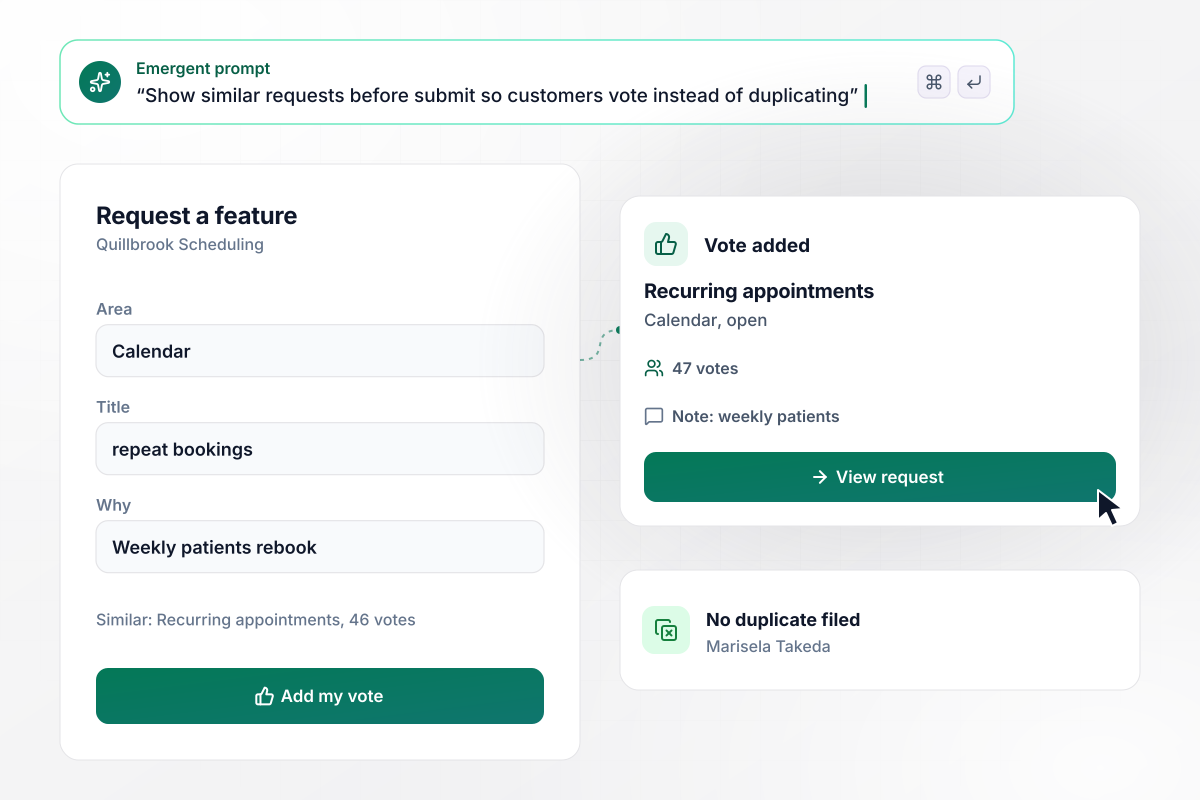
Marisela's vote turns 46 into 47 on one request
Marisela Takeda runs the front desk at a physical therapy clinic on Quillbrook Scheduling. She picks Calendar on the feature request form and types "repeat bookings". The form shows Recurring appointments, an open request with 46 votes. She adds her vote with a note about weekly patients, and the count reads 47.
window.awbMockup = { customerVotes: "Build a feature request form for my scheduling app. Customers pick a product area, and before they submit, show open requests in that area with vote counts so they can add a vote instead of filing a duplicate.", accountRequests: "Build a feature request form account managers fill out for a customer. They pick the account, and the app pulls its annual contract value from HubSpot and adds it to the request's running total.", weeklyTriage: "Build a triage queue for our feature requests. Show the week's new requests by product area, let the product manager set a status like Planned or Under review, and move votes over when two requests are merged.", shipNotices: "Build a feature request tracker that emails everyone who asked for or voted on a request when its status changes to Shipped, with a link to the release note." };
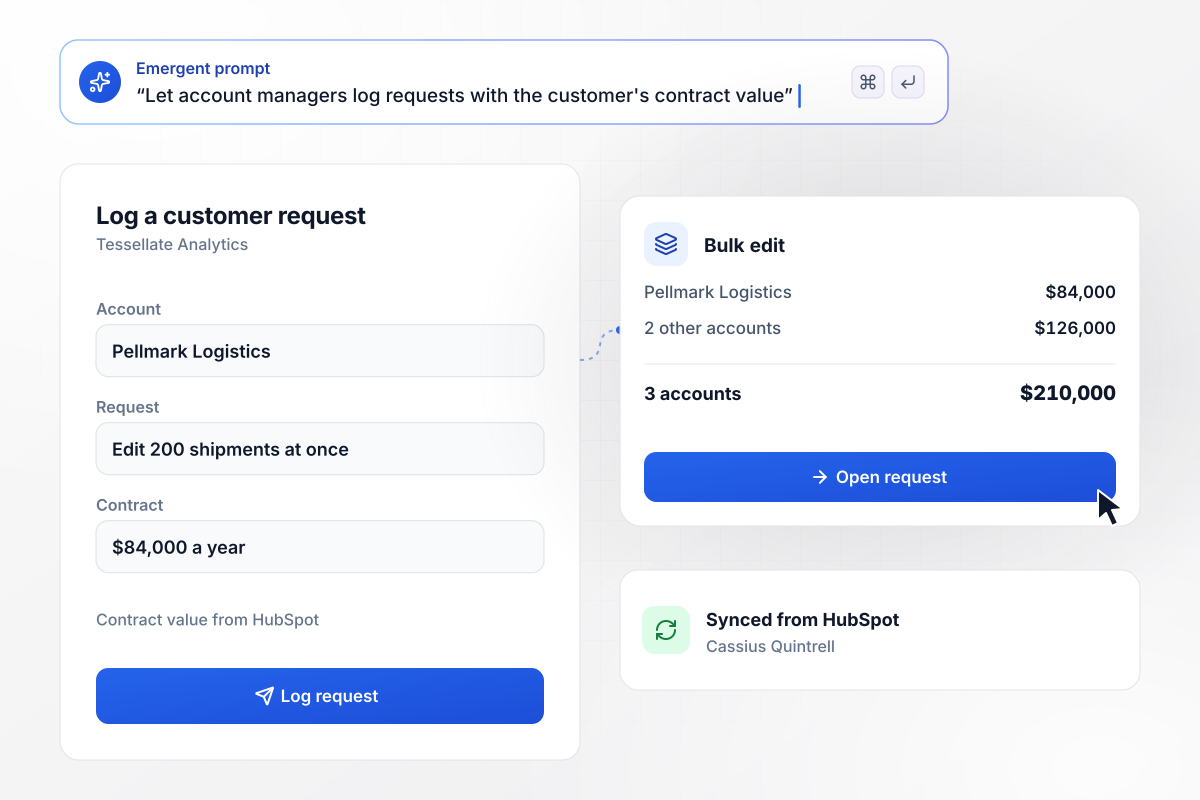
Bulk edit, asked for by 3 accounts worth $210,000
Pellmark Logistics pays Tessellate Analytics $84,000 a year and wants to edit 200 shipments at once. Account manager Cassius Quintrell logs the request and picks Pellmark from the account list. The app pulls the contract value from HubSpot. Bulk edit now has 3 accounts behind it, worth $210,000 a year together.
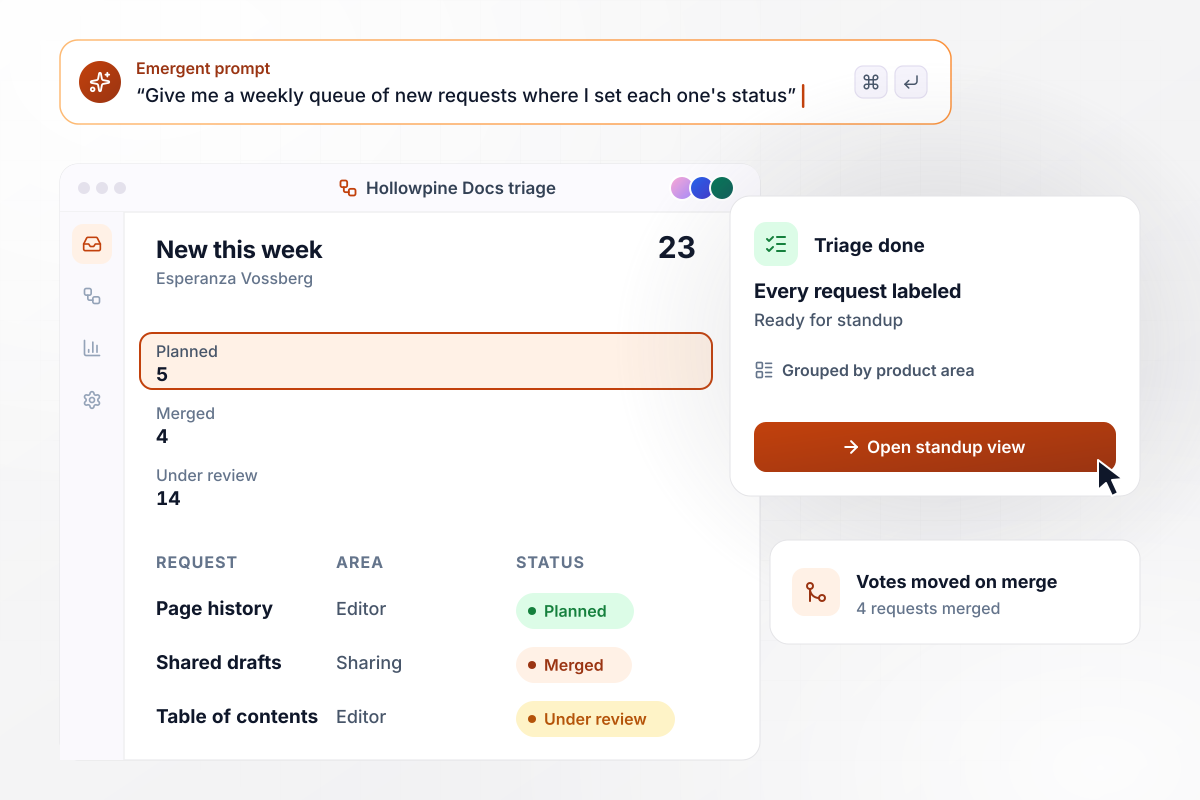
Before standup, 23 requests each get a status
Every Monday at Hollowpine Docs, product manager Esperanza Vossberg opens the week's new requests. This week there are 23. She moves 5 to Planned and merges 4 into older requests, which take their votes along. The other 14 stay Under review, and standup starts with every request labeled.
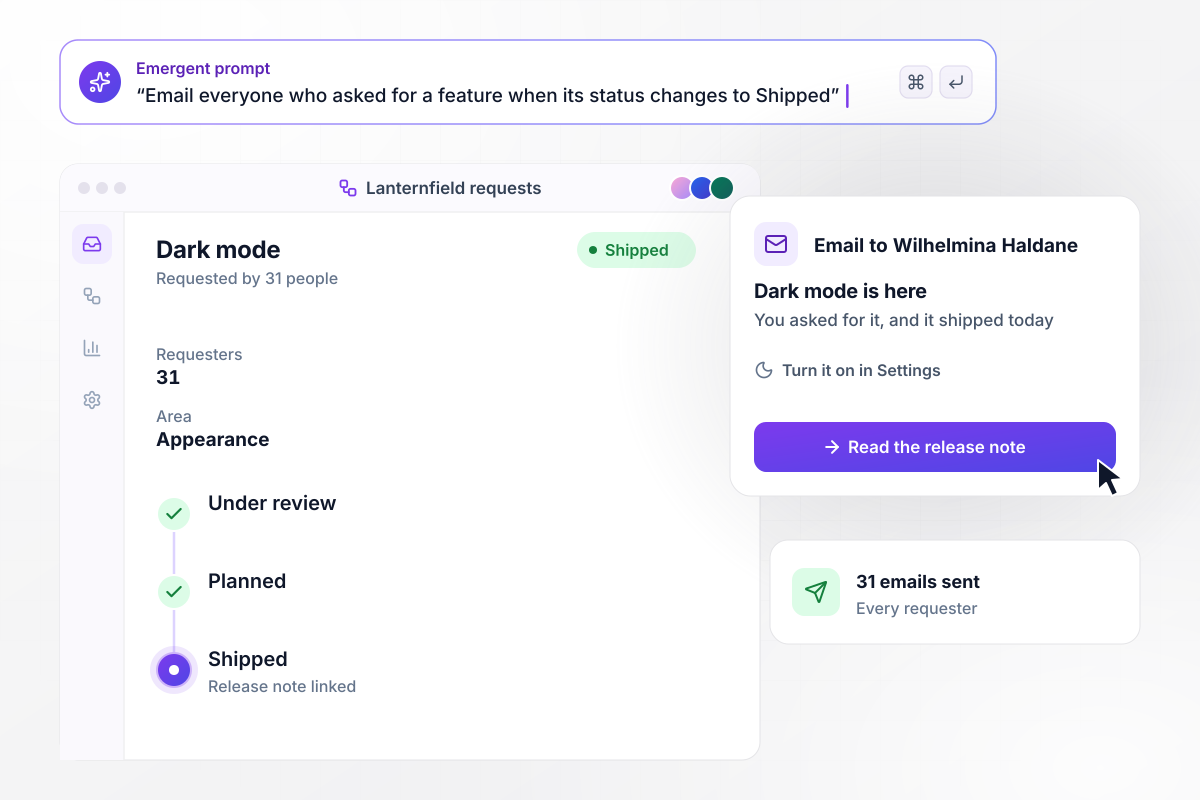
All 31 dark mode requesters hear it shipped
Dark mode was asked for by 31 people at Lanternfield Notes, a note-taking app. When the product manager moves the request to Shipped, the app sends all 31 an email that points to the release note. Wilhelmina Haldane, who voted for it, turns dark mode on within the hour.






How to Create a Feature Request Form
Follow 7 steps to build a feature request form that sorts each idea by product area and reports back to every requester.
List the parts of the product that one team owns, such as Search or Reports. Each becomes a choice on the form. Keep the list short enough that a customer finds the right area without asking support.
Ask what the person is trying to get done and what they do today instead. A workaround that takes an hour a week tells the team more than a vote does. Put the suggested design last, as an optional field.
Customers can reach the form from a link inside the product. Account managers and support staff log requests for the customers they look after. Their version of the form needs an account field.
Pick the statuses a request can hold, and write the message each one sends. A decline should carry a real reason in a sentence or two. Shipped should link to the release note or help article.
Put the areas and statuses in one prompt, along with the questions each area asks. Emergent builds the feature request form and the triage screen behind it. To change a question later, ask in plain English.
Connect HubSpot or whichever CRM holds your contracts. The app reads each account's contract value through the CRM's API, and requests logged by account managers carry that figure into triage.
File a test request, then start the same idea again from another email address. The second attempt should offer a vote on the first. Move the original to Shipped and check that both test inboxes get the email.
Why Build Feature Request Forms With Emergent?
A shared sheet gains a row for every idea, duplicates included. Emergent builds the form and its triage queue from a plain-English prompt.

|
Jotform | Google Forms | Typeform | |
|---|---|---|---|---|
| How you build | Describe it in plain English | Templates, editor, AI generator | Editor, with Gemini drafting on some Workspace plans | Templates, editor, AI assist |
| Where responses live | A database table you own, plus any integration | Jotform account | Google Sheets | Typeform account |
| Response limits | No response caps | Monthly submission caps by plan; the form stops at the cap | No limit | Monthly response caps by plan; the form closes at the cap |
| Code ownership | Full code export to GitHub on paid plans | None | None | None |



Pick the Pricing Plan That Works for You
Choose the plan that fits your building ambitions. From weekend projects to enterprise applications, we've got you covered.




Find the right form
for whatever you're collecting
Frequently Asked Questions
Your Questions, Answered
Don't change this element unless you know what you are doing
More things you can build
with Emergent









on Emergent today


