

Build a Food Bank Application Form That Knows Each Household
Get a food bank application form that sizes each grocery box and keeps the household on file for the next visit.
Build a food bank application form that saves every response to a database I own.
Trusted by Builders Worldwide
Active Builders Worldwide
Apps Successfully Created
Countries Globally Reached



What a Paper Intake Sheet Leaves to Volunteers
A paper sheet records a family once. These six pieces carry that record from the first visit to every one after it.
Household size, counted by age
The form asks how many adults, children, and seniors live in the home and adds them up. Volunteers packing groceries see the total, so a family of 6 never gets a box for 2.
A saved record for every return visit
A volunteer finds a returning household by phone number and sees what was entered last time. The client only answers what has changed, such as a new baby or a new address.
One question per screen on a phone
Clients can fill out the form on their own phone while they wait in line, one short question at a time. Nobody has to read their answers out loud at the intake table.
Dietary needs that reach the packing table
Ask once about allergies and any foods a family does not eat. Each need appears beside the box size on the packing screen at every visit, not only the first time they come in.
Client records in a database you own
Every family's record is saved to a database your food bank owns, with no cap on responses. Pull a list for a partner agency or a count for a funder without retyping a thing.
The code, exported to your GitHub
On paid plans, export the full code to your GitHub repository. A volunteer developer can host it next to your other tools or connect it to systems your network uses.
Food Bank Intake at Four Pantry Doors
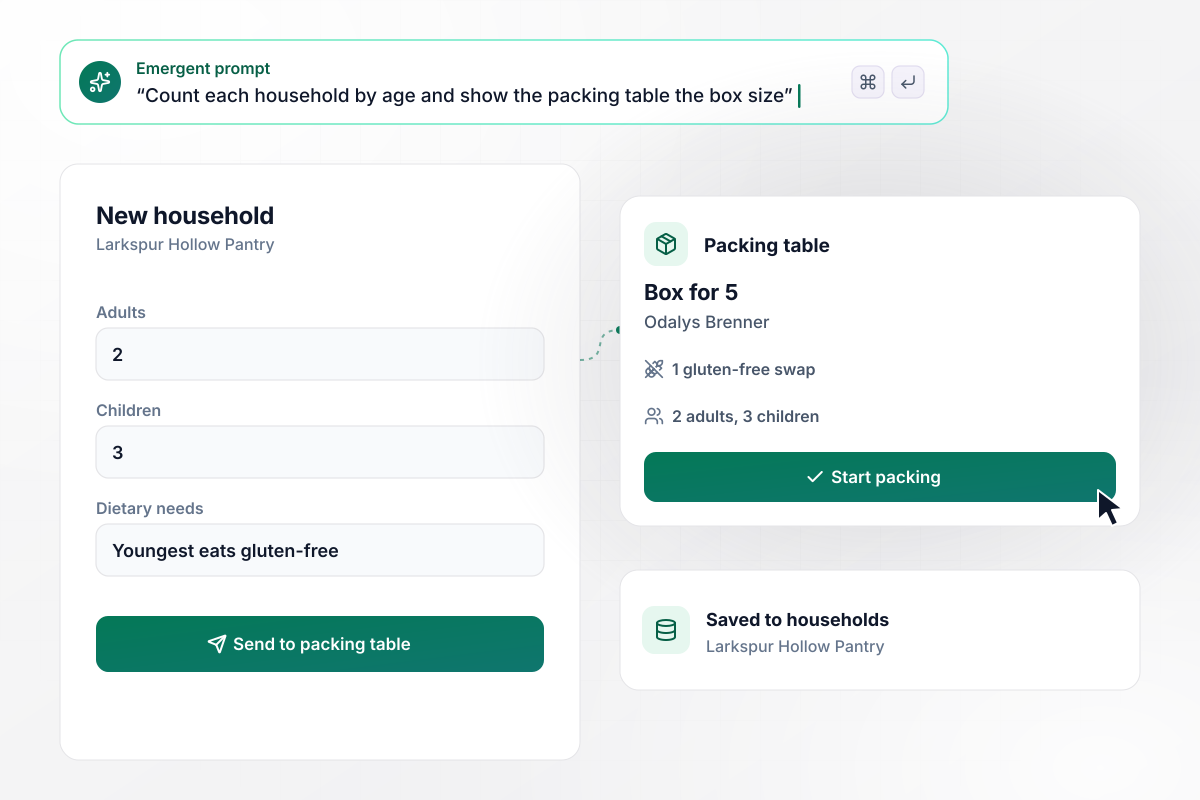
One gluten-free swap in a box for 5
Odalys Brenner walks into Larkspur Hollow Pantry for the first time with a household of 2 adults and 3 children. She fills out the form on her phone while in line and notes that her youngest eats gluten-free. At the packing table, the volunteer's screen shows a box for 5 with 1 gluten-free swap.
window.awbMockup = { firstVisit: "I run a neighborhood pantry. Build a food bank application form that asks how many adults, children, and seniors live in the home and any dietary needs, then shows the packing table the box size and any swaps.", returnVisit: "Our pantry sees the same families every month. Build a check-in where a volunteer finds a household by phone number and sees last visit's answers, and the client confirms them or updates what changed.", homeDelivery: "We deliver groceries on Tuesdays to clients who cannot travel. Add a home delivery option to our intake form that emails the delivery coordinator the address and how many people live there and adds the stop to the Tuesday route.", monthlyTotals: "I direct a regional food bank. Build a dashboard from our intake form that shows the households and people served each month, with people split into adults, children, and seniors, for our board." };
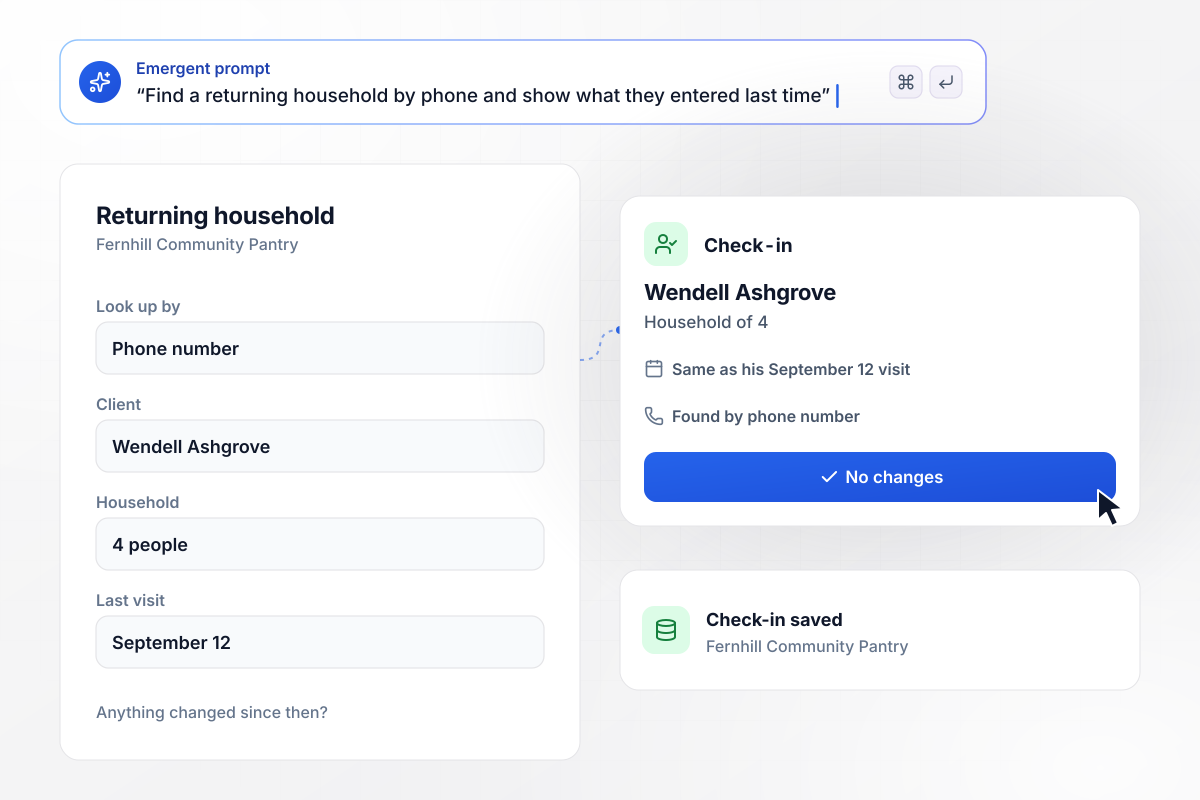
Wendell checks in with one tap
Wendell Ashgrove has picked up groceries at Fernhill Community Pantry before. A volunteer looks him up by phone number, and the form shows his household of 4 from his September 12 visit. Nothing has changed since then. He taps No changes, and his check-in is saved.
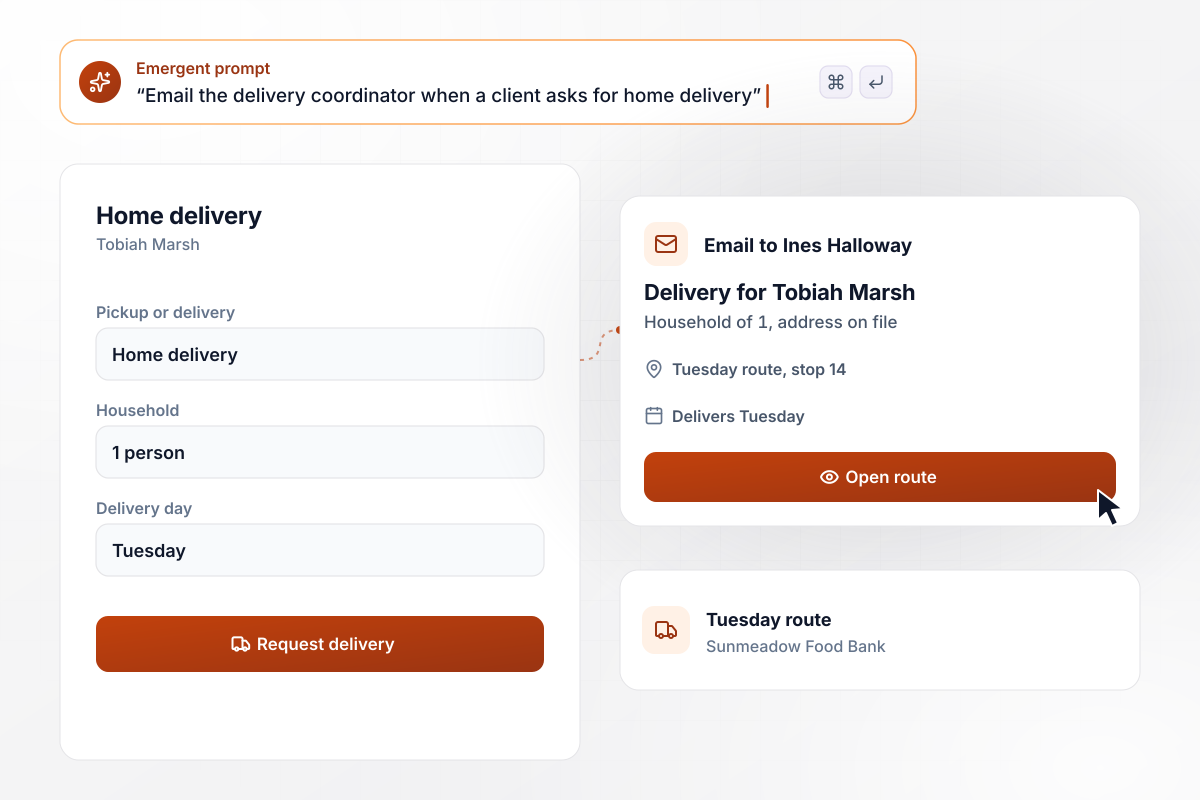
From one request to stop 14 on Tuesday
Sunmeadow Food Bank drives groceries on Tuesdays to clients who cannot get to a pantry. Tobiah Marsh stopped driving this year and picks home delivery on the form. Coordinator Ines Halloway gets an email with his address and his household of 1, and he becomes stop 14 on the Tuesday route.
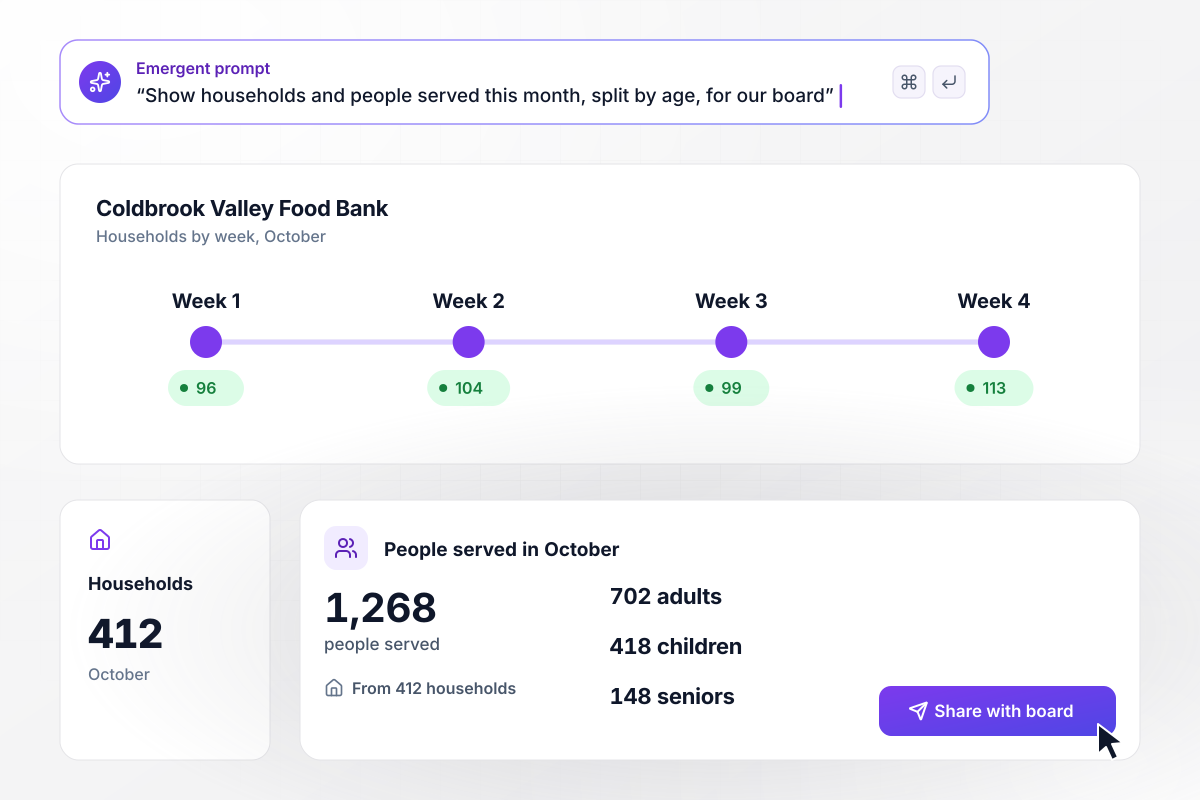
All of October, counted by age: 1,268 people
Renata Oyelaran opens October on the Coldbrook Valley Food Bank dashboard before the board meets. The month shows 412 households. Because every family listed its members by age at intake, the people served add up on their own: 702 adults, 418 children, and 148 seniors, for 1,268 in all.






How to Create a Food Bank Application Form
Seven steps to create a food bank application form that sizes each box and keeps every household ready for its next visit.
Write down what your pantry actually uses at the table, such as family size and how a client gets groceries home. If nobody acts on an answer, leave the question off and keep the line moving.
Ask for the number of adults, children, and seniors as three separate counts instead of one total. The box size and your monthly report both draw on those counts, and families answer them in seconds.
Ask which foods the family cannot eat or chooses not to eat, with a short list and an Other box. Keep the wording plain and kind, and never ask a client to explain why.
Decide how a returning household is found, such as by phone number, and what they confirm each time. With a short check-in screen, volunteers never hand the full form to a family every month.
If you deliver, offer delivery next to pickup and name the coordinator who plans the route. Give the coordinator the address and the number of people with each request, and nothing they do not use.
Put your questions and the delivery routing into one prompt. Emergent builds the food bank application form, the database behind it, and a dashboard. Change anything later with a new prompt.
Have a volunteer take one real visit through intake and on to the packing screen. Check that the box size and the dietary note are right, then try a return check-in with the same phone number.
Why Build Food Bank Intake With Emergent?
A printed food bank application form PDF is typed up after the line clears. A built form saves each family to a database you own.

|
Jotform | Google Forms | Typeform | |
|---|---|---|---|---|
| How you build | Describe it in plain English | Templates, editor, AI generator | Editor, with Gemini drafting on some Workspace plans | Templates, editor, AI assist |
| Where responses live | A database table you own, plus any integration | Jotform account | Google Sheets | Typeform account |
| Response limits | No response caps | Monthly submission caps by plan; the form stops at the cap | No limit | Monthly response caps by plan; the form closes at the cap |
| Code ownership | Full code export to GitHub on paid plans | None | None | None |

Pick the Pricing Plan That Works for You
Choose the plan that fits your building ambitions. From weekend projects to enterprise applications, we've got you covered.




Find the right form
for whatever you're collecting
Frequently Asked Questions
Your Questions, Answered
Don't change this element unless you know what you are doing
More things you can build
with Emergent









on Emergent today


