

Build a Fundraiser Order Form That Credits Every Seller
Build a fundraiser order form that totals each order, credits the seller, and saves it to a database you own.
Build a fundraiser order form that saves every response to a database I own.
Trusted by Builders Worldwide
Active Builders Worldwide
Apps Successfully Created
Countries Globally Reached



What a Paper Order Sheet Cannot Do
A paper sheet rides home in a backpack and gets added up by hand. These six parts keep orders, sellers, and payments in one place.
Credit for the student who made the sale
Each order names the student or player who sold it. Seller totals come from the saved orders, and a coordinator can sort the whole sale by seller, class, or team in one view.
Items, sizes, and prices set up once
List each product with its price and options, such as scent, grind, or size. The buyer picks quantities, the total updates on the screen, and one price list runs the whole sale.
Payment status on every order
Ask whether the buyer paid by cash, by check, or will pay at pickup. The treasurer marks an order paid when the money arrives, and the list of open balances stays current all week.
Emails when a seller reaches a goal
Set a goal, such as 20 items, and pick who hears about it. The chair gets an email or a Slack message when a seller crosses it, and that student goes straight onto the prize list.
Every order in a database you own
Orders save as rows in a database you own, with no cap on responses. A sale that runs past its target keeps taking orders, and next year's sale starts from this year's data.
Code you can take with you
On paid plans, export the full codebase to your GitHub repository. A booster club or school district with its own developer can host the order form anywhere and keep building on it.
How Four Groups Run Their Sales
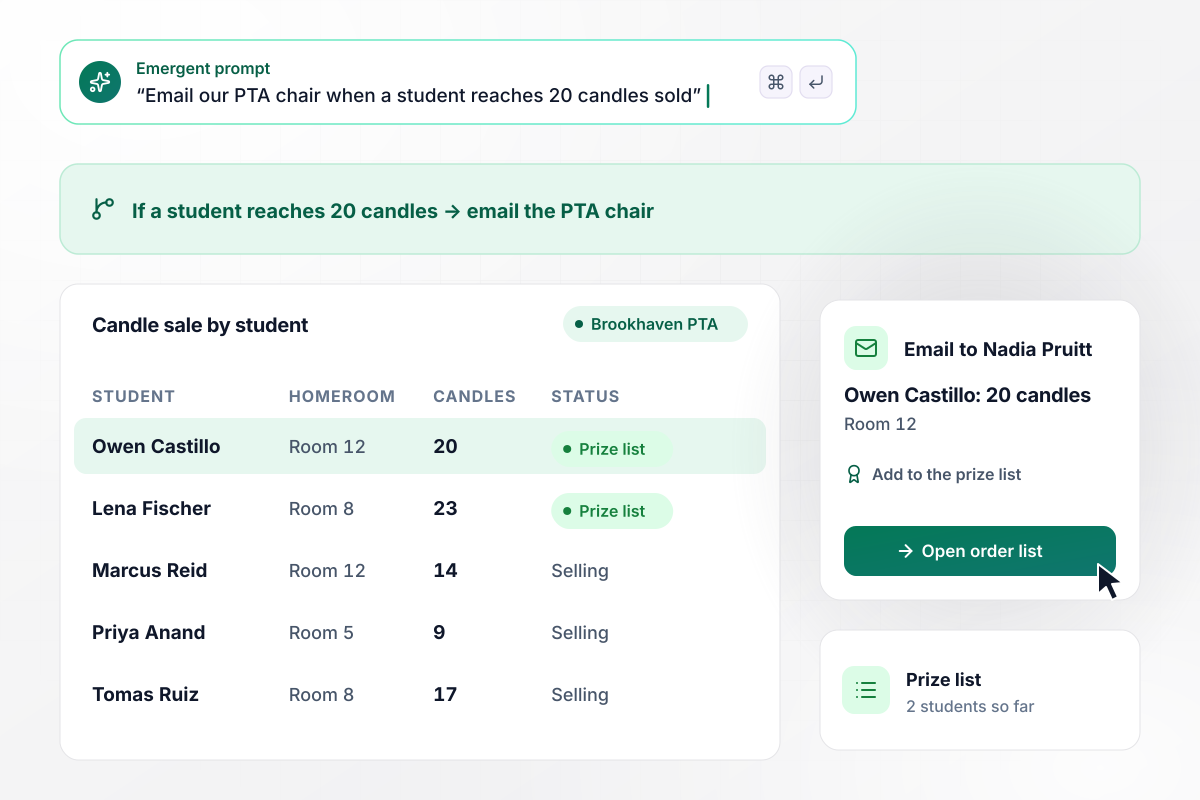
Students who reach 20 candles land on the prize list
Brookhaven Elementary's PTA sells soy candles for its library fund. Each order names the student who sold it and the homeroom. When a student reaches 20 candles, the PTA chair, Nadia Pruitt, gets an email to add that student to the prize list.
window.awbMockup = { schoolPtaSales: "Build a fundraiser order form for my school PTA's soy candle sale. Ask for the buyer's name, phone, scent, and number of candles, plus the student seller and homeroom. Keep a running candle count for each student. When a student reaches 20 candles, email our PTA chair, Nadia Pruitt, to add that student to the prize list.", youthSportsTeams: "Build a coffee order form for my youth soccer club's fundraiser. Bags cost $15 each. Let the buyer pick a roast, whole bean or ground, and the number of bags, and show the total before they submit. Ask which player sold the order, and send the buyer a confirmation email that names the player who will deliver it.", scoutTroopPreorders: "Build a wreath preorder form for my scout troop. Offer small, medium, and large wreaths, and ask for the buyer's name, address, and the scout who sold the order. When the sale closes, add every order into one supplier order by size and send our troop leader, Hector Vance, the totals in a Slack direct message.", boosterClubPickup: "Build a pickup day list for my band boosters' fundraiser that volunteers can use on a tablet. Show each order with the family, the student seller, the items, and whether it is paid. Let volunteers check off orders as families collect them. Hold any unpaid order at the table, and send our treasurer Gil Moreno an email that lists each held order, its seller, and the amount due." };
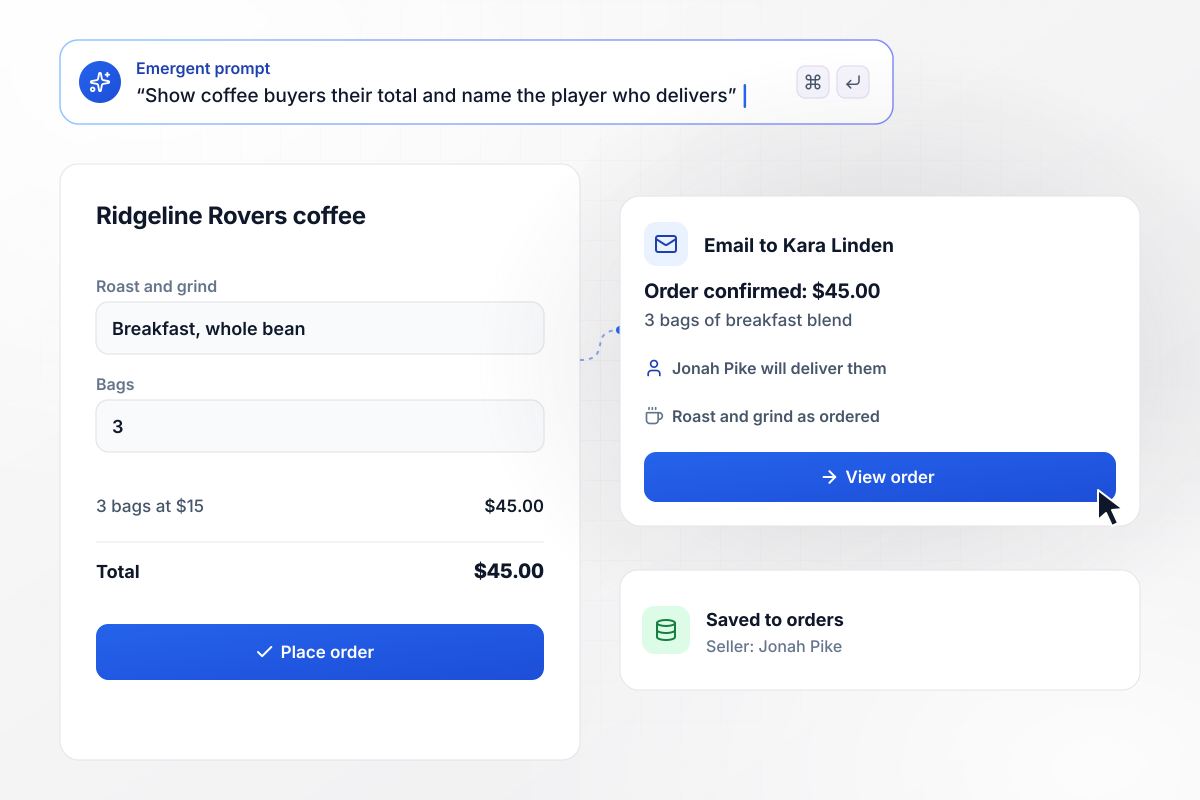
The buyer's total updates with each bag
Ridgeline Rovers, a youth soccer club, sells coffee by the bag. A buyer picks a roast, a grind, and the number of bags. Kara Linden orders 3 bags at $15, and her total reads $45.00 before she submits. Her confirmation email names Jonah Pike, the player who will deliver them.
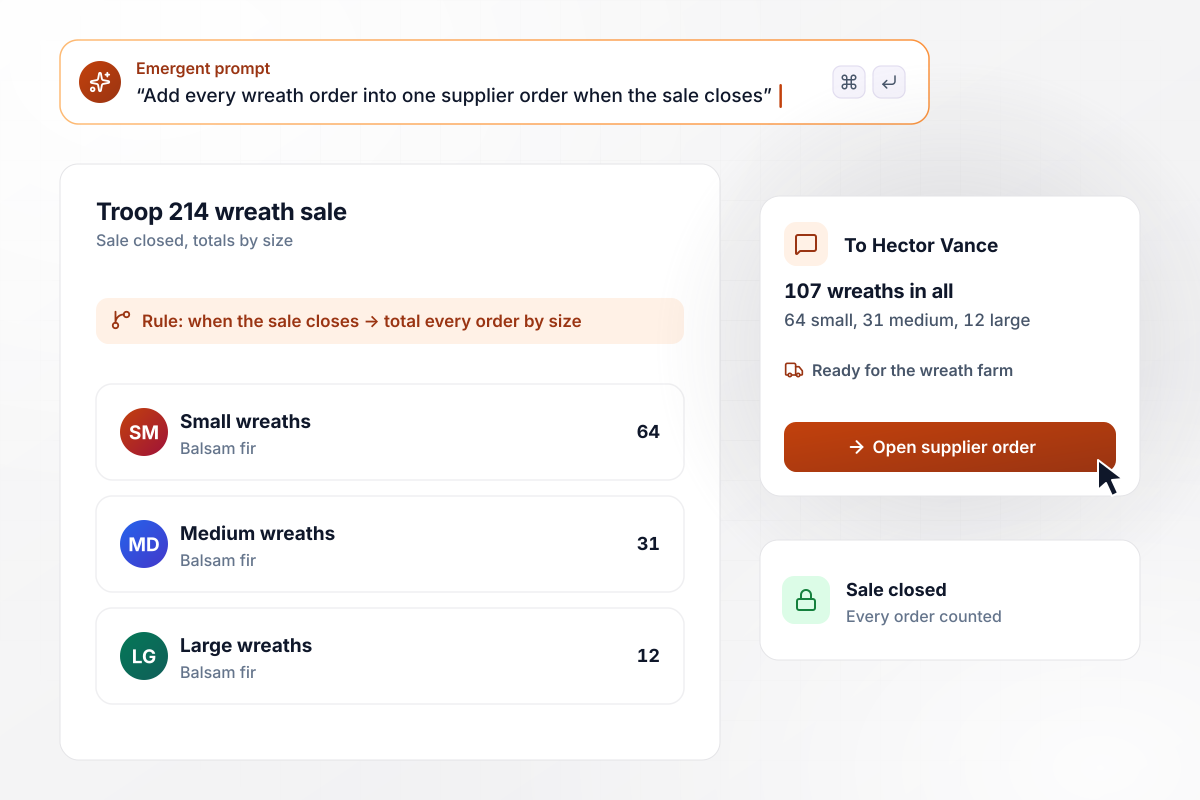
Every wreath order adds up into one supplier order
Troop 214 sells holiday wreaths in three sizes. When the sale closes, the app adds up the orders by size: 64 small, 31 medium, and 12 large, or 107 wreaths in all. Troop leader Hector Vance gets the totals in a Slack direct message and places the order with the wreath farm.
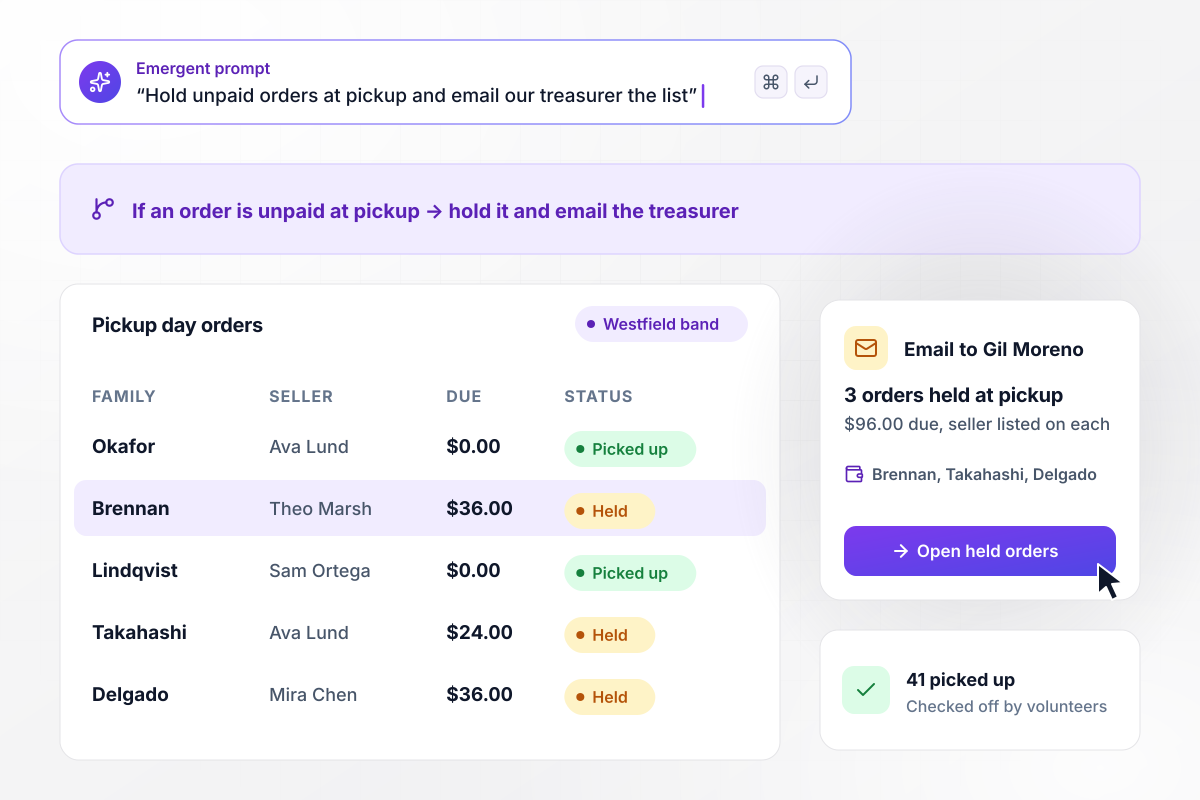
The pickup table holds any unpaid order for the treasurer
Westfield High's band boosters run pickup day from a tablet, and volunteers check off each order as a family collects it. An order still marked unpaid stays at the table. By noon, 41 orders were picked up and 3 were held, and the treasurer, Gil Moreno, had an email listing each held order with its seller and the amount due.






How to Create a Fundraiser Order Form
Seven steps to create a fundraiser order form that credits each seller and totals the sale, then build it with Emergent.
Start with the product sheet from your supplier. List every item with its price and the options buyers choose, such as scent or wreath size. Leave out anything the supplier cannot fill, because each choice on the form becomes a line on the supplier order.
Pick what identifies a seller: the student's name plus a homeroom, a team, or a den. Offer those names as a list instead of a text box. A typed name spelled two ways splits one seller's total into two.
Collect the buyer's name and email on every order. Ask for a street address only when sellers deliver door to door. A pickup sale needs a phone number so a volunteer can call about an order that nobody collected.
Offer the payment methods your treasurer accepts, such as cash, check, or pay at pickup. Add a paid or unpaid status to each order. The treasurer changes it when money arrives, and the pickup list reads from that status.
Pick the day the form stops taking orders, timed to your supplier's deadline. Then set any seller goals and who hears about them. A goal of 20 items and an email to the chair is a simple place to start.
Place 3 orders yourself before sharing the link: one with a single item, one with every option, and one marked unpaid. Check the totals by hand and confirm each order shows up under the right seller.
Decide whether orders are sorted by seller or by family, and who checks them off. Open the pickup list on a tablet and run your test orders through it. Volunteers then know how to hold an unpaid order before the first family arrives.
Why Use Emergent for Fundraiser Order Forms?
Emergent builds the order form and the sale around it: seller totals, the supplier order, and a pickup list in your own database.

|
Jotform | SurveyMonkey | AidaForm | |
|---|---|---|---|---|
| How you build | Describe it in plain English | Templates, editor, AI generator | Survey builder with templates | Templates and a drag-and-drop builder |
| Where responses live | A database table you own, plus any integration | Jotform account | SurveyMonkey account, plus export | AidaForm account, plus Google Sheets and export |
| Response limits | No response caps | Monthly submission caps by plan; the form stops at the cap | Response allowance per plan, overage billed on paid plans | Monthly response cap, paused until reset |
| Code ownership | Full code export to GitHub on paid plans | None | None | None |




Pick the Pricing Plan That Works for You
Choose the plan that fits your building ambitions. From weekend projects to enterprise applications, we've got you covered.




Find the right form
for whatever you're collecting
Frequently Asked Questions
Your Questions, Answered
Don't change this element unless you know what you are doing
More things you can build
with Emergent









on Emergent today


