

Build a Grievance Form That Tracks Every Step and Deadline
Build a grievance form that records the facts, counts the filing deadline in working days, and tracks each step's answer.
Build a grievance form that saves every response to a database I own.
Trusted by Builders Worldwide
Active Builders Worldwide
Apps Successfully Created
Countries Globally Reached



What Happens After a Grievance Is Filed
Emergent builds the form and the record behind it, from working-day deadlines to every written answer.
The fields a grievance needs
Asks for the grievant, the steward, the date of the incident, the contract article or policy section, and the remedy. Each answer lands in its own column, ready to search.
Filing windows in working days
Counts the filing window from the incident date in working days, skipping weekends and the holidays you list. The grievant sees the last day to file before they submit.
A due date for every written answer
Sets the date each step's written answer is due and names the person who owes it. That person gets an email reminder 2 days before the date, with the grievance attached.
Signatures and evidence on the record
Captures the grievant's and the steward's e-signatures and takes uploads such as shift schedules, emails, or photos. Each file stays attached to the grievance it supports.
A grievance log in your own database
Saves every grievance and each step answer, with its date, in a database you own. HR can count grievances by article or site, and a steward sees where each open grievance stands.
The full code in your GitHub
Exports the full codebase to your GitHub repository on paid plans. A developer can connect the log to your HR system or add a step, and every rule sits in readable code.
Four Places Grievance Forms Get Filed
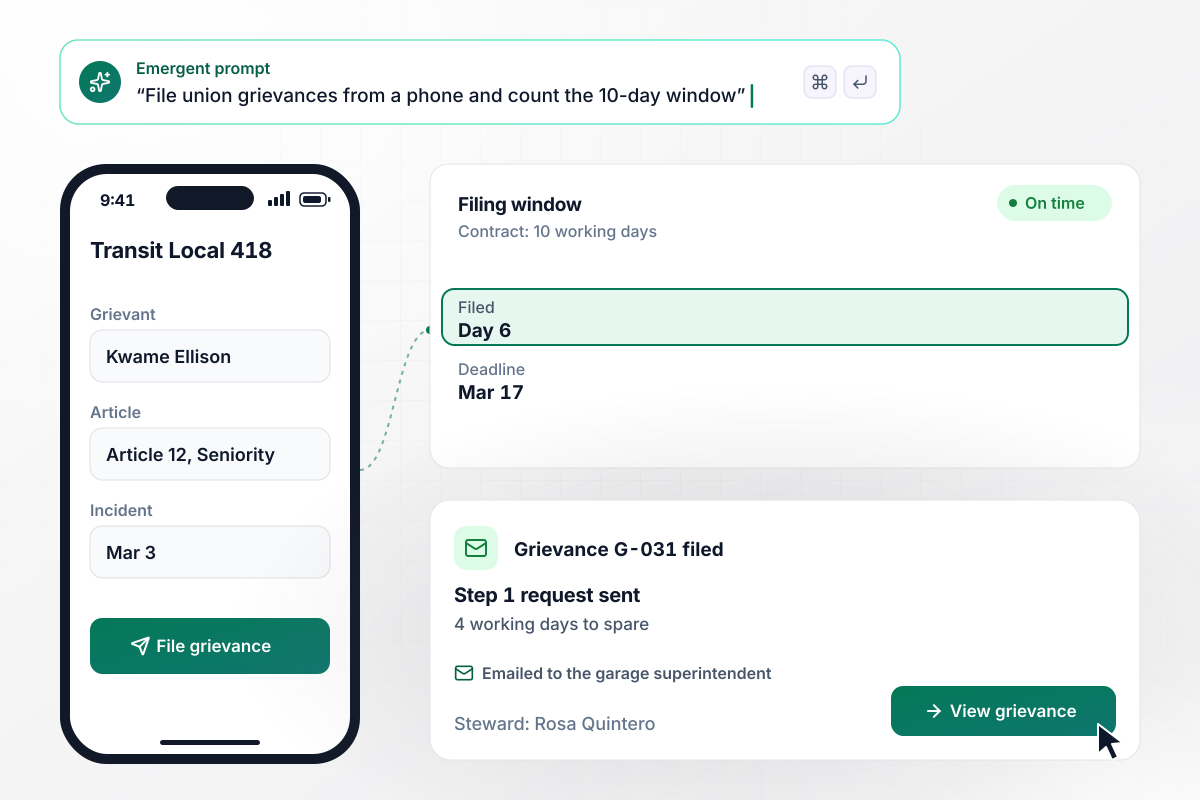
With 4 working days to spare, the seniority grievance is filed
Transit Local 418's contract allows 10 working days from the incident to file. Steward Rosa Quintero files from her phone for driver Kwame Ellison: an overtime shift on March 3 went to a junior driver, against Article 12. The app stamps the filing on day 6 and emails the Step 1 meeting request to the garage superintendent.
window.awbMockup = { unionLocals: "Build a grievance form my union local's stewards can fill in on a phone. Ask for the grievant, the contract article, the incident date, and the remedy. Our contract allows 10 working days from the incident to file. Count working days, show the steward the deadline, and email the Step 1 meeting request to the garage superintendent when a grievance is filed.", publicAgencies: "Build a grievance tracker for my county's employees. A supervisor has 5 working days to answer a Level 1 grievance in writing. If no answer is recorded by then, move the grievance to Level 2 and send the department director a Slack direct message with the grievance form and the file.", universities: "Build hearing scheduling for my university's staff grievances. When HR books a hearing, gather the grievance form, the department's written answer, and the grievant's attachments into one packet. Email the packet to each of the 3 panel members with the hearing date and room, and save the panel's decision to the same record.", hrTeams: "Build a grievance log for my company's three plants. List every open grievance with its plant, its step, and the date its answer is due. Send our HR director a digest every Monday morning, with any late answer at the top in red." };
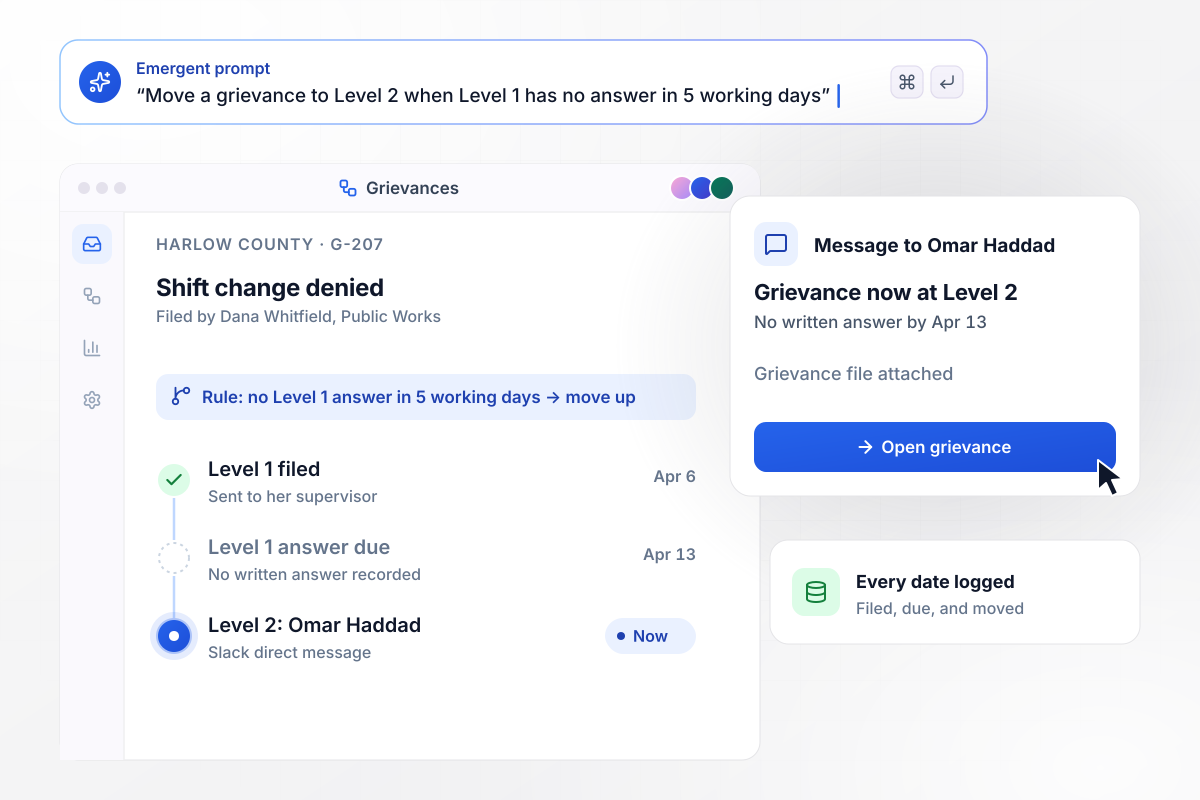
Escalated to Level 2 when 5 working days pass unanswered
Harlow County's policy gives a supervisor 5 working days to answer a Level 1 grievance in writing. Clerk Dana Whitfield filed one on April 6 over a denied shift change. When April 13 passed with no answer, the app moved it to Level 2 and sent Public Works director Omar Haddad a Slack direct message with the file.
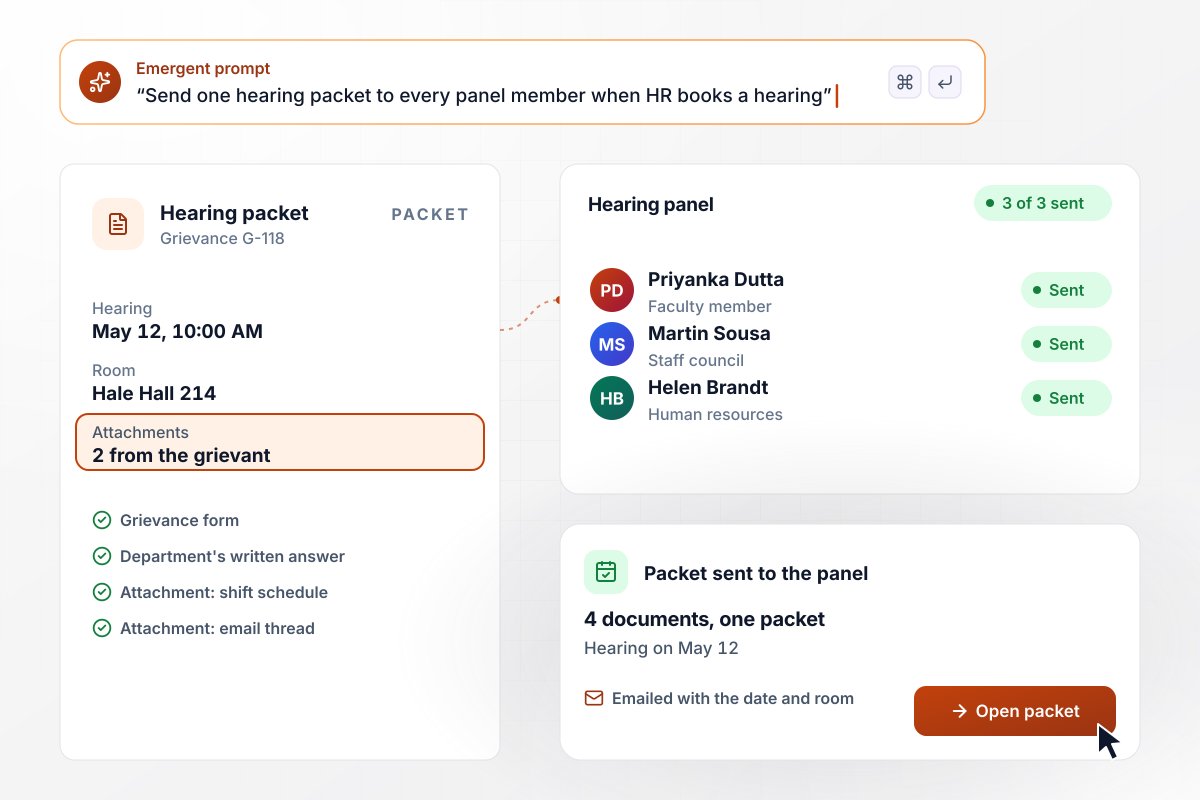
One hearing packet for all 3 panel members
At Larkspur State University, a staff grievance the department cannot settle goes to a hearing panel of 3. Once HR books it for May 12, the app builds one packet of 4 documents: the form, the department's written answer, and the grievant's 2 attachments. Each panel member gets it by email with the date and room.
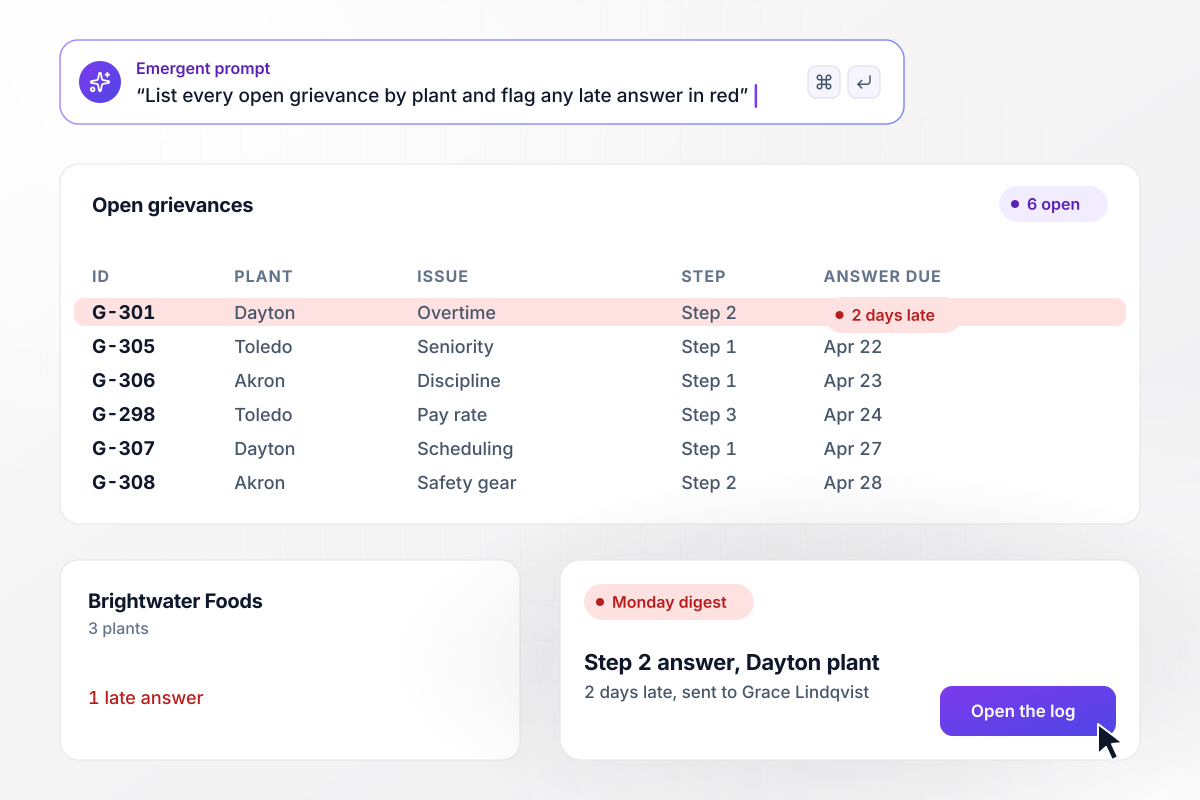
Every open grievance with the date its answer is due
Brightwater Foods runs three plants, and HR director Grace Lindqvist starts each Monday with a digest of open grievances. This week there are 6, each listed by plant with its step and the date its answer is due. One Step 2 answer at the Dayton plant is 2 days late, and it sits at the top in red.






How to Create a Grievance Form
Seven steps to build a grievance form that follows your procedure and counts each deadline, tested on a closed grievance first.
Open the union contract or the employee handbook at its grievance article. Write down each step and every time limit with its unit. A 10-day limit can mean working days or calendar days, and the form needs to know which one your procedure uses.
Decide who may file: the employee, a steward on the employee's behalf, or both. Then name the person who answers at each step by role, such as the garage superintendent, and the form still routes correctly when someone changes jobs.
Write a prompt that names the fields and steps from your notes, with each time limit. Emergent builds the form and a grievance table, plus a screen where each step's answer is recorded. Change any part later with another prompt.
List the holidays your contract or policy leaves out of working days, along with the weekend rule. Deadlines then count past them, and a grievance filed the day before a long weekend gets the right last day.
Re-enter a grievance from last year that has already closed, with its real dates. Compare every deadline the app calculates with the dates in the file. If one differs by a day, check whether the count starts on the incident date or the day after.
Choose how many days before each due date the person who owes an answer hears about it, and what happens when a date passes. Point each escalation at a named person, such as a department director, not a shared inbox.
Send the form link to stewards and HR, or post it where employees already find policy documents. Read the open grievances once a week, sorted by due date, and fix any step that keeps missing its date.
Why Build Your Grievance Form With Emergent?
Emergent builds the grievance form and the log behind it, on a database you own with no response caps.

|
Jotform | Google Forms | Typeform | |
|---|---|---|---|---|
| How you build | Describe it in plain English | Templates, editor, AI generator | Editor, with Gemini drafting on some Workspace plans | Templates, editor, AI assist |
| Where responses live | A database table you own, plus any integration | Jotform account | Google Sheets | Typeform account |
| Response limits | No response caps | Monthly submission caps by plan; the form stops at the cap | No limit | Monthly response caps by plan; the form closes at the cap |
| Code ownership | Full code export to GitHub on paid plans | None | None | None |



Pick the Pricing Plan That Works for You
Choose the plan that fits your building ambitions. From weekend projects to enterprise applications, we've got you covered.




Find the right form
for whatever you're collecting


Frequently Asked Questions
Your Questions, Answered
Don't change this element unless you know what you are doing
More things you can build
with Emergent









on Emergent today


