

Build a Laser Hair Removal Consent Form for Every Session
Build a laser hair removal consent form with a line per treatment area and a check-in before every session.
Build a laser hair removal consent form that saves every response to a database I own.
Trusted by Builders Worldwide
Active Builders Worldwide
Apps Successfully Created
Countries Globally Reached



What One Signed Sheet Misses Across a Package
A client on a package returns for several sessions, sometimes for more than one area. The form keeps consent current each visit.
Your medical director's consent wording
Paste in the consent statements and health questions your medical director approved. The form shows them word for word, and the record keeps the text each client signed.
One consent line for each treatment area
The client ticks the areas booked, such as underarms or lower legs, and initials a consent line for each. The provider sees which areas were agreed to before starting.
A short check-in before each session
Ask 3 questions your clinic picks before every return visit, starting with what has changed since the last session. A changed answer tops the record the provider opens.
A session log the provider fills in
After each session, the provider adds the device, the settings your clinic records, and their name. Every session in the package lands on one record, next to the signed consent.
E-signatures on the client's own phone
Send the link with the booking confirmation, or hand over the front desk tablet. The app captures the e-signature and saves it with the answers it confirms, in a database you own.
Full code in your GitHub repository
On paid plans, export the full code to your GitHub repository when the form has to live on your clinic's website. Your developer can host it on your own servers and keep building.
How Laser Clinics Use the Consent Record
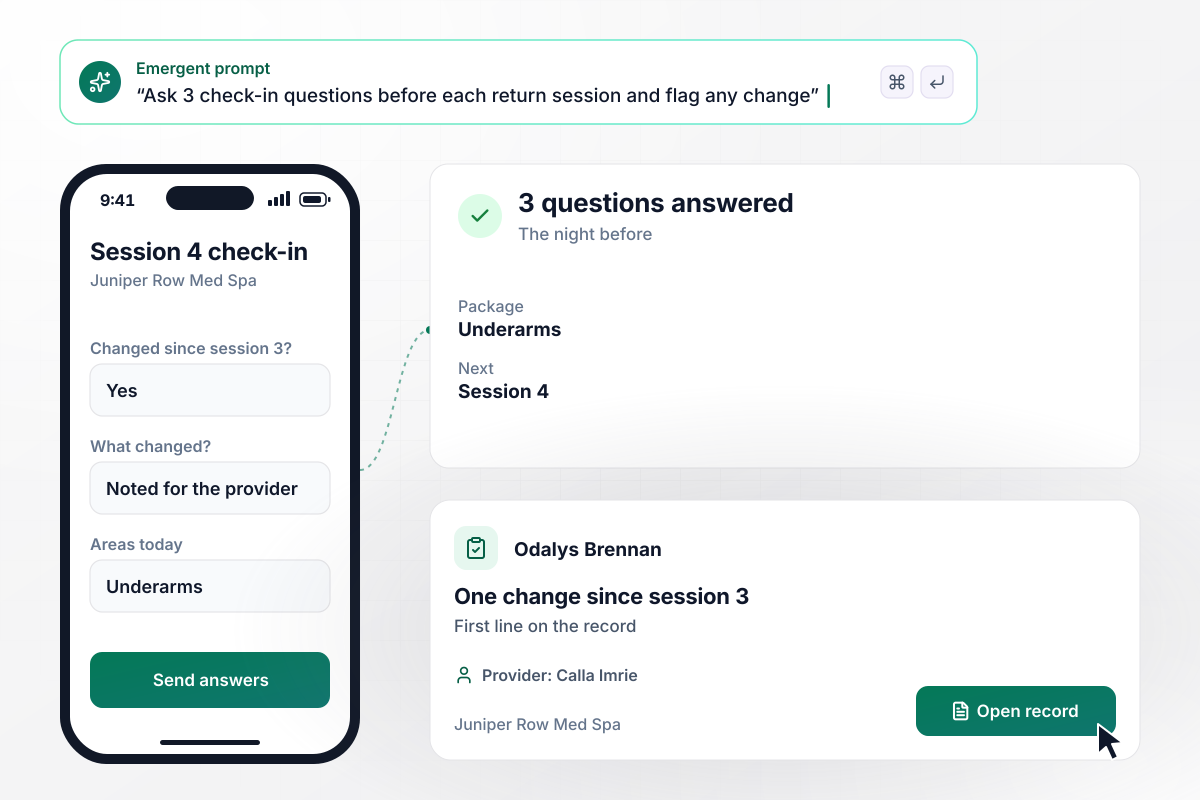
Calla sees any change after session 3 first
Odalys Brennan is due for session 4 of her underarm package at Juniper Row Med Spa. The night before, she answers the 3 check-in questions on her phone and marks one change since session 3. Provider Calla Imrie opens the record in the treatment room, and that answer is the first line she reads.
window.awbMockup = { sessionCheckIn: "I run Juniper Row Med Spa. Build a laser hair removal consent form, plus a check-in of 3 questions clients answer on their phone the night before each return session. Put any answer that changed since the last session at the top of the record the provider opens.", dailyClientList: "Give each provider at my laser clinic a daily client list showing who has a signed consent on file and who has not. At 6 p.m. the evening before a visit, email the form link to every client on the next day's list who still has not signed.", addedTreatmentAreas: "Clients at my clinic buy laser packages for one area and sometimes add another partway through. When a client adds an area, ask for a consent line and signature for that area alone, and keep the signatures for the areas they already have unchanged.", multipleLocations: "We run 3 laser locations. Keep one client record across all of them, so a provider at any location sees every past session, where it happened, its signed consent, and how many sessions are left in the package." };
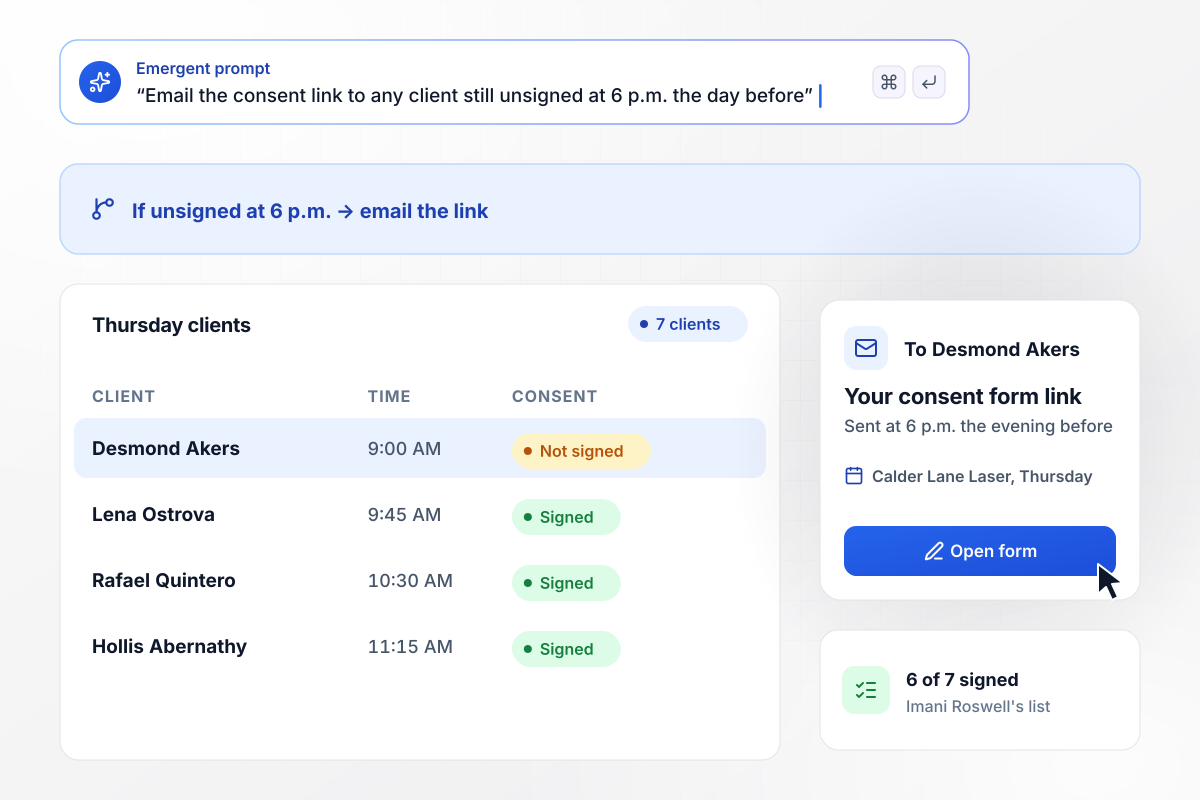
Desmond, the one of 7 without a signature, gets his link
Imani Roswell starts every Thursday at Calder Lane Laser with her client list. This week it holds 7 clients, and 6 have a signed consent on file. Desmond Akers has not signed yet, so the app emails him the form link at 6 p.m. the evening before his visit.
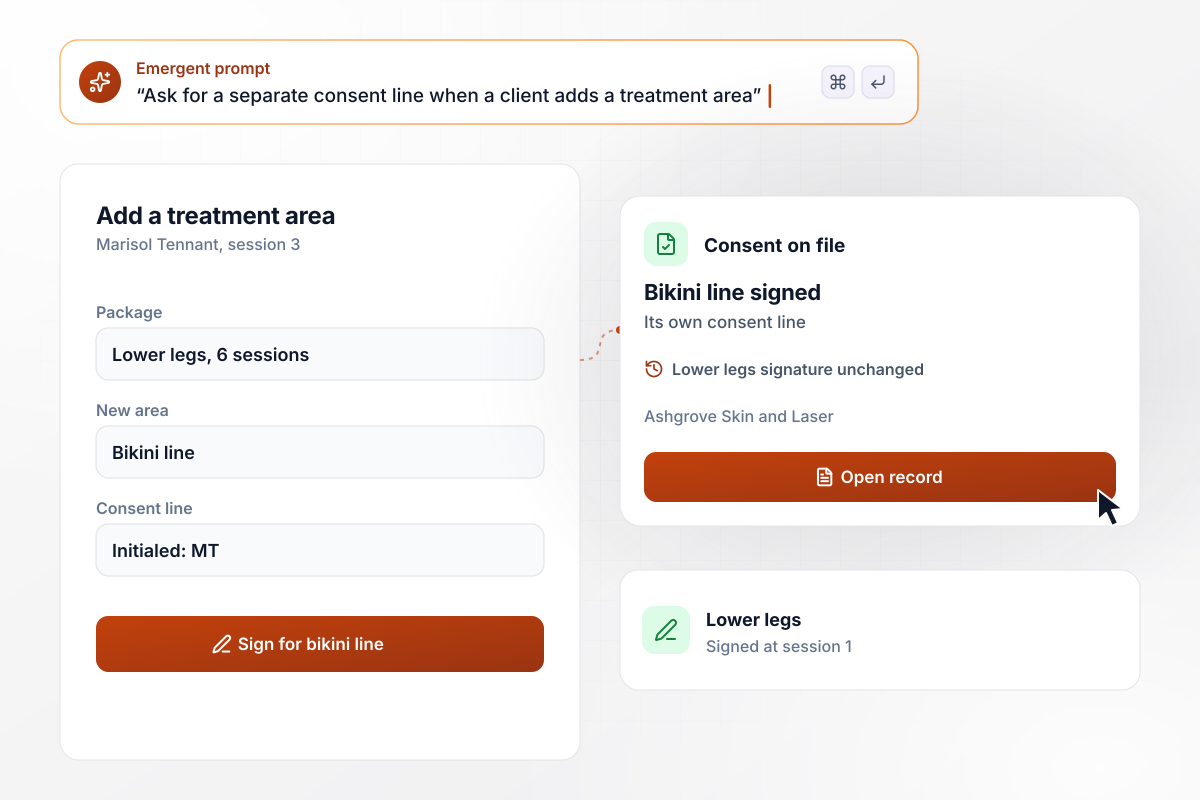
When the bikini line joins, it gets its own signature
Marisol Tennant bought a 6-session lower legs package at Ashgrove Skin and Laser. At session 3 she adds the bikini line, and the form asks her to initial and sign a consent line for that area alone. Her lower legs signature from session 1 stays on the record unchanged.
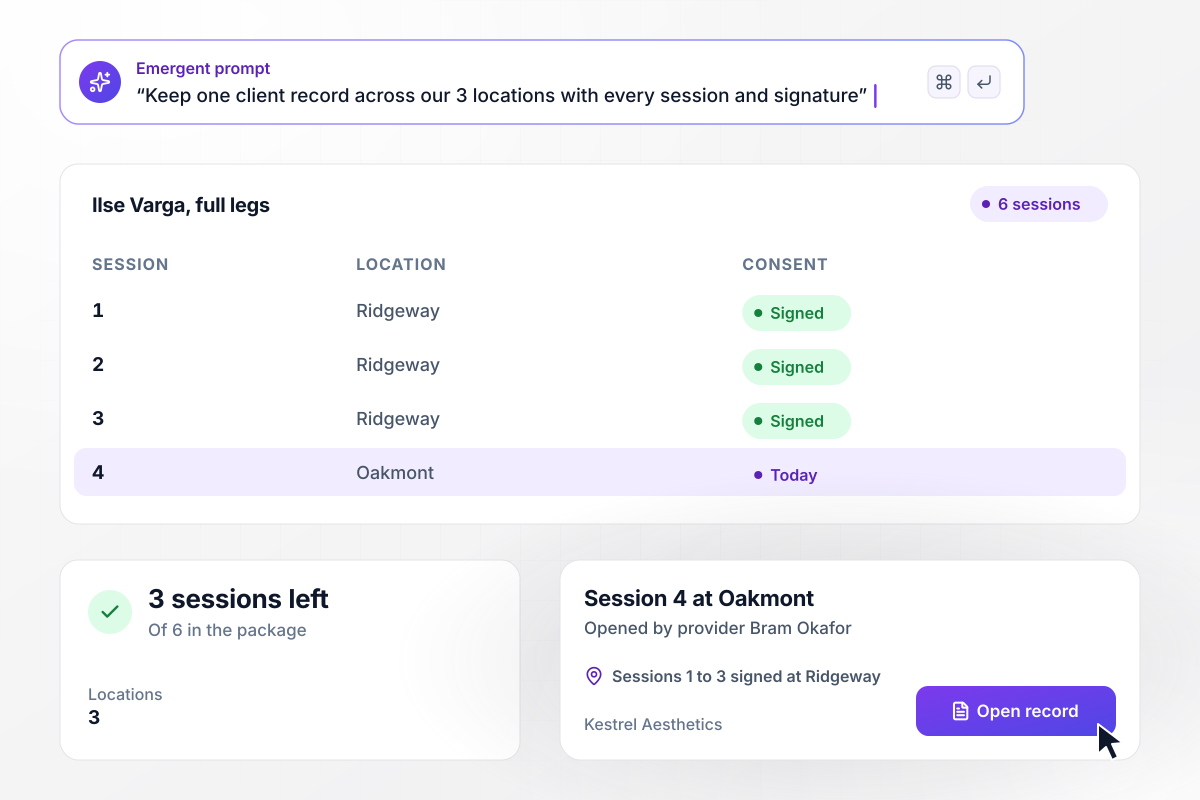
From Ridgeway into Oakmont, with sessions 1 to 3 signed
Kestrel Aesthetics runs 3 locations on one client database. Ilse Varga began her 6-session full legs package at Ridgeway and books session 4 at Oakmont, closer to her new office. Provider Bram Okafor opens one record showing sessions 1 to 3, each signed at Ridgeway, and 3 sessions left.






How to Create a Laser Consent Form
Seven steps to create a laser hair removal consent form clients sign for each area and check in on before every session.
List every area you treat, such as underarms, lower legs, and the bikini line. Each one becomes a choice on the form with its own consent line, so a client signs only for the areas booked.
Ask your medical director for the wording of every consent statement and health question. Have a healthcare attorney review it before the form goes live, and keep the approved text exactly as written.
Pick 3 short questions a returning client answers before each session, and have your medical director sign off on them. Keep each one to a yes or no with a box for details.
Agree on what the provider records after each session, such as the device and the settings your clinic tracks. Those fields sit on the same record as the signed consent.
Put the areas, the wording, the check-in, and the provider log into one prompt. Emergent builds the form and the client database behind it. To add an area later, describe the change in a new prompt.
Send the form link with every booking confirmation. Then choose when a client who still has not signed gets it again by email, and whether the front desk hears about it too.
Book a test client for two sessions and add a second area before the second one. Check that the new area asks for its own signature and that both sessions land on one record.
Why Build Laser Consent Forms With Emergent?
A printed sheet is signed once and filed. Describe your areas and check-in, and Emergent builds the form and its client database.

|
Jotform | Google Forms | Typeform | |
|---|---|---|---|---|
| How you build | Describe it in plain English | Templates, editor, AI generator | Editor, with Gemini drafting on some Workspace plans | Templates, editor, AI assist |
| Where responses live | A database table you own, plus any integration | Jotform account | Google Sheets | Typeform account |
| Response limits | No response caps | Monthly submission caps by plan; the form stops at the cap | No limit | Monthly response caps by plan; the form closes at the cap |
| Code ownership | Full code export to GitHub on paid plans | None | None | None |




Pick the Pricing Plan That Works for You
Choose the plan that fits your building ambitions. From weekend projects to enterprise applications, we've got you covered.




Find the right form
for whatever you're collecting

Frequently Asked Questions
Your Questions, Answered
Don't change this element unless you know what you are doing
More things you can build
with Emergent









on Emergent today


