

Build a Nutrition Intake Form That Includes a 3-Day Food Record
Get a nutrition intake form clients finish on a phone before the first session, with each answer saved to the client's record.
Build a nutrition intake form for my dietitian practice with a 3-day food record and an allergen checklist, and alert me when one is ready.
Trusted by Builders Worldwide
Active Builders Worldwide
Apps Successfully Created
Countries Globally Reached



The Intake, Down to the Food Record
Emergent builds the questions, the client record behind them, and the alert that tells you an intake is in.
A 3-day food record on the phone
Give clients three days to log meals, snacks, and drinks, with a time and a rough amount for each entry. Ask for two weekdays and one weekend day to cover both routines.
Allergens as a checklist
Tick boxes cover the major allergens in federal food law: milk, egg, fish, crustacean shellfish, tree nuts, wheat, peanuts, soybeans, and sesame. A tick opens a reaction box.
Supplements, one row at a time
Clients list prescriptions and supplements one row per item, with the dose and how often. Fish oil and vitamin D become two rows, not a sentence someone has to decode.
Alerts that say an intake is ready
The app emails you or posts in Slack when a client submits, naming the client and nothing from the answers. Open the record in the app to read the food record and history.
Signed policies at the end
Put your cancellation policy and consent to services after the last question, with a typed or drawn signature. Each signed copy is saved alongside that client's intake.
Code you can take with you
On paid plans, export the form and its database to your GitHub repository. A developer can host it on the practice's own servers or connect it to the scheduling tool you use.
How Four Dietitians Put the Intake to Work
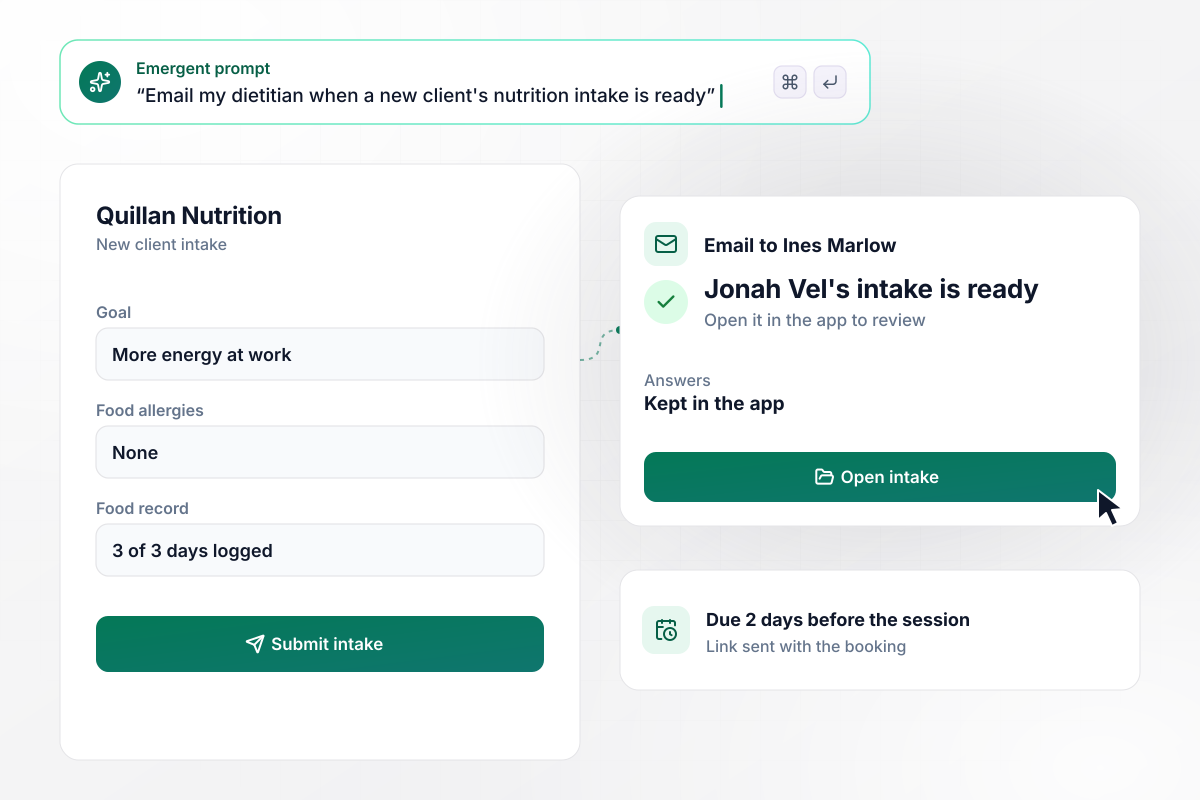
Before the session, Ines has every answer
Quillan Nutrition sends the intake link with the booking email, due 2 days before the first session. Clients add goals, supplements, and food allergies, then log a 3-day food record. When Jonah Vel submits, Ines Marlow, the dietitian, gets an email that his intake is ready to review. The answers stay in the app.
window.awbMockup = { privatePractice: "I run a private dietitian practice and need a nutrition intake form. Send the link with the booking email and make it due 2 days before the first session. Ask for goals, supplements, food allergies, and a 3-day food record. When a client submits, email Ines Marlow, my dietitian, that the intake is ready to review.", sportsTeams: "I'm the dietitian for a college rowing team of 24 and need one intake for every rower before preseason. Ask for training times, usual meals, supplements, and food allergies. Show me a roster of who has finished, and email a reminder with the link to anyone who has not.", pediatrics: "My pediatric nutrition clinic needs an intake a parent fills in for one child. Ask for growth goals, a 3-day food record, and an allergen checklist with a reaction box that opens on a tick. If any allergen is ticked, show a banner at the top of the child's record.", followUpCheckIns: "Build a 5-question check-in my telehealth clients get 4 weeks after their first session. Ask about energy, skipped meals, water, how the plan is going, and anything else. Save the answers to the same record as the first intake, so I can read them side by side." };
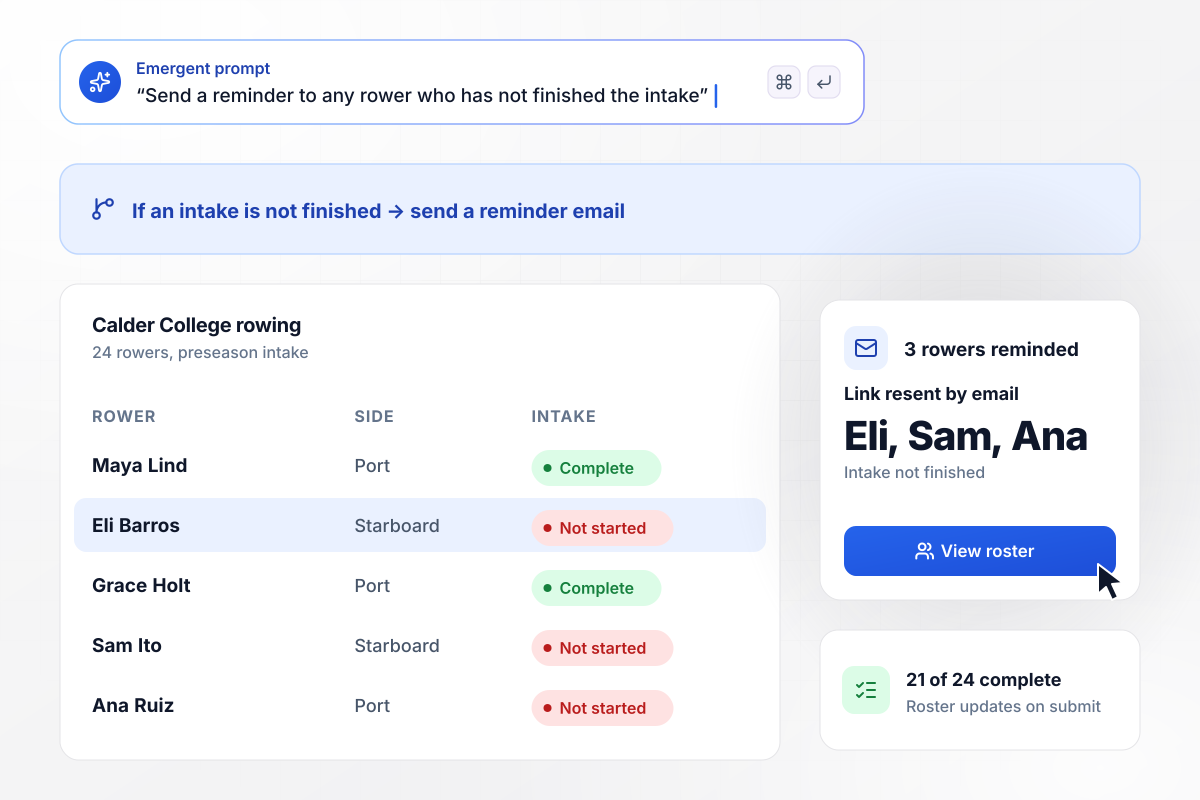
Of 24 rowers, 3 still owe an intake
Sunny Okafor is the dietitian for the 24 rowers at Calder College, and each one gets the same intake link before preseason. It asks for training times, usual meals, supplements, and food allergies. Her roster shows who has finished: 21 of 24 so far. The app sends the 3 who have not a reminder email with the link.
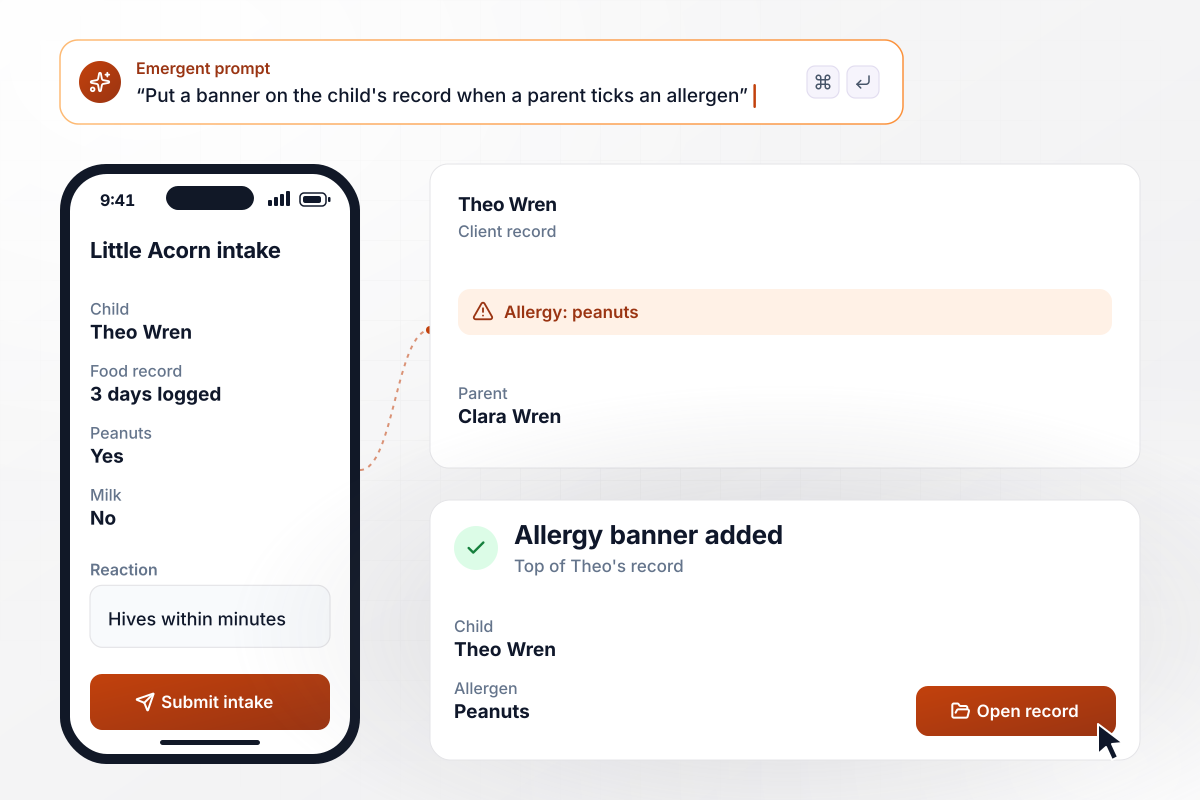
After one tick, Theo's record leads with the peanut allergy
Clara Wren fills in the Little Acorn Pediatric Nutrition intake for her son Theo, with his growth goals, a 3-day food record, and the allergen checklist. She ticks peanuts and describes the reaction in the box that opens. When Hannah Brooks opens Theo's record, a banner across the top names the allergy first.
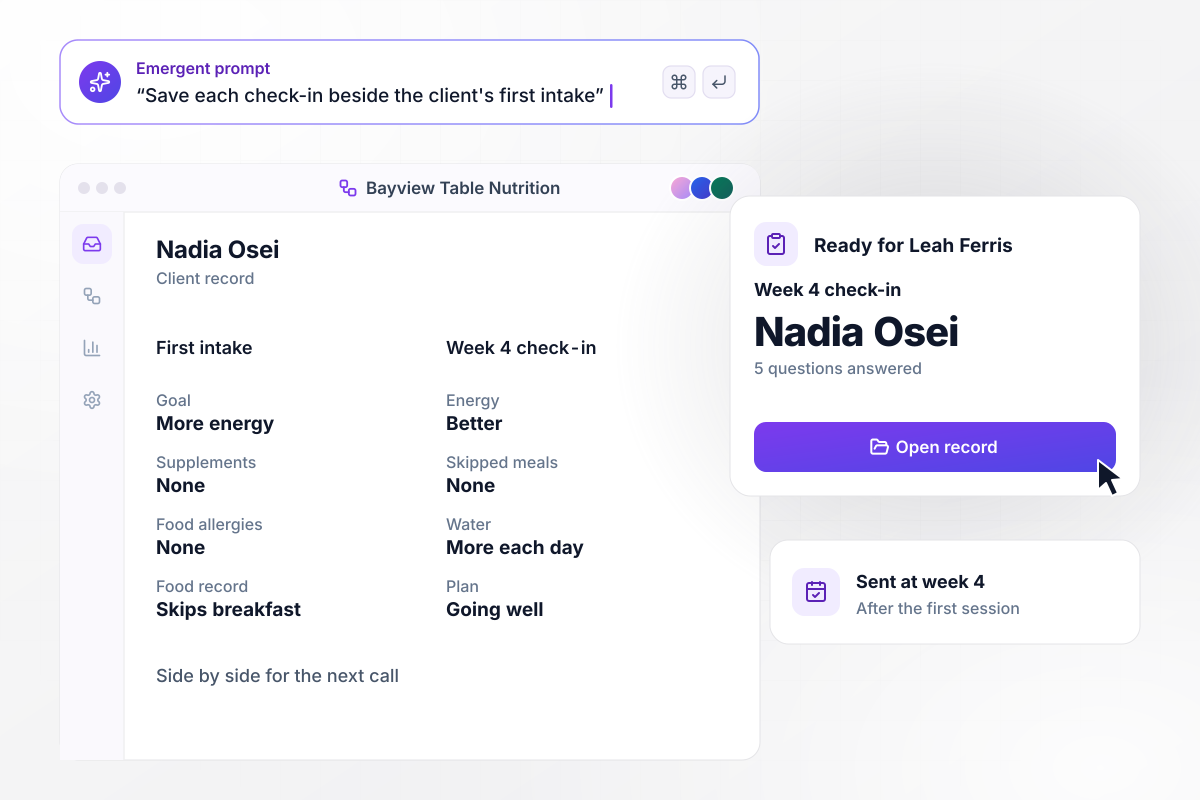
By week 4, Nadia's answers sit beside her first intake
Four weeks after a first telehealth session, Bayview Table Nutrition sends each client a 5-question check-in. Nadia Osei answers on her phone about energy, skipped meals, water, the plan, and anything else. Her answers land in the same record as her first intake. Leah Ferris reads them side by side before the next call.






How to Create a Nutrition Intake Form
Seven steps to plan a nutrition intake form around what you review before a first session, then build it with Emergent.
Go through a recent first appointment and list every question you asked aloud. Mark the ones you need answered before the client arrives, and leave the rest for the session itself.
Open with contact details and goals. Health history comes next, then medications and supplements, then food allergies. Put the food record last, on its own screens, because it takes the longest to fill in.
The NCI describes a 24-hour dietary recall as a structured interview intended to capture detailed information, which suits the session itself. On the form, use a food record: a self-reported account of all foods and beverages.
Choose the dietitian or front desk person who gets the alert, and whether it comes by email or in Slack. Keep the message to the client's name and a link, and leave the food record and history in the app.
Describe the sections and who gets the alert in one plain-English prompt. Emergent builds the nutrition intake form and a database for its answers. Ask for changes the same way when a question needs rewording.
Close the form with the policies clients agree to, each beside its own signature field. Have your own counsel confirm the wording before a real client signs anything.
Fill it in on a phone once with all 3 days logged and once stopping after day 1. Check that the finished intake sends the alert, the unfinished one gets a reminder, and both appear in the table.
Why Build Nutrition Intake Forms With Emergent?
Entries on a printed food diary stay on paper. Emergent builds a web intake that saves every answer to a database you own.

|
Jotform | Google Forms | Typeform | |
|---|---|---|---|---|
| How you build | Describe it in plain English | Templates, editor, AI generator | Editor, with Gemini drafting on some Workspace plans | Templates, editor, AI assist |
| Where responses live | A database table you own, plus any integration | Jotform account | Google Sheets | Typeform account |
| Response limits | No response caps | Monthly submission caps by plan; the form stops at the cap | No limit | Monthly response caps by plan; the form closes at the cap |
| Code ownership | Full code export to GitHub on paid plans | None | None | None |



Pick the Pricing Plan That Works for You
Choose the plan that fits your building ambitions. From weekend projects to enterprise applications, we've got you covered.




Find the right form
for whatever you're collecting















Frequently Asked Questions
Your Questions, Answered
Don't change this element unless you know what you are doing
More things you can build
with Emergent









on Emergent today


