

Build a Piercing Consent Form That Records Every Piercing
Build a piercing consent form that logs each piercing's placement and jewelry and saves the signed record to a database you own.
Build a piercing consent form for my studio with a line for each piercing and its jewelry.
Trusted by Builders Worldwide
Active Builders Worldwide
Apps Successfully Created
Countries Globally Reached



What the Piercer Needs on the Signed Form
Every piercing in a visit gets its own line, and the whole visit sits on one record the front desk can pull up by name.
A line for each piercing in the visit
List the placement, jewelry style, material, and gauge for every piercing the client gets today. A helix and a nostril done in one visit become two lines on a single signed record.
Date of birth before anything else
Ask for date of birth and a photo of a government ID first. A client under 18 sees a parent section with its own ID upload, and the signature box stays locked until it is filled.
Health questions the piercer sees first
Ask about metal allergies, blood thinners, and pregnancy as plain yes or no questions. Any yes marks the record, so the piercer reads those answers before laying out the jewelry.
Signatures on a tablet or a phone
Clients sign with a finger on the counter tablet or on their own phone from a booking email. The app keeps that signature on the same record as every answer the client gave.
Records you can pull by piercer or month
Every signed form lands as a row in a database the studio owns, filed under the client's name and the piercer's. Filter by one piercer and one month to see every piercing they did.
The full source, exported to your GitHub
On paid plans, export the code to your GitHub repository and host the form on the studio's own website. A developer picks it up from there and keeps building, with no rebuild.
How Piercing Studios Use the Form
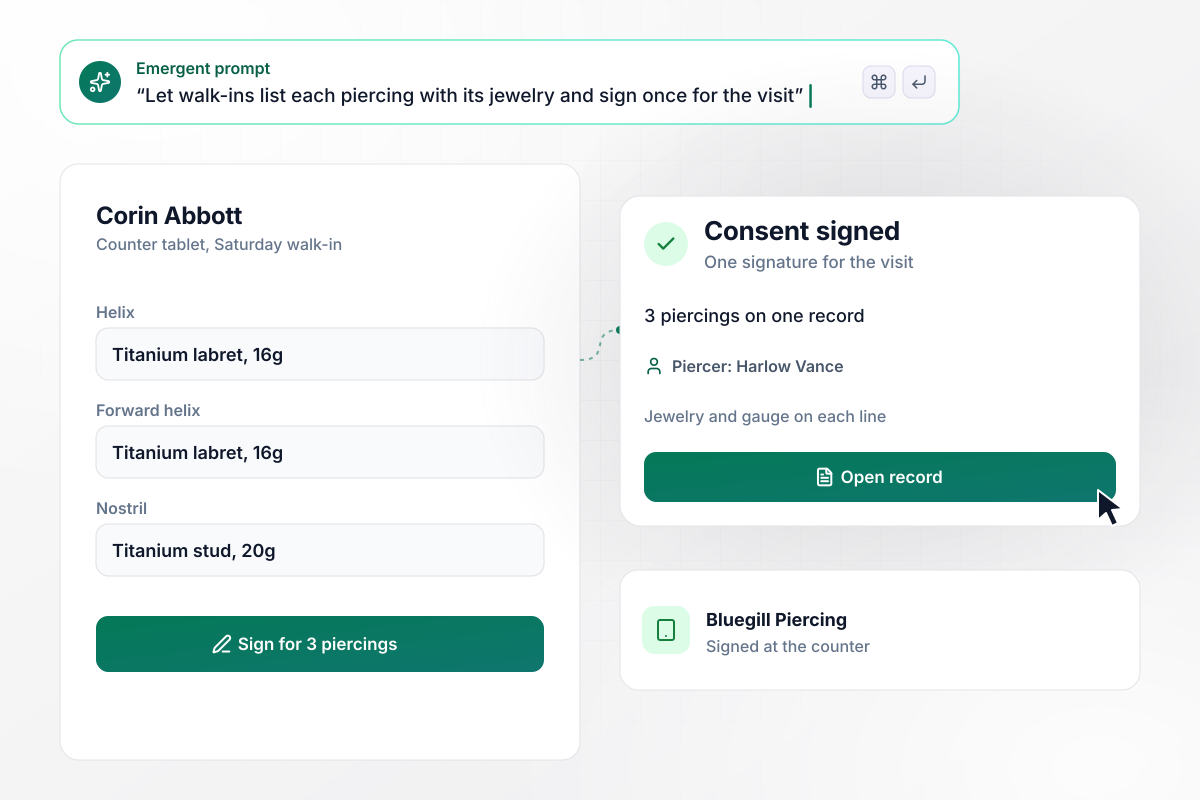
Three piercings, signed for on a single record
Saturdays at Bluegill Piercing bring a line at the counter. Corin Abbott signs on the counter tablet for 3 piercings: a helix, a forward helix, and a nostril. Each piercing gets its own line with its jewelry and gauge. One signature covers the visit, and the piercer, Harlow Vance, sees all 3 lines before setting up.
window.awbMockup = { walkInCounter: "I run Bluegill Piercing and Saturdays are walk-ins. Build a piercing consent form clients sign on our counter tablet. Let them add every piercing they want today as its own line, with placement, jewelry style, material, and gauge. One signature covers the whole visit, and the piercer sees every line before setting up.", minorsWithParent: "My studio is in Pensacola, Florida. Build a piercing consent form that asks for date of birth first. If the client is under 18, open a parent section with the parent's photo ID, an upload for the notarized consent, and the parent's signature. Add a Parent present checkbox for clients under 16.", metalAllergies: "Build a piercing consent form for Ember Row Piercing with yes or no health questions, including metal allergies. When a form comes in, post a message to our piercers channel in Slack that says a new form is in, with a link to the record. Keep the answers themselves in the database, not in the message.", downsizeVisits: "Clients come back to Bluegill Piercing to downsize their jewelry after a piercing heals. Build a way to find a client's original consent record by name and log a downsize visit under the piercing it belongs to, with the old and new bar length. Email the client the aftercare sheet for the new bar." };
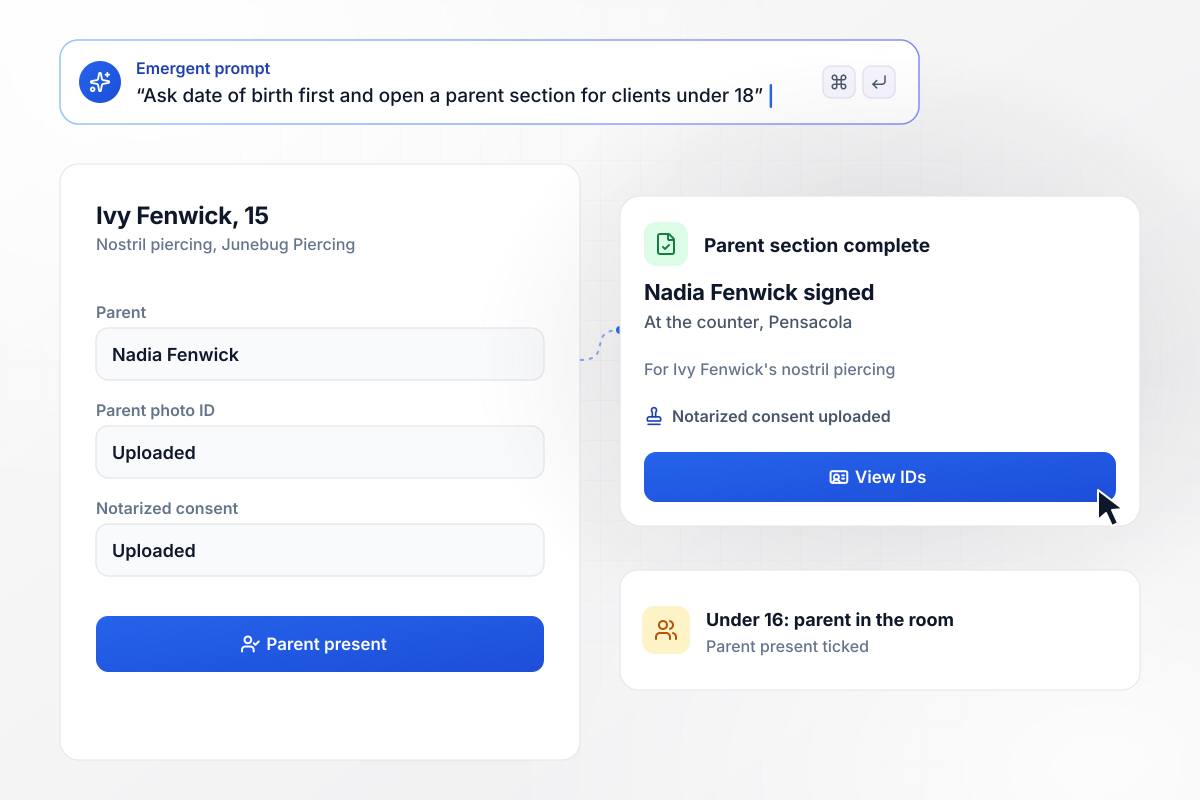
For a minor, a parent signs in person
Junebug Piercing in Pensacola asks each client's age first. When 15-year-old Ivy Fenwick books a nostril piercing, a parent section opens. Her mother, Nadia Fenwick, uploads photo ID and the notarized consent, then signs. Florida wants notarized consent for any minor, and a parent present under 16.
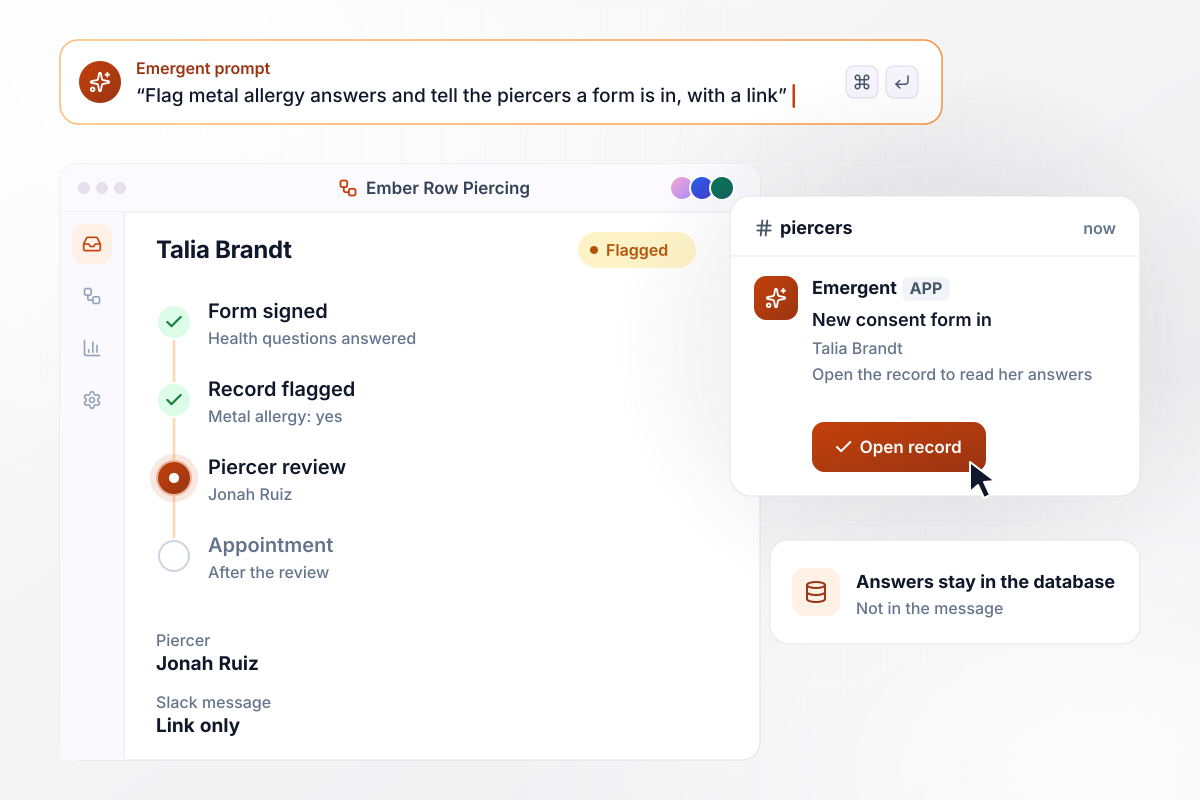
Metal allergy answers that the piercer reads first
Talia Brandt checks yes to a nickel allergy on her form at Ember Row Piercing. Her record is flagged, and the piercers channel in Slack gets a message that a new form is in, with a link. The allergy answer itself stays in the database. Jonah Ruiz opens the record and talks through jewelry with her first.
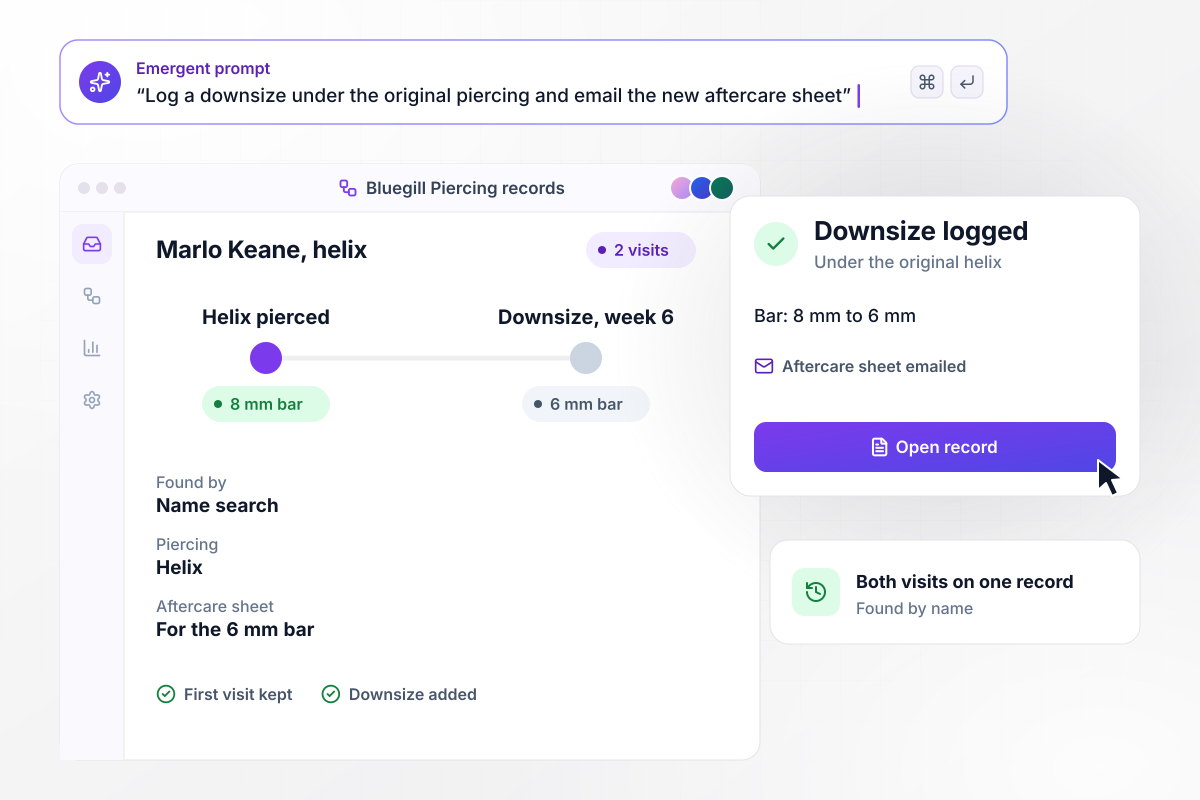
Downsizes that stay with the first piercing
Six weeks after her helix piercing, Marlo Keane returns to Bluegill Piercing for a downsize. The piercer finds her original record by name and logs the visit under that helix, with the bar going from 8 mm to 6 mm. The record now shows both visits, and Marlo gets an email with her aftercare sheet for the new bar.






How to Create a Piercing Consent Form
Seven steps to create a piercing consent form that logs every piercing and handles minors, then build it with Emergent.
Read your state's body piercing statute and your county health department's rules before you write a question. Note the minimum age, what a parent must sign or bring, and what each visit record has to hold. Florida's list includes the area pierced and the piercer's name.
Write down the questions your piercers ask before every appointment: metal allergies, blood thinners, pregnancy, skin conditions near the site, and whether the client has eaten. Phrase each as yes or no, and mark which answers should flag the record.
Set up a repeating line for each piercing. A client getting three piercings fills in three lines, with the jewelry details for each. Add the piercer's name to every line, because two piercers can share one visit.
Ask for date of birth on the first screen. For clients under 18, show a parent section with the parent's photo ID, an upload for any notarized consent your state requires, and a second signature line.
Paste your questions and consent wording into a prompt and describe the form in plain English. Emergent builds the form and the database table of signed records, and you change any part of it by prompting again.
Pick where a new form is announced: a piercers channel in Slack, or an email to the front desk. Keep the message to the client's name and a link to the record, and leave the health answers in the database.
Fill in the form yourself twice, once as a 15-year-old with a parent and once as an adult getting two piercings, then open both records. Ask a local attorney to review the consent and release wording before the tablet goes on the counter.
Why Piercing Studios Build With Emergent
A clipboard form holds one signature. With Emergent, each piercing in a visit becomes its own line, tied to the client and the piercer.

|
Jotform | WaiverSign | Google Forms | |
|---|---|---|---|---|
| How you build | Describe it in plain English | Templates, editor, AI generator | Industry templates, or the team converts yours | Editor, with Gemini drafting on some Workspace plans |
| Where responses live | A database table you own, plus any integration | Jotform account | WaiverSign account, exportable as data and PDFs | Google Sheets |
| Response limits | No response caps | Monthly submission caps by plan; the form stops at the cap | Waivers included per month, then billed per waiver | No limit |
| Code ownership | Full code export to GitHub on paid plans | None | None | None |




Pick the Pricing Plan That Works for You
Choose the plan that fits your building ambitions. From weekend projects to enterprise applications, we've got you covered.




Find the right form
for whatever you're collecting















Frequently Asked Questions
Your Questions, Answered
Don't change this element unless you know what you are doing
More things you can build
with Emergent









on Emergent today


