

Build a Podcast Application Form for Guests and Co-Hosts
Build a podcast application form that keeps each guest's pitch and audio sample in a database you own.
Build a podcast application form for my woodworking show where guests pitch one topic and link 2 past interviews.
Trusted by Builders Worldwide
Active Builders Worldwide
Apps Successfully Created
Countries Globally Reached



What a Host Needs Before Saying Yes to a Guest
A podcast application form built in Emergent asks up front what you would otherwise chase over email before booking a recording.
A topic pitch with a word limit
Ask for the episode topic in 150 words or fewer, plus three questions the guest would like to hear. The host reads the pitch and the questions together on one review screen.
Past interviews and audio clips on file
Let guests link episodes they have appeared on, or upload a short audio clip if they have none. The links and files stay on the application, so nobody digs through an inbox.
Setup questions that change the next step
Ask which microphone the guest records on and whether they wear headphones. Picking a laptop mic can send your producer a note to mail a loaner before the recording date.
Pitches sent to the person who books
Route guest pitches to the host in Slack and co-host auditions to the producer by email. Name a backup reviewer for the weeks when the host is away at a trade conference.
A recording release signed in the form
Close with your release terms in plain words and a typed or drawn signature. The signature and the date it was signed are saved with the application, in a database you own.
Code a developer can keep building
On paid plans, export the code for the form and its review screens to your GitHub repository. A developer can host it on your own servers or keep extending it from there.
How Four Shows Act on an Application
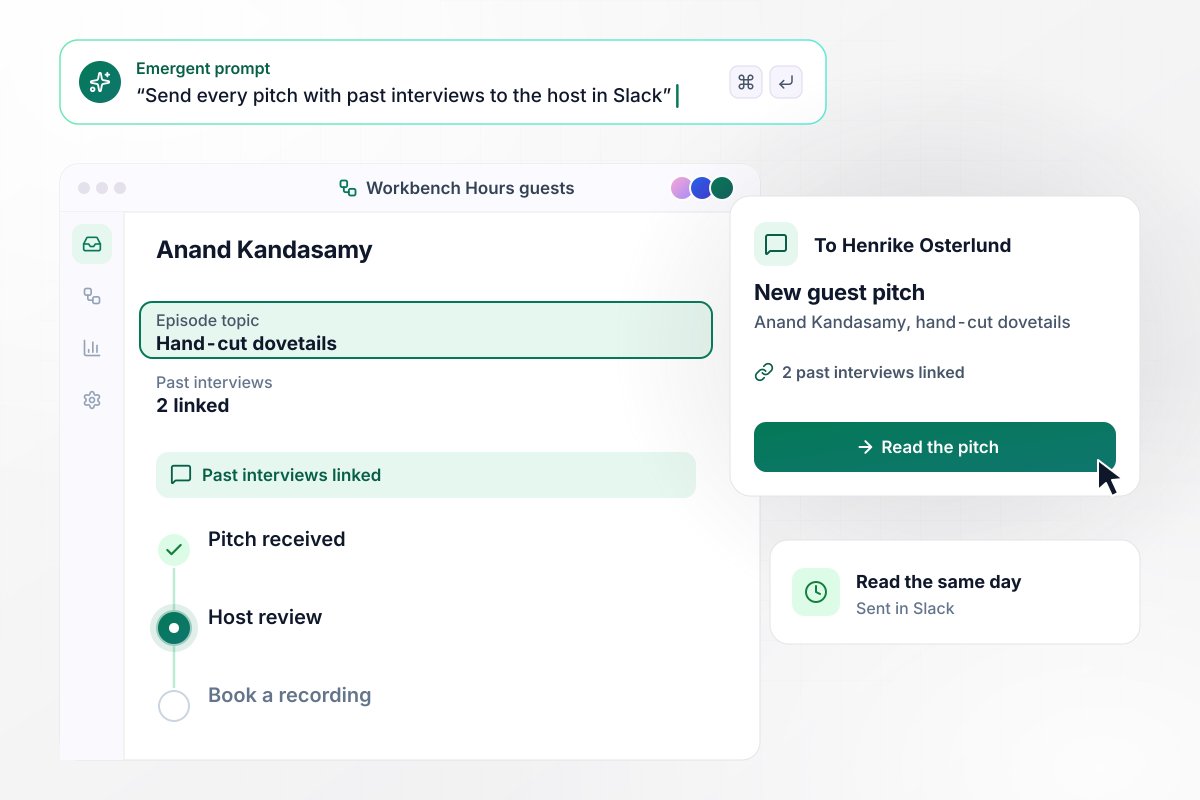
Henrike reads every pitch with past interviews in Slack
Workbench Hours books one woodworking guest for each weekly episode. Anand Kandasamy pitches an episode on hand-cut dovetails and links 2 past interviews. Every pitch with past interviews goes to Henrike Osterlund, the host, in Slack, and she reads his the day he applies.
window.awbMockup = { guestPitches: "My woodworking podcast books one guest for each weekly episode. Build a podcast application form that asks for an episode topic and links to past interviews. Send every pitch with past interviews to the host in Slack.", micCheck: "My trucking podcast records guests remotely. Build a podcast application form that asks which microphone each guest will use. When a guest answers Laptop mic, email my producer to ship a loaner before the recording date.", coHostAuditions: "My local history podcast needs a co-host. Build a podcast application form where applicants upload a 2-minute audio sample, and let my producer rate each sample from 1 to 5. Put every sample rated 4 or higher on a callback list.", recordingReleases: "My gardening podcast wants a signed release from every guest. Build a podcast application form that ends with a recording release, saying the episode's audio and video may be published and clipped for social posts, and a drawn signature. Show the signed release and its date when I book the guest." };
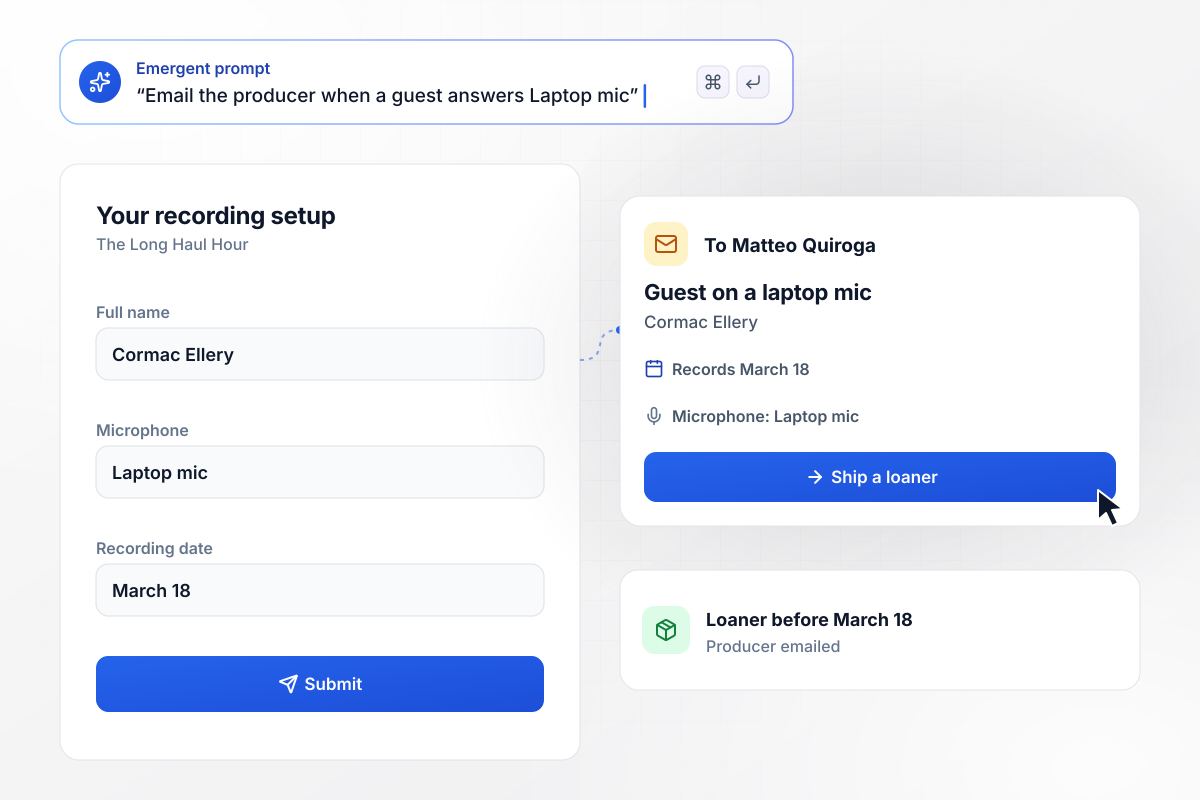
Any guest on a laptop mic gets a loaner
The Long Haul Hour records truck drivers remotely, so its form asks what each guest will speak into. Cormac Ellery answers Laptop mic. Any guest on a laptop mic sets off an email to Matteo Quiroga, the producer, to ship a loaner before the March 18 recording.
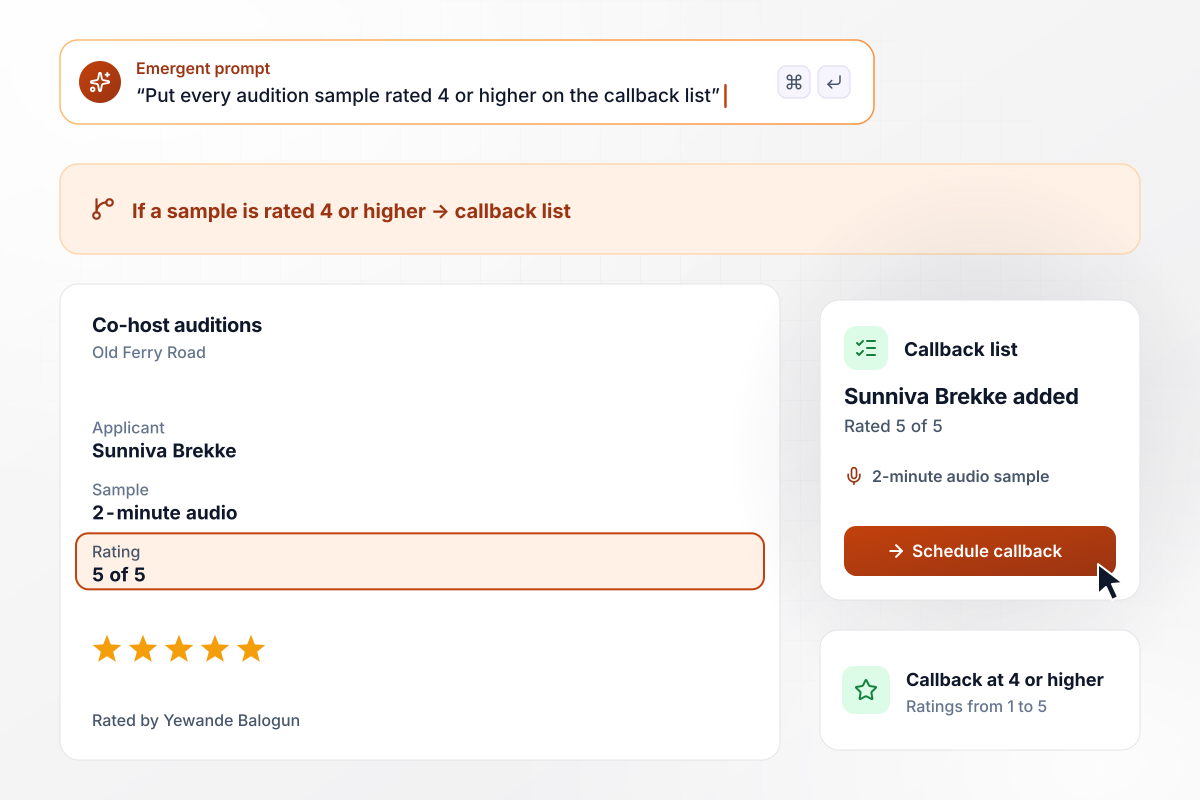
Samples rated 4 or higher get a callback
Old Ferry Road needs a co-host for its local history show, and every applicant uploads a 2-minute audio sample. Yewande Balogun, the producer, rates each one from 1 to 5. Sunniva Brekke's sample gets a 5, and every sample rated 4 or higher goes on the callback list.
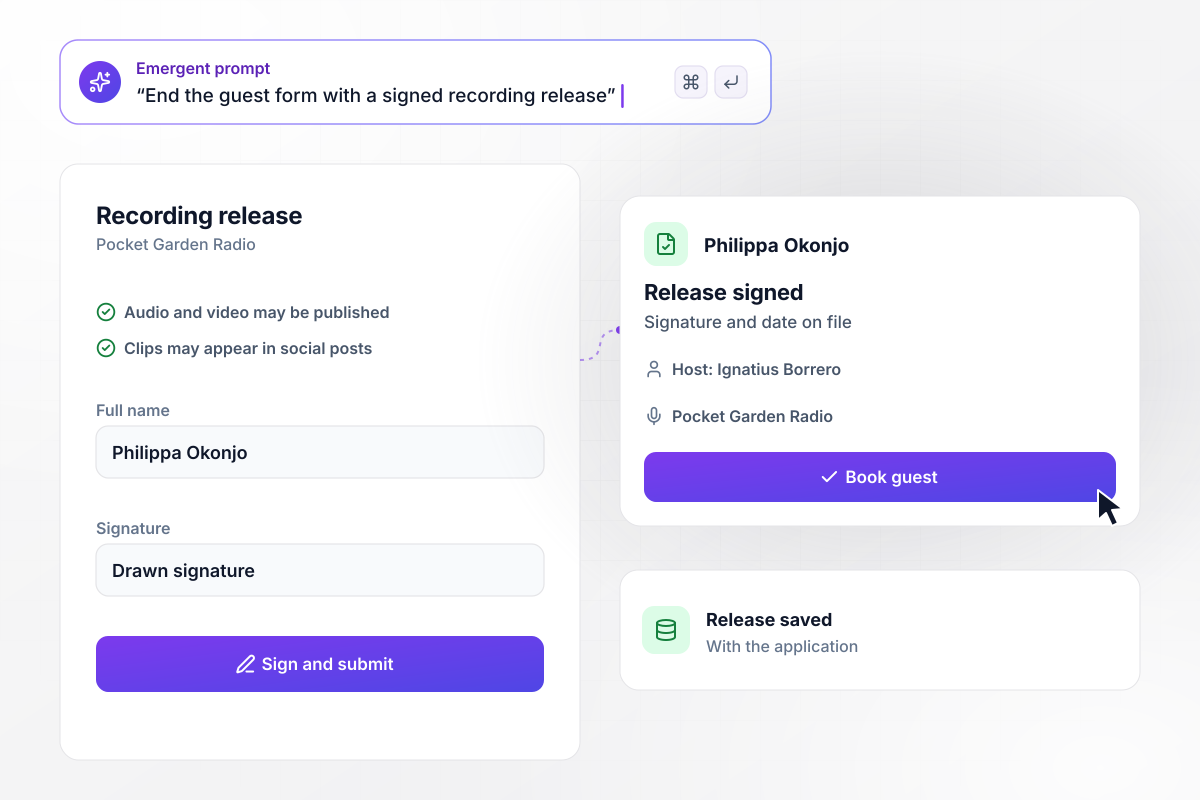
Ignatius books Philippa with her release on file
Pocket Garden Radio closes its guest form with a recording release: the episode's audio and video may be published and clipped for social posts. Philippa Okonjo signs it with a drawn signature. Ignatius Borrero, the host, books her with the signed release and its date on file.






How to Create a Podcast Application Form
Seven steps to create a podcast application form that separates guests from co-hosts and puts each pitch in front of the right reader.
Choose whether the form takes guest pitches, co-host auditions, or both. A guest applies for one episode, while a co-host applies for months of weekly recordings. One form can serve both by branching on its first question.
Open with the topic of the episode, then ask what angle the guest brings that your listeners have not heard yet. Cap the pitch at a length you can read in a minute. Short pitches are easier to compare side by side.
Add a question about the microphone and one about the room the guest will record in. A laptop mic in a kitchen can be fixed before the date with a loaner or a quieter room. After the recording, it cannot.
Show only the days and times you record, such as Tuesday and Thursday mornings, and ask for the guest's time zone. An approved guest then picks a slot you can keep, with no email thread to settle the date.
Name the person who reads guest pitches and the one who scores co-host samples, and how each hears about a new application. Decide how quickly a pitch gets an answer, and who writes the reply to the guests you turn down.
Paste your questions and routing into one prompt, along with the release wording. Emergent builds the form, its review screen, and the table where every application lands. To change a question later, ask for the change in plain English.
Submit a test application that answers Laptop mic and links one past interview. Confirm the pitch reaches its reader and the loaner request goes out. Then open the table and check that the release signature was saved with a date.
Why Build Podcast Applications With Emergent?
Pitches sent by email split the links and the release across threads. An application holds both on one record you can book from.

|
Jotform | Google Forms | Typeform | |
|---|---|---|---|---|
| How you build | Describe it in plain English | Templates, editor, AI generator | Editor, with Gemini drafting on some Workspace plans | Templates, editor, AI assist |
| Where responses live | A database table you own, plus any integration | Jotform account | Google Sheets | Typeform account |
| Response limits | No response caps | Monthly submission caps by plan; the form stops at the cap | No limit | Monthly response caps by plan; the form closes at the cap |
| Code ownership | Full code export to GitHub on paid plans | None | None | None |



Pick the Pricing Plan That Works for You
Choose the plan that fits your building ambitions. From weekend projects to enterprise applications, we've got you covered.




Find the right form
for whatever you're collecting















Frequently Asked Questions
Your Questions, Answered
Don't change this element unless you know what you are doing
More things you can build
with Emergent









on Emergent today


