

Build a Student Information Form That Stays Current All Year
Get a student information form that files every answer and every later change to that student's record.
Build a student information form that saves every response to a database I own.
Trusted by Builders Worldwide
Active Builders Worldwide
Apps Successfully Created
Countries Globally Reached



What the Form Asks, Section by Section
Every section saves to the same student record, and the office finds a student's details in one row.
Student details, entered once
Families give the student's legal name, preferred name, date of birth, grade, and home address. Ask for a student ID only if your office assigns one before the first day.
Guardians and pickup permissions
The form takes up to 2 parents or guardians with a phone and email each, plus the adults allowed to pick the student up. Families rank emergency contacts in calling order.
Health questions that open as needed
A yes to any allergy opens three more questions: the trigger, the reaction, and the medication kept at school. Keep the rest of the section short and let the nurse follow up.
Directory choices, one box per type
FERPA rules list name, address, telephone listing, and photograph as directory information. Give each type its own checkbox, and a family can refuse one while allowing the rest.
Room for every family in the district
Each submission becomes a row in the student table, and the form has no response caps. A school of 40 students and a district of 4,000 students run the same form all year.
Signatures where a form needs one
Parents sign the handbook acknowledgment and the emergency treatment permission on screen. Each signature saves to the student's row, right beside the answers it covers.
Four Offices That Read the Same Record
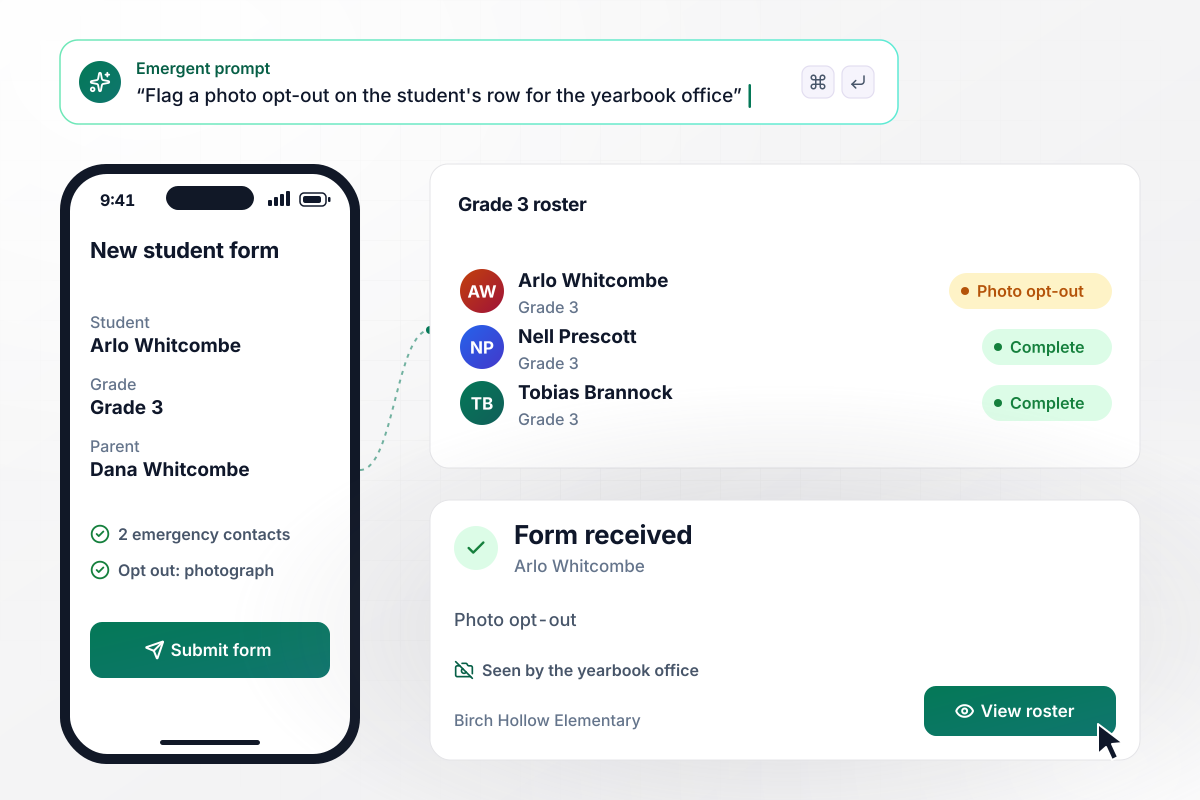
No photo of Arlo in the yearbook
Dana Whitcombe fills in one new student form for her son Arlo, who starts grade 3 at Birch Hollow Elementary. She names 2 emergency contacts and ticks photograph as a directory opt-out. Arlo's row in the roster now carries a Photo opt-out flag, and the yearbook office sees it before picture day.
window.awbMockup = { newEnrollment: "Build a new student information form for Birch Hollow Elementary. Parents enter the student's name, grade, date of birth, and home address, plus 2 emergency contacts in calling order. Add directory opt-out checkboxes for photograph, address, and telephone listing, and show a Photo opt-out flag on the student's row in the roster the yearbook office uses.", addressChanges: "Build a change of information form for families at Birch Hollow Elementary. A parent picks their child, enters the new address and the date of the move, and submits. Update the student's row with the new address, keep the old address below it with the date it changed, and email the front office with both addresses.", schoolNurses: "Build the health section of the student information form for Kestrel Ridge Middle School. A yes to any allergy opens questions on the trigger, the severity, and any medication kept at school. When an allergy is marked severe, send the school nurse an in-app alert and add the student to an allergy list for their grade.", collegeRegistrars: "Build a release form for students at Fenwick State College. The student names the records to release, the purpose, and the person who may receive them, then signs on screen. Save each signed release to the student's record and show the registrar a queue of releases marked Signed or Waiting." };
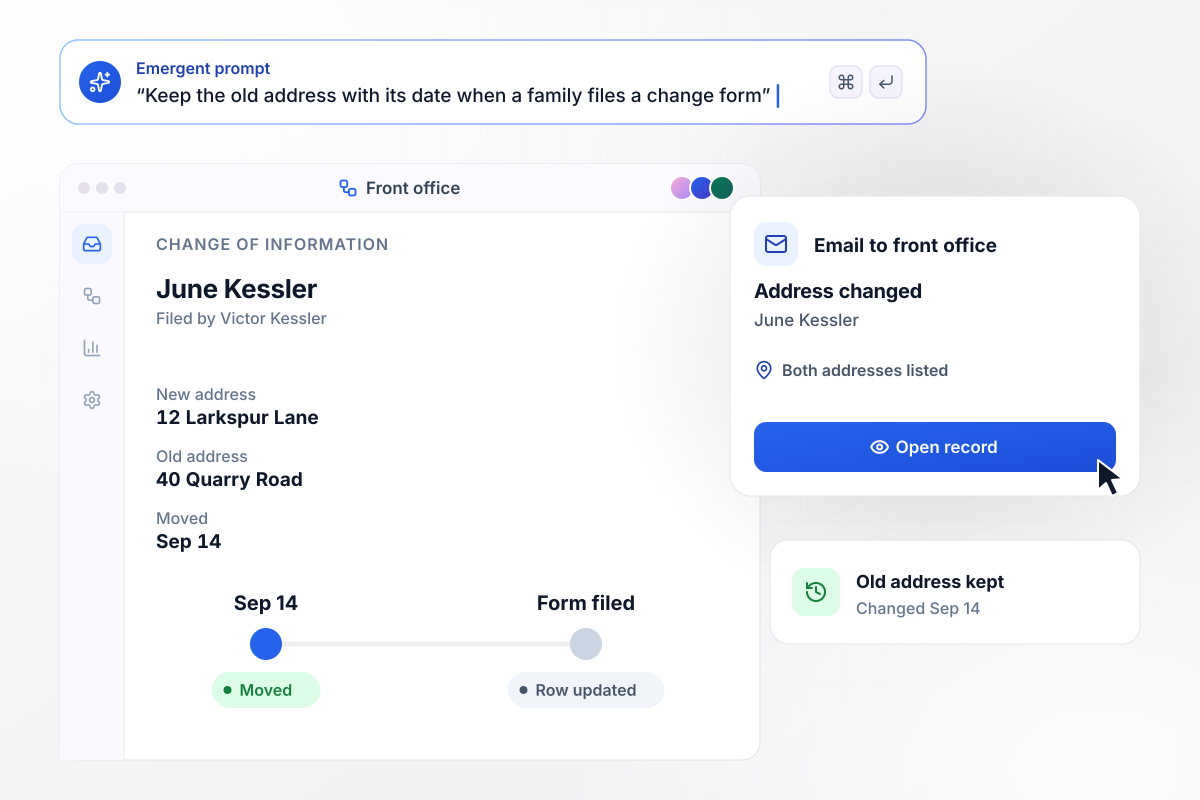
June's old address kept with its date
Victor Kessler sends a change of information form after his family moves on Sep 14. His daughter June's row shows the new address on Larkspur Lane, with the old one listed below it and the date it changed. The front office gets an email that names both addresses.
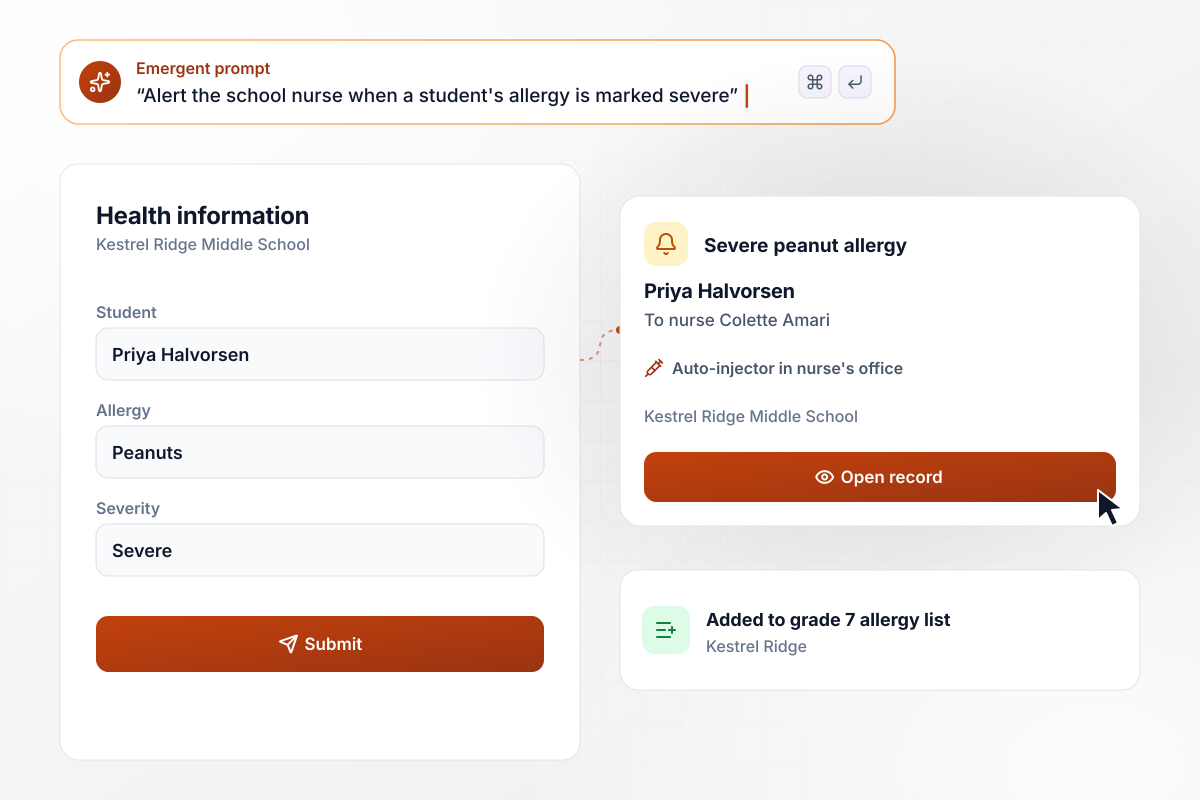
The nurse is told of a severe allergy at once
Priya Halvorsen's form at Kestrel Ridge Middle School lists a severe peanut allergy and an epinephrine auto-injector kept in the nurse's office. Nurse Colette Amari gets an in-app alert when the form comes in, and Priya joins the grade 7 allergy list.
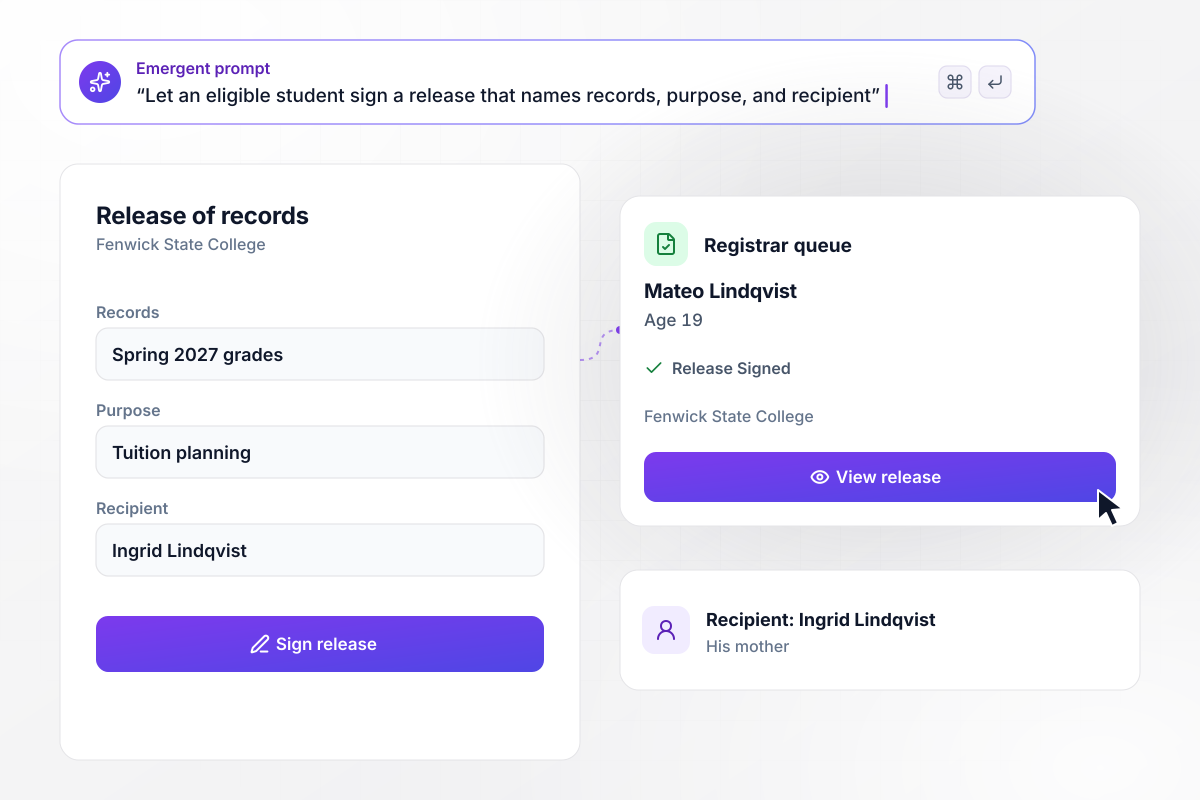
After Mateo signs, his mother sees spring 2027 grades
Mateo Lindqvist is 19 and enrolled at Fenwick State College, so the consent is his to give. His release names his spring 2027 grades, tuition planning as the purpose, and his mother, Ingrid Lindqvist, as the recipient. Once he signs, the registrar's queue marks the release Signed and the grades can go to Ingrid.






How to Create Your Student Information Form
These seven steps turn the paper forms your office uses into one student information form that families fill in online.
Collect the forms your office hands out each August, such as the enrollment packet and the health sheet. Mark every question that appears on two of them, and plan to ask it once.
Describe the form in plain English: the sections, who fills it in, and which answers matter to which office. Emergent builds the form and the student table behind it, and you change either by asking.
Read your district's directory information notice and give each type it names its own opt-out checkbox. Use the notice's own words for each type, and parents see the same terms in both places.
Pick the answers that need a person to act, and a channel for each. A new address can email the front office, a severe allergy can alert the nurse in the app, and a counselor can get a Slack message.
Give students who are 18 or in college their own release form, apart from the family form. Make the recipient a required field, and add a signature box at the end.
Send the link to 3 families before the full rollout, then read their rows in the student table. Rewrite any question that 2 of the 3 left blank or answered in the wrong field.
Publish the form on the free plan and put the link in the welcome email. Keep it open all year, with the change of information form beside it for families who move or switch phone numbers.
Why Build Student Forms on Emergent?
Emergent builds the form as an app, with one row per student in a database the district owns instead of a drawer of PDFs.

|
Jotform | Google Forms | Typeform | |
|---|---|---|---|---|
| How you build | Describe it in plain English | Templates, editor, AI generator | Editor, with Gemini drafting on some Workspace plans | Templates, editor, AI assist |
| Where responses live | A database table you own, plus any integration | Jotform account | Google Sheets | Typeform account |
| Response limits | No response caps | Monthly submission caps by plan; the form stops at the cap | No limit | Monthly response caps by plan; the form closes at the cap |
| Code ownership | Full code export to GitHub on paid plans | None | None | None |




Pick the Pricing Plan That Works for You
Choose the plan that fits your building ambitions. From weekend projects to enterprise applications, we've got you covered.




Find the right form
for whatever you're collecting















Frequently Asked Questions
Your Questions, Answered
Don't change this element unless you know what you are doing
More things you can build
with Emergent









on Emergent today


