

Build a Volunteer Form That Places People and Proves Their Hours
Create a volunteer form that screens each applicant for the role they pick and counts only the hours a supervisor confirms.
Build a volunteer form for my nonprofit.
Trusted by Builders Worldwide
Active Builders Worldwide
Apps Successfully Created
Countries Globally Reached



What a Coordinator Gets Past the Sign-Up
A volunteer program runs on what happens after someone applies. These six pieces cover the checks and the hours.
Questions that follow the role picked
Show each applicant only the questions for the role they choose. A weekend driver answers license and vehicle questions, while a reading tutor gives grade levels instead.
Screening held until each step clears
Hold applicants at the checks your program requires, such as references or a background check. Coordinators see who waits on which step, and nobody is placed too early.
Reference requests sent on submit
Email each listed reference a short form of their own when an application arrives. Their answers attach to the applicant's record, and a silent reference gets a reminder.
Hours totaled by person and program
Add up every logged hour by volunteer and by program on one dashboard. Export one volunteer's history as a PDF when a school or scholarship committee asks to see it.
Alerts for the applications that need you
Send the coordinator a Slack or email alert when someone applies for a role with open spots. Routine applications wait in the queue, and each alert links to the record.
The volunteer app, exported as code
Export the full codebase to GitHub on paid plans when the form grows into a volunteer portal. A developer can extend it later without rebuilding the records you already hold.
Four Programs, Four Volunteer Forms
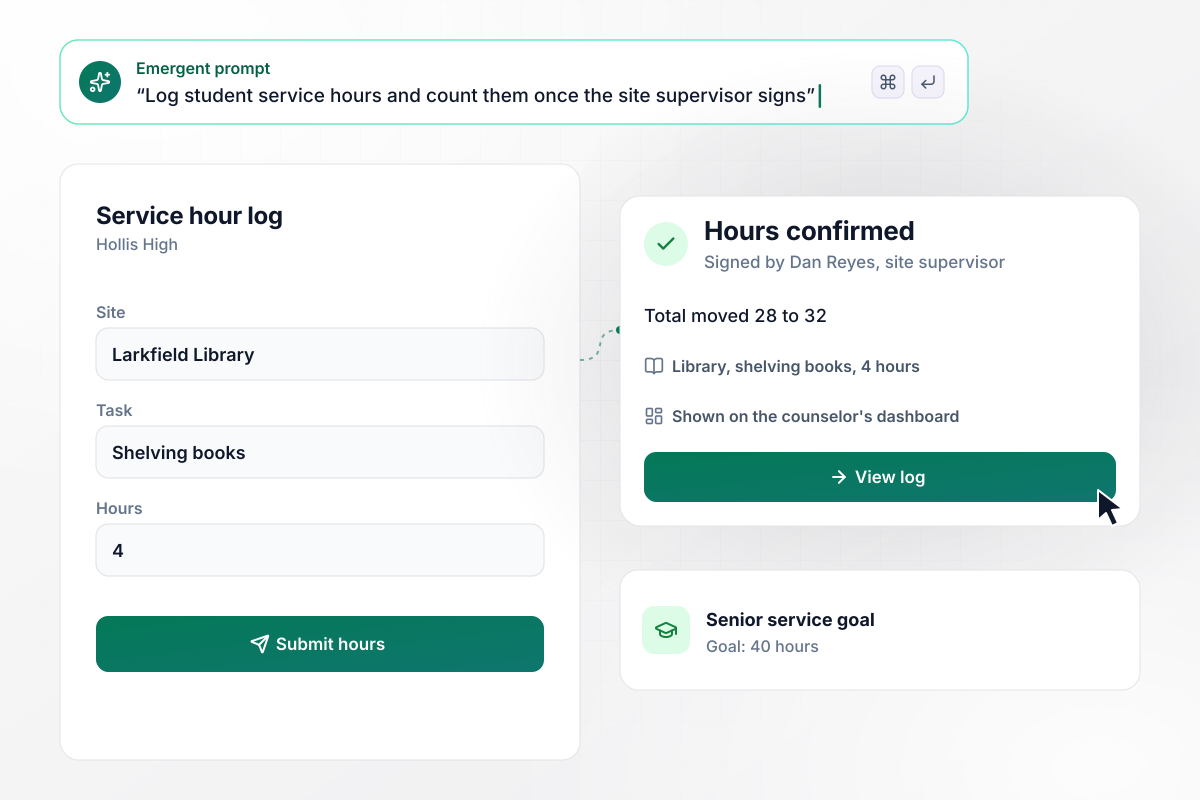
Every hour on the log is signed for
Hollis High asks every senior for 40 service hours before graduation. Maya logs four hours shelving books at Larkfield Library from her phone. Her site supervisor, Dan Reyes, opens an email link and signs. Only then do the hours count, and her total on the counselor's dashboard moves from 28 to 32.
window.awbMockup = { studentHours: "I run community service at a high school where seniors need 40 hours to graduate. Build an hour log students fill in from their phones with the date, site, task, and hours. Email the site supervisor a link to confirm each entry with a signature. Count only confirmed hours, and give counselors a dashboard of each student's running total.", youthMentoring: "I coordinate a mentoring program that pairs adults with middle schoolers. Build a mentor application that asks for two references and emails each reference a short form when the application comes in. Once both references answer, move the applicant to a background check step. Do not let me propose a match until that step clears.", animalShelterRoles: "We run an animal shelter with dog walkers and fosters. Build a volunteer form where people pick a role first. Dog walkers mark the weekday mornings they can cover. Fosters answer six questions about their home: renting or owning, landlord approval, other pets, children, a fenced yard, and hours alone. Send foster applications straight to our foster coordinator.", disasterReliefSkills: "I coordinate volunteers for a disaster relief group. Build a volunteer form that records each person's certifications, such as chainsaw or first aid, and their home county. Give me a registry I can filter by certification and county, and let me email everyone who matches with a staging location when a flood warning comes in." };
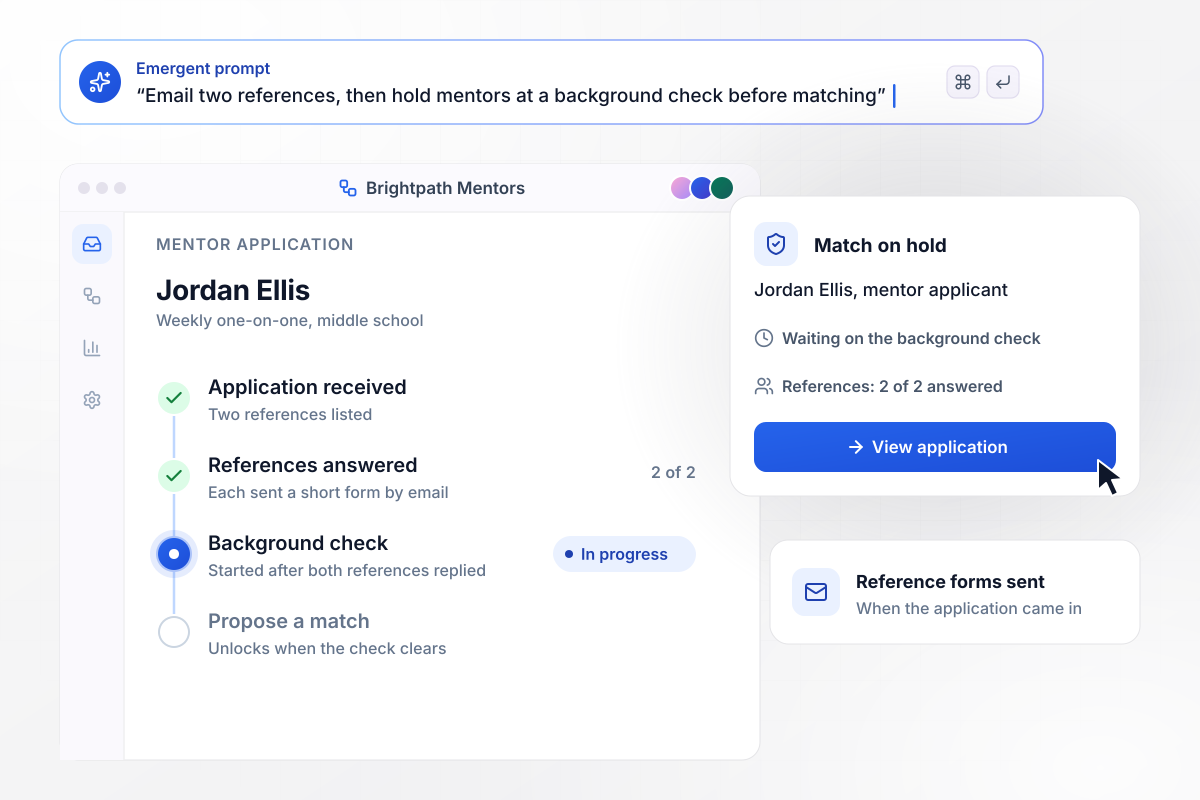
Mentors matched after references and a background check
Brightpath pairs adults with middle schoolers for weekly one-on-one meetings. Its mentor application asks for two references, and each one gets a short form by email. When both have answered, the applicant moves to a background check. The coordinator can propose a match only after that step clears.
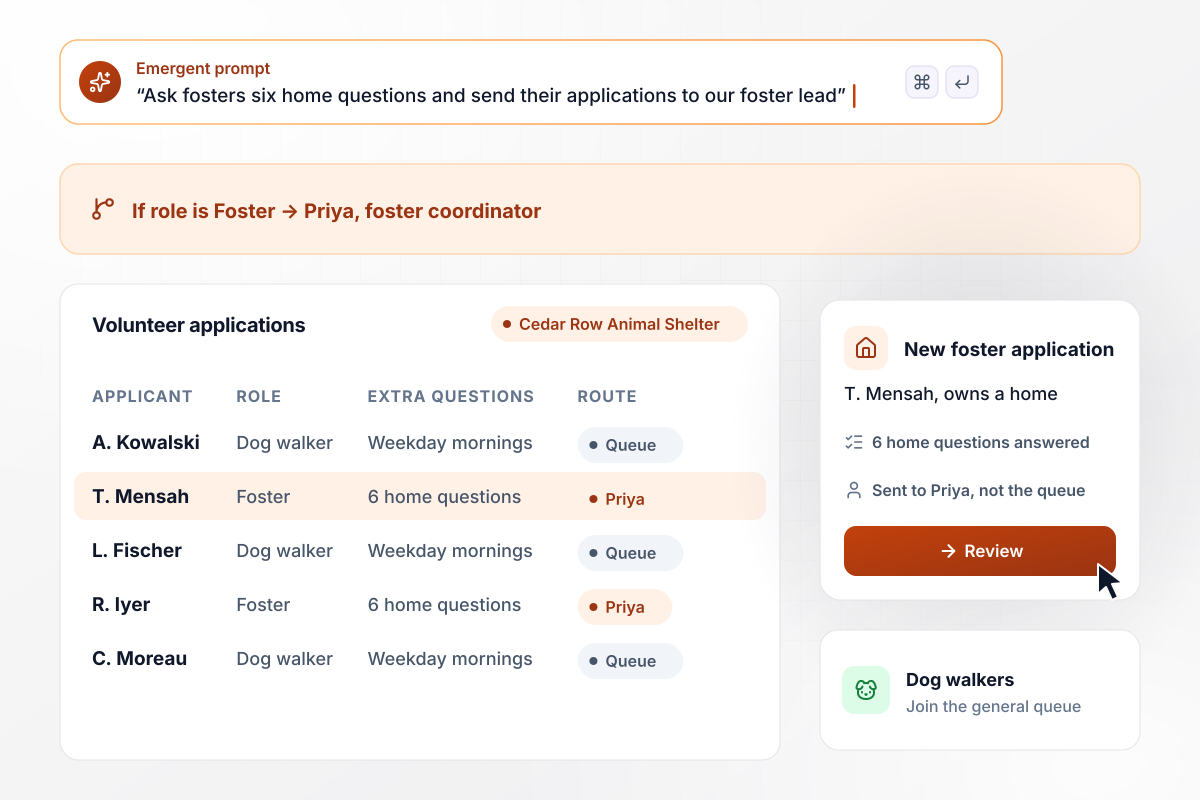
Foster applicants answer six questions on their home
Volunteers at Cedar Row Animal Shelter pick a role first. Dog walkers then mark the weekday mornings they can cover. Choosing foster opens six more questions about the home, such as landlord approval and other pets. Foster applications skip the general queue and go to Priya, the foster coordinator.
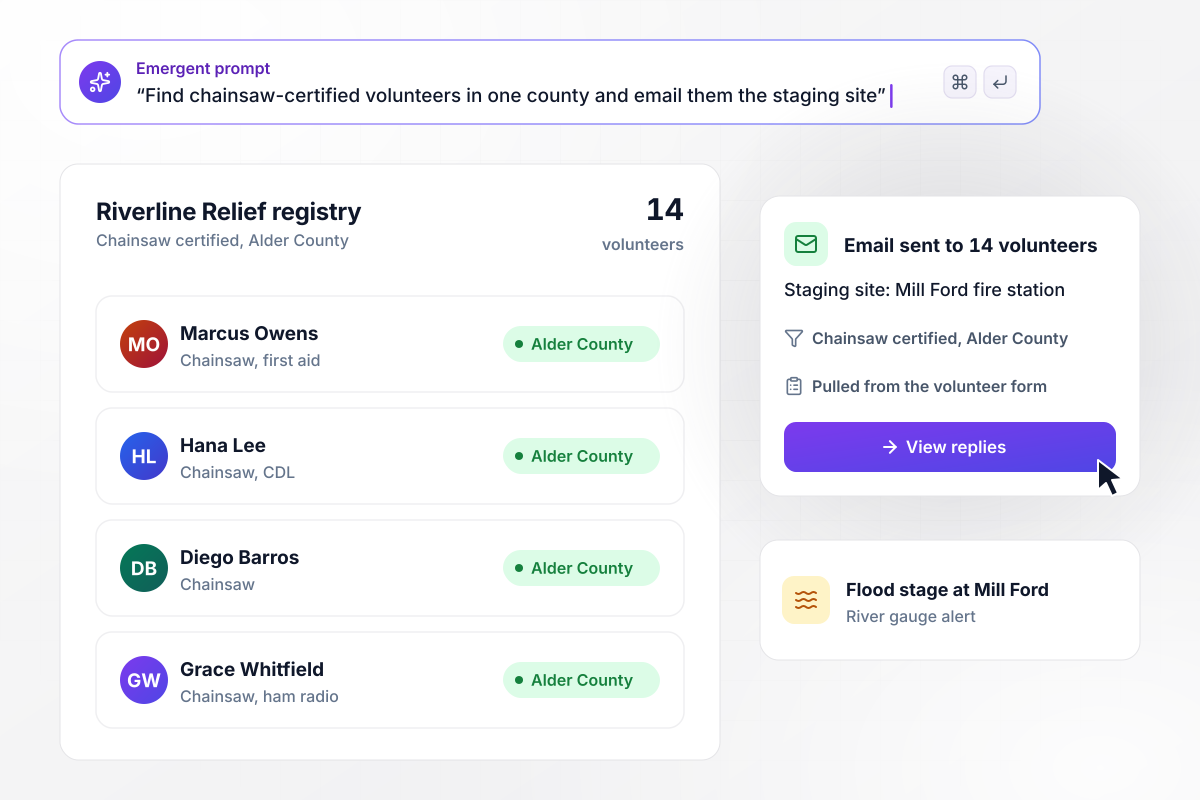
Sawyers within one county get the flood alert
When the river at Mill Ford crosses flood stage, Riverline Relief needs people who can clear fallen trees. Its volunteer form records certifications and home county. The coordinator filters the registry for chainsaw certification in Alder County and finds 14 volunteers. All of them get an email with the staging site.






How to Create a Volunteer Form
Seven steps to plan a volunteer form's roles, screening, and hour sign-off, then build it with Emergent.
Start with what the volunteer will do. Write down each role with its own requirements: a minimum age, a driver's license, weekday mornings, a background check. The roles decide which questions appear, which is why this list comes before any field.
Ask for contact details and the role first, nothing more. A person who has picked a role is more willing to answer the longer questions that follow it. Mark a field required only when a coordinator cannot place someone without it.
Ask the questions a coordinator acts on, and match the checks to the risk. A one-day park cleanup may need nothing beyond contact details. A role with children or vulnerable adults usually needs references and a background check before placement.
Keep the reference form to four or five questions a reference can answer in two minutes. Ask how long they have known the applicant and whether they would trust them in this role. Leave one open box for anything else.
Signatures come from the supervisor at the site, not from the volunteer. Collect that person's name and email on each log entry. Hours stay pending until they confirm, and the total any school or employer sees counts confirmed hours only.
Choose the few events that need a person's attention, such as a reference who has not replied or an applicant for a hard-to-fill role. Send those to the coordinator by email or Slack. Leave everything else on the dashboard.
Open the form on a phone with no saved logins and apply for the most demanding role. Use a friend as a reference to check the request arrives. Then log an hour, confirm it as the supervisor and watch the total change.
Why Build Volunteer Forms With Emergent?
A template stops at the names. Emergent builds the steps a coordinator runs after each one and keeps a record per volunteer.

|
Jotform | Google Forms | Typeform | |
|---|---|---|---|---|
| How you build | Describe it in plain English | Templates, editor, AI generator | Editor, with Gemini drafting on some Workspace plans | Templates, editor, AI assist |
| Where applications live | A database table you own, plus any integration | Jotform account | Google Sheets | Typeform account |
| Application limits | No response caps | Monthly submission caps by plan; the form stops at the cap | No limit | Monthly response caps by plan; the form closes at the cap |
| File uploads | Files saved to storage you own, no sign-in | Included; files count toward plan storage | Respondents must sign in to Google; files fill your Drive | Paid plans only |
| Code ownership | Full code export to GitHub on paid plans | None | None | None |




Pick the Pricing Plan That Works for You
Choose the plan that fits your building ambitions. From weekend projects to enterprise applications, we've got you covered.




Find the right form
for whatever you're collecting















Frequently Asked Questions
Your Questions, Answered
Don't change this element unless you know what you are doing
More things you can build
with Emergent









on Emergent today


