

Build a Workshop Registration Form for Hands-On Classes
Build a workshop registration form that caps each session's seats and saves every sign-up to a database you own.
Build a workshop registration form for my cooking school's Saturday classes that lists each session date.
Trusted by Builders Worldwide
Active Builders Worldwide
Apps Successfully Created
Countries Globally Reached



What Each Registrant Answers, and Where It Goes
Before the first session, an instructor needs a headcount and a supply list. Each piece below collects part of that at sign-up.
A seat limit on every session
Give each date and time its own seat count, such as 10 benches or 16 cooking stations. When a session fills, the form takes it off the list and the others stay open.
Session choices that follow experience
Ask whether the registrant has done this kind of work before. Anyone who answers no sees only the beginner session, and the advanced one appears for people who answer yes.
The right supply list in each confirmation
Write one list per option, such as laptop setup for Mac and another for Windows. The app emails each registrant the list that matches their answers as soon as they submit.
Dietary needs counted before class
Ask each registrant about dietary needs once. The morning before the session, the host gets an email with a count for each need, while the names stay on a list in the app.
A roster for each session
Each registration saves as a row in a database you own. A dashboard groups the rows by session with every answer beside the name, and the instructor checks people in from it.
Code that moves to your GitHub
On paid plans, export the full code to your GitHub repository. A developer can restyle the emails, add a field the form lacks, or run it beside the rest of your class catalog.
Four Workshops and What Each Form Asks
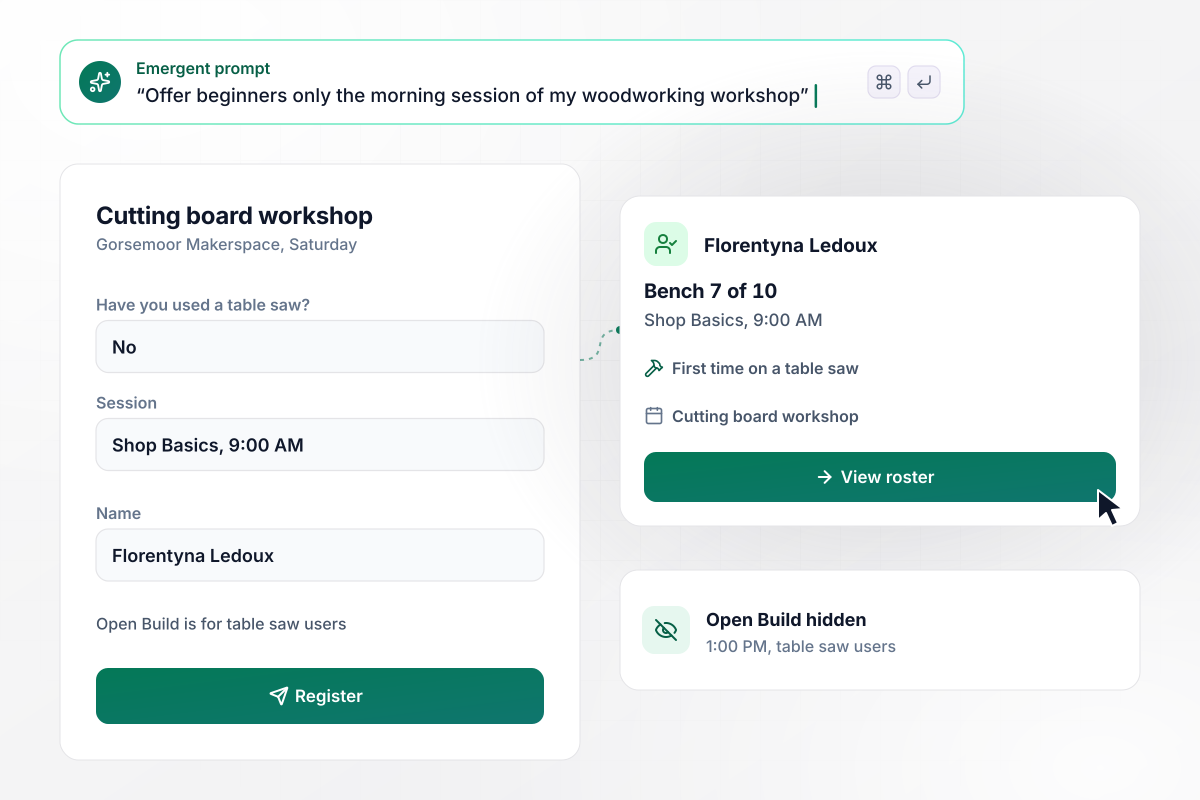
With no saw experience, Florentyna gets Shop Basics
Gorsemoor Makerspace splits its cutting board workshop into two Saturday sessions: Shop Basics at 9:00 AM and Open Build at 1:00 PM. The form asks each registrant whether they have used a table saw. Florentyna Ledoux answers no, so the form offers her only Shop Basics, and she takes bench 7 of 10.
window.awbMockup = { woodworkingShops: "Build a registration form for my makerspace's cutting board workshop. There are two Saturday sessions with 10 benches each: Shop Basics at 9:00 AM and Open Build at 1:00 PM. Ask whether the registrant has used a table saw. Anyone who answers no can only pick Shop Basics. Show each registrant their bench number when they sign up.", codingClasses: "Build a sign-up form for our library's Intro to Python workshop. Ask each person whether they will bring a Mac or a Windows laptop. Send a confirmation email with the setup steps for the laptop they chose, and show me a count of Mac and Windows registrants.", cookingStudios: "Build a registration form for my fresh pasta class with 16 seats. Ask each cook about dietary needs, such as vegetarian or gluten-free. The morning before class, email our chef, Rosamund Drummore, a count of each need, and keep the names on the prep list in the app.", paintingSeries: "Build a registration form for a 4-week watercolor workshop. Registrants can borrow one of our 8 paint kits. Once all 8 are reserved, hide the kit option and send new registrants the bring-your-own supply list in their confirmation email." };
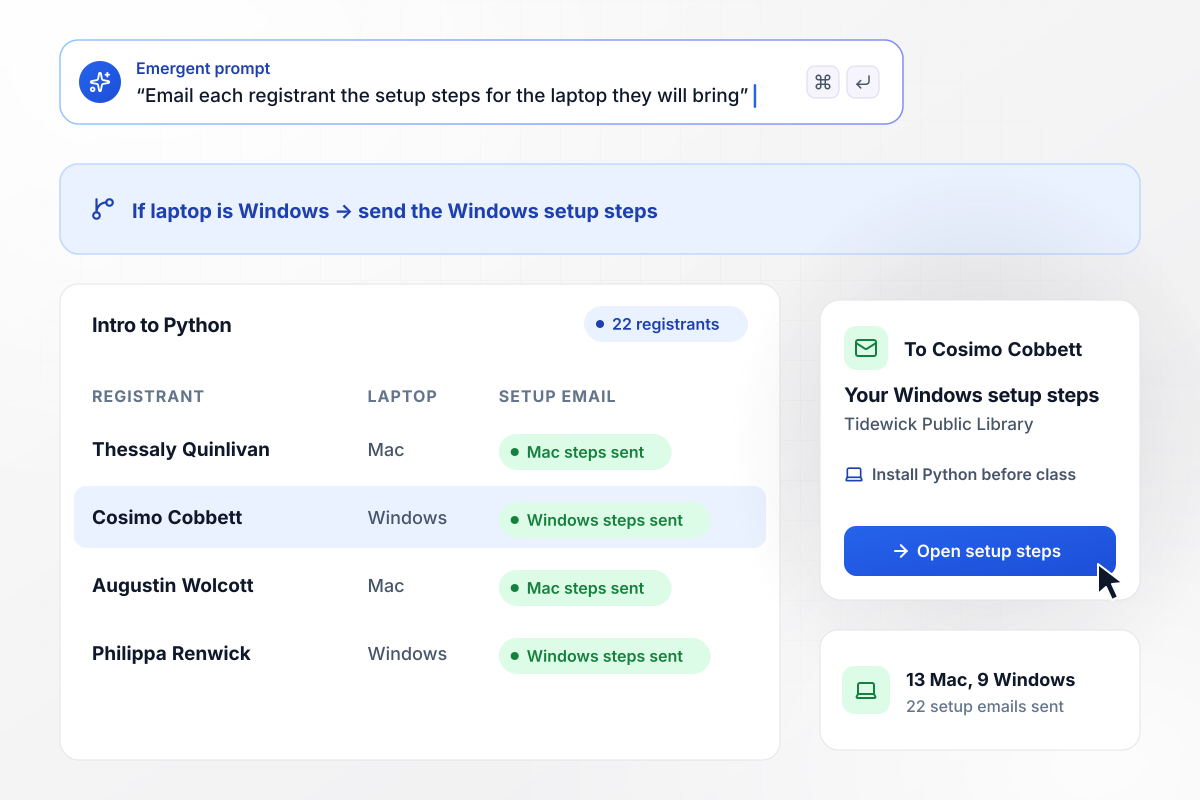
Mac or Windows decides which setup email goes out
Everyone who registers for the Intro to Python workshop at Tidewick Public Library says which laptop they will bring. Of 22 registrants, 13 chose Mac and 9 chose Windows. Each confirmation email carries the install steps for that machine. Cosimo Cobbett picked Windows, and his email lists the Windows steps.
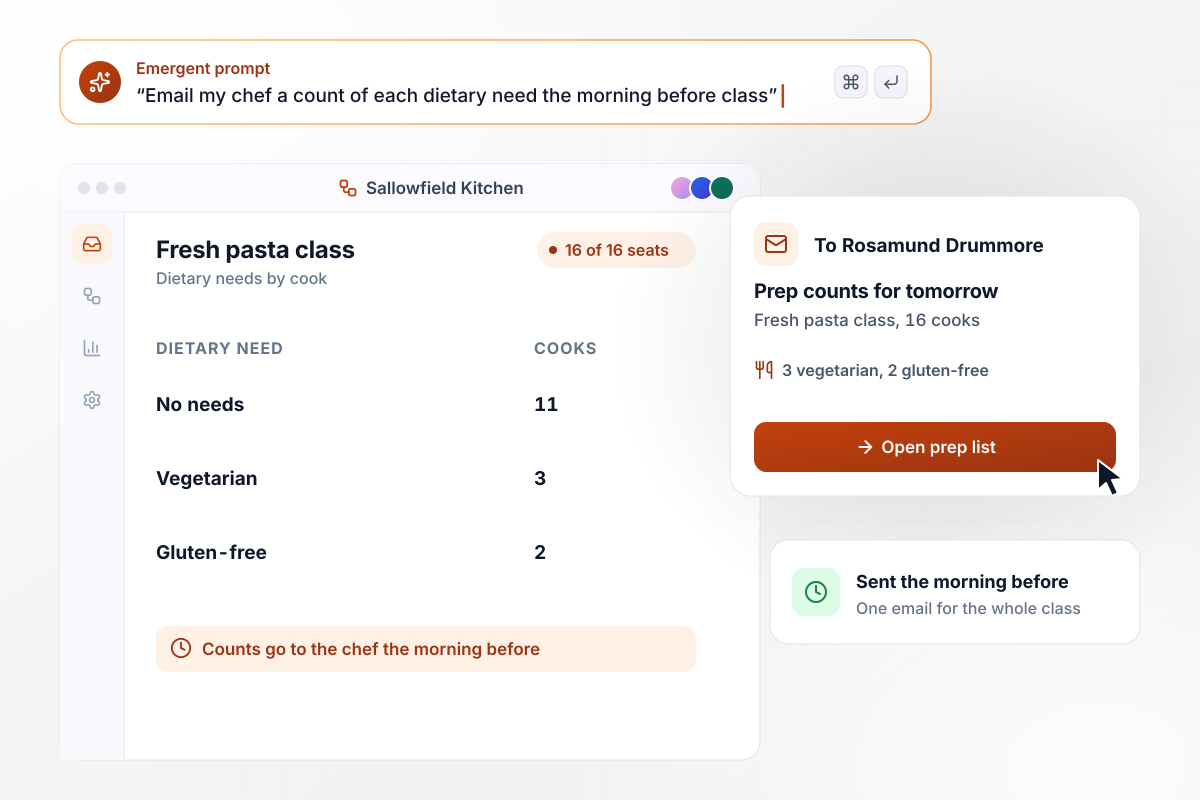
For 16 cooks, one email sets the chef's prep list
Sallowfield Kitchen seats 16 cooks at its fresh pasta class and asks each one about dietary needs. The morning before class, chef Rosamund Drummore gets an email with the counts: 11 with no needs, 3 vegetarian, and 2 gluten-free. She plans the fillings and the gluten-free dough from that one email.
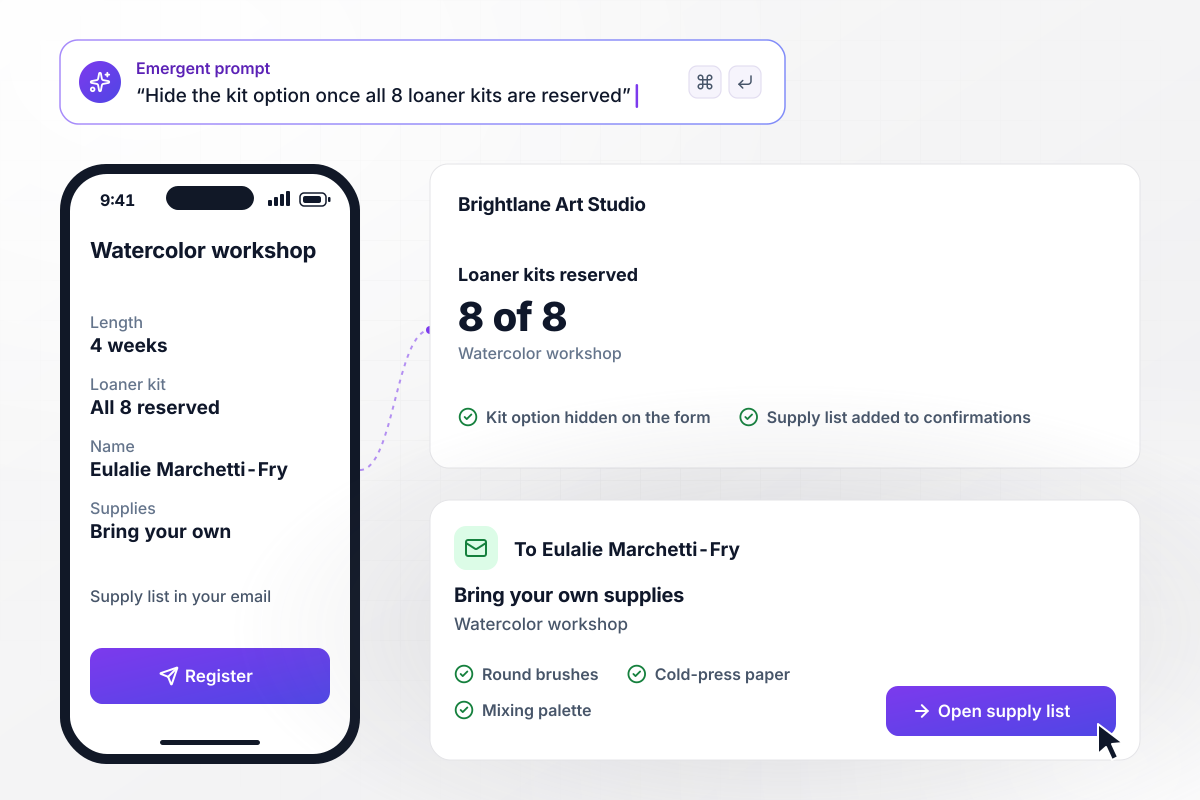
Once all 8 kits are reserved, Eulalie gets a supply list
Watercolor students at Brightlane Art Studio can borrow a paint kit for the 4-week workshop, and the studio owns 8. When the 8th kit is reserved, the form hides the kit option. Eulalie Marchetti-Fry registers next and gets the bring-your-own supply list in her confirmation email.






How to Create a Workshop Registration Form
Follow these seven steps to build a workshop registration form that seats each person in the right session and says what to bring.
List every date and start time with its own seat count. A woodshop might have 10 benches and a kitchen 16 stations. The form closes each session on its own when it reaches that number, while the others keep taking registrations.
Write one question a beginner can answer honestly, such as whether they have run a lathe or written code before. Then decide which sessions each answer opens, and keep the advanced session hidden from anyone who answers no.
Write a separate list for each choice a registrant can make: Mac setup and Windows setup, or a loaner kit and a bring-your-own list. Each confirmation email then carries only the list that matches the answers on that registration.
If the workshop serves lunch or cooks something, ask about dietary needs as a short list of choices with an Other box. Pick who receives the counts, such as the chef or the caterer, and how long before the session they arrive.
Describe the workshop to Emergent in plain English: the sessions with their seats, plus the questions and the email each answer triggers. From that description Emergent builds the form with its database, and you change any part later by prompting.
Register once as a beginner and once as someone with experience. Check that each sees the right sessions and that each confirmation email carries the right supply list. Fix any wording that reads wrong before the link goes out.
Post the link where your students already look, such as your class calendar or newsletter. Close sign-ups a few days before the first session. That leaves time to order materials for the final headcount and set up the room.
How Emergent Compares for Workshop Sign-Ups
Emergent builds the form from a description of your workshop. Registrations land in a database you own, with no response caps.

|
Jotform | SurveyMonkey | AidaForm | |
|---|---|---|---|---|
| How you build | Describe it in plain English | Templates, editor, AI generator | Survey builder with templates | Templates and a drag-and-drop builder |
| Where responses live | A database table you own, plus any integration | Jotform account | SurveyMonkey account, plus export | AidaForm account, plus Google Sheets and export |
| Response limits | No response caps | Monthly submission caps by plan; the form stops at the cap | Response allowance per plan, overage billed on paid plans | Monthly response cap, paused until reset |
| Code ownership | Full code export to GitHub on paid plans | None | None | None |

Pick the Pricing Plan That Works for You
Choose the plan that fits your building ambitions. From weekend projects to enterprise applications, we've got you covered.




Find the right form
for whatever you're collecting















Frequently Asked Questions
Your Questions, Answered
Don't change this element unless you know what you are doing
More things you can build
with Emergent









on Emergent today


