

Build an Instagram Landing Page for Your Bio, Stories and Reels
Build an Instagram landing page that turns taps from a profile, Story or Reel into rows in a database you own.
Build an Instagram landing page that saves every signup to a database I own.
Trusted by Builders Worldwide
Active Builders Worldwide
Apps Successfully Created
Countries Globally Reached



What Sits Behind the Link in Your Bio
Emergent builds the page a tap from Instagram lands on, and everything that happens to the visitor's answers after it.
One prompt, one page per post
Describe the page in a sentence and Emergent builds it: the headline, the buttons, the form, and the table behind them. Rename a button or add a field later with another prompt.
Every tap saved with its button
The app saves each tap and each signup to a database you own, with the button name and the time. Sort the rows by week to see which post sent people to the page, and which did not.
Forms that fit a thumb
Emergent can build the form as one question per screen, so a visitor who arrives from a Story answers on a phone, one tap at a time. The last screen asks for the email address.
Alerts when a visitor needs a person
Set a rule in the prompt, such as a booking request for a Saturday, and the app sends an email or Slack alert to the person who handles it, with the visitor's answers in the message.
Signups passed to the tools you use
The app connects to any tool with an API, so new subscribers can go to your email platform and new leads to HubSpot. Data syncs in and out, and the page keeps a copy of each row.
Your domain in the bio, your code in a repo
Publish the page on your own domain (custom domains use credits) and put that address in your bio. On paid plans, export the code to your GitHub repository and keep working on it.
Instagram Landing Page Examples
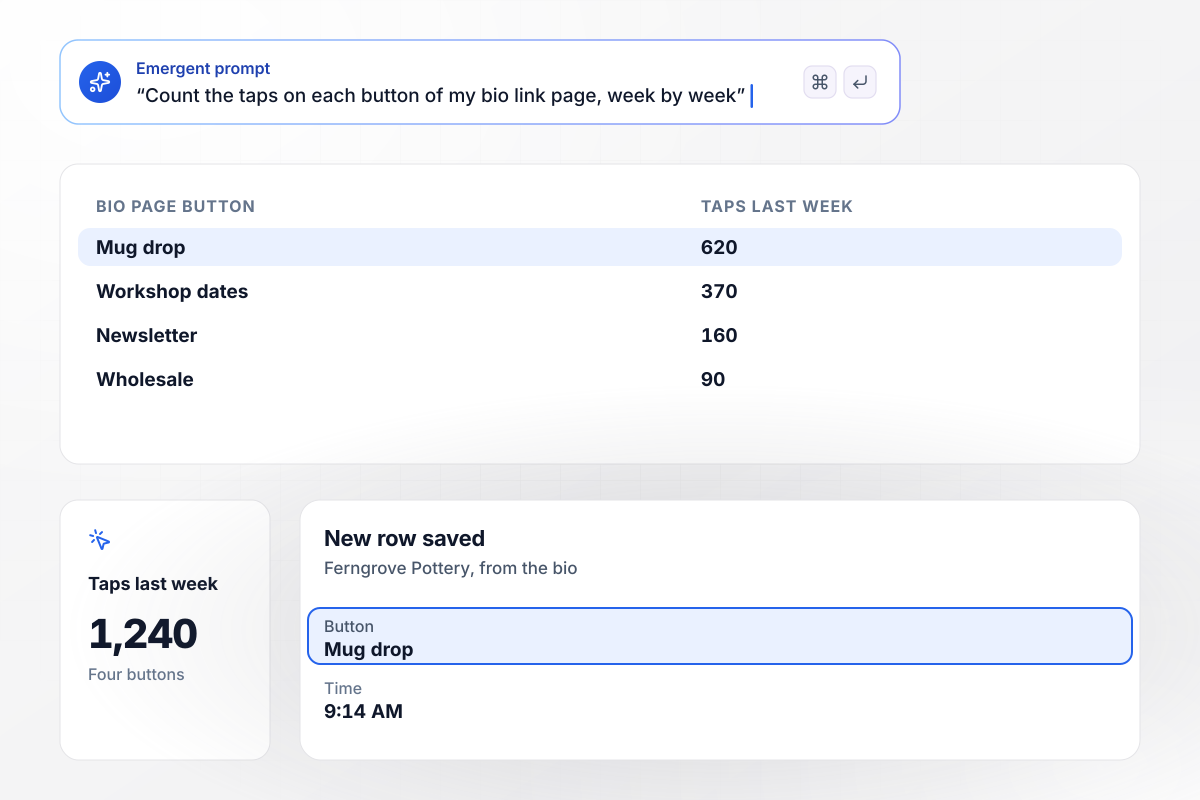
Every button on the bio page counts its own taps
Ferngrove Pottery keeps four buttons on the page its Instagram bio links to: the mug drop, workshop dates, the newsletter, and wholesale. Each tap is saved as a row with the button's name. Of last week's 1,240 taps, the mug drop took 620 and workshop dates 370, with 160 for the newsletter and 90 for wholesale.
window.awbMockup = { bioLinkMenu: "Build the page my Instagram bio links to for my shop, Ferngrove Pottery. Give it four buttons: the mug drop, workshop dates, the newsletter, and wholesale. Save every tap as a row with the button name and the time, and show me a weekly count of taps for each button so I can see which one people pick.", reelRestockList: "My candle shop, Saltmarsh Candle Co., sold out of the Low Tide candle. Build a restock page I can link from a Story sticker. Ask only for an email address and save each signup to a list I own. When I mark Low Tide back in stock, email everyone on the list that it is available again.", salonBooking: "Build a booking request form for my salon, Juniper Vale Studio, that clients open from the link in our bio. Ask for the service and the day they want. Send any color request for a Saturday to Mara Okonjo by email with the client's answers, and save every request to a bookings table.", creatorMediaKit: "I am a food creator. Build my media kit page with my audience numbers and an inquiry form for brands that asks for the brand name, the idea, and the budget. Email any inquiry with a budget of $2,000 or more to my manager, Dario Pelt, and keep the rest in a list I review on Fridays." };
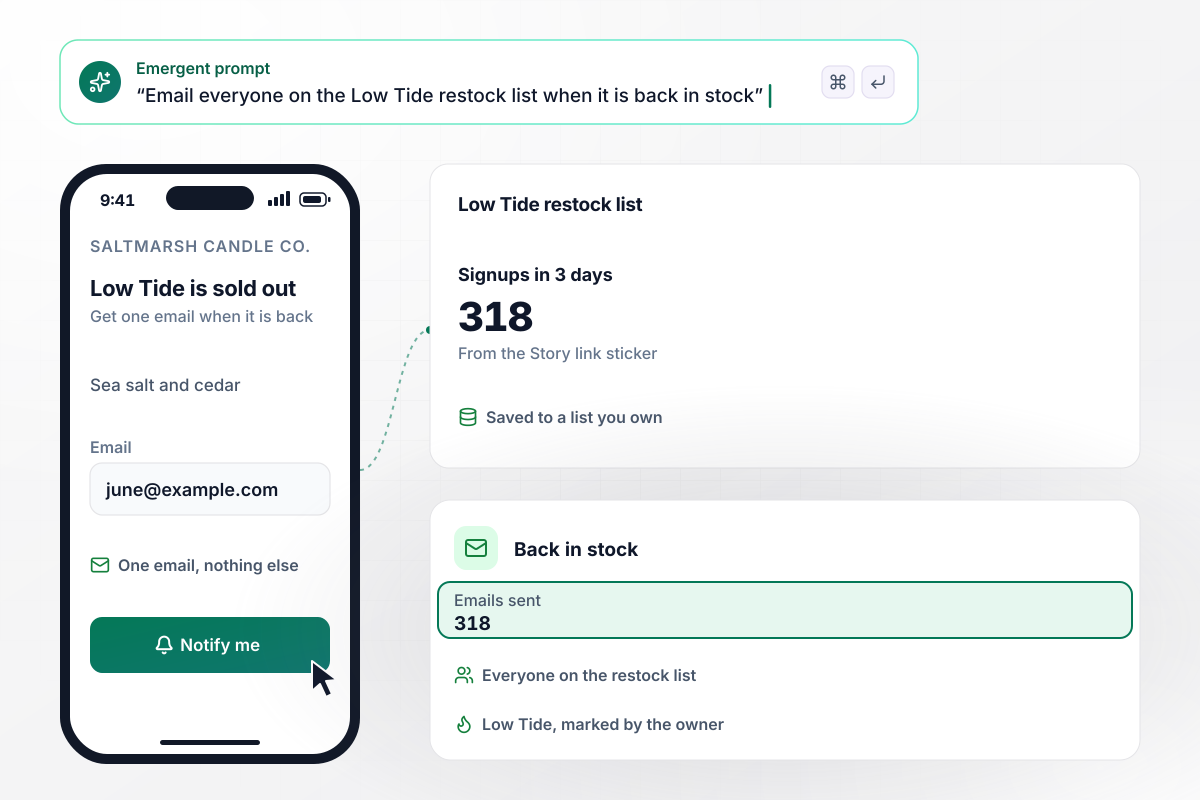
318 viewers want the candle back in stock
A sold-out candle gets its own Reel at Saltmarsh Candle Co., and a Story with a link sticker sends viewers to a restock page for the Low Tide candle. The page asks for one thing, an email address. In 3 days, 318 viewers signed up. When the owner marks Low Tide back in stock, the app emails all 318.
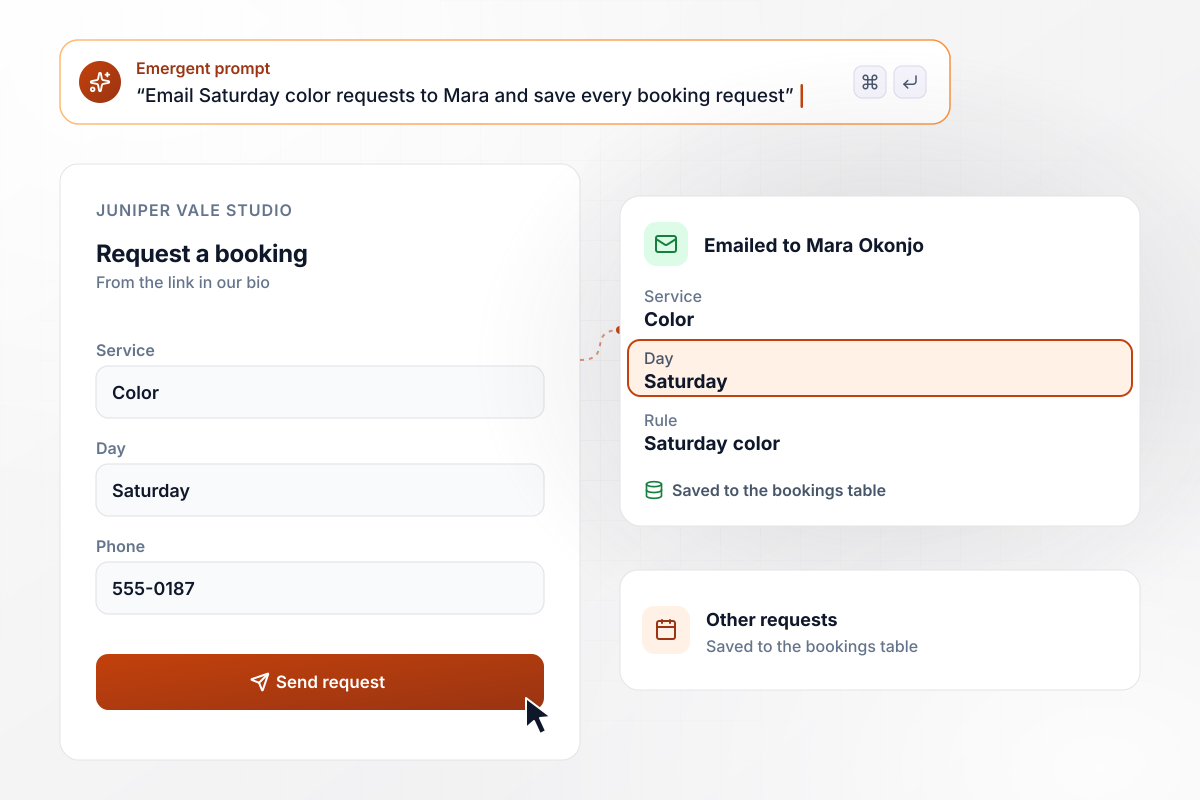
A Saturday color request reaches its stylist
Clients tap the link in Juniper Vale Studio's bio and land on a booking request form that asks for a service and a day. A color request for a Saturday goes to Mara Okonjo, who takes the studio's Saturday color clients, as an email with the client's answers. Every request is saved to the bookings table, whoever it goes to.
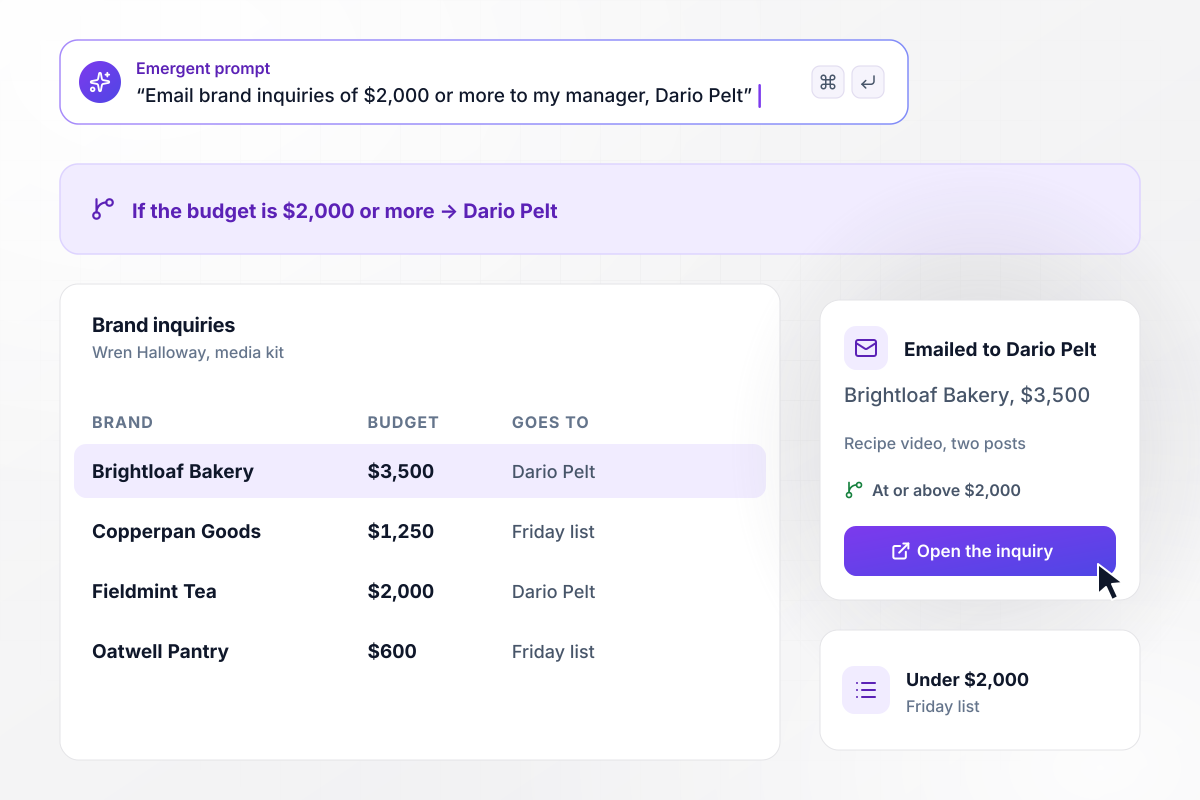
The manager sees every budget of $2,000 or more
Brands that find Wren Halloway, a food creator, through her bio land on her media kit: her audience numbers and an inquiry form. An inquiry with a budget of $2,000 or more, such as Brightloaf Bakery's $3,500 offer, is emailed straight to her manager, Dario Pelt. Smaller budgets wait in a list Wren reads on Fridays.






How to Create an Instagram Landing Page
Seven steps take an Instagram landing page from one post's goal to a tagged, tested page your bio and Stories can link to.
Pick one job for the page, such as a restock signup or a booking request. A visitor who taps through from a Story has seen one post. Give the page one headline and one action that match it, and leave the rest of the catalog for other pages.
A tap from a Story opens on the phone it was read on. Keep the headline to one line, put the action near the top, and ask only for what the next step needs. An email address is enough for a restock list.
Tell Emergent the page's job, the fields, and what happens after someone submits it, including who gets an alert and which table keeps the entry. Emergent builds the page and its database from that prompt, and another prompt changes either one.
Add utm_source, utm_medium, and utm_campaign to each link, with its own campaign value for the bio, each Story, and each Reel. Google Analytics says to use all three whenever you add parameters to a URL. Then each signup traces back to one post.
Name who handles which answer: a wholesale inquiry goes to the owner, a same-week booking goes to the front desk. The app sends that person an email or Slack alert, and every entry is still kept in your own table for later.
Open the published page on a phone from your own profile, tap every button, and submit a test entry. Check that the row is in the table and the alert reached the right person before the link goes anywhere public.
Add the page's address to your bio, and to Stories with Instagram's Link sticker, which adds a link to a Story. Point each Reel's caption to the bio. Once a week, compare entries by campaign value and retire the posts that send nobody.
Why Build Your Instagram Page With Emergent?
Each post can point to its own page, written from one prompt, and every visit lands in one database you can sort by post.

|
Instapage | Unbounce | Landingi | |
|---|---|---|---|---|
| How you build | Prompt for a campaign page | Templates and drag-and-drop, AI copy assist | Templates and drag-and-drop, AI copy assist | Templates and drag-and-drop, AI assist |
| Where submissions go | A database table you own, plus integrations | Instapage contacts and integrations | Unbounce lead storage and integrations | Vendor lead storage and integrations |
| Visitor limits | No per-visitor pricing | Monthly visitor caps by plan | Monthly visitor caps by plan | Tiered by traffic on most plans |
| A/B testing | Generate variants by prompt | A/B testing on higher-tier plans only | A/B testing on higher-tier plans only | Higher plans |
| Code ownership | Full code export to GitHub on paid plans | Hosted only, no HTML export | Hosted only | Hosted only |




Pick the Pricing Plan That Works for You
Choose the plan that fits your building ambitions. From weekend projects to enterprise applications, we've got you covered.




Find the right landing page for you






Frequently Asked Questions
Your Questions, Answered
Don't change this element unless you know what you are doing
More things you can build
with Emergent









on Emergent today


