

Build Insurance Claims Automation for Your Claims Team
Get insurance claims automation that opens each claim from the first report and assigns the right adjuster.
Build insurance claims automation for my auto claims team that tracks each first notice of loss through to settlement.
Trusted by Builders Worldwide
Active Builders Worldwide
Apps Successfully Created
Countries Globally Reached



The Parts of a Working Claims App
Six parts that take repeat work off your adjusters. Whether a loss is covered stays a decision people make.
A loss report, one question per screen
Policyholders answer one question per screen: the date and place of the loss, what was damaged, and how it happened. Photos come last, then the claim number shows on screen.
Assignment by loss type and territory
Each claim opens in the queue of the adjuster who handles that loss type and territory. A Slack or email alert tells them a new file is waiting, with the photos attached.
Estimates and invoices read into fields
Repair estimates and invoices are read into line items and totals as they are uploaded to a claim. A field read with low confidence waits for a claims handler to confirm.
A document checklist on every claim
Every claim carries the list of documents its loss type needs, such as a police report for a theft. Claimants get a reminder with an upload link until the list is complete.
Authority limits written once
A settlement above an adjuster's limit waits for the claims manager, with the estimate beside it. The decision is saved on the claim with the approver's name and the time.
Claim records in a database you own
Claim records live in a database you own, and the code exports to your GitHub repository on paid plans. Change a rule by prompting Emergent, or have an engineer edit it.
Where Claims Teams Start Automating
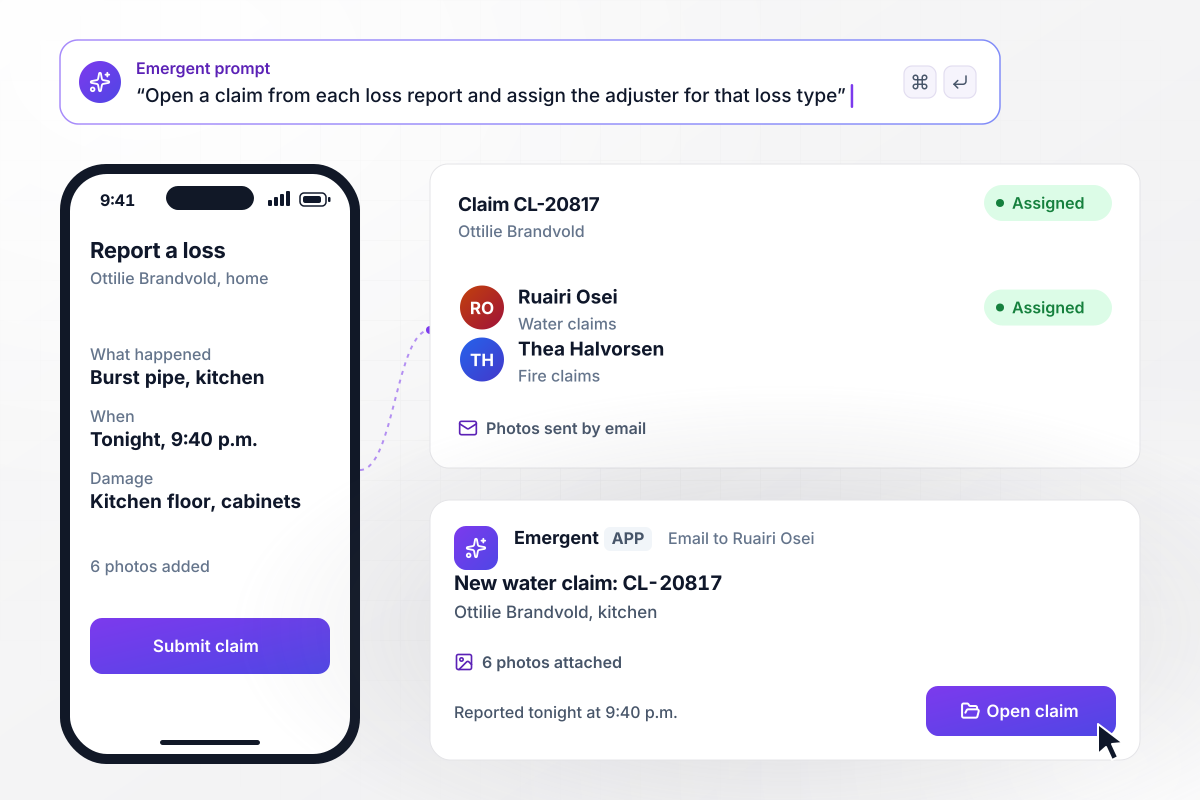
A burst pipe reported tonight lands with the water adjuster
Ottilie Brandvold opens the loss report at 9:40 p.m., minutes after a pipe bursts under her kitchen sink. She answers one question per screen and adds 6 photos of the floor. The app opens claim CL-20817 and assigns it to Ruairi Osei, who handles water claims, and emails him the photos.
window.awbMockup = { claimIntake: "Build a loss report form for my property claims. Ask one question per screen: the date and time of the loss, what happened, which rooms were damaged, and photos. On submit, open a claim with its own number, assign it to the adjuster who handles that loss type, and email them the photos.", repairEstimates: "Build an estimate reader for my auto claims. When a body shop uploads a repair estimate to a claim, read the parts, labor, total, and VIN into fields on the claim. Send any field read with low confidence to a claims handler to check before the estimate is used.", missingDocuments: "Build a document checklist for my theft claims. Each claim lists the documents it needs: a purchase receipt, photos, and a police report. Email the claimant an upload link for whatever is still missing every 3 days, stop when the list is complete, and log each reminder on the claim.", settlementApproval: "Build settlement approvals for my claims team. Each adjuster has an authority limit. When an adjuster proposes a settlement above their limit, hold it for the claims manager to approve in the app with the estimate attached, and log the decision with the approver's name and the time." };
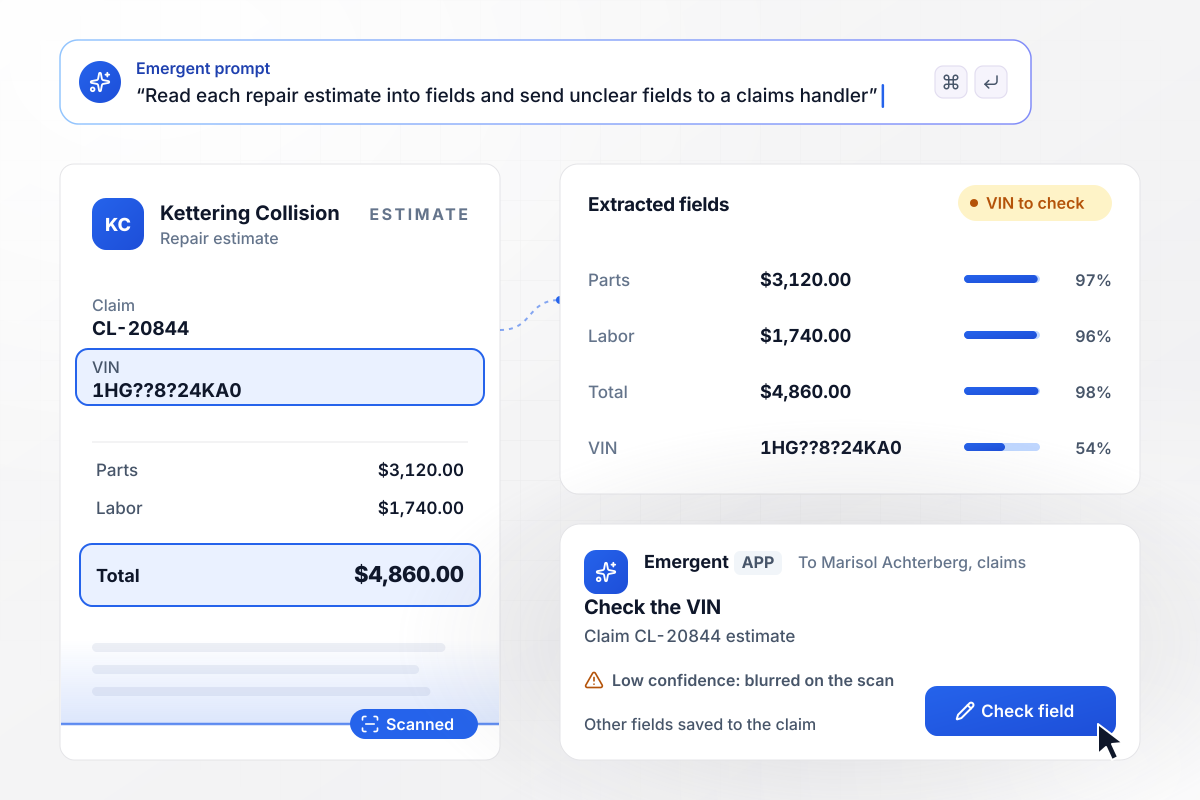
Estimate read into fields, VIN sent back for a check
Kettering Collision, the body shop on claim CL-20844, sends its repair estimate as a scanned PDF. The app reads parts of $3,120 and labor of $1,740, for a $4,860 total. The VIN is blurred on the scan and reads at low confidence, so that one field goes to claims handler Marisol Achterberg to check.
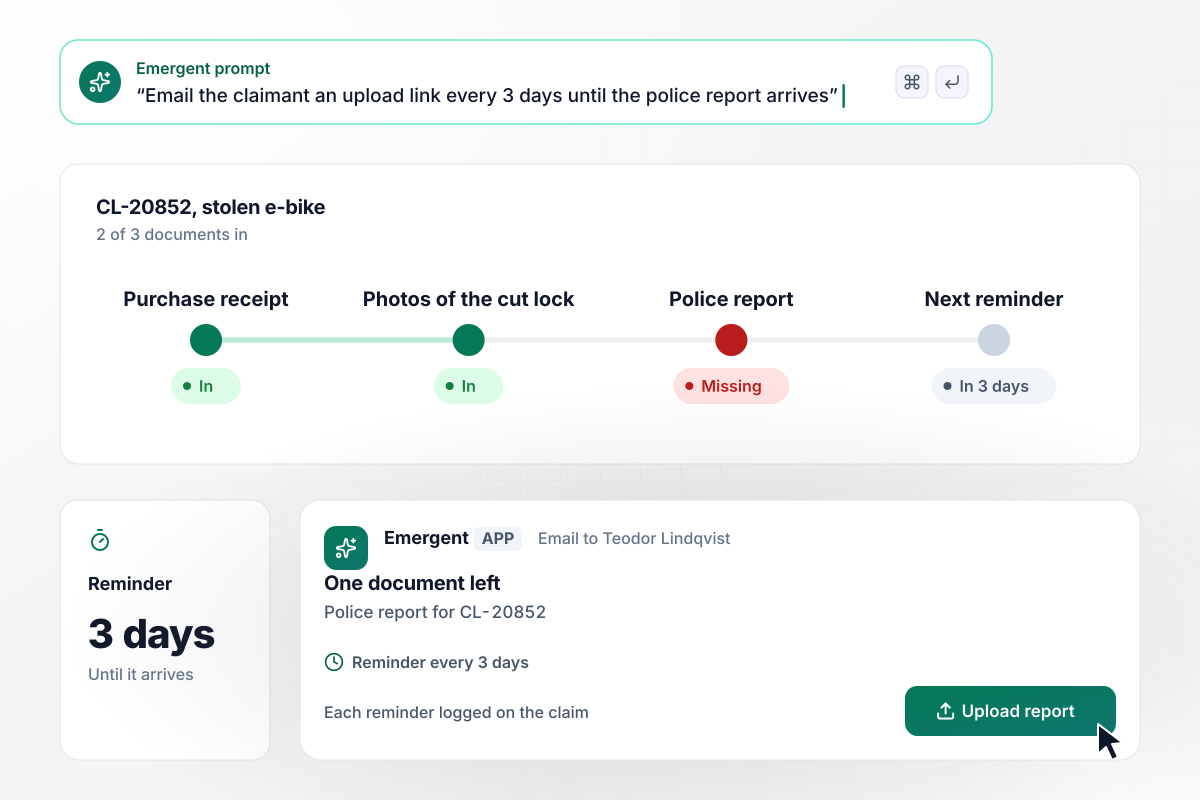
The last document chased every 3 days until it arrives
Claim CL-20852 is a stolen e-bike, and 2 of its 3 documents are in: the purchase receipt and photos of the cut lock. The police report is still missing. Teodor Lindqvist gets an email with an upload link every 3 days until he sends it, and each reminder is logged on the claim.
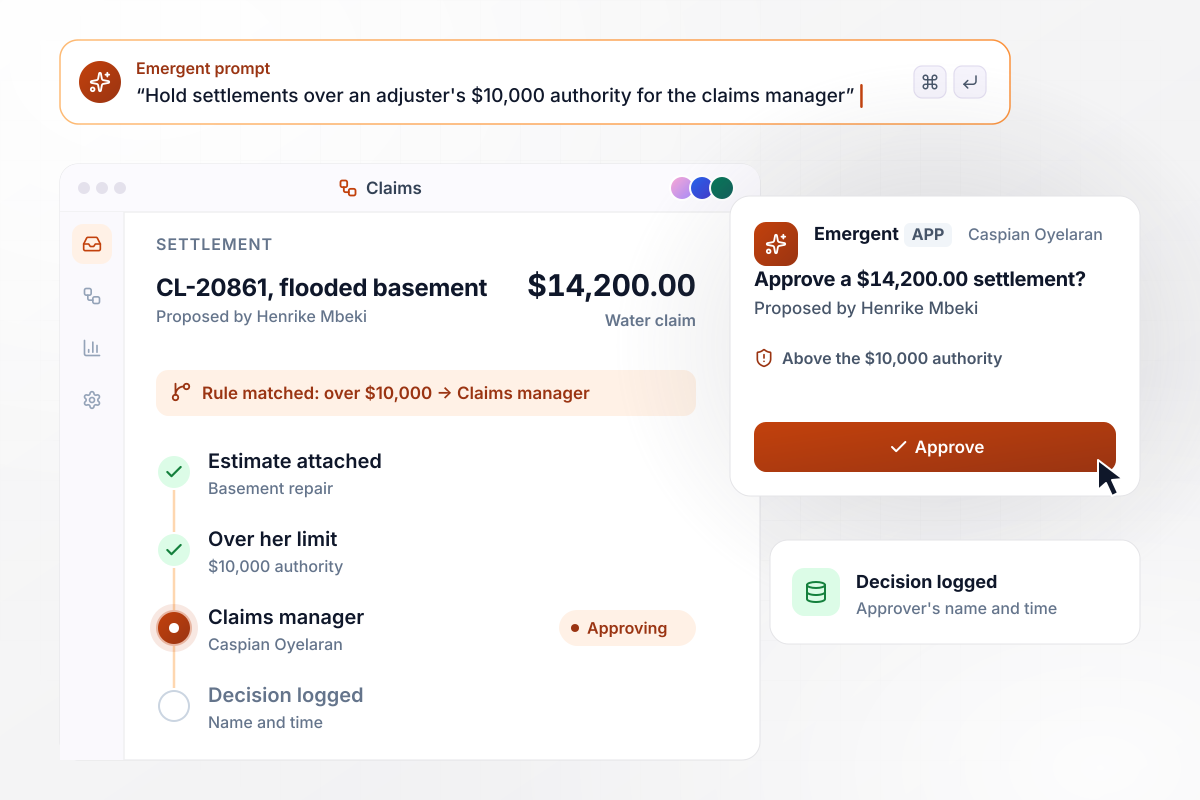
Settlements over $10,000 wait for the claims manager
Henrike Mbeki settles water claims up to $10,000 on her own. On claim CL-20861 she proposes $14,200 for a flooded basement, so the settlement waits for claims manager Caspian Oyelaran with the estimate attached. He approves it in the app, and the log records his name and the time.






How to Build Insurance Claims Automation
Seven steps to build insurance claims automation that carries a loss report through to an approved settlement.
Start with one line, such as homeowners water claims or auto physical damage, and write down every step a claim takes from the first report to settlement. Note who touches it at each step and which documents they wait for.
Tell Emergent what a claim record holds, starting with the policy number and the loss date. Name every field an adjuster must confirm by hand, like a VIN read from a phone photo or a total read from a faxed estimate.
Ask for a loss report that works on a phone, one question per screen, with photo upload at the end. Decide which answer sets the loss type, because the loss type is what picks the adjuster and the document checklist.
Connect your policy or claims system through its API. Each new claim then checks the policy number and dates against the policy record. Emergent builds the sync, and claim status writes back to the system your team already uses.
Write each adjuster's settlement authority in plain English, for example $10,000 for staff adjusters and $50,000 for senior adjusters. Add rules for odd cases too, like a claim reported 30 days after the loss going to a senior adjuster.
Put twenty claims your team closed last quarter through the app and compare its fields and holds with what happened. Fix each difference by prompting Emergent, then replay the same twenty until every one of them matches.
Turn the app on for new claims in one line of business while open claims finish the old way. After a month with no corrections, add the next line, starting with the one your adjusters spend the most hours keying today.
Why Build Claims Automation With Emergent?
Emergent builds the claims app itself, with the loss report form and the adjuster queues your team works from.

|
Zapier | Make (Integromat) | n8n | |
|---|---|---|---|---|
| How you build | Prompt for the workflow and the app around it | Templates and editor, AI copilot | Visual canvas | Visual canvas, self-hosted or cloud |
| What you get | Workflow + trigger form + database + dashboard, as code you own | Zaps, plus Tables and Interfaces inside Zapier | Scenarios inside Make | Workflows inside n8n |
| Behavior at cap | Keeps running, no task cap | Overage billed at up to 1.25× the base rate | Runs pause | Cloud workflows stop until the reset or an upgrade |
| AI and agent steps | Native, share the same credit pool | Priced by model tier, drawn from the task pool | AI modules cost variable credits | Bring your own model API key, billed by the provider |
| Code ownership | Full code export to GitHub on paid plans | None | None | Yes on Community Edition |



Pick the Pricing Plan That Works for You
Choose the plan that fits your building ambitions. From weekend projects to enterprise applications, we've got you covered.




Find the right workflow automation
for you and your business
Frequently Asked Questions
Your Questions, Answered
Don't change this element unless you know what you are doing
More things you can build
with Emergent









on Emergent today


