

Build Report Automation That Checks the Numbers First
Build report automation that pulls figures from your tools, tests them against your rules, and sends each report on time.
Build report automation for my team's recurring reports and the tools their numbers come from.
Trusted by Builders Worldwide
Active Builders Worldwide
Apps Successfully Created
Countries Globally Reached



What Runs Behind Every Scheduled Report
The app gathers, tests, and delivers each report, and a person sees it first only when a number calls for it.
Numbers pulled from every source
Connects to your ad accounts, CRM, store, and accounting software through their APIs. Each run starts from the figures those systems hold that morning, not from last week's export.
Checks against last period and budget
Compares each figure with the prior period or the budget before anything goes out. When a number moves past a threshold you set, the report waits and its owner sees which line moved.
Sign-off only where it matters
Holds client and board reports for a named reviewer, who adds context and approves the send. Routine internal reports go out on their schedule without anyone opening them first.
Delivery to inboxes and Slack channels
Emails each finished report to its list, posts a summary to the Slack channel that acts on it, or publishes it behind a client login. Every send is logged with the version sent.
Dashboards that admit when data is stale
Refreshes each tile on its own schedule and labels any tile whose source failed to sync with the time of its last good update. Nobody mistakes an old figure for today's number.
A reporting app you can take with you
Exports the full code, with its queries and delivery schedules, to your GitHub repository on paid plans. Every past run stays in a database you own, ready for any BI tool to read.
Reports Teams Stop Building by Hand
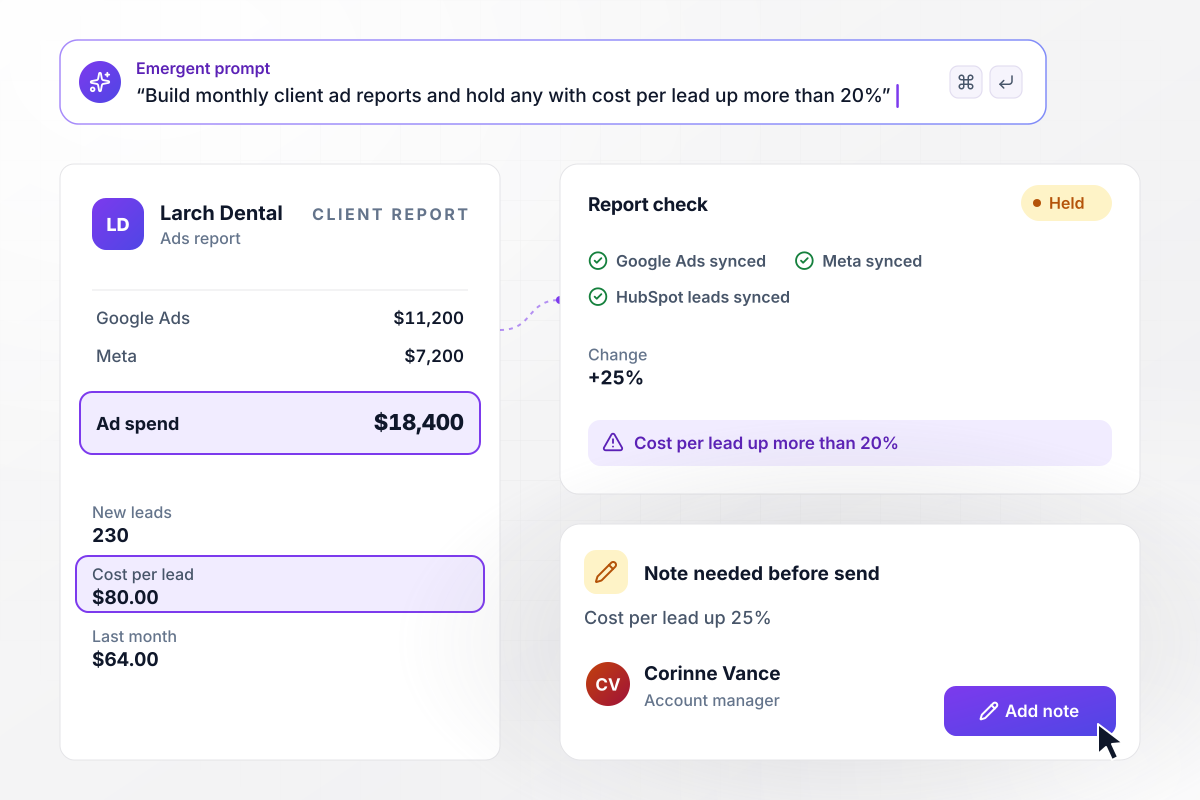
A bad month gets a note before the client sees it
When the month closes, the app pulls Larch Dental's ad spend from Google Ads and Meta, plus its leads from HubSpot. That comes to $18,400 for 230 leads, or $80.00 a lead against $64.00 last month. Any rise in cost per lead over 20% holds the report until Corinne Vance, the account manager, notes the cause.
window.awbMockup = { clientAdReports: "Build a monthly client report for my agency. On the 1st, pull each client's ad spend from Google Ads and Meta, plus new leads from HubSpot, then work out cost per lead. If cost per lead rose more than 20% over last month, hold the report until the account manager adds a note on the cause. Otherwise email it to the client contact.", budgetVsActual: "On the third business day after month end, pull our closed actuals from QuickBooks and compare every line with the budget. Send any line that misses by more than 10% to its owner with a request for a short explanation. When every flagged line has a note, send the report pack to our CFO and keep each version.", dailyOrderRecap: "Every morning at 7:00, count the previous day's orders from Shopify and our warehouse system. Post a summary to our ops Slack channel with orders shipped and orders that went out late. Group the late orders by cause, such as packed after the carrier cutoff or waiting on stock, and link each order.", leadershipKpis: "Build a leadership dashboard that refreshes at 6:00 each morning with MRR from Stripe, cash from QuickBooks, and open pipeline from HubSpot. If a source fails to sync, keep its last good figure on the tile, label it stale with the time, and send our analyst a direct message with the error." };
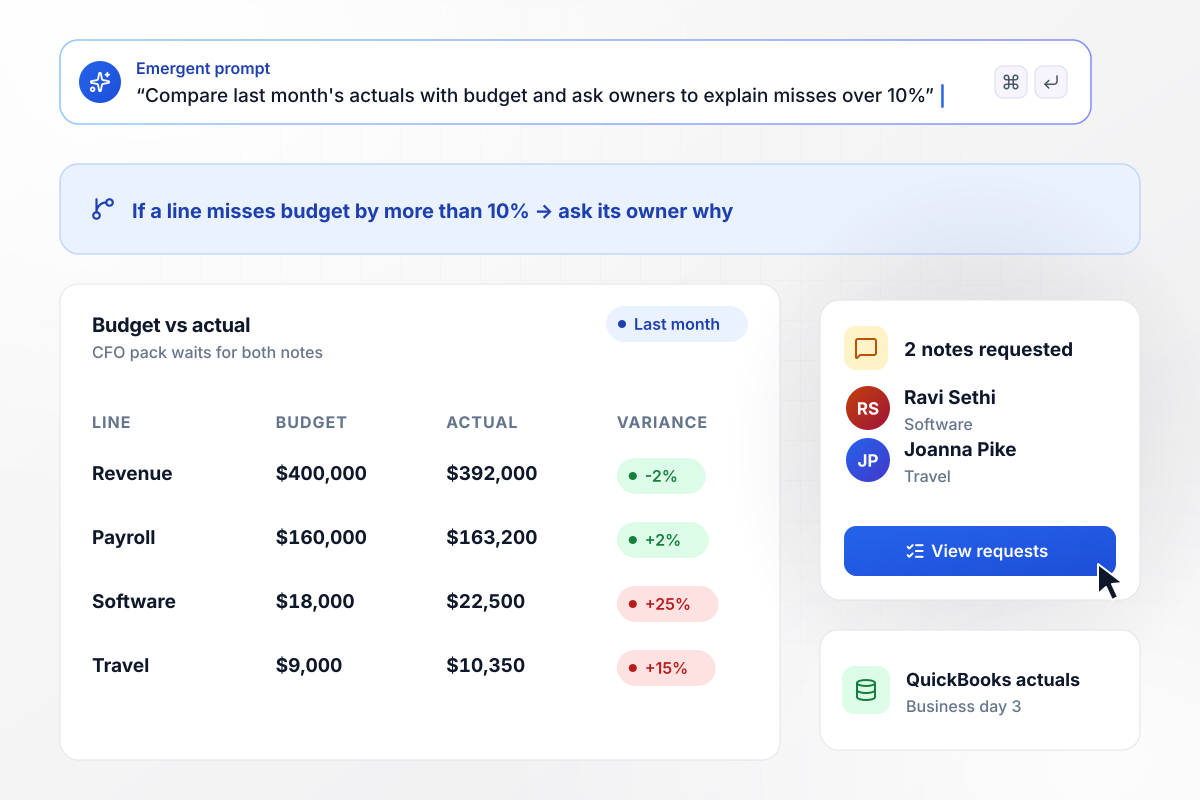
Budget misses arrive with their explanation
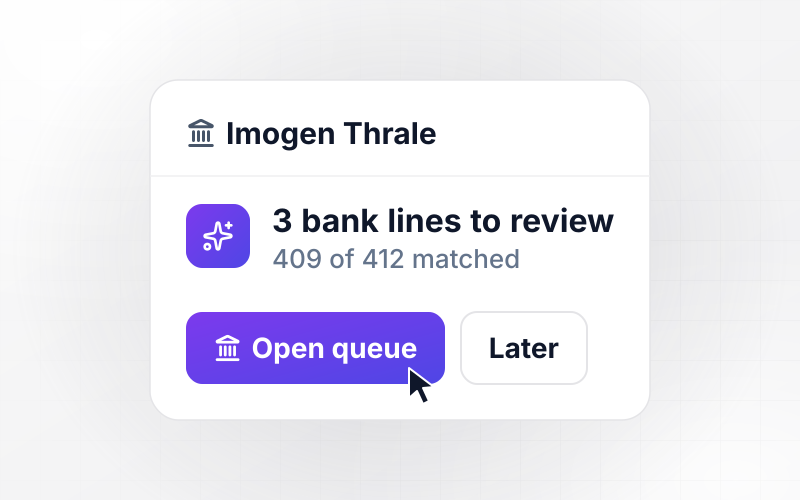
Three business days after close, the app sets last month's actuals from QuickBooks against budget. Two lines missed by more than 10%: software at $22,500 against $18,000, and travel at $10,350 against $9,000. Ravi Sethi and Joanna Pike, who own them, each get a request for a short note. The CFO pack waits for both.
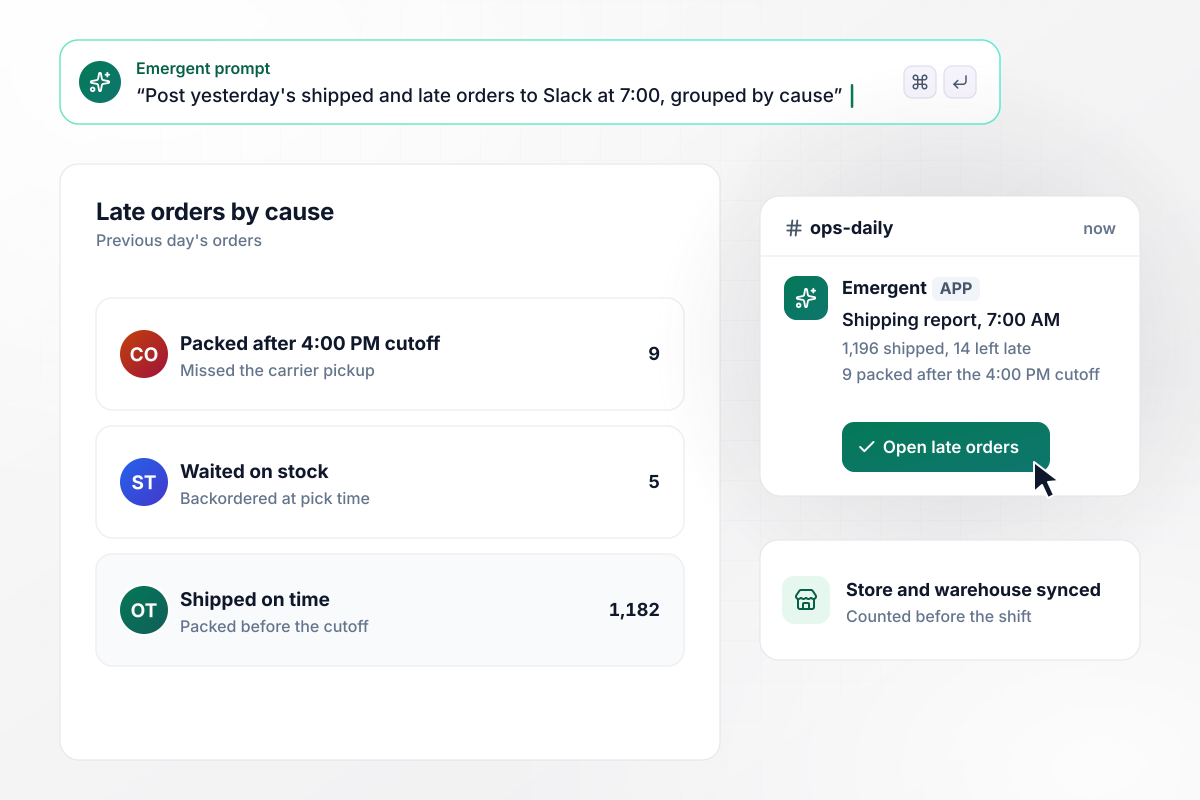
Late orders grouped by cause before the shift starts
At 7:00 every morning, the app counts the previous day's orders from Shopify and your warehouse system, then posts to #ops-daily. Yesterday 1,196 orders shipped and 14 left late: nine packed after the 4:00 PM carrier cutoff, and five waited on stock. The shift lead starts with the cutoff misses.
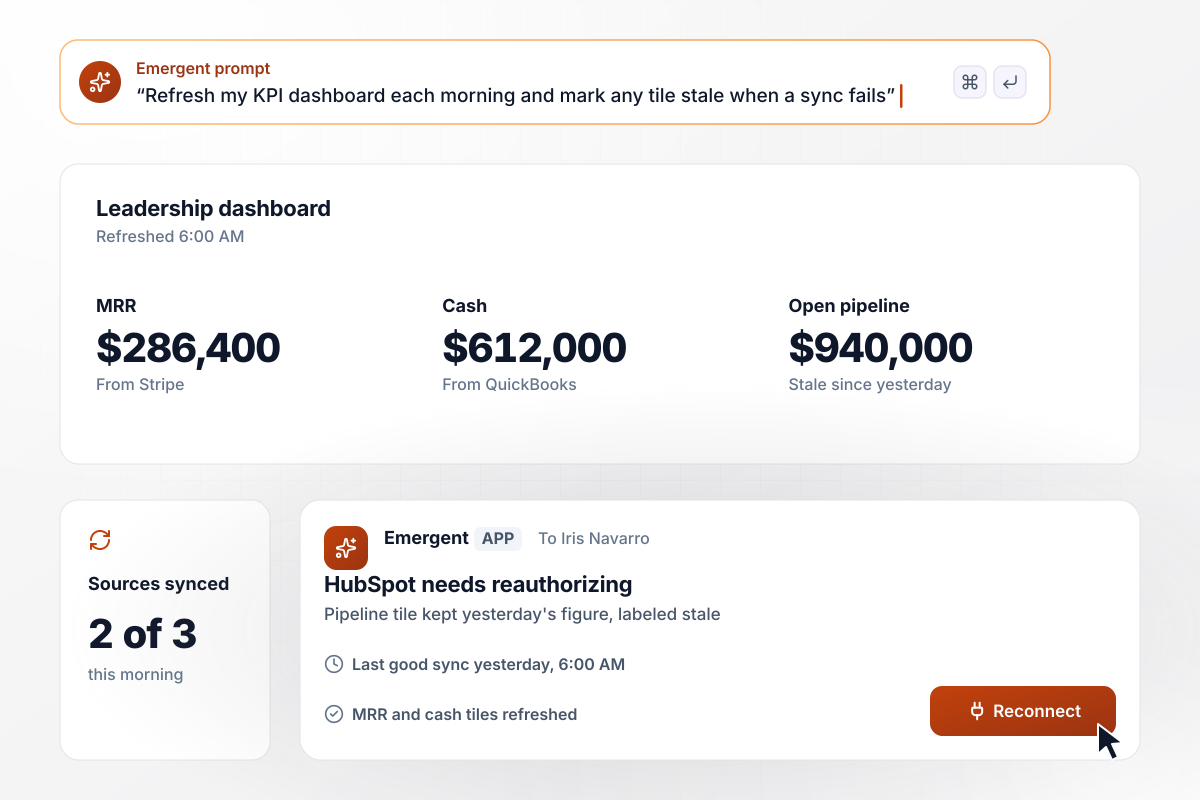
A failed sync is labeled stale, not left blank
The leadership dashboard refreshes at 6:00. MRR came in from Stripe at $286,400 and cash from QuickBooks at $612,000. HubSpot needed reauthorizing. Instead of going blank, the pipeline tile kept yesterday's $940,000 under a stale label. Iris Navarro, who owns that connection, got a direct message to reconnect.






How to Build Report Automation
Seven steps to set up report automation for a recurring report, with checks that run before every scheduled send.
Choose a report someone rebuilds by hand every week or month. Note who builds it, how long it takes, and who reads it. A report with a fixed layout and a fixed audience makes the best first candidate; one-off analysis does not.
Write down each figure in the report and the system it comes from: spend from the ad account, revenue from accounting, orders from the store. Mark any figure someone calculates in a spreadsheet, and copy out the formula they use.
Gather the three most recent versions exactly as they went out. They show the layout readers expect and give you known-good numbers to test against. Emergent builds the first version of the app from your description and these examples.
Write down the checks a careful analyst makes before sending: cost per lead up by a fifth, a budget line off by more than 10%, a source that did not refresh. Name the person who receives each report the app holds back.
Connect each system through its API and set when the report runs, such as 7:00 each weekday or the third business day after close. Run it once by hand and compare every figure with the last report your team sent.
Keep building the report by hand for two cycles while the automated version runs beside it. Where the numbers differ, find out which side is wrong and describe the fix to Emergent in a prompt. Stop once two runs match.
Point the email list or Slack channel at the automated report and retire the manual copy. Leave the hold rules on. Each month, look at which reports were held, and adjust any threshold that fires too often or never fires.
Why Build Report Automation With Emergent?
Describe a report once and Emergent writes the app that runs it, with no task cap and code that exports to GitHub on paid plans.

|
Zapier | Make (Integromat) | n8n | |
|---|---|---|---|---|
| How you set it up | Prompt for the workflow and the app around it | Templates and editor, AI copilot | Visual canvas | Visual canvas, self-hosted or cloud |
| What you get | Workflow + trigger form + database + dashboard, as code you own | Zaps, plus Tables and Interfaces inside Zapier | Scenarios inside Make | Workflows inside n8n |
| Behavior at cap | Keeps running, no task cap | Overage billed at up to 1.25× the base rate | Runs pause | Cloud workflows stop until the reset or an upgrade |
| AI and agent steps | Native, share the same credit pool | Priced by model tier, drawn from the task pool | AI modules cost variable credits | Bring your own model API key, billed by the provider |
| Code ownership | Full code export to GitHub on paid plans | None | None | Yes on Community Edition |




Pick the Pricing Plan That Works for You
Choose the plan that fits your building ambitions. From weekend projects to enterprise applications, we've got you covered.




Find the right workflow automation
for you and your business
Frequently Asked Questions
Your Questions, Answered
Don't change this element unless you know what you are doing
More things you can build
with Emergent









on Emergent today


