

Build an Address Verification Form
Create an address verification form that takes leases and utility bills as uploads and records who approved each case.
Build an address verification form that takes proof of residency uploads and sends each one to a reviewer.
Trusted by Builders Worldwide
Active Builders Worldwide
Apps Successfully Created
Countries Globally Reached



Every Proof Reaches a Person Who Signs Off
Most address verification forms are PDFs returned by email. Emergent's version reads each upload and records who signed off.
Documents grouped by your policy
Lists the documents your office accepts, grouped the way your policy groups them, and holds the submit button until each group has the number of uploads your rule asks for.
Dates and names read off uploads
Reads the name, address and statement date off each bill or lease into fields. A field the reader is unsure of goes to a staff member instead of passing without a look.
A statement from the household
Sends a short statement to the householder when no bill carries the applicant's name. The householder signs it on a phone and attaches their own lease or a recent utility bill.
A queue with one decision per case
Puts each case in a review queue with the documents beside the typed address. The reviewer approves or returns it with a reason, and the decision is saved with a name and time.
Reminders until the proof arrives
Emails anyone whose case is missing a document, on a schedule you set, and posts a Slack alert when a case has waited too long. Each reminder links back to the open case.
Code your office can keep
Exports the full codebase to your GitHub repository on paid plans. You can host it beside the student or member system you already run, or ask Emergent to connect the two.
Four Offices That Check Where People Live
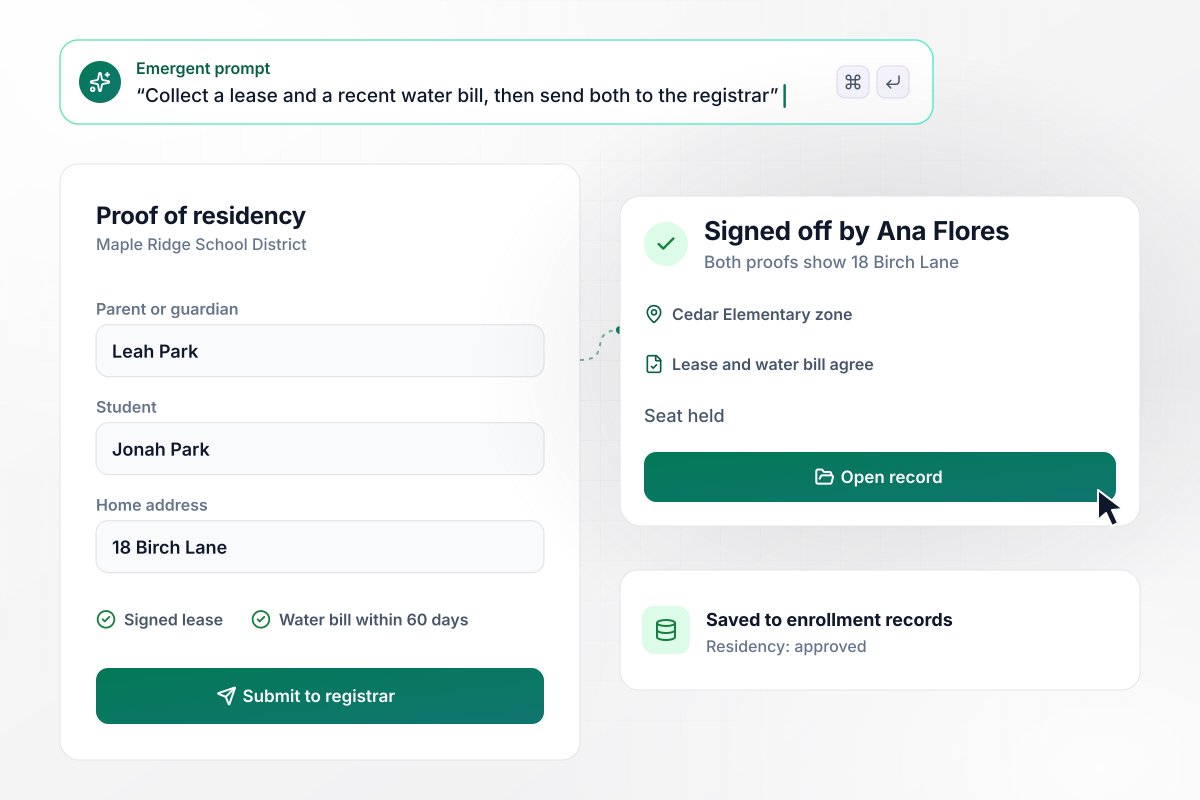
Lease and water bill agree, and the seat is held
Maple Ridge School District assigns schools by attendance zone, and the registrar must see where a family lives. A parent uploads a lease and a water bill dated within 60 days. Registrar Ana Flores sees that both show 18 Birch Lane, inside the Cedar Elementary zone. She signs off and the seat is held.
window.awbMockup = { schoolEnrollment: "Build a residency form for my school district's enrollment office. Ask the parent for the home address, a lease or deed, and a utility bill dated within 60 days. Show the registrar both documents beside the address with the attendance zone it falls in, and let her sign off to hold the seat.", rentalAssistance: "My county runs a rental assistance program. Build a residency form for applicants, and when no bill is in the applicant's name, send the person they live with a host statement to sign plus a request for their own electric bill. Give our caseworkers a screen to approve residency.", returnedMail: "Our credit union gets statements back as undeliverable. Build a form we can send each affected member asking for the new address and one dated proof. Show staff a list of returned statements with who has replied, update the address when proof arrives, and keep mail paused for anyone still missing.", cityPermits: "Build an address verification request for my city's building department. Contractors enter the address, the parcel number, and the permit type. Staff check the parcel against our address list, and once it matches, generate a signed verification letter, and email it to the contractor." };
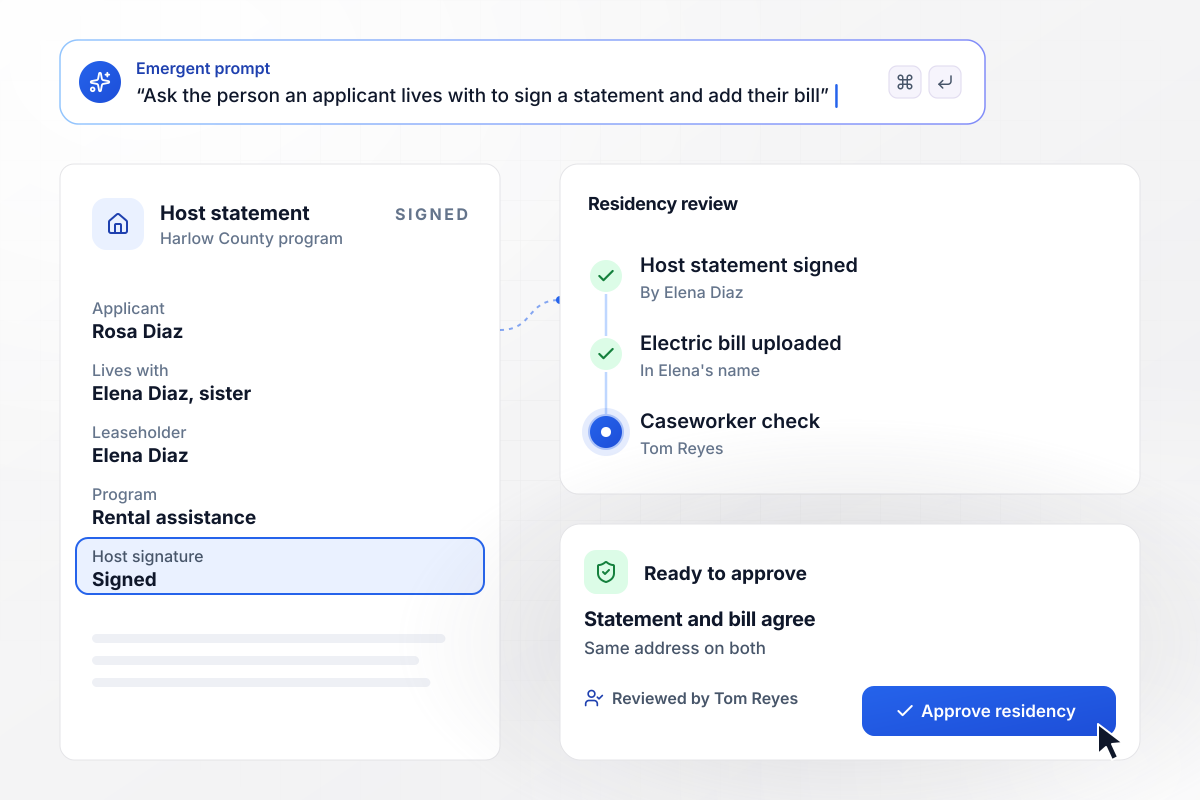
When every bill carries a sister's name
Some applicants have no bill in their own name. Rosa Diaz applies for Harlow County rental assistance while living with her sister Elena, who holds the lease. The form sends Elena a host statement to sign and asks for her own electric bill. Caseworker Tom Reyes then approves county residency on the pair.
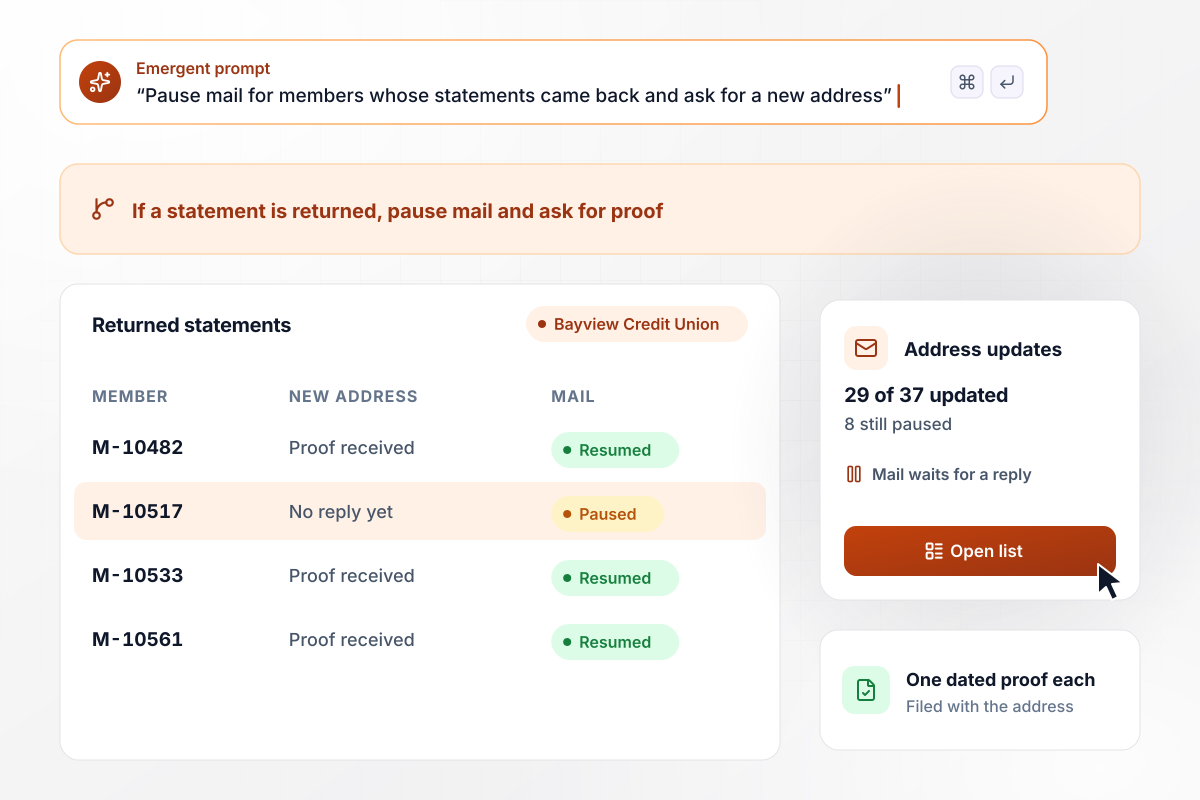
Of 37 returned statements, 29 now show a new address
Returned mail is often the first sign of a move. Bayview Credit Union had 37 statements come back undeliverable last month. Each of those members got a link asking for the new address and one dated proof. 29 have answered and their records are updated. Mail stays paused for the other 8 until they reply.
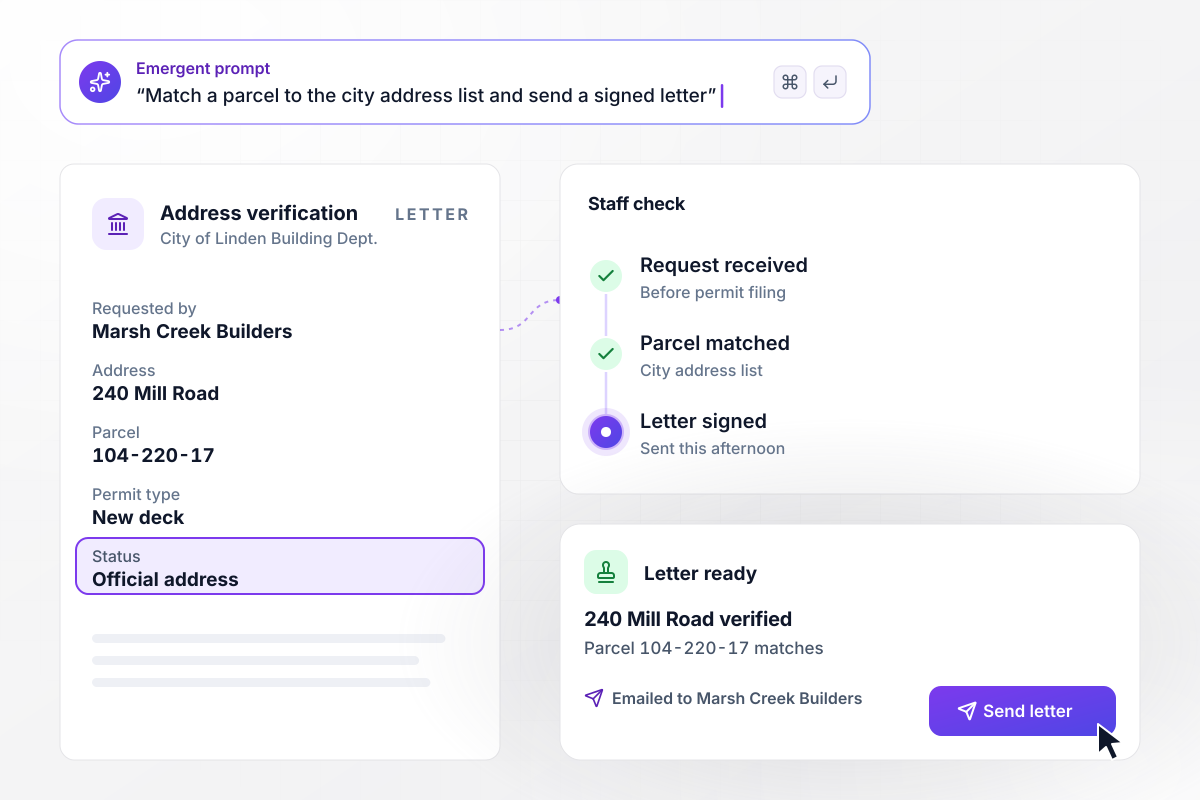
A signed address letter by the end of the day
Permit counters get a different request: confirming that an address is official for its parcel. Marsh Creek Builders asks the City of Linden building department to verify 240 Mill Road before filing a permit. Staff match parcel 104-220-17 to the city's address list and send a signed verification letter that afternoon.






How to Create an Address Verification Form
Seven steps to an address verification form your reviewers can sign off on, starting with the rule for which documents count.
Start with the rule a reviewer will apply: which documents count, how many from each group and how recent a bill must be. Write it down before adding a single field, because the form and the reviewer both follow it.
Type what you need in plain English: the address fields, the document groups, the age limit on a bill, and who reviews. Emergent builds the form, the database behind it, and the reviewer screen from that description.
Give each document group its own upload slot and say how many it needs. A parent sees one slot for the lease or deed and two for supporting proofs. Nobody can send four bills and no lease.
Someone living with a relative may have nothing in their own name. Add a host statement the householder signs on a phone, with a slot for their own bill, and keep it attached to the applicant.
Name the reviewer for each office or program and decide what they see: the typed address beside each document. Every approval or return is saved with the reviewer, the time, and the reason.
Pick the reminder schedule for incomplete cases and who hears about cases that stall. People get an email with a link to finish their case. Staff get a Slack alert once a case passes the wait you set.
Run three cases through before you share the link: one clean, one with an old bill, one with a host statement. Check that each lands with the right reviewer and that the record reads correctly afterward.
Why Build It With Emergent?
Uploaded proofs and sign-off decisions stay in a database your office owns.

|
Typeform | Jotform | Google Forms | |
|---|---|---|---|---|
| How you build | Describe it in plain English | Templates, editor, AI assist | Templates, editor, AI generator | Editor, with Gemini drafting on some Workspace plans |
| File uploads | Files saved to storage you own, no sign-in | Paid plans only | Included; files count toward plan storage | Respondents must sign in to Google; files fill your Drive |
| Where responses live | A database table you own, plus any integration | Typeform account | Jotform account | Google Sheets |
| Code ownership | Full code export to GitHub on paid plans | None | None | None |
| Response limits | No response caps | Monthly response caps by plan; the form closes at the cap | Monthly submission caps by plan; the form stops at the cap | No limit |



Pick the Pricing Plan That Works for You
Choose the plan that fits your building ambitions. From weekend projects to enterprise applications, we've got you covered.




Find the right form
for whatever you're collecting















Frequently Asked Questions
Your Questions, Answered
Don't change this element unless you know what you are doing
More things you can build
with Emergent









on Emergent today


