

Build an Identity Verification Form With ID Review
Build an identity verification form that reads uploaded IDs into fields and sends each case to a reviewer you choose.
Build an identity verification form that saves every response to a database I own.
Trusted by Builders Worldwide
Active Builders Worldwide
Apps Successfully Created
Countries Globally Reached



What Applicants Submit and Reviewers Decide
Applicants see the first three parts. Reviewers work in the next two, and the sixth is the code behind all of them.
Four identity details, each its own field
The form asks for legal name, date of birth, home address, and an ID number as separate required fields. The birth date field takes only a real date, never a typed sentence.
Both sides of the ID, read into fields
Applicants upload the front and back of a photo ID. The app reads the name, date of birth, and expiry date into fields, and a field it reads with low confidence goes to a person.
A signed declaration on the last screen
The final screen asks applicants to confirm that every detail is true and to sign with a finger or a mouse. The signature is saved with the case, beside the uploads it covers.
Approve, reject, or ask for a new photo
Reviewers open each case next to its ID images and pick one of those three outcomes. The app records who decided, when, and why, on the same database row as the case itself.
Alerts for cases nobody has opened
A new case posts to a Slack channel or reaches the reviewer by email. A case that stays open past your deadline sends its reviewer a reminder, then escalates to the team lead.
The full code, in your repository
Export the full code to your GitHub repository on paid plans. The form can then sit beside the rest of your onboarding code, with each later change reviewed as a pull request.
Four Teams That Check an ID First
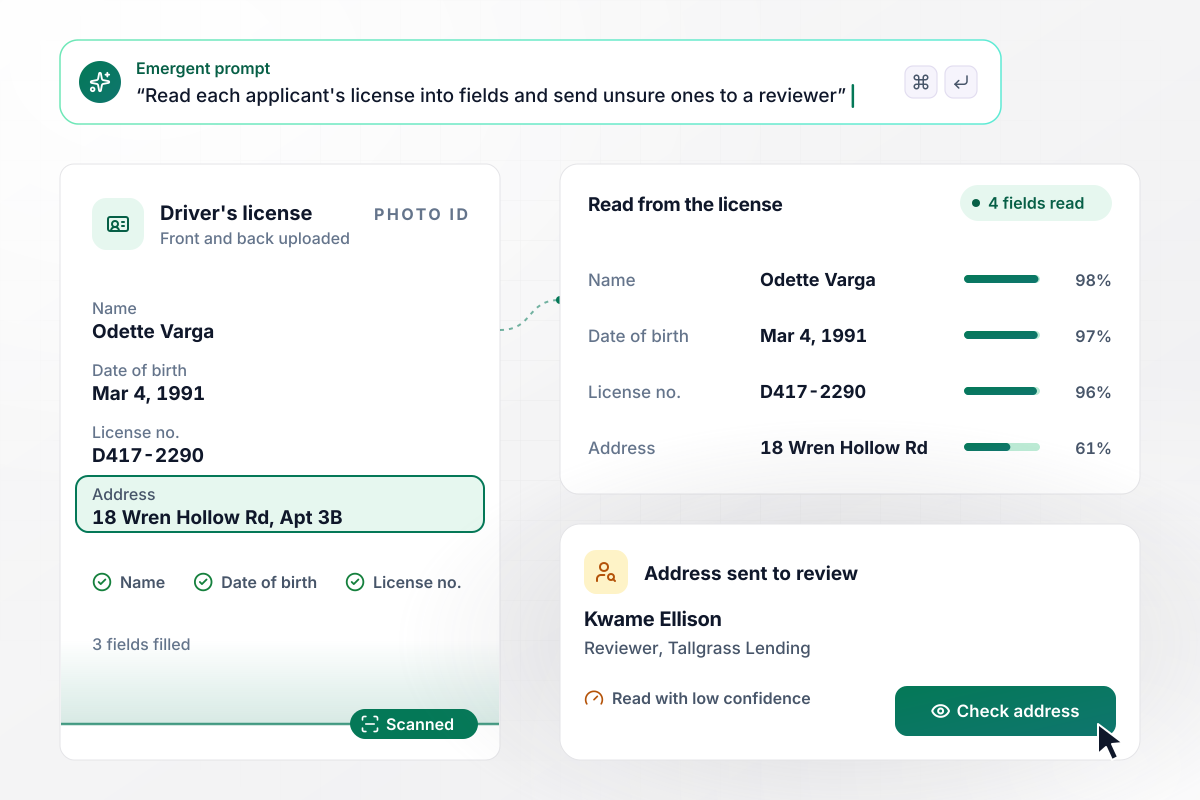
Kwame checks the one field the app was unsure of
Odette Varga applies for a loan with Tallgrass Lending and uploads both sides of her driver's license. The app reads 4 fields from it into her application: name, date of birth, license number, and address. The address comes back with low confidence, and it waits for reviewer Kwame Ellison while the other 3 fill in.
window.awbMockup = { lenders: "Build an identity verification form for my lending company. Applicants enter their legal name, date of birth, address, and ID number, then upload both sides of a driver's license. Read the name, date of birth, license number, and address from the license into the application, and send any field read with low confidence to a reviewer. Show me each application with the fields that are waiting.", titleClosings: "My title company needs an identity form that buyers fill in at home before closing. At the closing table, the closer marks the passport and the driver's license as seen in person. Open the signing step only when both IDs are marked, and save who marked them and when on the closing record.", accountRecovery: "Build an account recovery form for my software support team. Users locked out of their account enter the account email and upload a photo ID with its expiry date. Send requests with a current ID to an agent. If the ID has expired, send the request back to the user with a note asking for a current one.", recordsOffices: "My college registrar office needs a transcript request form. Former students give their current name, the name they enrolled under, their class year, and a photo ID. Post each request to our registrar Slack channel with both names and the class year, so staff can find the right record." };
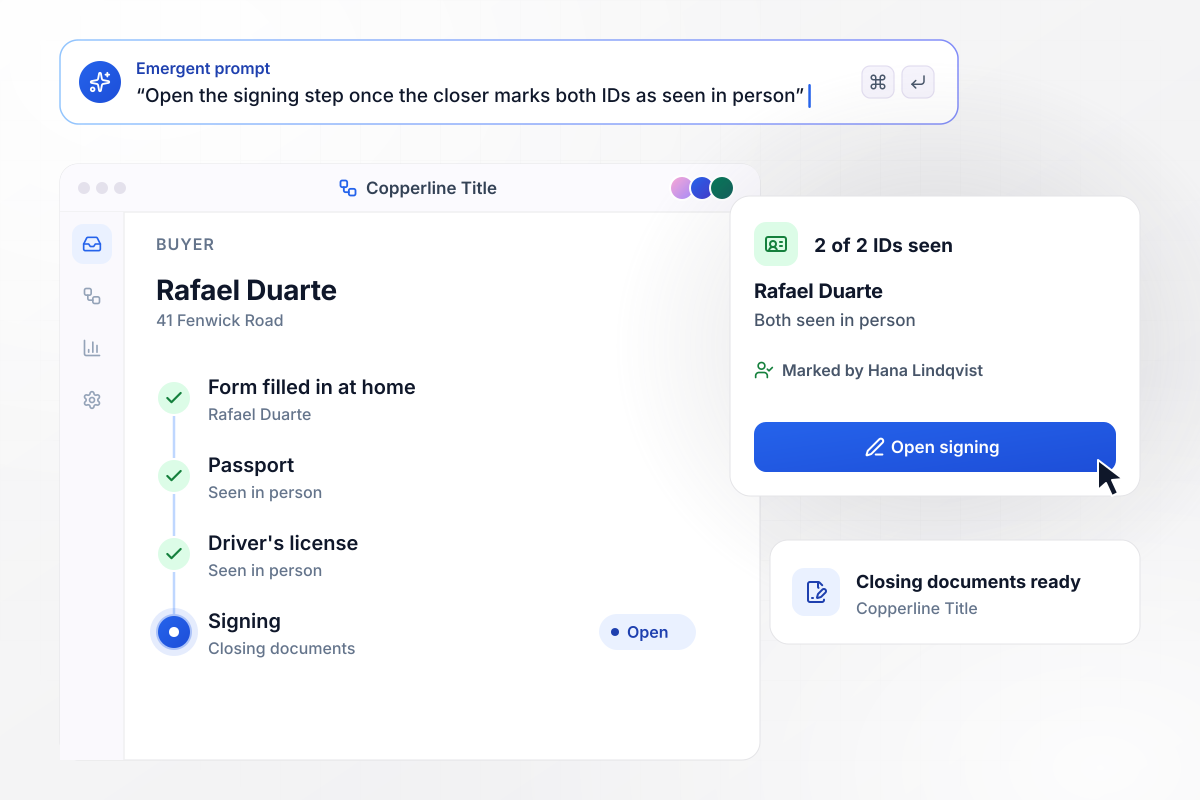
With 2 of 2 IDs seen, the signing step opens
Rafael Duarte fills in the form at home before closing on 41 Fenwick Road with Copperline Title. At the closing table, closer Hana Lindqvist holds his passport and driver's license and marks each as seen in person. With 2 of 2 IDs marked, the app opens the signing step for the closing documents.
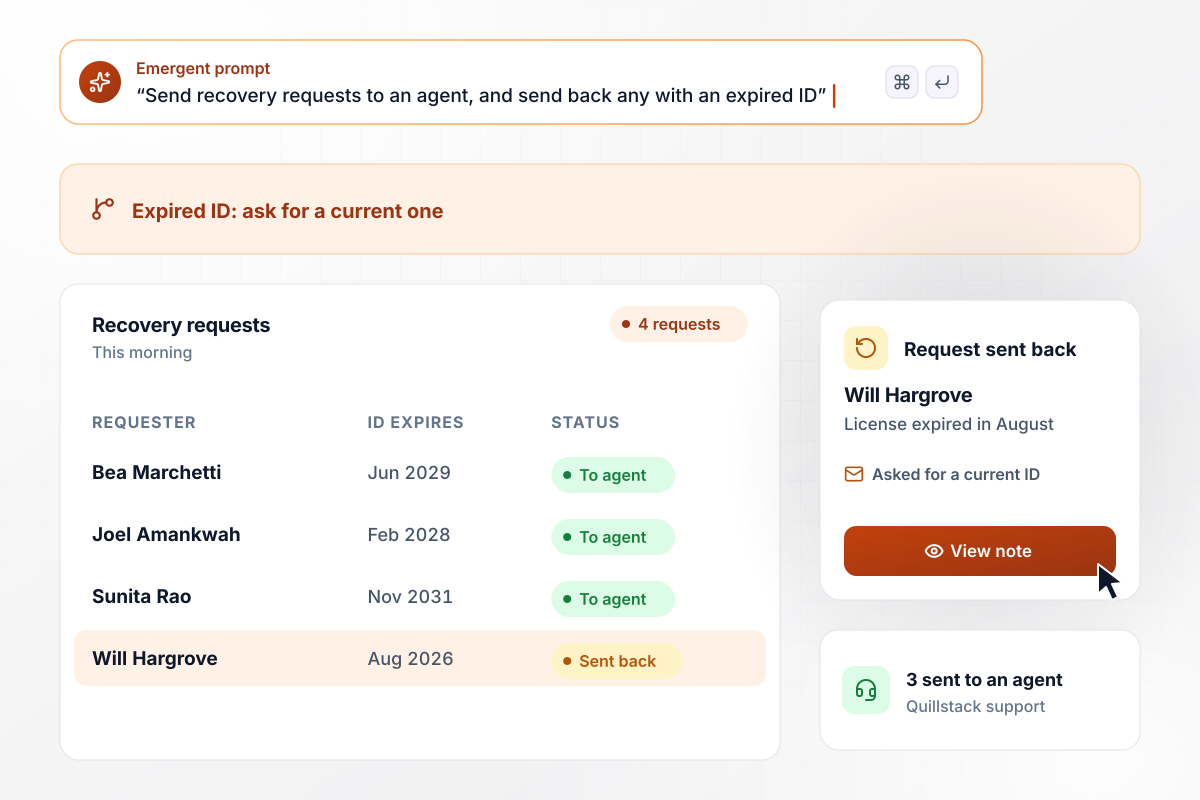
Three requests move on and an expired one returns
Quillstack's support team takes account recovery requests through the form, each with the account email and a photo ID. Four requests came in this morning. Three go to an agent. Will Hargrove's driver's license expired in August, and his request goes back to him with a note asking for a current ID.
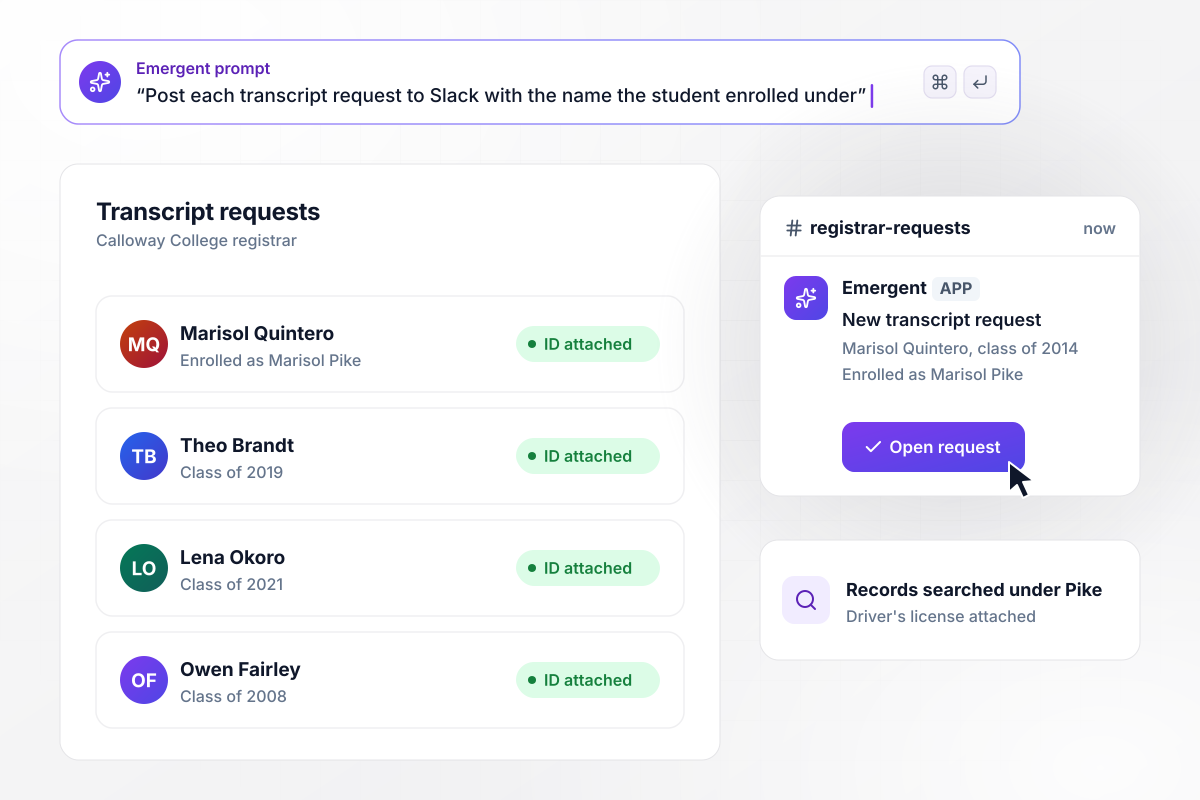
Slack gets her enrollment name with the request
Marisol Quintero asks Calloway College for a transcript and uploads her driver's license. She enrolled as Marisol Pike, and the form asks for that name as well. The registrar team's Slack channel gets the request with both names and her class year, 2014, and staff search the student records under Pike.






How to Create an Identity Verification Form
Seven steps to create an identity verification form that collects ID details, routes each case to a reviewer, and records the decision.
List what your process needs before a case can close: the identity fields, the documents you accept, and what makes an upload unusable. If counsel or a regulator sets that list, copy their wording. The list becomes your prompt in the next step.
Type in plain English what applicants fill in, what they upload, and who reviews the result. Emergent builds the form, the review screen, and a database table for every case. Prompt again whenever a field or a rule needs to change.
Choose which fields the app reads from each uploaded ID. Then pick the confidence level below which a reading goes to a person. Start strict, and loosen it once a week of real cases shows where the readings hold up.
Give reviewers their three buttons and make the reason field mandatory on a rejection. When a reviewer asks for a new photo, have the app email the applicant a link back to the same case, with the earlier answers still filled in.
Send each new case to a Slack channel or to one reviewer by email. Add a reminder for any case still open after 2 days, and an escalation to the team lead at 4 days. Name the lead in the prompt, not a shared inbox.
Submit one clean case, one with a blurry photo, and one with an expired ID. Open the database afterward and confirm that each row holds the uploads, the readings, and the reviewer's decision, with the reason on the rejected one.
Put the form on a custom domain; Emergent includes custom domains, and they use credits. Send the link from the email or account page where applicants start, and take down any old PDF version so nobody fills in the wrong one.
Why Build Your Verification Form on Emergent?
Each case and its decision is a row in a database you own, and the form never caps how many cases arrive.

|
Jotform | Google Forms | Typeform | |
|---|---|---|---|---|
| How you build | Describe it in plain English | Templates, editor, AI generator | Editor, with Gemini drafting on some Workspace plans | Templates, editor, AI assist |
| Where responses live | A database table you own, plus any integration | Jotform account | Google Sheets | Typeform account |
| Response limits | No response caps | Monthly submission caps by plan; the form stops at the cap | No limit | Monthly response caps by plan; the form closes at the cap |
| Code ownership | Full code export to GitHub on paid plans | None | None | None |


Pick the Pricing Plan That Works for You
Choose the plan that fits your building ambitions. From weekend projects to enterprise applications, we've got you covered.




Find the right form
for whatever you're collecting
Frequently Asked Questions
Your Questions, Answered
Don't change this element unless you know what you are doing
More things you can build
with Emergent









on Emergent today


