

Build a Bug Report Form That Captures the Steps to Reproduce
Build a bug report form that collects steps to reproduce, the build and a screenshot, and sends each bug to the right queue.
Build a bug report form for my web app that asks for steps to reproduce, the browser, and a screenshot of the error.
Trusted by Builders Worldwide
Active Builders Worldwide
Apps Successfully Created
Countries Globally Reached



What a Developer Needs to Reproduce a Bug
"The button doesn't work" leaves a developer guessing which button and where. This form asks for the details up front.
Numbered steps before the expected result
The form asks for numbered steps before anything else, then what the reporter expected and what happened instead. A developer reads three short answers in a fixed order.
Browser, device, and build on every bug
Reporters pick the browser, operating system, and app build from lists you keep current. A bug filed against last month's build stands out before anyone tries to reproduce it.
Screenshots saved with each bug
Reporters attach a screenshot or a short screen recording without leaving the form. Each file is stored with its report in a database you own and opens beside the steps.
A severity level that decides who hears first
The reporter picks Critical, Major, Minor, or Low. Critical bugs post to a Slack channel or send an email the moment they are filed. Everything else waits for triage.
An issue opened in the tracker for each bug
The app connects to GitHub or any other tracker with an API and opens an issue for every new bug. Its title, steps, build, and severity label arrive already filled in.
The form's code, on your own servers
The form's full codebase exports to your GitHub repository on paid plans. Put the bug form inside your own product or host it anywhere, then keep building on the same code.
Who Files Bugs, and Where They Land
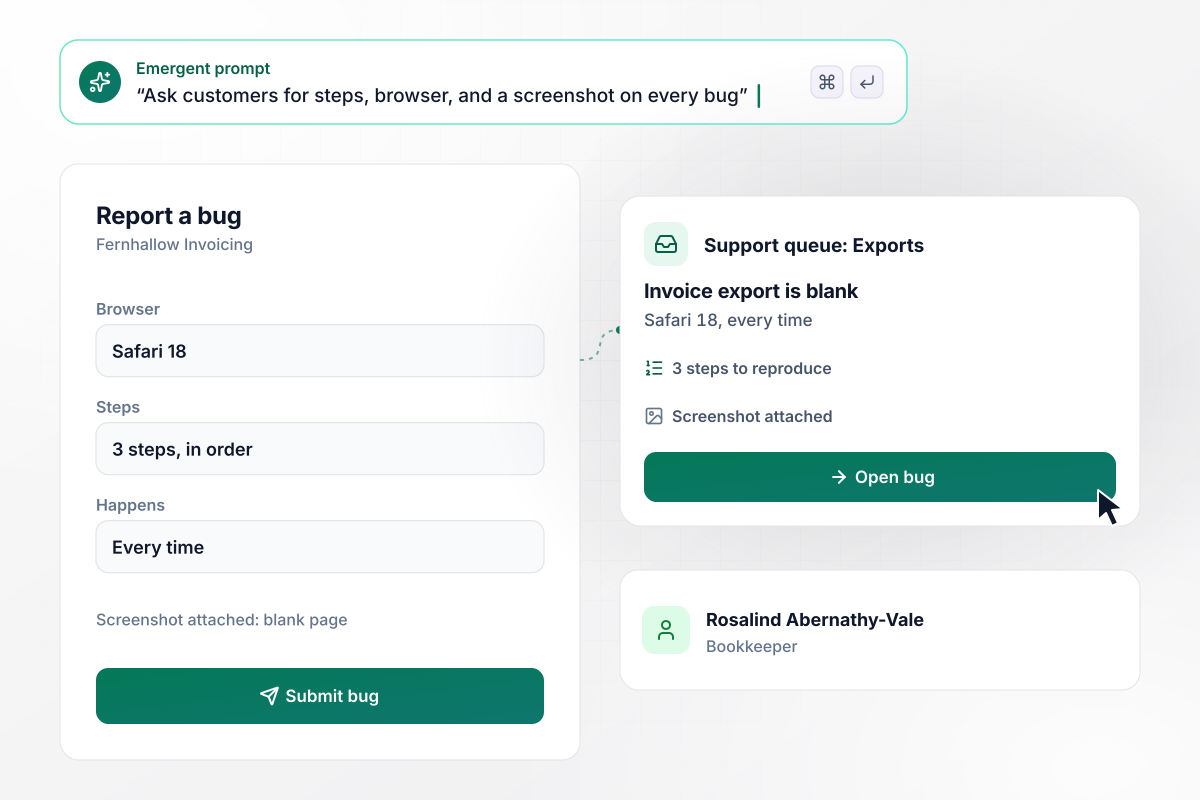
Blank Safari exports come in with steps attached
Bookkeeper Rosalind Abernathy-Vale exports an invoice from Fernhallow Invoicing in Safari 18 and gets a blank PDF. On the bug report form she types 3 steps, attaches a screenshot, and marks the bug as happening every time. It lands in the support queue under Exports, steps in the order she took them.
window.awbMockup = { customerReports: "Build a bug report form for my invoicing app's customers. Ask for numbered steps, the browser, whether it happens every time, and a screenshot. Put each new bug in the support queue under the product area the customer picks, such as Exports or Billing.", qaRegression: "Build a bug report form for my QA testers. They pick the app build and platform, write the steps, and choose a severity. Connect it to GitHub on paid plans so every bug opens an issue with the steps, the build number, and a severity label.", gameBetaTesting: "Build a crash report form for players in my game's closed beta on build 0.9.3. Ask for the level, the device, and what they did right before the crash. Give the producer a view that sorts every report by level.", criticalBugs: "Build a bug report form for my online store's staff. They choose Critical, Major, Minor, or Low. Post every Critical bug to the on-call channel in Slack as soon as it is filed, and hold Low bugs for the weekly triage on Thursday." };
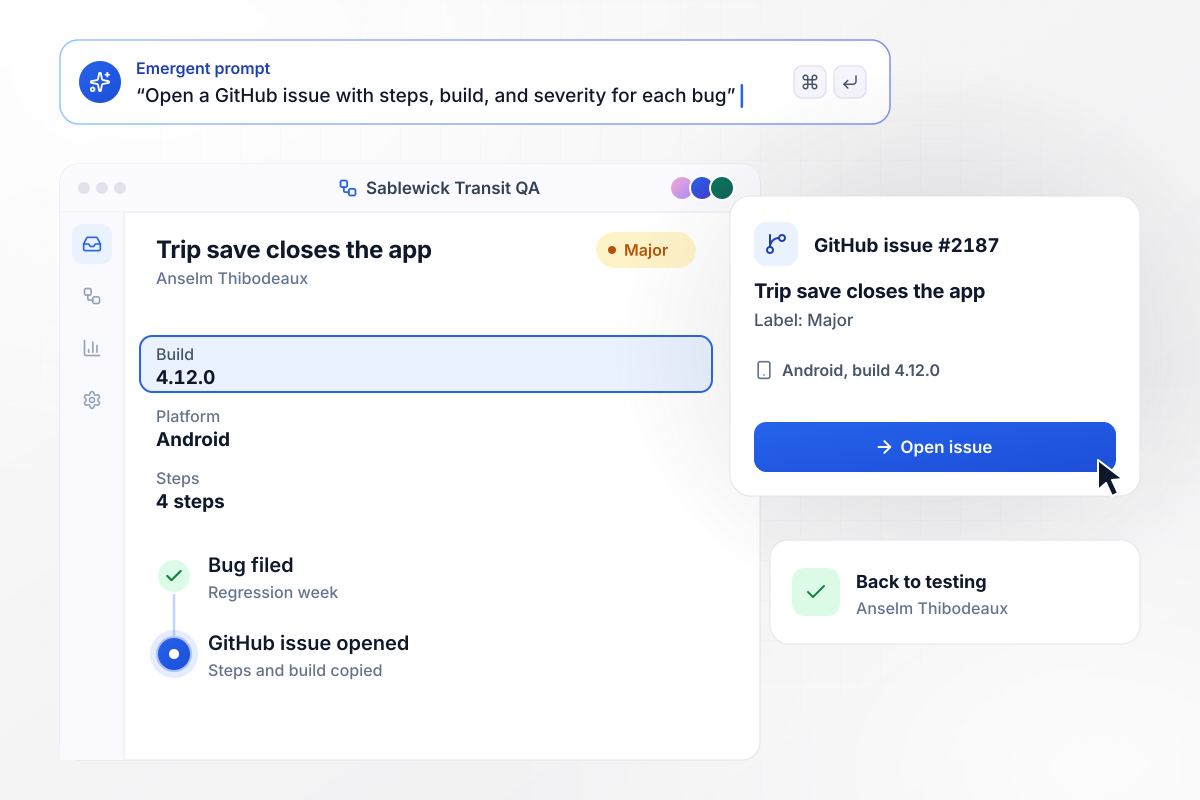
An Android crash goes into GitHub as issue #2187
Regression week at Sablewick Transit tests every screen on build 4.12.0. QA tester Anselm Thibodeaux finds that saving a trip with no return date closes the Android app. He writes down 4 steps and picks Major. The app opens GitHub issue #2187 with his steps, the build, and a Major label, and he goes back to testing.
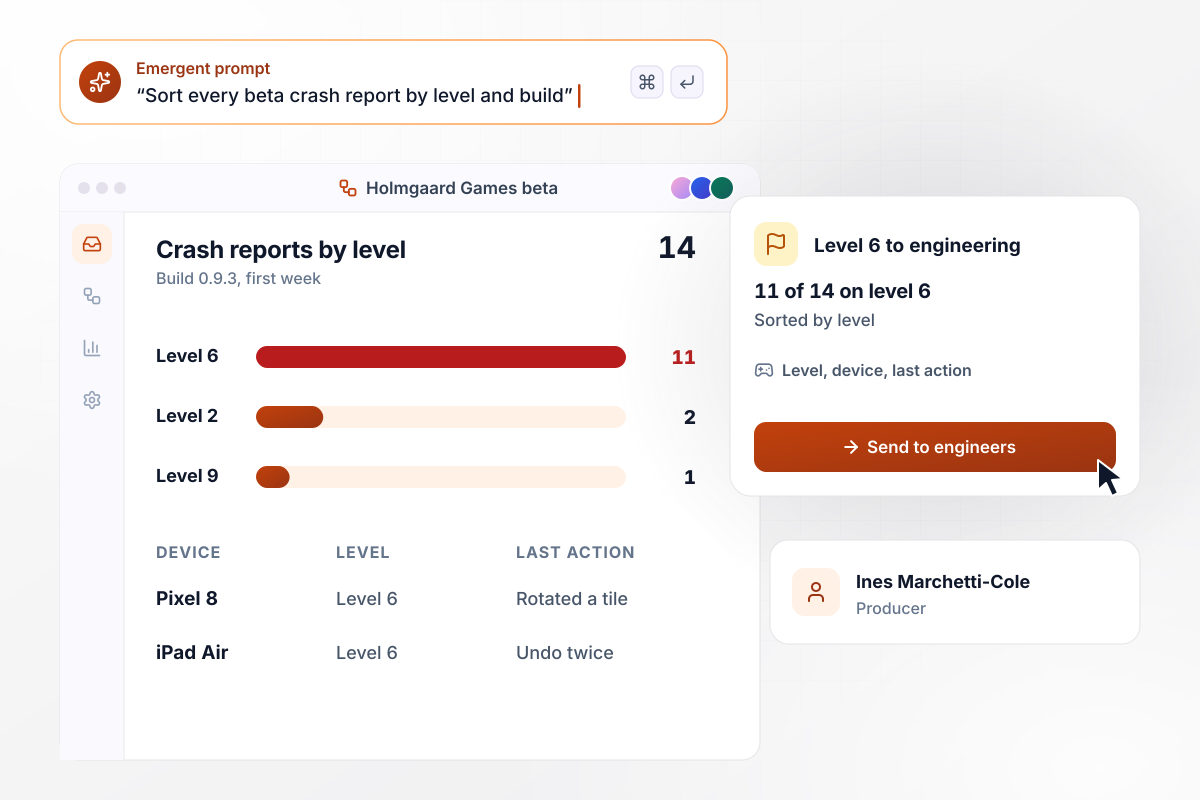
11 of 14 beta crashes, all on level 6
The Holmgaard Games puzzle beta runs on build 0.9.3. The form asks each player for the level, the device, and what they did right before the crash. In the first week, 14 crash reports come in. Producer Ines Marchetti-Cole sorts them by level and finds 11 of the 14 on level 6. Level 6 goes to the engineers first.
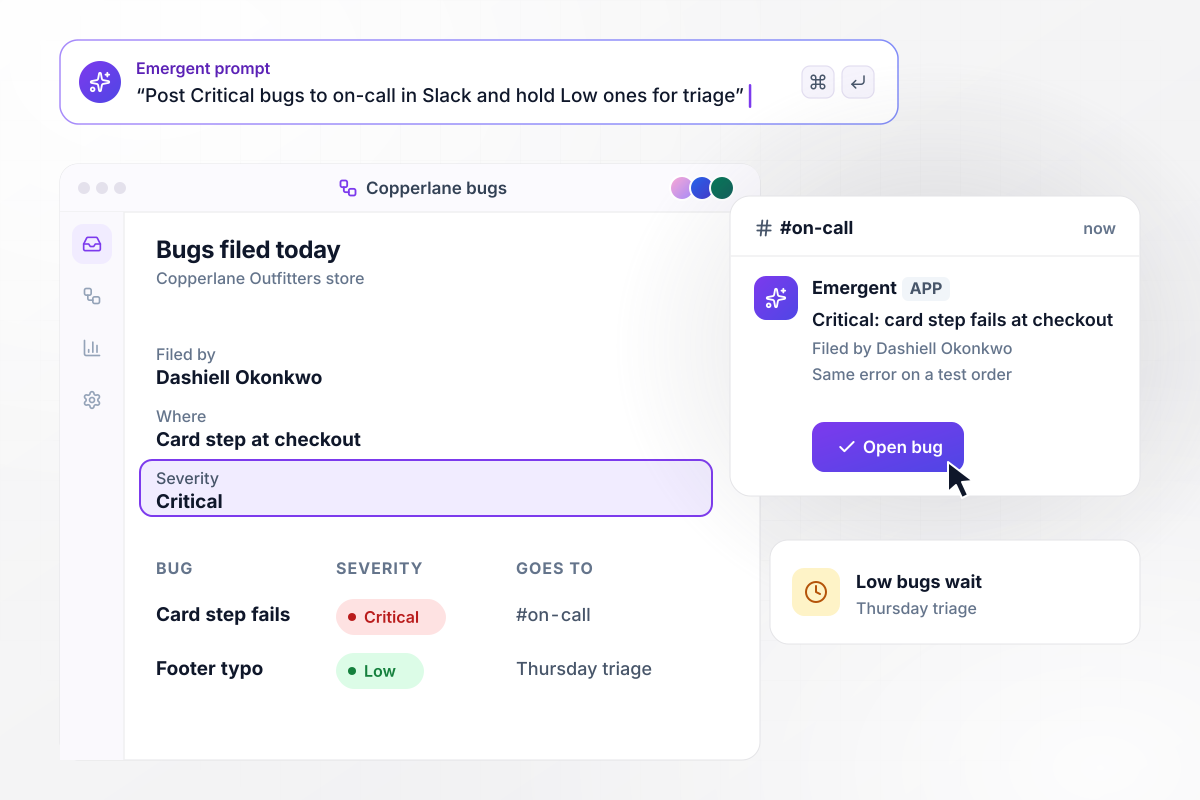
Checkout breaks, and on-call hears it first
A customer writes to Copperlane Outfitters that checkout fails at the card step. Store manager Dashiell Okonkwo places a test order and hits the same error. He files the bug as Critical, and the app posts it to the #on-call channel in Slack. A Low bug filed that afternoon, a typo in the footer, waits for Thursday triage.






How to Create a Bug Report Form
Follow these 7 steps to build a bug report form that gets clear steps from every reporter and routes each bug by severity.
Customers and QA testers need different versions of the form. A customer describes what they saw in plain words, while a tester can pick a build and a platform. Write down each group and where its bugs should go.
Mozilla's bug writing guidelines call steps to reproduce the most important part of any bug report. Number them and place them above every other field. Separate fields for the expected result and the actual result come next, one answer each.
Mozilla asks reporters to say whether they can reproduce the bug at will, occasionally, or not at all. Add that as a required choice. A bug that appears once in 20 tries needs a different plan from one that fails every time.
Pick the levels and write one line for each, such as Critical when checkout or sign-in is down. Then decide who hears about each level and how: a Slack post, an email, or a place in the weekly triage.
Put the fields and the severity rules in one prompt. Emergent builds the bug report form, the triage queue behind it, and the database that stores every bug. To change a field later, ask in plain English.
Connect GitHub or whichever tracker you already use for code work. The app opens an issue for each new bug through the tracker's API, carrying everything the reporter typed, so nobody copies text between two tabs.
File a Critical bug from a phone and a Low bug from a laptop. Check that the Critical one reaches on-call, the Low one waits for triage, and both issues list the steps in the order you typed them.
Why Build Bug Report Forms With Emergent?
An emailed bug gets retyped into the tracker by hand. Emergent builds the form and its tracker connection from a plain-English prompt.

|
Jotform | Google Forms | Typeform | |
|---|---|---|---|---|
| How you build | Describe it in plain English | Templates, editor, AI generator | Editor, with Gemini drafting on some Workspace plans | Templates, editor, AI assist |
| Where responses live | A database table you own, plus any integration | Jotform account | Google Sheets | Typeform account |
| Response limits | No response caps | Monthly submission caps by plan; the form stops at the cap | No limit | Monthly response caps by plan; the form closes at the cap |
| Code ownership | Full code export to GitHub on paid plans | None | None | None |



Pick the Pricing Plan That Works for You
Choose the plan that fits your building ambitions. From weekend projects to enterprise applications, we've got you covered.




Find the right form
for whatever you're collecting















Frequently Asked Questions
Your Questions, Answered
Don't change this element unless you know what you are doing
More things you can build
with Emergent









on Emergent today


