

Build a Password Reset Form That Never Asks for a Password
Build a password reset form that sends each lockout to IT with the account named and no password typed in.
Build a password reset form for my 24-hour call center with name, work email, employee ID, locked account, and what happened, sent to my IT lead.
Trusted by Builders Worldwide
Active Builders Worldwide
Apps Successfully Created
Countries Globally Reached



What IT Needs Before It Resets Anything
Describe who gets locked out and which accounts they use. Emergent builds the form, the queue IT works from, and the alerts.
No field for the old or new password
The form asks for a name, work email, employee ID, the locked account, and what happened. No password passes through it, and none ever sits in the request table IT reads.
Requests that go to the account's owner
Pick Email and the request lands in the help desk queue. Pick Payroll and it goes to whoever runs payroll access, with the employee ID and work email already filled in.
A callback before anyone resets it
The request record carries a Verified box the tech ticks after calling the number on file. The app will not mark a reset done until that box holds a check and the tech's name.
Urgent when the account may be misused
Answer that another person may have signed in, and the request is marked Urgent. The security lead gets a Slack message naming the account and the time it was filed.
Repeat lockouts, counted per person
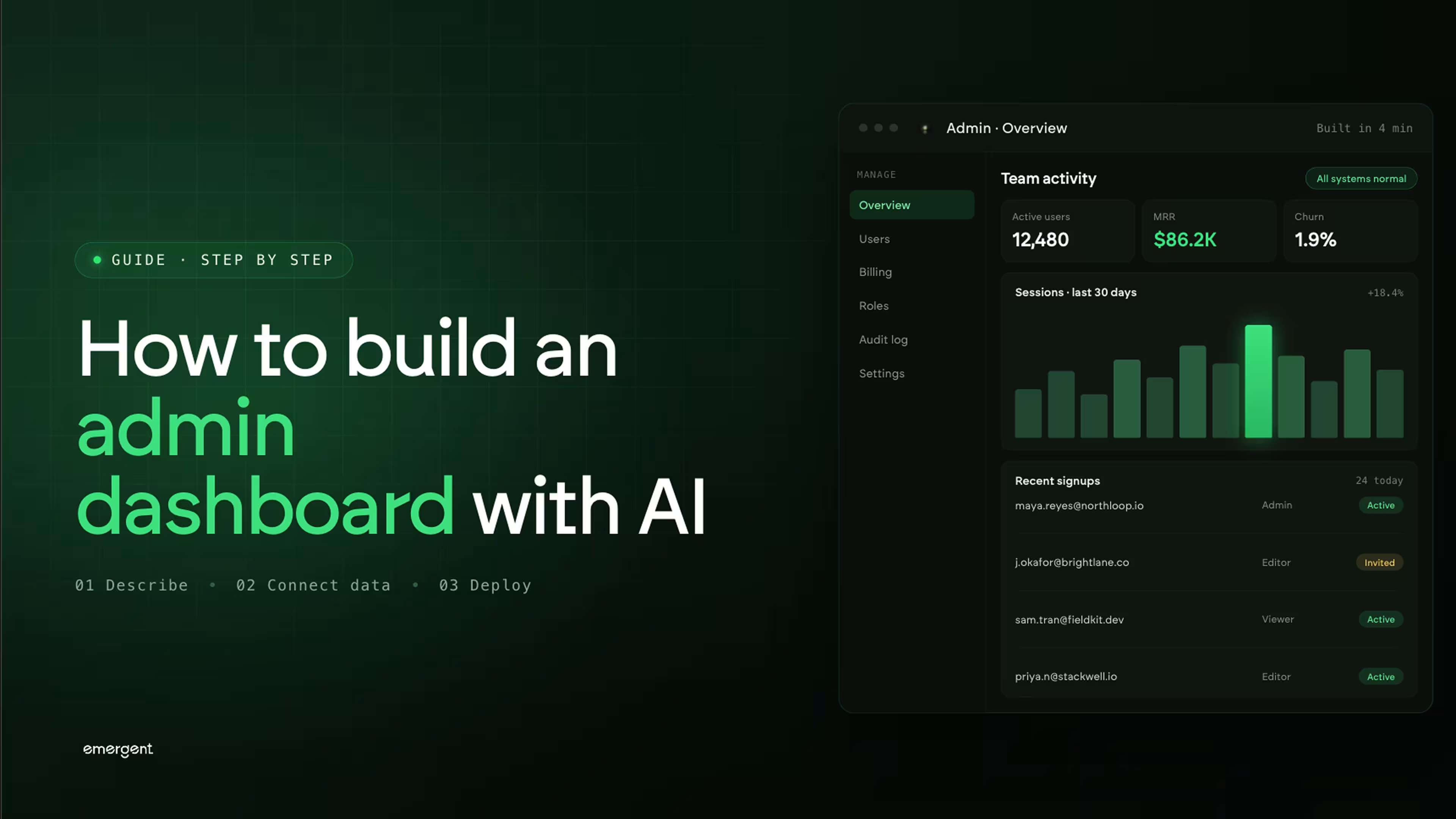
A dashboard counts requests by account and by month. Anyone with 3 or more resets in 30 days lands on a short list, with the date of each reset and the account it was for.
Your GitHub repository holds the code
On paid plans, export the full codebase to your GitHub repository and run the form beside your current help desk. The request table and the routing rules move with it.
Who Is Locked Out, and Who Resets It
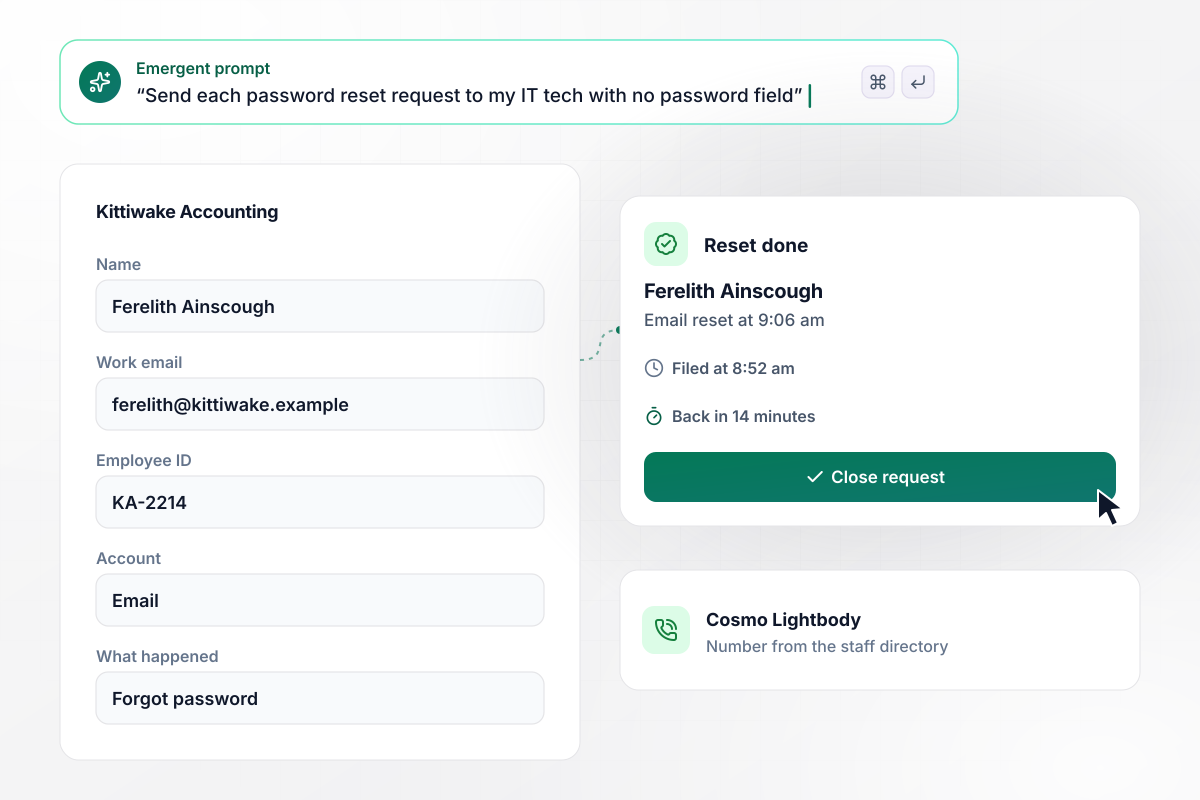
Back into email 14 minutes after the lockout
Ferelith Ainscough at Kittiwake Accounting is locked out of email at 8:52 am. She files from her phone with her employee ID and "Forgot password." Tech Cosmo Lightbody calls her desk extension from the staff directory, not a number typed into the form. He resets the account at 9:06 am.
window.awbMockup = { lockedEmail: "Build a password reset form for my accounting firm. Staff give their name, work email, employee ID, the locked account, and what happened, with no password field. Send each request to my IT tech, Cosmo Lightbody, and give him a Verified box to tick after he calls the desk extension listed in the staff directory.", possibleCompromise: "Build a password reset form for my property management company with name, work email, employee ID, the locked account, and what happened. If someone picks \"Someone else may have used it,\" mark the request Urgent, keep it at the top of the help desk queue, and send my security lead, Ondine Cobbold, a Slack message.", nightShift: "Build a password reset form for my cold storage warehouse that runs on the break-room kiosk. It asks for name, work email, employee ID, the locked account, and what happened. Send any request filed between 10 pm and 6 am to the shift supervisor to confirm the person is on shift, then email the on-call tech.", monthlyReview: "Build a password reset form for my hotel group's 3 properties with name, work email, employee ID, the locked account, and what happened. Add a dashboard that counts requests by account each month and lists anyone with 3 or more resets in 30 days for my IT director to book a setup session with." };
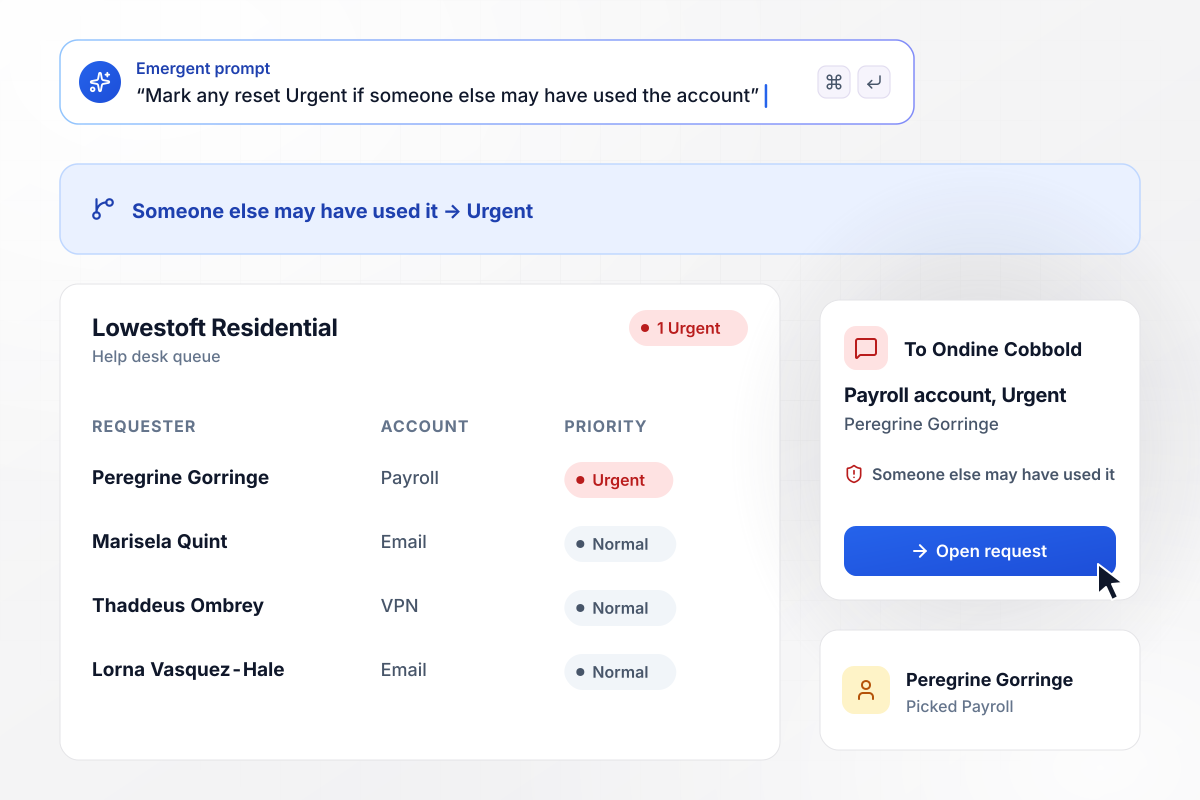
If someone else used it, the security lead hears first
Leasing agent Peregrine Gorringe at Lowestoft Residential sees a payroll sign-in he never made. He picks Payroll and "Someone else may have used it." That answer marks the request Urgent and sends security lead Ondine Cobbold a Slack message. It stays at the top of the help desk queue until she closes it.
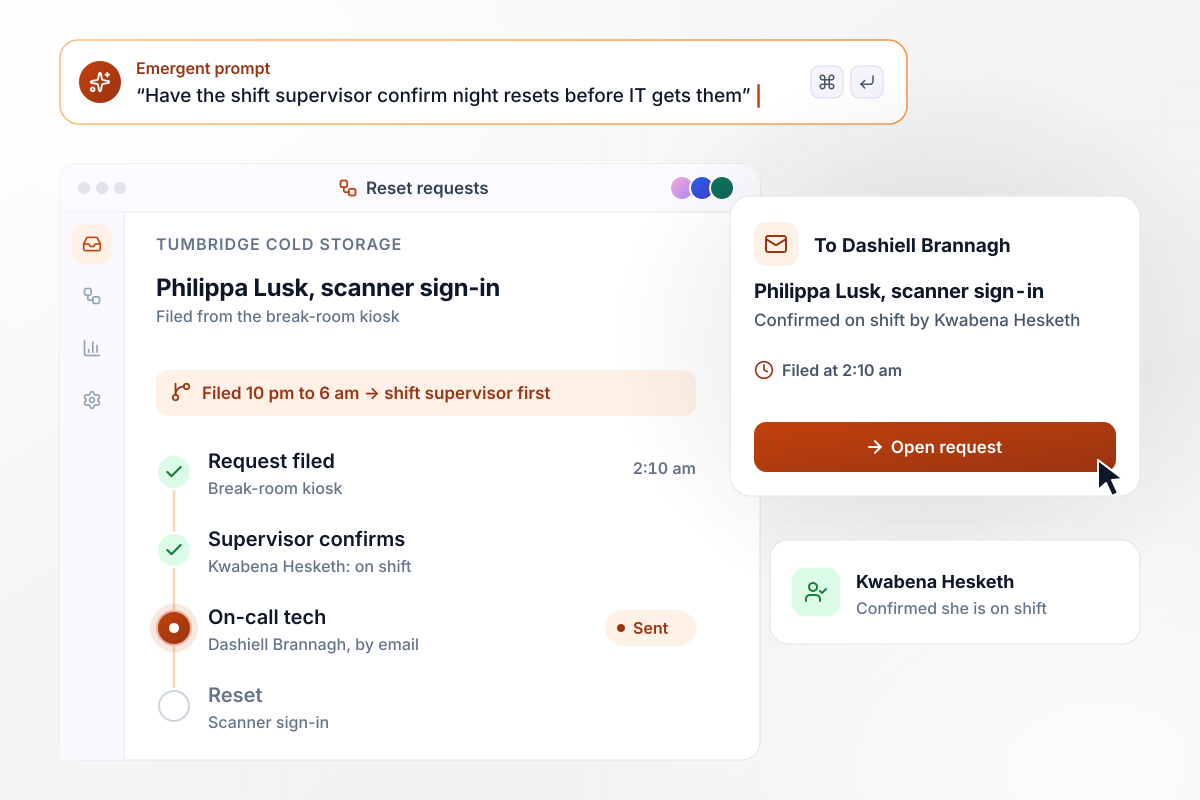
A 2:10 am lockout waits on Kwabena first
Night shift at Tumbridge Cold Storage runs from 10 pm to 6 am. Philippa Lusk is locked out of her scanner sign-in at 2:10 am and files from the break-room kiosk. Requests filed in those hours go to shift supervisor Kwabena Hesketh, who confirms she is on shift. On-call tech Dashiell Brannagh then gets it by email.
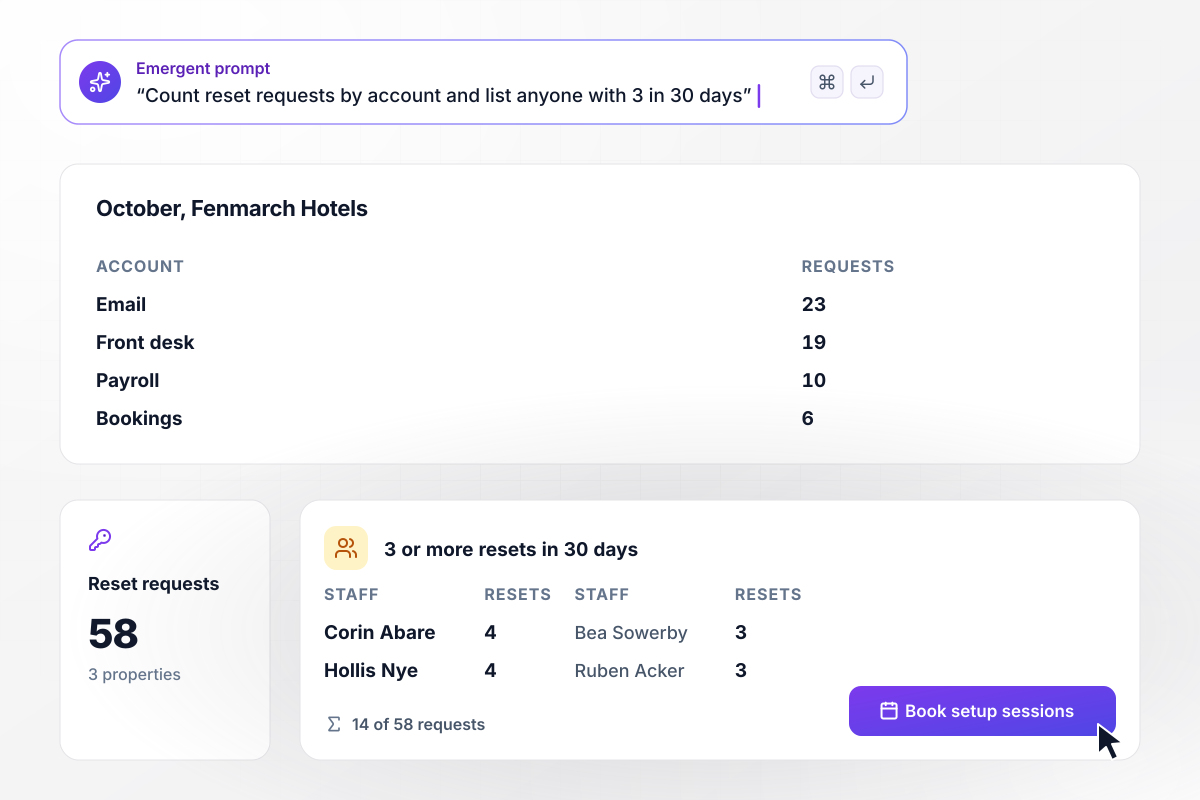
Who keeps getting locked out, by name and count
Fenmarch Hotels runs one IT team for 3 properties. Its October dashboard shows 58 reset requests: 23 for email, 19 for the front desk, 10 for payroll, and 6 for bookings. Four staff filed 14 of the 58 requests, each with 3 or more in 30 days. IT director Yevgenia Tolliver books the four a self-service setup session.






How to Create a Password Reset Form
Seven steps to create a password reset form that confirms who is asking before IT resets any account.
Write down every system staff sign in to, such as email, payroll, the VPN, and a shared front desk login. Each one becomes a choice on the form. Next to each, write the name of the person who can reset it.
Ask only for what IT needs to find the person and the account they lost. Add no field for the old password or a new one, so nobody can type one into a request by mistake.
Pick one check the tech runs before any reset. A call to the number in the staff directory works when everyone has a desk phone or a work mobile. Never call back a number the requester supplies, since whoever filed the request chose it.
Add a choice for possible misuse to the list of what happened. Choose who hears about those requests, such as a security lead or the owner. Put them ahead of forgotten passwords in the queue.
Put the account list, the check, and the routing into one prompt. Emergent builds the form and the table of requests behind it. To change a field or a route later, say what you want in a new prompt.
Decide what happens to a request filed outside IT hours. A supervisor on site can confirm the person is working that shift before the on-call tech gets it. Write the exact hours into the prompt.
File a fake lockout from a phone and from a shared computer. Check that each request reaches the right person, that the tech can tick Verified only after the call, and that an Urgent request sits at the top of the queue.
Why Build Password Reset Forms With Emergent?
A reset request sent by email asks IT to trust whoever wrote it. The form Emergent builds adds a callback to the number on file.

|
Jotform | Google Forms | Typeform | |
|---|---|---|---|---|
| How you build | Describe it in plain English | Templates, editor, AI generator | Editor, with Gemini drafting on some Workspace plans | Templates, editor, AI assist |
| Where responses live | A database table you own, plus any integration | Jotform account | Google Sheets | Typeform account |
| Response limits | No response caps | Monthly submission caps by plan; the form stops at the cap | No limit | Monthly response caps by plan; the form closes at the cap |
| Code ownership | Full code export to GitHub on paid plans | None | None | None |

Pick the Pricing Plan That Works for You
Choose the plan that fits your building ambitions. From weekend projects to enterprise applications, we've got you covered.




Find the right form
for whatever you're collecting















Frequently Asked Questions
Your Questions, Answered
Don't change this element unless you know what you are doing
More things you can build
with Emergent









on Emergent today


