

Build a Catering Order Form That Keeps the Final Count Straight
Build a catering order form that logs the event date, guest count, and special meals to a database you own.
Build a catering order form that saves every response to a database I own.
Trusted by Builders Worldwide
Active Builders Worldwide
Apps Successfully Created
Countries Globally Reached



The Questions a Caterer Asks on Every Call
Each answer on the form replaces a follow-up call. The kitchen and the event captain work from the same order the client sent.
Event basics before the menu
The form asks for the event date, the venue address, and the phone number of whoever is on site that day. A driver who cannot find the loading door calls that person directly.
Questions that follow the service
The client picks drop-off, buffet, or plated service, and the next questions follow that pick. Plated service asks for each guest's entree, and drop-off asks who receives the food.
One guest count, every change kept
Clients revise the guest count on their original order until the final count date you set. Each change saves as a numbered revision, and the newest count sits at the top.
Alerts for new orders and late changes
The app emails you or posts in Slack when an order arrives or a client edits the count. A reminder goes to the client a week before the final count date, while edits are open.
Orders saved in a database you own
Every order saves as a row in a database you own, with no response caps in June or December. Filter the rows by event date and next week's events line up with their counts.
A signed order that reaches your books
The client can sign the order on the form before you hold the date. The app can then send the order total to QuickBooks or Xero through its API, where you raise the invoice.
Four Caterers and the Orders They Take
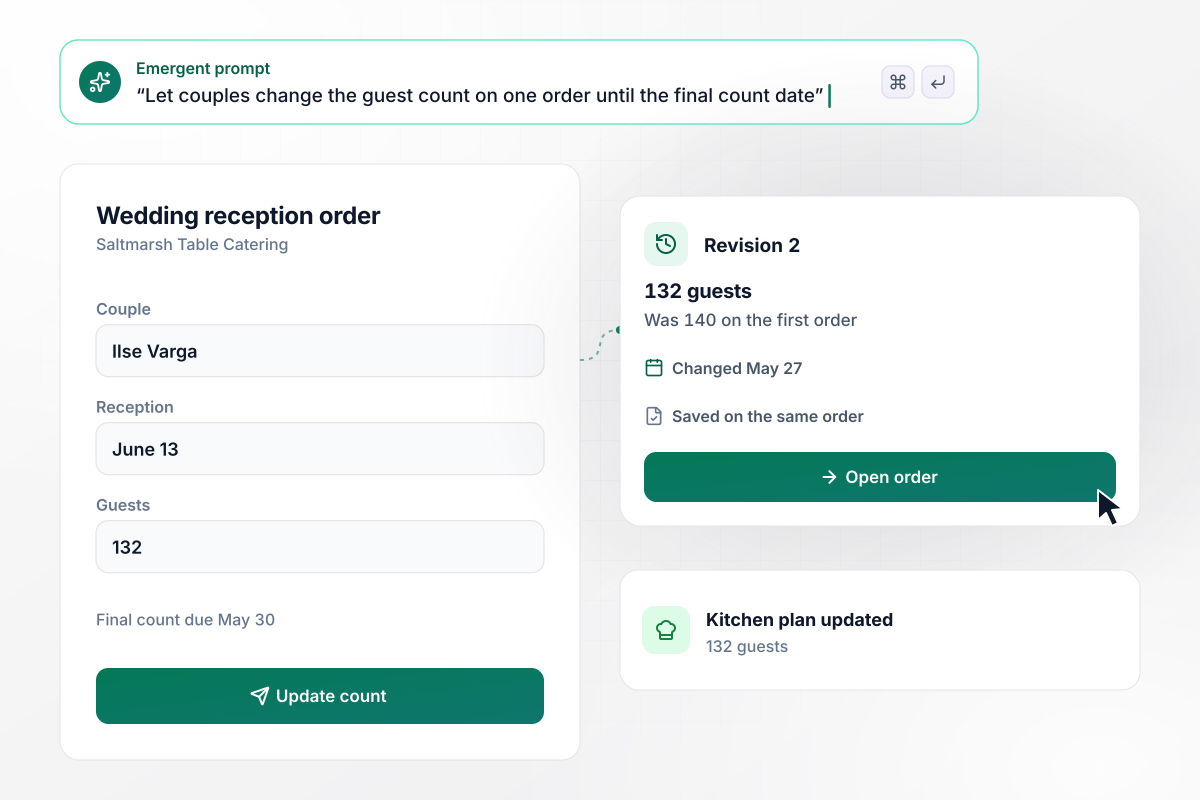
The final count drops to 132 by May 27
Saltmarsh Table Catering plans Ilse Varga's June 13 wedding reception from a single order. She booked 140 guests, with the final count due May 30. On May 27 she lowered it to 132 on that same order, which now reads revision 2, and the kitchen plans for 132.
window.awbMockup = { weddings: "Build a wedding catering order form for my catering company. Couples enter the reception date and guest count, and can change the count on the same order until the final count date, 14 days before the event. Save each change as a numbered revision and lock the count after that date.", boxedLunches: "Build a boxed lunch order form for conference organizers. They enter the total headcount, then list each vegetarian or gluten-free lunch under the attendee's name. Show a packing list that counts standard boxes and named boxes separately.", staffedBuffets: "Build a buffet catering order form that staffs each event. Assign 1 server per 30 guests plus 1 captain, and schedule the staff on site 90 minutes before the service time the client enters.", shortNotice: "Build a catering order form that confirms orders placed at least 72 hours ahead. When an order comes in with less notice, hold it and email me to approve or decline it before the client gets a confirmation." };
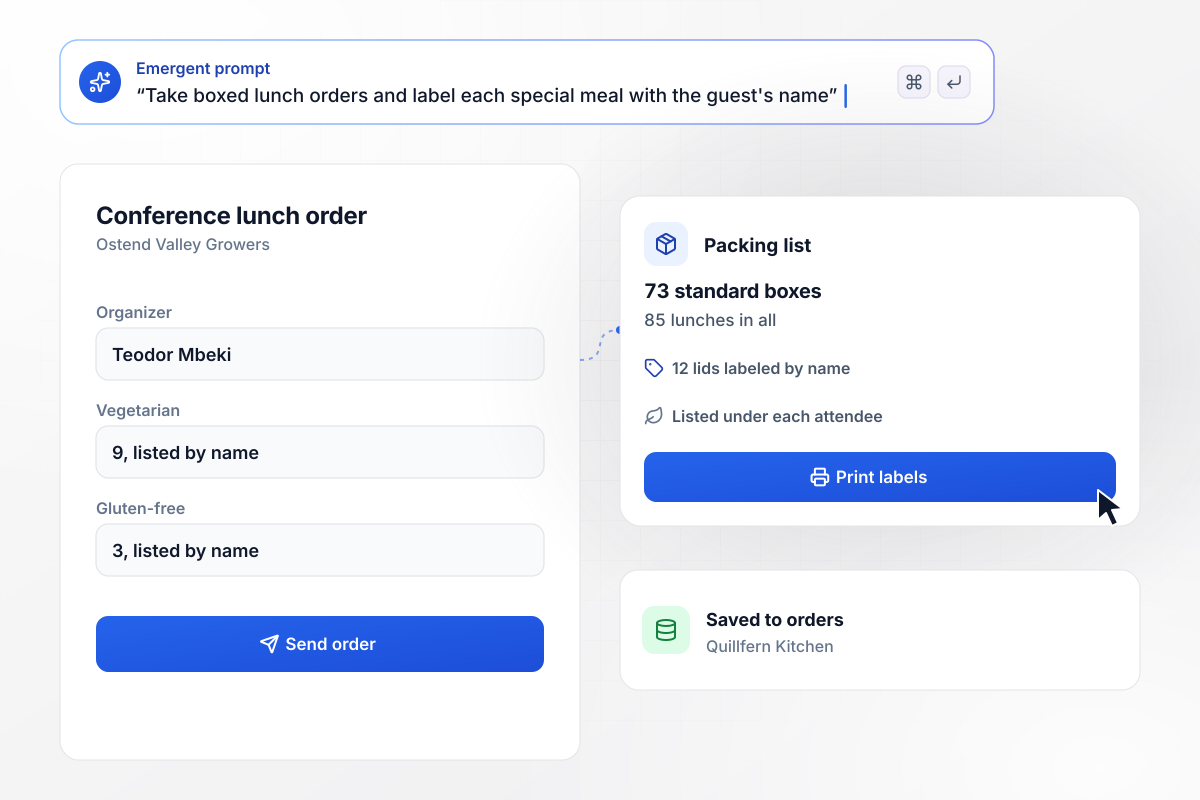
Each special lunch with its guest's name
Quillfern Kitchen packs an 85-person lunch for the Ostend Valley Growers Association's spring meeting. Organizer Teodor Mbeki listed 9 vegetarian and 3 gluten-free lunches, each under the attendee who asked for it. The packing list shows 73 standard boxes and 12 lids labeled by name.
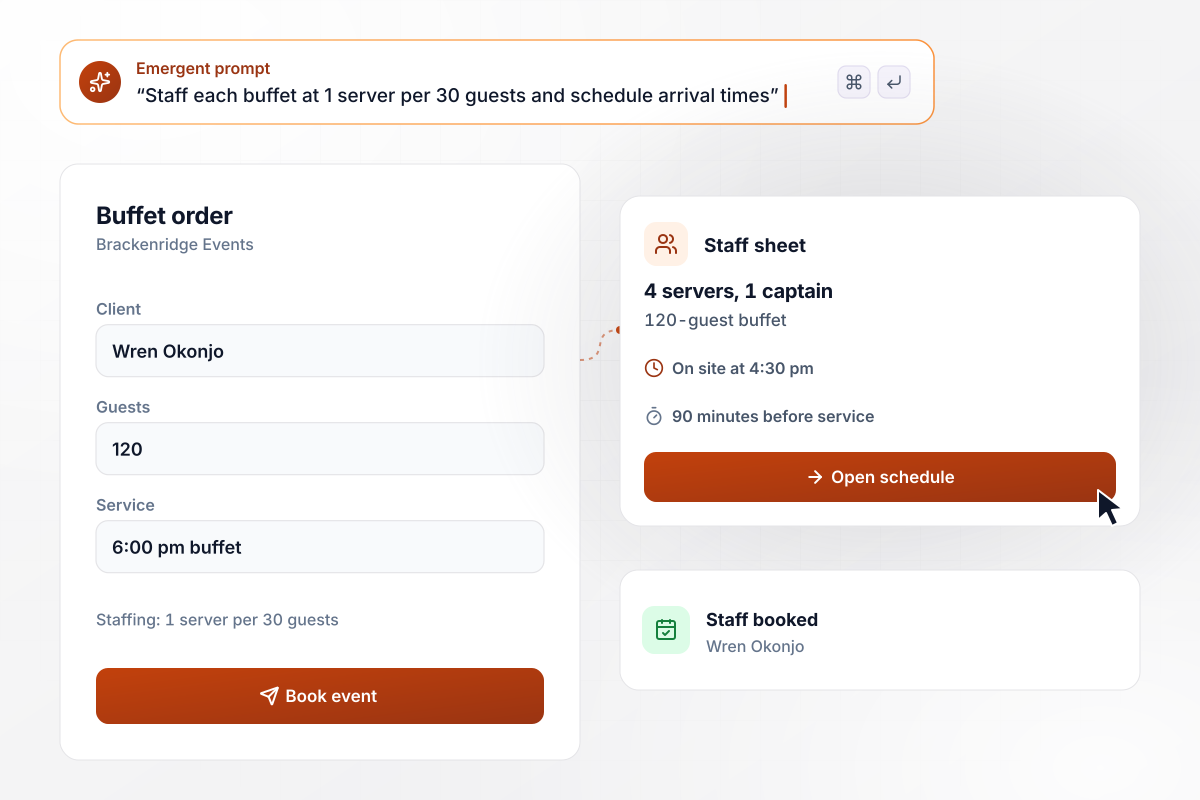
On site by 4:30 pm with 4 servers and a captain
Brackenridge Events staffs every buffet at 1 server per 30 guests, plus a captain. Wren Okonjo booked a 120-guest buffet with service at 6:00 pm. Her order came back with 4 servers and 1 captain, and the staff sheet puts them on site at 4:30 pm, 90 minutes before service.
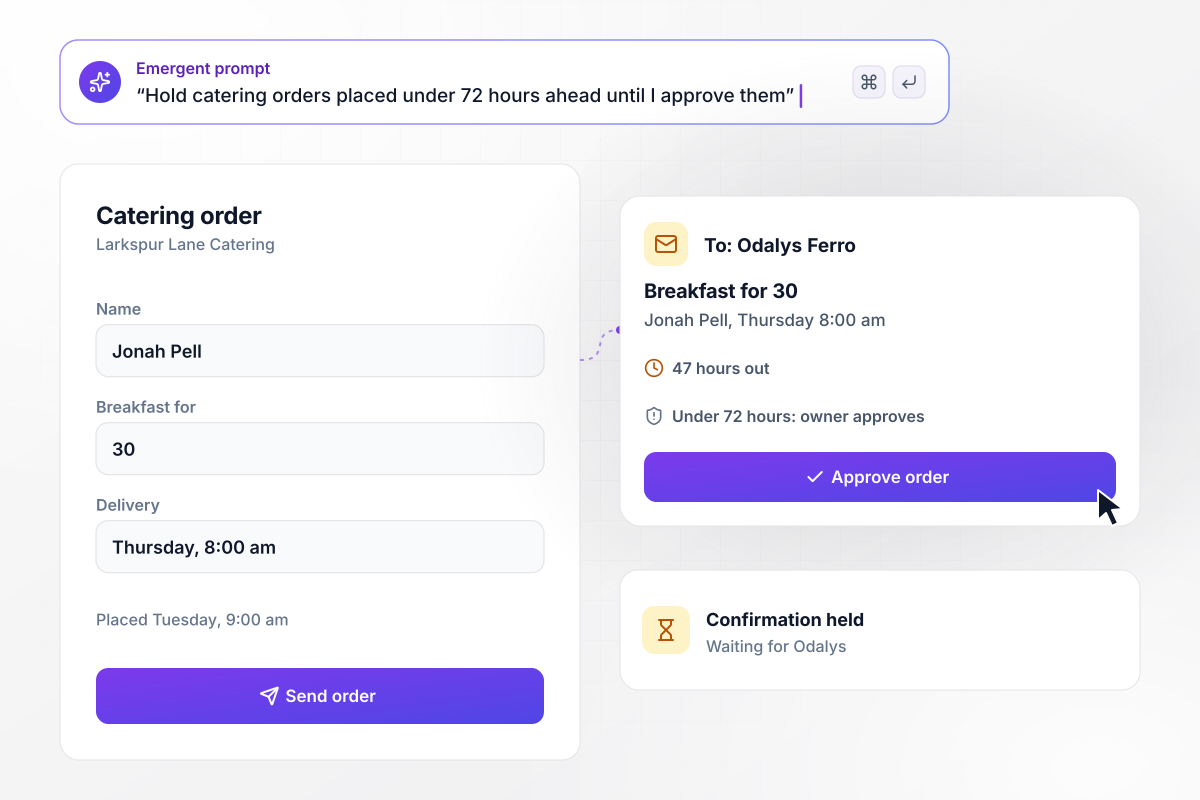
Any order inside 72 hours waits for Odalys
Larkspur Lane Catering confirms orders placed at least 72 hours ahead without anyone touching them. Jonah Pell ordered breakfast for 30 on Tuesday at 9:00 am, for Thursday at 8:00 am, 47 hours out. Owner Odalys Ferro got an email asking her to approve it, and Jonah's confirmation waited for her yes.






How to Make a Catering Order Form
Follow these seven steps to turn your phone questions and event rules into a catering order form that books each event.
Start with the questions you ask every new client on the phone: the date, the venue, the guest count, the service style, and dietary needs. Each one becomes a field, so the order arrives complete.
Pick a final count date and a minimum notice period, and write each as a number, such as 14 days before the event and 72 hours for new orders. The form needs both to lock counts and hold late orders.
Decide how a guest count becomes a crew, such as 1 server per 30 guests at a buffet. Add the arrival time you want, counted back from service, so the staff sheet is complete when the order lands.
Add a dietary question that asks for the guest's name next to each special meal. A vegetarian plate or an allergy note then reaches the right seat or the right box, not only the right event.
Paste your questions and rules into one prompt, and Emergent builds the form, its logic, and the database behind it. When your menu or rules move, ask for the change in plain English the same way.
Place a test order for an event you catered last month, typing it in as the client would. Then change its guest count and check that the revision saves and the alert reaches you before you share it.
Share the link in your quote email and on the catering page of your website. Every order placed from it lands in the same database, next to the events you have already booked.
Why Build a Catering Order Form With Emergent?
A catering order form PDF holds the guest count written that day. Emergent builds one that keeps each revision in a database you own.

|
Jotform | Google Forms | Typeform | |
|---|---|---|---|---|
| How you build | Describe it in plain English | Templates, editor, AI generator | Editor, with Gemini drafting on some Workspace plans | Templates, editor, AI assist |
| Where responses live | A database table you own, plus any integration | Jotform account | Google Sheets | Typeform account |
| Response limits | No response caps | Monthly submission caps by plan; the form stops at the cap | No limit | Monthly response caps by plan; the form closes at the cap |
| Code ownership | Full code export to GitHub on paid plans | None | None | None |

Pick the Pricing Plan That Works for You
Choose the plan that fits your building ambitions. From weekend projects to enterprise applications, we've got you covered.




Find the right form
for whatever you're collecting















Frequently Asked Questions
Your Questions, Answered
Don't change this element unless you know what you are doing
More things you can build
with Emergent









on Emergent today


