

Build a Uniform Order Form That Totals Every Size
Get a uniform order form that collects sizes and jersey numbers, then totals every size for your supplier.
Build a uniform order form for my hockey club's players and rink staff that collects each person's items and sizes.
Trusted by Builders Worldwide
Active Builders Worldwide
Apps Successfully Created
Countries Globally Reached



What Happens to Each Uniform Order
A clipboard of sizes still has to be counted by hand and retyped for the supplier. These six parts do that work as each order arrives.
Every garment with its own size run
List each item with its price and its sizes, such as youth small up to adult 2XL. Buyers pick a size and a quantity, and the form shows the total on screen before they submit.
One jersey number per player
Players choose from the numbers still open. A number leaves the picker as soon as one player claims it, and the coach sees every number in use, by player, on a single screen.
Names on the back, spelled as typed
Ask for the name to print on each jersey, and show it to the buyer on a review screen before they submit. The print list for the supplier comes straight from the saved orders.
Totals by size when ordering closes
Set a close date, and the app counts every item by size and color once that date passes. The count goes to whoever places the supplier order, by email or in a Slack message.
Allowances and approvals for staff
Give each employee a yearly uniform allowance. An order inside it goes straight through. An order past it waits for a manager's approval, and the manager gets an email about it.
Orders saved to a database you own
Every order saves as a row in a database you own, and responses have no cap. Next season's order can start from this season's saved rows instead of a blank sheet of sizes.
Teams and Staff, Four Uniform Orders
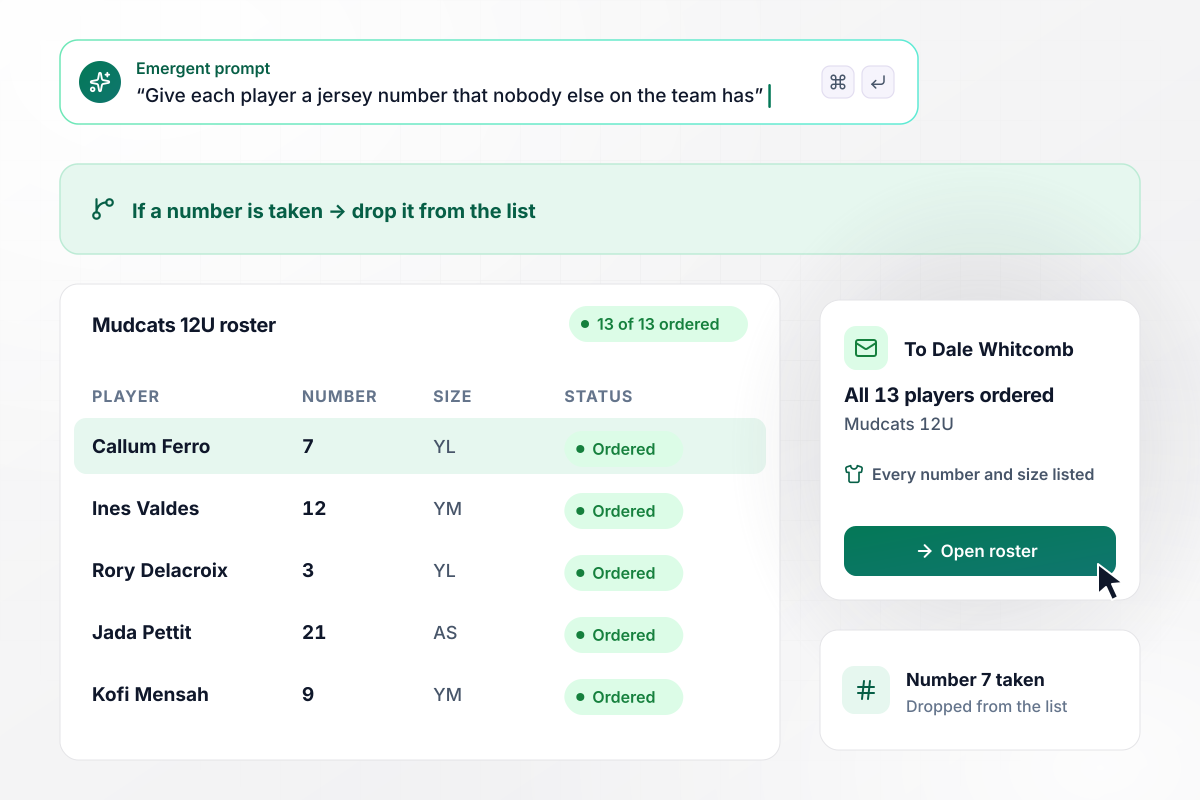
Each jersey number goes to one player only
Cedar Hollow Mudcats play 12U baseball, and each player picks a jersey number along with a jersey size. Once a number is taken, it drops off the list for the next family. When the 13th player orders, team manager Dale Whitcomb gets an email with every number and size on the roster.
window.awbMockup = { baseballTeams: "Build a uniform order form for my 12U baseball team. Ask for the player's name, jersey size, pants size, and jersey number. Show only the numbers still open, and remove a number once a player takes it. When all 13 players have ordered, email the roster of numbers and sizes to our team manager, Dale Whitcomb.", basketballClubs: "Build a jersey order form for my basketball club's 14U team. Offer youth and adult sizes and ask for the name to print on the back. Close the form on September 20, then count the jerseys by size and send our club director, Imani Beckett, the totals in a Slack direct message.", companyUniforms: "Build an employee uniform order form for my plumbing company. Shirts cost $24 and jackets $90. Each technician has a $150 yearly allowance. If an order goes over the allowance, hold it and email our operations manager, Corinne Tash, to approve it.", newHireUniforms: "Build a uniform order form for new hires at my hotel. Ask for the department, start date, and sizes. If a new hire has not ordered 5 days before the first shift, email them a reminder with the link, and show our HR coordinator, Joel Brannigan, a list of who is still missing." };
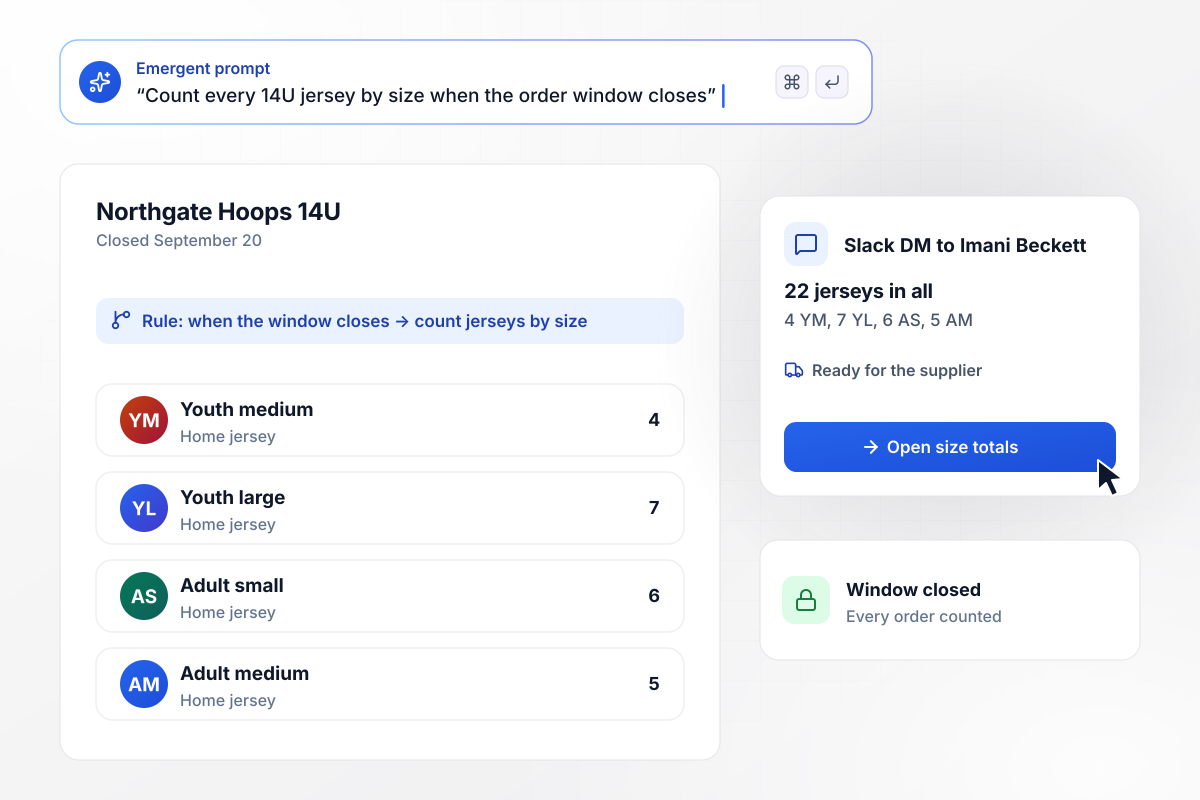
Sizes add up to 22 jerseys for the supplier
Northgate Hoops runs one order window for its 14U team, and it closes on September 20. The app then counts the jerseys by size: 4 youth medium, 7 youth large, 6 adult small, and 5 adult medium, or 22 in all. Club director Imani Beckett gets the totals in a Slack direct message.
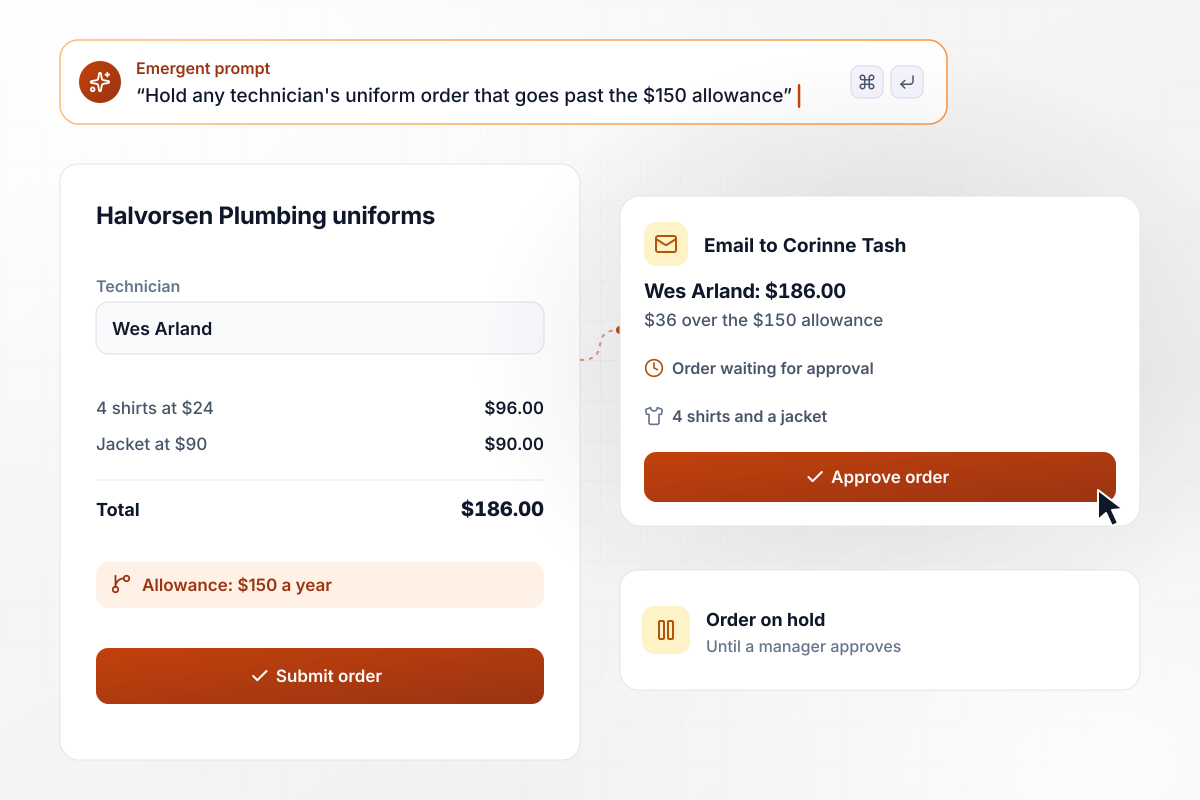
A manager approves any order past $150
Halvorsen Plumbing gives each technician $150 a year for work shirts and jackets. Wes Arland orders 4 shirts at $24 and a jacket at $90, a total of $186 that runs $36 over the $150 allowance. His order waits, and operations manager Corinne Tash gets an email asking her to approve it.
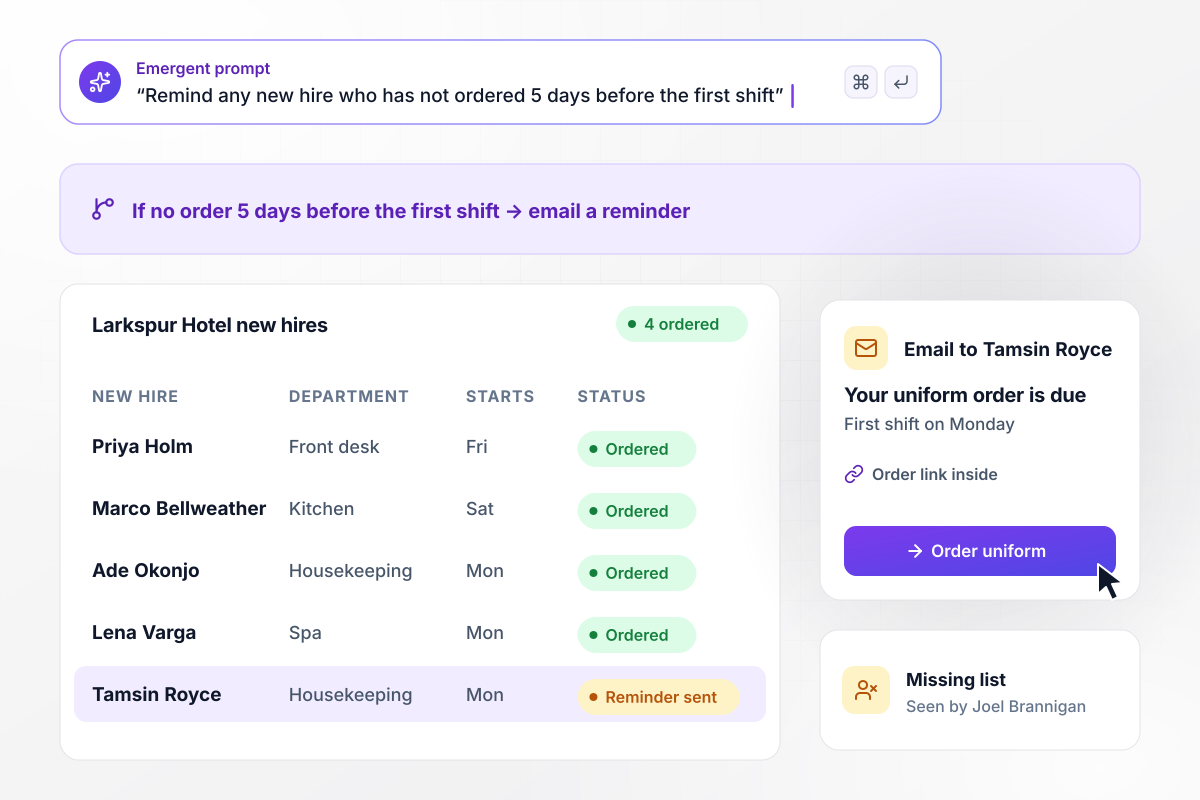
New hires get a reminder when their order is missing
New hires at the Larkspur Hotel order their uniforms 5 days before the first shift. Tamsin Royce starts on Monday and has not ordered, so she gets a reminder email with the link. HR coordinator Joel Brannigan sees her on the missing list, next to 4 new hires who have ordered.






How to Create a Uniform Order Form
Seven steps to set up a uniform order form that gets every size right and hands your supplier one count to order from.
Ask your supplier for the size chart and the price of each item, including any extra charge for larger sizes. Use their size labels, such as YM or AL. The count you send back then matches their order sheet line for line.
On a team form, a parent places one order per player, and the player's name is the main field. On a staff form, tie each order to an employee name or ID that matches the payroll list.
Pick the jersey number range and decide whether a returning player keeps last season's number. If names go on the back, set a character limit that fits the print area and show the name on the review screen.
For staff, enter the yearly allowance and the manager who approves an order past it. For a team, decide whether families pay with the order or the club pays the supplier, and record which it is on every order.
Count back from the day you need uniforms in hand, and leave room for the supplier's production time. Close the form on that date, and place the supplier order the next morning.
Submit 3 orders yourself before sharing the link: one in the smallest size, one with a name on the back, and one that tests your number or allowance rule. Check that each one shows up in the size totals.
Send the link to the team or staff list, then compare the orders with the roster a few days before the close date. Remind anyone missing, because a late size can mean a second supplier order.
Why Use Emergent for Uniform Order Forms?
Emergent builds the uniform order form and the work after it: open jersey numbers, size totals for the supplier, and staff approvals.

|
Google Forms | Jotform | SurveyMonkey | |
|---|---|---|---|---|
| How you build | Describe it in plain English | Editor, with Gemini drafting on some Workspace plans | Templates, editor, AI generator | Survey builder with templates |
| Where responses live | A database table you own, plus any integration | Google Sheets | Jotform account | SurveyMonkey account, plus export |
| Response limits | No response caps | No limit | Monthly submission caps by plan; the form stops at the cap | Response allowance per plan, overage billed on paid plans |
| Code ownership | Full code export to GitHub on paid plans | None | None | None |




Pick the Pricing Plan That Works for You
Choose the plan that fits your building ambitions. From weekend projects to enterprise applications, we've got you covered.




Find the right form
for whatever you're collecting















Frequently Asked Questions
Your Questions, Answered
Don't change this element unless you know what you are doing
More things you can build
with Emergent









on Emergent today


